Why Shopify doesn't handle your full accounting
Shopify provides sales summaries, payout reports, and basic tax calculations, but it does not offer double-entry accounting, automated expense categorization, or multi-state sales tax compliance. If you rely solely on Shopify's built-in financial tools, you are flying blind on profitability, cash flow, and tax liability. External accounting software is not optional for any store processing more than a handful of orders per month.
With over 2.5 million active stores on Shopify as of 2026, the platform dominates e-commerce. But its financial reporting was built for operational visibility, not for accounting compliance. The Shopify Analytics dashboard shows you total sales, gross profit, and average order value. What it does not show you: net profit after all fees, accurate COGS across product lines, or your actual tax liability across jurisdictions.
Here is what falls through the cracks when you treat Shopify reports as your accounting system:
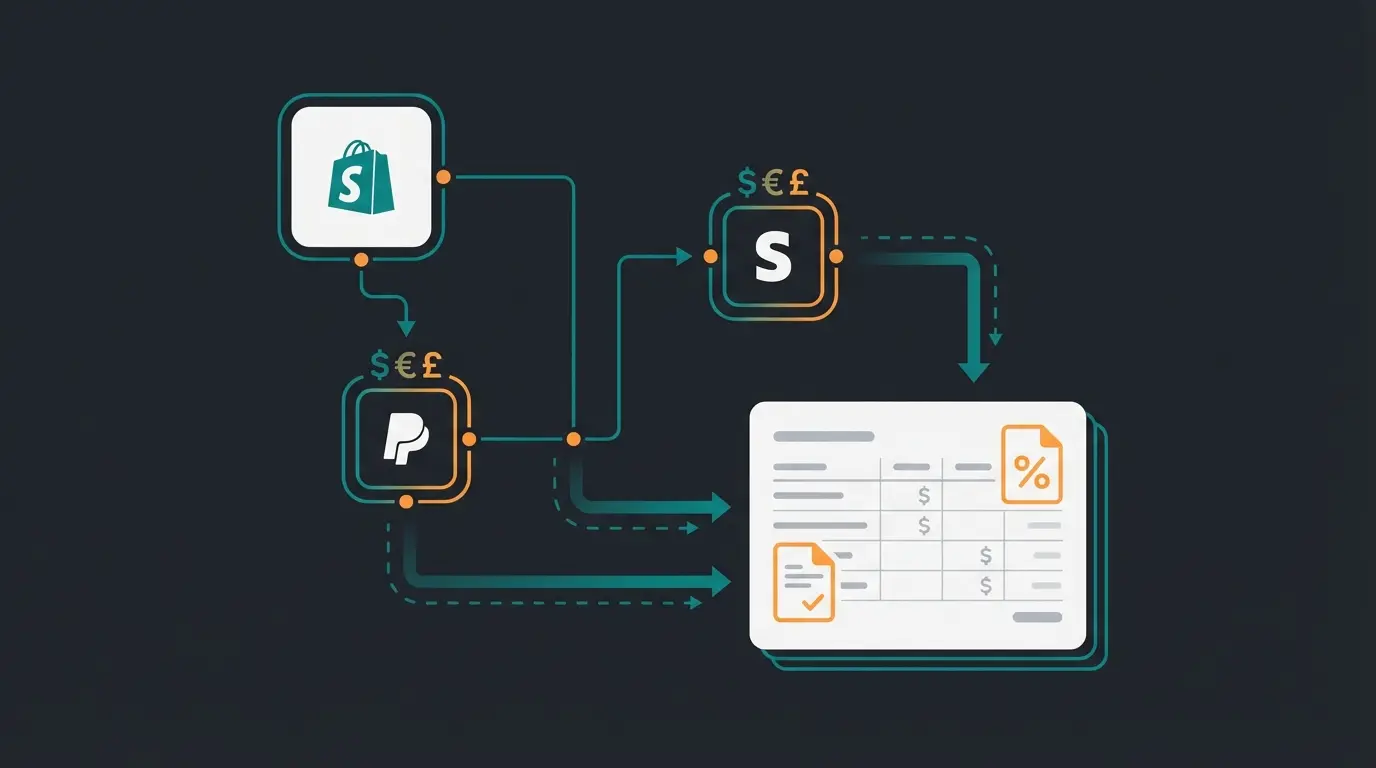
- Payment gateway fees are fragmented across Shopify Payments, PayPal, Klarna, and Stripe, each with different fee structures, payout schedules, and reconciliation formats
- Refunds and chargebacks require proper reversal entries that Shopify does not generate automatically
- Multi-state sales tax demands tracking across 13,000+ distinct tax jurisdictions in the US alone
- COGS calculation needs inventory valuation (FIFO, LIFO, or weighted average) that Shopify does not support natively
- Gift card liability must be recorded as a liability when sold and recognized as revenue when redeemed, a distinction Shopify's reports ignore
Key accounting challenges for Shopify stores
Shopify store owners face five specific accounting challenges that generic bookkeeping software was never designed to solve. Understanding these challenges determines whether your accounting setup will scale with your business or collapse under its own weight.
- Payment gateway reconciliation. Shopify Payments, PayPal, Stripe, and Klarna each deduct different fees and release payouts on different schedules. Your bank deposit never matches your Shopify sales total. A store on the Basic plan pays 2.9% + $0.30 per transaction through Shopify Payments, but third-party gateways add their own layers. Without middleware, reconciling these payouts manually is a weekly headache.
- Sales tax nexus and multi-state compliance. After the Wayfair decision, virtually every state with a sales tax expects remote sellers to collect and remit. Shopify Tax helps with rate calculation across 11,000+ jurisdictions, but it does not file for you or track when you cross economic thresholds in new states. That responsibility stays with you.
- Inventory valuation and COGS. If you sell physical products, your profit margins depend on accurate cost-of-goods-sold calculations. Shopify tracks stock quantities, but not purchase costs, shipping to warehouse, or landed cost per unit. For a proper P&L, you need accounting software that supports inventory valuation methods.
- Multi-currency transactions. Selling internationally means receiving payments in different currencies, each with fluctuating exchange rates. Your accounting system needs to record the transaction at the exchange rate on the sale date, then reconcile the actual payout amount, and book any forex gain or loss.
- Invoicing and tax documentation. Generating compliant invoices, tracking 1099-K thresholds (currently $20,000 + 200 transactions per year in the US), and maintaining audit-ready records requires a system that goes well beyond Shopify's order confirmation emails. For a deeper look at generating compliant invoices directly from Shopify, see our Shopify invoicing guide.
Best accounting software for Shopify
Four accounting platforms dominate the Shopify ecosystem: QuickBooks Online, Xero, FreshBooks, and Wave. Each connects to Shopify either natively or through middleware, and each serves a different store profile. The right choice depends on your order volume, number of sales channels, and whether you need multi-currency support. Browse the full range of options in the Shopify App Store Accounting category.
I have set up accounting integrations for dozens of e-commerce businesses over the past few years. The pattern is consistent: stores that pick the right tool from the start save 5-10 hours per month on bookkeeping and catch discrepancies that would otherwise surface only at tax time.
| Feature | QuickBooks Online | Xero | FreshBooks | Wave |
|---|---|---|---|---|
| Starting price | $38/month | $15/month | $23/month | Free |
| Mid-tier price | $115/month (Plus) | $42/month (Growing) | $43/month (Plus) | $16/month (Pro) |
| Users included | 1-25 (by plan) | Unlimited (all plans) | 1 + $11/user | Unlimited |
| Native Shopify integration | Yes (via connector) | Yes (free US/CA) | No | No |
| Multi-currency | Essentials+ ($75/mo) | Growing+ ($42/mo) | Plus+ ($43/mo) | Not available |
| Inventory tracking | Plus+ ($115/mo) | All plans (basic) | Not available | Not available |
| Sales tax automation | Built-in (US) | Limited | Limited | Basic |
| Bank reconciliation | All plans | All plans | All plans | All plans |
| Best for | US stores, 100-1000+ orders | International sellers, teams | Freelancers, <50 orders | Solopreneurs, <50 orders |
QuickBooks Online leads in US market share and has the deepest integration ecosystem. Xero wins on value for teams because every plan includes unlimited users. FreshBooks works well for very small stores but lacks native Shopify integration. Wave is genuinely free and surprisingly capable, but limited to the US and Canada.
Shopify + QuickBooks: the most popular choice
QuickBooks Online is the most widely used accounting software among Shopify merchants in the US, with a native connector that syncs orders, refunds, payouts, and taxes automatically. For stores processing 100 to 1,000+ orders per month, it offers the best balance of automation, reporting depth, and tax compliance tools.
The native QuickBooks Shopify connector pulls order data hourly and maps it to your chart of accounts. It handles sales receipts, refunds, and basic fee tracking. For most stores, this is sufficient. But here is where it gets interesting: the native connector records each order as a single transaction. It does not break down payment gateway fees, shipping collected vs. shipping paid, or discount allocations at the line-item level.
This is where middleware tools like A2X or Synder earn their cost. They sit between Shopify and QuickBooks, translating each payout into a properly structured journal entry with every fee, refund, and tax amount categorized correctly. If you are doing accrual accounting (and you should be, if your store carries inventory), the middleware layer is what makes your books actually accurate.
Shopify + Xero: best for growing stores
Xero is the strongest alternative to QuickBooks for Shopify stores, and it wins outright for international sellers and teams. Every Xero plan includes unlimited users, which means a five-person team saves hundreds of dollars per year compared to QuickBooks Plus. The native Xero Shopify integration is free for US and Canadian merchants.
Where Xero truly excels is multi-currency support. If you sell in EUR, GBP, and USD from the same Shopify store, Xero handles automatic exchange rate updates and forex gain/loss calculations, available starting at the Growing plan ($42/month). QuickBooks offers similar functionality, but only from its Essentials plan at $75/month.
In 2026, Xero introduced JAX (Just Ask Xero), a generative AI assistant that drafts emails, generates financial reports, and answers natural-language questions about your accounts. Ask "show me overdue invoices" and get results instantly. This signals where the industry is headed: accounting software that you talk to, not just click through.
| Dimension | QuickBooks Online | Xero |
|---|---|---|
| Entry price | $38/month (1 user) | $15/month (unlimited users) |
| Multi-currency plan | $75/month (Essentials) | $42/month (Growing) |
| Inventory plan | $115/month (Plus) | All plans (basic tracking) |
| Native Shopify integration | Yes (hourly sync) | Yes (free US/CA, $13/mo elsewhere) |
| Middleware recommended | Yes (A2X, Synder, Link My Books) | Yes (A2X, Link My Books) |
| AI assistant | Intuit Assist (limited) | JAX (generative AI, 2026) |
| Best for | US-focused stores, tax compliance | International sellers, growing teams |
Middleware tools: A2X, Link My Books, and Synder
Direct integrations between Shopify and accounting software miss critical details: payment gateway fee breakdowns, proper accrual accounting entries, and multi-channel reconciliation. Middleware tools solve this by converting each Shopify payout into a fully categorized journal entry before it reaches your accounting software.
I started recommending middleware tools to clients about three years ago, after watching too many stores discover at tax time that their books were off by thousands. The native connectors work fine for cash-basis bookkeeping with simple product lines. For anything more complex, the middleware layer is what separates stores with clean books from stores with expensive surprises.
| Feature | A2X | Link My Books | Synder |
|---|---|---|---|
| Starting price | $19/month (200 orders, 1 channel) | $17/month (200 orders, 1 channel) | $65/month (500 transactions) |
| 1,000 orders/month | $49/month | $35/month | $115/month |
| Multi-channel pricing | $89/month (2 channels, 1,000 orders) | Included in all plans | $115/month+ |
| Accounting software | QuickBooks, Xero | QuickBooks, Xero | QuickBooks, Xero, FreshBooks, Wave |
| Real-time sync | No (payout-based) | No (payout-based) | Yes (transaction-level) |
| COGS tracking | Yes | Yes | Limited |
| Accuracy focus | Gold standard for accrual | Strong, best value | Broadest integrations |
| Best for | Accuracy-first stores | Budget-conscious multi-channel | Multi-platform sellers |
Automating Shopify accounting with AI
AI is reshaping Shopify accounting in three concrete ways: automatic transaction categorization that learns from your corrections, receipt matching that eliminates manual data entry, and anomaly detection that flags unusual charges before they become reconciliation nightmares. These features are already shipping in QuickBooks (Intuit Assist) and Xero (JAX) as of 2026.
But accounting automation is only one piece of the puzzle. The real leverage comes when your financial data connects to the rest of your operations. That is where a standard Chatbot as a Service setup stops and a digital team member starts. When your AI employee knows that a product is trending because order volume spiked 40% this week, it can adjust customer recommendations, flag inventory reorder points, and surface the margin impact simultaneously.
This is what we build at Qualimero. Our AI employees integrate with Shopify stores to automate product consultation, customer service, and guided selling. The results speak for themselves: Signed, an online retailer for custom signs, deployed Qualimero's digital employee Alex and achieved an 18x ROI with 70% of customer inquiries automated and a 30% increase in upselling. That kind of operational automation sits alongside financial automation, not instead of it.
If you are already investing in accounting automation, the logical next step is connecting your AI-powered customer service to the same data layer. A store that automates both its books and its customer interactions compounds the efficiency gains.
Which tool is right for your store?
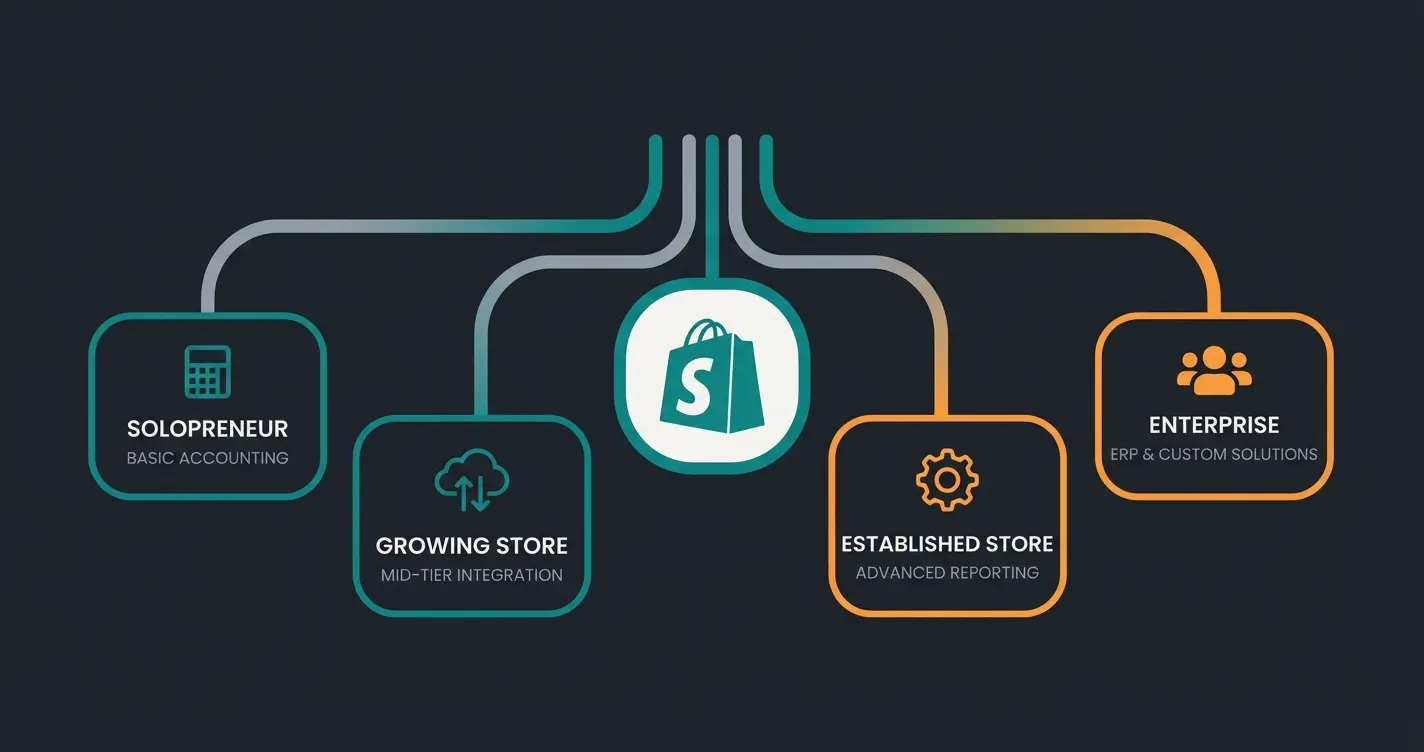
The right Shopify accounting setup depends on three variables: your monthly order volume, the number of sales channels you operate, and whether you sell internationally. Here is the decision framework I use when advising store owners.
Start with Wave (free) or FreshBooks Lite ($23/month). Native Shopify export is sufficient. No middleware needed yet. Total cost: $0-23/month.
QuickBooks Simple Start ($38/month) or Xero Growing ($42/month). Add Link My Books ($17-26/month) for proper payout reconciliation. Total cost: $55-68/month.
QuickBooks Plus ($115/month) or Xero Growing ($42/month) with A2X ($49/month) for accrual-accurate books. If multi-channel, consider Synder. Total cost: $91-164/month.
QuickBooks Advanced ($275/month) or Xero Established ($78/month) with A2X multi-channel ($89/month). At this scale, consider a full ERP integration for inventory, warehousing, and accounting in one system.
The specific Shopify accounting software comparison is covered in depth in a dedicated guide (coming soon). For stores that need DATEV integration for German tax compliance, a separate guide covers that workflow as well.
When you outgrow standalone accounting
Standalone accounting software covers financial management, but it does not handle inventory across warehouses, purchasing, or fulfillment workflows. A dedicated Shopify Inventory Management App closes part of that gap, but only the inventory part. When your store hits certain thresholds, you need a system that connects accounting to the rest of your operations.
Three signs you have outgrown standalone accounting: you sell on three or more channels and spend hours reconciling each one separately. You process 1,000+ orders per month and your accountant is drowning in transaction volume. Or you manage inventory across multiple warehouses and your stock counts never match your books.
At that point, a full ERP integration connects your Shopify store to accounting, inventory, purchasing, and fulfillment in one system. If you also run or plan a Shopware store alongside Shopify, Pickware is worth a look, and our Pickware vs JTL vs Xentral comparison breaks down which ERP fits which setup. For the operational side of scaling, our guide on Shopify Warehouse Management covers warehouse workflows in detail.
FAQ: Shopify accounting
No. Shopify provides sales reports, payout summaries, and basic tax calculations, but it does not offer double-entry accounting, expense tracking, or bank reconciliation. You need dedicated accounting software like QuickBooks or Xero connected to your Shopify store. According to Shopify's own documentation, their financial reports are designed for operational visibility, not accounting compliance.
For US-based stores, QuickBooks Online Plus ($115/month) paired with a middleware tool like A2X is the most complete solution. For international sellers or teams, Xero Growing ($42/month) with unlimited users offers better value. Stores under 50 orders per month can start with Wave (free) or FreshBooks Lite ($23/month).
Install the QuickBooks Connector from the Shopify App Store. It syncs orders, refunds, and payouts automatically on an hourly basis. For more accurate books, add a middleware tool like A2X or Link My Books that breaks down each payout into properly categorized journal entries with fee allocations and tax breakdowns.
It depends on your order volume. Stores under 100 orders per month can self-manage with accounting software and middleware. Above 500 orders, a bookkeeper or automated bookkeeping service saves significant time and reduces error risk. According to industry data, an estimated 50% of small businesses fail within five years, often due to poor financial management.
Shopify Tax automatically calculates sales tax across 11,000+ US jurisdictions and alerts you when you approach economic nexus thresholds in new states. However, you are still responsible for registering, filing, and remitting in each state where you have nexus. For automated filing, consider dedicated sales tax tools like TaxJar or Avalara that integrate with both Shopify and your accounting software.
Wave offers free accounting with invoicing, bank reconciliation, and expense tracking for US and Canadian businesses. For stores that need Shopify-specific payout reconciliation, the cheapest effective stack is Xero Early ($15/month) plus Link My Books Lite ($17/month) at $32/month total. QuickBooks Simple Start ($38/month) alone works for basic needs without middleware.
Conclusion
The right Shopify accounting tool depends on your store size, sales volume, and where you sell. Solopreneurs start with Wave or FreshBooks. Growing US stores pair QuickBooks with middleware. International and team-heavy operations choose Xero. At scale, ERP integration connects everything.
Whatever you choose, the non-negotiable is this: do not run your Shopify store on Shopify's built-in reports alone. Proper accounting software, connected correctly, is what separates stores that scale from stores that stumble at tax time. For a broader view of how accounting fits into your Shopify operations stack, see our guide on Shopify Inventory Management.
Clean books keep your store running. An AI employee turns your visitors into buyers. Qualimero's digital team members automate product consultation and customer service, delivering 18x ROI and +35% higher cart values for e-commerce stores.
Book a free demo
Lasse is CEO and co-founder of Qualimero. After completing his MBA at WHU and scaling a company to seven-figure revenue, he founded Qualimero to build AI-powered digital employees for e-commerce. His focus: helping businesses measurably improve customer interaction through intelligent automation.