Shopify Amazon: How to Sell on Amazon with Shopify in 2026 (DACH Guide)
Connect Shopify to Amazon and sell across channels. Compare integration apps, understand FBA vs FBM, EU compliance, and pricing for DACH merchants.

Why combine Shopify and Amazon?
Amazon.de generated USD 40.9 billion in revenue in 2024, growing 8.7% year-over-year (eCommerce News EU). The platform holds between 46% and 63% of the German e-commerce market, depending on whether you count third-party marketplace volume. For DACH merchants running a Shopify store, ignoring Amazon means leaving the largest sales channel in the region untouched.
But selling on Amazon alone is risky. You are renting access to customers, not owning the relationship. Amazon controls the algorithm, the fees, and the rules. Around 80% of third-party sellers now operate on multiple platforms (Byteout), and the reason is straightforward: diversification protects your revenue when one channel changes its terms.
The combination works like this: Shopify is your home base where you own the customer data, control the brand experience, and keep higher margins. Amazon is your reach engine where 197 million monthly visitors come looking for products. The two channels complement each other when connected properly through a Shopify multichannel strategy.
I have seen this play out with merchants across the DACH region. A garden supplies retailer we work with ran Shopify as their primary store for two years before adding Amazon.de. Within four months, total revenue increased by 38%, and their Shopify direct sales actually grew because Amazon visibility drove brand awareness. The key was treating Amazon as a customer acquisition channel and Shopify as the retention channel. That distinction matters if you are building for the long term, not just chasing volume.
Amazon.de dominates online retail in Germany
Fulfillment by Amazon adoption among third-party sellers
Required for Shopify integration (excl. VAT)
Prerequisites: what you need
Before connecting Shopify to Amazon, you need accounts and compliance documentation in place. Skipping any of these steps will delay your launch or, worse, get your seller account suspended.
- Amazon Professional Seller Account (EUR 39/month excl. VAT via Amazon Seller Central). The Individual plan (EUR 0.99 per item) does not support API integrations with Shopify.
- Shopify plan on Basic or higher. The Starter plan does not support sales channel apps.
- Valid business registration in your EU country of operation. Amazon Germany requires a verified business entity.
- EU VAT ID registered with your national tax authority. For cross-border EU sales, register for the One-Stop Shop (OSS) scheme to simplify VAT compliance.
- LUCID registration with Germany's Central Agency Packaging Register (ZSVR). This is mandatory under VerpackG before you ship a single package in Germany. Non-registration carries fines up to EUR 100,000.
- Dual system participation (e.g., Interseroh, Reclay, or Der Gruene Punkt) for packaging waste collection. Amazon marketplaces are legally required to verify compliance and can block non-compliant sellers since July 2022.
- EAN/GTIN codes for your products. Amazon requires valid barcodes for most categories. Purchase from GS1, not third-party resellers selling recycled codes.
- WEEE registration if you sell electrical or electronic equipment in Germany.
Best Shopify-Amazon integration apps compared
Shopify discontinued its native Amazon sales channel in March 2023. Today, you connect the two platforms through third-party apps or Shopify's own Marketplace Connect. I have tested the five most relevant options for DACH merchants. Here is how they compare.
| App | Starting Price | Order Limit | EU Strengths | Best For |
|---|---|---|---|---|
| Shopify Marketplace Connect | Free (up to 50 orders/month), max $99/month | 50 free, then usage-based | Built-in currency conversion, official Shopify support | Merchants starting out or with low Amazon volume |
| [Magnalister](https://www.magnalister.com/en/shopify-amazon-connector/) | EUR 49/month (Business) | 350 uploads/orders (Business), unlimited (Flat at EUR 139) | Amazon VCS invoice compliance, Berlin-based support, 10+ EU marketplaces | DACH merchants needing invoice automation and multi-marketplace expansion |
| CedCommerce | Free (50 orders), from $15/month | 50-2,500 depending on plan | Multi-account Amazon support, near-real-time sync | High-volume sellers needing granular listing control |
| Channable | From $49/month | Based on items and channels | 3,000+ marketplace connections, feed management | Merchants selling on many channels beyond Amazon |
| Salestio | Free (10 lifetime orders), from $79/month | 500/month (Growth) | Automated repricing, FBA inventory sync | Sellers focused on price optimization and FBA |
The honest assessment: for most DACH merchants starting with Amazon, Shopify Marketplace Connect is the right first choice. It is free up to 50 orders, officially supported by Shopify, and handles the basics well. Once you need Amazon VCS invoice uploads (mandatory for B2B sales in Germany) or want to expand to eBay (see our Shopify eBay Integration Guide), Kaufland, or other European marketplaces, Magnalister becomes the stronger option despite the higher price.
For a deeper technical comparison of setup workflows, API limitations, and sync reliability, see our Shopify Amazon Integration Guide.
Step-by-step: connect Shopify to Amazon
This walkthrough uses Shopify Marketplace Connect since it is the most accessible starting point. The process takes roughly 45 minutes if your Amazon Seller Central account and product data are already in order.
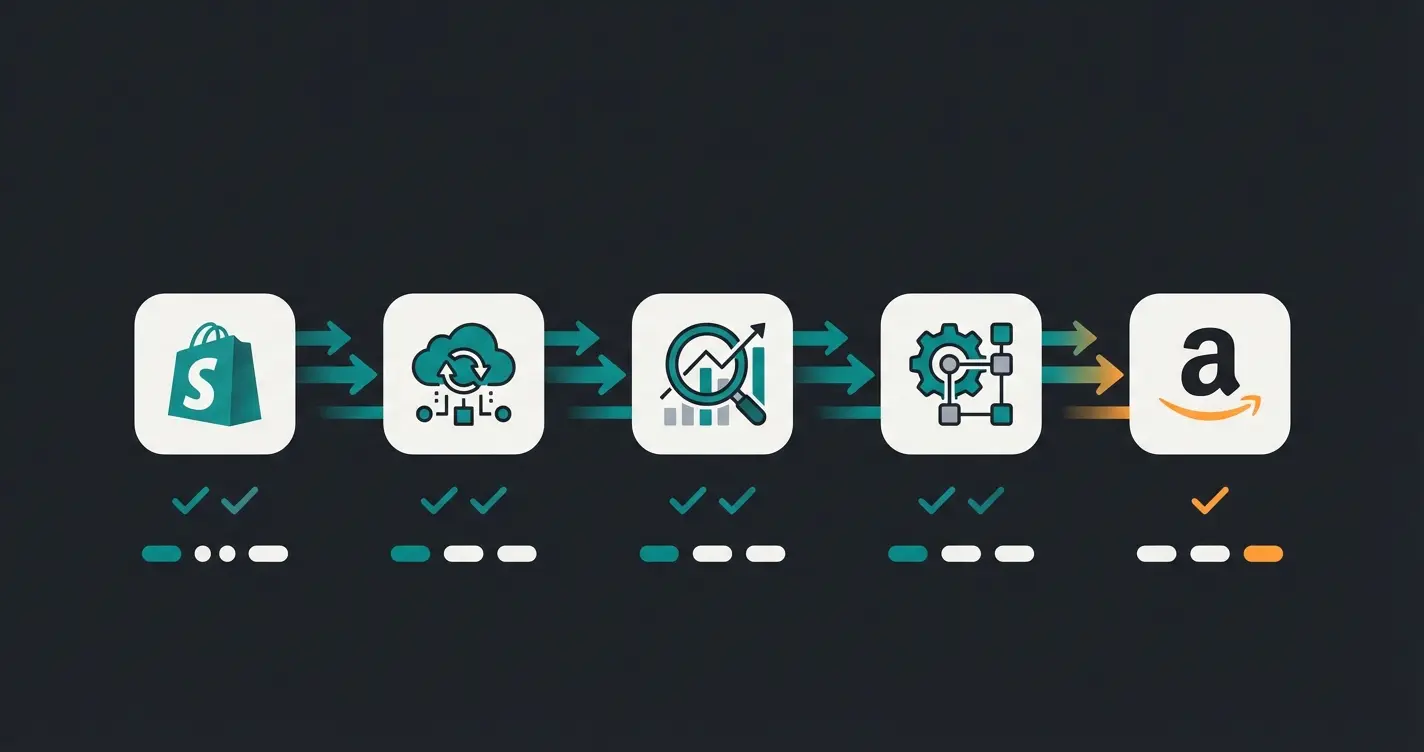
Add Marketplace Connect or your chosen integration app from the Shopify App Store
Authorize API access between your Amazon account and Shopify
Match Shopify products to Amazon listings by SKU or GTIN
Set inventory buffers, pricing rules, and order import settings
Verify with a small batch before going live with your full catalogue
- Install Marketplace Connect from the Shopify App Store. Go to Apps, search for "Marketplace Connect," and click Install. Grant the required permissions for product, order, and inventory access.
- Connect your Amazon Seller Central account. In the app, select Amazon as your marketplace, choose your region (Europe), and log in with your Seller Central credentials. Authorize the API connection. This links your Amazon account to Shopify's sync engine.
- Map your product catalogue. The app will attempt to match your Shopify products to existing Amazon listings by SKU or GTIN. Review matches carefully. For products without existing Amazon listings, you will create new ones in the next step.
- Create new Amazon listings for unmatched products. Set your Amazon-specific titles, bullet points, and pricing. Amazon has strict listing guidelines per category. Titles should not exceed 200 characters, and images must be at least 1,000 x 1,000 pixels on a white background.
- Configure inventory sync rules. Set how often inventory updates flow from Shopify to Amazon (near-real-time is recommended). Define a buffer, for example syncing only 90% of actual stock to prevent overselling during high-traffic periods.
- Set up order import. Enable automatic order import so that Amazon orders appear in your Shopify admin. This centralises fulfillment. Configure shipping carrier mapping so Amazon tracking updates flow back correctly.
- Test with a small batch. Before going live with your full catalogue, list 5-10 products and process a few orders end-to-end. Verify that inventory deducts correctly on both platforms, orders import with the right shipping method, and tracking numbers sync back to Amazon.
Amazon FBA vs. FBM: which fulfillment method is right for you?
This is the decision that affects your margins most directly. FBA (Fulfillment by Amazon) means Amazon stores, picks, packs, and ships your products. FBM (Fulfilled by Merchant) means you handle logistics yourself. Over 82% of Amazon sellers use FBA, but that does not mean it is always the right choice for DACH merchants.
| Factor | FBA | FBM |
|---|---|---|
| Monthly cost | EUR 39 seller account + FBA fees per unit | EUR 39 seller account + own shipping costs |
| Fulfillment cost per unit | Starting at a few EUR/unit (reduced by avg. EUR 0.32 in DE for 2026) | Your own shipping: typically EUR 3-6/unit |
| Storage fees | Monthly cubic-foot rates, long-term storage surcharges | Your own warehouse costs |
| Prime badge | Automatic | Only with Seller-Fulfilled Prime (hard to qualify) |
| Sales uplift | 15-30% from Prime visibility | No Prime advantage |
| Returns | Handled by Amazon | Handled by you |
| Best for | Products over EUR 25, fast-moving, standard-size | Oversized items, slow movers, products under EUR 15 |
Good news for 2026: Amazon made its largest-ever European fee reduction. FBA parcel fees dropped by an average of EUR 0.32 in Germany, France, Italy, and Spain. Low-Price FBA now extends to products priced up to EUR 20, with fees up to EUR 0.45 lower than standard rates (About Amazon EU). Referral fees also dropped significantly in categories like clothing (5% for items under EUR 15) and home products (8% for items under EUR 20).
If you use Shopify for FBM fulfillment, your Shopify admin becomes the central order hub. Amazon MCF (Multi-Channel Fulfillment) is a hybrid option: Amazon fulfills your Shopify orders using FBA inventory, so you can offer fast shipping on both channels from a single stock pool. Worth considering if your margins support it.
Syncing products, prices, and inventory
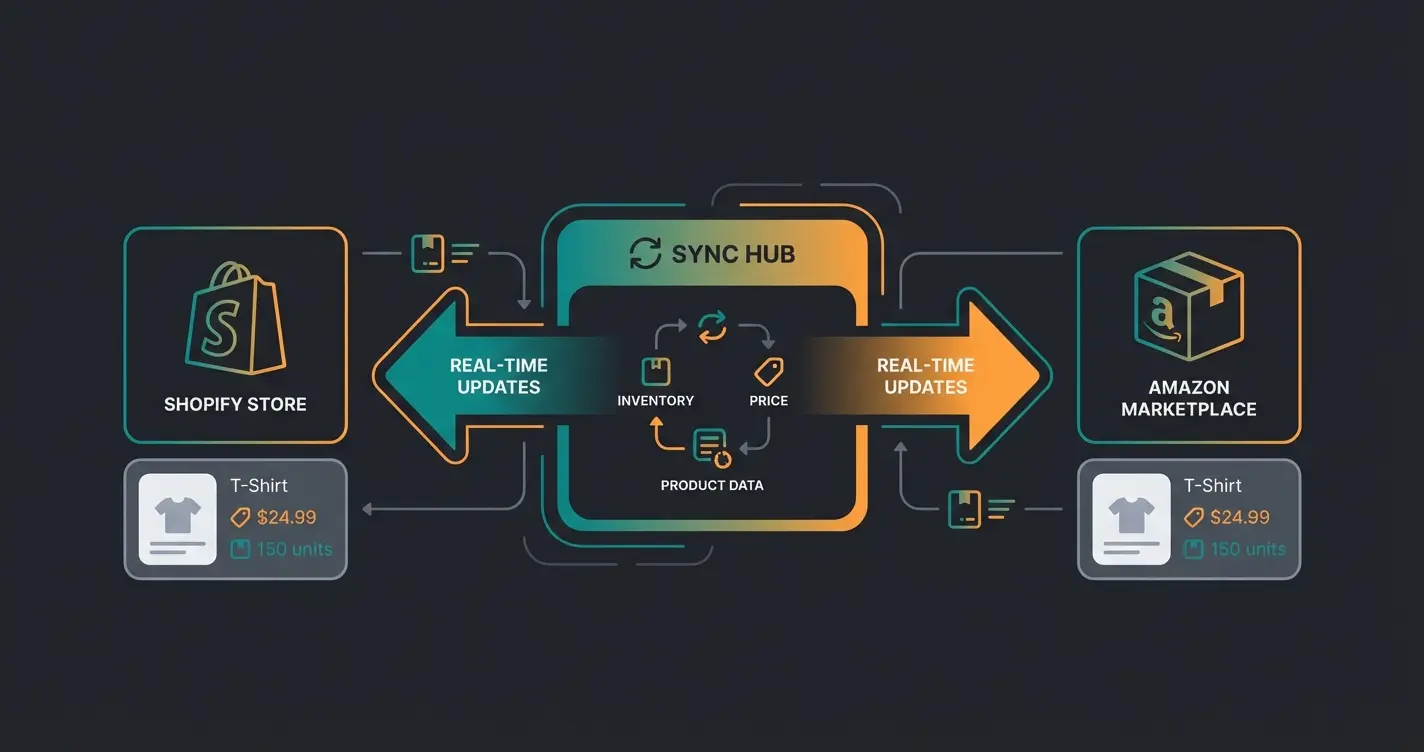
Inventory sync is where multichannel selling breaks or holds. The mechanics are simple in theory: when a product sells on Amazon, Shopify stock deducts. When it sells on Shopify, Amazon stock deducts. In practice, sync delays of even 15 minutes during a flash sale can cause overselling.
Price management across channels requires a clear strategy. Amazon referral fees range from 5% in categories like clothing (items under EUR 15, reduced in 2026) to 15% in most standard categories. That means a product priced at EUR 50 on Shopify might need to be listed at EUR 55-58 on Amazon to maintain the same margin. Most integration apps let you set percentage or fixed-amount markups per channel. Define these rules once and let the automation handle daily adjustments.
- Set inventory buffers. Sync 85-90% of actual stock to each channel. The remaining buffer absorbs sync lag and prevents overselling during traffic spikes.
- Use channel-specific pricing rules. Amazon's fee structure (referral fees of 5-15% plus potential FBA fees) means your Amazon price often needs to be higher than your Shopify price. Most integration apps support price rules per channel.
- Map variants correctly. A Shopify product with 3 sizes and 4 colours creates 12 variants. Each must map to the correct Amazon ASIN. Mismatched variants are the most common source of listing errors.
- Monitor sync logs daily for the first two weeks. Check for failed syncs, timeout errors, and duplicate listings. Most integration apps provide an error dashboard.
- Handle out-of-stock gracefully. When stock hits zero on one channel, the integration should automatically deactivate the listing rather than showing zero stock. This prevents negative customer experiences and Amazon performance hits.
Automate multichannel customer service with AI
Here is the part most guides skip. Selling on two channels doubles your customer service volume. Amazon buyers message through Seller Central. Shopify customers use your chat, email, or contact form. Two inboxes, two response time expectations, two sets of product questions. Most merchants handle this by hiring more support staff. That works, until it does not scale.
A KI-Mitarbeiter (AI employee) handles product advisory and customer service across both channels from a single knowledge base. It recognises returning customers, understands your product catalogue, and provides personalised recommendations, whether the query comes from Amazon or your Shopify store. Our clients see an average cart value increase of 35% and a 60% higher checkout rate when AI-powered product advisory is active.
The difference between a KI-Mitarbeiter and a standard support tool: it does not follow scripted flows. It understands context, makes decisions, and handles consulting-intensive products where customers need real guidance before purchasing. For a garden supplies merchant selling plant protection products, that means recommending the right dosage for a specific lawn size, not just linking to a product page.
One of our clients, a home and garden retailer selling across Shopify and Amazon.de, automated 70% of incoming product questions within the first month. The AI employee handled dosage calculations, compatibility checks, and delivery estimates in both channels simultaneously. Their support team went from answering 200 queries per day to focusing only on complex escalations. That is the kind of result that changes how you think about scaling customer service.
A KI-Mitarbeiter handles product advisory across both channels, in real time, in your customer's language. Our clients achieve up to 16x ROI and 7x higher conversion rates.
Book a free demoCommon mistakes and how to avoid them
After working with dozens of merchants who sell on both platforms, these are the five mistakes I see most often. Each one is avoidable with the right setup from day one.
- Overselling due to missing inventory buffers. Always sync less than 100% of stock. A 10-15% buffer prevents the most common multichannel problem.
- Ignoring Amazon listing requirements. Amazon suspends listings for non-compliant images (wrong background, too small), keyword-stuffed titles, or missing mandatory product attributes. Read the category-specific style guides before listing.
- Using the same price on both channels. Amazon's referral fees (5-15%) eat into your margins. Price Amazon listings to account for these fees, or accept lower margins as a customer acquisition cost.
- Neglecting VerpackG and LUCID registration. Amazon actively verifies compliance. Non-registered sellers get blocked. Register before you list, not after.
- Handling returns inconsistently. Define a clear returns policy for each channel. Amazon has strict return windows. Your Shopify store can differ. Customers who buy on Amazon and try to return through your Shopify store (or vice versa) need a clear path.
FAQ
Not natively since March 2023 when Shopify discontinued its built-in Amazon sales channel. You now connect the two platforms through integration apps like Shopify Marketplace Connect (free up to 50 orders/month), Magnalister, or CedCommerce. These apps sync products, inventory, pricing, and orders between both platforms.
The total monthly cost includes your Amazon Professional Seller Account (EUR 39/month), your Shopify plan (from $39/month), and the integration app. Shopify Marketplace Connect is free up to 50 orders, capped at $99/month after. Magnalister starts at EUR 49/month. On top of that, Amazon charges referral fees of 5-15% per sale and optional FBA fulfillment fees.
Products with strong brand identity, consulting-intensive items (where your Shopify store's product advisory adds value), and products priced above EUR 25 (where FBA margins work). Commodity products with heavy price competition are harder to profit from on Amazon due to fee pressure.
Integration apps handle bidirectional inventory sync. When a product sells on one channel, stock deducts on the other. Set a 10-15% inventory buffer to prevent overselling during sync delays. Most apps offer near-real-time sync, but always test with a small product batch first.
Yes. The Individual seller account (EUR 0.99 per item sold) does not support API access, which is required for any Shopify integration app. The Professional account costs EUR 39/month excluding VAT and is necessary for product sync, order import, and inventory management.
DACH merchants need: LUCID registration with the Central Agency Packaging Register (ZSVR), participation in a dual system for packaging waste (e.g., Interseroh), a valid EU VAT ID, and EAN/GTIN barcodes. WEEE registration is required for electrical products. The new EU PPWR regulation applies from August 2026 with additional recyclability requirements.
Amazon brings visitors. A KI-Mitarbeiter converts them into buyers with real-time product advisory. Our e-commerce clients see 7x higher conversion rates and +35% cart value.
See how it works
Lasse is CEO and co-founder of Qualimero. After completing his MBA at WHU and scaling a company to seven-figure revenue, he founded Qualimero to build AI-powered digital employees for e-commerce. His focus: helping businesses measurably improve customer interaction through intelligent automation.