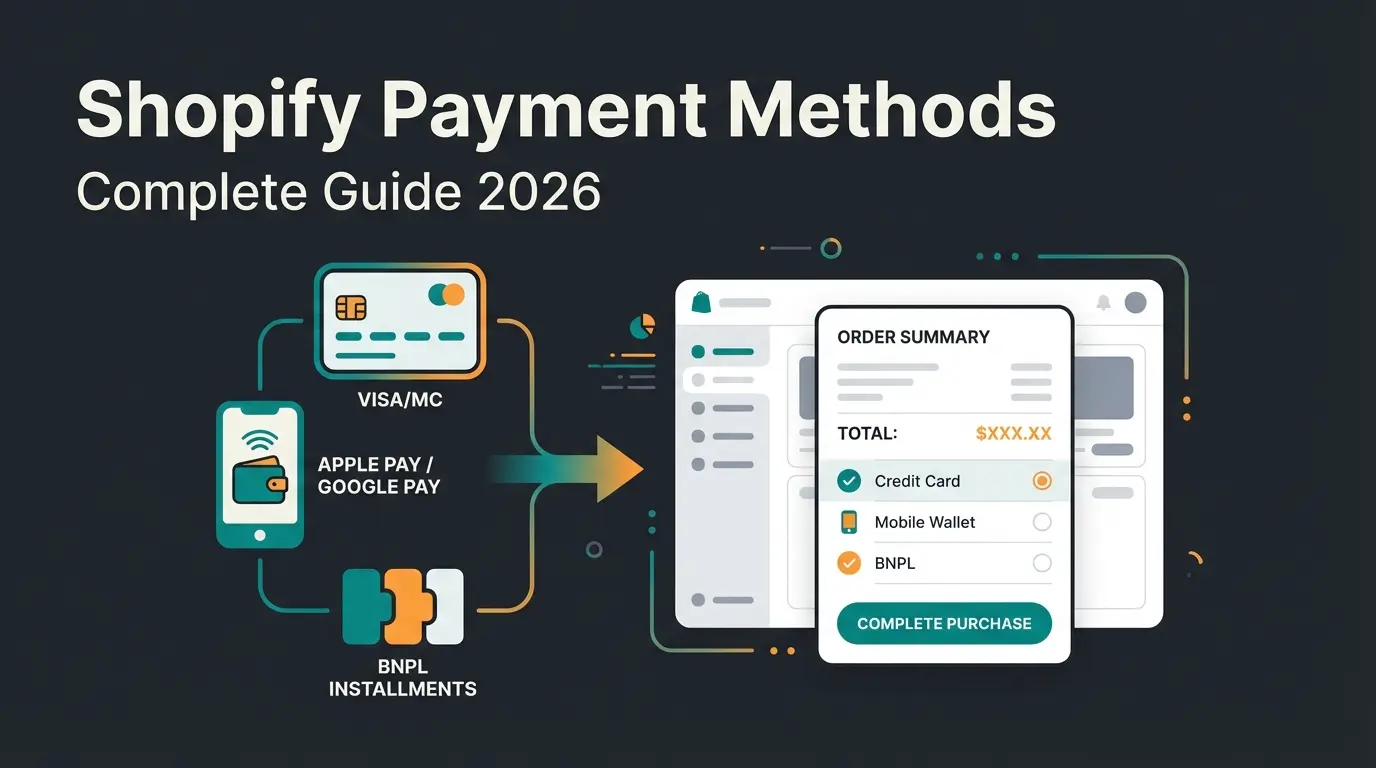
What is Shopify Stripe?
Shopify Payments is Stripe. Not "powered by" in some vague partnership sense. It runs on Stripe's infrastructure, processes through Stripe's network, and settles via Stripe's banking rails. Stripe has been the engine behind Shopify Payments since 2013, handling card processing for over two million Shopify merchants worldwide.
This is the single most common point of confusion I see with Shopify merchants. They search for "how to add Stripe to Shopify" when they already have it. If you activated Shopify Payments in your store settings, Stripe is processing your transactions right now. There is no separate integration needed. No API key. No second account.
The question only becomes relevant in two scenarios. First, when Shopify Payments is not available in your country. Second, when you need specific Stripe features that Shopify Payments does not expose, like Stripe Connect for marketplace payouts or Stripe Billing for complex subscriptions. In those cases, you connect Stripe as a standalone third-party provider.
For everyone else, activating Shopify Payments is the fastest, cheapest, and simplest path. No third-party transaction fees. Native dashboard integration. Automatic fraud protection through Stripe Radar. For a broader overview of all available options, including PayPal, Klarna, and local methods, see our guide to Shopify payment methods.
Using Stripe-powered payment processing
Stripe has powered Shopify Payments for over a decade
Shopify Payments availability as of early 2026
Starting rate on Shopify Basic plan + $0.30 per transaction
Shopify Payments vs Stripe: key differences
Both options use Stripe's payment infrastructure. The difference is how you access it and what it costs. Shopify Payments is a white-labeled version of Stripe, tightly integrated into the Shopify admin. Standalone Stripe is a direct Stripe account you connect as a third-party provider, with full access to Stripe's feature set but an additional per-transaction fee from Shopify.
| Feature | Shopify Payments | Standalone Stripe |
|---|---|---|
| Powered by | Stripe infrastructure | Stripe directly |
| Setup effort | One click in Settings > Payments | Third-party provider connection + Stripe account |
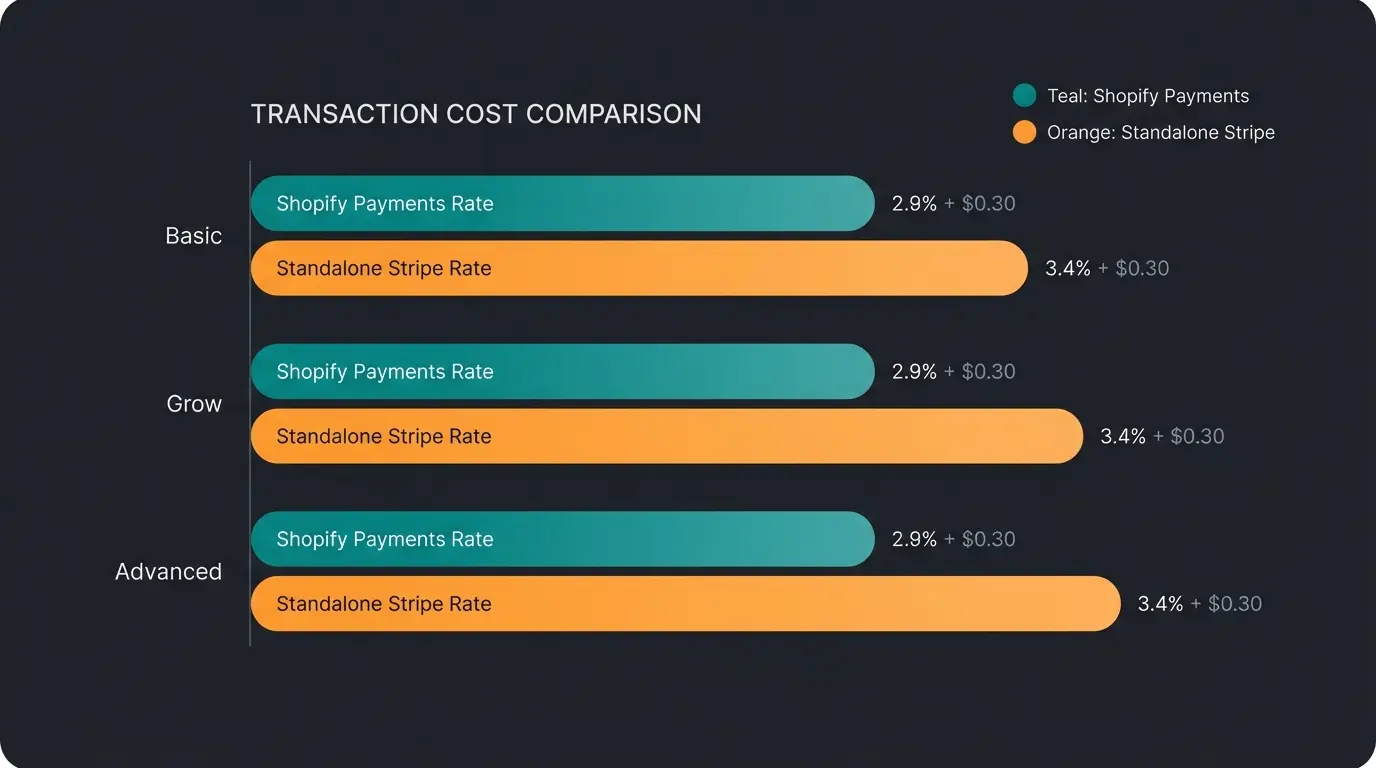
| Online fees (US cards) | 2.5%-2.9% + $0.30 (plan-dependent) | 2.9% + $0.30 (fixed) |
| Additional Shopify fee | None | 0.5%-2% per transaction |
| Supported countries | 33+ countries | 47+ countries |
| Payout schedule | Daily (configurable) | Rolling 2-day (standard) |
| Payment methods | Cards, wallets, Shop Pay, local methods | 135+ methods, 100+ currencies |
| Stripe Connect | Not available | Full access for marketplaces |
| Subscription billing | Basic via Shopify Subscriptions | Advanced via Stripe Billing |
| Chargeback fee | $15 | $15 |
| Fraud protection | Stripe Radar (included) | Stripe Radar ($0.05/txn for Radar for Fraud Teams) |
For a standard Shopify store in a supported country, the math is clear. Shopify Payments offers lower effective rates because it eliminates the third-party fee. Standalone Stripe only wins on flexibility: more countries, more payment methods, and advanced features like Connect and Billing.
Both paths support additional payment options like Klarna and Apple Pay. Through Shopify Payments, you enable these directly in the Shopify admin under Settings > Payments. Through standalone Stripe, you configure them in the Stripe Dashboard. The end result for your customers is identical.
How to set up Stripe with Shopify
Two paths. Path A is the standard route for most merchants, activating Shopify Payments. Path B is for merchants who need a standalone Stripe connection. The Shopify Payments documentation covers both in detail, but here is the practical version.
Path A: activate Shopify Payments
This is the recommended path for any merchant in a supported country. Shopify Payments uses Stripe's infrastructure, so you get all of Stripe's processing power without connecting a separate account.
- Log into your Shopify admin and go to Settings > Payments
- Click Activate Shopify Payments in the payment providers section
- Enter your business details: legal business name, address, and tax identification number
- Add your bank account information for receiving payouts
- Complete identity verification (government-issued ID may be required for some regions)
- Click Complete account setup and you are live
The entire process takes under 10 minutes for most merchants. First payouts typically arrive within 2-3 business days after your first sale. Shopify handles all the Stripe configuration automatically, including fraud protection through Stripe Radar. The card fields appear in your Shopify Checkout as soon as activation completes, with no theme changes on your side.
Path B: connect standalone Stripe
Use this path only if Shopify Payments is not available in your country, or you specifically need Stripe Connect for marketplace payouts, Stripe Billing for advanced subscriptions, or negotiated enterprise rates on your existing Stripe account.
- Create a Stripe account at stripe.com if you do not already have one
- In your Shopify admin, navigate to Settings > Payments
- Scroll to the Payment providers section and click Add payment method
- Search for Stripe Card Payments in the provider list
- Click Activate and authorize the connection to your Stripe account
- Review the settings and confirm the integration
After connecting, all card payments will process through your standalone Stripe account. You manage payouts, disputes, and Radar settings directly in the Stripe Dashboard. Be aware that Shopify will add the third-party transaction fee on top of whatever Stripe charges you.
Shopify Stripe fees and costs
Fees are where the decision gets concrete. I have seen merchants lose thousands per year simply because they did not understand the difference between Shopify Payments rates and standalone Stripe rates. The table below shows the actual cost per transaction across all current Shopify plans.
| Fee type | Basic ($39/mo) | Grow ($105/mo) | Advanced ($399/mo) |
|---|---|---|---|
| Shopify Payments online rate | 2.9% + $0.30 | 2.7% + $0.30 | 2.5% + $0.30 |
| Shopify Payments in-person rate | 2.6% + $0.10 | 2.5% + $0.10 | 2.4% + $0.10 |
| Third-party provider fee | 2.0% | 1.0% | 0.5% |
| Standalone Stripe total (online) | 4.9% + $0.30 | 3.9% + $0.30 | 3.4% + $0.30 |
| International card surcharge | +1.5% | +1.5% | +1.5% |
| Currency conversion fee | +1.5% | +1.5% | +1.5% |
| Chargeback fee | $15 | $15 | $15 |
The "Standalone Stripe total" row shows what you actually pay when using your own Stripe account: Stripe's standard rate (2.9% + $0.30) plus Shopify's third-party fee. On the Basic plan, that is nearly 5% per online card transaction. For international cards, add another 1.5%, potentially reaching 6.4% + $0.30 per transaction.
Shopify Payments eliminates the third-party fee entirely. That alone saves between $2,500 and $12,000 per year for a store processing $50,000 monthly, depending on the plan. Check the official Stripe pricing page for current standalone rates and the Shopify pricing page for plan-specific details. Worth separating in your books: processing fees are deducted from your payouts, not billed on the customer-facing documents you generate through Shopify invoicing.
When standalone Stripe makes sense
I have worked with dozens of Shopify merchants running standalone Stripe. In most cases, they could have saved thousands by switching to Shopify Payments. But there are four legitimate scenarios where standalone Stripe is the right choice, and the extra fees are worth it.
- Your country is not supported by Shopify Payments. Shopify Payments is live in 33+ countries as of early 2026. Stripe covers 47+ countries. If you operate in a country where Shopify Payments is unavailable, standalone Stripe is your primary card processing option.
- You need Stripe Connect for a marketplace model. If your Shopify store operates as a platform that pays out to multiple sellers or service providers, Stripe Connect handles split payments, onboarding, and tax reporting. Shopify Payments does not offer this functionality.
- You have negotiated custom Stripe rates. High-volume merchants processing $1M+ annually sometimes negotiate rates significantly below Stripe's published 2.9% + $0.30. If your negotiated rate plus the Shopify third-party fee is still lower than the Shopify Payments rate for your plan, standalone makes financial sense.
- You need advanced subscription billing. Stripe Billing supports metered billing, usage-based pricing, trial periods with complex logic, and dunning management that goes beyond what Shopify's native subscription tools offer.
For everyone else, Shopify Payments is the better choice. The fee savings alone justify it. And once your payment infrastructure runs smoothly, the real leverage comes from what happens after the customer lands on your store. Signed, an online retailer for custom decorative signs, automated 70% of their customer inquiries with a digital AI employee and achieved an 18x return on investment. Payment processing was table stakes. The personalized product advisory built on top of it drove the revenue.
Common issues and solutions
Three problems come up repeatedly with Shopify-Stripe setups. All of them have straightforward fixes, but they cause real confusion when merchants encounter them for the first time.
Stripe is not showing as a payment option
This is the most common support question, and the answer is almost always the same: you already have it. If Shopify Payments is available and activated in your region, Stripe will not appear as a separate third-party provider. Your card payments are already processed by Stripe through Shopify Payments. There is no missing integration.
Payout delays after the first sale
First payouts on Shopify Payments typically take 2-5 business days. For standalone Stripe accounts, the initial payout hold can be up to 7 days. This is standard fraud prevention for new accounts across both platforms. After the initial period, Shopify Payments settles daily by default. Standalone Stripe uses a rolling 2-day schedule that you can adjust.
High decline rates on card transactions
If your decline rate exceeds 5%, start by checking two things. First, ensure your checkout collects the full billing address and CVV. Missing data triggers more declines. Second, review your Stripe Radar settings. Both Shopify Payments and standalone Stripe use Radar for fraud detection, and overly aggressive rules flag legitimate purchases. You can adjust the risk threshold in your Stripe Dashboard under Radar > Rules.
Automate your Shopify store beyond payments
Payment processing is infrastructure. It matters, but it is not what separates a store doing $50k/month from one doing $200k/month. That gap comes from what happens between the first page view and the checkout: personalized product recommendations, real-time answers to technical questions, and guided selling that increases average cart value.
An AI employee handles exactly this. Not a rule-based FAQ page, but a digital team member that understands your product catalog, recognizes returning customers, and gives AI product consultation that converts browsers into buyers. Our clients see an average +35% increase in cart value and conversion rates up to 7x higher when an AI employee handles the advisory. That is a different category from the subscription AI service platforms you can rent by the month, which handle standard support questions well but do not carry your product knowledge.
Your payment setup handles the transaction. An AI employee handles everything before it, from product questions to personalized recommendations. See how it works in your store.
Book a free demoFAQ
Yes. Shopify Payments uses Stripe's payment infrastructure to process all card transactions. When you activate Shopify Payments, Stripe handles the card processing, fraud detection via Radar, and bank settlement behind the scenes. The partnership has been active since 2013.
In regions where Shopify Payments is supported, Stripe does not appear as a separate third-party provider. Once Shopify Payments is activated, it permanently replaces Stripe as a standalone option because Shopify Payments already uses Stripe's infrastructure.
Through Shopify Payments, online card rates range from 2.5% + $0.30 (Advanced plan) to 2.9% + $0.30 (Basic plan). If you use standalone Stripe as a third-party provider, Stripe charges 2.9% + $0.30 and Shopify adds an extra 0.5%-2% depending on your plan.
Only if Shopify Payments is not available in your country or is deactivated. In supported regions, activating Shopify Payments replaces standalone Stripe. Using standalone Stripe incurs an additional Shopify transaction fee of 0.5%-2% per transaction on top of Stripe's standard rate.
If Shopify Payments is available in your region, activate it under Settings > Payments. It already uses Stripe. If not, go to Settings > Payments > Add payment method, search for Stripe Card Payments, and follow the authorization prompts to connect your Stripe account.
Payments are just the start. An AI employee advises your customers around the clock, increases conversion rates by up to 7x, and pays for itself within weeks.
Start your free trial
Lasse is CEO and co-founder of Qualimero. After completing his MBA at WHU and scaling a company to seven-figure revenue, he founded Qualimero to build AI-powered digital employees for e-commerce. His focus: helping businesses measurably improve customer interaction through intelligent automation.