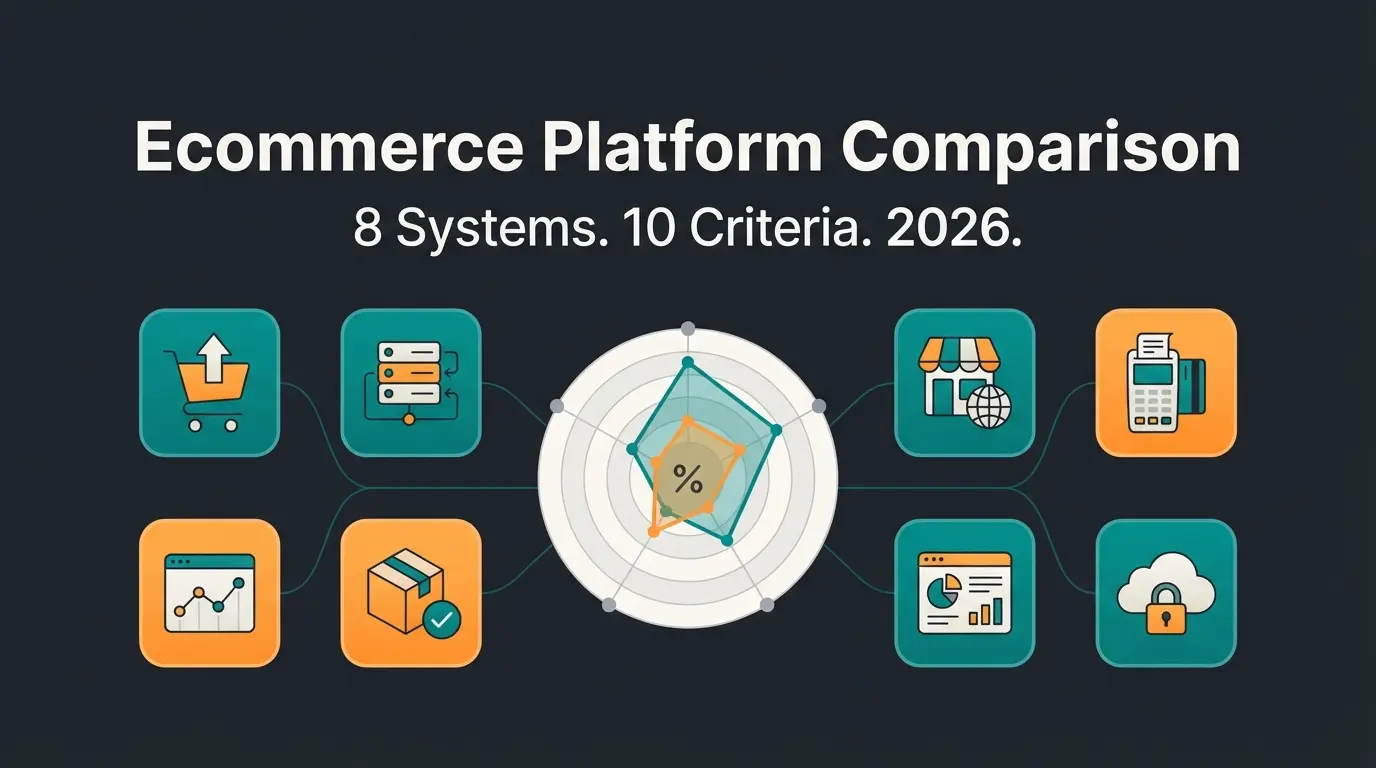
The core difference: hosted SaaS vs self-hosted open source
Shopify is a fully hosted SaaS platform where you pay monthly and everything - hosting, security, updates - is handled for you. WooCommerce is a free, open-source WordPress plugin that gives you full control but requires you to manage hosting, security, and maintenance yourself. This architectural split determines every other difference in this comparison.
The apartment vs house analogy holds up. Shopify is a managed apartment: fixed rent, someone else handles the plumbing, you can't knock down walls. WooCommerce is owning a house: no landlord, full renovation rights, but you fix the roof when it leaks.
The numbers reflect the scale of both ecosystems. Shopify powers over 5.6 million live stores across 175 countries, processing $378 billion in gross merchandise volume in 2025. WooCommerce runs on 39% of all e-commerce sites worldwide, with 4.53 million active stores. Among the top 1 million e-commerce sites, Shopify leads with 28.8% share versus WooCommerce's 18.2%, according to BuiltWith.
Cost breakdown: what you actually pay in year one
A typical Shopify store costs $468-$1,260 in year one on the Basic plan at $39/month plus transaction fees and apps. A comparable WooCommerce setup runs $300-$1,200+ depending on hosting, theme, and plugin choices. Shopify's costs are predictable month to month. WooCommerce's costs are front-loaded and variable, with hosting and plugin decisions driving the total.
I tested both setups for a mid-sized product catalog (400 SKUs, consulting-intensive garden supplies). The results were closer than most comparison articles suggest.
| Cost category | Shopify (Basic) | WooCommerce |
|---|---|---|
| Platform fee | $39/month ($468/year) | Free (open-source plugin) |
| Hosting | Included | $10-50/month ($120-$600/year) |
| Domain | $14/year (via Shopify) | $10-20/year |
| SSL certificate | Included | Free with most hosts, or up to $65/year |
| Theme | Free (24 options) or $100-500 one-time | Free or $50-130 one-time |
| Essential plugins/apps | $0-100/month per app | $0-200/year per plugin |
| Transaction fees | 2.9% + $0.30 with Shopify Payments | 2.9% + $0.30 via Stripe/WooPayments (no platform fee) |
| Year-one total (typical SME) | $468-$1,260 | $300-$1,200+ |
The hidden cost difference: Shopify charges an additional 2% transaction fee per sale if you use an external payment gateway instead of Shopify Payments. On the Basic plan, that means you pay the gateway's rate (typically 2.9% + $0.30) plus Shopify's 2% surcharge. WooCommerce never charges a platform-level transaction fee, regardless of which gateway you use.
For a store processing $10,000 per month in transactions, that 2% Shopify surcharge costs $200/month or $2,400/year. That changes the math significantly if you cannot or do not want to use Shopify Payments, which is unavailable in some countries.
Ease of use and setup speed
Shopify wins on ease of use: most store owners launch within one to three days with no technical knowledge. WooCommerce requires WordPress familiarity and typically takes one to two weeks for a complete setup, including plugin configuration and hosting optimization. The gap is not about intelligence. It is about where you want to spend your time.
Shopify's onboarding walks you through four steps: sign up, pick a template, add products, launch. The entire dashboard is designed for merchants, not developers. Product upload via CSV takes minutes, and Shopify handles hosting, SSL, and backups automatically.
WooCommerce's setup requires decisions before you even see your store. You need a hosting provider (Cloudways, SiteGround, Bluehost), a WordPress installation, the WooCommerce plugin, a theme, and then the plugin stack: payment gateway, shipping, SEO, security, caching. Each plugin introduces a potential compatibility issue.
One thing I noticed in testing: Shopify's 2026 Renaissance update added AI-powered product descriptions, email copy, and customer insights via Shopify Magic at no extra cost across all plans. WooCommerce has no native equivalent. You need third-party tools for comparable functionality.
SEO capabilities: where WooCommerce pulls ahead
WooCommerce offers more SEO flexibility through WordPress's plugin ecosystem and full control over URL structures, schema markup, and server configuration. Shopify has improved significantly but still limits URL customization and requires apps for advanced SEO features. For content-driven stores, WooCommerce has a measurable advantage.
WordPress powers 41.9% of all websites according to W3Techs (May 2026). That ecosystem includes Yoast SEO and Rank Math, two plugins that give you granular control over meta tags, structured data, indexing settings, canonical tags, and XML sitemaps. WooCommerce inherits all of this.
Shopify automates the basics well. Automatic sitemaps, SSL certificates, mobile optimization, canonical tags, structured data markup. But Shopify enforces a /products/ URL prefix that you cannot remove. For a product page, the URL will always be yourstore.com/products/product-name. WooCommerce lets you define any URL structure you want.
| SEO feature | Shopify | WooCommerce |
|---|---|---|
| URL structure control | Limited (/products/ enforced) | Full control |
| Meta tag editing | Built-in (basic) | Full via Yoast/Rank Math |
| Schema markup | Automatic (limited types) | Full customization via plugins |
| XML sitemap | Automatic | Automatic + customizable |
| Robots.txt editing | Limited | Full access |
| Page speed optimization | Managed CDN | Server-dependent (your choice) |
| Blog functionality | Basic | WordPress-native (superior) |
| Redirect management | Manual or via apps | Built-in + plugin support |
According to Automattic, the company behind WordPress and WooCommerce, the WordPress ecosystem supports over 50,000 plugins and serves as the foundation for sites ranging from small blogs to enterprise publishers. Joost de Valk, founder of Yoast SEO, put it directly at WordCamp Europe 2025: "WordPress gives you full ownership of your technical SEO. No platform restrictions, no forced URL patterns, no dependence on a third party's roadmap." That independence is WooCommerce's core SEO advantage.
The blogging gap is significant. WordPress is a content management system at its core. Its editor, taxonomies, and content scheduling are built for publishing. Shopify's blog is functional but limited, with no native categories, no advanced scheduling, and no content workflow tools. If organic traffic through content is your primary growth channel, WooCommerce has the stronger foundation.
In 2026, optimizing for AI search engines (ChatGPT, Perplexity, Gemini) matters alongside traditional SEO. Both platforms support this equally well when content uses clear question-format headings and direct answer paragraphs. The platform choice matters less than the content quality for AI visibility.
Checkout and conversion performance
Shopify's checkout converts significantly better than the average e-commerce checkout, driven by Shop Pay's one-click experience and optimized conversion flow. WooCommerce checkout performance depends entirely on your hosting quality, plugin configuration, and design choices.
The data is clear. Shop Pay converts 1.72x better than standard checkout, according to Shopify's case study with retailer Everlane. Mobile conversion rates increase by up to 91% with Shop Pay compared to guest checkout. That is not a marketing number. It is the result of saved payment credentials, one-tap checkout, and a network of over 150 million Shop Pay users who can check out in seconds.
The average e-commerce cart abandonment rate sits at 70.22% across 50 studies, according to Baymard Institute. Nearly one in five shoppers abandon because the checkout process is too long or complicated. Shopify's checkout is optimized to minimize these friction points by default.
WooCommerce's checkout is fully customizable. You can build exactly the checkout flow you want. But that flexibility is also the risk. A poorly configured WooCommerce checkout on slow shared hosting will bleed conversions. A well-configured checkout on managed hosting (Cloudways, Kinsta) with WooCommerce Payments can perform competitively, but you are responsible for that optimization.
Scalability and performance
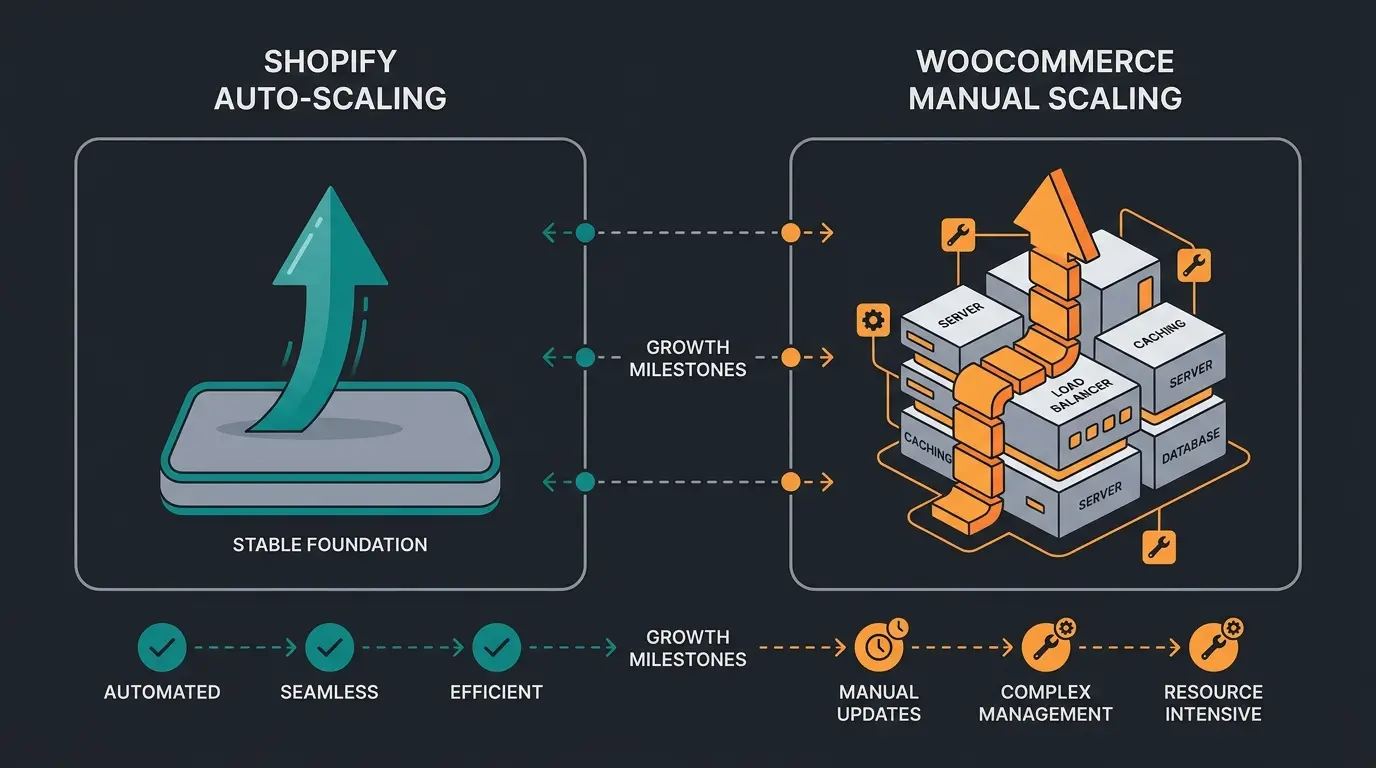
Shopify handles scaling automatically: stores with 100 or 100,000 products run on the same infrastructure with guaranteed uptime. WooCommerce can scale to any size but requires progressively more expensive hosting and optimization as your catalog and traffic grow.
During Black Friday 2024, Shopify processed $4.2 million per minute without downtime. Shopify's GMV reached $378 billion in 2025, more than triple the $119 billion processed in 2020. The platform now supports up to 2,000 product variants per item (expanded in 2025). For most SMEs, you will never hit Shopify's infrastructure limits.
| Growth stage | Shopify | WooCommerce |
|---|---|---|
| Startup (1-100 products) | Basic plan ($39/mo), auto-scales | Shared hosting ($10-15/mo), adequate |
| Growth (100-1,000 products) | Same plan, no changes needed | Managed hosting recommended ($30-50/mo) |
| Scale (1,000+ products) | Shopify plan ($105/mo) or Advanced ($399/mo) | Dedicated or cloud hosting ($100-300/mo), CDN, caching required |
| Enterprise (high volume) | Shopify Plus (from $2,300/mo) | Custom infrastructure, significant dev investment |
WooCommerce sites typically need a hosting upgrade above 500 concurrent visitors. That is not a limitation of the software. It is a limitation of the hosting plan. With premium managed hosting (WP Engine, Kinsta), WooCommerce handles 100,000+ SKUs and thousands of transactions per minute. But achieving that requires proactive optimization: caching plugins, image compression, database tuning, CDN configuration.
The AI consultation factor: beyond filters and search
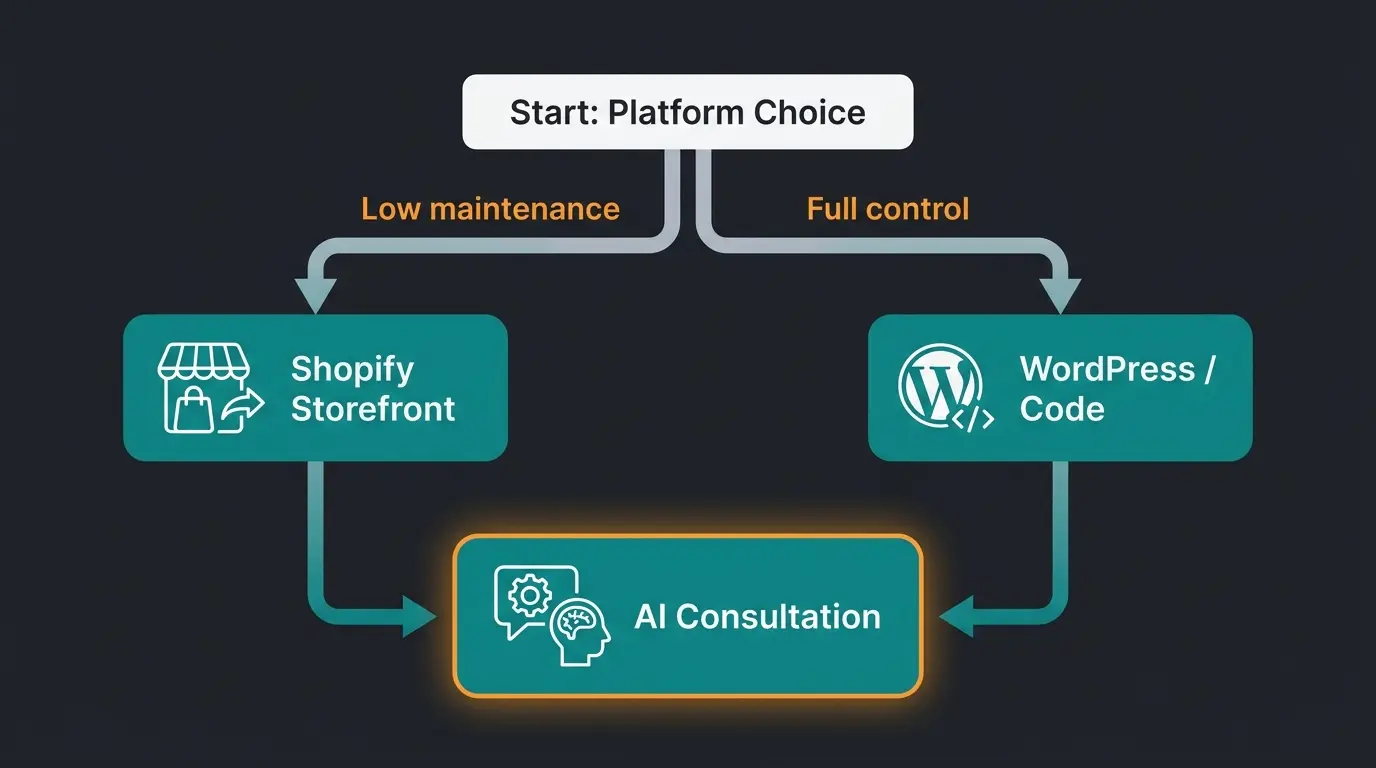
Neither Shopify nor WooCommerce includes built-in AI product consultation. Both platforms support third-party AI employees that understand your product catalog, guide customers through complex purchase decisions, and increase average order value by up to 35%, but the integration approach differs.
This is the section most platform comparisons skip entirely. Traditional e-commerce relies on filters, search bars, and category navigation. That works for commodity products where the buyer knows exactly what they want. It fails for consulting-intensive products: garden chemicals where the dosage depends on lawn size and soil type, lighting systems where compatibility matters, or custom signage where material and finish affect the outcome.
Shopify's native AI (Shopify Magic) focuses on merchant tools: product descriptions, email copy, customer insights. It does not consult your customers on which product to buy. WooCommerce has no native AI features at all. For actual product consultation, both platforms rely on third-party integration.
The integration paths differ. Shopify supports app-based integration through its App Store and Storefront API, making third-party AI employees installable in minutes. WooCommerce offers deeper integration via its open REST API and full code access, allowing tighter coupling between the AI system and your product database, but requiring more setup time.
Real results from stores using AI product consultation: Rasendoktor, an online lawn care retailer handling 2,000-3,000 seasonal consultation inquiries, achieved a 16x return on investment and 100% automation of product consultation with an AI employee. Signed, an online retailer for custom decorative signs, automated 70% of customer inquiries on Instagram and achieved 18x ROI with 30% increase in up-selling and cross-selling.
Design and customization
Shopify offers 200+ polished themes with a drag-and-drop editor, ideal for non-designers who need a professional store fast. WooCommerce gives unlimited customization through thousands of WordPress themes and full code access, but good design typically requires a developer or a premium theme costing $50-$200.
Shopify's theme store includes 24 free themes and over 1,000 total. Every theme is mobile-responsive, vetted for performance, and built specifically for e-commerce. Paid themes range from $100 to $500 as a one-time purchase. The Liquid template language allows code-level customization, though advanced checkout customization is locked behind Shopify Plus (from $2,300/month).
WooCommerce accesses the entire WordPress theme ecosystem. The WordPress directory lists over 12,000 themes. Popular options like Astra, Flatsome, and Avada offer WooCommerce-specific features. Free themes exist, but for a professional store you will likely spend $50-130 on a premium theme. The trade-off: more design freedom, but also more responsibility for mobile optimization and performance.
Neither platform's default theme will differentiate your brand. Design is the layer you build on top. What matters is how quickly you can get from concept to a store that converts.
Security and GDPR compliance
Shopify handles PCI DSS Level 1 compliance, SSL certificates, and security patches automatically across all plans. WooCommerce places full security responsibility on the store owner: hosting security, WordPress core updates, plugin patching, and self-attested PCI compliance. For EU merchants, WooCommerce self-hosted on European servers offers stronger GDPR data sovereignty since customer data stays within the EU without reliance on a US-based SaaS provider.
The practical difference: on Shopify, security is someone else's job. On WooCommerce, it is yours. Both approaches work. The question is whether your team has the capacity to manage ongoing security alongside running the business.
How does this compare to other platforms
Shopify and WooCommerce are not your only options. Wix targets simpler stores with drag-and-drop ease, Squarespace excels at design-first brands, and Adobe Commerce (Magento) serves enterprise needs with full code ownership. Your choice depends on technical skill, budget, and growth plans.
| Platform | Best for | Starting cost | Technical skill needed |
|---|---|---|---|
| Shopify | Fast-growing SMEs, low maintenance | $39/month | Low |
| WooCommerce | Technical teams, content-heavy stores | Free + hosting | Medium-High |
| Wix | Simple stores, small catalogs | $17/month | Low |
| Squarespace | Design-first brands, small inventory | $33/month | Low |
| Adobe Commerce | Enterprise, complex B2B | $2,000+/month | High |
For detailed breakdowns, see our Shopify vs Wix comparison, Shopify vs Squarespace analysis, and the Adobe Commerce vs Shopify deep dive.
Verdict: which platform should you choose
Choose Shopify if you want predictable costs, zero maintenance, and fast launch. It is the better choice for most SME owners under 50 employees. Choose WooCommerce if you need full customization, already run WordPress, and have technical resources for ongoing maintenance. The decision is not about which platform is better. It is about which one fits your operating model.
Choose Shopify if
- You want to launch within days, not weeks
- Your team has no dedicated developer
- Predictable monthly costs matter more than maximum flexibility
- You need built-in checkout optimization (Shop Pay) and fraud protection
- You sell primarily direct-to-consumer with a straightforward product catalog
- You plan to sell in person and need POS integration
Choose WooCommerce if
- You already run a WordPress site and want to add e-commerce
- Full URL structure control and advanced SEO matter for your growth strategy
- You have a developer (in-house or agency) for ongoing maintenance
- You need deep B2B features without paying $2,300/month for Shopify Plus
- Data sovereignty and GDPR compliance require EU-hosted infrastructure
- Your product catalog has complex attributes that need custom display logic
Already on WooCommerce and feeling the maintenance overhead? Migration to Shopify is possible via CSV export, migration apps, or professional services. The critical step is setting up 301 redirects for all URLs to preserve your search rankings. Already on Shopify and hitting customization limits? WooCommerce migration gives you full code access but requires you to set up hosting and manage the technical stack. Neither switch is trivial, but both are well-documented.
Regardless of platform: the store is the foundation, not the differentiator. Traffic gets visitors to your door. The product page gets them interested. But for consulting-intensive products, the conversion happens when a customer gets real guidance, not when they click a filter. Both Shopify and WooCommerce support AI employees that fill this role. For more platform options, see our full Shopify Alternatives overview.
Frequently asked questions
Shopify is a fully hosted SaaS platform with monthly plans starting at $39 where hosting, security, and updates are included. WooCommerce is a free WordPress plugin that requires self-managed hosting and maintenance. Shopify prioritizes ease of use, while WooCommerce offers full code access and customization.
Shopify's main limitations are restricted URL customization (the /products/ prefix cannot be removed), an additional 2% transaction fee when using external payment gateways, and checkout customization locked behind Shopify Plus at $2,300/month. Advanced SEO control is also more limited compared to WooCommerce with plugins like Yoast.
The WooCommerce plugin itself is free to install. However, running a WooCommerce store requires paid hosting ($10-50/month), a domain ($10-20/year), and typically premium plugins for essential features. Realistic year-one costs range from $300 to $1,200+ depending on your setup choices.
Yes, migration is possible via CSV export of products and customer data, migration apps, or professional services through Shopify Partners. The critical step is mapping all old URLs to new Shopify URLs and setting up 301 redirects to preserve SEO rankings. Expect the process to take one to four weeks depending on catalog size.
Shopify is generally better for dropshipping due to its direct integration with DSers (replacing the discontinued Oberlo) for AliExpress sourcing and automated fulfillment. WooCommerce can handle dropshipping via plugins but requires more manual configuration. Note: WooCommerce discontinued its native POS in February 2026.
Shopify is better for beginners. Its guided setup, built-in hosting, and intuitive editor allow non-technical store owners to launch within days. WooCommerce requires WordPress knowledge, hosting selection, and plugin management, making it more suited for users comfortable with technical setup.
On the Basic plan with Shopify Payments, Shopify charges 2.9% plus $0.30 per transaction, so $3.20 from a $100 sale. If you use an external payment gateway instead, Shopify adds a 2% platform fee on top of the gateway's processing fee, bringing the total to approximately $5.20 per $100 sale.
Whether you run Shopify or WooCommerce, the real conversion lever is AI product consultation. Our clients see up to 16x ROI and 35% higher cart values when customers get real guidance before checkout.
See how it works
Kevin is CTO and co-founder of Qualimero. As an AI architect with over 15 years of experience as CTO and CPO in the tech industry, he designs the AI systems that automate tens of thousands of customer interactions daily for Qualimero's clients — reliably, securely, and at scale.