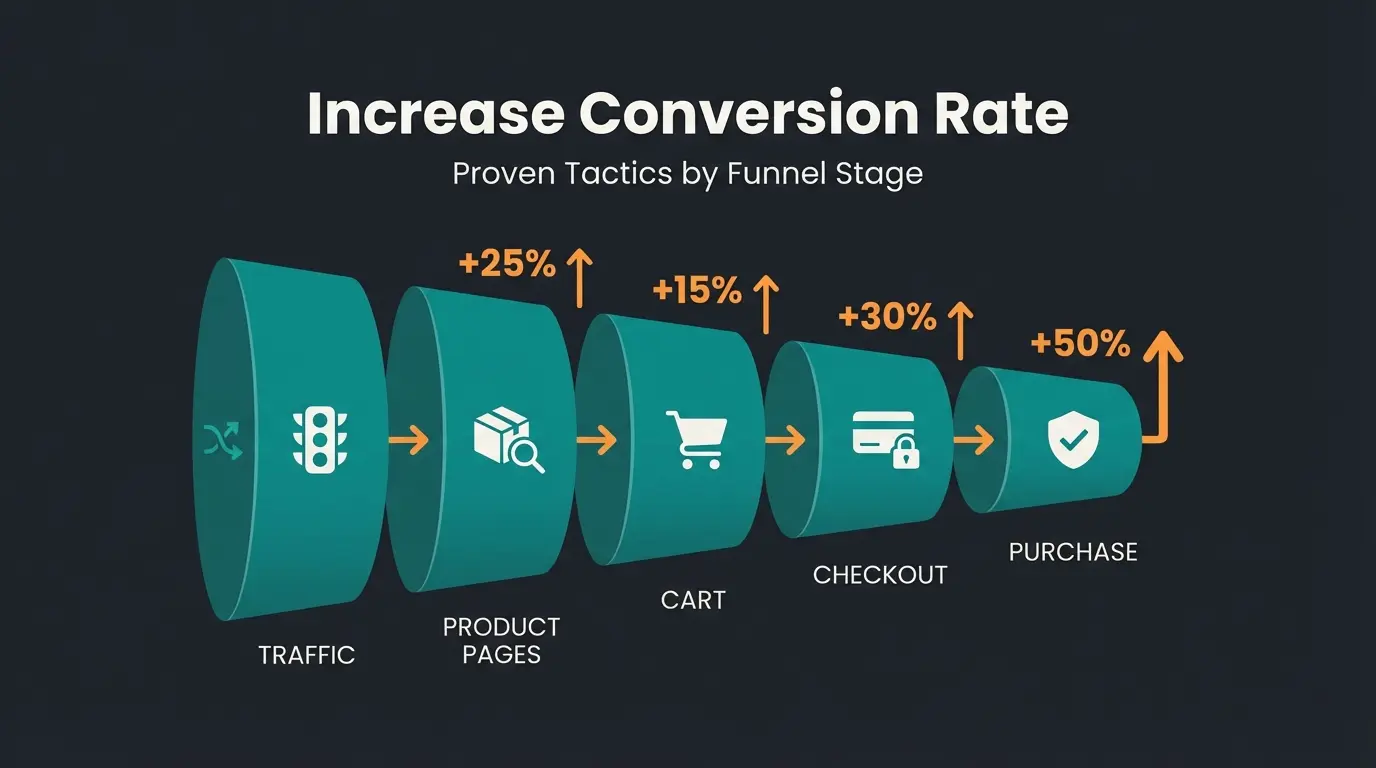
Checkout Optimization: Strategies That Recover Revenue
Reduce cart abandonment with proven checkout optimization tactics. Guest checkout, fewer form fields, digital wallets, and AI consultation. With benchmarks and checklist.

The numbers: why checkout optimization matters now
Nearly 70% of online shopping carts are abandoned before purchase, with checkout friction being the leading cause. According to Baymard Institute, the global average sits at 70.19% across 50 aggregated studies, costing US and EU ecommerce businesses an estimated 60 billion in recoverable lost orders annually.
That number has barely moved in five years. It rose just 0.65 percentage points since 2020. The problem is structural, not seasonal. Checkout is one lever among several, and Shopware Conversion Optimization covers the funnel stages before and after it.
For context: a store with 10,000 monthly visitors and a 2% conversion rate leaves approximately 7,000 potential buyers somewhere in the funnel. If your average ecommerce conversion rate sits below 3%, the checkout is where you recover the most revenue per euro spent on optimization.
| Device | Abandonment Rate | Primary Cause |
|---|---|---|
| Desktop | 70-73% | Unexpected costs at checkout |
| Mobile | 80.2% | Difficult form entry + slow loading |
| Tablet | 80.74% | Hybrid UX issues |
Mobile abandonment runs 10 percentage points higher than desktop. That matters because Statista projects 63% of all ecommerce purchases will come through mobile channels by 2028. If your checkout is not mobile-first, you are losing the majority of your future revenue at the final step.
Technical fundamentals: eliminating checkout friction
The most impactful technical checkout optimizations are enabling guest checkout, reducing form fields to under 8, offering 3+ payment methods including digital wallets, and ensuring your checkout loads in under 2 seconds on mobile. These four changes alone can reduce abandonment by 20-35% based on aggregated case study data.
Guest checkout: the 26% you lose at the door
Forcing account creation before purchase kills conversions. According to a Future Commerce and BigCommerce study, 63% of online shoppers will abandon a cart if they cannot check out as a guest. Baymard's data shows 26% of all abandonments trace back to mandatory registration.
The fix is straightforward. Offer guest checkout as the default path. Place account creation after the purchase confirmation, when the customer already trusts you with their money. That is when they will give you their data willingly.
Form field reduction: from 11 to 7
Baymard Institute found the average checkout contains 11.3 form fields as of 2024, down from 12.7 in 2019. But most stores need only 7-8 fields total. Their research shows a 20-60% reduction in displayed form fields is achievable without losing any necessary information.
What matters is not steps. It is fields. A five-step checkout with 7 fields outperforms a one-page checkout with 15 fields. Every unnecessary input is a potential exit point.
Address autocomplete tools like Loqate or Google Places API can reduce address entry from 6 fields to 1. Worth the integration effort.
Payment methods: the wallet speed advantage
Digital wallets are not a convenience feature. They are a conversion tool. Stripe's 2026 data shows businesses offering Apple Pay see a 22.3% increase in conversion rate. The reason is simple: wallet checkout takes 42 seconds on average versus 85 seconds for manual card entry.
When at least one additional relevant payment method beyond cards is surfaced dynamically, businesses see a 12% revenue increase and 7.4% conversion lift on average. For ecommerce conversion rate optimization, adding digital wallets is the single fastest win.
| Method | Conversion Lift | Avg. Checkout Time |
|---|---|---|
| Apple Pay / Google Pay | +22.3% (Stripe) | 42 seconds |
| PayPal | +88.7% completion rate | ~50 seconds |
| Manual card entry | Baseline | 85 seconds |
| BNPL (Klarna, Affirm) | +10-15% for orders over EUR 100 | ~60 seconds |
Mobile-first checkout and page speed
Mobile users are five times more likely to abandon if the checkout is not optimized for their device. With mobile optimization now non-negotiable, here is what matters: single-column layout, large tap targets (minimum 44x44px), no horizontal scrolling, and sub-2-second load time.
White Stuff, a UK retailer, saw a 100% mobile speed improvement and 37% conversion rate increase after switching from a three-page to a one-page checkout. The correlation between checkout speed and completion rate is nearly linear below the 3-second threshold.
Platform constraints shape what you can change. Shopify merchants work inside a hosted checkout with fast defaults but limited layout control, while Shopware and WooCommerce stores own the full checkout template. Our Shopify CRO guide covers which levers are actually available on that platform.
The psychology of checkout abandonment
Most checkout optimization guides treat abandonment as a UX problem. Too many fields, slow loading, missing payment options. But research shows the deeper issue is purchase uncertainty: customers leave because they are not confident they are buying the right product, not because the checkout form is too long.
The data tells an uncomfortable story. Statista reports 48% of US shoppers abandon because of unexpected costs or doubts about their choice. Only 18% cite checkout complexity as their reason. That means the majority of your lost revenue comes from customers who technically could complete the checkout. They choose not to.
I call this the confidence gap. And it is the blind spot in almost every checkout optimization guide I have reviewed for this article.
The silent abandoner is the customer who never triggers an error, never gets stuck on a form field, never complains. They simply leave because a doubt went unanswered. Maybe they are unsure about sizing. Maybe they cannot tell whether the product works with their existing setup. Maybe the price feels high without understanding what differentiates it from a cheaper alternative.
Traditional cart abandonment strategies address this retroactively through emails and retargeting. The smarter approach: answer the doubt before the customer leaves. That requires context-aware assistance at the checkout stage, not a FAQ page buried three clicks away.
Checkout optimization 2.0: AI-powered product consultation
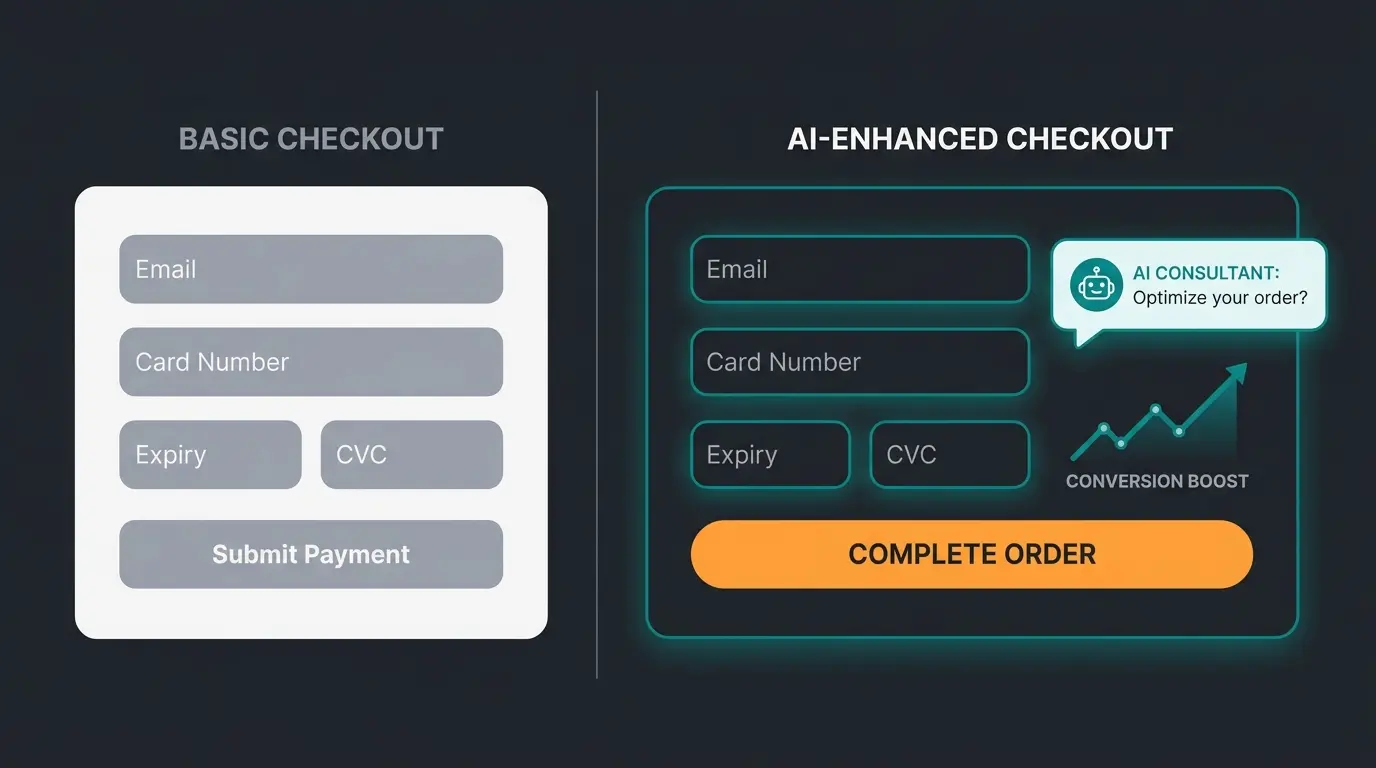
AI-powered product consultation at the checkout stage addresses the root cause of abandonment, purchase uncertainty, by providing real-time, contextual guidance exactly when customers hesitate. Stores using AI consultation at checkout see +35% higher cart values and +60% higher checkout completion rates based on Qualimero client deployments across 25+ active accounts.
This is not about FAQ pop-ups or scripted responses. A properly configured AI employee understands your product catalog, recognizes customer context (what they have in their cart, what they browsed, what questions they asked), and delivers tailored recommendations in under 5 seconds. The difference between that and a generic help widget is the difference between a knowledgeable sales associate and a printed sign.
We tested this extensively. In our projects, the pattern is consistent: the AI intervenes at hesitation signals (prolonged time on checkout page, scrolling back to product, hovering over 'back' button) and converts what would have been a silent abandonment into a completed purchase.
How it works in practice: Rasendoktor
Rasendoktor, an online specialist for professional lawn care products, handles 2,000-3,000 consultation-intensive inquiries per season. Their products are technically demanding: application rates depend on soil type, lawn condition, and regional climate. Customers frequently hesitated at checkout because they were unsure whether they selected the correct product combination.
After deploying Hektor, their AI employee from Qualimero, every webchat inquiry receives an automated, context-aware response within seconds. The result: 16x ROI, 100% consultation automation, and 40% reduction in support load. More importantly for checkout optimization: customers who interact with Hektor during the purchase flow complete their order at significantly higher rates because their product doubts are resolved in real time. See the Rasendoktor Case Study for the full breakdown.
Cross-selling at the right moment: Signed
Signed, an online retailer for custom and decorative signs, deployed Alex, a product advisory AI employee, across Instagram and TikTok interactions. The results: 18x ROI, 70% automation of customer inquiries, and a 30% increase in upselling. Alex does not just answer questions. It identifies purchase signals and suggests complementary products based on what the customer already selected. That is cross-selling done without friction.
The key insight from both cases: AI consultation converts better than human support at checkout because it responds in seconds, never gets tired, and scales to peak traffic without staffing constraints. The Signed Success Story documents the full metrics.
| Approach | Traditional Optimization | AI-Enhanced Checkout |
|---|---|---|
| What it addresses | Friction (forms, speed, layout) | Uncertainty (product fit, value, trust) |
| Handles silent abandoners | No, only errors | Yes, detects hesitation patterns |
| Revenue impact | 10-15% lift (BigCommerce data) | +35% cart value, +60% completion (Qualimero data) |
| Scalability | One-time implementation | Scales with traffic, learns from interactions |
| Cross-sell capability | Static recommendations | Context-aware, real-time suggestions |
| Support load impact | None | -40% to -60% support tickets |
Gartenfreunde, an online garden and wellness retailer, saw a 7x higher conversion rate after implementing AI employee Kira for product consultation. With 45% click-through on AI-generated product recommendations and 6x ROI, the numbers confirm what the logic suggests: answering purchase doubts at the point of decision converts better than any layout change.
See how AI Product Consultation works in practice and what it means for your online store conversion rate.
Integration: adding AI consultation to your checkout
Integrating AI product consultation into your checkout requires three decisions: choosing the right trigger point, configuring the AI with your product catalog and decision logic, and implementing a proactive support strategy where the AI addresses common doubts before customers ask.
Step 1: Choose the trigger point
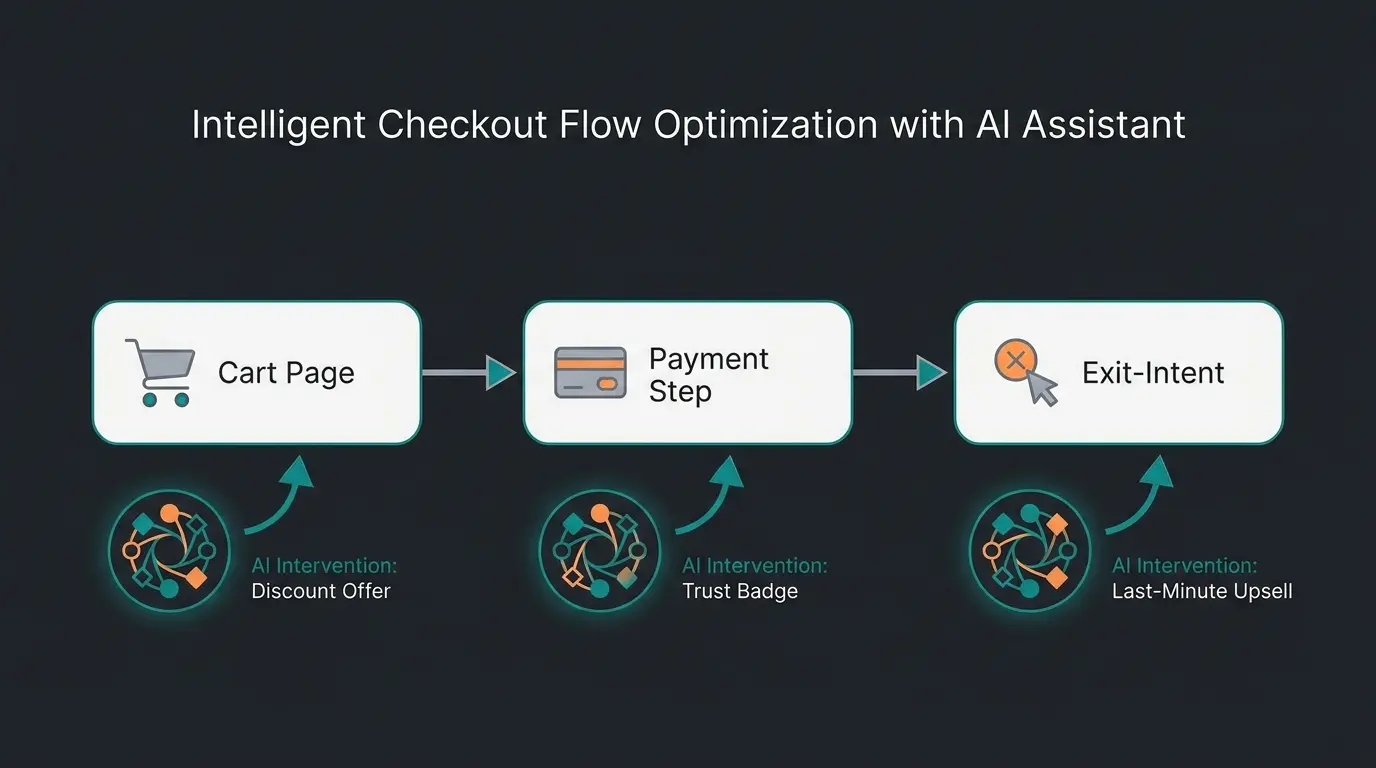
Three placement options, each with different strengths:
- Cart page (pre-checkout): Catches product uncertainty early. Best for stores with high AOV and complex product combinations.
- Payment step (mid-checkout): Addresses last-second doubts about cost and value. Best for stores with frequent price-related abandonment.
- Exit-intent (attempted abandonment): Intercepts users about to leave. Best as a fallback when other touchpoints are already covered.
We recommend starting with the cart page for stores with consulting-intensive products. That is where uncertainty peaks and where intervention has the highest impact per interaction.
Step 2: Configure with product knowledge
The AI employee needs access to your complete product catalog with attributes, compatibility rules, and use-case logic. This is not a simple FAQ upload. It requires structured product data including:
- Product specifications and compatibility matrices
- Common customer questions mapped to product attributes
- Decision trees for consultation-intensive products
- Pricing logic and cross-sell rules
Neudorff, a garden supplies manufacturer, achieved 97% accuracy in automated product recommendations with their AI employee Flora after proper product knowledge configuration. Average response time: under 5 seconds. Cost savings: 99.2% per chat compared to human agents.
Step 3: Proactive, not reactive
The key difference from traditional support widgets: the AI acts proactively. It monitors behavioral signals (time on page, scroll depth, cart modifications) and initiates contact when hesitation patterns emerge. A customer who has been on the checkout page for 45 seconds without progressing likely has a question they are not asking.
Platform-specific integration is straightforward. Shopware cross-selling hooks into the existing cart event system. Shopify uses the Storefront API. WooCommerce works through webhook triggers. Implementation timeline: 1-2 weeks for the technical integration, 2-3 weeks for product knowledge training and testing.
Your checkout optimization checklist
A complete checkout optimization combines technical best practices with psychological optimization. Use this checklist to audit your current checkout and prioritize fixes by expected impact. Stores implementing both technical and AI-powered optimization see 2-3x the improvement of technical-only changes based on our client data.
- Guest checkout enabled as default path
- Form fields reduced to 7-8 maximum
- Address autocomplete integrated (Loqate, Google Places)
- 3+ payment methods including Apple Pay / Google Pay
- Checkout page loads under 2 seconds on mobile (3G)
- Progress indicator visible throughout checkout
- SSL certificate and trust signals displayed near payment fields
- Transparent pricing: no surprises at final step
- AI product consultation active at cart or checkout stage
- Proactive intervention on hesitation signals (time-on-page > 45s)
- Context-aware cross-sell recommendations based on cart contents
- Product compatibility confirmation before payment
- Social proof elements (reviews, purchase count) near CTA button
- Clear return policy visible without navigation away from checkout
The technical foundations are table stakes. Every competitor article covers them. The psychological optimization layer is where you increase your conversion rate beyond what layout changes alone can deliver.
FAQ
Checkout optimization is the systematic process of reducing friction and uncertainty in the final purchase steps to increase conversion rates. It includes technical improvements (fewer form fields, faster loading, guest checkout) and psychological interventions (trust signals, AI consultation, transparent pricing). According to Baymard Institute, properly optimized checkouts can recover up to 60 billion in otherwise-lost orders across US and EU markets.
The average ecommerce conversion rate sits at 1.8-2% globally, with top-performing stores reaching 3.2-4.7% (Statista Global eCommerce Pulse Report 2026). Checkout-specific completion rates (visitors who enter checkout and complete purchase) average 45-55% for optimized stores. If yours is below 40%, technical fixes alone can lift it 15-25%.
Technical fixes (guest checkout, form field reduction, payment method addition) take 2-4 weeks for most platforms. AI product consultation integration adds 2-3 weeks for setup and product knowledge training. Expect measurable results within 30 days of implementation. Neudorff achieved 97% consultation accuracy within the first month of their AI deployment.
AI consultation delivers the strongest ROI for consulting-intensive products with multiple variants, compatibility requirements, or technical specifications. Think garden supplies, automotive parts, electronics, or home improvement. For standardized commodities (basic clothing, generic supplies), the impact is lower because purchase uncertainty is naturally lower. Our data shows 16x ROI for technical products and 6-7x ROI for less complex catalogs.
Technical checkout optimization typically delivers 10-35% conversion lift within 60 days, with ROI depending on your current abandonment rate and traffic volume. Adding AI product consultation multiplies the impact: Qualimero clients average 16x ROI on the consultation investment specifically, with +35% higher average cart values. For a store with EUR 100,000 monthly revenue, a 20% conversion lift means EUR 20,000 additional monthly revenue.
Track three metrics weekly: step-by-step abandonment rate (where exactly customers leave), checkout completion rate (entries to completions), and average checkout duration (time from cart to payment confirmation). Stripe recommends also monitoring payment success rate and error frequency. Set up funnel visualization in Google Analytics 4 to identify the exact drop-off points.
From checkout to concierge
The industry has spent a decade optimizing buttons, layouts, and form fields. Those optimizations matter. But they hit a ceiling. When 48% of abandonments come from doubt rather than difficulty, the next frontier is not less friction but more confidence.
AI product consultation transforms the checkout from a transaction barrier into a guided buying experience. The data from 25+ active deployments confirms it: customers who receive contextual guidance at the point of purchase buy more, return less, and come back sooner. That is checkout optimization that compounds.
More traffic alone will not fix a leaking checkout. An AI employee converts uncertain visitors into confident buyers, with +35% higher cart values and 16x ROI. See how it works for your store.
Book a demo
Kevin is CTO and co-founder of Qualimero. As an AI architect with over 15 years of experience as CTO and CPO in the tech industry, he designs the AI systems that automate tens of thousands of customer interactions daily for Qualimero's clients — reliably, securely, and at scale.