Why your Shopware shop needs more than standard in 2026
Shopware plugins in 2026 are no longer operational extras you install and forget. They determine whether your shop converts visitors into buyers. The gap between a functioning Shopware shop and a profitable one comes down to three decisions: which payment methods you offer, how you handle shipping, and whether customers receive actual product guidance.
The plugin landscape has shifted. Two years ago, most merchants focused on compliance and basic payment processing. That was the right priority then. In 2026, those foundations are table stakes. The competitive edge sits in the marketing and consultation layers, where most shops still leave revenue untouched.
Germany's e-commerce revenue reached $107.85 billion in 2025, and competition for that market is intensifying. Every Shopware shop competes not just with direct competitors but with Amazon, whose customer experience sets buyer expectations across the board. To build and optimize your Shopware store for that level of competition, the right plugin stack is non-negotiable. The shops that grow are the ones that match or exceed those expectations in the areas they can control: payment options, shipping speed, and personalized product guidance.
We tested and evaluated plugins across every major category for this guide. Not by reading feature lists, but by examining fee structures, integration depth, and actual performance data from merchant deployments. The result is a selection framework that matches specific business requirements to specific tools.
One data point frames the urgency. According to Baymard Institute, 70.22% of all online shopping carts are abandoned globally in 2026. That is not a rounding error. It is the single largest revenue leak in e-commerce, and the right plugin stack directly addresses its root causes: payment friction, shipping uncertainty, and decision fatigue. Baymard estimates $260 billion in annual US and EU revenue is recoverable through checkout improvements alone.
Essential must-have Shopware plugins
Every professional Shopware shop needs plugins in three foundational categories: legal compliance (GDPR and Google Consent Mode v2), payment processing (Mollie, Stripe, or PayPal Commerce Platform), and operations management (Pickware ERP). Without these, growth plugins are irrelevant because the shop itself becomes a liability. For a detailed head-to-head breakdown, see our Shopware 6 plugin comparison.
Legal compliance and GDPR
Germany's data protection requirements are among the strictest globally. Google Consent Mode v2, mandatory since March 2024, requires that consent signals are correctly transmitted before any tracking fires. Shops using Shopware Google Analytics or Google Ads without a certified CMP risk losing remarketing audiences entirely. Not a theoretical risk. It happens to shops every week.
Shopware 6 includes a basic cookie consent notice. It covers the minimum. For shops running paid advertising, that minimum is not enough. You need a Google-certified Consent Management Platform that handles granular third-party blocking, automatically updates consent categories when you add new scripts, and transmits Consent Mode v2 signals to Google's APIs.
- Usercentrics or Cookiebot: Google-certified CMPs with automatic script scanning, Consent Mode v2 support, and GDPR audit trail. Both integrate into Shopware via dedicated plugins
- IT-Recht Kanzlei / Handelsbund interface plugins: Auto-update legal texts (imprint, privacy policy, terms) when German law changes. Eliminates the risk of outdated legal pages triggering compliance warnings
- Budget alternative: The Consent Manager plugin from the Shopware Store costs less, but verify Consent Mode v2 support before purchasing
Implementation matters as much as the tool itself. A CMP that is installed but misconfigured creates a false sense of compliance. We see this regularly: shops that installed Usercentrics six months ago but never verified that the consent signals actually reach Google's servers. The CMP dashboard shows 'active,' but Google Ads reports zero conversions because the consent callback was never wired correctly. Test your implementation end-to-end, not just the cookie banner appearance.
Payment processing plugins
Mollie remains the market leader for Shopware 6 payment processing in 2026, offering 25+ payment methods with zero monthly fees. Stripe and PayPal Commerce Platform are strong alternatives depending on your market and technical requirements. The choice has direct revenue impact: according to Baymard Institute, 13% of cart abandonments happen because the preferred payment method is unavailable.
| Feature | Mollie | Stripe | PayPal Commerce Platform |
|---|---|---|---|
| Monthly fees | None | None | None |
| Transaction fees (cards) | 1.8% + EUR 0.25 | 1.5% + EUR 0.25 (EEA) | 2.49% + fixed fee |
| Payment methods | 25+ (incl. Klarna, iDEAL, SOFORT) | 15+ (incl. Apple Pay, Google Pay) | 10+ (incl. Pay Later, Venmo) |
| Shopware integration | Native plugin, Shopping Experiences | Plugin + API | Native plugin |
| Embedded checkout | Yes (Mollie Components) | Yes (Stripe Elements) | Limited |
| Refund handling | Dashboard, fee not returned | API or dashboard, fee returned | Dashboard, fee not returned |
| Best for | DACH shops, Klarna/invoice | Developer teams, global ops | PayPal-dominant markets |
Mollie's core advantage is operational simplicity. One plugin replaces what used to require four separate payment integrations. Mollie Components allow credit card entry directly within your checkout design, avoiding the redirect to an external page that costs conversion. Mollie's pricing confirms: no setup fees, no monthly charges, no minimum transaction volumes. For most DACH-focused shops, Mollie covers 95% of use cases.
Stripe is the better choice for development teams that need fine-grained control. Its API documentation is more detailed, webhook architecture more flexible, and test mode more reliable. Stripe Elements offer the same embedded checkout experience as Mollie Components, but with more customization options. The trade-off: you need developer resources to unlock those advantages. If your team does not write code, Stripe's benefits go unused.
PayPal Commerce Platform is the safe default for consumer-facing shops where PayPal already dominates payment preferences. It includes Pay Later options and Venmo in applicable markets. The integration depth with Shopware is more limited than Mollie or Stripe, but for shops where 40% or more of transactions already come through PayPal, consolidating on their Commerce Platform reduces plugin count and simplifies reconciliation.
Shipping and logistics plugins
The best Shopware shipping plugins automate label printing, real-time tracking, and multi-carrier management. DHL Adapter by Pickware, Sendcloud, and native DPD integrations cover over 90% of German e-commerce shipping needs. Choosing the wrong one costs money directly: the last mile accounts for approximately 53% of total B2C delivery expenses according to industry benchmarks.
| Feature | DHL Adapter (Pickware) | Sendcloud | DPD Plugin |
|---|---|---|---|
| Carriers supported | DHL / Deutsche Post only | 160+ carriers (DHL, DPD, Hermes, UPS, FedEx) | DPD only |
| Monthly cost | One-time purchase, no recurring fees | From EUR 23/month + per-label fees | Free (DPD account required) |
| Label printing | 2-click labels in Shopware backend | Automated batch printing, pre-sorted | Backend integration |
| Return handling | DHL Retoure support | Branded return portal | Basic return labels |
| Tracking | DHL tracking integration | Branded tracking pages + notifications | Standard DPD tracking |
| International | DHL Europaket, DHL Express Worldwide | 30+ countries, pre-negotiated rates | DPD European network |
| Best for | DHL-only, simple setup | Multi-carrier, high volume, international | DPD-committed operations |
For most German merchants, the DHL Adapter by Pickware is the pragmatic starting point. It connects directly to your DHL Business Customer Portal, which means shipping costs are the only expense. No plugin subscription. Two-click label creation from the Shopware backend covers everything from DHL Paket to DHL Express Worldwide, including services like cash on delivery and age verification.
Sendcloud makes sense once you ship internationally or work with multiple carriers. Access to 160+ carriers with pre-negotiated rates, branded tracking pages, and an automated returns portal justify the subscription for shops processing more than 100 shipments per month. Sendcloud and Pickware also integrate with each other, combining Pickware's Shopware-native backend with Sendcloud's carrier network.
The DPD plugin rounds out the trifecta for merchants committed to the DPD network. It is free to use with a DPD business account, covers the European DPD network well, and handles basic label printing through the Shopware backend. Its limitation: no multi-carrier support and basic tracking compared to Sendcloud.
Delivery speed directly impacts whether customers return. According to research published by Meteor Space, 63% of shoppers switch to a competitor if a previous purchase took longer than promised. And 74% of online shoppers now expect delivery within two days. Your shipping plugin choice is not just a logistics decision. It is a retention decision.
Operations and inventory: Pickware ERP
For Shopware merchants who want warehouse management without an external ERP system, Pickware remains the reference. It does not connect to Shopware via an API bridge. It lives inside Shopware. Same database, zero synchronization lag, no duplicate data sets.
- Warehouse management (WMS): Barcode scanning, bin locations, stock movements, all within the Shopware backend
- Shipping label integration: DHL and DPD label printing directly from the order view. No separate interface needed
- Stock synchronization: Real-time across all sales channels. One product, one inventory count, one source of truth
- POS integration: For merchants who also sell in physical retail. Same catalog, same stock, same pricing
The limitation is scope. Pickware handles inventory, shipping, and POS well. It does not replace enterprise ERP systems like SAP or Microsoft Dynamics for complex manufacturing or multi-entity accounting. If your operations require purchase order management across multiple warehouses or multi-entity financial consolidation, you will outgrow Pickware. For single-warehouse e-commerce operations with under 10,000 SKUs, it is the most tightly integrated option available for Shopware 6.
One often overlooked detail: because Pickware shares Shopware's database, inventory updates are instant. No API polling delay, no sync interval. When a customer completes checkout, the stock count decreases in real time across all channels. For shops selling limited-edition or low-stock items, this prevents overselling without the lag that external ERP integrations introduce.
Marketing and visibility plugins
Shopware marketing plugins in 2026 span SEO automation, email campaigns, social commerce integration, and remarketing pixel management. SEO Professional by Dreischild and email automation tools like CleverReach deliver the highest measurable ROI for most merchants. But the category expanding fastest is social commerce: the global market reached $2 trillion in 2025 according to Grand View Research, growing at a 26.2% compound annual growth rate.
SEO Professional by Dreischild
Shopware 6 is structurally SEO-friendly. Clean URLs, decent page speed, functional meta fields. For competitive niches, that baseline is not enough. SEO Professional fills the gaps that standard Shopware SEO leaves open.
- Bulk meta generators: Template-based meta titles and descriptions for thousands of products. Pattern: `[Product Name] buy online | [Shop Name]`. Saves hundreds of hours compared to manual entry
- SERP preview: Live snippet preview with pixel counter in the backend. See exactly what Google displays before you publish
- Canonical and robots control: Prevents duplicate content from variant articles, a common Shopware problem that reduces crawl efficiency
- Structured data: Generates Product and Review schema markup automatically
The plugin costs a one-time fee between EUR 200 and EUR 400 depending on version. No subscription. For shops with more than 200 products, the time savings on meta tag generation alone justify the investment within the first month.
Email marketing and social commerce
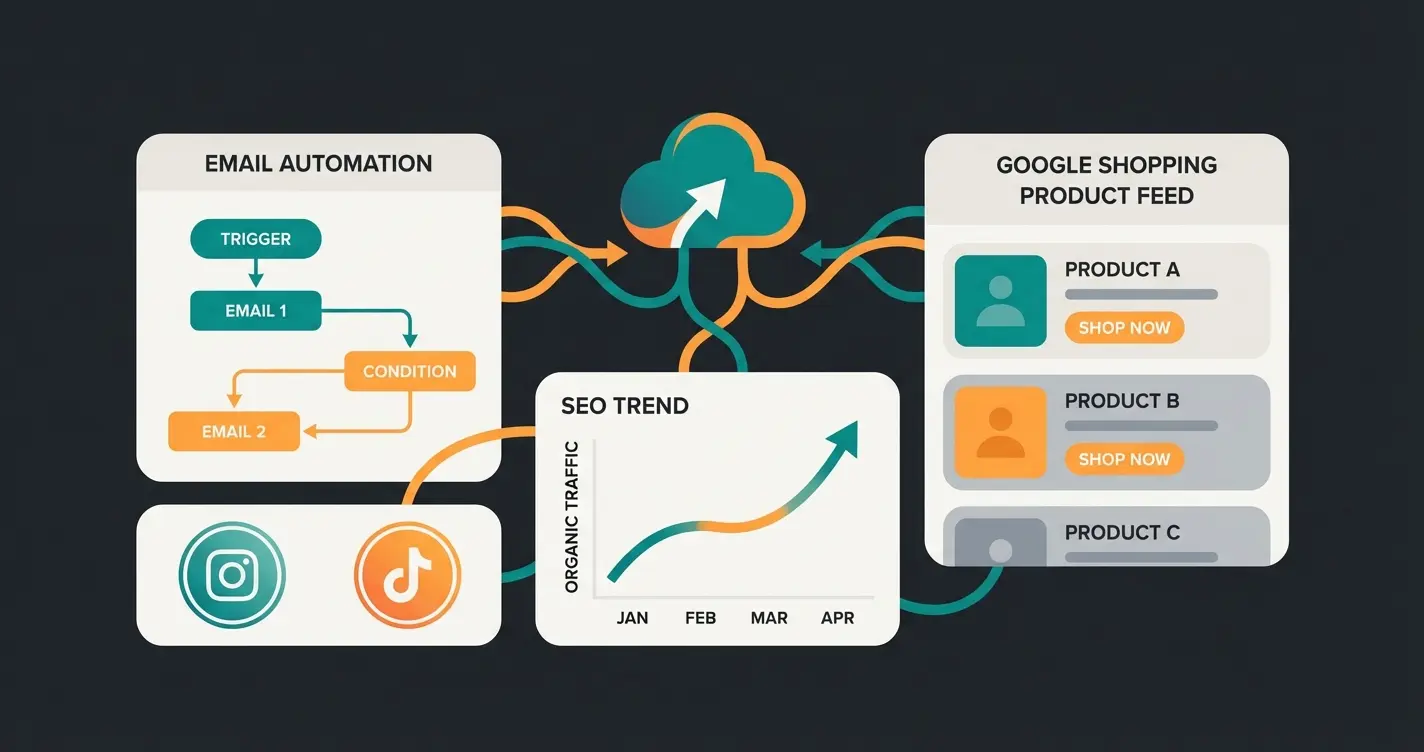
Email marketing still delivers the highest return of any digital channel. According to Litmus, the average return is $36 for every $1 spent. For retail specifically, that number climbs to $45. The key to those returns is segmentation, not blast volume. Shopware integrations with CleverReach and Mailchimp now sync purchase history, not just email addresses.
That means you can build segments like 'bought garden furniture in spring 2025, never purchased care products' and target them with accessory recommendations. Automated flows do the rest: welcome series, post-purchase follow-up, win-back campaigns for dormant customers. The setup takes a day. The returns compound monthly.
Social commerce is the newer growth vector. Instagram Shopping and TikTok Shop integrations allow product catalogs to sync directly with social platforms. According to eMarketer, TikTok Shop's US sales grew 108% in 2025 alone, reaching $15.8 billion. Google Shopping feed plugins complete the picture by placing your products in Google's Shopping tab and Performance Max campaigns.
The practical setup: a Google Shopping feed plugin exports your product catalog (titles, prices, images, availability) to Google Merchant Center. From there, products appear in Shopping Ads and free product listings. For Shopware 6, several feed plugins automate this process, including automatic price and stock updates. The ROI is direct and measurable through Google Ads conversion tracking.
Remarketing pixel management is the final piece. Meta Pixel, Google Ads conversion tags, and Pinterest tags all need Consent Mode v2 compliance. Plugins that manage these pixels centrally, rather than requiring separate scripts for each platform, reduce both implementation time and compliance risk. If you are already running a certified CMP from the legal section, these pixel plugins integrate with it.
How to install and manage Shopware plugins
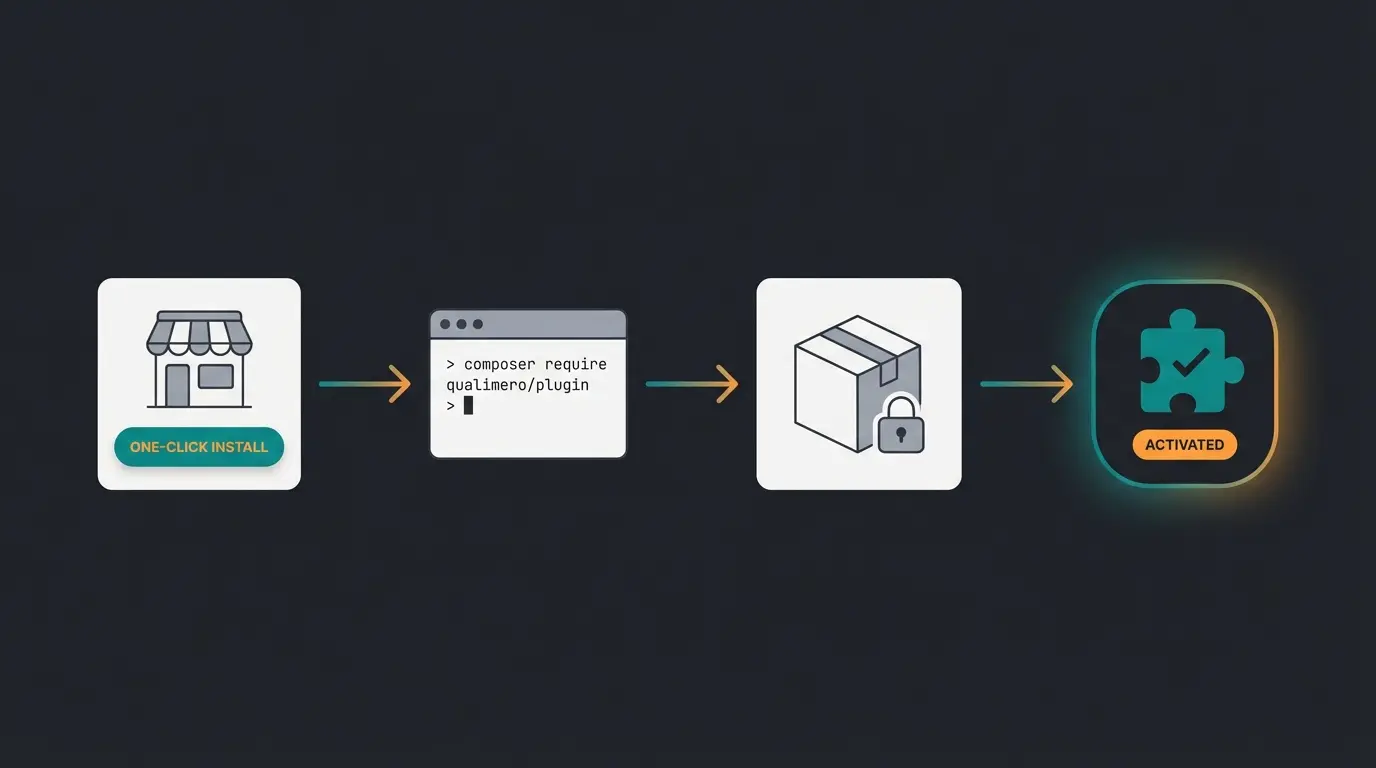
Installing Shopware plugins takes three forms: one-click install via the Shopware Store (easiest), CLI installation using bin/console (fastest for developers), and Composer-based installation (best for version control and CI/CD pipelines). Each method has different trade-offs in speed, reproducibility, and control. For custom plugin creation, see our guide on Shopware plugin development.
Shopware Store installation (admin panel)
The simplest path. Log into your Shopware admin, navigate to Extensions, find the plugin in the Shopware Store, and click 'Add extension.' The Store handles download, installation, and activation in one flow. No terminal access required. No CLI knowledge needed.
The limitations are real though. You cannot pin specific plugin versions, rollback is manual, and there is no way to include the plugin in a deployment pipeline. For single-shop setups without a staging environment, Store installation works fine. For anything with CI/CD or multiple environments, it does not scale.
CLI installation via bin/console
With SSH access to your server, the CLI is faster and scriptable. After downloading or uploading the plugin to `custom/plugins/`, three commands handle the rest:
bin/console plugin:refresh
bin/console plugin:install --activate YourPluginName
bin/console cache:clear
The `plugin:refresh` command scans the plugins directory and registers new plugins. The install command with `--activate` flag runs installation and activation in one step. Always clear the cache afterward. Skipping cache clear causes roughly half of all 'plugin not working' support tickets we see across merchant deployments.
Troubleshooting tip: if a plugin installs but does not appear in the frontend, check three things in order. First, verify the plugin is activated in Extensions > My Extensions. Second, clear both the Shopware cache and your browser cache. Third, check if the plugin requires a theme recompilation by running `bin/console theme:compile`. These three steps resolve about 90% of post-installation issues.
Composer-based installation
For teams running CI/CD pipelines, Composer is the correct approach. It locks plugin versions in `composer.lock`, ensures reproducible builds across staging and production, and integrates with your existing deployment workflow. The Shopware plugin developer guide covers the full technical setup.
composer require store.shopware.com/your-plugin-name
bin/console plugin:refresh
bin/console plugin:install --activate YourPluginName
bin/console cache:clearPlugin updates follow the same pattern: Store updates are one-click, CLI updates use `plugin:update`, Composer updates use `composer update vendor/plugin`. Regardless of method, always check the changelog for breaking changes before updating. Shopware major version upgrades (6.5 to 6.6, for example) are particularly risky for plugin compatibility. Check the 'Compatibility' field in the Shopware Store before upgrading your Shopware version. If your plugin vendor has not confirmed compatibility, wait.
The conversion gap: search vs. consultation
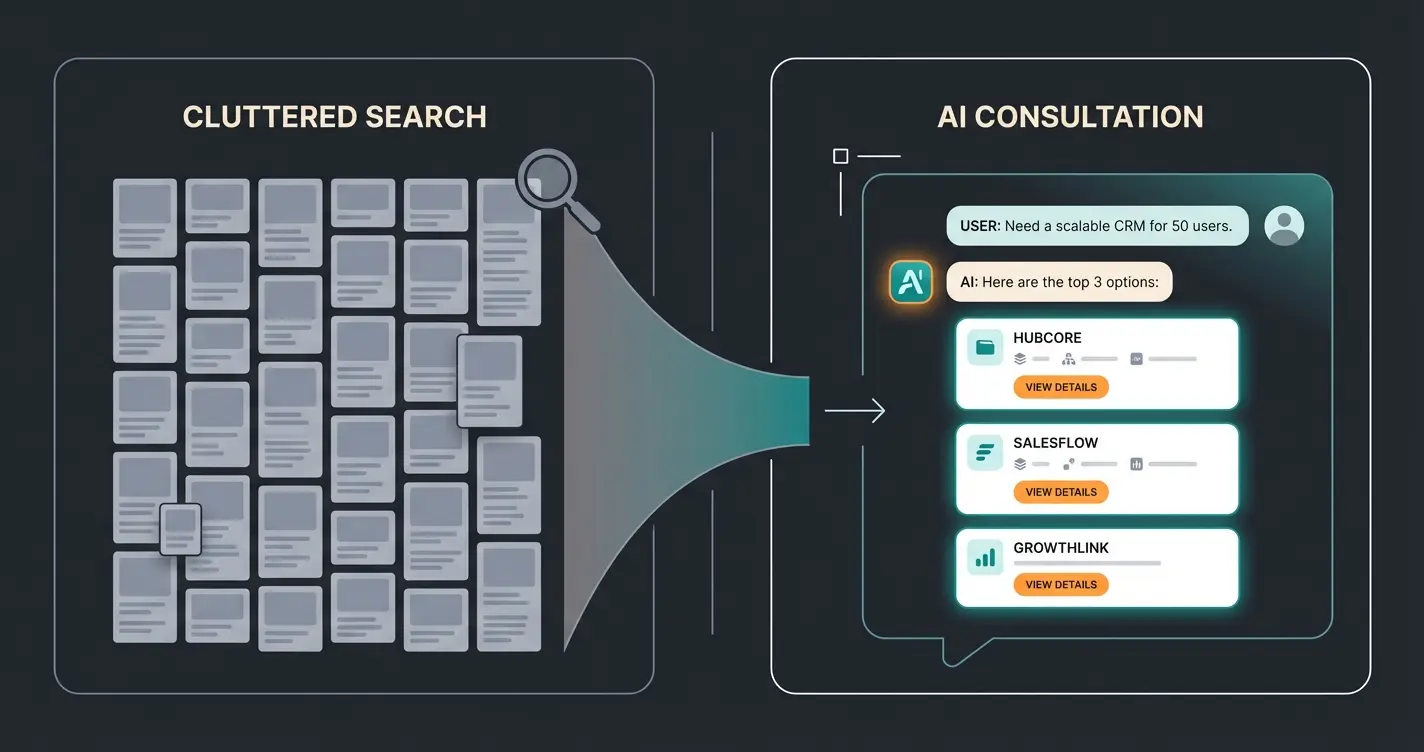
Standard Shopware search and filter functions handle attribute-based queries well: size 42, color red, price under EUR 50. They fail when customers arrive with a problem instead of a product ID. This is where most e-commerce shops lose the largest share of revenue, and it is the gap that no traditional plugin category addresses.
Consider the difference. A customer searching for 'running shoes' gets 400 results. Filters narrow it to 50. Still too many to decide. Compare that to a physical store where a salesperson asks three questions: asphalt or trail? Knee problems? What distance? Three questions, three recommendations. Purchase completed.
This is not a niche problem. It affects every shop selling products that need explanation: technology, cosmetics, supplements, home improvement, garden care, automotive parts. The more complex the product decision, the more revenue standard search leaves behind.
A practical example makes this concrete. A bicycle parts shop stocks 50 derailleurs. A customer needs a replacement but does not know which one fits their bike. Standard filters offer brand, speed count, price range. None of these help if the customer cannot identify which derailleur is compatible with their specific frame and groupset. They buy the wrong part. They return it. The shop loses margin on shipping both directions. Multiply that across every consultation-intensive product category, and you see the scale of the problem.
The gap costs real money. Not in abstract 'missed opportunities' but in measurable returns, abandoned carts, and support hours spent answering questions that the shop interface should have handled proactively.
But decision fatigue causes more abandonments than shipping speed
When customers receive guided product recommendations. Source: Gartenfreunde deployment
AI product consultation: the revenue plugin
AI product consultation plugins transform passive Shopware shops into active sales advisors, delivering 35% higher cart values and significantly higher checkout rates with 24/7 expert guidance. This is not a feature upgrade to existing search. It is a category shift from 'online catalog' to 'digital sales team.'
The distinction from standard FAQ tools matters. A rule-based FAQ widget answers questions about shipping costs and return policies. It deflects support tickets. An AI product consultant asks qualifying questions and recommends specific products based on the customer's stated needs. Different goal, different technology, different results.
- Dynamic product recommendations: The AI accesses your live product feed. It recommends real, in-stock items based on the customer's actual needs. No hallucinated products, no generic suggestions
- Guided selling funnels: Question sequences like 'Who is this gift for?' and 'What is the budget?' that set filters in the background, reducing 400 results to 3 perfect matches
- Shopping Experiences integration: The consultation interface lives within Shopware's CMS, matching your shop's design and branding. No foreign popups or third-party elements
- Persistent memory: The AI remembers returning customers, their past purchases, and preferences. Every subsequent interaction becomes more relevant
The returns reduction alone often justifies the investment. When customers receive product guidance that accounts for their specific use case, compatibility requirements, and preferences, they buy the right product the first time. Fewer returns mean less shipping cost, less warehouse handling, and higher net margins on every order.
Implementation is more practical than many merchants expect. The setup follows a clear sequence: connect your product catalog via Shopware's API, configure the consultation personality and product knowledge base, embed the interface into Shopping Experiences pages, and go live. The product feed sync runs automatically, so new products, price changes, and stock updates are reflected without manual intervention. Most deployments from initial setup to first customer interaction take one to two weeks.
The business case extends beyond conversion. Higher cart values because customers understand why the premium option fits their needs. Cross-selling that feels helpful rather than pushy because the AI knows what accessories genuinely complement the primary purchase. And 24/7 availability that a human sales team cannot provide. For a closer look at how AI product consultation works in practice and what deployment results look like across different industries, the data consistently supports the same conclusion: guided selling outperforms passive search by a wide margin.
Plugin selection criteria for 2026
Not every plugin that works in theory works in your specific Shopware environment. Selection criteria for 2026 must account for GDPR compliance, version compatibility, performance impact, and support availability. Skipping any of these checks invites problems that are expensive to fix after deployment.
- GDPR compliance: Is customer data processed on EU servers? Is there a signed Data Processing Agreement (DPA)?
- Shopware version compatibility: Does the plugin support your current Shopware 6.x version? Check the Store listing
- Performance impact: Run Google PageSpeed Insights before and after installation. Good plugins load scripts asynchronously
- Support quality: Is there a German-speaking support team? What are the guaranteed response times?
- Update frequency: When was the last plugin update? Plugins not updated in 6+ months are a maintenance risk
- Staging test: Install on staging, verify checkout and product pages before any production deployment
One criterion that merchants consistently underweight: support responsiveness. A plugin that breaks your checkout on Black Friday needs a support team that responds in hours, not days. Plugins from Shopware Premium Extension Partners typically offer guaranteed response times. That guarantee is worth more than any feature comparison on a calm Tuesday in March.
Performance is the other common blind spot. Every plugin adds JavaScript, CSS, or database queries to your page load. For shops already near the 2.5-second Core Web Vitals threshold, one poorly coded plugin can push Largest Contentful Paint into the red zone. We recommend testing each new plugin with Google Lighthouse before and after activation. If the performance score drops by more than 5 points, the plugin needs optimization or replacement.
AI plugins deserve special scrutiny here. Some load their entire conversation interface on every page, whether or not the customer interacts with it. Good AI consultation plugins load their scripts asynchronously and only initialize the full interface when the customer engages. The difference matters: 100KB of render-blocking JavaScript on your product listing page affects every visitor. The same 100KB loaded on demand after a click affects only the ones who want guidance. Ask your plugin vendor about their loading strategy before you buy.
Filters vs. AI consultation: technical comparison
| Capability | Standard Shopware Filters | FAQ Automation | AI Product Consultation |
|---|---|---|---|
| Interaction model | Passive: customer clicks through options | Reactive: answers typed questions | Proactive: guides the customer through decisions |
| Data basis | Hard attributes (size, color, price) | Pre-written text blocks | Customer needs, context, purchase history |
| Personalization | None beyond filter selection | Generic responses | High: adapts to individual requirements |
| Primary goal | Narrow product list | Deflect support tickets | Complete the purchase |
| Sales impact | Minimal | None (support-focused) | 35% higher cart value, 7x conversion lift |
| Setup effort | Built-in, no configuration | Medium (content creation) | Medium (product feed sync, personality config) |
| 24/7 capability | Yes (static) | Yes (static responses) | Yes (dynamic, continuously improving) |
The Shopware plugin ecosystem: investment levels
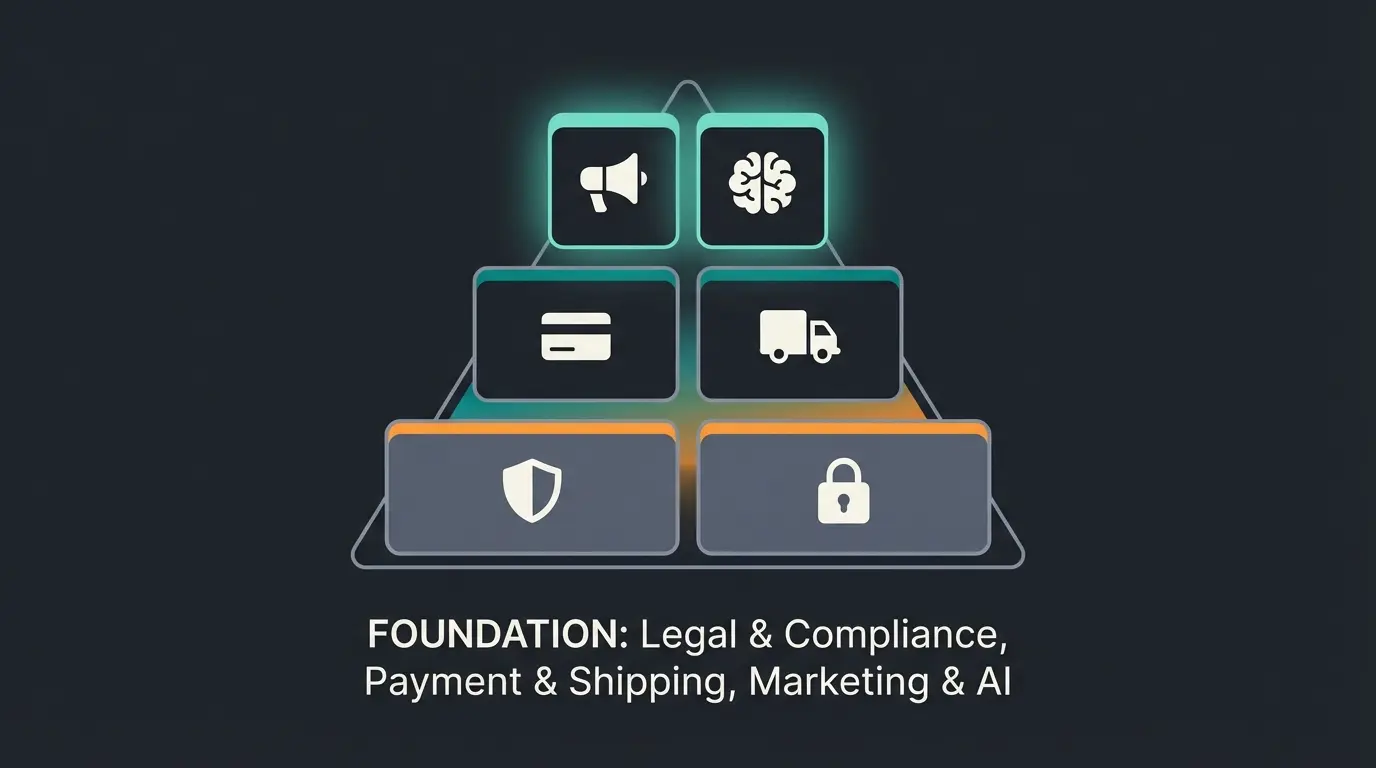
The Shopware plugin ecosystem follows a three-tier investment pyramid: foundational legal and security plugins (non-negotiable), operational payment and logistics plugins (keep the shop running), and growth-driving marketing and AI plugins (where profit is maximized). Most shops spend 90% of their plugin budget on the first two tiers. The third tier is where ROI actually lives.
- Foundation (compliance and security): Consent management, legal text automation, backup solutions. Budget: EUR 200-500 one-time. Without this layer, the shop is a legal liability
- Operations (payment and logistics): Mollie or Stripe for payments, DHL Adapter or Sendcloud for shipping, Pickware for inventory. Budget: transaction fees + EUR 0-50/month. This layer keeps orders flowing and customers satisfied
- Growth (marketing and AI): SEO Professional, email automation, social commerce integrations, AI product consultation. Budget: EUR 100-500/month. This layer drives profit margins and creates competitive differentiation that commodity shops cannot replicate
The visual layer matters too. Professional Shopware themes and smart consultation tools together create a shopping experience that justifies premium pricing and separates your shop from marketplace competitors selling the same products at cost.
Real-world validation: Signed, an online retailer for custom and decorative signs, implemented AI product consultation and achieved 18x ROI with 70% automation of customer inquiries across Instagram and TikTok. That return came from the growth layer, not from optimizing payment transaction fees by 0.2%.
The lesson is consistent across our client portfolio: foundation and operations are necessary, but growth plugins generate disproportionate returns. The most common mistake in plugin budgeting: spending 80% on compliance and operations, 20% on growth. The data we see across deployments suggests the inverse allocation is more profitable. Once compliance is handled and orders flow smoothly, every additional euro invested in marketing and AI consultation compounds.
Frequently asked questions about Shopware plugins
Three categories are non-negotiable: legal compliance (Usercentrics or Cookiebot for GDPR and Google Consent Mode v2), payment processing (Mollie for all-in-one payments with zero monthly fees), and operations (Pickware for integrated ERP). Beyond these, SEO Professional for organic visibility and AI product consultation for conversion deliver the highest measurable ROI.
Three methods are available: one-click from the Shopware Store admin panel (simplest), CLI installation using `bin/console plugin:install --activate` (fastest for developers), or Composer-based installation for version-controlled CI/CD pipelines. Always test on a staging environment first regardless of method.
DHL Adapter by Pickware if you ship exclusively via DHL in Germany: no monthly fees, two-click labels. Sendcloud if you use multiple carriers or ship internationally: 160+ carriers, branded tracking, starting at EUR 23/month. Both can be combined since they integrate with each other.
A standard FAQ tool answers predefined questions about shipping costs and return policies. Its goal is support ticket deflection. AI product consultation asks qualifying questions and recommends specific products based on the customer's needs. Its goal is purchase completion. Tested deployments show 7x higher conversion rates compared to standard navigation.
Compliance depends on the specific plugin. Key requirements: EU-based data processing, a signed Data Processing Agreement (DPA), and transparent handling of conversation data. Many German plugin manufacturers now offer enterprise solutions with European hosting and full GDPR documentation. Always verify compliance before implementation.
Costs vary by category. Consent management: EUR 50-200/month. Payment (Mollie): zero monthly fees, 1.8% + EUR 0.25 per card transaction. SEO Professional: EUR 200-400 one-time purchase. Shipping (Sendcloud): from EUR 23/month. AI consultation: EUR 99-499/month depending on traffic volume. Transaction-based pricing scales better for growing shops.
Mollie for DACH-focused shops that need Klarna, SOFORT, and invoice payment with minimal setup. Stripe for developer teams that need API flexibility and webhook control. PayPal Commerce Platform for consumer audiences where PayPal is the dominant payment preference. All three have no monthly fees. The decision is about your market, not your budget.
For SEO basics like meta tags, structured data, and canonical management: yes, SEO Professional automates what agencies charge hourly rates for. For email marketing: partly, if you have someone to write the content. CleverReach and Mailchimp handle segmentation and automation. For strategy and creative direction: no. Plugins execute tasks, they do not develop brand positioning.
An AI employee turns your visitors into buyers. Our clients see 35% higher cart values and 7x conversion lifts. See what that looks like in your shop.
Book a demo
Kevin is CTO and co-founder of Qualimero. As an AI architect with over 15 years of experience as CTO and CPO in the tech industry, he designs the AI systems that automate tens of thousands of customer interactions daily for Qualimero's clients — reliably, securely, and at scale.