Google Analytics 4 replaced Universal Analytics on July 1, 2023, and it remains the default behavioral layer for Shopware stores. It holds an 81.4% share of the web analytics market (W3Techs). For Shopware 6 operators, the question is no longer whether to use GA4. It is how to wire it cleanly, keep it compliant, and get more out of it than click counts.
This guide splits into two halves. First, the technical foundation: choosing an integration method, configuring Google Consent Mode V2, and mapping Shopware ecommerce events into GA4. Then the part most setup guides skip: turning tracking data into actual conversions by measuring customer intent, not just movement. If you want the wider platform picture first, start with our complete Shopware reference.
Why track your Shopware store with GA4
Track your Shopware store with GA4 because it shows what customers actually do: where they enter, where they hesitate, and where they leave. Shopware's built-in analytics reports revenue and stock. GA4 reports behavior. With roughly 70% of carts abandoned, you need that behavioral layer to find out where the money leaks out.
The Baymard Institute is direct about the scale of the problem. As their research puts it, "the average documented online shopping cart abandonment rate is 70.22%" (Baymard). That is not a marketing exaggeration. It is the baseline every Shopware shop fights against, and GA4 is how you see the pattern behind it. A clean Shopware store setup and clean tracking go together.
Shopware Analytics is not a GA4 replacement
There is recurring confusion about whether Shopware's own analytics replaces GA4. It does not. The two answer different questions. Shopware Analytics focuses on business KPIs like revenue, inventory, and margins, while GA4 focuses on the customer journey across traffic sources, paths, and conversions. You want both.
| Analytics solution | Primary focus | Key metrics | Best use case |
|---|---|---|---|
| Shopware Analytics | Business KPIs | Revenue, inventory, returns, margins | Financial reporting and stock management |
| Google Analytics 4 | Customer behavior | Traffic sources, user paths, conversions | Journey optimization and attribution |
| GA4 plus AI events | Customer intent | Questions asked, problems solved, intent signals | Product optimization and personalization |
Choosing an integration method: GTM, plugin, or native
For most Shopware 6 stores, Google Tag Manager is the right integration method. A native plugin installs faster but is harder to extend. Shopware's on-board tracking covers the basics only. GTM sits in between: more setup time upfront, full control over the DataLayer and every future tag afterward.
| Method | Setup time | Control over DataLayer | Best for |
|---|---|---|---|
| Native Shopware tracking | Under 30 min | Minimal, basic pageviews | Small catalogs, no marketing tags |
| GA4 plugin (direct inject) | 1 to 2 hours | Limited to plugin config | Single-channel shops, fast launch |
| Google Tag Manager | 2 to 4 hours | Full, custom events possible | Multi-channel shops, AI tracking, future tags |
I'd argue GTM is worth the extra two hours for any store that runs more than one ad channel. You manage Google Ads, Meta, and LinkedIn tags without touching Shopware code. You control how the Shopware DataLayer maps to GA4. And you can add AI consultation events later without a redeploy. For the full landscape of analytics extensions, see our guide to Shopware plugins.
- Flexibility: manage every marketing tag from one interface, no code changes
- DataLayer control: GTM translates Shopware's structured data into GA4 events
- Future-proofing: add custom tracking for an AI advisor without a deployment
Setting up Google Consent Mode V2
Consent Mode V2 has been mandatory for EU advertisers since March 2024. It tells Google whether a user allowed analytics and ad storage, then adjusts tag behavior accordingly. Without it, you lose data from non-consenting users and risk GDPR exposure. Configure it before any other tracking work, not after.
Google describes the mechanism plainly. Consent Mode "lets you adjust how your Google tags behave based on the consent status of your users" (Google Analytics Help). In practice it communicates not just whether a user consented, but to what: `ad_storage`, `analytics_storage`, and since V2 the two new signals `ad_user_data` and `ad_personalization`.
- Pick a CMP: use a consent platform with native Shopware 6 integration, such as Usercentrics or Cookiebot
- Check your Shopware version: 6.5.8.6 or newer to support `ad_user_data` and `ad_personalization`
- Configure GTM consent checks: tags fire only when the matching signal arrives from the CMP
- Validate in Tag Assistant: confirm signals pass before and after consent, not just after

Mapping Shopware ecommerce events to GA4
GA4 ecommerce reporting depends on a small set of recommended events: `view_item`, `add_to_cart`, `begin_checkout`, and `purchase`. Shopware 6 can push these through the DataLayer, but the default theme rarely sends all of them with complete item parameters. Map each event with its product data so GA4 can attribute revenue correctly.
The DataLayer is an invisible data layer on the page that exposes values like cart total, product name, and category in a structured form GTM can read. Google maintains the canonical list of GA4 ecommerce events and the exact parameters each one expects. Match Shopware's output to that spec and your funnel reports stop lying to you.
- Standard events: Shopware 6 emits core events, but an enhanced-ecommerce DataLayer extension is usually needed to pass `view_item_list`, `add_to_cart`, and `purchase` cleanly
- Item parameters: each event must carry `item_id`, `item_name`, `price`, and `quantity`, or GA4 attribution breaks
- Theme integration: if you inject DataLayer pushes through templates, document them, see our notes on Shopware themes for where template logic lives
Product, cart, and checkout actions are captured
Events are structured and pushed to the DataLayer
GTM reads the DataLayer and fires the matching GA4 tag
Data flows to analytics and consultation tracking together
The blind spot of standard analytics
Standard GA4 tracking measures clicks, not communication. It tells you a visitor spent four minutes on a product page and left without buying. It cannot tell you the visitor had one specific question that went unanswered. That gap between behavior and intent is where most Shopware stores quietly lose revenue.
Take a real pattern. A user lands on an expensive e-bike, scrolls up and down for four minutes, then leaves. GA4 reports: session four minutes, event `view_item`, no purchase. The analyst concludes "price too high." What actually happened: the visitor wanted to know whether the battery is removable for charging, could not find it, and gave up. Standard analytics sees the movement. It is blind to the why.
The data backs this up. Baymard found that 21% of shoppers abandon because they could not see or calculate the total cost upfront, and 48% leave over unexpected extra costs (Baymard). Both are information problems, not pricing problems. The product was fine. The answer was missing at the moment the customer asked the question.
Cost visibility missing at checkout
Shipping, taxes, fees surface too late
Plugin-based vs AI-led consultation tracking
Plugin-based guided selling tracks the path a user clicked. AI-led consultation tracks the question a user asked. The first gives you predefined filter steps. The second gives you free-text intent, what the customer wanted in their own words. For analytics, the second is far richer, and far harder to fake.
Most Shopware shops still run classic guided-selling plugins, which are usually static filter trees. They tell you a user picked color then size, nothing more. For a deeper look at the options, compare them in our Shopware 6 plugins comparison. If you plan to build custom event logic yourself, Shopware plugin development covers the technical foundation.
The AI side is usually bought, not built. Most Shopware operators run it as a hosted service, where the advisor, the model, and the event layer arrive as one subscription instead of a codebase you maintain. That delivery model is what the market calls chatbot as a service, and it matters for tracking: a hosted advisor should ship its GA4 events out of the box rather than leave you to instrument every one by hand.
| Feature | Static funnels (old way) | AI consultation (new way) |
|---|---|---|
| Interaction | Rigid clicks: color then size | Free text: "something for winter" |
| Data quality | Limited to predefined paths | Unstructured, rich in intent |
| Analytics output | "User selected filter X" | "User has problem Y, wants solution Z" |
| Learning effect | Low, you only know where they exited | High, you know what they asked |
Custom events worth tracking
When you add an AI advisor to Shopware, make its interactions measurable with custom events sent to GA4 via GTM. These four carry the most signal.
- `consultation_started`: the user opens the advisor or asks the first question. Measures interest in guidance vs self-service
- `intent_detected`: the AI identifies what the user wants. Parameter `intent_category`, for example material, price, or function
- `problem_solved`: the user clicks an AI recommendation. A soft conversion, often more predictive than `add_to_cart`
- `consultation_failed`: the AI had no answer or the user dropped the chat. This one quietly maps your content gaps

Registering custom dimensions in GA4
GA4 does not store event parameters in reports automatically just because you send them. You register them as custom dimensions first. Skip this and your `user_question` parameter arrives but never shows up in a report, which is a frustrating thing to debug after the fact.
- In GTM, create a GA4 event tag, for example `ai_interaction`
- Add parameters such as `user_question` and `ai_recommendation`
- In GA4, open Admin then Data display then Custom definitions
- Create a dimension: name "User question", scope Event, parameter `user_question`, matching GTM exactly
From tracking data to conversions
Tracking data only matters if it changes what you sell and how you describe it. Consultation events surface the exact questions that block a purchase. Feed those back into product descriptions, FAQs, and the advisor itself, and conversion follows. This is where AI product consultation earns its keep, by capturing intent you can act on.
The proof is in causally measured results, not claims. Pooldoktor went live with an AI advisor in January 2026 and measured a +18.75% revenue lift per user against a control group, alongside a 33x ROI (Pooldoktor case study). In the garden vertical, Flora at Neudorff hits 97% accuracy in product recommendations with response times under five seconds. Both numbers come from tracked consultation data, not gut feeling.
The missing-feature loop
Here is the workflow in practice. You sell outdoor jackets. Your new "consultation analysis" report shows 150 users last month asked the advisor: "Is this jacket suitable for skiing?" The AI answered "I don't have that information," and fired `consultation_failed`. The jacket is suitable. It just was not in the description.
- You now know "skiing" is a real purchase criterion for this product
- You add it to the Shopware product description and structured attributes
- Conversion on that product rises, and organic visibility for "ski jacket" improves
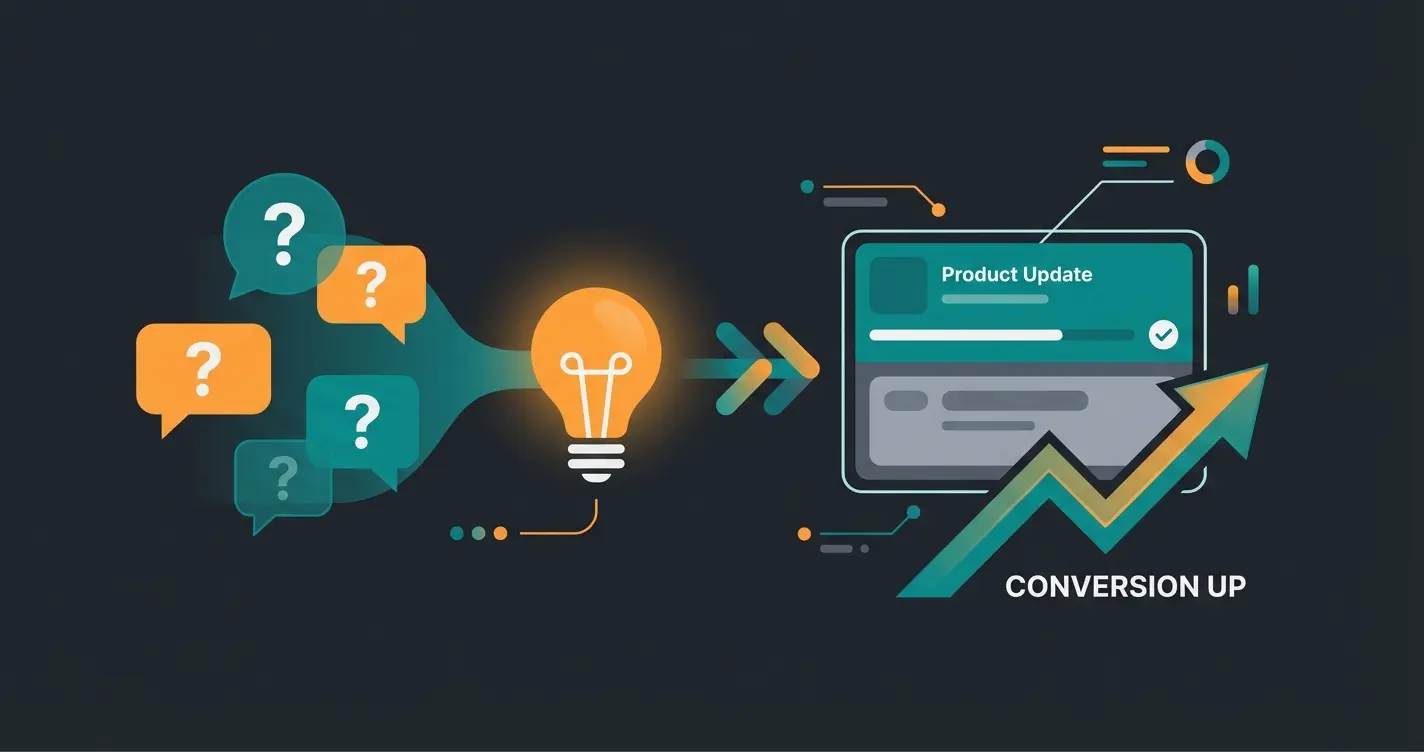
The advisor logs every question and intent signal
`consultation_failed` events reveal missing information
Add the missing detail to descriptions and FAQ
Track the conversion lift on updated products
Your Shopware GA4 implementation checklist
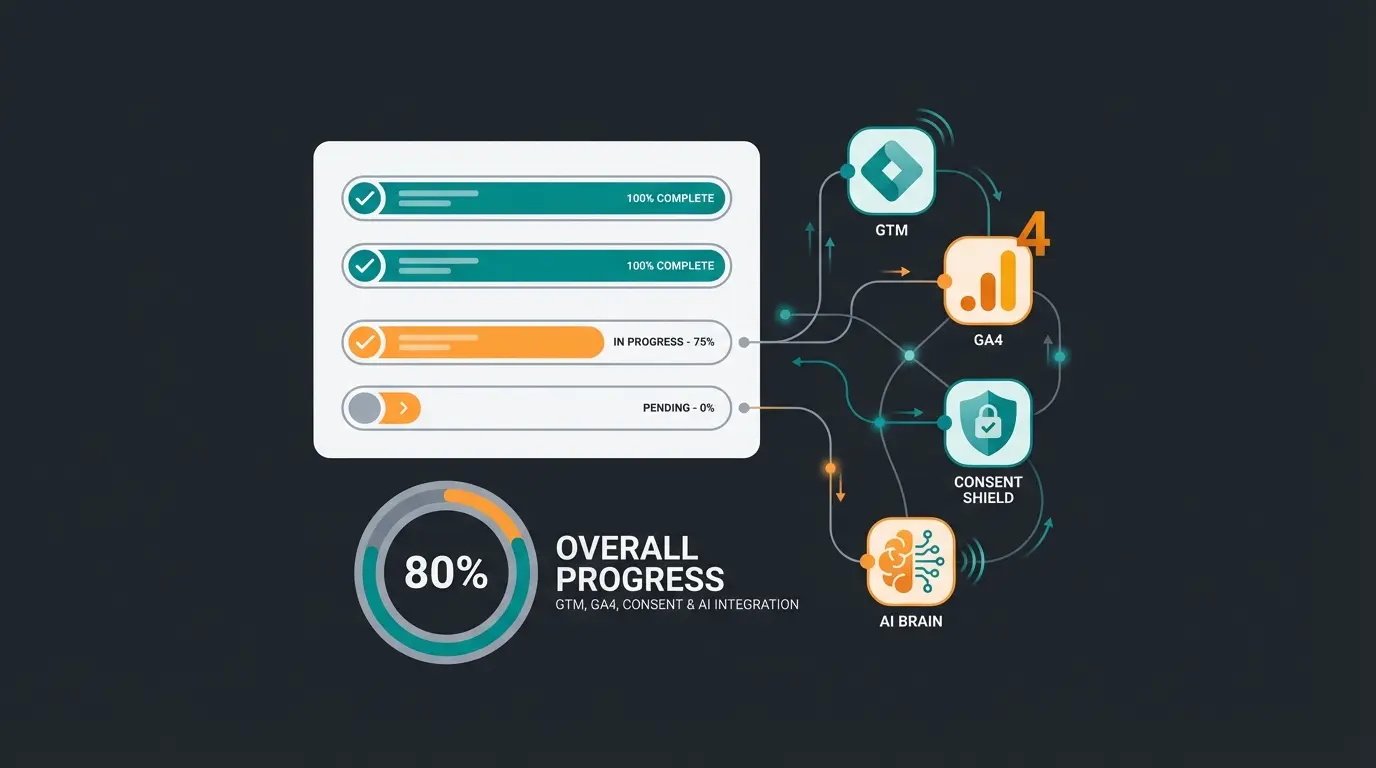
Before you call the setup done, verify eight things. Each one is a common point of silent failure, where data keeps flowing but quietly becomes wrong. Run through this list, ideally in GA4 DebugView, before you trust a single report.
- GA4 property created and linked to Shopware
- Google Tag Manager chosen as the integration layer
- Consent Mode V2 active and validated in Tag Assistant
- Ecommerce events (purchase, add_to_cart) visible in DebugView
- Custom consultation events defined and firing
- Custom dimensions registered in GA4 admin
- AI advisor pushing to the DataLayer
- Reporting dashboards built for consultation metrics
Frequently asked questions
No, and most experts recommend Google Tag Manager instead. GTM lets you manage all tags without touching Shopware code and gives full control over the DataLayer. A direct-inject plugin works for a fast single-channel launch, but it is harder to extend with custom AI events later.
No. Shopware Analytics reports business KPIs like revenue and inventory, while GA4 tracks customer behavior and journeys. They answer different questions, so a complete setup runs both. Around 81.4% of the analytics market still relies on Google Analytics for the behavioral layer.
Implement Google Consent Mode V2 through a CMP such as Usercentrics or Cookiebot. Run Shopware 6.5.8.6 or newer so it supports the `ad_user_data` and `ad_personalization` signals, mandatory since March 2024. Configure GTM tags to fire only after the matching consent signal arrives.
Focus on four: `consultation_started`, `intent_detected`, `problem_solved`, and `consultation_failed`. The last one is the most useful, because it maps the questions your shop cannot yet answer. Pooldoktor used exactly this kind of data to measure an 18.75% revenue lift per user.
Basic GA4 and GTM integration takes 2 to 4 hours. Consent Mode V2 adds 1 to 2 hours, and custom consultation events with dimensions and dashboards add another 3 to 5 hours plus testing. A complete production-ready setup typically lands within 1 to 2 working days.
A clean GA4 setup shows where shoppers leave. A Qualimero AI employee shows why, captures every product question, and turns it into measurable conversions. Pooldoktor reached a 33x ROI this way.
Start your free trial
Kevin is CTO and co-founder of Qualimero. As an AI architect with over 15 years of experience as CTO and CPO in the tech industry, he designs the AI systems that automate tens of thousands of customer interactions daily for Qualimero's clients — reliably, securely, and at scale.