What is Shopify wholesale
Shopify wholesale is the practice of selling products in bulk at discounted prices to other businesses through a Shopify store. It covers everything from setting up tiered pricing and company accounts to managing catalogs, payment terms, and B2B-specific checkout flows. Whether you use Shopify's built-in Shopify B2B features or third-party apps, the platform supports B2B selling alongside your direct-to-consumer storefront.
The B2B ecommerce market hit $32.1 trillion globally in 2025, growing at 14.5% annually (Mordor Intelligence). For Shopify merchants already doing well in DTC, wholesale is the fastest way to add a second revenue channel without building a new brand. You already have the products, the fulfillment pipeline, and the store. Wholesale adds business buyers to that equation.
If you have seen references to the "Shopify Wholesale Channel" in older guides, that feature no longer exists. Shopify deprecated the standalone Wholesale Channel in 2023 and replaced it with native B2B features built directly into the admin. The new system is more powerful: company accounts, custom catalogs, and payment terms are all integrated rather than living in a separate sales channel.
Projected share by end of 2025
4 ways to sell wholesale on Shopify
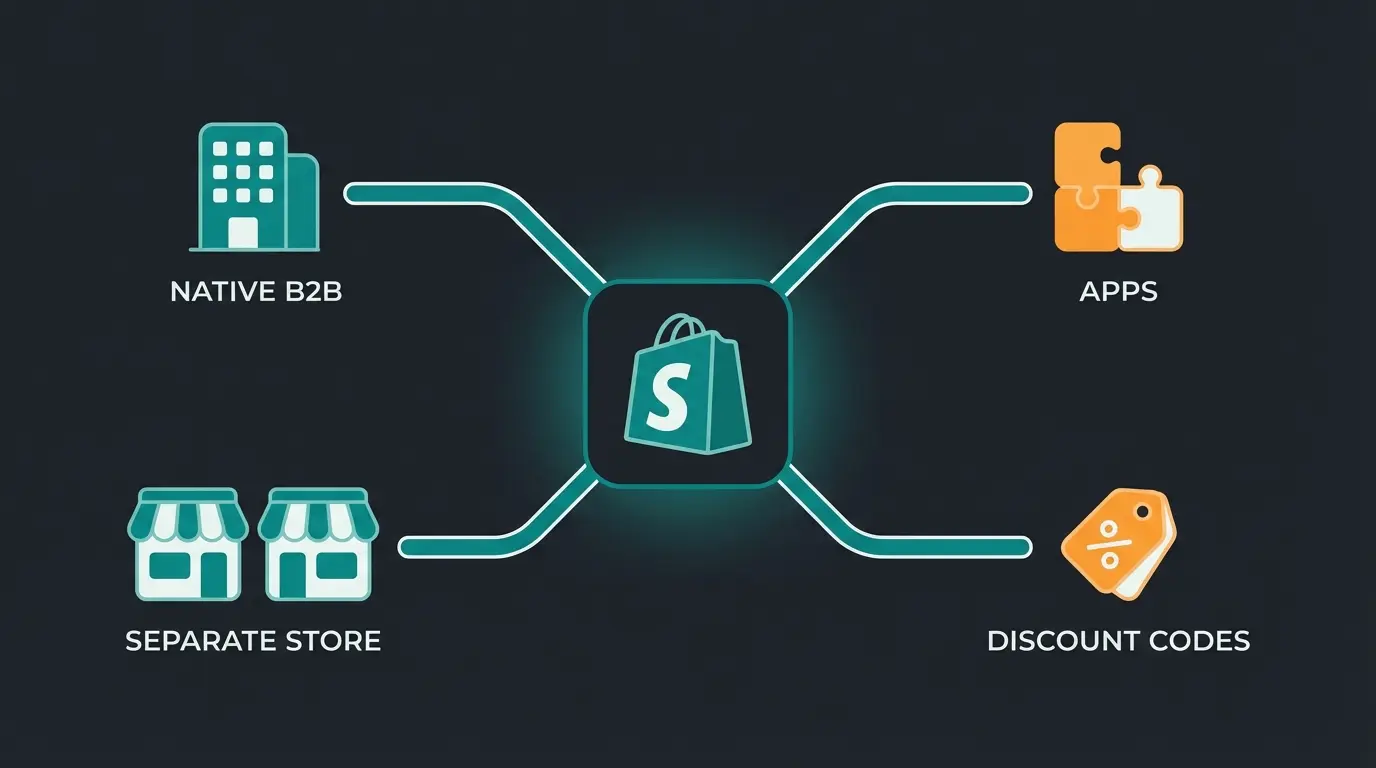
Before diving into the details, here is a quick comparison of all four methods. Each has a clear use case, and the right choice depends on your Shopify plan, wholesale volume, and how much control you need over the B2B buying experience.
| Method | Plan requirement | Setup complexity | Key features | Best for |
|---|---|---|---|---|
| Native B2B | Shopify Plus ($2,300+/mo) | Low (built-in) | Company accounts, custom catalogs, payment terms, volume pricing | High-volume merchants with 10+ wholesale accounts |
| Wholesale apps | Any plan ($20-100/mo for app) | Medium | Tiered pricing, customer tagging, wholesale login, catalog restrictions | Growing merchants testing B2B on a standard plan |
| Separate store | Any plan (2x subscription cost) | High | Full pricing control, separate checkout, password protection | Merchants needing completely separate B2B and DTC experiences |
| Discount codes | Any plan (free) | Very low | Percentage or fixed discounts, customer group restrictions | Merchants with fewer than 5 wholesale accounts |
Method 1: Shopify native B2B features
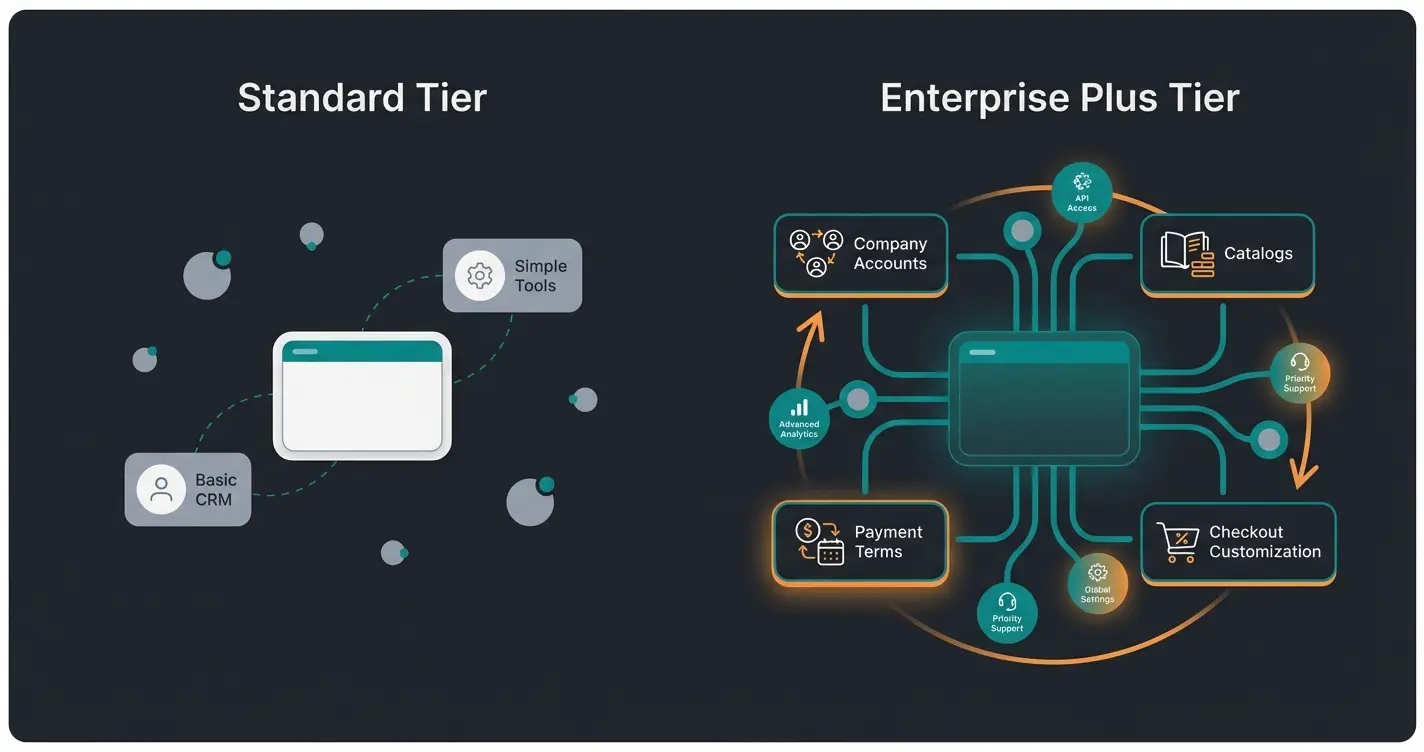
Shopify Plus includes a full B2B suite built directly into the admin dashboard. No extra apps, no workarounds. You manage wholesale alongside DTC from a single backend, which is exactly why merchants with serious wholesale volume tend to end up here.
The official Shopify B2B documentation outlines these core capabilities:
- Company accounts: Create profiles for each business buyer with multiple contacts per account, tax IDs, and billing addresses
- Custom catalogs: Control which products and prices each company sees. Different buyers can access entirely different product selections
- Payment terms: Offer Net 30, Net 60, or Net 90 terms. Buyers purchase now and pay on invoice later
- Volume pricing and quantity rules: Set tiered discounts based on order quantity, plus minimum and maximum order thresholds
- Draft orders: Create orders on behalf of buyers, apply custom discounts, and send invoices directly from the admin
- B2B checkout customization: Customize the checkout flow for wholesale buyers separately from your DTC checkout
The strength of native B2B is integration. Inventory stays synced across both channels automatically. Orders flow into the same fulfillment pipeline. Reporting covers DTC and wholesale in one dashboard. There is no context-switching between apps and admin panels, and that compounds into real time savings at scale.
The honest trade-off is cost. At $2,300/month minimum, Plus is not something you adopt speculatively. I have watched merchants jump to Plus too early, paying enterprise pricing for a wholesale channel that generates $5,000 in monthly revenue. The math needs to work before the features matter.
Method 2: wholesale apps
If you are on a Basic, Grow, or Advanced Shopify plan, wholesale apps are your entry point into B2B. The Shopify App Store wholesale category lists over 140 apps, but only a handful handle wholesale pricing, customer management, and catalog restrictions well enough to run a real B2B operation.
I tested the most popular options across installations, reviews, and actual feature depth. Here is how the top five compare as of early 2026:
| App | Rating | Reviews | Starting price | Best for |
|---|---|---|---|---|
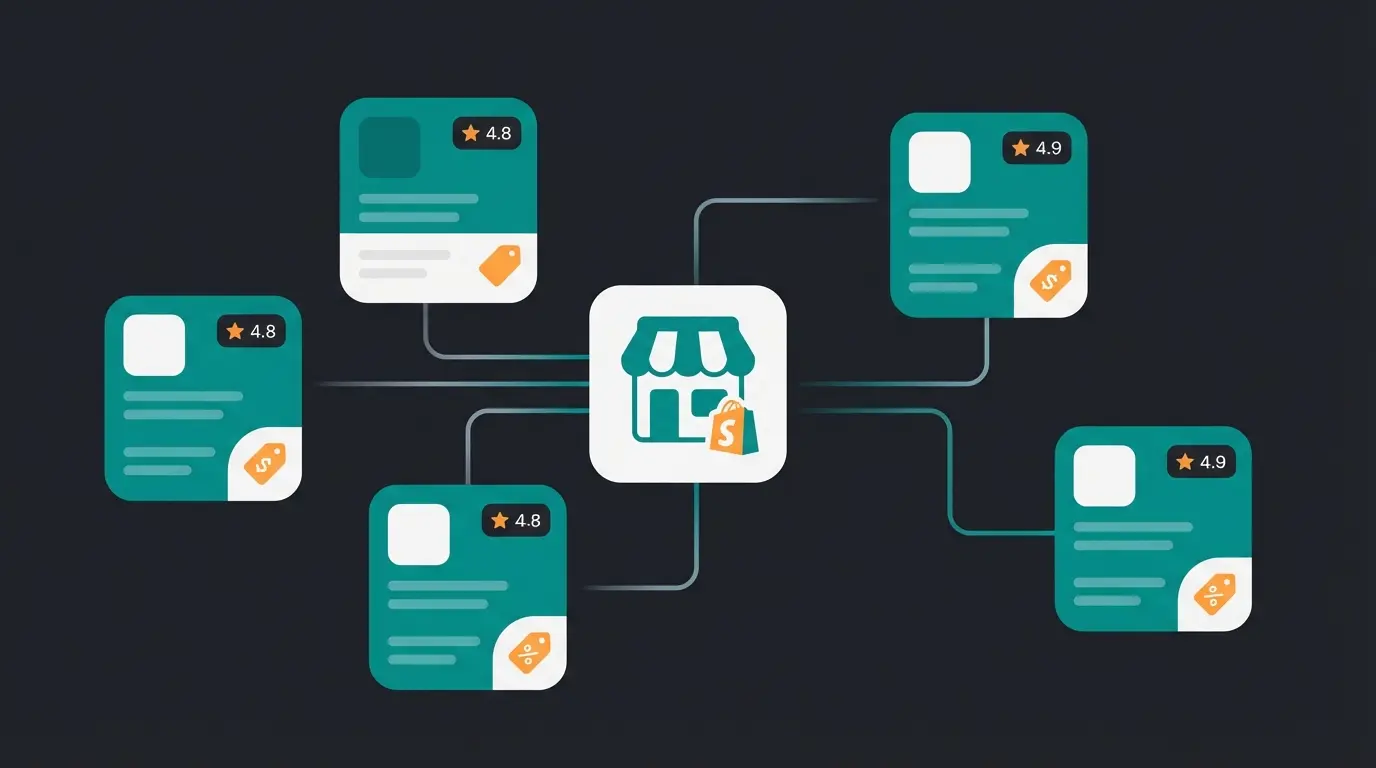
| Wholesale All in One | 4.9/5.0 | 261+ | Free plan available | All-in-one solution with signup forms, tiered pricing, and account approval |
| B2B Wholesale Hub | 4.8/5.0 | 676+ | Free trial, then paid | Running B2B and retail pricing side by side in one store |
| Wholesale Pricing Discount B2B | 4.8/5.0 | 507+ | $19.99/month | Custom pricing rules and volume discounts at scale |
| Wholesale Pricing Now | 4.7/5.0 | 300+ | $14.95/month | Simple wholesale pricing with order forms and auto-tagging |
| SparkLayer B2B & Wholesale | 4.6/5.0 | 100+ | $49/month | Full B2B checkout experience with quote requests and custom catalogs |
Most merchants start with Wholesale All in One or B2B Wholesale Hub because both offer free entry points. That matters when you are still validating whether wholesale demand is real or just a handful of one-off inquiries. Install the app, set up basic tiered pricing, and see what happens over 60 days before committing to a paid plan.
Once you process more than 20 to 30 wholesale orders per month, the limitations of app-based solutions start showing. Manual customer tagging becomes tedious. Pricing rules live in the app rather than the Shopify admin, which means your team switches between two interfaces. Checkout flows feel bolted on rather than native. These are not deal-breakers at low volume, but they add friction that compounds as wholesale grows.
Method 3: separate wholesale store
Some merchants prefer complete separation. A dedicated wholesale store on a subdomain (wholesale.yourstore.com) or a separate domain gives you full control over pricing, checkout, shipping rules, and the buyer experience. The build follows the same logic as any B2B online store: approval-gated access, buyer-specific catalogs, and a checkout designed for purchase orders rather than impulse buys. No workarounds, no app limitations.
The advantages are real: password-protected access ensures only approved buyers see your wholesale catalog. You can configure payment terms, tax exemptions, and shipping options specifically for B2B without affecting your DTC checkout. Product pages can show technical specifications and bulk ordering options that would confuse retail customers.
The downside is equally real. You now manage two stores. Product updates happen twice. Inventory sync requires a third-party app or manual coordination. Every theme change, every new collection, every price adjustment doubles in effort.
I have seen this model work well for one specific scenario: merchants whose wholesale catalog is fundamentally different from their DTC offering. Different products, different pricing structures, different fulfillment workflows. If your wholesale and retail catalogs overlap by more than 70%, a separate store creates more problems than it solves.
Shopify wholesale pricing setup
Regardless of which method you choose, getting your pricing structure right is what separates a side project from a revenue channel. Here is how to set up wholesale pricing on Shopify, step by step.
Using Shopify Plus native pricing
- Navigate to Settings > B2B in your Shopify admin and enable B2B features
- Create company profiles for each wholesale buyer under Customers > Companies
- Build a price list with percentage discounts, fixed prices, or volume-based tiers
- Assign the price list to specific companies or company locations
- Set quantity rules: minimum order quantities, maximum quantities, and quantity increments
- Configure payment terms (Net 30, Net 60, Net 90) per company
- Test the full flow by logging in as a B2B customer and placing a test order
Using apps on standard plans
On standard Shopify plans, pricing setup depends on your chosen app. The general pattern is the same: tag customers as "wholesale," create pricing rules tied to those tags, and configure discount tiers. Most apps support three pricing approaches:
| Pricing method | How it works | Best for |
|---|---|---|
| Percentage discount | Apply a flat percentage off retail prices (e.g., 30% off for all wholesale buyers) | Simple wholesale relationships with uniform margins |
| Fixed wholesale prices | Set specific wholesale prices per product, independent of retail pricing | Products where margins vary significantly across your catalog |
| Volume/tiered pricing | Prices decrease as order quantity increases (e.g., 10+ units at 20% off, 50+ at 35% off) | Encouraging larger orders and rewarding high-volume buyers |
A common mistake is over-engineering your pricing from day one. Start with a simple percentage discount for all wholesale buyers. Add volume tiers once you have enough order data to know where the natural breakpoints are. Three months of real order data is worth more than a week of spreadsheet modeling.
Shopify Plus vs standard for wholesale
The decision between Shopify Plus and a standard plan with apps comes down to wholesale volume and operational complexity. Here is what each plan level actually supports for B2B selling:
| Feature | Basic/Grow ($39-105/mo) | Advanced ($399/mo) | Plus ($2,300+/mo) |
|---|---|---|---|
| Wholesale pricing | Via apps only | Via apps only | Native price lists + apps |
| Company accounts | Not available | Not available | Built-in with multi-user support |
| Payment terms (Net 30/60/90) | Not available | Not available | Built-in |
| Custom B2B catalogs | Via apps (limited) | Via apps (limited) | Native catalog management |
| B2B checkout customization | Not available | Not available | Full checkout customization |
| Expansion stores | Not available | Not available | Included (up to 9 additional stores) |
| Volume pricing/quantity rules | Via apps | Via apps | Native + apps |
| Draft orders | Available | Available | Available with B2B enhancements |
The gap is clear. Standard plans can handle wholesale through apps, but every B2B-specific feature requires a third-party solution. Shopify Plus builds it all in. The real question is whether your wholesale revenue justifies the $2,300/month minimum.
As a rough benchmark: Plus wholesale features become cost-effective when you process more than $30,000/month in wholesale orders. At that point, the operational savings from native B2B, fewer apps, unified reporting, and streamlined checkout outweigh the plan cost. Below that threshold, apps get the job done.
And if the answer is that Shopify does not justify the cost either way, it is worth looking outside the ecosystem. Our B2B ecommerce platform comparison puts Shopify Plus next to Shopware, BigCommerce, and five other vendors on pricing, native B2B depth, and AI capabilities.
Automating your wholesale operations
Setting up wholesale is the first step. Scaling it without proportionally scaling your team is the second. The highest-leverage automation opportunities for Shopify wholesale merchants: automated reordering reminders through Shopify Flow, inventory sync between wholesale and DTC channels, automated invoicing through apps like Sufio, and AI-powered product consultation for B2B buyers who need guidance before placing large orders.
That last point is where most wholesale operations hit a wall. B2B buyers ask more complex questions than DTC customers. They need product specifications, compatibility checks, volume recommendations, and technical details. Handling these inquiries manually does not scale, and the generic chatbot as a service tools most vendors sell do not close the gap either: they answer FAQs, not product questions. Signed, an online retailer for custom decorative signs, solved this by deploying an AI employee for AI-powered product consultation. The result: 18x ROI, 70% of customer inquiries automated, and a 30% increase in cross-selling. That is the kind of leverage that turns wholesale from a side channel into a growth engine.
Shopify wholesale brings the orders. An AI employee handles B2B buyer questions, product recommendations, and cross-selling at scale. Our clients see up to 18x ROI.
Book a demoFAQ
Yes. Shopify supports wholesale through four methods: native B2B features on Shopify Plus, third-party wholesale apps on any plan, separate wholesale storefronts, and discount codes. The best method depends on your plan level and wholesale volume.
Shopify deprecated the standalone Wholesale Channel in 2023. It was replaced by native B2B features built directly into the Shopify admin for Plus merchants. These features are more powerful and better integrated than the old channel.
On Shopify Plus, use the built-in B2B price lists to assign percentage discounts, fixed prices, or volume tiers to company accounts. On standard plans, install a wholesale app like Wholesale All in One or B2B Wholesale Hub to create pricing rules tied to customer tags.
No. Standard plans support wholesale through third-party apps that add tiered pricing, customer tagging, and wholesale login pages. Shopify Plus adds native B2B features like company accounts, payment terms, and custom catalogs, but it is not required to start selling wholesale.
The top-rated options are Wholesale All in One (4.9/5.0, 261+ reviews), B2B Wholesale Hub (4.8/5.0, 676+ reviews), and Wholesale Pricing Discount B2B (4.8/5.0, 507+ reviews). All three offer free trials or free plans to test before committing.
More wholesale orders mean more product inquiries. An AI employee answers them instantly, with deep product knowledge, cross-selling capability, and 24/7 availability.
See how it works
Lasse is CEO and co-founder of Qualimero. After completing his MBA at WHU and scaling a company to seven-figure revenue, he founded Qualimero to build AI-powered digital employees for e-commerce. His focus: helping businesses measurably improve customer interaction through intelligent automation.