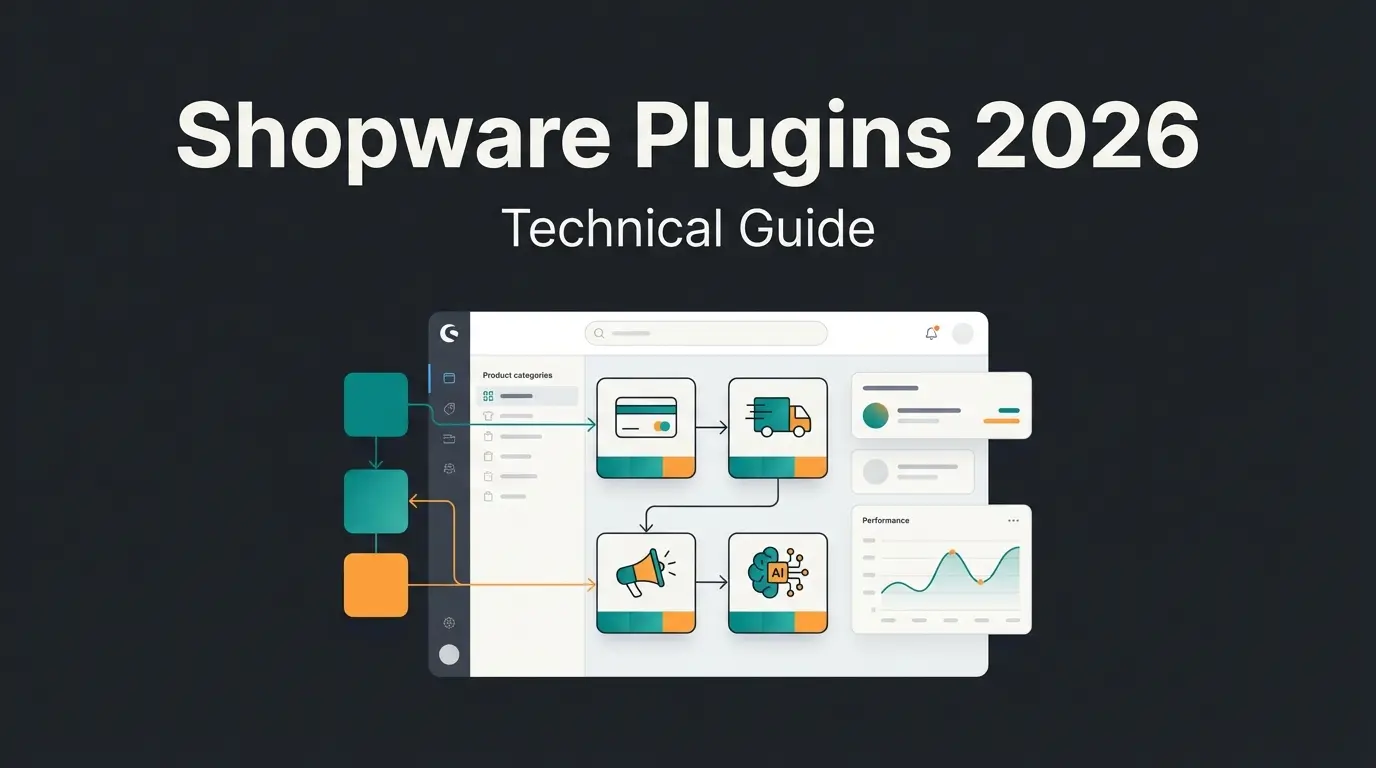
Why most Shopware setup guides miss the point
Most Shopware getting started guides focus only on technical installation steps but ignore the strategic decisions, hosting choice, catalog structure, and customer experience automation, that determine whether your store actually generates revenue from day one. The official Shopware documentation covers the technical side thoroughly. This guide covers what it does not.
Shopware powers over 100,000 online stores across Europe, with a 16.1% market share in Germany alone as of 2026. The platform is powerful. But an installed shop is not a selling shop. The gap between 'Shopware is running' and 'my first order came in' is where most new merchants stall.
We have set up dozens of Shopware integrations for e-commerce clients. The pattern is consistent: merchants who treat setup as a strategic phase, not just a technical one, reach profitability faster. This guide follows the sequence that works. For a broader overview of all Shopware learning paths, see the Complete Shopware Training Overview.
Phase 1: technical setup and hosting
Setting up Shopware 6 requires choosing between Shopware Cloud (managed hosting, starts at €600/month for the Rise plan) or self-hosted Community Edition (free, requires PHP 8.2+, MySQL 8.0+, and a server with at least 4 GB RAM). Cloud is the faster path for merchants who want to skip server management entirely. Self-hosted gives full control but demands technical knowledge.
Shopware 6.7, released in May 2025, added PHP 8.4 support and performance improvements across the storefront. If you are starting fresh in Q2 2026, target Shopware 6.7 from the beginning. Our Shopware Tutorial walks through the installation step by step. For reference documentation, the Shopware Documentation Guide covers every requirement in detail.
| Factor | Cloud (Rise plan) | Self-hosted (Community) |
|---|---|---|
| Monthly cost | From €600/month | Free (hosting costs separate) |
| Server management | Fully managed by Shopware | You handle updates, security, scaling |
| PHP version | Handled automatically | PHP 8.2+ required (8.4 recommended) |
| Database | Managed MySQL | MySQL 8.0+ or MariaDB 10.11+ |
| Best for | Merchants without dev team | Teams with technical resources |
| Scalability | Auto-scaling included | Manual, depends on your infrastructure |
| Time to first product | Under 2 hours | 4-8 hours (including server setup) |
After installation, the First Run Wizard walks you through currency, language, and demo data. Set your default currency here. Changing the default currency after products exist creates data migration headaches. Skip demo data for your live shop. A clean database makes catalog structuring faster. For deeper training resources, the Shopware Training overview maps every available learning path.
Phase 2: configuring your product catalog
A well-structured product catalog in Shopware uses category trees designed for customer navigation (not internal warehouse logic), properties for filterable attributes like material or color, and variants for size/quantity combinations. Getting this structure right from the start prevents costly reorganization when you already have 500 products indexed in Google.
The most common mistake we see: merchants replicate their ERP category tree in the storefront. Customers do not think in warehouse locations. They think in use cases. 'Garden care' beats 'Department 4 - Outdoor' every time. According to Baymard Institute, sites with user-tested navigation structures see up to 18% higher conversion rates compared to internally-organized catalogs.
- Category tree: Build maximum 3 levels deep. Each category should answer a customer question ('What do I need for lawn care?'), not an inventory question ('Where is product SKU-4827?')
- Properties vs variants: Use properties for filterable attributes that do not change the price (color, material). Use variants for attributes that create distinct products (size, bundle quantity)
- Dynamic product groups: Set rules like 'all products with tag seasonal-2026' to auto-populate category pages. Saves manual curation as your catalog grows
- Cross-selling groups: Define related products during initial setup. Do not wait until the shop is live. Cross-selling configured at setup generates revenue from the first visitor
Phase 3: AI-powered customer experience (your competitive edge)
Integrating AI-powered product consultation during your Shopware setup, not as an afterthought, gives your store a measurable competitive edge. Stores using AI-driven product advisors see up to 35% higher average cart values and 60% better checkout conversion rates compared to standard filter-based shopping. These are not projections. These are measured results from live e-commerce stores.
According to Gartner's January 2026 prediction, 60% of brands will use agentic AI for one-to-one customer interactions by 2028. The merchants who integrate this during setup will be two years ahead of those who bolt it on later. Product recommendations already drive up to 31% of e-commerce site revenues, according to aggregated industry data.
Rasendoktor, an online specialist for professional lawn care running on Shopware, faced 2,000-3,000 consultation-intensive inquiries per season. After integrating an AI employee for product consultation, they achieved a 16x return on investment, 100% automation of routine advisory queries, and 40% support cost savings. The full breakdown is in the Rasendoktor case study.
Qualimero's AI employees integrate with Shopware via REST API and are operational within days, not months. They understand product catalogs, recognize returning customers, and provide real-time purchase guidance across chat and WhatsApp. If your products require explanation, this is the single highest-impact setup decision you can make. Learn more about AI product consultation.
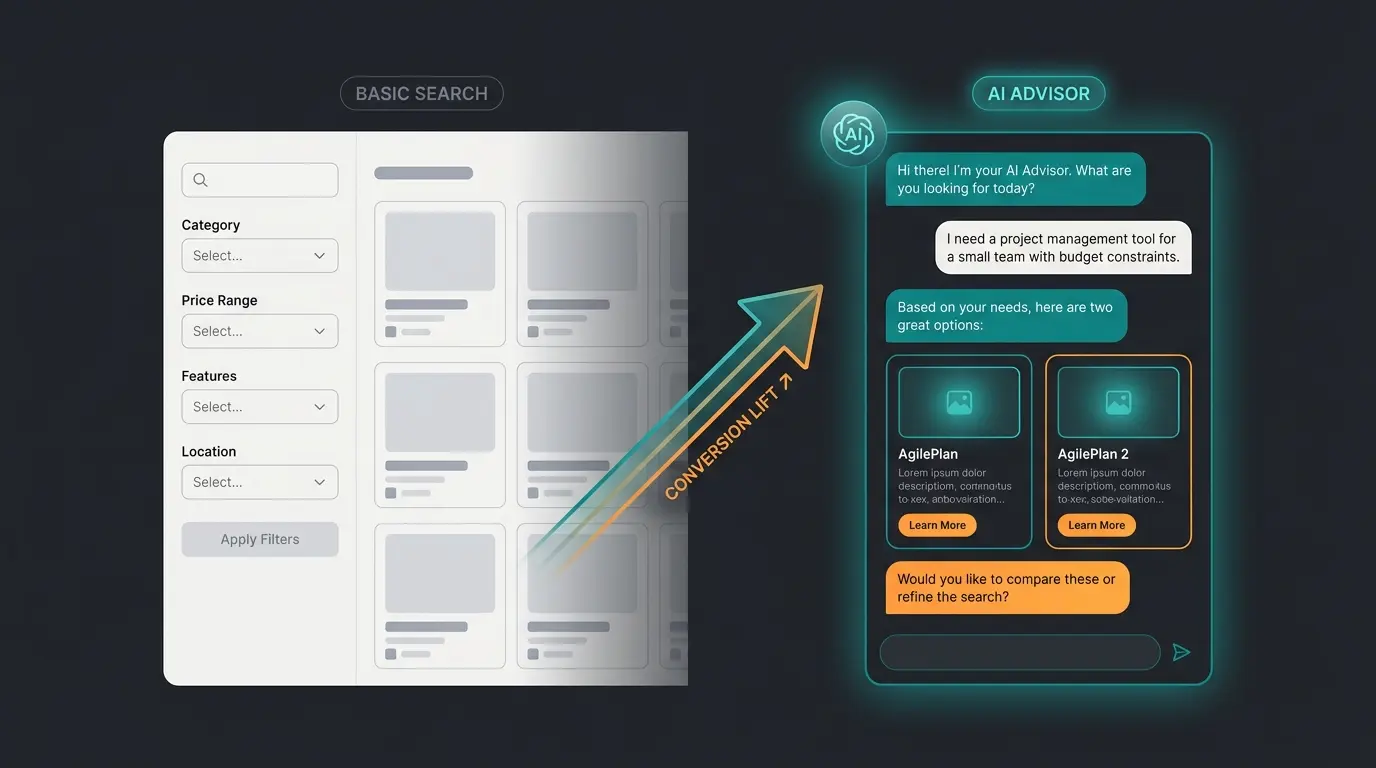
Stores with AI-powered product advisors vs standard navigation
AI-guided sessions vs unassisted browsing
AI employee answers vs minutes for human support
Phase 4: design with Experience Worlds (CMS)
Shopware's Experience Worlds (Erlebniswelten) is a drag-and-drop CMS that lets you build landing pages, category pages, and product showcases without writing code. For a getting-started scenario, it replaces the need for a frontend developer in the first weeks. Choose a premium theme over the default. The time saved in customization pays for the €100-200 theme cost within hours.
Three things to configure immediately. First, your homepage layout: use a hero section with your strongest product category, not a generic welcome message. Second, category landing pages: each main category deserves a custom Experience World with curated product highlights, not just a grid. Third, mobile preview: test every page in the admin's mobile preview before publishing. Over 60% of e-commerce traffic is mobile in 2026, and the default desktop layout rarely translates well.
Phase 5: automation with Rule and Flow Builder
Shopware's Rule Builder defines conditions (customer group, cart value, region) while the Flow Builder triggers automated actions (emails, tags, status changes) when those conditions are met. Together, they automate repetitive tasks without plugins. Most beginners skip this phase. That is a mistake.
Automated abandoned cart emails recover between 10% and 20% of otherwise lost sales, according to Klaviyo's 2026 benchmarks. The open rate on these emails averages 44.76%, more than double standard promotional emails. Setting this up takes 30 minutes in Shopware's Flow Builder. Not setting it up costs you revenue from day one.
- Abandoned cart recovery: Rule: cart value > €30 + no order within 4 hours. Flow: send recovery email with cart contents. This is the single highest-ROI automation for new stores
- VIP customer tagging: Rule: customer has placed 3+ orders OR total spend > €500. Flow: assign 'VIP' tag + trigger welcome-to-VIP email. Retention starts with recognition
- Free shipping threshold: Rule: cart value > €75. Flow: apply free shipping. Simple, but merchants who set this at launch see 12-15% higher average order values compared to flat-rate shipping
- Order status notifications: Rule: order status changes. Flow: send status update email. Basic, but customers expect it. Missing this creates support tickets
For advanced automation patterns, the Shopware Developer Portal documents every available trigger, condition, and action. The Rule Builder alone supports over 40 condition types as of Shopware 6.7.
Phase 6: go-live checklist
Before launching your Shopware store, complete this 12-point checklist covering legal compliance, payment testing, shipping configuration, SEO basics, and performance verification. Missing any of these creates legal risk or customer friction from day one. We have seen stores launch without cookie consent and receive GDPR complaints within 48 hours.
- Imprint page (Impressum) with complete business details, mandatory in DACH region
- Privacy policy updated for current GDPR requirements, including cookie categories
- Terms and conditions (AGB) reviewed by legal counsel
- Cookie consent banner with opt-in for analytics and marketing cookies
- Payment gateway tested with real transactions (not just sandbox mode)
- Shipping rules configured for all target regions, including free shipping thresholds
- SSL certificate active and all pages loading via HTTPS
- SEO settings: meta titles on all category and product pages, XML sitemap submitted to Google Search Console
- Email templates customized (order confirmation, shipping notification, password reset)
- Tax configuration verified for all selling countries (check EU-OSS if applicable)
- Mobile responsiveness tested on at least 3 device sizes
- Page speed under 3 seconds on mobile (test with Google PageSpeed Insights)
FAQ: common questions about Shopware first steps
The Community Edition is free and open-source (MIT license). Shopware Cloud starts at €600/month for the Rise plan with managed hosting included. Self-hosted requires separate hosting, typically €20-80/month for a VPS capable of running Shopware 6. Total first-year cost ranges from €240 (self-hosted Community) to €7,200+ (Cloud Rise).
A basic store with products, payment, and shipping can be live in 1-2 weeks of part-time work. Shopware Cloud reduces the technical setup to under 2 hours. The catalog structuring, legal pages, and design customization take the remaining time regardless of hosting choice.
No. Experience Worlds (the CMS), Rule Builder, and the admin panel handle most tasks visually. You need coding skills only for custom plugin development or deep theme modifications. About 80% of store configuration happens through the admin interface.
Shopware provides a Migration Assistant that supports imports from Shopware 5, Magento, and other platforms. Product data, customer records, and order history can be transferred. Budget 2-4 weeks for a clean migration including data validation and redirect setup.
Start minimal: a payment provider (Mollie or PayPal), an SEO plugin for meta tag management, and a cookie consent tool for GDPR compliance. Avoid installing 20 plugins before your first sale. Each plugin adds complexity, potential conflicts, and update maintenance. Add plugins when you hit a specific need, not preemptively.
AI employees like Qualimero's integrate via Shopware's REST API and are operational within days. They connect to your product catalog, learn your advisory logic, and provide real-time consultation via chat and WhatsApp. The Shopware Academy covers additional training resources for extending your store's capabilities.
A well-configured Shopware store brings visitors. An AI employee converts them into buyers. Our clients see up to 7x higher conversion rates with AI-powered product consultation. See how it works in your store.
Book a free demo
Kevin is CTO and co-founder of Qualimero. As an AI architect with over 15 years of experience as CTO and CPO in the tech industry, he designs the AI systems that automate tens of thousands of customer interactions daily for Qualimero's clients — reliably, securely, and at scale.