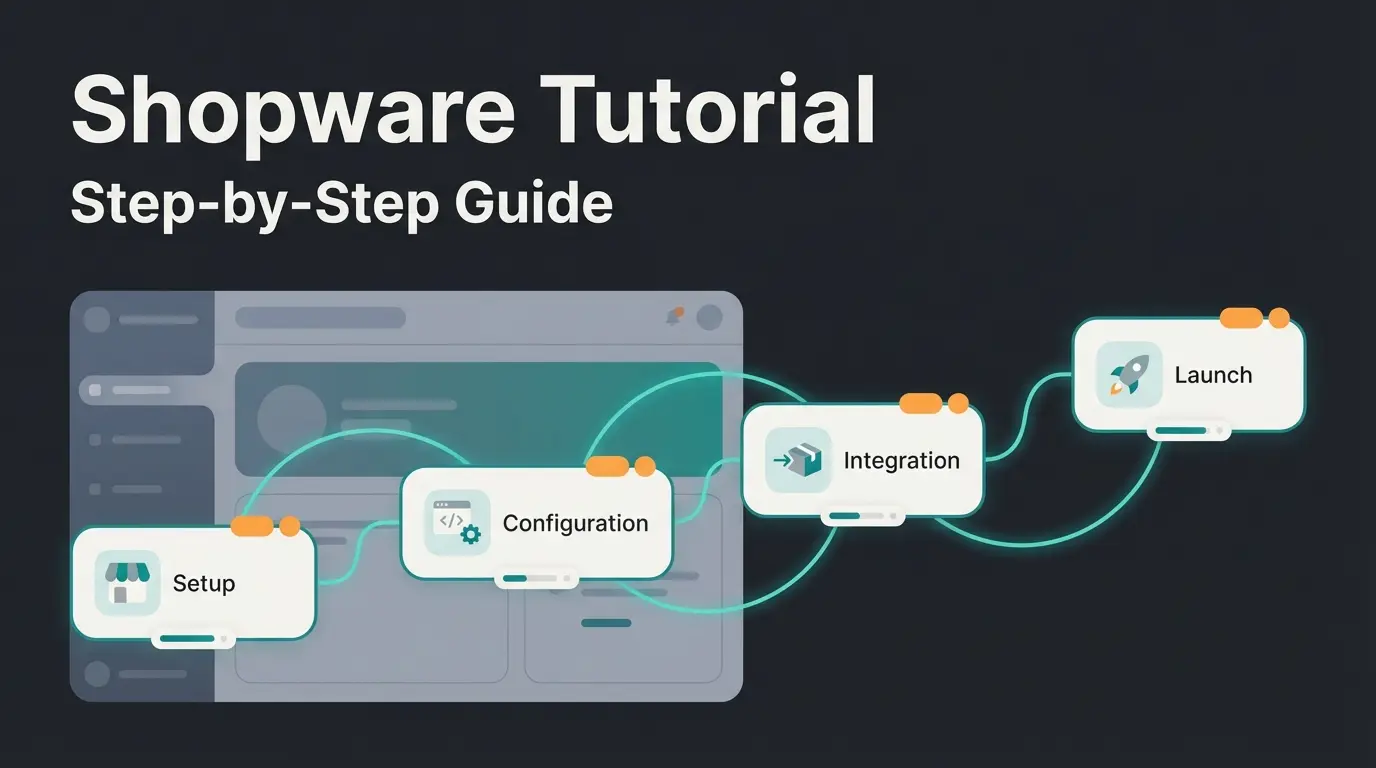
What is Shopware documentation?
Shopware documentation is the official reference system for all users of the Shopware e-commerce platform. It comprises docs.shopware.com for merchants and developer.shopware.com for developers, together covering technical guides, API references, and shop configuration tutorials for over 50,000 merchants worldwide.
The split matters. Merchant docs explain how to configure your shop, manage products, process orders. Developer docs explain how to build plugins, extend the API, customize the storefront at code level. Searching in the wrong one is the single most common time sink we see in onboarding projects.
One detail that catches international users off guard: the merchant documentation on docs.shopware.com is partially in German, partially in English. Developer docs on developer.shopware.com are almost entirely in English. Switching the language toggle on docs.shopware.com doesn't always reveal the same content in both languages. If you're searching in German and getting no results, try the English term.
Overview of Shopware documentation sources
Shopware offers four central documentation sources: docs.shopware.com for shop operators, developer.shopware.com for developers, the Community Forum for practical questions, and the YouTube channel for video tutorials. Each source serves a different audience and knowledge level.
I tested all four while integrating a product advisory system for a garden supply retailer with 850 SKUs. The experience varies dramatically depending on what you're trying to accomplish.
| Source | Audience | Content type | Language | Best for |
|---|---|---|---|---|
| docs.shopware.com | Merchants, shop managers | Configuration guides, admin tutorials | DE + EN (partial) | Daily shop operations, settings, order management |
| developer.shopware.com | Developers, agencies | Concepts, guides, API references | EN | Plugin development, API integration, storefront customization |
| Community Forum | All users | Q&A threads, troubleshooting | DE + EN | Edge cases, bugs, real-world workarounds |
| Discord | Developers, community | Real-time chat, forum channels | EN (mostly) | Quick questions, community feedback, live debugging |
| GitHub repo | Contributors, devs | Raw documentation source (4,100+ commits) | EN | Contributing fixes, checking latest changes |
| YouTube | Beginners | Video walkthroughs | DE + EN | Visual learners, initial onboarding |
The developer docs are structured into three sections: Concepts (architecture, inner workings), Guides (step-by-step tutorials), and References (endpoints, flags, commands). The Stack Overflow Developer Survey 2025 confirms that technical documentation remains the top learning resource: "Developers learning to code in the past year are continuing to use technical documentation more than other resources (68%)." For Shopware, that makes developer.shopware.com the starting point for any integration work.
Shopware migrated its community chat from Slack to Discord in June 2025. The reason was practical: Slack's free plan deletes messages after 90 days. Valuable troubleshooting threads were disappearing. Discord's forum channels preserve conversations indefinitely and allow structured topic threading.
The Community Forum on Discourse remains separate from Discord and serves a different purpose. It has accumulated over 38,000 posts across its lifetime, and the German Shopware 6 section is by far the most active with dozens of new threads per week. For EN users, the English section is smaller but still covers most common integration questions.
How to use Shopware documentation effectively
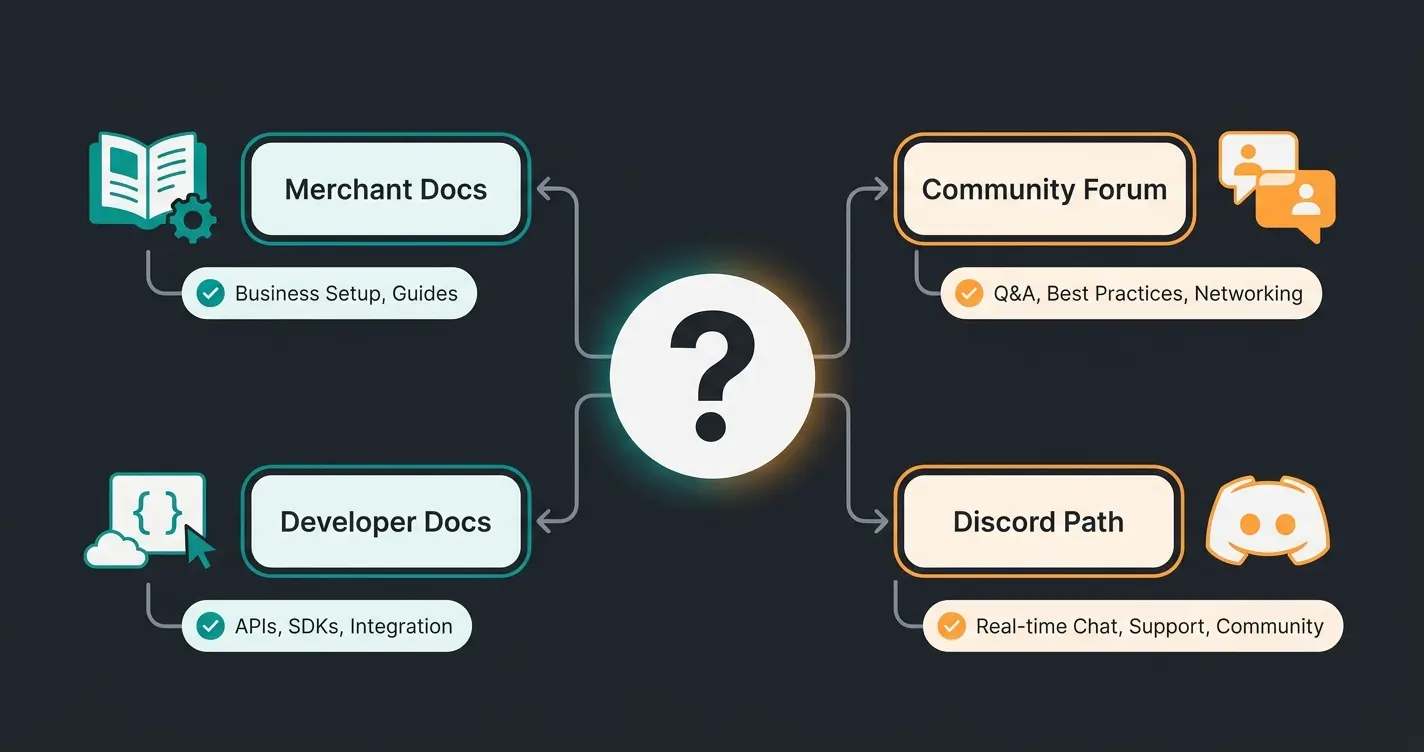
Using Shopware documentation effectively means choosing the right source for your specific problem: docs.shopware.com for shop configuration, the Developer Docs for plugin development, and the Forum for troubleshooting. The Atlassian State of Developer Experience 2025 report found that 50% of developers lose over 10 hours per week to inefficiencies, with finding documentation ranking among the top friction points. A structured approach eliminates most of that waste.
Here is the decision logic we use internally at Qualimero when working with Shopware integrations.
- Shop configuration question (payment methods, shipping rules, product attributes) → Start at docs.shopware.com/en. Use the built-in search, filter by Shopware 6.
- Plugin or app development (custom entities, event subscribers, admin extensions) → Go directly to developer.shopware.com/docs. Navigate Concepts first for architecture context, then Guides for implementation.
- API integration (REST endpoints, Store API, Admin API) → Check the Stoplight API reference for endpoint specs, then developer docs for authentication and rate limits.
- Error or unexpected behavior → Search the Community Forum first. Forum threads contain real-world fixes that official docs rarely cover. Then try Discord for recent discussions.
- Version-specific issue → Always verify the documentation version matches your Shopware installation. SW 6.5 docs won't match a 6.6 setup. The version selector on developer.shopware.com is easy to miss.
One common mistake: searching for Shopware getting started topics in the developer docs. The developer documentation assumes technical knowledge. If you're a merchant setting up your first shop, docs.shopware.com has a dedicated getting-started section that walks through the admin interface step by step. The developer docs will overwhelm you with Symfony concepts you don't need.
Another pattern that wastes time: relying solely on the documentation when your problem is environment-specific. Hosting configuration, server requirements, PHP version conflicts, these are better solved through the Forum or Discord where someone has likely hit the exact same issue on a similar setup.
Shopware 6 vs Shopware 5 documentation
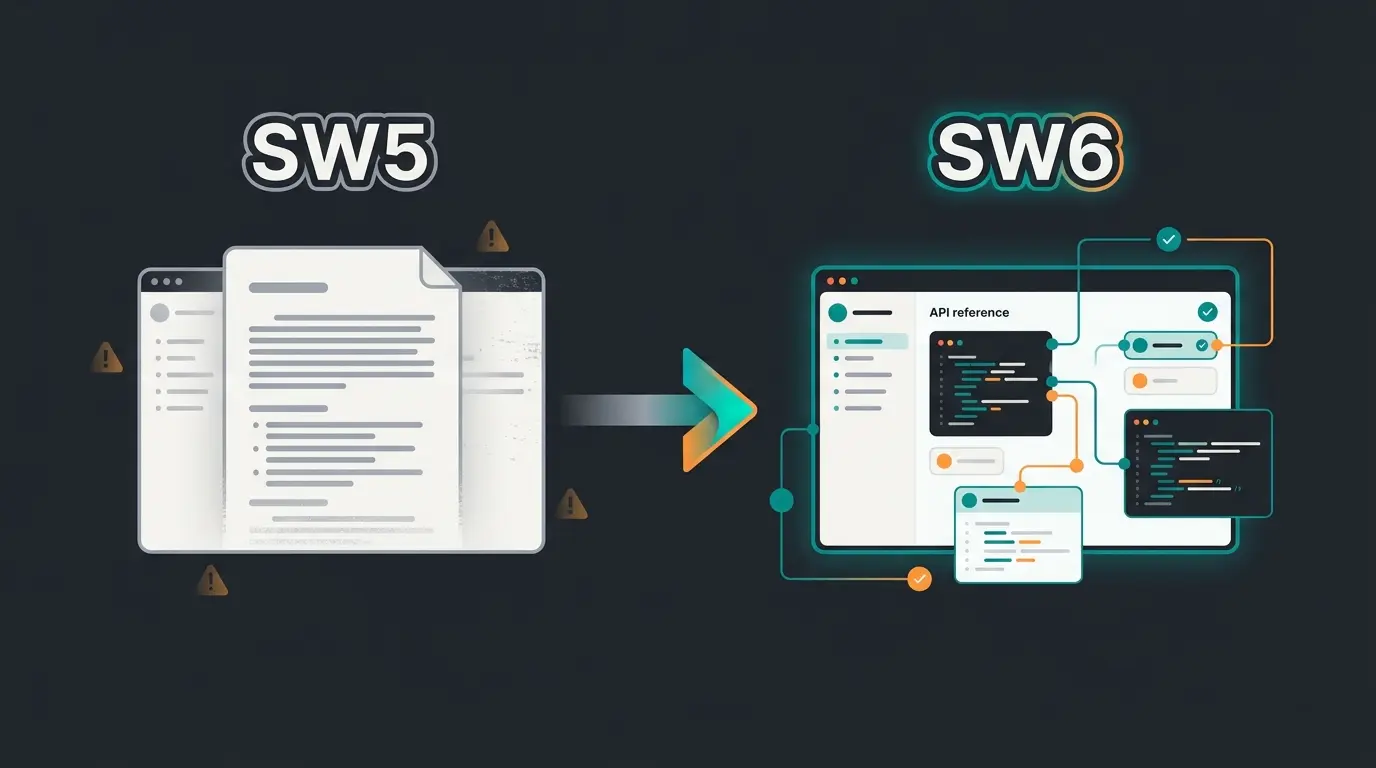
Shopware 6 documentation on developer.shopware.com replaces the older Shopware 5 docs, which SafeFive has maintained since July 2024. Shopware 6 uses a completely new architecture (Symfony-based), so SW5 guides are not transferable to SW6. This trips up agencies migrating existing shops more than any other single issue.
The architectural gap is fundamental. Shopware 5 used Smarty templates, Doctrine ORM, and a monolithic plugin system. Shopware 6 uses Twig, a custom Data Abstraction Layer (DAL), and an app-based extension model. Code written for SW5 will not run on SW6. Documentation written for SW5 will actively mislead you on SW6.
| Aspect | Shopware 5 | Shopware 6 |
|---|---|---|
| Maintainer | SafeFive (since July 2024) | Shopware AG |
| Architecture | Zend/Enlight, Smarty, Doctrine | Symfony, Twig, DAL |
| Extension model | Monolithic plugins | Apps + plugins (API-first) |
| API documentation | Limited REST API | Full Store API + Admin API (Stoplight) |
| Status | Maintenance only, no new features | Active development, regular releases |
| Market adoption | Declining (EOL July 2024) | 11.5% of top 1,000 DE shops (Q1 2026) |
If you're still on Shopware 5, the migration path is documented in Shopware's official Migration Guide. A typical migration takes 3 to 6 months depending on customization depth. Don't expect to find migration tooling in the SW6 developer docs, though. That content lives separately under docs.shopware.com.
Frustrating but honest: the SW6 developer documentation still has gaps. Some areas, particularly around custom admin extensions and Flow Builder actions, lack complete examples as of Q2 2026. The community fills these gaps via Forum posts and GitHub issues, but you'll spend extra time piecing solutions together from multiple sources. I've seen integration projects lose a full day to documentation gaps that a single Forum thread eventually resolved in 20 minutes.
Shopware Co-CEO Stefan Hamann has addressed this directly: "Every time some new thing is coming that is adding convenience, it's definitely always winning. That is much more important than everything else, especially for developers." The documentation gaps are being closed, but the pace depends on community contributions as much as on Shopware's internal team.
From static documentation to AI-powered consultation
Static documentation reaches its limits when customers have individual questions about products or configurations. A Shopware merchant with 500+ SKUs cannot expect every customer to read product descriptions and technical specs before buying. That is where AI-powered product consultation fills the gap that no documentation page can.
We built this at Qualimero with Rasendoktor, an online specialist for professional lawn care products. They received 2,000 to 3,000 consultation-intensive inquiries per season. The support team was overloaded, wait times kept growing. Their catalog required technical knowledge about application rates, soil types, and seasonal timing that customers simply didn't have.
The solution: Hektor, an AI employee trained on Rasendoktor's entire product data set, application guides, and dosage tables. Not a keyword-matching search bar. A system that understands context, follows up on incomplete questions, and recommends products based on the customer's actual situation. The result: 16x ROI, 100% automation of routine consultation inquiries, and 40% reduction in support costs.
This isn't a replacement for Shopware documentation. Different layer entirely. Documentation is for merchants and developers building the shop. AI consultation is for end customers using it. Confusing the two is a mistake we see often, and it leads to building internal tools when you need customer-facing ones.
Further Shopware learning resources
Beyond official documentation, the Shopware ecosystem offers structured learning paths for different experience levels. The Shopware Academy provides certified courses for both merchants and developers, with self-paced learning and the new Community Hub featuring interactive modules. As of Q2 2026, the Academy remains the only path to official Shopware certification.
- Shopware Training courses range from beginner admin workshops to advanced developer certifications, available both online and in-person
- The Community Hub consolidates blogs, podcasts, webinars, and community discussions from Discord, GitHub, and Stack Overflow into a single portal
- Third-party agencies publish integration guides and tutorials, though quality varies. Check the author's Shopware certification status before trusting advanced technical content
- Shopware's YouTube channel provides video walkthroughs for visual learners, particularly useful for admin interface orientation
My recommendation: start with the official docs for your specific task, move to the Forum or Discord when you hit a wall, and invest in Academy courses only if you're planning to build or maintain Shopware shops long-term. For one-off integrations, the developer documentation plus Stack Overflow covers what you'll need.
FAQ
Yes, all Shopware documentation on docs.shopware.com and developer.shopware.com is free and publicly accessible. No account or license required. The GitHub documentation repository is also open-source with over 4,100 commits from the community.
Partially. The merchant documentation on docs.shopware.com offers both German and English content, though coverage differs by section. The developer documentation on developer.shopware.com is almost entirely in English. The Community Forum supports both languages, with the German Shopware 6 section being by far the most active.
docs.shopware.com targets merchants and shop managers with configuration guides, admin tutorials, and operational documentation. developer.shopware.com targets developers and agencies with architecture concepts, plugin development guides, and API references. Using the wrong source is the most common documentation frustration among Shopware users.
Start with the Shopware Community Forum on Discourse, which has 38,000+ posts covering real-world edge cases. For faster responses, join Shopware's Discord (migrated from Slack in June 2025). For confirmed bugs, file an issue on GitHub.
Good documentation helps you build a better shop. But your customers still need guidance finding the right product. A KI-Mitarbeiter turns product knowledge into real-time consultation, increasing cart value by up to 35%. See how it works for Shopware shops.
Book a demo
Kevin is CTO and co-founder of Qualimero. As an AI architect with over 15 years of experience as CTO and CPO in the tech industry, he designs the AI systems that automate tens of thousands of customer interactions daily for Qualimero's clients — reliably, securely, and at scale.