Shopware Google Shopping: Connect & Optimize
Shopware 6 Google Shopping integration guide: native feed setup, Merchant Center connection, feed optimization for higher ROAS, and AI conversion strategies. Step-by-step with benchmarks.

Why Google Shopping matters for Shopware merchants
Google Shopping drives 76.4% of retail search ad spend because it shows products directly in search results with images and prices. For Shopware 6 merchants, the native integration makes feed creation free and technically straightforward. Maximizing ROAS, however, requires strategic feed optimization and a post-click conversion focus that most tutorials skip entirely.
The numbers are clear. According to DemandSage, Google Shopping Ads capture 85.3% of all clicks on Google Ads campaigns. The average conversion rate sits at 1.91%, with a cost per click of $0.66 (Store Growers). Compare that to text ads, where click costs run 2-3x higher for equivalent commercial intent queries.
For Shopware 6 specifically, the platform advantage is real. Sales Channel architecture lets you create a dedicated Google Shopping export without touching your main storefront data. Dynamic Product Groups filter which products enter the feed. No monthly plugin subscription, no middleware. Just Shopware core features that ship with every installation.
Native integration in Shopware 6
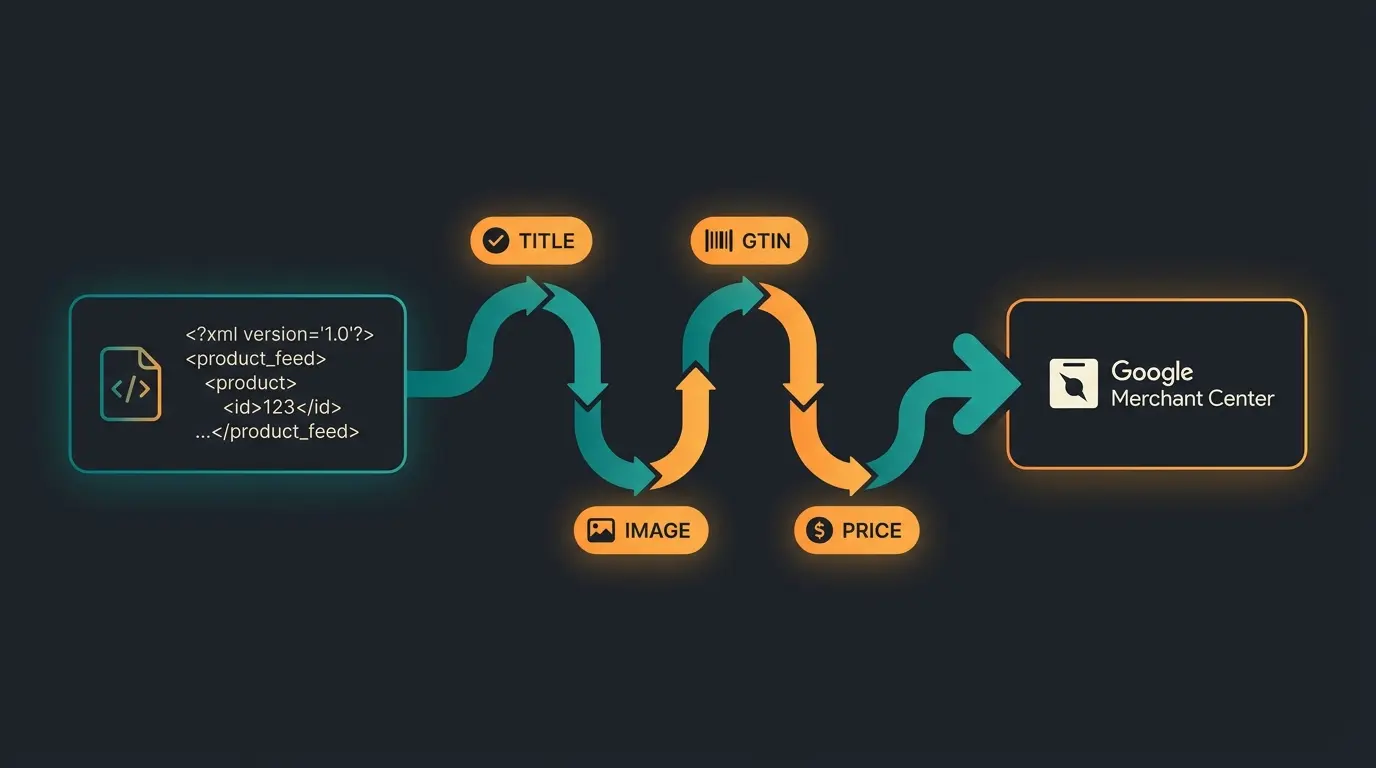
Shopware 6 handles Google Shopping export through Sales Channels and Dynamic Product Groups, no paid plugin required. Create a Dynamic Product Group to filter eligible products, add a Product Comparison Sales Channel, configure the Twig export template, and connect the feed URL to Google Merchant Center. The entire process takes under two hours for a standard catalog.
Step 1: Create a Dynamic Product Group
Dynamic Product Groups define which products enter your feed. In the Shopware admin, navigate to Catalogues > Dynamic Product Groups and create a new group. Set filter conditions: active products, in-stock, with at least one image, and a valid GTIN/EAN. This prevents Merchant Center disapprovals before they happen.
Most stores discover they have 40-60% missing attributes during an initial audit, according to Verde Media. Run this check before submitting your first feed. Missing GTINs and incomplete product descriptions are the top two disapproval causes.
Step 2: Configure the Sales Channel
Go to Sales Channels and add a new Product Comparison channel. Select your Dynamic Product Group as the product source. Configure the domain, currency, and language settings to match your Google Merchant Center target market. The feed URL is generated automatically.
Step 3: Customize the Twig export template
The Twig template controls your XML feed structure. The default template covers basic fields, but you need to customize it for price logic (gross vs. net), shipping costs, and variant handling. According to the official Shopware documentation, the product comparison template supports all standard Google Shopping attributes including GTIN, MPN, brand, condition, and custom labels.
Step 4: Connect to Google Merchant Center
In Google Merchant Center, add a scheduled fetch pointing to your Shopware feed URL. Set the fetch frequency to daily for catalogs under 1,000 products, twice daily for larger inventories with frequent stock changes. Initial processing typically takes 24-48 hours. Google scans every field and flags disapprovals that need fixing before your products appear in Shopping results.
Native integration vs. plugins vs. feed management tools
Native Shopware export is free and sufficient for shops with under 5,000 SKUs and a single target market. Plugins like the Lengow connector or Channable add automated feed rules, multi-marketplace support, and A/B title testing for larger catalogs. Feed management tools are worth the investment only when managing 10,000+ products across three or more channels simultaneously.
| Criteria | Native Export | Plugin (e.g. Lengow) | Feed Management (e.g. Channable) |
|---|---|---|---|
| Cost | Free (included) | EUR 15-149/month | EUR 49-399/month |
| Setup complexity | Medium (Twig knowledge) | Low (GUI-based) | Low-Medium (onboarding) |
| SKU limit | No hard limit, practical up to 5,000 | Depends on plan | 10,000-100,000+ |
| Multi-channel support | One channel per Sales Channel | Limited | Full (Google, Amazon, eBay, Meta) |
| Feed rules & automation | Manual Twig edits | Basic rules engine | Advanced rules, A/B testing |
| Title optimization | Manual via custom fields | Template-based | AI-assisted, A/B testable |
| Best for | Small-medium shops, single market | Mid-size, 2-3 channels | Enterprise, 3+ channels, 10K+ SKUs |
We tested all three approaches with a 2,400-SKU garden supplies catalog. The native export performed reliably with a 97% approval rate after template customization. The Lengow plugin reduced feed maintenance time by roughly 40%, primarily through automated stock sync and category mapping. For most Shopware 6 shops under 5,000 SKUs, though, the native approach delivers the same Merchant Center approval rates at zero ongoing cost.
Google Merchant Center Next: what is changing
Google Merchant Center Next merges the classic Merchant Center with a simplified interface, automatic product detection from structured data, and deeper Performance Max integration. Shopware merchants should ensure their structured data markup is complete, as GMC Next can auto-import products without manual feed uploads.
As of Q2 2026, Performance Max is the only available campaign type for new Shopping advertisers, according to Channable's analysis. Existing Standard Shopping campaigns still run, but Google is actively pushing the transition. For Shopware stores, this means feed quality matters more than ever: Performance Max relies heavily on product data signals to determine bidding and placement across Search, Display, YouTube, and Discover.
The April 2026 specification update introduced three key changes: new product-level shipping controls (handling cutoff time, minimum order value), an optional video_link attribute for product feeds, and a future minimum image resolution of 500x500 pixels that Google will enforce starting 2027 (ALM Corp). Shopware merchants should prepare now. Audit your product images and add video links where available.
Feed optimization for maximum ROAS
Feed optimization is the single highest-leverage activity for Google Shopping ROAS. Merchants who optimize product titles with search-intent keywords see 15-30% higher click-through rates, according to FeedOps. One case study showed impression share jumping from 35% to 68% within three weeks after title optimization alone, without changing bids.
Title optimization with AI and custom fields
Google gives the most weight to the first words in your product title. Structure titles as Brand + Product Type + Key Attribute + Size/Color. In Shopware 6, use custom fields to create a dedicated Google Shopping title that differs from your storefront product name. This gives you full control over Shopping appearance without changing what customers see on your website.
The data backs this up. Seer Interactive documents cases where structured titles increased clicks by 250%. In a furniture catalog test, updating 20 titles with brand, style, and color led to 147% more impressions and 67% more clicks in four weeks. 80% of your CTR depends on what users see before the title gets truncated.
Product data completeness
Complete product data directly affects your Quality Score and ad placement. Google's recommended approval rate target is above 95%. Even experienced advertisers commonly find 10-20% of their catalog disapproved due to feed identifier errors. The fix: map every required attribute in your Twig template. GTIN, brand, condition, product_type, and google_product_category are mandatory for most product categories.
Image quality matters more than most merchants realize. High-quality product images on white backgrounds boost CTR by 25% compared to lifestyle images for Shopping ads. Google's Product Data Specification requires minimum 100x100 pixels for non-apparel, 250x250 for apparel, with the upcoming 500x500 minimum taking effect in 2027.
Custom labels for campaign segmentation
Shopware's custom fields map directly to Google's custom_label_0 through custom_label_4 attributes. Use them to segment products by margin tier, seasonal relevance, bestseller status, or clearance. This allows Performance Max campaigns to bid differently on high-margin products versus low-margin items, a level of control that flat bidding strategies miss entirely.
Converting traffic: why feeds are not enough
Google Shopping traffic hits ecommerce product pages with a bounce rate between 20% and 48%, depending on page speed, product photography, and how well the ad matches the landing experience (Mobiloud). Visitors arrive with high purchase intent but encounter static pages that do not answer their specific questions. The feed got the click. The product page loses the sale.
This is where most Google Shopping guides stop. They cover feed setup and Merchant Center configuration, then declare victory. The reality: a well-optimized feed without post-click conversion strategy burns ad spend. You pay $0.66 per click, the visitor bounces, and your ROAS suffers.
AI product consultation on the product detail page changes this equation. Instead of a static page, the visitor gets real-time, personalized advice. Which product variant fits their use case? What accessories do they need? Is this compatible with their existing setup? These are the questions consultation-intensive products generate, and a static PDP cannot answer them.
The results from real deployments are measurable. Rasendoktor, an online specialist for professional lawn care products, deployed Qualimero's AI employee Hektor for product consultation. The outcome: 16x ROI, 100% automation of consultation inquiries, and 40% support cost savings. When Google Shopping traffic arrives on a product page with active AI consultation, the conversion path shortens from browse-leave-return to ask-get-answer-buy.
All product inquiries handled by AI employee
Team freed for complex tasks
Qualimero's AI product consultation works differently from generic chat widgets. The AI employee accesses the full Shopware product catalog via API, understands product attributes and compatibility, and provides contextual recommendations. For Google Shopping traffic specifically, this means catching high-intent visitors at the exact moment they need guidance, before the bounce.
Google Shopping vs. other marketplaces
Google Shopping offers higher margins than Amazon (no 15% referral fee) and more brand control than eBay, but requires active ad spend and ongoing feed management. The best multi-channel strategy combines Google Shopping for brand-controlled, high-margin traffic with marketplaces for volume and discovery.
| Factor | Google Shopping | Amazon | eBay |
|---|---|---|---|
| Cost model | CPC ($0.66 avg.) | 15% referral fee + FBA fees | 10-15% final value fee |
| Brand control | Full (your domain, your PDP) | Limited (Amazon template) | Moderate (custom listings) |
| Traffic ownership | You own the customer data | Amazon owns the customer | eBay owns the customer |
| Setup with Shopware | Native Sales Channel | Plugin required | Plugin required |
| Best for | Brand-aware, high-margin products | Volume, discovery, Prime audience | Used goods, niche collectibles |
| ROAS benchmark | 3:1 to 5:1 | Varies by category, margin-dependent | 2:1 to 4:1 |
Amazon's referral fee structure means you pay 15% on every sale regardless of performance. Google Shopping's CPC model lets you control spend per click and optimize toward profitable keywords. For a product with a EUR 50 margin, Amazon takes EUR 7.50 per sale in referral fees alone. On Google Shopping, you might pay EUR 3-5 in clicks to generate that same sale, keeping more margin.
The channels are not mutually exclusive. A Shopware POS integration adds physical retail to the mix, creating a true omnichannel presence. We see the strongest results from merchants who use Google Shopping for brand-controlled acquisition, Amazon for volume and new customer discovery, and their own store for retention and repeat purchases.
Common errors and troubleshooting
The three most common Google Shopping errors for Shopware merchants are shipping cost mismatches, missing GTIN/EAN fields, and gross vs. net price discrepancies. Each can be fixed in the Shopware admin without code changes, but diagnosing the root cause requires checking both the feed output and your Shopware configuration.
- Shipping cost mismatch: Your feed declares free shipping, but checkout adds EUR 4.95. Fix: sync the shipping method in your Product Comparison Sales Channel with your actual shipping rules. Google cross-checks feed prices against checkout totals.
- Missing GTIN/EAN: Google requires GTINs for all brand-name products. In Shopware, populate the EAN field under product details. For private-label products without GTINs, set the identifier_exists attribute to false in your Twig template.
- Gross vs. net price error: Shopware stores configured for B2B (net prices) often export net prices in the feed while the consumer-facing Merchant Center expects gross. Verify your Sales Channel tax configuration matches your Merchant Center target audience.
- Image too small or low quality: Google requires minimum 100x100 pixels for non-apparel. The 2027 standard moves to 500x500. Audit your product images now. Shopware's media manager shows image dimensions for every uploaded file.
Use the Diagnostics tab in Merchant Center to identify and resolve issues systematically. Target a 95%+ approval rate. Anything below that means you are leaving products out of Shopping results and paying the same infrastructure cost for less inventory visibility.
Frequently asked questions
Yes. Shopware 6 includes Product Comparison Sales Channels that generate XML feeds compatible with Google Merchant Center. No paid plugin is required for basic feed generation. The native approach works reliably for catalogs up to approximately 5,000 SKUs.
The Shopware integration itself is free. Google Shopping operates on a CPC model with an average cost of $0.66 per click (Store Growers, 2026 data). Your total spend depends on daily budget, bidding strategy, and product competitiveness. ROAS benchmarks range from 3:1 to 5:1.
For shops under 5,000 SKUs, the native export is sufficient. For larger catalogs needing automated feed rules and multi-channel support, the Lengow connector (EUR 15-149/month) and Channable (EUR 49-399/month) are the most established options. Both support A/B title testing and automated stock sync.
Initial feed processing takes 24-48 hours after submission to Google Merchant Center. Disapproved products require fixes and re-review, which adds another 24-72 hours. A clean feed with complete product data typically gets full approval within 3-5 business days.
As of early 2026, Performance Max is the only option for new Shopping advertisers. Existing Standard Shopping campaigns still run. Performance Max averages 2.57:1 ROAS versus 5.17:1 for traditional Search campaigns according to Triple Whale, but it covers more surfaces (Search, Display, YouTube, Discover) with a single campaign.
Google has no minimum product count. You can run Shopping campaigns with a single product. However, Performance Max campaigns perform better with larger product catalogs because the algorithm needs data volume for optimization. We recommend at least 50 active products for meaningful campaign performance.
Three levers: first, optimize product titles with search-intent keywords (15-30% CTR improvement). Second, segment products with custom labels for differentiated bidding. Third, improve post-click conversion with AI product consultation on landing pages. Rasendoktor achieved 16x ROI by combining feed optimization with AI-powered product advice.
Technology is essential, consultation is the differentiator
Getting products into Google Shopping is a solved problem. Shopware 6 makes it free and technically accessible. Feed optimization, Performance Max campaigns, and Merchant Center Next compliance raise the bar incrementally. But the merchants who outperform their competitors do something the tutorials never cover: they convert the expensive click.
Every dollar spent on Google Shopping traffic is wasted if the landing page cannot answer the visitor's question. For consultation-intensive products, that means real-time product advice, not just a product description and an add-to-cart button. The feed gets the traffic. The AI employee closes the sale.
More traffic alone does not increase revenue. An AI employee advises your Google Shopping visitors in real time, answering product questions and guiding purchases. Rasendoktor achieved 16x ROI with this approach.
Book a demo
Kevin is CTO and co-founder of Qualimero. As an AI architect with over 15 years of experience as CTO and CPO in the tech industry, he designs the AI systems that automate tens of thousands of customer interactions daily for Qualimero's clients — reliably, securely, and at scale.