Using WhatsApp Business Privately: Guide, Tricks & AI Upgrade 2025
Learn how to use WhatsApp Business privately. Complete guide with landline trick, backup warnings, GDPR tips & AI automation for prosumers and freelancers.

Why WhatsApp Business Makes Sense for Private Use
Did you know you can run WhatsApp and WhatsApp Business simultaneously on the same smartphone? And no, you don't need to start a company to do so.
For many people, WhatsApp is the number one communication channel. But the boundaries between "Mom asking for the cake recipe" and "The client asking about project status" are increasingly blurring. The solution is often closer than you think: using WhatsApp Business privately.
While most search results want to sell you expensive API solutions or only provide superficial installation tips, this guide goes deeper. We'll show you not just how to install the app, but how to strategically use it as a "prosumer" (professional consumer), freelancer, or for your hobbies. We'll reveal the landline trick, warn you about the backup trap, and show you how to transform your account from a dumb answering machine into an AI-powered personal assistant.
The "Prosumer" Advantage: Benefits for Private Users
The question isn't "Am I allowed to do this?" but rather "Why should I do this?" The answer is: separation and efficiency.
WhatsApp Business is free and available to anyone in the app store. While it was designed for small business owners, it offers features that are invaluable for any power user, club chairman, landlord, or side hustler. According to Peppercloud, the app provides business-grade features without any cost barriers.
Top 3 Benefits for Private Use
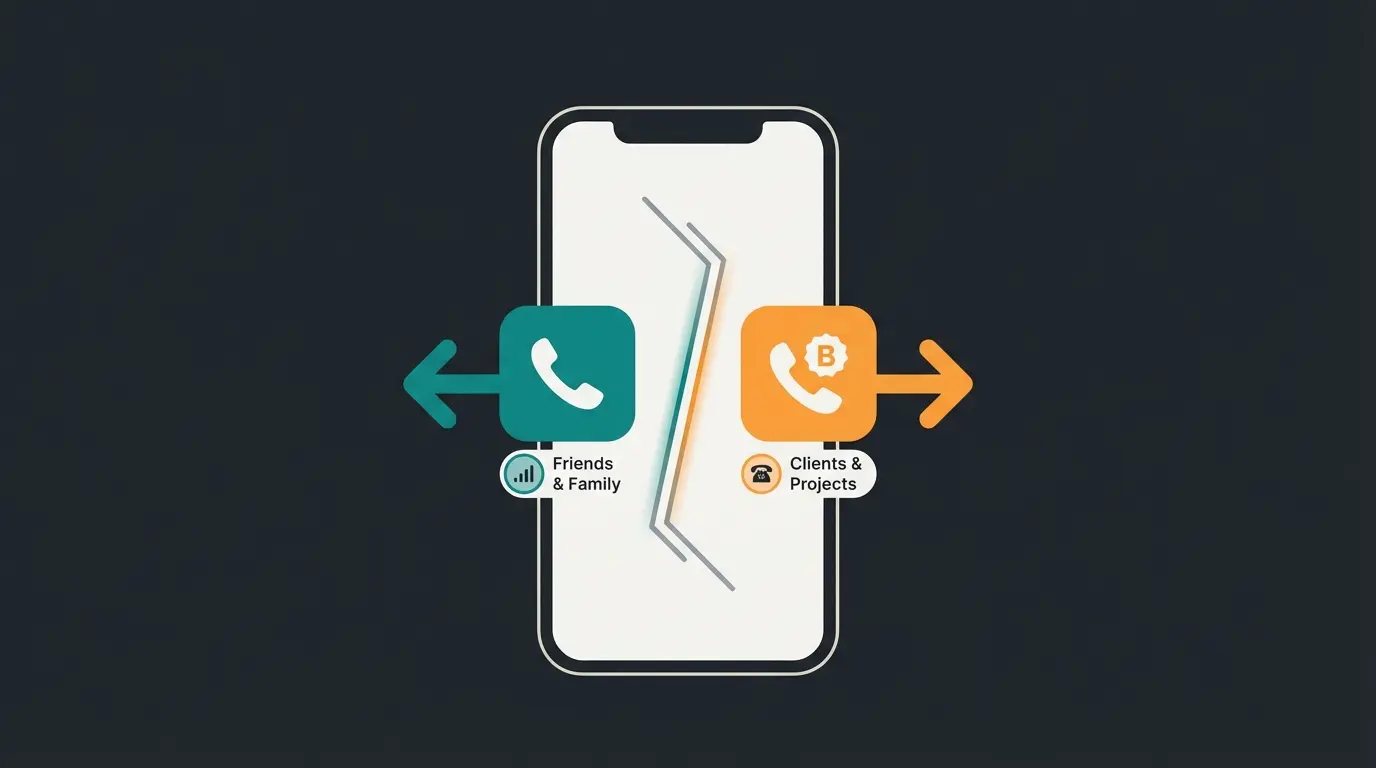
- Strict Separation on One Device: You can run the regular WhatsApp app (for friends & family) and the WhatsApp Business app (for eBay classifieds, sports clubs, Tinder dates, or side jobs) in parallel on one phone. The Business icon is distinguished by a "B" in the logo. This way, you already know from the notification which area of your life is demanding attention.
- Privacy Upgrade: In the Business version, you can control your privacy settings more granularly. An underestimated hack: You can hide your "Last Seen" status specifically for business contacts while keeping it visible for friends (by using two different accounts). Additionally, when selling items or meeting new acquaintances, you don't necessarily have to give out your private mobile number (see "The Landline Trick" below).
- Features Missing from Regular WhatsApp: Labels (organize chats by color - blue for "Club," yellow for "Contractors," red for "Urgent"), Quick Replies (type `/adr` and the app automatically inserts your complete address - a lifesaver when you frequently send the same info), and Away Messages (automatic responses when you're on vacation or asleep - something the private messenger can't do).
Step-by-Step: Setting Up WhatsApp Business & Private
Many users struggle with the question: "Do I need a second SIM card?" The answer is: Not necessarily. Here are the two paths to coexistence of WhatsApp Business for private and professional use on one device. As noted by Computrain, the parallel installation process is straightforward on most modern devices.
Method A: The Dual-SIM Solution (The Classic)
If your smartphone (like almost all modern Androids and iPhones from XR onwards) supports Dual-SIM or eSIM:
- Insert the second SIM or activate the eSIM.
- Install WhatsApp Business from the store.
- Verify the second SIM number via SMS.
- Done. You now have two apps with two mobile numbers.
Method B: The Landline Trick (The Secret Tip)
Don't want to buy a second SIM card and don't want to give out your private mobile number? Use your landline number! This is ideal for using WhatsApp Business privately without hardware costs.
Landline Verification Instructions
Download the WhatsApp Business app from your device's app store
Enter your landline number with country code (e.g., +1 for US, +44 for UK, omitting the leading 0 from the area code)
WhatsApp will try to send an SMS to your landline. This will fail. Wait until the timer (usually 60 seconds) expires
Once the SMS timer expires, the 'Call Me' option appears. Tap on it
Your landline phone will ring. A computer voice will dictate a 6-digit code
Enter the code in the app to complete the verification process
Special Case Android: Samsung "Dual Messenger"
Users of Samsung devices (and some other Android interfaces) have a special feature called "Dual Messenger." This allows you to install the same app twice.
- Advantage: You could theoretically use 2x regular WhatsApp or 2x WhatsApp Business.
- Recommendation: For the cleanest separation, we still recommend the combination of App 1 (WhatsApp Messenger) and App 2 (WhatsApp Business), as these are technically more cleanly separated and offer different features.
Understanding how AI Chatbots transform customer service can help you appreciate the potential of combining WhatsApp Business with intelligent automation.
The Migration Trap: What Nobody Tells You
Before you enthusiastically migrate your private chat history to the Business app, you need to be aware of an urgent warning. This is one of the most overlooked aspects when deciding to use WhatsApp Business privately and professionally.
Our Recommendation: Start WhatsApp Business as a new, empty account for your secondary number (landline or second SIM) and leave your private main account on the standard app.
The GDPR Elephant: Legal Risks with Private Use
When you search for "using WhatsApp Business privately," you'll inevitably come across warnings about GDPR (General Data Protection Regulation). Here's the realistic assessment for the US and EU markets (as of 2025).
The Problem: Metadata and Contact Sync
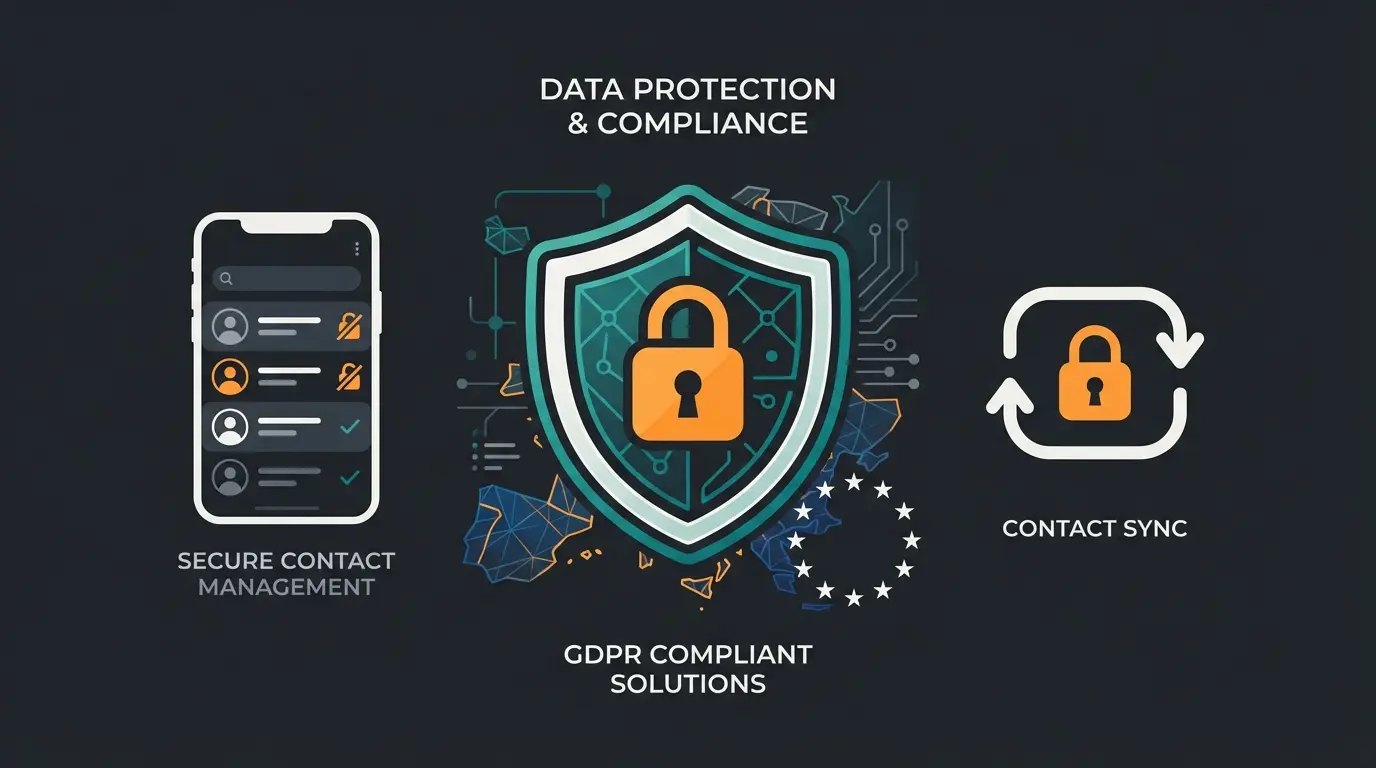
WhatsApp (including the Business app) reads your address book by default and syncs the numbers with Meta's servers (in the USA). Legal experts at e-Recht24 have extensively documented these concerns.
- Purely private use: If you only use the app for hobbies, the so-called "household exemption" of GDPR applies. You're not acting commercially.
- The gray zone (clubs, rentals, side jobs): As soon as there's a commercial or organizational intent behind it, you're theoretically responsible for your contacts' data. If you transmit "Aunt Erna's" number (who doesn't have WhatsApp) to Meta, that's a GDPR violation. This is further explained by privacy experts at Kolb-Blickhan.
The Solution: Deny Contact Access
You don't need to buy expensive API software (as Superchat or Mateo suggest) if you're just a small solo operator. According to Superchat's own analysis, the app does have GDPR limitations, but there are practical workarounds.
The Workaround for Privacy-Conscious Users
- Install WhatsApp Business.
- Deny the app access to your contacts at startup (or later in your phone settings).
- Consequence: You'll only see numbers in the chat list, not names.
- The Trick: You can manually edit names within the app, or you simply accept that only incoming chats (from customers/members who message you) are relevant. This way, you don't transmit any data from uninvolved third parties.
Legal Imprint Requirements
Don't forget: If you use WhatsApp Business to offer goods or services (even as a small business owner), you must include a legal imprint in your business profile or link to one. In many jurisdictions, this is legally enforceable, as detailed by WhatsApp-Marketing.info.
For businesses looking to implement AI GDPR compliant consultation, there are specific guidelines to follow that ensure your WhatsApp automation remains legally compliant.
Discover how AI-powered chat automation can transform your WhatsApp Business account from a simple messenger into a 24/7 customer service powerhouse.
Start Your Free TrialAdvanced Strategy: From Answering Machine to AI Consultant
Here's where the wheat is separated from the chaff. Most people only use WhatsApp Business for a static away message: "I'm not available right now." That's 2010. In 2025, we can use Artificial Intelligence to upgrade the account.
The Concept: The AI Hybrid Account
Imagine you're a freelance photographer. You use WhatsApp Business privately and professionally.
- Standard approach: Customer writes at 10:00 PM "What does a shoot cost?" Auto-Reply: "Office is closed." -> Customer goes to the next provider.
- AI Upgrade: Customer writes at 10:00 PM. Your AI responds: "Hello! I'm the digital assistant of [Name]. A portrait shoot starts at $200 with us. Are you looking for something for business or personal use?"
This is where AI product consultation becomes a game-changer for individual professionals and small business owners alike.
How Does This Work Without Enterprise Software?
For Android users, there's a powerful combination that makes WhatsApp Business for private users into an AI powerhouse. The AutoResponder app makes this possible.
- App: Use apps like "AutoResponder for WA" (available in the Play Store).
- Integration: These apps allow connection to OpenAI (ChatGPT) or Google Gemini via an API key.
- The Prompt: You create an instruction (System Prompt) like: "You are the friendly assistant of John Smith. You respond briefly and helpfully to inquiries about my services (prices: X, Y). You ignore private messages from 'Mom' or 'Honey'."
Result: Your phone intelligently responds to unknown numbers or business keywords while your private chats remain untouched. This is the ultimate "prosumer" hack that sets you apart from everyone else. As demonstrated in various YouTube tutorials, the setup process is straightforward for most users.
Understanding how AI customer service automation works at scale can help you implement similar principles in your personal WhatsApp Business setup.
Standard App vs. AI Solution Comparison
| Feature | Standard WA Business | AI-Enhanced Solution |
|---|---|---|
| Responds 24/7 | Only static messages | Dynamic, context-aware responses |
| Understands Context | No - preset replies only | Yes - analyzes queries intelligently |
| Recommends Products/Services | No | Yes - based on conversation |
| Setup Time | 5 minutes | 30-60 minutes |
| Monthly Cost | Free | $5-20 for API usage |
| Learning Capability | None | Improves with training |
The evolution from basic auto-replies to intelligent responses represents how AI Chatbots transforming the way individuals and businesses communicate with customers.
Monthly active WhatsApp Business users worldwide
Products viewed in WhatsApp catalogs daily
Messages sent to business accounts every day
Users expect a response within 24 hours
Complete Comparison: Private vs. Business App vs. API
To completely clear up the confusion, here's the direct comparison. For most readers of this article, the middle column ("Business App") is the goal. This comparison is based on information from Chatarmin and Oxford research.
| Feature | WhatsApp Messenger (Private) | WhatsApp Business App (Free) | WhatsApp Business API (Paid) |
|---|---|---|---|
| Target Audience | Private individuals | Small business owners, Freelancers, Prosumers | Mid-size companies & Enterprises |
| Cost | Free | Free | Cost per conversation + Software fee |
| Devices | 1 Phone + 4 companion devices | 1 Phone + 4 companion devices | Unlimited users/devices |
| Data Privacy | Access to phone contacts | Access to phone contacts (Risk!) | GDPR-compliant (no contact access) |
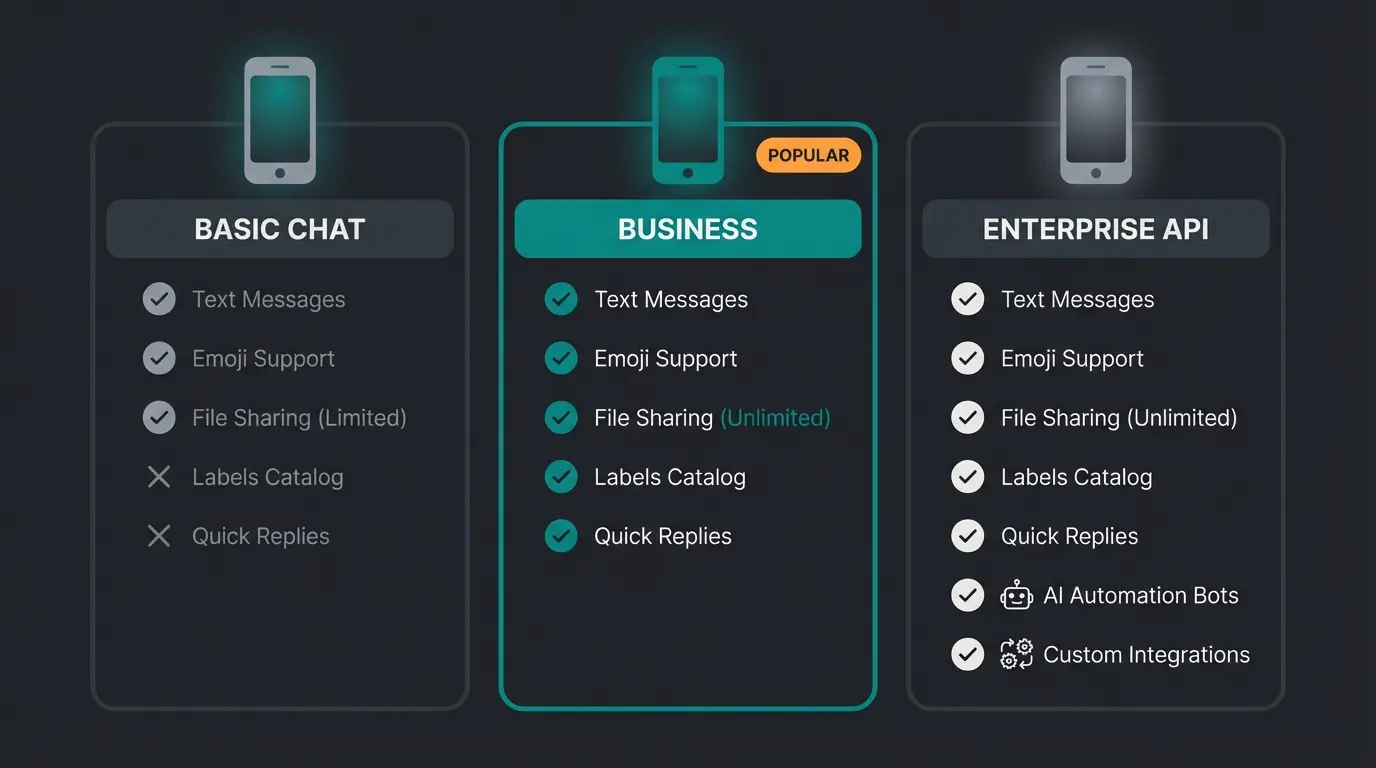
| Features | Status, Groups, Broadcast | + Catalog, Labels, Quick Replies | + Chatbots, CRM Integration, Green Tick |
| Automation | None | Static greeting/away messages | Full AI automation & Flows |
| Installation | Simple | Simple (landline option available) | Complex (only via partners) |
For those interested in more advanced e-commerce integrations, exploring AI Chatbot for E-Commerce solutions can provide insights into scaling your WhatsApp presence.
Conclusion: A Powerful Tool When Used Correctly
Using WhatsApp Business privately is more than just a trend – it's a life hack for anyone who wants to professionalize their communication without giving up WhatsApp's simplicity.
As Conversational AI evolves, the tools available to individual users continue to improve, making professional-grade communication accessible to everyone.
Strategy Summary
- Use the Business app in parallel with the private app for clean separation.
- Use your landline number to protect your mobile privacy.
- Pay attention to GDPR by denying contact access when acting commercially.
- Take the step toward AI automation with tools like AutoResponder to be available 24/7 without having to type yourself.
For those running online stores, Shopware 6 chatbots offer even more sophisticated integration possibilities that complement your WhatsApp Business strategy.
Start setting up today – your free time (and your nerves) will thank you. Understanding the Consultative AI approaches available can help you choose the right automation strategy for your specific needs.
Frequently Asked Questions
Yes, the WhatsApp Business app is completely free. Costs only arise when using the API (interface for large companies), where you pay per message. As a private user or freelancer, you use the free app. This has been confirmed by Chatarmin's cost analysis.
No. While WhatsApp provides statistics on how many messages were sent, delivered, and read, there's (as of 2025) no feature that shows you which specific person viewed your catalog or profile picture. Beware of third-party apps that promise this – they're usually scams.
Technically yes, but practically it's difficult. Transferring chat histories from the Business version back to the private version often fails because the backups aren't 100% compatible. We recommend only making the switch if you're prepared to potentially lose chat histories or export them as text files.
Yes. You only need the SIM card (or landline connection) once to receive the verification code. After that, WhatsApp Business runs over WiFi or the mobile data connection of your main SIM, even if the SIM used for registration isn't in the device. This is confirmed by Sinch's documentation.
When used purely privately without commercial intent, the GDPR "household exemption" typically applies. However, if you're using it for any business purpose – even a side hustle – you become responsible for the data you process. The safest approach is to deny contact access to the app, which prevents your contacts' phone numbers from being synced to Meta's servers.
As AI Chatbots evolving, the line between personal and professional communication tools continues to blur, making WhatsApp Business an increasingly valuable tool for individuals who want to maintain professional standards in their personal ventures.
For those looking to enhance their online store's capabilities, exploring AI product consultation plugins can provide additional automation options that integrate seamlessly with your WhatsApp Business strategy.
Stop losing leads to static auto-replies. Our AI solution turns your WhatsApp Business account into a 24/7 intelligent consultant that understands context and converts conversations into customers.
Get Started Free
Lasse is CEO and co-founder of Qualimero. After completing his MBA at WHU and scaling a company to seven-figure revenue, he founded Qualimero to build AI-powered digital employees for e-commerce. His focus: helping businesses measurably improve customer interaction through intelligent automation.