Introduction: The Most Powerful and Dangerous Link
Are you planning an event, coordinating a project team, or looking to build a community around your brand? The WhatsApp group link is the go-to tool for removing barriers. Instead of laboriously saving hundreds of contacts individually and adding them manually, you generate a URL, share it, and the group fills up almost automatically.
But this is exactly where the double-edged sword lies: once released into the world, such a link takes on a life of its own. It ends up in directories, gets forwarded, and often attracts not just your target audience but also spam bots. Additionally, businesses face a massive data protection challenge that standard tutorials often conceal.
This comprehensive guide is not just a technical tutorial ('Which button do I press?'), but a strategic resource. We'll show you how to create WhatsApp group links, how to 'kill' them in an emergency (reset), and why for business purposes, an AI solution is often the smarter choice than a chaotic group. If you're exploring WhatsApp Business for your company, understanding these distinctions is crucial.
WhatsApp groups are limited to 1,024 participants
Creating a group invite link takes less than 30 seconds
All members can see each other's phone numbers in groups
How to Create a WhatsApp Group Link (Step-by-Step)
To generate a WhatsApp group link, you must be an administrator of the group in question. Regular members do not have this permission by default unless the admin has explicitly relaxed the settings. According to WhatsApp's official documentation, this admin-only restriction helps maintain group security.
Here you'll find the exact click paths for your device.
Instructions for Android
- Open the group: Navigate to the group you want to create a link for in your chat overview.
- Access group info: Tap the group name at the top. Alternatively, you can long-press on the group in the chat overview and select the three dots in the top right corner.
- Find the invite option: Scroll down slightly in the participant list. You'll find the option (often below 'Add participants'): 'Invite via link' (or 'Invite to group via link').
- Share the link: A menu will now open with four options: Send link via WhatsApp, Copy link, Share link (for other apps like email or Slack), and QR code.
Instructions for iOS (iPhone)
The process on iPhone is very similar but differs slightly in menu naming.
- Open chat: Go to the group chat.
- Info screen: Tap the group name (subject) at the very top.
- Generate link: Scroll down to the participants section. Tap 'Invite to Group via Link'.
- Choose action: Select 'Share Link' or 'Copy Link' to copy the URL to your clipboard.
Instructions for WhatsApp Web / Desktop
You can also manage links on PC or Mac, which is particularly helpful for community managers sending invitations via email newsletter. As noted by Periskope.app, the desktop version offers the same functionality as mobile.
- Click on the group in your chat sidebar.
- Click on the bar with the group name at the top.
- Scroll down in the info window on the right.
- Click on 'Invite to group via link'.
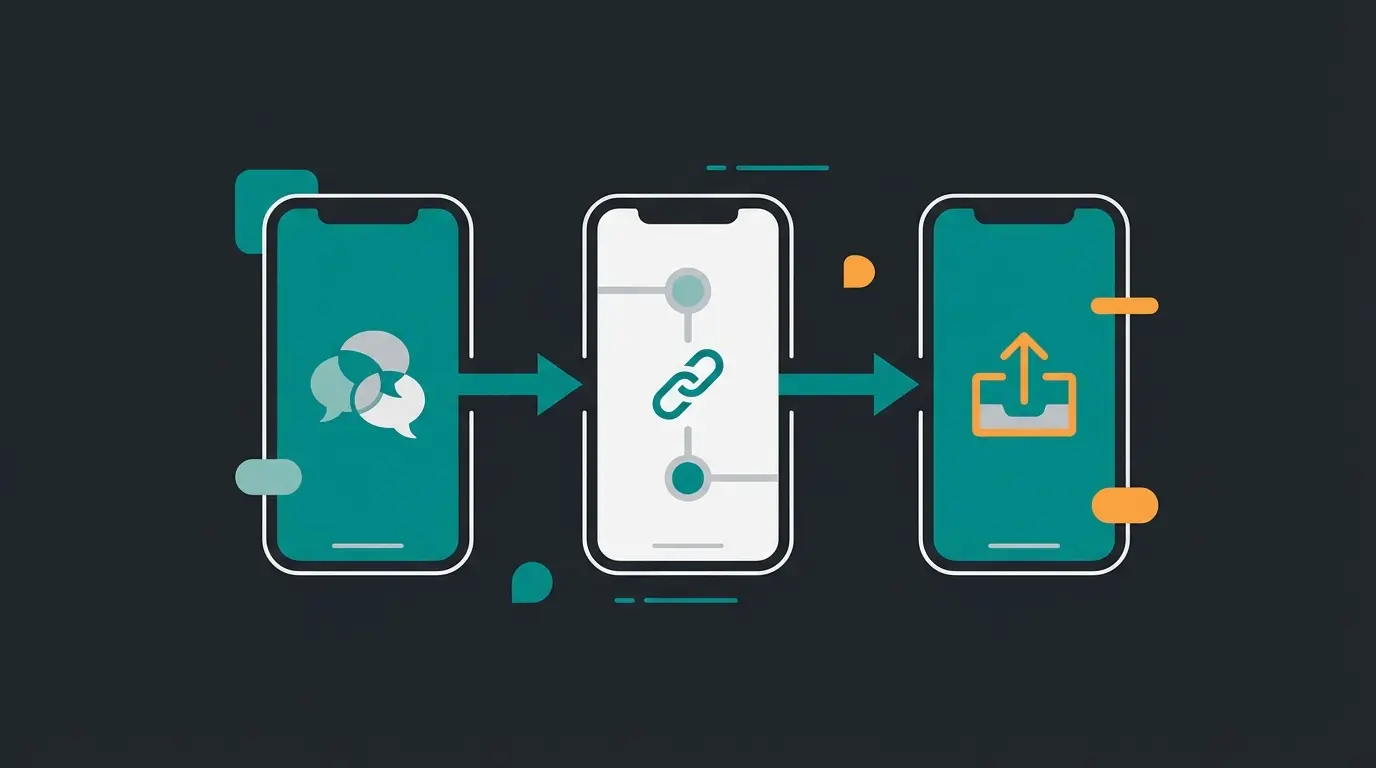
Sharing Group Links, QR Codes, and Resetting Links
Creating the link is the easy part. Managing the link, however, determines the success or chaos of your group.
Distributing the Link Strategically
Once you've copied the WhatsApp group link, you can place it anywhere. But be careful:
- Social media bios: A link in your Instagram bio leads to rapid growth but also a lot of 'noise' (irrelevant participants).
- Newsletters: Safer, as recipients are already qualified contacts.
- Website: Place the link behind a button, ideally only after a brief signup, to keep bots away.
When creating a WhatsApp link that converts, strategic placement is just as important as the link itself.
Using QR Codes for Offline Marketing
WhatsApp automatically generates a QR code for your group link. This is a powerful tool for brick-and-mortar retail or events:
- On product packaging: 'Scan here for support' (Caution: See 'Risks' section below).
- On flyers/posters: 'Join our local sports community.'
- At trade show booths: Quick access to event information.
To find the code, simply tap the QR code symbol in the 'Invite via link' menu. Users only need to scan it with their regular phone camera and land directly in the join preview.
The Emergency Brake: Resetting the Link (Revoke)
What happens if the link falls into the wrong hands or spam bots flood the group? You need to invalidate the link immediately.
- Go back to the 'Invite via link' menu.
- Select the option 'Reset link'.
- Confirm the warning message.
Consequence: The old link (and all printed QR codes!) will no longer work from that moment. Anyone who clicks on it will receive a message that the invite link is invalid. WhatsApp automatically generates a new link at the same time.
Risks: What Nobody Says About Public Group Links
While tech blogs often only explain the 'how,' we urgently need to discuss the 'why' (and 'why not'). A public WhatsApp group invite link carries massive risks, especially for businesses.
1. The Spam and Bot Problem
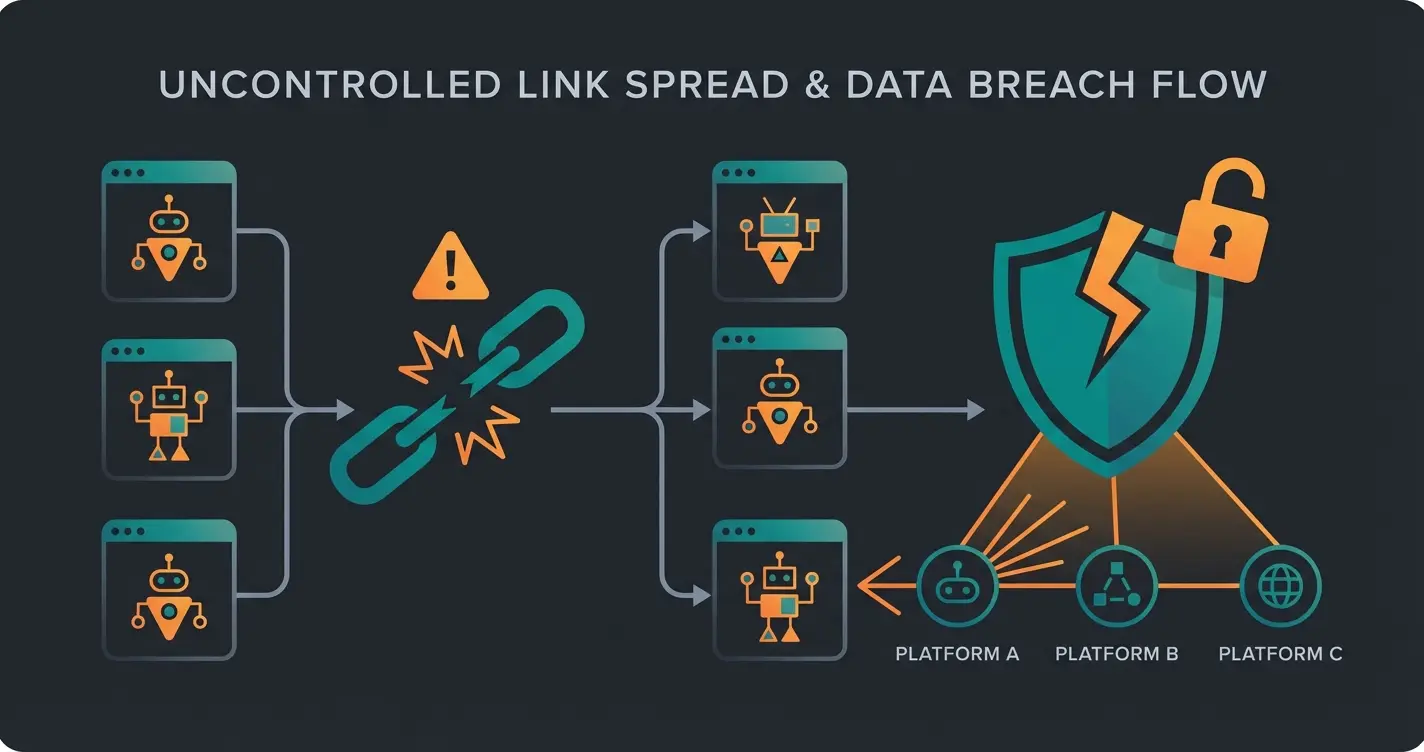
There are huge directories on the internet (so-called 'Link Directories') that scan the web for strings like `chat.whatsapp.com`. As soon as your link is posted on a public website (e.g., Twitter, Facebook, forums), it gets indexed.
- The consequence: Criminals use automated scripts to join these groups.
- The damage: The group gets flooded with crypto scams, phishing links, or inappropriate content.
- Countermeasure: WhatsApp has introduced features that provide context about groups you're invited to in order to recognize scams, but this doesn't prevent bots from joining via open links.
According to Norton security experts, these bot attacks are becoming increasingly sophisticated.
2. The GDPR Trap (Data Protection)
This is the most critical point for the German market. In a WhatsApp group, all participants' phone numbers are visible to all other participants.
- Legal situation: If you as a business create a group for customers (e.g., 'VIP Offers'), and Customer A can see Customer B's private mobile number, this constitutes a data breach unless explicit consent has been obtained.
- Metadata: WhatsApp processes metadata (who writes to whom and when) on US servers. Without a data processing agreement (DPA) and consent, this is problematic.
- Liability: As a group admin, you are co-responsible for data protection in your group. A public link makes it impossible to control who collects data.
As highlighted by Datenschutzkanzlei and Händlerbund, German businesses must be especially vigilant about GDPR compliance when using WhatsApp groups for customer communication.
3. Loss of Control
A link is like an open barn door. Anyone who has the link can forward it. An 'exclusive club' can thus become a public gathering within hours. While you can remove participants, the damage (e.g., leak of internal information) is often already done.
The Solution: Professional Product Consultation
Many businesses search for 'WhatsApp group link' because they're looking for a channel for customer communication. They want to send product updates ('Product Drops') or provide support.
The hard truth: A WhatsApp group is the wrong tool for this.
Why Groups Often Fail for Business
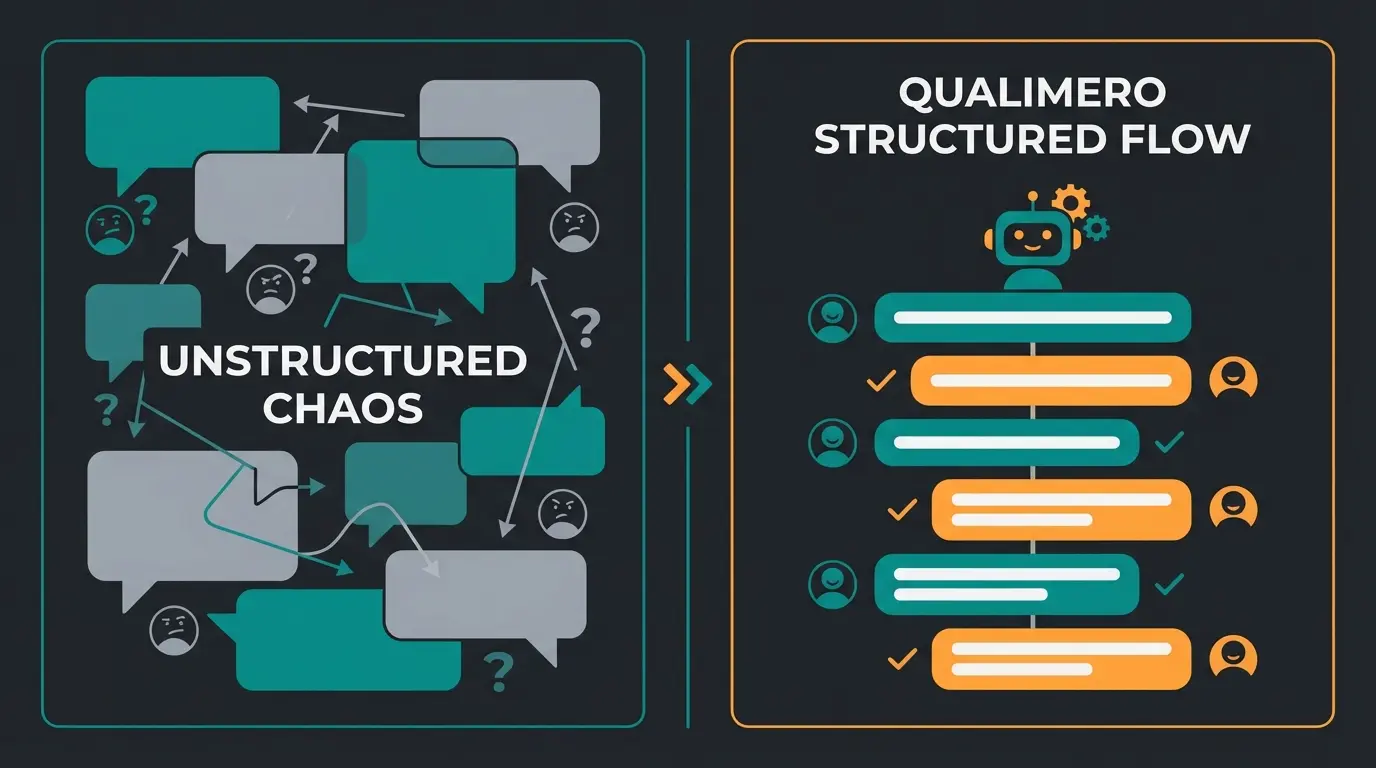
- Noise: When 200 customers ask questions, the phone vibrates for all 200 customers. Many mute the group or leave annoyed.
- No privacy: Customers don't want to ask their questions (e.g., about invoices) publicly.
- No scalability: A group is limited to 1,024 members.
The Alternative: AI-Powered 1-on-1 Communication
Instead of a group link, modern businesses should rely on `wa.me` links (click-to-chat) that lead to a WhatsApp Business account, ideally connected to an AI. Understanding what is WhatsApp Business is the first step toward this more professional approach.
The Scenario:
- The trigger: Instead of 'Join our group,' the call-to-action reads: 'Start the chat for exclusive info.'
- The link: The user clicks on a link like `wa.me/49170xxxxxx`.
- The greeting: A group chat doesn't open, but a private chat does.
- The AI magic: An AI (chatbot) immediately greets the customer: 'Hi! Thanks for your interest. Would you like support or to see the latest offers?'
This approach is exactly what modern AI chatbots transforming e-commerce are designed for—personalized, scalable customer interactions.
| Feature | WhatsApp Group Link | AI Automation (Business API) |
|---|---|---|
| Privacy | ❌ Phone numbers visible to all | ✅ 100% Discreet (1-on-1 chat) |
| Reach | Limited (max 1,024 members) | Unlimited |
| Attention | Low (often muted) | High (push notification) |
| Moderation | Manual & time-consuming | Automatic & instant |
| Spam Risk | High (via public links) | Zero (closed system) |
Admin generates invite link in group settings
Link posted on website, social media, or print materials
Anyone with the link can join the group
Spam bots flood the group, chaos ensues, phone numbers exposed
AI filtration via WhatsApp Business API for controlled 1-on-1 chats
Stop managing chaotic group chats. Let our AI-powered WhatsApp solution handle customer inquiries 24/7 with personalized, private conversations.
Get Started FreeBest Practices for Businesses Using Group Links
There are scenarios where a group makes sense—such as time-limited beta tester groups or networking events. If you go this route, follow these security rules. For comprehensive guidance, explore our resources on AI customer service to understand how AI can complement your group management.
1. 'Only Admins Send Messages'
Turn the group into a broadcast channel.
- Path: Group info -> Group settings -> Send messages -> Only Admins
- Benefit: No chaos, no discussions, pure information.
2. Enable Approval Requirement (Important!)
WhatsApp now offers the 'Approve new participants' feature, as documented in WhatsApp's help center.
- Path: Group info -> Group settings -> Approve new participants turn on
- Effect: When someone clicks on your group link, they're not immediately in. They submit a 'request.' As admin, you see this request and can decide: Allow or Reject. This is the most effective protection against bot waves via public links.
3. Use WhatsApp Communities
A 'Community' is an umbrella structure for multiple groups. According to Mailody.de, this structure offers significant advantages for larger organizations.
- Benefit: You have an 'announcement channel' where you can reach everyone, but members cannot write chaotically. You can create thematic sub-groups that users can join as needed.
4. The GDPR Disclaimer
When sharing a link, be transparent. Add a notice to the group description (and ideally the landing page where the link is located).
For businesses looking to implement more sophisticated solutions, exploring WhatsApp chatbots in 2025 provides insights into automated, compliant customer communication.
Why AI-Powered Chat Outperforms Group Links
The fundamental difference between a chaotic group and a professional AI solution comes down to control, scalability, and user experience. When you implement an AI chatbot for e-commerce, you're not just managing messages—you're creating a systematic approach to customer engagement.
Consider the typical customer journey: A potential buyer scans a QR code on your product packaging. With a group link, they're dropped into a noisy chat with hundreds of strangers, seeing questions about unrelated products, spam messages, and potentially sensitive information from other customers. Most will mute or leave within minutes.
With an AI-powered 1-on-1 chat via the WhatsApp Business API chatbot, that same customer receives an immediate, personalized greeting: 'Hi! I see you scanned the code from Product X. How can I help you set it up today?' The conversation is private, relevant, and scales infinitely.
This transformation is part of a broader trend where AI selling is revolutionizing how businesses interact with customers. The key is moving from broadcast thinking (one message to many) to conversation thinking (personalized dialogues at scale).
Implementing AI for WhatsApp Customer Service
For businesses serious about leveraging WhatsApp for customer communication, the path forward involves three key components that AI product consultation makes possible:
Automated First Response
Using WhatsApp AI bots, every customer inquiry receives an immediate response, regardless of time zone or business hours. This eliminates the frustration of waiting in a group for someone to notice your question.
Intelligent Routing
AI doesn't just respond—it understands intent. A question about shipping gets routed differently than a product feature inquiry. This is where AI consulting in e-commerce truly shines, providing the right information at the right moment.
Seamless Human Handoff
When conversations require human expertise, the AI seamlessly transfers the chat to a live agent, complete with conversation history. The customer never has to repeat themselves.
This sophisticated approach is detailed in our guide on chatbot integration AI solutions, which covers the technical and strategic aspects of implementation.
FAQ: Frequently Asked Questions About Group Links
No, this is not directly possible in WhatsApp. The link always consists of `chat.whatsapp.com` plus a cryptic code. Workaround: You can use URL shorteners (like bit.ly) to create a link like `bit.ly/MyTeamChat`. This looks nicer but doesn't change the technical destination address.
WhatsApp displays a system message in the chat history: 'XY joined via invite link.' If you've enabled the 'Approve new participants' feature, you'll see exactly who wants in under 'Pending requests' before they gain access.
A group link is only as secure as the place where you share it. Shared in a family chat: Secure. Shared on a public website: Insecure. Once the link is public, you should assume that unauthorized parties will try to join. Always use admin approval.
By default, no. Only admins can generate the link. Exception: If the admin has already created the link and sent it to you, you can of course forward this existing link. Additionally, the admin can allow all members to add others in the settings—but this is rarely enabled for security reasons.
A community link invites users to a parent structure. From there, they can see which groups belong to the community and join them. This is ideal for clubs (Community: Sports Club, Groups: Football, Tennis, Board) so you don't have to send 20 individual links.
Conclusion: The Link Is Just the Beginning
Creating a WhatsApp group link takes seconds. Managing it responsibly, however, requires strategy. For private purposes, it's unbeatable efficient. For businesses, it's often a trap that causes data protection issues and communication chaos.
Our recommendation for 2025:
- Use group links only for closed, manageable circles (events, internal teams).
- Always enable admin approval.
- If you want to offer customer consultation, lead generation, or support via WhatsApp: Forget the group. Rely on professional WhatsApp Business solutions with AI integration. This protects your data, saves your nerves, and offers your customers a real VIP experience instead of mass processing.
The future of WhatsApp customer communication isn't about managing chaotic groups—it's about creating personalized, scalable conversations that respect privacy and deliver value. That's exactly what modern AI solutions are designed to do.
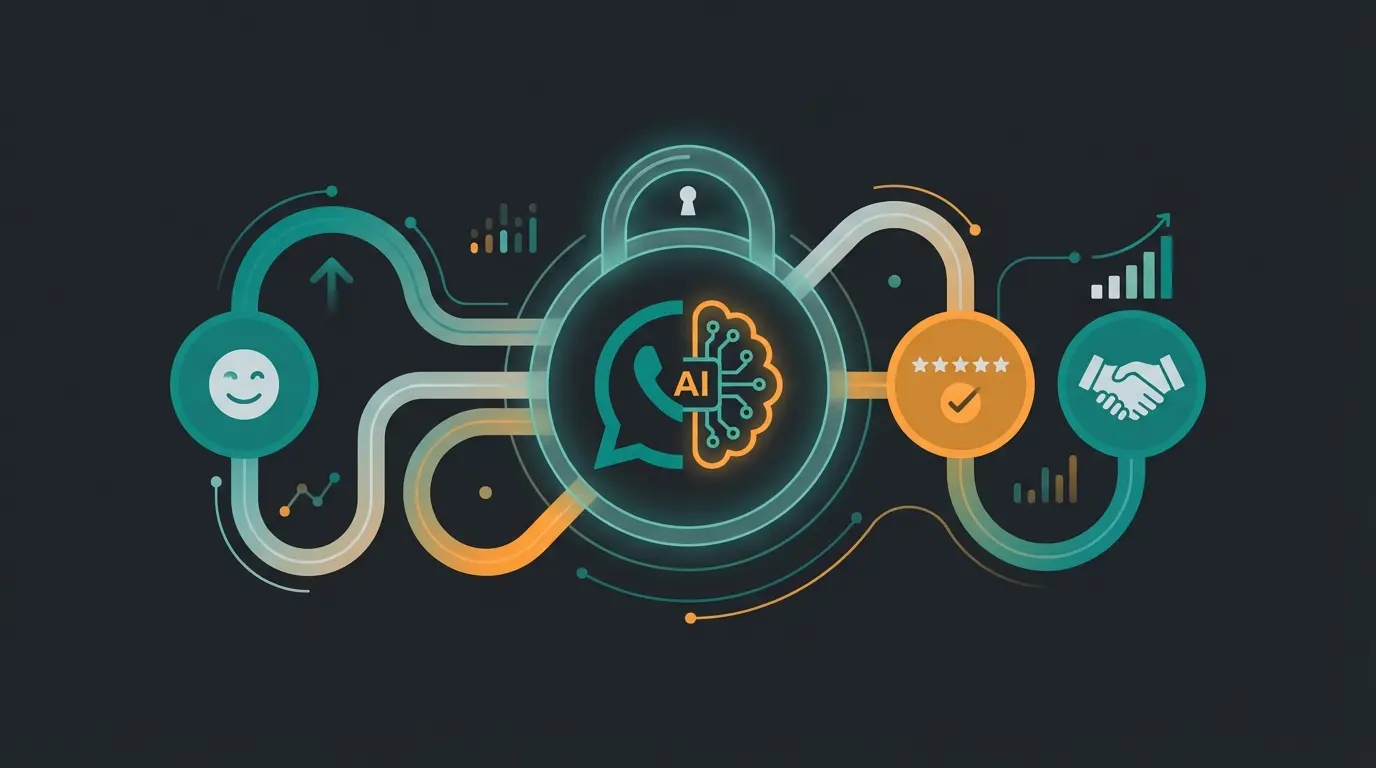
Move beyond chaotic group links. Discover how AI-powered WhatsApp automation can transform your customer communication into a competitive advantage.
Start Your Free Trial
Lasse is CEO and co-founder of Qualimero. After completing his MBA at WHU and scaling a company to seven-figure revenue, he founded Qualimero to build AI-powered digital employees for e-commerce. His focus: helping businesses measurably improve customer interaction through intelligent automation.