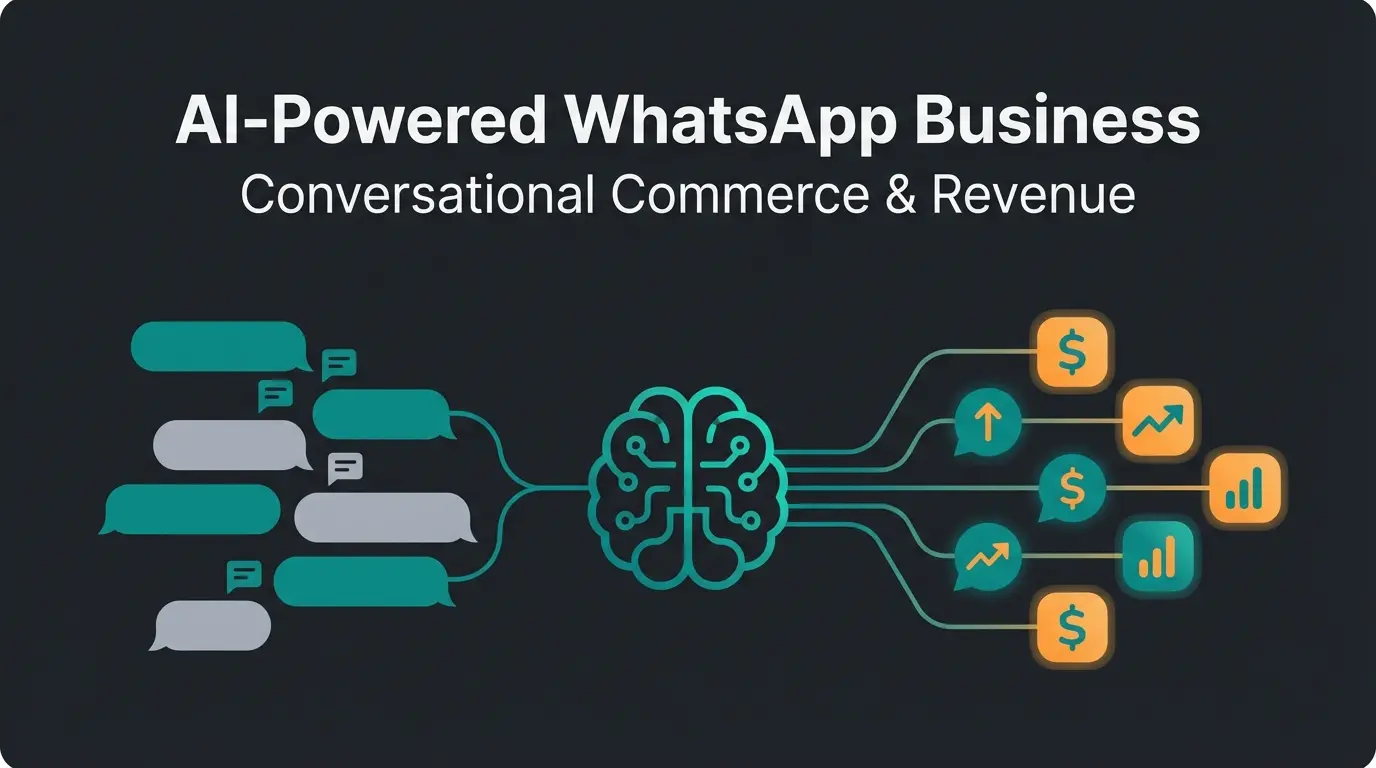
Introduction: More Than Just a Status Symbol
In digital communication, trust is the hardest currency to earn. If you're planning to sell high-ticket products or complex services via WhatsApp – perhaps even supported by cutting-edge AI product consultation bots – you face a decisive hurdle: skepticism.
Users today are more cautious than ever. An unknown number claiming to be a business gets quickly blocked or ignored. This is where WhatsApp channel verification comes into play. Until recently, this was symbolized by the famous "green checkmark." But in 2025, the rules have changed. Meta (the parent company of WhatsApp, Facebook, and Instagram) has unified its platforms: green has become blue.
This article isn't just a technical guide. It's a strategic roadmap for businesses that want to use WhatsApp not just as a chat tool, but as a verified revenue channel. We'll clear up the massive confusion between "Business Account" and "Channel," show you the new (paid) fast-track to verification, and explain why without verification, your AI strategy could fail.
2025 Update: The End of the Green Checkmark
For a long time, the "Green Tick" was the holy grail of WhatsApp marketing. It signaled: "This is an Official Business Account (OBA)." But Meta has rolled out a comprehensive rebranding strategy to create consistency across all apps.
Why Blue Now?
Just like on Instagram and Facebook, a blue checkmark now signals authenticity on WhatsApp as well. According to Sanuker and Anantya.ai, this change brings significant benefits:
- Uniformity: Users don't need to relearn anything. Blue means "verified" everywhere in the Meta universe.
- Trust Transfer: The trust users have in verified Instagram profiles is psychologically transferred to WhatsApp.
The Great Terminology Confusion: Channel vs. Account
Before we dive into the guide, we need to clear up a misunderstanding that causes 90% of applicants to fail. When you search for "WhatsApp channel verification," you probably mean one of two things:
- WhatsApp Business Account (WABA): This is your phone number that you use to chat with customers (1:1 support, newsletters, AI bots). Learn more about what WhatsApp Business is.
- WhatsApp Channel (Broadcast Channel): This is the "one-to-many" broadcast function under the "Updates" tab, similar to a Telegram channel.
The reality: You generally cannot verify a WhatsApp Channel in isolation. The blue checkmark for your channel is almost always a consequence of verifying your Business Account, as confirmed by WhatsApp's official documentation.
First, your company gets verified in Meta Business Manager
Then your WhatsApp phone number (WABA) gets verified
Finally, the linked channel receives the blue checkmark automatically or can apply for it
This article covers the entire process since the path to a verified channel necessarily goes through the verified Business Account.
Why You Must Verify Your WhatsApp Channel
Why go through all this effort? Isn't a regular business profile enough? For the local bakery, perhaps. For AI-powered product consulting? Definitely not.
A. The "Trust Gap" in AI Interactions
When you deploy an AI to advise customers, the human element that normally builds trust is missing. A blue checkmark serves as an institutional trust anchor. According to IBM research, users interact more readily with bots when the source is marked as "authentic." This is particularly crucial for AI chatbots in customer service.
Additionally, as noted by Twixor and WhatsApp's security guidelines, verification provides protection against impersonation – in a world of phishing attacks, the checkmark guarantees that you really are who you claim to be.
B. Visibility and Branding
Without verification, users often only see your phone number in the chat list, not your company name. According to 360dialog and Sleekflow:
- With verification: Your brand name appears prominently at the top of the chat, even if the customer hasn't saved you in their address book.
- Search visibility: Verified channels and Business Accounts are prioritized in WhatsApp search and are actually discoverable in the first place.
C. API Limits and Features
According to Infobip, verified accounts often enjoy higher messaging limits (tier levels) and are less likely to be blocked by automatic spam filters when message volume increases. This is essential when you're running WhatsApp newsletter campaigns at scale.
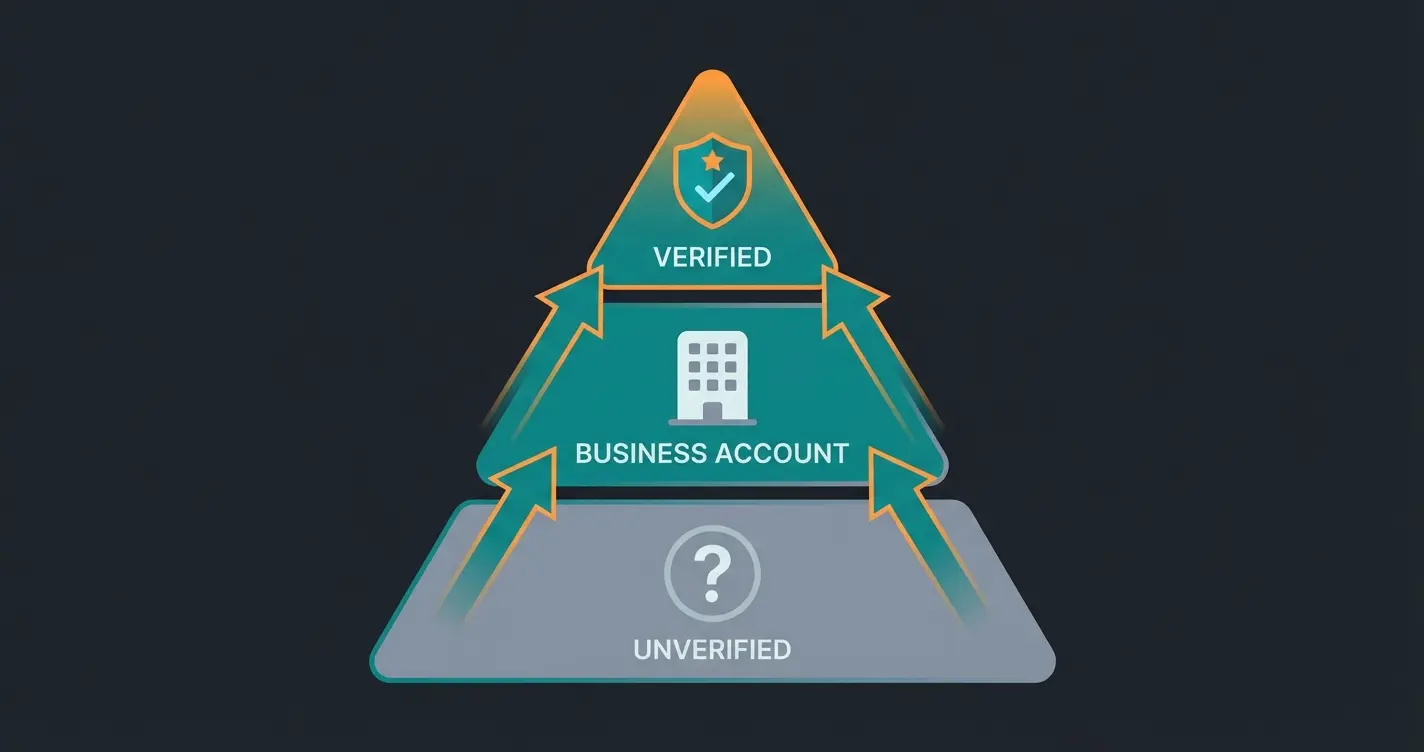
The Two Paths to the Blue Checkmark
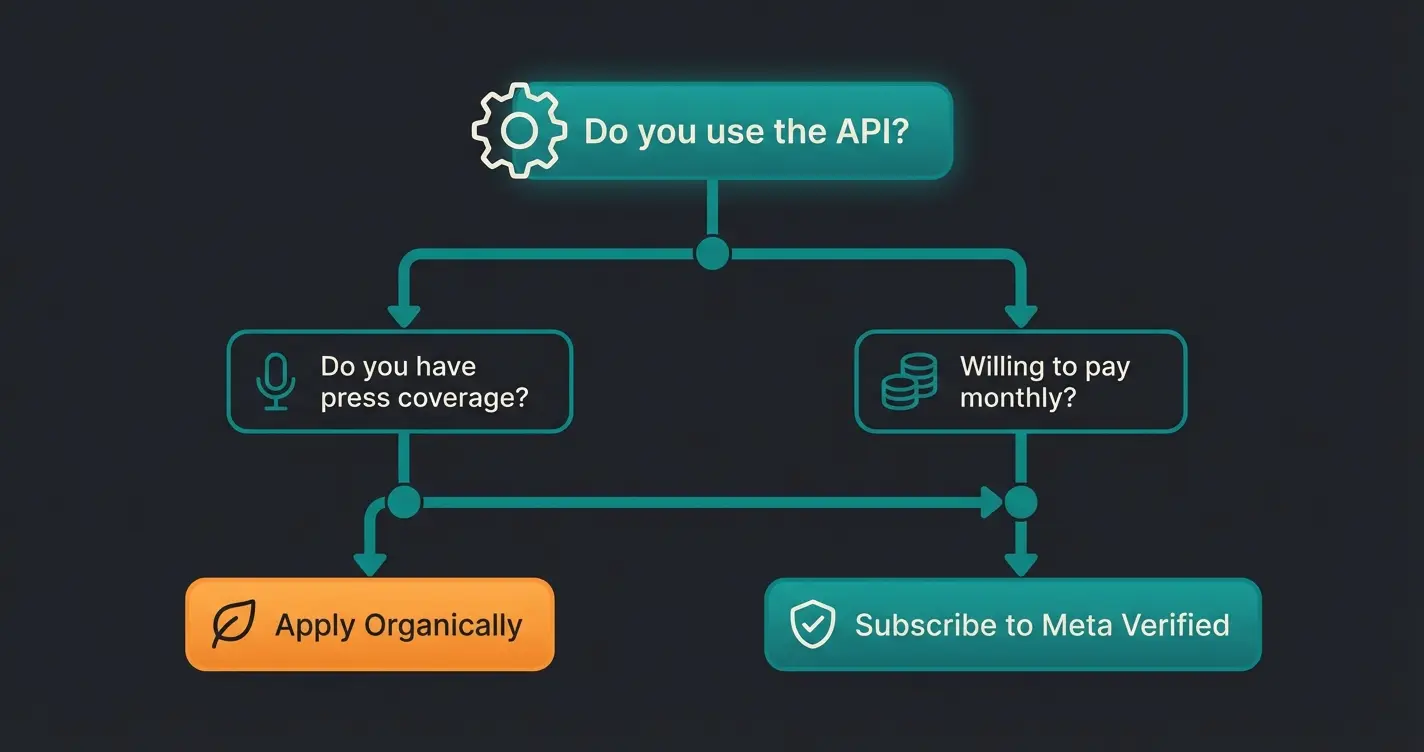
Until 2024, there was only one (very rocky) path. Now there are two. Which one you choose depends on your budget and your notoriety.
Comparison Table: Organic vs. Paid Verification
| Feature | Path 1: Organic (OBA) | Path 2: Meta Verified (Subscription) |
|---|---|---|
| Target Audience | Large brands, corporations | SMBs, startups, niche players |
| Cost | Free (application) | Monthly fee (~$14 - $500+) |
| Main Hurdle | Notability (press articles required) | Willingness to pay & basic verification |
| Duration | Weeks to months | Days |
| Requirement | WhatsApp Business API (WABA) | Business App or WABA |
| Success Rate | Low (without PR coverage) | High (if legitimate) |
Most organic applications fail due to insufficient press coverage
Monthly subscription for basic blue checkmark access
Average time to receive verification via subscription
Path 1: Organic Verification (The Royal Road for API Users)
This is the traditional path to the Official Business Account (OBA). It's free, but Meta sets the bar extremely high.
Requirements for the Organic Application
To even see the "Submit Application" button, you must complete the following technical prerequisites, according to Infobip and Engati:
- WhatsApp Business API Usage: This path is generally not available to users of the regular Business App. You need access through a BSP (Business Solution Provider) like Twilio, 360dialog, or Chatarmin. Check out our complete guide on WhatsApp Business API costs.
- Meta Business Manager Verification: Your company must be fully verified in the Meta Business Manager (Security Center) – trade register extract, address verification.
- Two-Factor Authentication (2FA): Must be activated for the phone number.
- Messaging Quality: Your account should ideally already be at "Tier 2" (at least 1,000 - 10,000 messages per day possible) and have a good quality rating.
The Bottleneck: "Notability" (Fame)
This is where 95% of applications fail. Meta requires that your company is a "well-known personality or brand."
According to 360dialog and Respond.io:
- The Proof: You must submit 3 to 5 links to editorial press articles.
- What doesn't count: Your own press releases, paid articles (sponsored content), entries in industry directories.
- The Reality: If you haven't been mentioned in major newspapers (Wall Street Journal, TechCrunch, Forbes, local major dailies), the organic application will almost certainly be rejected.
Path 2: Meta Verified Subscription (The Fast Track)
Since many small businesses complained about the strict OBA rules, Meta introduced the "Meta Verified for Business" program. This is the game-changer for your AI consulting business if you don't yet have national recognition.
What is Meta Verified?
It's a monthly subscription model that "sells" you the blue checkmark, provided you can verify your identity. According to IT-Daily, Sinch, and Chatarmin, it's currently rolling out globally and is already available in many regions.
The Subscription Tiers (Prices Vary by Region)
Meta is testing various packages (Standard, Plus, Premium, Max). According to Chatarmin and DNDTeams:
- Business Standard: Includes the blue checkmark, protection against impersonation, and support. Cost approximately $14 - $20 per month.
- Higher Tiers: Offer benefits like multiple verified channels (up to 10 with "Max"), better support SLAs, and multi-device usage for teams.
Requirements for the Subscription
- Use of the WhatsApp Business App (and increasingly available for API users as well)
- Entry in the commercial register
- Activated two-factor authentication
- No violations of the terms of service
Strategic Advantage: You bypass the "notability" check. You don't have to be famous, just legitimate. This makes it perfect for businesses looking to leverage conversational AI solutions without waiting for press coverage.
Get your WhatsApp channel verified and start converting more leads with intelligent product consultation. Our AI solutions help you maximize the value of your verified presence.
Start Free TrialStep-by-Step Guide: How to Get the Checkmark
Here we'll walk you through the process. We'll focus on the API path (Organic) since this is most relevant for scalable AI solutions, but we'll mention the subscription option at the crucial point.
Step 1: Preparation in Meta Business Manager
Go to `business.facebook.com`.
- Navigate to Business Settings > Security Center.
- Start the Business Verification. Upload your business license/commercial register extract.
- Wait for confirmation (takes 1-5 days).
This step is essential before you can proceed with creating your WhatsApp Business account.
Step 2: WhatsApp Manager Setup
- In Business Manager, go to Accounts > WhatsApp Accounts.
- Select your account and click Settings > WhatsApp Manager.
- Make sure your display name complies with guidelines (no generic names like "Pizza Service" but rather "Luigi's Pizzeria").
Step 3: Submit the Application (Organic)
Only if you have press articles!
- In WhatsApp Manager: Go to Profile.
- Find the "Official Business Account" section.
- Click "Submit Request".
- Fill out the form and add your press links.
- Pro Tip: In the comment field, write why the checkmark is important (e.g., "High volume of impersonation attempts," "Processing sensitive customer data via AI").
Step 4: Alternative – Subscribe (Meta Verified)
If Step 3 fails or no press coverage is available.
- Open your WhatsApp Business App (or your BSP's dashboard if supported).
- Go to Settings > Tools > Meta Verified.
- If the option is available: Click Subscribe.
- Choose your package and follow the payment flow.
Step 5: Verify the Channel
Once your Business Account (the number) has the blue checkmark (whether organic or via subscription):
- Create a channel under the "Updates" tab (if you haven't already).
- Link the channel to your verified Business Account.
- Automatic Inheritance: In many cases, the channel inherits the status.
- Manual: With Meta Verified subscriptions, you can explicitly select in the "Meta Verified" menu which channel you want to assign the checkmark to (depending on the subscription package, 1 to 10 channels).
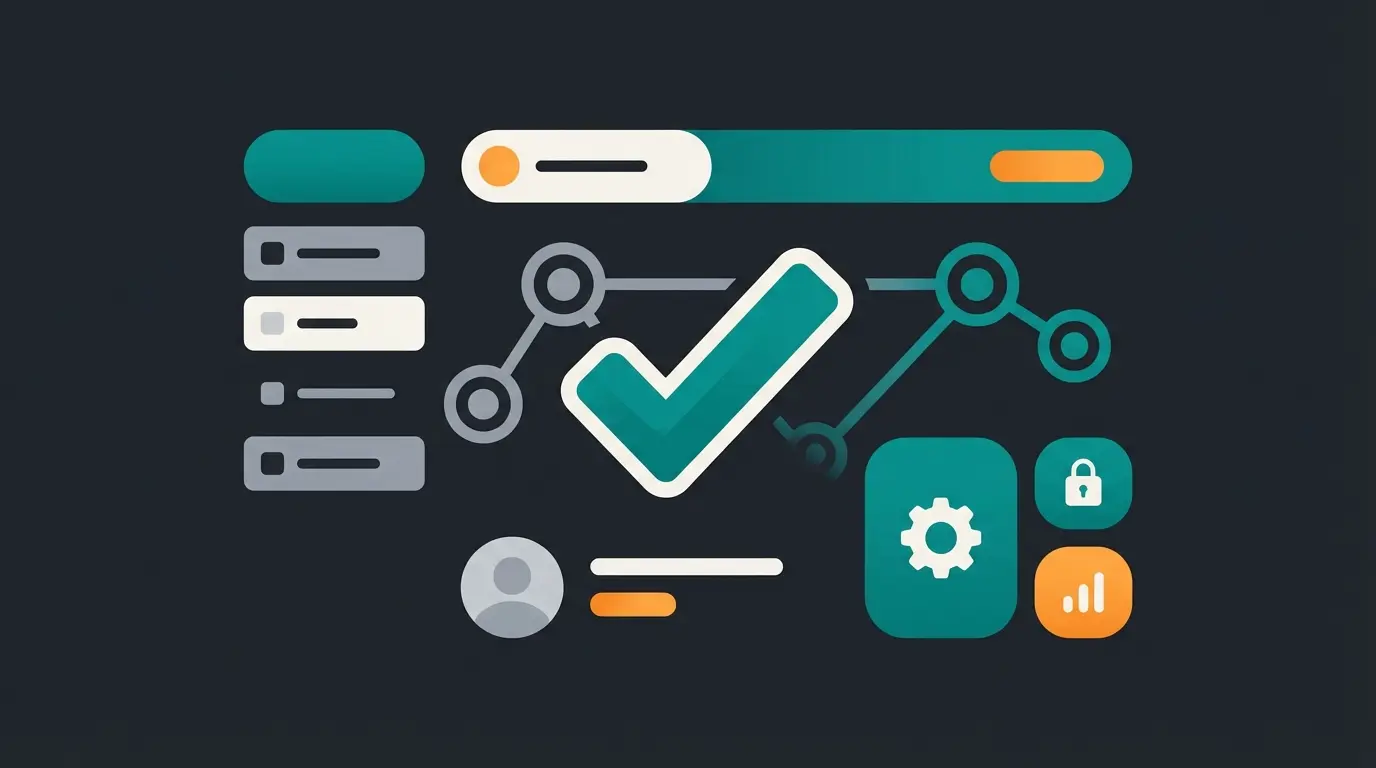
After Verification: Automation with Trust
Congratulations, the blue checkmark is there. But it's not an end in itself. It's the foundation for your AI consulting strategy.
The Trust-Automation Flywheel
Customer sees the blue checkmark. The barrier to clicking 'Send Message' drops dramatically.
Instead of a human agent, your specialized product AI greets the customer with confidence.
Because the channel is verified, customers are more willing to share budget ranges and requirements.
The AI qualifies the lead and hands off a 'hot,' trusting lead to sales – or closes directly.
Consider this example: "Hello! I'm the verified assistant from [Company]. I'll help you find the perfect software solution." This approach works seamlessly with AI employees in the workplace.
Without the checkmark: The customer thinks at the first AI response: "Is this spam? Where did they get my number?" and abandons the conversation. This is why verification is crucial for any AI chatbot for e-commerce implementation.
Maximizing Your Verified Channel
With verification complete, you can now leverage the full power of AI customer service solutions. The blue checkmark builds the trust; your AI closes the sale. Imagine a verified channel guiding a customer to the perfect running shoe purely through AI chat – that's the power of combining verification with AI product advisors for online shops.
For businesses operating in the EU, ensure your AI implementation complies with the EU AI Act requirements. The combination of regulatory compliance and verified status creates the ultimate trust signal for customers.
The key is leveraging AI personalization in customer service to create experiences that feel both trustworthy (thanks to verification) and personalized (thanks to AI).
Frequently Asked Questions (FAQ)
No. Verification is exclusively for WhatsApp Business Accounts (App or API). Private individuals cannot receive the checkmark unless they are celebrities managed through an agency. According to Engati, this policy ensures verification maintains its credibility as a business trust signal.
Organic (OBA): Free (apart from the costs of API usage and possibly PR agencies). Meta Verified Subscription: Starts at approximately $14 USD/month for the basic version and goes up to several hundred dollars for enterprise solutions (Business Max). According to IT-Daily and Chatarmin, prices vary by region and feature set.
The most common reasons are: 1) Insufficient notability: The submitted press articles weren't high-quality enough or were too old. 2) Technical deficiencies: 2FA wasn't active or Business Manager verification was missing. 3) Policy violations: The display name violated WhatsApp Commerce Policy. Solution: Wait 30 days and try again, or switch to the Meta Verified subscription. According to Infobip and ControlHippo, these are the primary rejection reasons.
Not automatically. The Meta Verified subscription can often be purchased as a bundle, but organic verifications are usually reviewed platform-specifically. However, verification on FB/IG often helps as "social proof" for the WhatsApp application, according to Sanuker and Sinch.
For the organic path, expect weeks to months due to the manual review of your notability evidence. For the Meta Verified subscription, verification typically completes within 1-5 days after submitting your business documents. The subscription path is significantly faster because it relies on document verification rather than subjective notability assessment.
Conclusion: Your Ticket to the AI Era
Verifying your WhatsApp channel in 2025 is no longer vanity – it's a business-critical infrastructure measure. Whether you take the hard route through PR and OBA or the fast track via Meta Verified subscription: Do it.
For your goal of selling high-end products through AI consulting, the blue checkmark is the signal that transforms an anonymous chatbot into a trusted advisor. Start today with verifying your Meta Business Manager – that's the first step, regardless of which path you choose.
The combination of verification and intelligent AI creates a powerful trust-automation flywheel. Customers trust your verified presence, engage openly with your AI assistant, share their needs freely, and convert at higher rates. This isn't just about a badge – it's about building the foundation for scalable, AI-powered customer relationships that drive real business results.
Now that you understand verification, take the next step. Our AI product consultation solution turns your verified WhatsApp presence into a 24/7 intelligent sales engine that customers trust and love.
Get Started Today
Lasse is CEO and co-founder of Qualimero. After completing his MBA at WHU and scaling a company to seven-figure revenue, he founded Qualimero to build AI-powered digital employees for e-commerce. His focus: helping businesses measurably improve customer interaction through intelligent automation.