Why a WhatsApp Link Is Your Most Important Conversion Tool
Before diving into the technical details, check our complete WhatsApp link guide for a broader overview. Why should you invest time learning how to create a WhatsApp link in the first place?
The dominance of WhatsApp in the German-speaking market is overwhelming. According to current studies from Lime Technologies, over 80% of the German-speaking population aged 14 and above uses the service. According to Superchat, 60 million people in Germany use WhatsApp daily. Even more important for businesses: open rates on WhatsApp reach a phenomenal 98%, while emails often stagnate at 20% as reported by SendWo, AISensy, and Exotel.
The Psychological Advantage of Click-to-Chat
A WhatsApp link removes friction entirely. There's no form to fill out, no waiting for a confirmation email, and no hurdle of formulating an "official" salutation. This seamless experience is exactly what is WhatsApp all about—instant, personal communication.
- Traditional way: Find contact form → Enter data → Solve captcha → Submit → Wait 24 hours
- WhatsApp way: Click → Chat opens → Send "Hello"
Studies from Yavendio and Botcake show that e-commerce companies using whatsapp click to chat can achieve conversion rates of 5–15%, compared to the typical 1–4% in traditional web shops. When you learn how to create a WhatsApp link, you're essentially building a shortcut to the checkout.
WhatsApp messages vs. 20% for emails
Active WhatsApp users in Germany alone
E-commerce WhatsApp vs. 1-4% traditional
The Quick Win: Creating a WhatsApp Link (The Formula)
You want action, not theory? Here's the universal formula that WhatsApp (Meta) officially provides. This is the foundation for everything else.
The wa.me Short URL
The simplest method is using WhatsApp's official short domain. This approach is detailed in the comprehensive WhatsApp Business guide for getting started.
The Formula:
`https://wa.me/[YourNumber]`
The Example: Let's say your German mobile number is `0170 1234567`. The international country code for Germany is `+49`. Your link would be: `https://wa.me/491701234567`
Important Rules for the Phone Number
- No leading zeros: The leading `0` of the area code is removed
- No plus sign (+): Although it's an international number, leave out the `+`
- No special characters: No parentheses `()`, no hyphens `-`, and no spaces
| Correct ✅ | Incorrect ❌ | Reason |
|---|---|---|
| https://wa.me/491701234567 | https://wa.me/+491701234567 | The plus sign breaks the link |
| https://wa.me/491701234567 | https://wa.me/00491701234567 | The double zero isn't recognized |
| https://wa.me/491701234567 | https://wa.me/49 170 123... | Spaces break the URL |
Advanced: Links with Pre-filled Messages (The Icebreaker)
Creating a WhatsApp link that only opens the chat is good. But creating a link that puts words in the customer's mouth is better.
The problem with an empty chat window is "writer's block." The customer clicks, sees the blinking cursor, and doesn't know how to start. "Hello"? "Good day"? "I have a question"?
This is where the `?text=` parameter comes into play.
The Formula with Text
`https://wa.me/[Number]?text=[YourMessage]`
Since URLs cannot contain spaces, we need to "encode" them. A space becomes `%20` in web code.
Example: You sell running shoes and want the customer to ask directly for consultation. Desired text: "Hello, I need help with running shoes."
The Code: `https://wa.me/491701234567?text=Hello,%20I%20need%20help%20with%20running%20shoes.`
Why Is This Strategically Important?
Through pre-filled messages, you can control the context of the click. You immediately know where the customer came from and what they want. This is essential for effective WhatsApp marketing strategy.
Scenarios for different links:
- Support link (on the "Help" page): `?text=I%20have%20a%20problem%20with%20my%20order.` — Advantage: Your support team (or your AI) immediately knows it's about a complaint.
- Sales link (on the "Red Sneakers" product page): `?text=I%20am%20interested%20in%20the%20red%20sneakers.` — Advantage: The sales conversation has already started.
- Instagram Bio (General): `?text=Hello,%20I%20came%20from%20Instagram%20and%20have%20a%20question.` — Advantage: You can attribute the traffic channel.
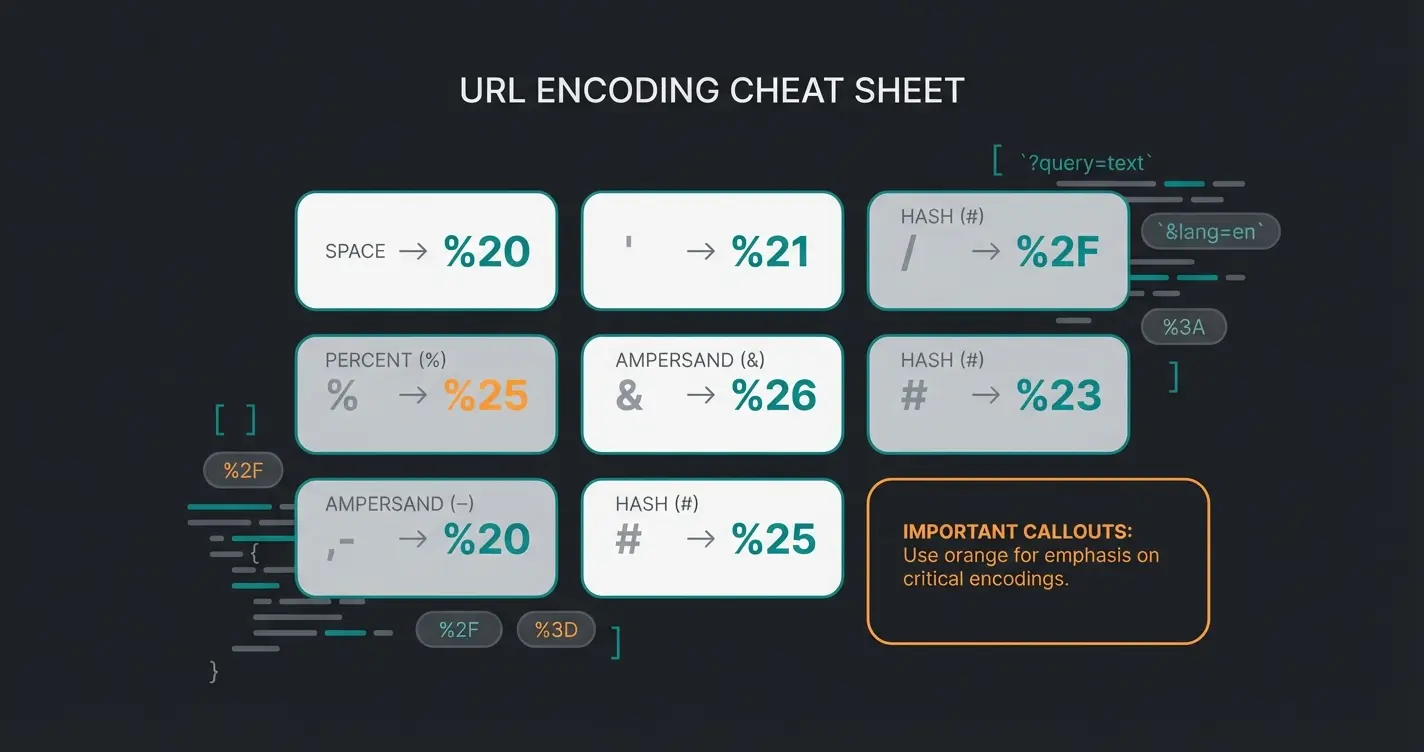
URL Encoding Cheat Sheet
If you want to create your text manually, use these codes for special characters as explained by ActiveCampaign:
| Character | Code |
|---|---|
| Space | %20 |
| Line break | %0A |
| Question mark (?) | %3F |
| Comma (,) | %2C |
| Ampersand (&) | %26 |
Step-by-Step: Manual Method & Technical Pitfalls
Although many generators exist (see our whatsapp link generator tool), it's important for SEO managers and developers to understand the syntax to troubleshoot errors. This knowledge is fundamental when setting up your WhatsApp Business setup.
Step 1: Clean Up the Country Code
Take your number: `0151 / 123 456 78`. Remove the leading zero: `151 / 123 456 78`. Add the country code in front (e.g., 49 for DE, 43 for AT, 41 for CH): `4915112345678`.
Step 2: Build the Base Link
Add `https://wa.me/` in front. Result: `https://wa.me/4915112345678`.
Step 3: Understanding Desktop vs. Mobile Behavior
A common misunderstanding is how these links behave on different devices, especially on whatsapp business desktop. This technical nuance is often overlooked by competitors but crucial for user experience.
- On smartphone: The link directly triggers the WhatsApp app (iOS or Android). The operating system recognizes the protocol and opens the chat immediately.
- On desktop (PC/Mac): The link first leads to an intermediate page on `api.whatsapp.com`. There, the user must click "Continue to Chat." If WhatsApp Desktop is installed, the program opens. If not, the user can use WhatsApp Web in the browser.
HTML Button Snippet (Copy & Paste)
Want a professional button on your website? Copy this code:
`<a href="https://wa.me/491701234567?text=Hello%20Team" target="_blank" style="background-color:#25D366; color:white; padding:10px 20px; text-decoration:none; border-radius:5px; font-family:Arial, sans-serif; font-weight:bold;"><img src="https://upload.wikimedia.org/wikipedia/commons/6/6b/WhatsApp.svg" width="20" style="vertical-align:middle; margin-right:5px;">Chat on WhatsApp Now</a>`
Replace the number and text in the `href` attribute with your own.
Placement: Where Your Link Generates the Most Clicks
You now know how to create a WhatsApp link. But where do you place it for maximum impact?
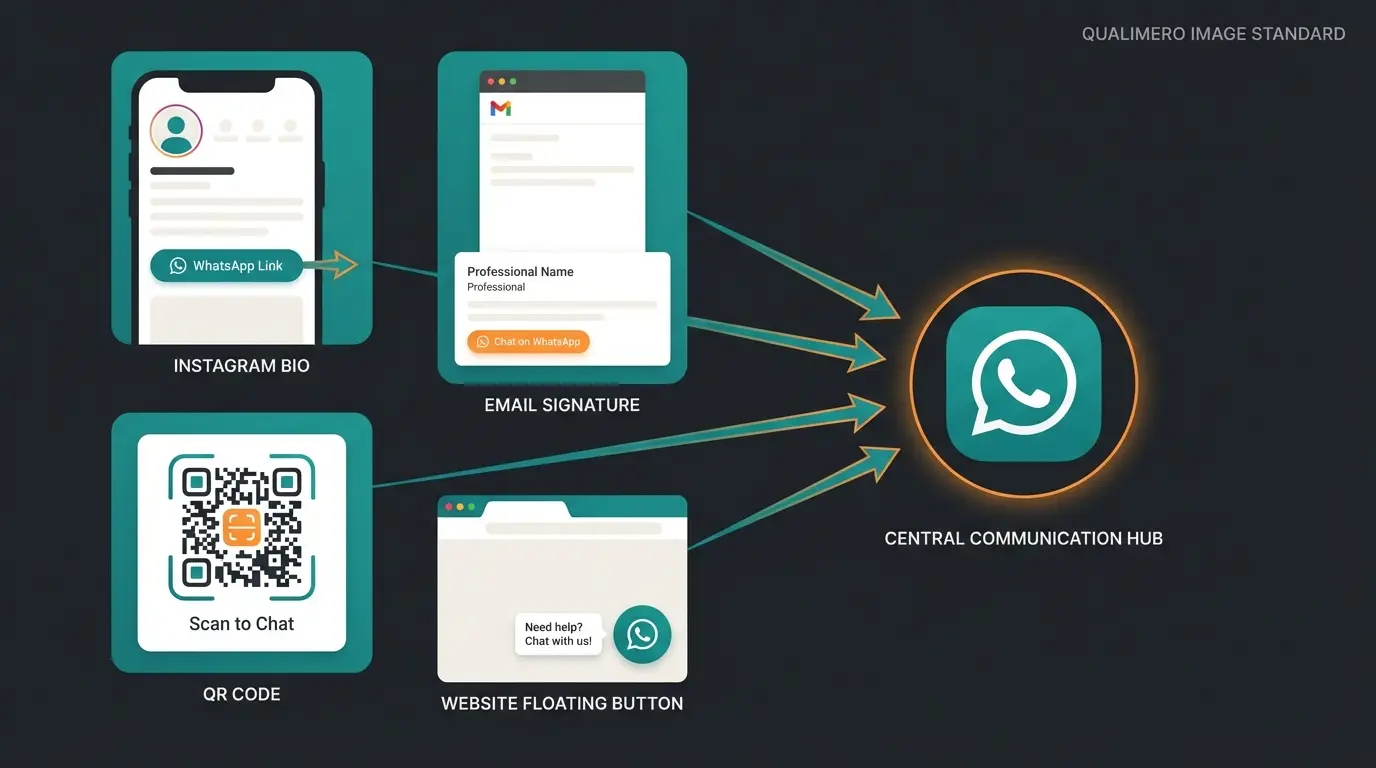
1. Instagram & TikTok Bio
"Link in bio" is the classic approach. But instead of linking to a static website, use the WhatsApp link as a direct conversion channel.
- Tip: Use a link shortener (like bit.ly) to hide the long `wa.me` link and track clicks.
- Call-to-action: Write in your bio: "👇 Click here for instant consultation".
2. Email Signature
Every email you or your sales team sends is an opportunity. Add under your contact details: "Urgent? Message me directly on WhatsApp: [Link]". This signals accessibility and modernity.
3. QR Codes for the Offline World
A link is digital, but the entry point can be analog.
- Flyers & Business Cards: Print a QR code containing your `wa.me` link.
- Store Windows: "Scan & Order" – especially effective for local shops or restaurants.
- Product Packaging: "Questions about usage? Scan here for support."
4. Floating Widget on Website
The most effective placement is a floating button in the bottom right corner of your website. Tools like Chatarmin or Userlike offer ready-made widgets. Alternatively, use the HTML snippet mentioned above and fix it with CSS (`position: fixed; bottom: 20px; right: 20px;`).
The "Black Hole" Problem: Why Links Alone Fail
Here's where the wheat separates from the chaff. Most guides end here. You have the link, you have the traffic. But now you have a problem.
Imagine you place the link prominently. 100 customers click on it.
- At 10:00 AM, 20 inquiries come in.
- At 8:00 PM, 30 inquiries come in.
- On weekends, 50 inquiries come in.
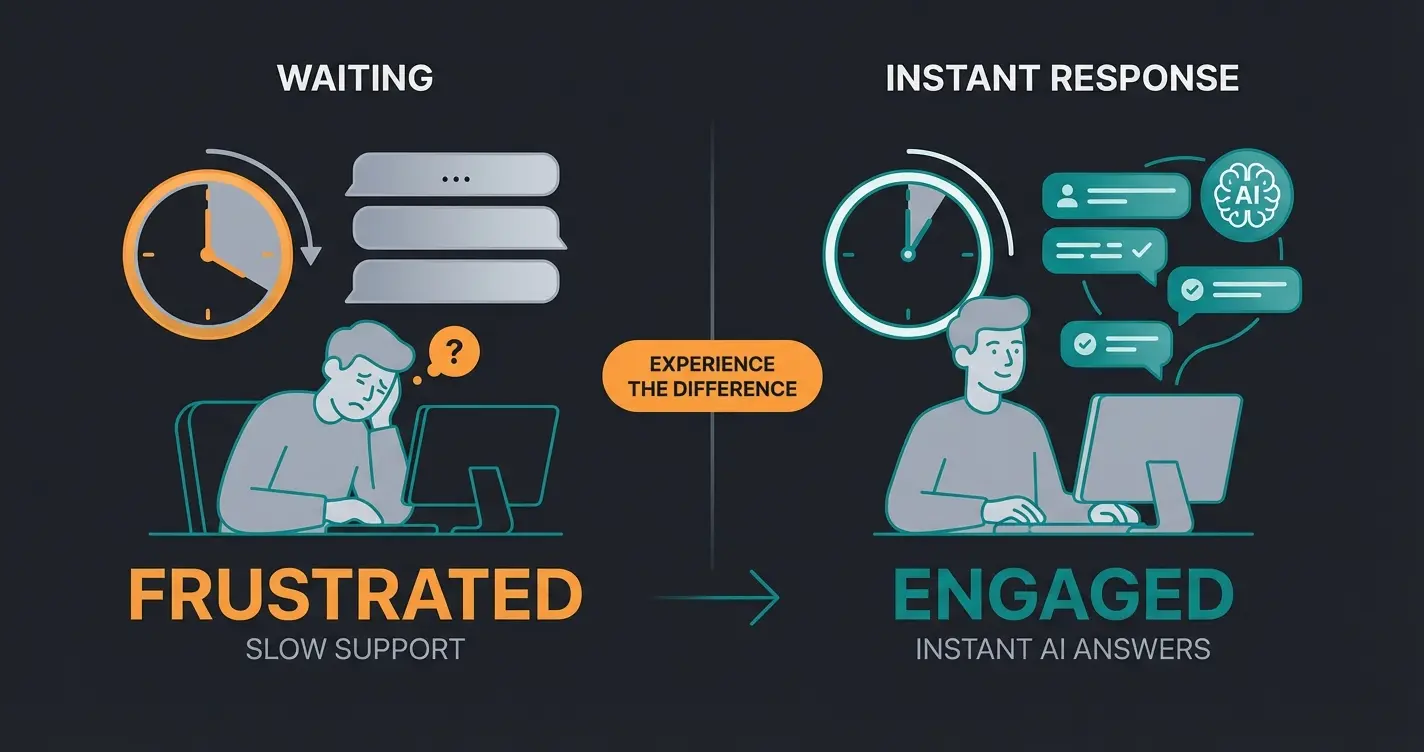
But your support employee is only there from 9:00 AM to 5:00 PM, Monday to Friday.
The result: Customers wait. And with WhatsApp, patience is scarce. According to AISensy, 73% of users say slow responses are the main reason they don't buy from a brand. A WhatsApp link without an instant response is like a retail store with no one at the register. It's a "Black Hole" for leads.
The Trap of "Manual Processing"
Many companies start with a phone in the office. That works for 5 messages a day. At 50 messages, you lose track. Who answered whom? Was the lead saved in the CRM? This is where we need to rethink the concept of "creating a chat link." It's not about starting a chat. It's about starting a consultation. This is exactly where AI chatbots for customer service become essential.
Customer sees your WhatsApp button and clicks with pre-filled message
Context-specific text like 'Help me choose running shoes' is auto-sent
Within 1 second, AI agent engages with personalized response
AI recommends specific products based on customer needs
Customer receives direct link to purchase recommended items
Stop losing leads to response delays. Connect your WhatsApp link to an AI agent that responds instantly, 24/7.
Start Free AI Consultation TrialThe Solution: From "Chat" to "AI Consultation"
To truly harness WhatsApp's potential, you need to connect your link with intelligent automation. Here's where your AI solution comes into play.
The Concept: Link + AI Agent = Instant Revenue
Instead of directing the link to a silent phone, connect it with the WhatsApp Business API and an AI agent.
The new workflow (The Perfect Funnel):
- The Click: Customer clicks on the link for "Running Shoes"
- The Trigger: The pre-filled message (`?text=Running%20Shoes`) is sent
- The AI Reaction (Second 1): Instead of waiting, the AI responds immediately. — AI: "Hello! Great that you're interested in running shoes. Are you looking for shoes for asphalt or trail?"
- The Qualification: The customer responds "Asphalt". — AI: "Got it. And what size do you usually wear?"
- The Recommendation: The AI searches your product catalog and sends a link to the matching shoe directly in the chat
This approach transforms your simple link into a powerful AI product consultation system that works around the clock.
Comparison: Standard Link vs. Smart AI Link
| Feature | Standard WhatsApp Link | Smart AI Link |
|---|---|---|
| Response Time | Hours (depends on staff) | Instant (24/7) |
| Availability | Mon-Fri, 9 AM-5 PM | 365 days a year |
| User Experience | "Waiting for response..." | Interactive consultation |
| Scalability | 1 employee = 1 chat | Unlimited simultaneous chats |
| User Intent | Unknown | Pre-qualified |
| Outcome | Often frustration / abandonment | Qualified lead / Sale |
Why "Consultation" Converts Better Than "Chat"
When promoting your link, change the wording. Instead of: "Message us on WhatsApp" (sounds like work/support). Say: "Start your product consultation now" (sounds like value).
By combining the link (access) with AI (expert), you create an experience that equals visiting a store – only faster and digital. This is exactly how AI consulting for e-commerce is transforming online retail.
The WhatsApp AI chatbot becomes your always-available sales assistant, providing personalized recommendations based on customer needs. Combined with AI customer service automation, you can handle both sales and support inquiries seamlessly.
Tracking & Analytics: Where Are the Clicks Coming From?
A blind spot in many marketing campaigns is tracking WhatsApp entries. Google Analytics doesn't measure what happens inside WhatsApp by default. But you can measure who clicks on the link.
Simulating UTM Parameters
Since WhatsApp itself doesn't set cookies, we need to be creative.
1. Pre-filled Text as Tracker: Use different `?text=` parameters for different sources.
- Facebook Ad: `?text=Ref:FB_Ad_Summer...`
- Newsletter: `?text=Ref:NL_August...`
Your AI agent or CRM can read this text and attribute the lead to the source.
2. Google Analytics 4 (GA4) Event Tracking: If the button is on your website, set up a "Click Event" in Google Tag Manager as shown on YouTube tutorials and Jotform guides.
- Trigger: Click on links containing `wa.me`
- Tag: GA4 Event "whatsapp_click"
This way, you see exactly in Analytics how many users started the chat.
3. Bit.ly or Link Shorteners: For Instagram or offline QR codes, use a shortener. This shows you exactly how often the link was accessed before the redirect to WhatsApp occurred.
For advanced lead tracking, consider integrating your WhatsApp efforts with AI lead generation tools that can automatically qualify and score incoming contacts.
Legal Considerations: WhatsApp Links & GDPR in Germany
Anyone doing marketing in Germany cannot avoid the General Data Protection Regulation (GDPR). Is a WhatsApp link GDPR-compliant?
The Problem: Metadata
As soon as a user contacts you on WhatsApp, WhatsApp (Meta) processes metadata (phone number, IP address, device type) on servers in the USA.
The Distinction: App vs. API
1. WhatsApp Business App (On the phone): Here, the app often accesses your entire address book. According to Lime Technologies and Superchat, this is highly problematic under German data protection law because you're sending data of contacts to Meta who don't even use WhatsApp. Using the normal app on a company phone is therefore often a gray area or impermissible without Mobile Device Management (MDM).
2. WhatsApp Business API (Via partners/software): If you use professional tools (like Userlike, Chatarmin, Superchat, or AI solutions), you access the API. Here, there is no access to the address book. You only process data from people who actively contact you.
Best Practices for the Link
- The link itself is safe: Providing the link (`wa.me/...`) is uncritical since the user must actively click. They decide to open the chat themselves.
- Privacy policy: Add a section "Communication via WhatsApp" to your privacy policy. Point out that data is transferred to Meta.
- Double opt-in in chat: If you want to be completely safe, have your AI bot send a brief privacy notice as the first message: "Before we start: Please confirm our privacy policy with 'Yes'."
FAQ: Common Questions About WhatsApp Chat Links
Yes, using `wa.me` links is 100% free. Costs only arise when you use professional API tools or AI bots for response management.
Yes, the link works identically for private WhatsApp accounts and the WhatsApp Business App. For the user, there's no technical difference – they simply land in the chat with the registered number.
Not directly in WhatsApp. WhatsApp only shows you who sent a message. Those who click but don't write remain invisible. To count clicks, you need to use tools like Bit.ly or Google Analytics.
On smartphones, the user is usually directed to the app store to download the app. On desktop, a landing page appears suggesting to use WhatsApp Web or download the desktop app.
Yes, but that's a different process. Go to Group Info → "Invite via link." This link looks different (usually `chat.whatsapp.com/...`) and leads directly to joining a group, not a 1:1 chat.
Conclusion: The Link Is Just the Beginning
Creating a WhatsApp link is technically a matter of seconds. `wa.me` plus number – done.
But the real success in 2025 doesn't lie in the link itself, but in what happens afterward. Companies that see the link as just "another inbox" will drown in support chaos. Companies that understand the link as the entry point to an automated AI consultation will massively increase their conversion rates.
Use the instructions in this article to set up your links technically clean. But think one step further: What happens in second 1 after the click? If the answer is "AI-powered instant consultation," you're miles ahead of your competition.
The AI chatbot for e-commerce revolution is here, and businesses that combine smart WhatsApp links with intelligent automation are seeing unprecedented results. Don't just create a link – create a conversion machine.
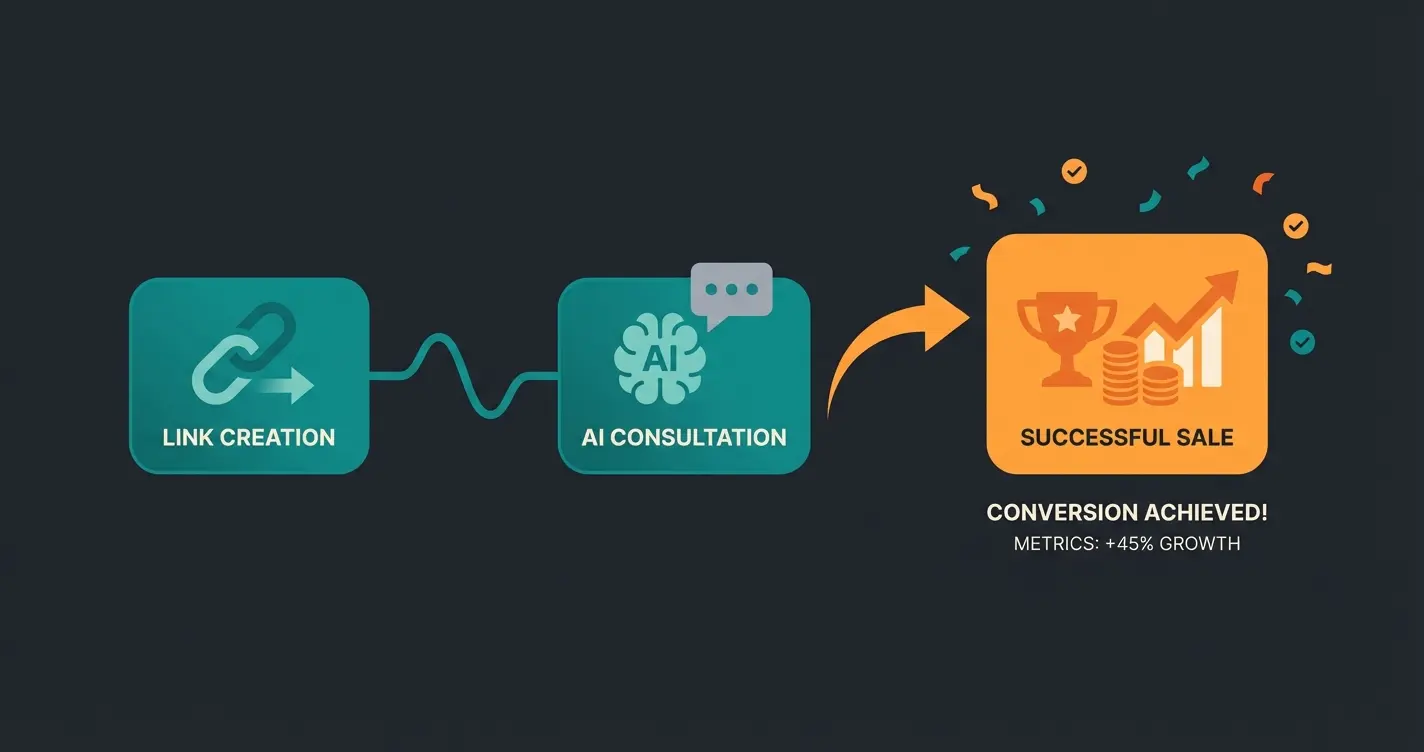
Create your WhatsApp link and connect it to AI-powered consultation. Start converting visitors into customers in seconds, not hours.
Start Your Free Trial Now
Lasse is CEO and co-founder of Qualimero. After completing his MBA at WHU and scaling a company to seven-figure revenue, he founded Qualimero to build AI-powered digital employees for e-commerce. His focus: helping businesses measurably improve customer interaction through intelligent automation.