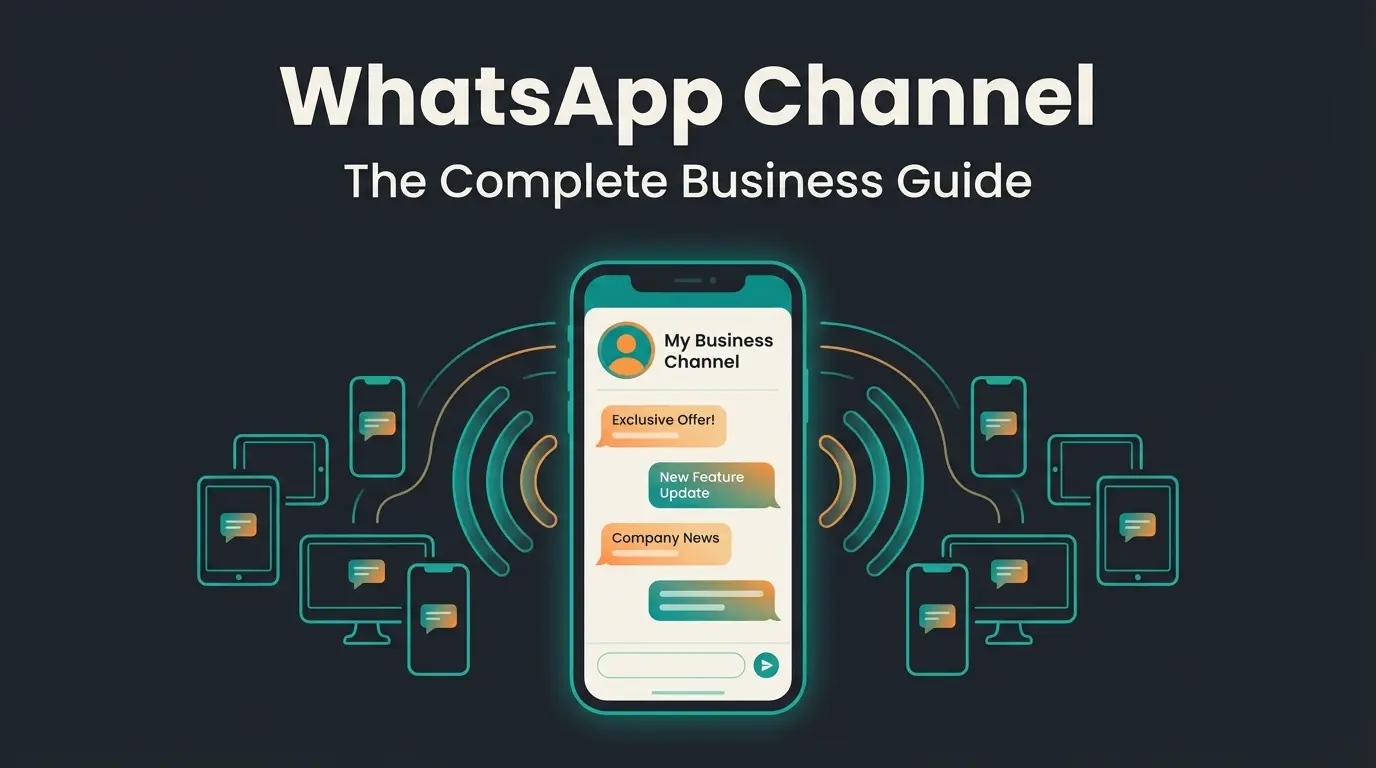
What is WhatsApp Broadcast?
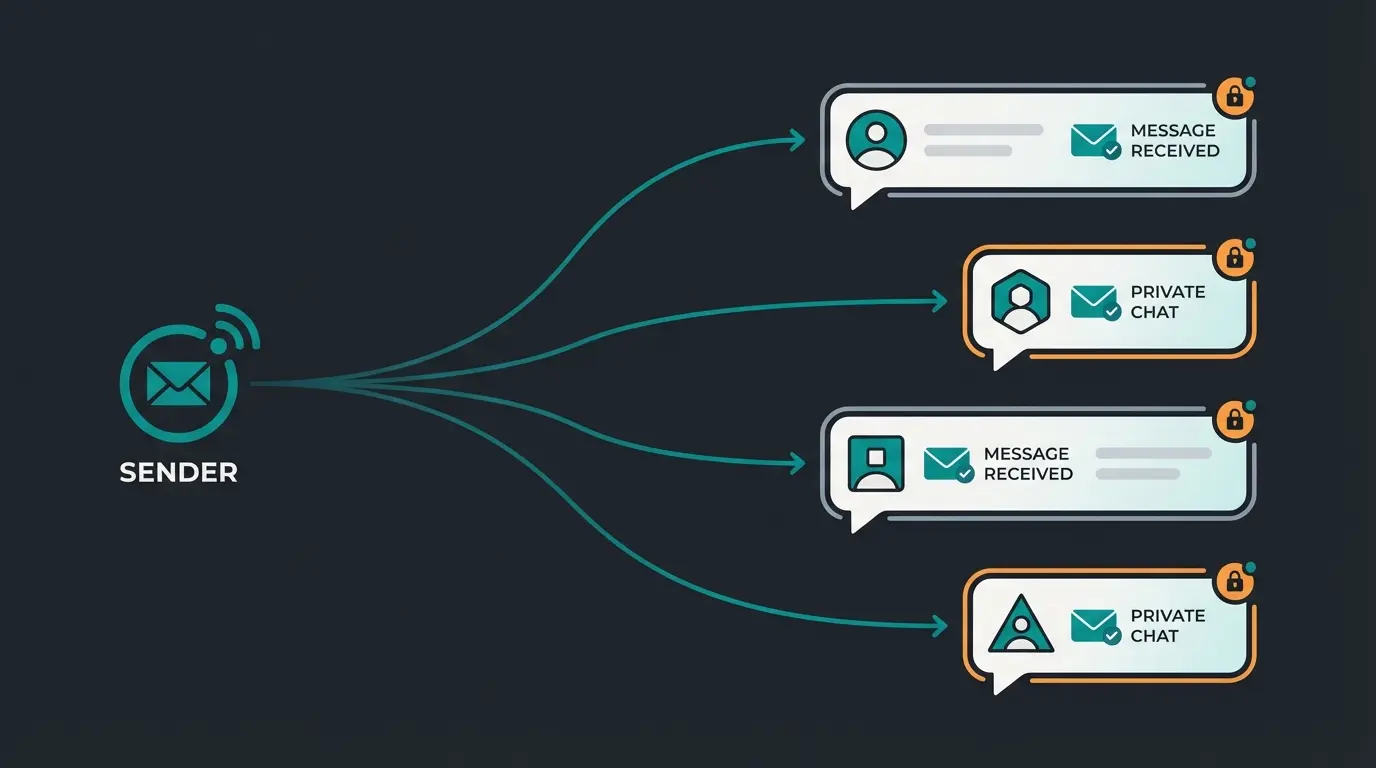
A WhatsApp broadcast is a one-to-many messaging feature that sends a single message to multiple recipients simultaneously. The key difference from a group chat: each recipient receives the message as an individual chat. They cannot see who else received it, and their replies come back to you as private one-on-one conversations.
Think of it as BCC for WhatsApp. You compose one message, select a list of contacts, hit send, and each person gets a personal message in their chat with you. No group noise, no privacy concerns, no awkward reply-all situations. The WhatsApp Help Center explains the core mechanics in detail.
There is a catch. Recipients must have your phone number saved in their address book. If they have not saved your number, the message simply does not arrive. This is WhatsApp's built-in spam protection, and it means broadcast is fundamentally a tool for reaching people who already know you.
Free app limit. Business API removes this cap.
Response time: 45-90 seconds average
The largest messaging platform globally
For a deeper explanation of how broadcast works technically and when it makes sense over other WhatsApp features, see our detailed guide: [URL PENDING].
How to create a WhatsApp Broadcast list - step by step
Creating a broadcast list takes less than a minute. The process works on both Android and iOS, though the menu labels differ slightly. Here is the step-by-step for the WhatsApp Business App, which is what you should be using for any business communication.
- Open WhatsApp Business and tap the three-dot menu (Android) or Broadcast Lists (iOS)
- Select New broadcast or New list
- Search and select up to 256 contacts you want to include
- Tap the green checkmark to create the list
- Give your list a descriptive name (e.g., 'VIP Customers' or 'Product Launch Q2')
- Compose your first message and hit send
You can edit broadcast lists after creation: add or remove contacts, rename the list, or delete it entirely. Messages support all media types: text, images, videos, documents, voice messages, and location sharing.
For a detailed walkthrough with screenshots and troubleshooting for common setup issues, see our step-by-step creation guide: How to Create a WhatsApp Broadcast.
WhatsApp Broadcast vs Group vs Channel vs Newsletter - the complete comparison
These four WhatsApp features get confused constantly. They serve fundamentally different purposes. Choosing the wrong one wastes your time and annoys your audience. Here is the full breakdown.
| Feature | Broadcast | Group | Channel | Newsletter (API) |
|---|---|---|---|---|
| Direction | One-to-many (individual chats) | Many-to-many | One-to-many (public feed) | One-to-many (personalized) |
| Max recipients | 256 per list | 1,024 members | Unlimited (public) | Unlimited (via API) |
| Privacy | Recipients invisible to each other | All members visible | Followers anonymous | Recipients invisible |
| Replies | Yes (as private chat) | Yes (visible to all) | No (emoji reactions only) | Yes (as private chat) |
| Requires saved number | Yes | No | No | No (opt-in based) |
| Personalization | None (same message) | None | None | Full (variables, segments) |
| Automation | None | None | None | Full (API + bots) |
| Cost | Free | Free | Free | From $0.05 per message |
| Best for | Personal outreach to known contacts | Community discussion | Public updates, brand awareness | Scaled marketing, support, sales |
The decision framework is straightforward. If your audience already has your number saved and you want a personal touch at modest scale, broadcast works. If you need community interaction, use a group. If you want public reach without requiring saved contacts, a WhatsApp Channel is the tool. If you need personalization, automation, and scale beyond 256, move to WhatsApp Newsletter via the Business API.
WhatsApp Broadcast for business - benefits and use cases
I talk to e-commerce founders every week who send broadcast messages the same way they send email blasts. Same content, same frequency, same disappointment when engagement drops after the first month. Broadcast is not email. It is a conversation starter that happens to scale.
The numbers make the case: WhatsApp broadcast messages achieve open rates of 95-98%, compared to 20-25% for email (Source: Wapikit, 2025). Click-through rates land between 5-15%, two to three times higher than email averages. And 80% of messages are read within five minutes. No other marketing channel delivers this kind of attention.
The most effective business use cases for broadcast:
- Product launches and restocks: Alert your most engaged customers first. The exclusivity drives urgency.
- Flash sales and limited promotions: Time-sensitive offers with a clear CTA. Broadcast is built for this.
- Appointment and event reminders: Personal feel, high read rate, lower no-show rates.
- Seasonal campaigns: Holiday deals, end-of-season clearance, new collection previews.
- Customer re-engagement: Reach out to dormant contacts with a personalized offer or update.
The limitation is real: free WhatsApp broadcast caps at 256 contacts per list and offers zero personalization. For businesses scaling beyond a few hundred contacts, the WhatsApp Business Platform unlocks API-level broadcasts with segmentation, automation, and send limits up to 100,000+ per day. More on this in our WhatsApp Marketing guide.
The smartest approach: use broadcast to identify which contacts engage, then route those high-intent contacts to personalized conversations. A follower who clicks your broadcast link about garden tools is signaling buying intent. That is the moment an AI employee should step in with tailored product advice, not a second broadcast. This is how WhatsApp Business becomes a revenue engine.
When your broadcast recipients reply, a Qualimero AI employee handles the conversation instantly. Product advice, order support, and lead qualification, all automated. Our clients see up to 35% higher cart value.
Book a free demoWhatsApp Broadcast message - best practices for maximum impact
The medium is personal. Your broadcast message lands in the same inbox as messages from friends and family. Respect that space. Here is what works.
- Lead with value, not promotion. Your first sentence decides whether the recipient reads or swipes away. 'We just restocked the soil mix you bought last spring' beats 'Check out our latest deals' every time.
- Keep it short. Two to three sentences plus a clear call-to-action. Broadcast is not a newsletter. It is a nudge.
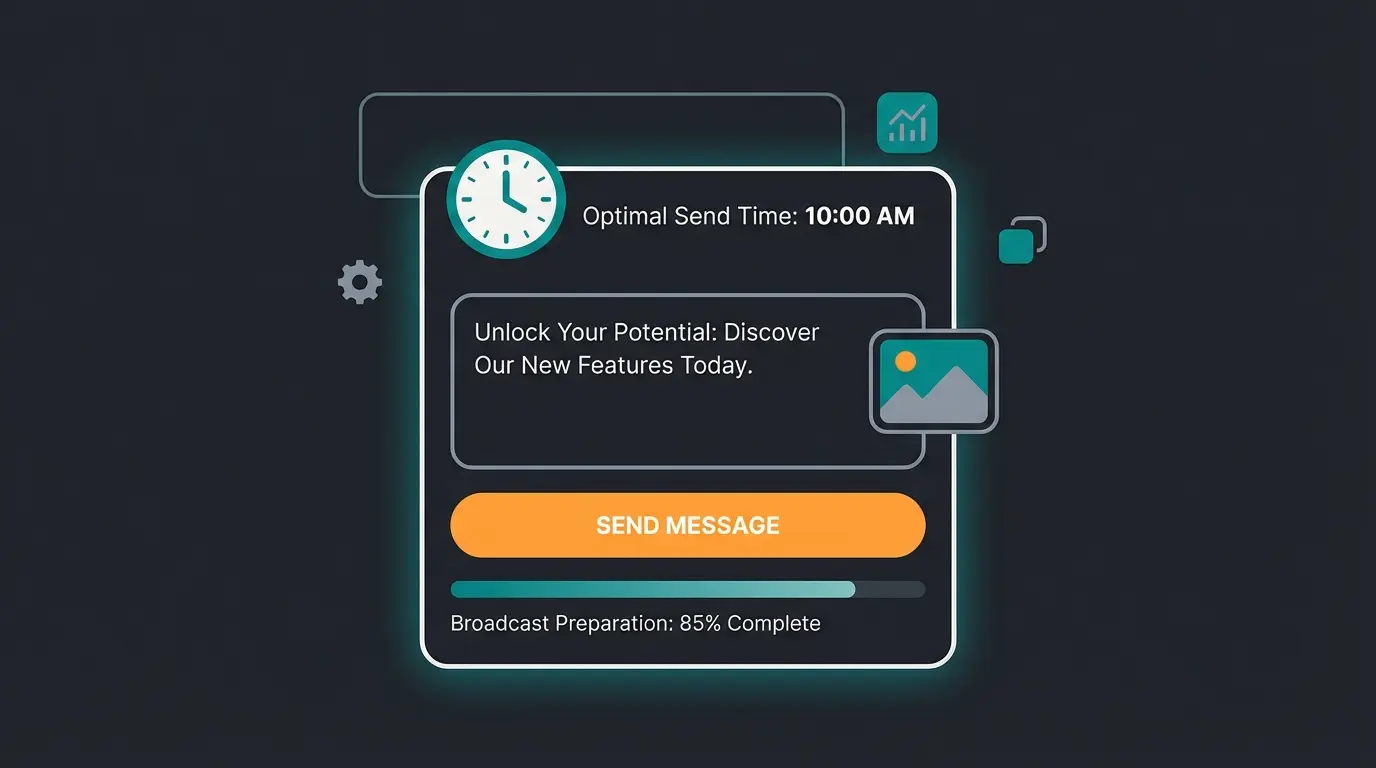
- Use rich media strategically. A product image with a brief caption outperforms a text-only message. Videos work for demos and tutorials. PDFs for catalogs and price lists.
- Time it right. Tuesday through Thursday, 10-12am and 6-8pm show the highest engagement across industries. Avoid Mondays (inbox overload) and Sundays (personal time).
- Personalize where you can. The Business App does not support variables, but you can create segment-specific lists. A broadcast to 'customers who bought plant protection' about a new organic product feels personal without being personalized.
Template messages matter if you are using the Business API. All broadcast messages sent outside the 24-hour customer conversation window require pre-approved templates. Categories include utility (order updates), authentication (verification codes), and marketing (promotions). Approval typically takes one to two days.
WhatsApp Broadcast limits and restrictions
The 256-contact limit is the most discussed restriction, but it is not the only one. Here is the complete picture of what WhatsApp broadcast can and cannot do.
| Limitation | Free App | Business API |
|---|---|---|
| Contacts per list | 256 | 1,000 to 100,000+ per day (tiered) |
| Recipient must save number | Yes | No (opt-in based) |
| Create via web/desktop | No (mobile only) | Yes (full platform) |
| Broadcast-specific read receipts | No | Yes (delivery reports) |
| Message personalization | None | Full (variables, segments) |
| Automation | None | Full (API + workflows) |
| Forwarding limit | 5 recipients | Not applicable |
The 'not delivered' problem. If your broadcast shows only one checkmark (sent but not delivered), the most common cause is that the recipient has not saved your number. Other reasons: the recipient's phone is off, they have a weak connection, or they have blocked you. There is no workaround for the saved-number requirement on the free app.
Scaling beyond 256. The official path is the WhatsApp Business API, available through certified Business Solution Providers. API messaging tiers start at 1,000 recipients per day and scale to unlimited with quality track record. In late 2025, Meta shifted from per-number limits to Business Portfolio limits, meaning your capacity is shared across all phone numbers in your Meta Business Manager.
Spam risk. WhatsApp actively monitors broadcast behavior. Sending too many messages too frequently, especially to contacts who do not engage, can trigger account restrictions or suspension. Quality over quantity is not just good advice here, it is platform policy.
For a deeper look at privacy implications and how broadcast data is handled, see our guide on WhatsApp Broadcast Privacy.
Automate WhatsApp Broadcast with AI
Broadcast gets you attention. But attention without follow-through is wasted. The real bottleneck is not sending the message, it is handling what happens next.
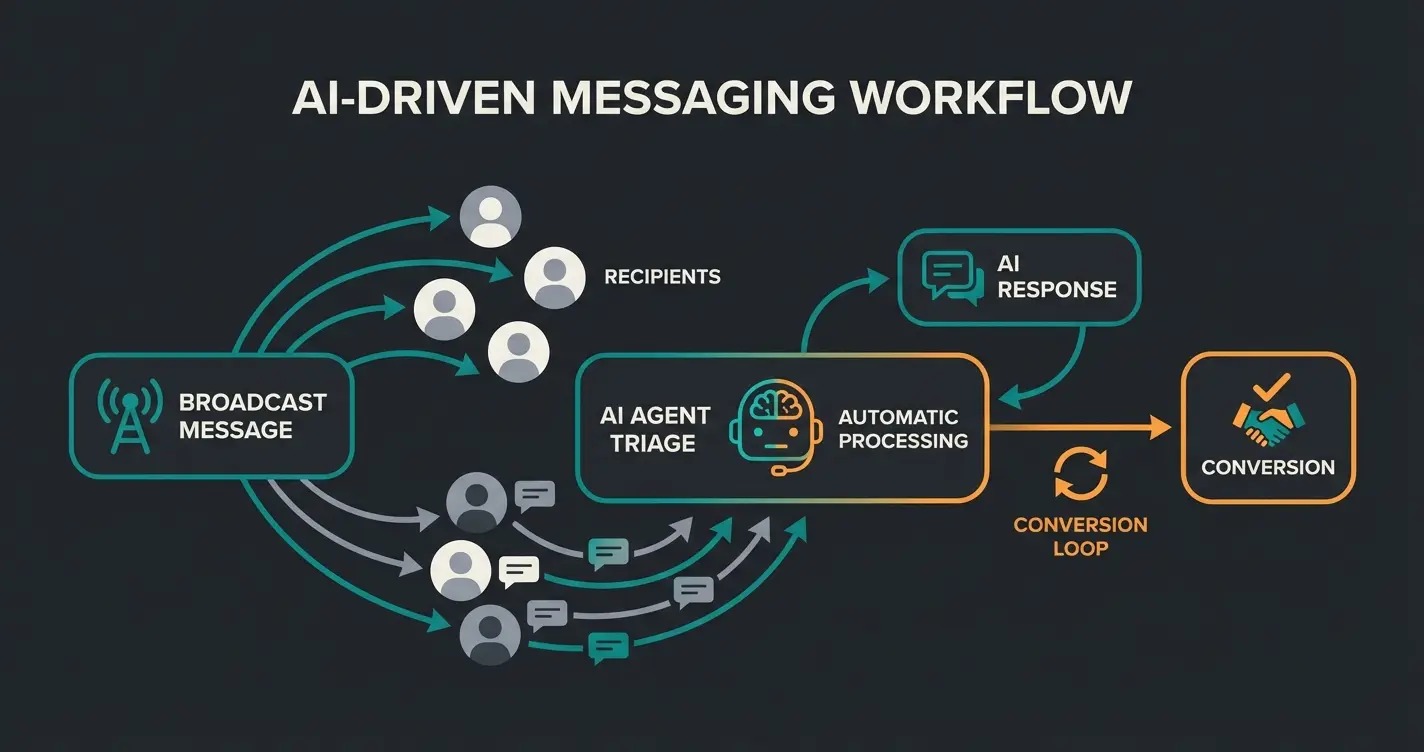
When you send a broadcast to 200 contacts and 30 reply, you have 30 simultaneous conversations to manage. For a small team, that is overwhelming. For a solo founder, it is impossible. This is where AI changes the equation.
What AI-powered broadcast management looks like in practice:
- Automated reply handling: An AI employee responds to broadcast replies instantly with contextual product advice, not canned responses
- Lead qualification: The AI identifies high-intent contacts (asking about pricing, availability, specifics) and routes them to your sales team
- Personalized follow-ups: Based on the reply content, the AI sends tailored follow-up messages with relevant products or offers
- CRM integration: Every broadcast reply is logged, categorized, and connected to the customer profile
- Multilingual support: AI handles replies in any language your customers write in
One of our e-commerce clients in the home and garden space used this approach: weekly broadcast with seasonal tips to 240 contacts, AI employee handling all replies. Result: 16x ROI on the broadcast campaign, because every reply was converted into a product consultation within seconds, not hours.
Qualimero's AI employees respond to every broadcast reply within seconds. Product advice, lead qualification, and order support, fully automated. Our clients see +60% checkout rates.
See it in actionFrequently asked questions
You create a broadcast list with up to 256 contacts, then send a message that arrives in each recipient's individual chat. Recipients cannot see who else received the message, and their replies come back as private one-on-one conversations with you.
The main limitations are the 256-contact cap, the requirement that recipients must have your number saved, no personalization (everyone gets the same message), and no automation without the Business API. You also cannot create broadcast lists from WhatsApp Web or desktop.
In a group, all members see each other and every message. In a broadcast, recipients are invisible to each other and receive messages as private chats. Groups enable discussion among members, while broadcasts enable one-to-many private outreach.
No. Recipients see the message in their individual chat with you, exactly like a personal message. There is no 'broadcast' label or indicator. The only tell is if multiple people receive identical wording and compare notes.
The free WhatsApp and WhatsApp Business apps limit broadcast lists to 256 contacts. The WhatsApp Business API removes this limit with tiered sending: 1,000 (Tier 1), 10,000 (Tier 2), 100,000 (Tier 3), and unlimited (Tier 4). Since late 2025, Meta uses Business Portfolio limits shared across all your phone numbers.
No. Creating and sending broadcast lists is only available on the WhatsApp mobile app (Android and iOS). WhatsApp Web and the desktop app do not support the broadcast feature. The Business API, however, supports broadcast from any platform.
You have two options. First, create multiple broadcast lists and send the same message to each list manually. Second, upgrade to the WhatsApp Business API through a certified provider, which supports sending to thousands or hundreds of thousands of recipients per day with full automation and personalization.
WhatsApp broadcast is one of the most underused tools in e-commerce. Free, private, with open rates that make email marketers envious. The 256-contact limit is real, but it is a feature, not a bug. It forces you to focus on your most engaged contacts. And when those contacts reply, that is where the real business happens.

Lasse is CEO and co-founder of Qualimero. After completing his MBA at WHU and scaling a company to seven-figure revenue, he founded Qualimero to build AI-powered digital employees for e-commerce. His focus: helping businesses measurably improve customer interaction through intelligent automation.