Introduction: Why Traditional Newsletters Are Obsolete
Imagine reaching 256 customers simultaneously, yet each one feels like they received a personal message written just for them. That's exactly the promise of [whatsapp broadcast](/blog/whatsapp-broadcast). In an era where email open rates often hover around a meager 20%, WhatsApp shines with remarkable figures: 98% open rates and response rates that email marketers can only dream about, according to Gallabox and BotPenguin.
However, many businesses use this powerful tool incorrectly. They treat WhatsApp like just another channel for mass advertising—digital flyers landing in chat inboxes. The result? Annoyed customers and blocked numbers. The true power of a broadcast WhatsApp message lies not in sending, but in receiving. It's the starting gun for a dialogue. But here's where many businesses hit a wall: when 50 out of 200 customers reply, chaos erupts. Who's supposed to answer all of that?
In this comprehensive guide, you'll learn not just how to technically create a WhatsApp broadcast list (Android & iOS), but we'll also expose the critical gaps that other tutorials ignore: the GDPR trap, the 'saved number' problem, and how you can use Artificial Intelligence (AI) to automatically generate revenue from a flood of replies. Welcome to the era of Conversational Commerce in 2025.
Part 1: The Basics – What Is a WhatsApp Broadcast?
Before diving into strategy, we need to clarify terminology. WhatsApp now offers three different ways to reach many people. Confusing these channels is one of the most common mistakes in WhatsApp marketing. For a deeper dive, see our guide on what is whatsapp broadcast.
The Difference: Broadcast vs. Group vs. Channel
| Feature | WhatsApp Group | WhatsApp Broadcast (App) | WhatsApp Channel |
|---|---|---|---|
| Communication | Many-to-Many (Everyone talks to everyone) | One-to-Many (Private) | One-to-Many (Public) |
| Visibility | Everyone sees each other's numbers | Blind Copy (BCC Principle) | Anonymous (Followers don't see each other) |
| Replies | Everyone reads the reply | Reply lands in 1:1 chat | No replies (only emojis) |
| Limit | 1,024 participants | 256 recipients per list | Unlimited |
| Requirement | Invitation / Link | Recipient must save your number | Subscribe |
| Ideal for | Communities, Clubs | Personal updates, Sales | News feeds, Influencers |
Conclusion: A WhatsApp broadcast is ideal for sales and customer retention because it suggests intimacy. The customer doesn't know that 255 others received the same message. When they reply, a private chat opens between you and them. That's the sweet spot for sales conversations and a perfect entry point for AI Customer Service.
Part 2: How to Create a WhatsApp Broadcast List
Here's the technical how-to section. Please note: This guide refers to the free WhatsApp Business App or the private WhatsApp app. For scalable solutions (API), please read further below.
Step-by-Step Instructions for Android
- Open WhatsApp and go to the Chats tab.
- Tap on the three dots (menu) in the top right corner.
- Select 'New Broadcast'.
- Choose contacts from your address book (minimum 2, maximum 256).
- Tap the green checkmark. The list is created.
- You'll now land in the list's chat window. Every message you send here goes out to all recipients.
According to Krauss GmbH and various YouTube tutorials, these steps remain consistent across different Android versions.
Step-by-Step Instructions for iOS (iPhone)
- Open WhatsApp and go to the Chats tab.
- Tap on 'Broadcast Lists' in the top left.
- Tap on 'New List' at the bottom.
- Select the contacts you want to add.
- Tap 'Create' in the top right.
- The list now appears in your overview like a regular chat.
For detailed iOS guidance, Lime Technologies offers comprehensive tutorials that align with these steps.
The Most Important Barrier: The 'Saved Number' Problem
This is the point where most campaigns fail. Your broadcast WhatsApp message only arrives if the recipient has saved your number in their phone's address book.
This is an anti-spam measure by WhatsApp, as confirmed by WhatsApp's official FAQ and BotCake. If you create a list with 200 customers, but only 50 have saved your number, only 50 messages will be delivered. You won't receive any error notification about this.
Strategy Tip: How to Get Customers to Save Your Number
To overcome this hurdle, you need to get creative. A simple 'Save our number' won't cut it in 2025.
- The VIP Status: 'Save our number for exclusive early access to sales.'
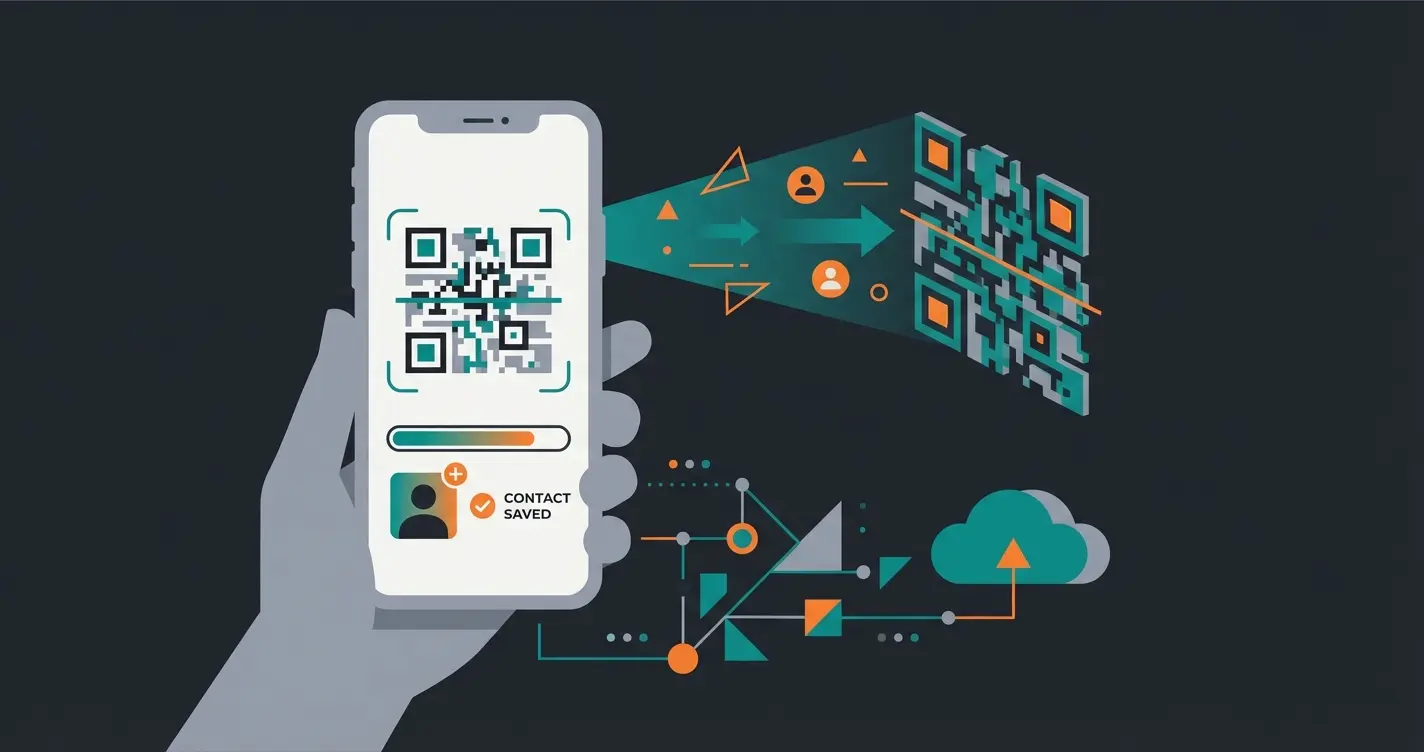
- The QR Code Hack: Use QR codes on flyers or packages that directly open a chat with pre-filled text like 'I want VIP status.' According to SendWo, this approach significantly increases save rates.
- The Service Incentive: 'Save the number to access our AI personal shopper anytime for gift ideas.'
Part 3: Limitations of the Standard Function
If you want to use WhatsApp professionally, you'll quickly hit a wall with the standard broadcast function. Here are the hard facts you need to know.
1. The 256 Contact Limit
Only 256 recipients are allowed per list. Have 1,000 customers? Then you need to manually maintain four lists (List A, List B, List C...). This is error-prone and time-consuming. There's no synchronization with your CRM system, as noted by Autsap and Anantya.ai.
2. The GDPR Trap (Legal Warning for Europe)
This is critical for businesses operating in the EU. Using the standard WhatsApp Business App on a company phone is often not GDPR compliant.
- Reason: The app accesses the entire address book and syncs data with Meta's US servers—including contacts who don't even use WhatsApp.
- Consequence: You cannot enter into a Data Processing Agreement (DPA) with WhatsApp using the standard app. This makes commercial use in the EU a legal minefield.
- Solution: Only the WhatsApp Business API (via official partners) enables GDPR-compliant use, as no address books are scanned and DPA agreements are possible.
Legal experts at e-recht24.de and Teamwire have extensively documented these compliance challenges. Brevo and Superchat also provide detailed guidance on achieving compliance through the API solution.
3. Missing Automation & Analytics
In the app, you can't see who opened the message (except for blue checkmarks, which many users disable). You cannot schedule messages in advance and—most importantly—you cannot automatically process replies. SuperWebTricks and HelloMateo highlight these limitations as primary reasons businesses upgrade to API solutions.
Per broadcast list in the standard app
No scheduling or auto-replies available
Standard app lacks necessary data protection
Part 4: The Hidden Problem – The 'Reply Avalanche'
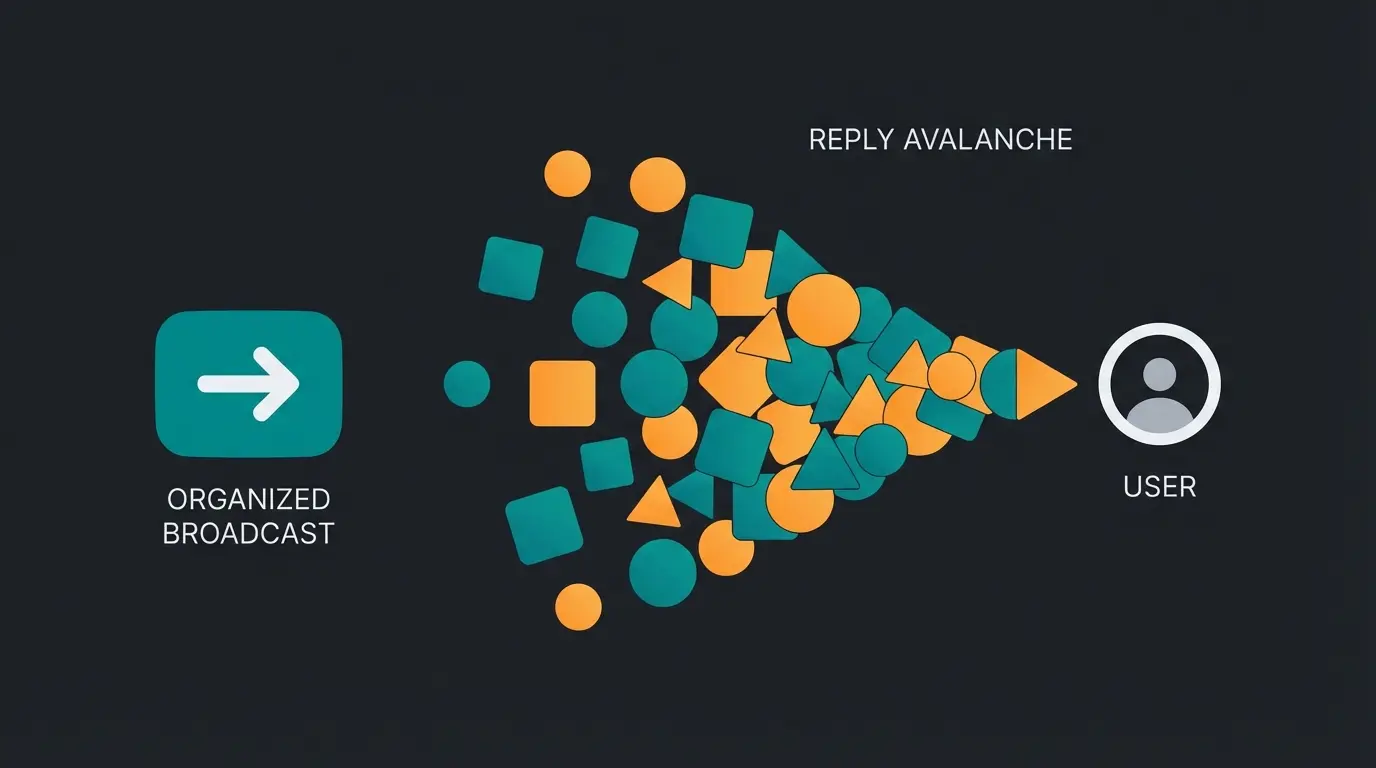
Let's assume you've overcome the hurdles: You're using the API (to bypass the 256 limit) and send a broadcast to 1,000 customers.
Scenario: You send: 'Hey, our new summer collection is here! Need help choosing?'
Result: At a response rate of just 10% (which would be low for WhatsApp), you receive 100 private messages within 15 minutes.
- 'Do you have this in green?'
- 'What does shipping cost?'
- 'Does this go with my pants from last year?'
- 'I need size 42.'
The Problem: If you process these replies manually, you'll need hours. But WhatsApp customers expect answers in minutes. If you respond after 4 hours, the buying impulse is gone. The competition never sleeps.
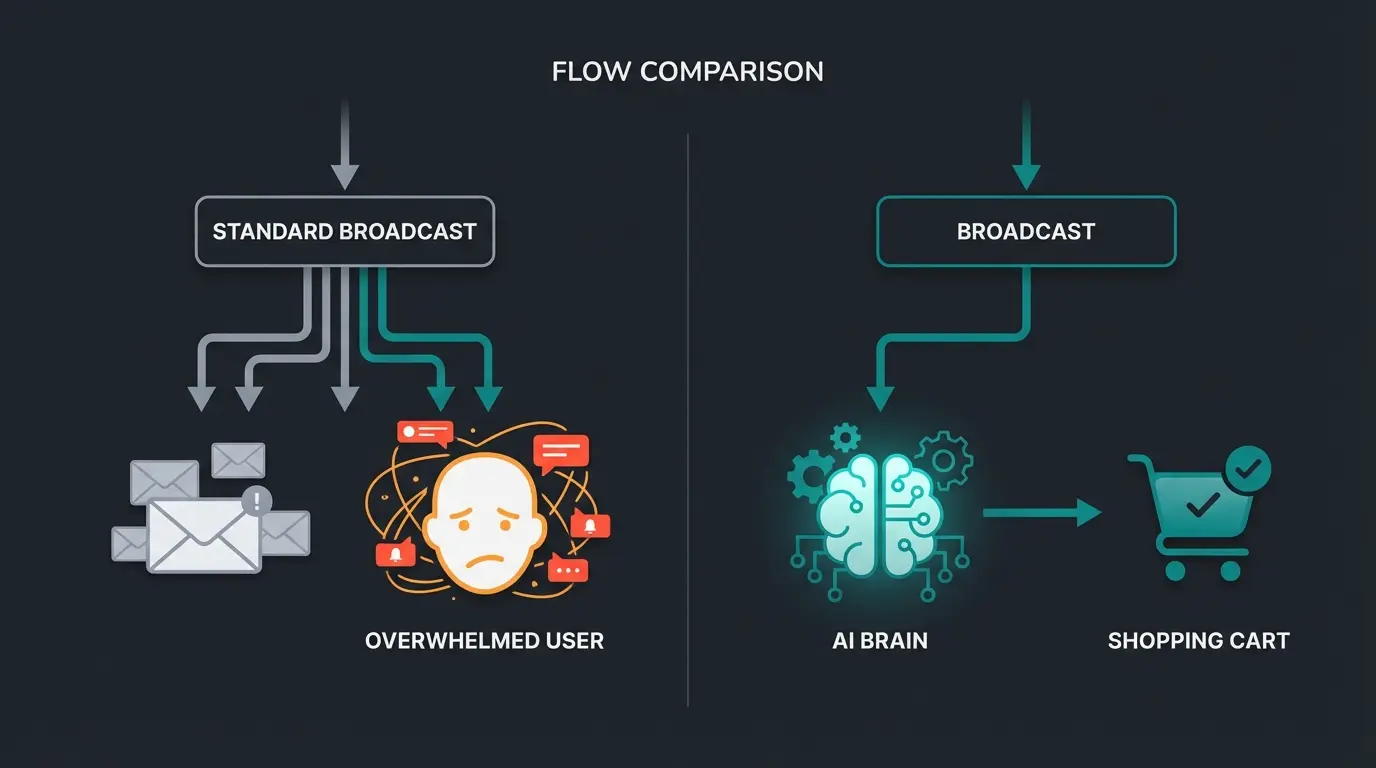
This is where WhatsApp's advantage (high interaction) transforms into an operational nightmare. This is exactly where most 'WhatsApp newsletter' strategies fail. They send successfully but cannot serve the return channel. This is where intelligent Conversational AI becomes essential.
Part 5: The Solution – AI-Powered Product Consultation
The solution for 2025 isn't to send less, but to respond smarter. This is where your AI consultation solution comes into play. We need to understand broadcasts not as 'newsletters' but as 'triggers' for AI consultation—a cornerstone of modern Conversational AI strategy.
The Workflow: From Broadcast to Sale
Instead of linking to a website (media break), we keep the customer in the chat.
Send a targeted message to a segment via WhatsApp Business API without the 256 limit
Customer replies with 'Start' or a specific request like 'I'm looking for a dress'
AI recognizes intent, asks qualifying questions about preferences, budget, and size
AI accesses your product catalog and sends 3 matching products as clickable cards
Customer clicks 'Add to Cart' for in-chat checkout or shop link
This workflow exemplifies the AI Selling revolution that's transforming e-commerce, as documented by InsiderOne and FlowCart.ai.
Why AI Outperforms Human Support
- Speed: The AI responds in seconds, 24/7. This massively increases conversion rates because customer intent is served immediately, as Hello-Charles research confirms.
- Scalability: Whether 50 or 5,000 replies come in—the AI handles them all simultaneously. This is where an AI Chatbot E-Commerce solution truly shines.
- Cost: You save enormous personnel costs in first-level support. Humans only intervene when the AI can't proceed (Human Handover), according to Gallabox.
For businesses looking to enhance their AI sales performance, integrating AI consultation with broadcast campaigns represents a significant opportunity.
Stop treating replies as a burden—turn every customer response into an automated sales conversation with AI-powered consultation.
Start Free AI Consultation DemoPart 6: Best Practice Templates for Consultations
Forget boring 'We have a sale' messages. Use these templates to start real conversations that your AI then converts into revenue. These represent proven approaches for effective AI chatbots marketing.
Template 1: The Problem Solver (Utility)
Goal: Help the customer make a decision.
Template 2: The VIP Consultation (Exclusivity)
Goal: Sell premium products through consultation.
Template 3: The Re-Engagement Trigger (Service)
Goal: Reactivate inactive customers.
Note: When using the WhatsApp Business API, these templates (Marketing Templates) must be pre-approved by Meta. Utility templates (e.g., shipping status) are often cheaper or free within the 24-hour window, as detailed by [WeTarseel.ai](https://wetarseel.ai) and [OmniChat.ai](https://omnichat.ai).
These templates work exceptionally well when combined with an AI product finder that can instantly provide relevant recommendations based on customer responses.
Part 7: WhatsApp Business API & GDPR – The Safe Path
If you want to implement the strategies mentioned above, you can't avoid the WhatsApp Business API. Here's why this is the only sensible option for businesses operating in Europe and beyond.
1. GDPR Compliance
The API runs through so-called 'Business Solution Providers' (BSPs) like Sinch, Twilio, or regional providers. These providers enable the conclusion of Data Processing Agreements. Important: There is no automatic synchronization of your address book with Meta. Contacts are only imported when they have explicitly consented (opt-in), as confirmed by Brevo and Superchat.
2. Scaling Without Limits
While the app stops at 256 contacts, the API starts with a limit of 1,000 conversations per 24 hours and quickly scales to 10,000, 100,000, or unlimited with good quality, according to Happilee.io and ChatMitra.
3. Cost Structure 2025
Meta has adjusted the pricing model. You no longer pay per conversation but per message category:
- Marketing: (e.g., offers) – Most expensive category.
- Utility: (e.g., shipping confirmation) – Cheaper.
- Service: (Response to customer inquiry) – Free within the 24-hour window.
This pricing structure is detailed by AISensy and AuthKey.io.
For companies serving international markets, integrating multilingual AI chatbots with the WhatsApp API creates powerful scalable consultation capabilities.
Comprehensive Comparison: Broadcast Methods at a Glance
Understanding the differences between communication methods is crucial for choosing the right approach for your business. This comparison table helps clarify when to use each option.
| Feature | WhatsApp Group | Standard Broadcast | AI Consultation (API) |
|---|---|---|---|
| Privacy | Everyone sees numbers | Blind Copy (Private) | Private & Secure |
| Recipient Action | Just join | Must save number | Opt-In (GDPR compliant) |
| Scalability | 1,024 Users | 256 per List | Unlimited |
| Handling Replies | Chaos (All see it) | Manual (1-on-1) | Automated AI Sales Agent |
| Analytics | None | Basic (blue ticks only) | Full delivery & read reports |
| Automation | None | None | Complete workflow automation |
| Best For | Communities | Small Updates | Sales & Product Advice |
For businesses serious about AI e-commerce success, the API-powered AI consultation approach delivers the best results across all metrics.
Why Your Broadcast Messages Might Not Arrive
Understanding delivery failures is critical for campaign success. Here are the key factors that determine whether your broadcast message WhatsApp reaches recipients:
- Contact hasn't saved your number: The most common reason for delivery failure. WhatsApp silently drops messages to unsaved contacts.
- List exceeds 256 recipients: The standard app hard-limits each broadcast list. Excess contacts are simply ignored.
- Spam detection triggered: Meta's algorithms may flag repetitive promotional content, reducing delivery rates.
- Recipient has blocked you: Previous negative interactions may have led to your number being blocked.
- Technical sync issues: If your contact list wasn't properly synced when creating the broadcast, some recipients may be missed.
According to GetItSMS, these delivery issues affect up to 40% of broadcast campaigns using the standard app. The API solution with proper opt-in management eliminates most of these problems.
Integrating AI for Product Consultation Excellence
The real competitive advantage comes from combining broadcast capabilities with intelligent AI Product Consultation. This integration transforms one-way marketing into dynamic sales conversations.
Modern AI product consultation systems can understand customer intent from their initial reply, access your complete product catalog, and guide customers through a consultative selling process—all automatically and at scale.
The key differentiator is treating replies as revenue opportunities rather than support burdens. While competitors view the response volume as a problem to minimize, forward-thinking businesses see it as a goldmine of purchase intent waiting to be converted.
Conclusion: Broadcast Is Dead, Long Live the Conversation
The classic WhatsApp broadcast via the app is a relic from earlier times. It's manual, limited, and legally uncertain.
The future belongs to businesses that understand WhatsApp not as a one-way street (newsletter), but as a consultation channel. The combination of broadcast reach (via API) and an AI bot's intelligence that intercepts replies is the key to real success in messenger marketing.
Your Next Steps Summarized
- Switch to the API: Bypass the 256 limit and secure yourself legally.
- Collect Opt-ins: Use QR codes and website widgets to bring customers into the channel.
- Integrate AI: Don't let replies fall through the cracks. Use AI agents to consult and sell instantly.
- Send Relevance: Use broadcasts only as 'conversation starters,' not as advertising leaflets.
Start today by not just informing your customers, but consulting them. The transformation from broadcast marketing to conversational commerce is the defining shift in customer communication for 2025 and beyond.
FAQ: Common Questions About WhatsApp Broadcast
In the standard app, you can only see this if you press and hold the message and tap 'Info'—and only if the recipient has enabled read receipts (blue checkmarks). Through the WhatsApp Business API, you receive detailed analytics on delivery and read rates, as noted by SuperWebTricks.
The most common reason is that the recipient hasn't saved your number in their address book. This is a protective feature by WhatsApp. With API usage, this barrier technically disappears (messages arrive if opt-in exists), but Meta's quality assurance still checks if you're sending spam, according to WhatsApp and GetItSMS.
Using the broadcast function in the free app is free. However, if you use the professional WhatsApp Business API, costs apply per conversation (depending on country and category), plus fees for the software platform you use, as detailed by WeTarseel.ai and Interakt.
In the app: 256 per list (but unlimited lists). Via API: Usually starts at 1,000 contacts per 24 hours. With a good 'Health Score' (few blocks), this limit automatically increases to 10k, 100k, and unlimited, according to Happilee.io and ChatMitra.
A broadcast sends private messages to multiple recipients (BCC-style) with replies coming to 1:1 chats. Groups allow many-to-many communication where everyone sees messages. Channels are public one-way feeds like social media, with no reply capability—only emoji reactions.
Stop losing customers to slow response times. Deploy AI-powered consultation that turns every broadcast reply into a sales opportunity—automatically, 24/7.
Get Your Free AI Demo Today
Lasse is CEO and co-founder of Qualimero. After completing his MBA at WHU and scaling a company to seven-figure revenue, he founded Qualimero to build AI-powered digital employees for e-commerce. His focus: helping businesses measurably improve customer interaction through intelligent automation.