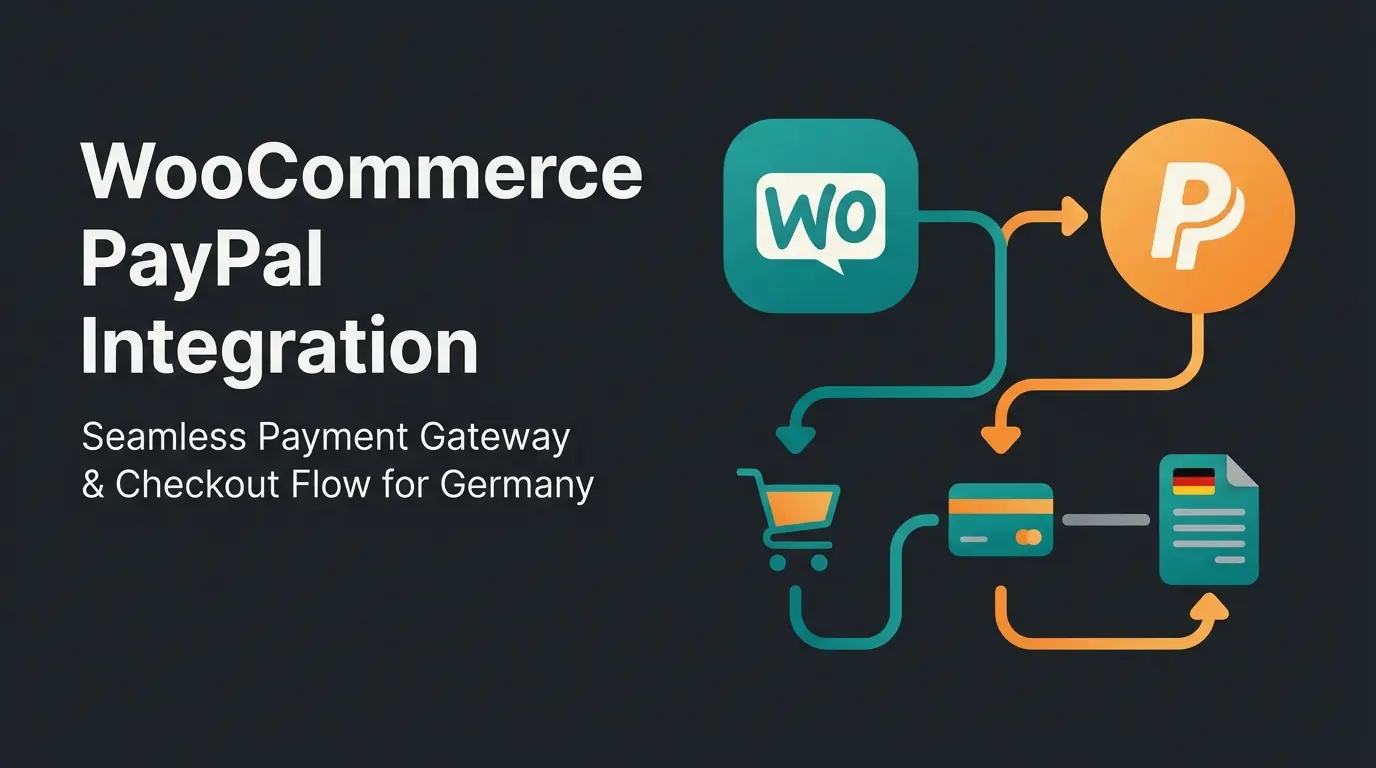
Why Stripe Is the Gold Standard for WooCommerce
Have you ever wondered why customers abandon their shopping carts even though your checkout works perfectly from a technical standpoint? Most store owners think installing a payment gateway is purely a technical task: install the plugin, insert API keys, done. But in 2025, that's no longer enough. The e-commerce market is in transition—old payment giants like Giropay are disappearing, new legal hurdles must be mastered, and customer expectations for consultation before purchase are rising dramatically.
In this article, we go far beyond standard guides. You'll learn not only how to set up the WooCommerce Stripe payment gateway technically perfect and legally compliant, but also how to transform your checkout from a mere cash register into a conversion engine—supported by modern AI solutions. For those also working with other platforms, our Shopware Stripe integration guide covers similar optimization strategies.
When you search for WooCommerce Stripe, you'll often find comparisons with PayPal or local providers like Mollie. So why do most professional shops choose Stripe?
Trust Through Seamless Integration
Unlike many older gateways that redirect customers to an external bank page (which often leads to abandonment rates), Stripe keeps customers on your site. The credit card input field integrates harmoniously into your checkout, creating a seamless experience that builds trust and reduces friction.
The Technology Behind It
Stripe is "Developer First." According to Stripe's official documentation, this means several advantages for you as a store owner:
- Stability: Fewer outages than smaller providers
- Mobile Wallets: Apple Pay and Google Pay are often activated with a single click
- Local Relevance: Stripe supports almost all payment methods relevant for your target market
2025 Cost Analysis: Stripe vs PayPal and Competitors
A common criticism concerns fees. But how expensive is Stripe WooCommerce really compared to market leader PayPal? Here's the analysis of the current fee structure (as of 2025), based on data from transaktionsgebuehren.com and Stripe's pricing page.
Detailed Fee Structure Comparison
| Payment Type | Stripe Fee | PayPal (Standard) | Notes |
|---|---|---|---|
| European Cards (Visa/MC) | 1.5% + €0.25 | ~2.49% + €0.35 | Stripe is significantly cheaper |
| International Cards | 2.9% - 3.25% + €0.25 | Up to 5% + fixed fee | Relevant for US/UK sales |
| SEPA Direct Debit | €0.35 fixed | - | Unbeatable for B2B or subscriptions |
| Monthly Base Fee | €0.00 | €0.00 | No fixed costs for either |
The Hidden Savings Potential
Many merchants overlook that Stripe offers extremely favorable conditions for SEPA Direct Debits. While a €100 credit card payment through Stripe costs approximately €1.75, SEPA Direct Debit costs only €0.35. This makes a significant difference for high-volume stores or subscription-based businesses.
Stripe EU card fees vs PayPal standard rates
Fixed fee per SEPA transaction
No recurring platform charges
Critical Update: Giropay Discontinued—New Payment Mix
Here's information missing or incorrectly stated in 90% of current guides: Giropay is dead.
What Happened?
Paydirekt (the operator behind Giropay) decided to discontinue the service. According to Stripe's official changelog, they stopped onboarding for new Giropay users in June 2024 and completely ceased processing on December 31, 2024. This was also confirmed by Sparkasse and PCWelt in their coverage of the shutdown.
What You Need to Do Now
If you still have Giropay activated in your Stripe settings or WooCommerce plugin: Deactivate it immediately. A dead payment link in checkout massively destroys trust and leads to customer confusion and abandonment.
The Winning Payment Mix 2025
Since Giropay is gone, you need to offer alternatives. We recommend the following configuration in Stripe for optimal WooCommerce credit card acceptance and payment diversity:
- Credit Card / Debit Card: (Standard—essential for all markets)
- PayPal: (Must be integrated separately or via Stripe)
- SEPA Direct Debit: The best replacement for Giropay users who want to pay directly from their bank account
- Apple Pay / Google Pay: Indispensable for mobile users (major conversion booster)
- Klarna (via Stripe): For "Buy Now, Pay Later" options (very popular in European markets)
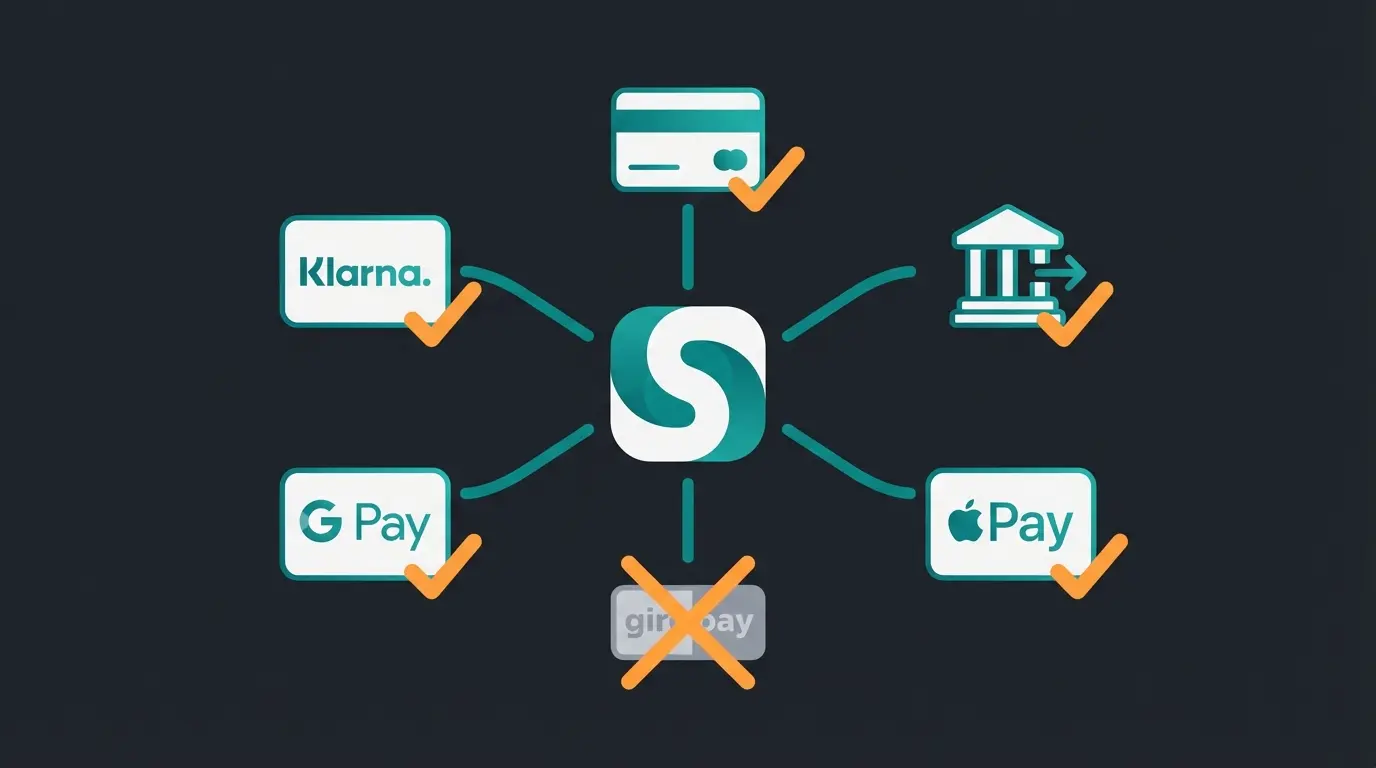
Essential—Active via Stripe (1.5% + €0.25 fee)
Recommended—Best Giropay replacement (€0.35 fixed)
Mobile Booster—One-click checkout enabler
DISCONTINUED—Remove immediately from settings
Step-by-Step Guide: Setting Up Stripe in WooCommerce
Let's get technical. Here's how to properly integrate Stripe WooCommerce. For a comprehensive overview of all available options, check our WooCommerce payment plugins comparison guide.
Step 1: Choose the Right Plugin
There are two main plugins available. We recommend the official plugin for most users:
- Name: WooCommerce Stripe Payment Gateway
- Developer: WooCommerce
- Cost: Free
Step 2: Installation and Activation
- Go to your WordPress dashboard under `Plugins > Add New`
- Search for "WooCommerce Stripe"
- Click "Install" and then "Activate"
Step 3: Connect API Keys (The Secure Way)
Instead of manually copying API keys, the plugin now offers a setup wizard that simplifies the process:
- Go to `WooCommerce > Settings > Payments > Stripe`
- Click "Create or connect an account"
- Log into your Stripe account and authorize the connection
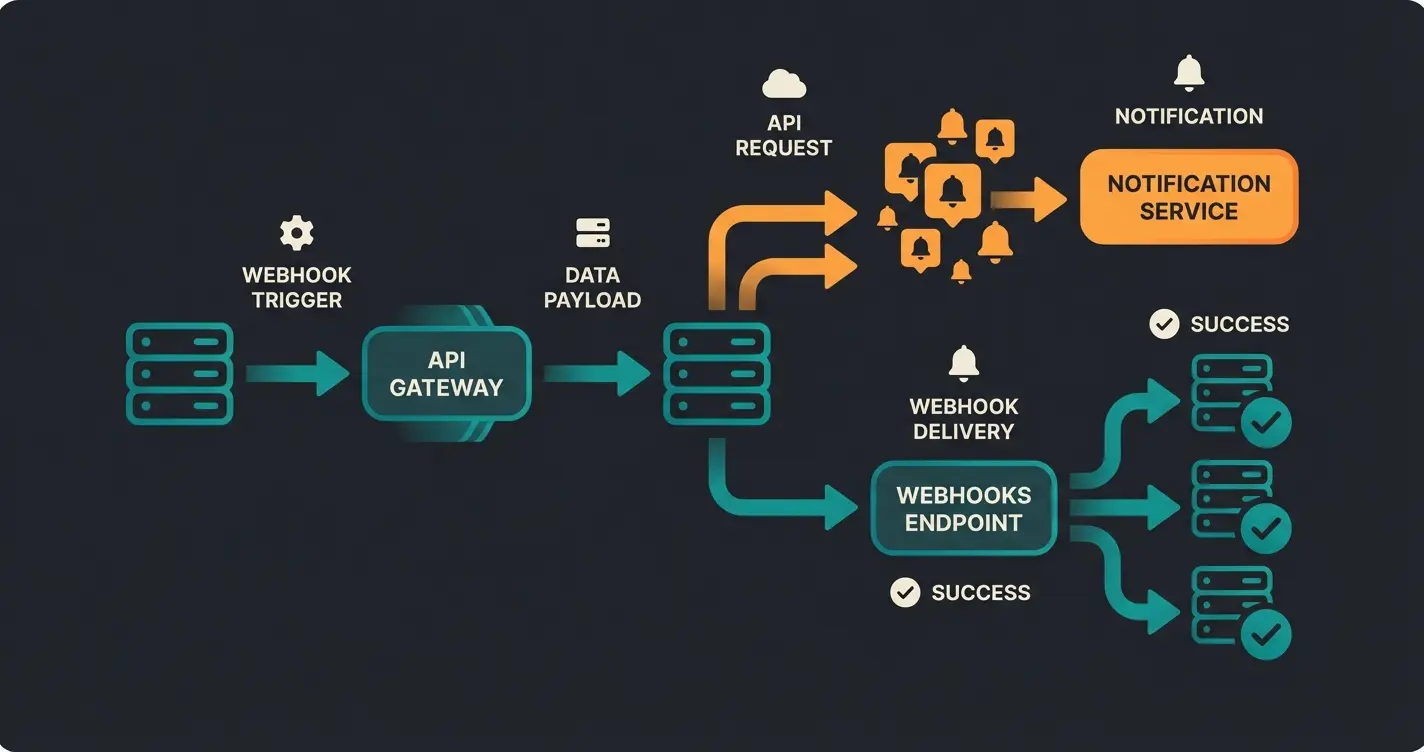
Step 4: Configure Webhooks (Critical!)
Webhooks are messages that Stripe sends to your store (e.g., "payment successful"). Without webhooks, order status often gets stuck on "Payment pending," causing confusion for both you and your customers.
- Copy the webhook endpoint URL from the plugin settings
- Go to your Stripe Dashboard under `Developers > Webhooks`
- Add a new endpoint and select "Receive all events" (or at least `charge.succeeded`, `payment_intent.succeeded`)
Legal Compliance: Stripe and Button Solution Requirements
This is the most important section for store owners operating in Germany or selling to German customers. Germany has strict laws regarding the "Buy" button (§ 312j BGB in German civil code). The button must be clearly labeled, for example with "Order with obligation to pay" ("Zahlungspflichtig bestellen" in German).
The Problem
Standard WooCommerce or US themes often use buttons like "Place Order" or generic "Order" text. This can be problematic for German market compliance, as noted by MarketPress. Additionally, Stripe plugins often use their own buttons (e.g., Apple Pay button or Payment Request Buttons) that could override the legally required text.
The Solution with WooCommerce Germanized
The WooCommerce Germanized plugin is the standard for making shops legally compliant in German-speaking markets, as documented by df.eu. It enforces correct labeling and checkboxes (Terms/Cancellation Policy).
How to ensure compatibility:
- Install WooCommerce Germanized
- Go to `WooCommerce > Settings > Germanized > Button Solution`
- Make sure the "Customize Buy Button" option is activated
- Important for Stripe: In the Stripe plugin settings, there's often the option "Payment Request Buttons" (Apple Pay/Google Pay directly on the product page)
Make sure to test your checkout on mobile devices. Does the Apple Pay button overlay the "Order with obligation to pay" text? If so, you need to adjust via CSS or plugin settings. Understanding EU AI Act requirements is also crucial when implementing any automated customer-facing systems alongside your payment setup.
Beyond the Gateway: Why Payments Really Fail
You've set up Stripe, optimized fees, and removed Giropay. Your gateway is ready. But why don't customers buy anyway?
The Pre-Payment Gap
Most guides end here. But the truth is: Payments rarely fail due to technology, but due to decision uncertainty.
A customer on your product page has questions:
- "Does this replacement part really fit my model?"
- "Is this software compatible with my system?"
- "What size do I need?"
- "Which variant is best for my specific use case?"
If these questions aren't answered immediately, even the best Stripe checkout won't help. The customer abandons the cart. This is where the real opportunity lies—not in payment processing, but in purchase decision support.
The Solution: AI Consultation as a Conversion Booster
Imagine you could digitize the "salesperson in the store" who accompanies the customer to the checkout. This is where AI consultation comes into play. Instead of a simple chatbot that only answers "Where is my package?", modern shops integrate AI product consultation advisors that actively guide purchase decisions.
The scenario works like this:
- Uncertainty: Customer looks at an expensive product (high-ticket), but hesitates
- Consultation: An AI widget asks: "Are you unsure if the product fits?"
- Solution: The AI analyzes the customer query in real-time and confirms: "Yes, for your use case, Model X is perfect"
- Conversion: The AI directly displays the "Add to Cart" button
- Checkout: The customer goes to the Stripe checkout with a confident feeling
Product Page → Confusion → Cart Abandonment
Product Page → AI Consultation → Questions Answered → Confident Add to Cart
Stripe Payment → Successful Sale → Happy Customer
Why This Matters for SEO and Stripe
Google measures user signals. When customers stay longer and buy due to good consultation, it signals quality. The combination of technical excellence (Stripe) and psychological security (AI consultation) is the strongest lever for e-commerce in 2025. Modern AI chatbots can handle complex product inquiries while maintaining the personal touch customers expect.
Research shows that AI-powered consultation outperforms standard customer service approaches significantly. This is because consultative AI doesn't just answer questions—it guides customers toward confident purchase decisions. For a deeper understanding of how this technology works, explore our conversational commerce guide on AI-powered product consultation.
See how AI-powered product consultation can reduce cart abandonment and boost your WooCommerce Stripe checkout conversions. Our intelligent advisor integrates seamlessly with your existing payment setup.
Start Free TrialAdvanced Stripe Features: SEPA, Apple Pay & Radar
To get the maximum out of WooCommerce Stripe, you should know these three features and implement them strategically:
1. SEPA Direct Debit
As mentioned in the cost section, this is the cost-effective alternative for European markets. According to Stripe's SEPA documentation and their additional guidelines, here's what you need to know:
- Activation: Enable in Stripe Dashboard under `Payment Methods`
- Advantage: High acceptance among B2B customers who prefer bank transfers
- Disadvantage: Chargebacks take longer to confirm (sometimes up to 5 days). Ship goods only after successful confirmation if you want to be safe
2. Apple Pay and Google Pay
These methods reduce typing effort on mobile devices to zero, dramatically improving mobile conversion rates:
- Setup: "Payment Request Buttons" must be enabled in the Stripe plugin
- Domain Verification: You must verify your domain in the Stripe Dashboard for Apple Pay (upload a file). The plugin often does this automatically, but verify it
3. Stripe Radar (Fraud Protection)
Stripe Radar uses machine learning to block fraudulent transactions:
- Cost: Basic features are free for standard accounts. "Radar for Fraud Teams" version costs approximately €0.02 - €0.07 per transaction extra
- When to use? When you have many international orders or sell digital goods (high fraud risk). For purely domestic retail shipping, the basic version is often sufficient

Implementing AI-Powered Sales Support
Understanding the difference between standard chatbot support and consultative AI is crucial for maximizing your Stripe checkout conversions. Our AI chatbots comparison breaks down the key differences:
| Feature | Standard FAQ Bot | Consultative AI |
|---|---|---|
| Primary Function | Answers "Where is my order?" | Answers "Which product should I buy?" |
| Customer Journey Stage | Post-purchase support | Pre-purchase guidance |
| Revenue Impact | Cost reduction | Revenue generation |
| Integration with Payments | None | Leads directly to Stripe transaction |
| Conversion Effect | Neutral | Significant uplift |
Implementing AI customer service alongside your payment gateway creates a powerful combination. The AI handles product questions and compatibility concerns in real-time, while Stripe handles the secure payment processing. This seamless handoff from consultation to conversion is what separates high-performing e-commerce stores from the rest.
The integration workflow is straightforward:
- Customer lands on product page with questions
- AI widget engages and asks relevant qualification questions
- AI analyzes customer needs and confirms product fit
- AI presents personalized recommendation with "Add to Cart" option
- Customer proceeds to Stripe checkout with confidence
- Stripe processes payment—conversion complete
Conclusion and Success Checklist
Setting up WooCommerce Stripe in 2025 is more than just a plugin installation. It requires navigating fee structures, observing legal requirements (like Germanized compliance), and closing the gap left by Giropay's discontinuation.
But the best gateway is useless without customer trust. By combining a solid technical foundation (Stripe) with intelligent customer guidance (AI consultation), you create a store that doesn't just accept payments but actively promotes sales.
Your Go-Live Checklist
- ☐ Stripe account created and verified (KYC completed)
- ☐ WooCommerce Stripe Plugin installed and connected via API
- ☐ Webhooks set up in Stripe Dashboard
- ☐ Giropay deactivated (replaced with SEPA/PayPal)
- ☐ WooCommerce Germanized configured ("Order with obligation to pay" button)
- ☐ Apple Pay / Google Pay activated (domain verified)
- ☐ Test order completed in "Test Mode"
- ☐ Strategy consideration: How do I catch uncertain customers before checkout? (AI strategy)
Yes, Stripe meets high data protection standards. However, as a store operator, you must conclude a data processing agreement (DPA) with Stripe (can be done digitally in the dashboard) and mention Stripe in your privacy policy. Stripe stores payment data on secure servers and complies with all major European data protection regulations.
As a merchant, you need a bank account for payouts—no credit card required on your end. Your customers can pay via Stripe without a credit card using SEPA Direct Debit, Apple Pay, Google Pay, or wallets linked to bank accounts.
Since Giropay was discontinued at the end of December 2024, SEPA Direct Debit is the most direct alternative for bank transfers via Stripe. Alternatively, many customers now use PayPal or Apple Pay for quick, card-free payments.
Yes, Stripe is one of the best gateways for subscriptions in WooCommerce because it natively supports recurring payments and the storage of payment information (tokenization). This makes it ideal for membership sites, SaaS products, and subscription box businesses.
Beyond technical optimization, the biggest lever is addressing customer uncertainty before checkout. Implementing AI-powered product consultation can answer questions in real-time, building the confidence customers need to complete their purchase. Combined with express payment options like Apple Pay, you create a frictionless path from consideration to conversion.
Combine the power of properly configured Stripe payments with AI-driven customer consultation. Our solution integrates seamlessly with WooCommerce to guide customers from product questions to confident purchases.
Get Started Free
Kevin is CTO and co-founder of Qualimero. As an AI architect with over 15 years of experience as CTO and CPO in the tech industry, he designs the AI systems that automate tens of thousands of customer interactions daily for Qualimero's clients — reliably, securely, and at scale.