Why Selling Digital Products Is More Than a Download Link
Selling digital products through WooCommerce has become one of the most profitable e-commerce strategies in 2025. With zero inventory costs, instant delivery, and unlimited scalability, WooCommerce download products offer entrepreneurs an attractive business model. However, there's a fundamental disconnect between technical setup and actual sales success that most guides completely ignore.
The technical aspect of creating a WooCommerce download product takes approximately ten minutes. You check a box, upload a file, and your product is ready to sell. Yet according to Behmaster, the real challenge begins after setup: convincing customers to purchase an intangible product they cannot physically examine. This is where conversion rates plummet and refund rates skyrocket.
Consider this scenario: a customer wants to purchase a WordPress theme template but has specific compatibility questions. Does it work with Elementor? Is the license for single or multiple sites? What file formats are included? Traditional FAQ pages are static and often incomplete. The customer leaves without purchasing, or worse—buys the wrong version and requests a refund. This pre-sales consultation gap represents the biggest opportunity for WooCommerce store owners selling digital products.
The solution lies in understanding that WooCommerce digital products require a fundamentally different sales approach than physical goods. With physical products, customers can examine photos, read dimensions, and understand what they're getting. With digital products like software, templates, courses, or ebooks, customers have technical questions that require immediate, personalized answers. This is exactly where AI product consultation transforms the buying experience.
Customers have technical questions before buying digital goods
Achieved through proper pre-sales consultation
Due to unanswered compatibility questions
Understanding Virtual vs Downloadable Products
Before diving into setup, it's essential to understand the fundamental distinction between virtual and downloadable products in WooCommerce. These terms are often used interchangeably, but they serve different purposes and have distinct implications for your store configuration. Mastering this difference is crucial for properly setting up your WooCommerce download products.
A virtual product in WooCommerce is any product that doesn't require shipping. This includes services, consultations, memberships, or access to online platforms. When you mark a product as virtual, WooCommerce automatically disables all shipping calculations and options during checkout. The customer won't see shipping fields or pay shipping costs. According to the official WooCommerce documentation, virtual products streamline the checkout process for intangible goods.
A downloadable product, on the other hand, specifically provides the customer with a file to download after purchase. This could be a PDF ebook, a software installer, audio files, video content, or design templates. When you mark a product as downloadable, WooCommerce displays file management options including upload fields, download limits, and link expiry settings.
| Feature | Virtual Product | Downloadable Product | Combined (Both) |
|---|---|---|---|
| Shipping Required | No | No | No |
| File Delivery | No | Yes | Yes |
| Example Use Case | Consultation Service | PDF Ebook | Online Course + Materials |
| Checkout Fields | No shipping fields | No shipping fields | No shipping fields |
| Post-Purchase Access | Manual fulfillment | Automatic file link | Automatic file link |
Many WooCommerce digital products fall into both categories simultaneously. An ebook, for instance, is both virtual (no shipping) and downloadable (file delivery). A software license might be virtual with downloadable installer files. When setting up your WooCommerce download product, you'll typically check both boxes to ensure no shipping calculation occurs while providing automatic file access.
Understanding this distinction becomes particularly important when implementing AI-driven consultation for your digital products. Your AI assistant needs to understand whether customers are asking about service access, file downloads, or combined offerings to provide accurate answers.
Step-by-Step: Creating Your WooCommerce Download Product
Now let's walk through the complete process of setting up a WooCommerce download product. This tutorial covers everything from initial product creation to advanced file protection settings. Follow each step carefully to ensure your digital products are configured correctly for both delivery and sales optimization.
Step 1: Creating the Simple Product
Navigate to your WordPress dashboard and go to Products > Add New. Enter your product title, which should be descriptive and include relevant keywords. For example, instead of 'Template Pack,' use 'Premium WordPress Theme Template Pack - Elementor Compatible.' This improves both SEO and customer understanding.
Write a comprehensive product description that addresses common customer questions. Remember that customers cannot physically examine your WooCommerce digital products, so your description must compensate for this limitation. Include file formats, compatibility requirements, version information, and what's included. According to Kinsta's comprehensive guide, detailed descriptions significantly reduce pre-purchase uncertainty.
Set your regular price and optional sale price. For digital products, consider your pricing strategy carefully—you're competing with free alternatives and subscription services. Many successful store owners offer tiered pricing with different versions or license levels, which we'll cover in the variable products section.
Step 2: Configuring the Download Settings
Scroll down to the Product Data meta box. Select 'Simple product' from the dropdown menu. You'll see two checkboxes immediately to the right: 'Virtual' and 'Downloadable.' Check both boxes for a standard WooCommerce download product.
After checking 'Downloadable,' new fields appear. The 'Downloadable files' section allows you to add your files. Click 'Add File' and either upload your file directly or enter a URL if your files are hosted externally. Give each file a descriptive name—this is what customers see in their order confirmation and account area.
Step 3: Setting Download Limits and Expiry
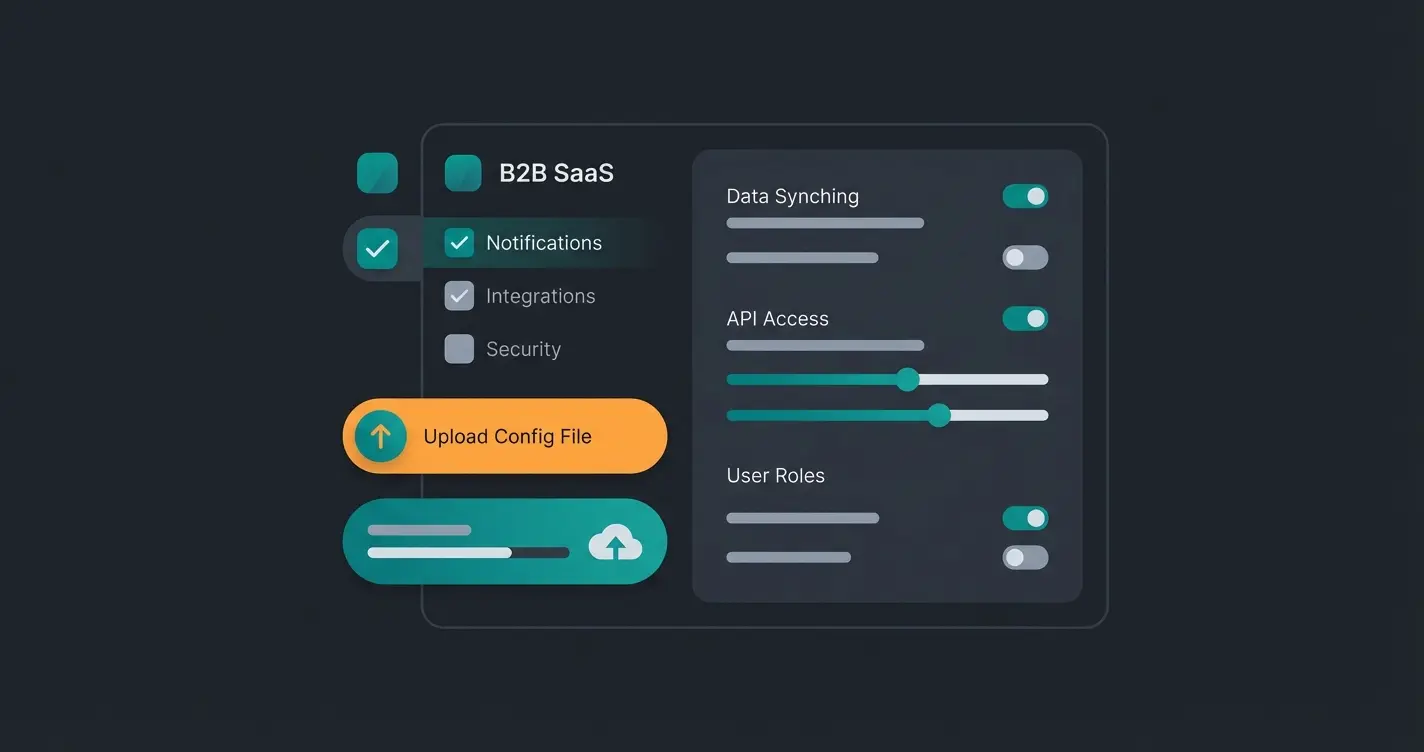
WooCommerce provides two critical security settings for your downloadable products. The 'Download limit' field controls how many times a customer can download their purchased files. Leave blank for unlimited downloads, or set a specific number like 3 or 5 to prevent link sharing. Most store owners choose a limit between 3-10 downloads to balance customer convenience with piracy prevention.
The 'Download expiry' field sets how many days after purchase the download link remains active. Setting this to 30 or 60 days encourages customers to download promptly while providing reasonable access time. For products with lifetime access promises, leave this blank. Bright Vessel recommends clearly communicating these limits in your product description to avoid customer confusion.
Step 4: Tax Configuration for Digital Goods in Germany
German tax law has specific requirements for digital products sold to EU consumers. Since 2015, the MOSS (Mini One Stop Shop) regulations require VAT to be charged based on the customer's location, not the seller's. This means German stores selling WooCommerce digital products across the EU must calculate and remit VAT to each member state.
In WooCommerce, navigate to Settings > Tax and ensure you've enabled tax calculations. Create tax rates for each EU country where you have customers. For digital goods, the 'Digital Goods' tax class should be applied. MarketPress offers the German Market plugin that automates much of this compliance, including proper invoice generation with required legal text.
Equally important is the German 'Widerrufsrecht' (right of withdrawal). For digital downloads that are accessed immediately upon purchase, customers can waive their 14-day withdrawal right. You must obtain explicit consent for this waiver during checkout—typically through a checkbox statement like 'I agree that the download starts immediately and acknowledge that I lose my right of withdrawal once the download begins.'
Variable Products: Selling Multiple Versions
Many digital product sellers offer multiple versions of their products—Standard vs Premium editions, different license types, or bundled packages. WooCommerce handles this through variable products, allowing customers to choose their preferred option from a single product page.
To create a variable WooCommerce download product, select 'Variable product' instead of 'Simple product' in the Product Data dropdown. First, you need to define attributes. Go to the Attributes tab and add an attribute like 'License Type' or 'Package.' Add values like 'Standard' and 'Premium,' then check 'Used for variations.'
Next, go to the Variations tab and create variations for each combination. For each variation, you can set individual prices, upload different downloadable files, and configure separate download limits. This is perfect for selling software with different license tiers or courses with basic vs comprehensive material packages.
Variable products significantly increase average order value when configured strategically. However, they also increase customer decision complexity. According to JoomUnited, customers often struggle to understand which version they need without guidance. This is precisely where AI product consultants excel—helping customers navigate options and choose the right version for their needs.
Customer finds your product through search or referral
Customer has questions about compatibility and features
Instant answers to technical questions increase confidence
Informed customer chooses the right product version
Automatic download link sent via email after payment
AI assistance reduces support tickets and refund requests
The Critical Gap: Pre-Sales Consultation for Digital Products
Here's the uncomfortable truth that no setup tutorial tells you: the technical configuration of WooCommerce download products is the easy part. The hard part is converting visitors into buyers. Unlike physical products where customers can examine photos and read specifications, digital products create uncertainty that kills conversions.
Consider the questions customers have before purchasing digital products: Does this software work with my operating system? Is this template compatible with my page builder? What file formats are included? Can I use this for commercial projects? Is the license transferable? These questions need immediate, accurate answers—not a 'contact us' form that promises a response within 48 hours.
Static FAQ pages attempt to address this, but they fail for several reasons. First, you cannot anticipate every question. Second, customers don't want to search through documentation—they want to ask their specific question and get a direct answer. Third, FAQ pages don't engage customers in a conversation that builds trust and moves them toward purchase.
This consultation gap explains why digital products often have higher refund rates than physical products. Customers buy based on incomplete information, discover the product doesn't meet their needs, and request refunds. Each refund represents not just lost revenue but wasted time on support interactions and potential negative reviews.
The AI-Powered Solution
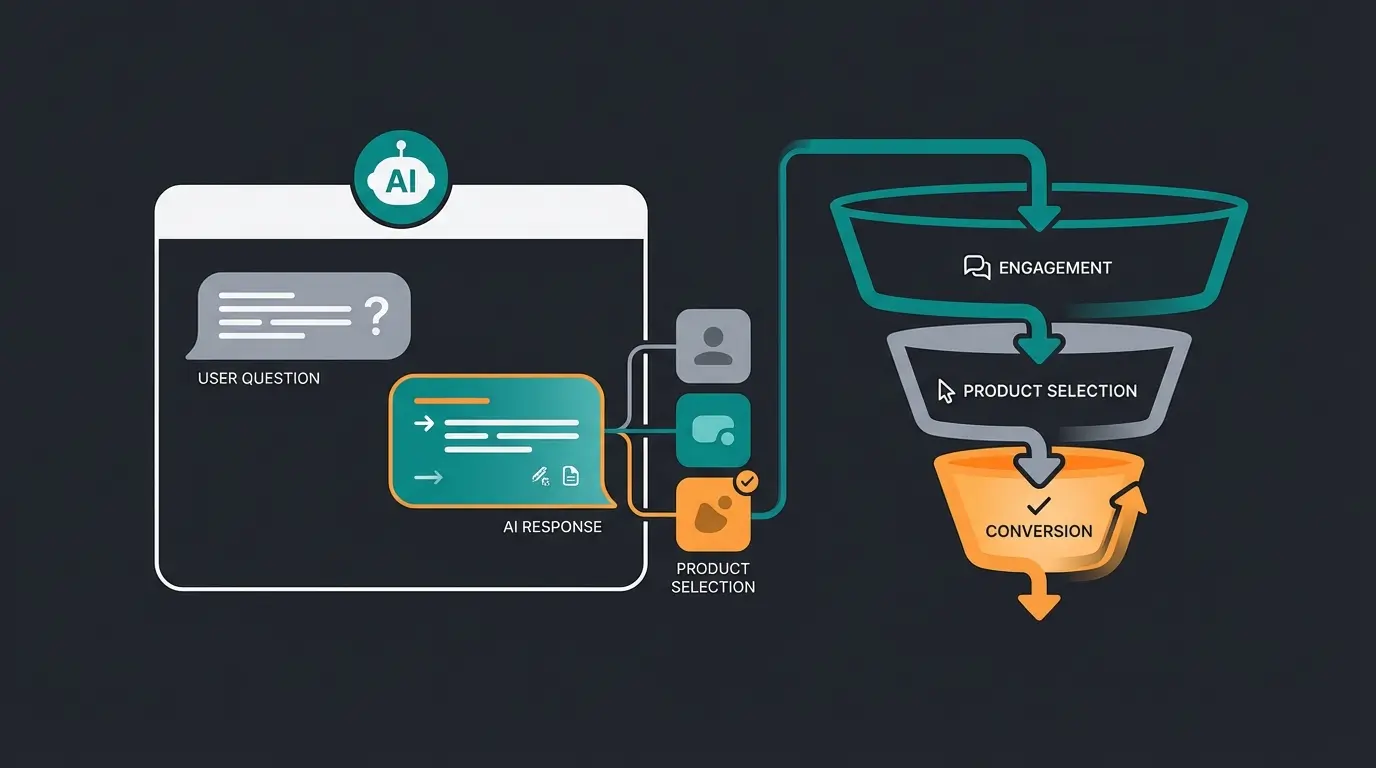
AI product consultation addresses this gap by providing instant, intelligent responses to customer questions. Unlike chatbots that follow rigid decision trees, modern AI consultants understand natural language and can answer nuanced questions about your WooCommerce digital products.
Imagine a customer on your template store asking: 'I'm using WordPress 6.4 with Elementor Pro. Will your business template pack work with my setup?' An AI consulting system trained on your product information can immediately confirm compatibility, list included features, and even suggest the most suitable package based on the customer's described needs.
The impact on conversion rates is substantial. When customers receive immediate answers to their questions, they feel confident proceeding with purchase. When they have to wait for email responses or search through documentation, they often leave—and rarely return. Consultative AI keeps potential customers engaged during the critical decision-making moment.
Beyond conversion improvement, AI consultation dramatically reduces support workload. Instead of answering the same compatibility questions repeatedly, your digital product consultants handle these inquiries automatically. This frees your team to focus on complex issues and product development rather than repetitive pre-sales questions.
Stop losing customers to unanswered questions. Our AI consultation platform integrates seamlessly with WooCommerce to provide instant, intelligent pre-sales support that converts browsers into buyers.
Start Converting More SalesCommon Mistakes and Troubleshooting Solutions
Even with proper setup, WooCommerce download products can encounter issues that frustrate customers and increase support tickets. Understanding these common problems and their solutions helps you prevent issues before they occur and resolve them quickly when they do.
Large File Size Timeouts
One of the most common issues occurs with large downloadable files. When file sizes exceed server memory limits or PHP execution time settings, downloads fail mid-transfer or timeout completely. Customers receive incomplete files or error messages, leading to frustration and support requests.
The solution involves multiple approaches. First, optimize your files before upload—compress videos, reduce PDF resolution where appropriate, and use efficient file formats. Second, increase your server's PHP memory limit and execution time if you control your hosting environment. Third, consider hosting large files externally on services like Amazon S3 or Google Cloud Storage, which handle large file delivery more efficiently than most web hosting.
Download Links Landing in Spam
WooCommerce sends order confirmation and download links via email. Unfortunately, these transactional emails often land in spam folders, especially with free email providers like Gmail or Yahoo. Customers who don't check spam assume they never received their purchase and contact support or request refunds.
Address this by configuring proper email authentication (SPF, DKIM, DMARC records) for your domain. Use a dedicated email delivery service like SendGrid, Mailgun, or Amazon SES instead of your web server's default mail function. Also add prominent text on your thank-you page instructing customers to check their spam folder and whitelist your email address.
Customers Purchasing Wrong Versions
This problem ties directly to the pre-sales consultation gap discussed earlier. Customers misunderstand product descriptions, choose incorrect license types, or purchase files incompatible with their software environment. The result is refund requests, negative reviews, and wasted customer service time.
While clearer product descriptions help, they cannot eliminate this issue entirely. Customers often don't read thoroughly, especially when they're confident they know what they need. This is exactly why implementing digital sales consultants provides such significant ROI—preventing wrong purchases is far more efficient than processing refunds.
404 Errors on Download Links
Sometimes customers click valid download links but receive 404 errors. This typically happens when permalink structures change, plugins conflict, or the downloadable files were deleted or moved. WooCommerce stores file paths in the database, so moving files breaks existing orders' download links.
Prevent this by never changing your permalink structure after launch, testing download functionality after any plugin updates, and maintaining a backup of all downloadable files. If 404 errors occur, check the database entries for the affected products and update file paths as needed.
Optimizing Digital Product Presentation
Beyond technical setup, how you present your WooCommerce download products significantly impacts conversion rates. Since customers cannot physically examine digital products, your presentation must compensate by building trust, demonstrating value, and answering questions before they're asked.
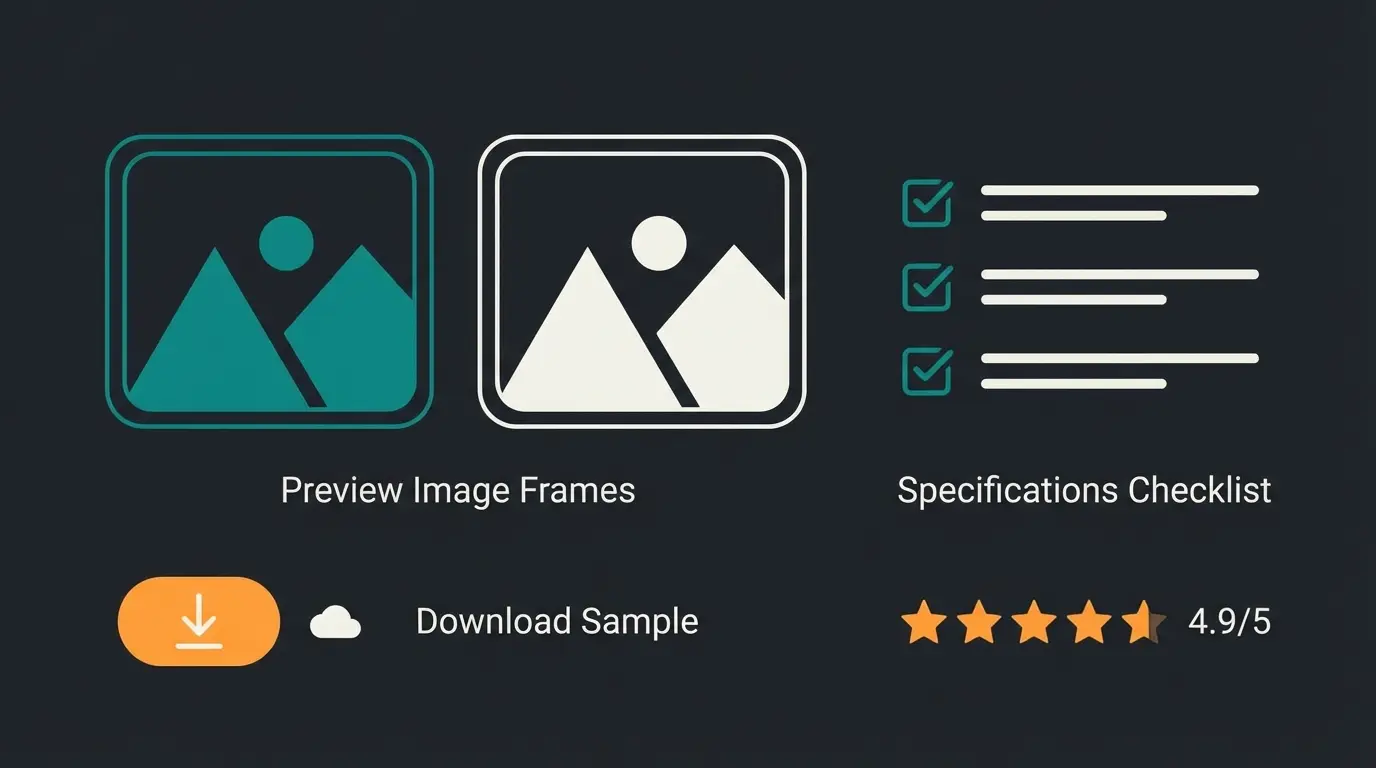
Start with high-quality preview images. For templates, show multiple preview screenshots at different device sizes. For ebooks, include sample page layouts. For software, provide interface screenshots or demo videos. These visuals help customers understand exactly what they're purchasing and reduce uncertainty.
Offer samples or demos whenever possible. A sample chapter, a demo version with limited features, or a preview template builds confidence that the full product meets expectations. This approach may seem counterintuitive—why give away content?—but it dramatically reduces refund rates and increases customer satisfaction.
Technical specifications deserve their own prominent section. List file formats, software requirements, included files, license terms, and any limitations. Present this information in scannable formats like bullet points or tables rather than burying it in paragraph text. Customers making purchase decisions scan rather than read thoroughly.
Social proof matters significantly for digital products. Display reviews prominently, especially those addressing common concerns like compatibility, ease of use, or value for money. If customers mention specific use cases in reviews, these help future buyers identify whether the product suits their needs—a function that revenue-generating product consultants can also fulfill through conversational interaction.
Scaling Your Digital Product Business
Once your WooCommerce download products are configured and selling, focus shifts to scaling operations efficiently. The beauty of digital products lies in their infinite scalability—selling one copy costs the same as selling a thousand. However, support and consultation requirements scale with sales volume unless you implement automation.
Consider your support structure as sales grow. Pre-sales questions multiply with traffic. Post-sales support for file access issues, compatibility problems, and usage questions increases proportionally. Without automation, support costs eventually erode profit margins and limit growth potential.
This is where AI E-Commerce solutions prove essential for scaling. An AI assistant handles unlimited simultaneous conversations, providing instant responses 24/7 without additional staffing costs. As your traffic and sales increase, your AI consultation capability scales automatically without incremental investment.
Evaluate your AI readiness and consider implementation timing. Early adoption builds competitive advantage as customers increasingly expect instant responses. Waiting until support overwhelms your team means playing catch-up while losing sales to competitors who already offer AI-powered consultation.
The conversational AI business transformation extends beyond customer service. AI can analyze question patterns to identify documentation gaps, suggest product improvements based on customer feedback, and even personalize product recommendations based on conversation history. These capabilities turn customer interactions from cost centers into competitive advantages.
Frequently Asked Questions
Virtual products are any items that don't require shipping, such as services or memberships. Downloadable products specifically include files that customers can download after purchase. Many digital products are both—they don't ship and they include downloadable files. When setting up an ebook or software, you would check both the 'Virtual' and 'Downloadable' checkboxes to disable shipping while enabling file delivery.
WooCommerce offers several protection methods. Use the 'Force Downloads' option in WooCommerce settings to route all downloads through WordPress authentication. Store files outside your public web directory when possible. Set download limits to prevent excessive downloads from shared links. For high-value products, consider additional plugins that add watermarking or license key verification.
Download links sent via email often land in spam folders, especially with free email providers. Configure proper email authentication (SPF, DKIM, DMARC) for your domain. Use a dedicated email delivery service instead of your server's default mail function. Also display download links prominently on the order confirmation page and in the customer's account area as backup access points.
German law requires proper VAT handling based on customer location for digital goods sold to EU consumers. You must also address the 'Widerrufsrecht' (right of withdrawal) by obtaining explicit consent when customers waive this right for immediately accessible downloads. Use compliant checkout text and consider plugins like German Market that automate much of this compliance including proper invoice generation.
Most refunds occur because customers purchased the wrong version or the product didn't meet their expectations. Implement AI-powered pre-sales consultation to help customers choose correctly. Provide detailed specifications, preview images, and sample content. Offer clear comparison tables for different versions. These approaches help customers make informed decisions, dramatically reducing post-purchase regret and refund requests.
Conclusion and Implementation Checklist
Setting up WooCommerce download products requires attention to both technical configuration and sales optimization. While the mechanical aspects of creating downloadable products are straightforward—checking boxes, uploading files, setting limits—the real challenge lies in converting visitors into confident buyers. The pre-sales consultation gap represents both the biggest obstacle and the greatest opportunity for digital product sellers.
Remember that customers purchasing WooCommerce digital products face unique uncertainties. They cannot physically examine what they're buying. They have technical questions about compatibility and usage. They need trust signals that traditional e-commerce approaches don't fully provide. Addressing these concerns through AI product consultation transforms your store from a passive file repository into an active sales platform.
- Configure products as both Virtual and Downloadable for most digital goods
- Upload files securely using Force Downloads protection method
- Set appropriate download limits (3-10) and expiry periods (30-60 days)
- Configure German tax compliance including VAT and Widerrufsrecht consent
- Create variable products for different versions or license tiers
- Write comprehensive descriptions addressing common questions
- Include preview images, samples, and detailed specifications
- Implement AI consultation to answer pre-sales questions instantly
- Configure reliable email delivery for download links
- Test complete purchase and download flow before launch
The WooCommerce ecosystem provides all the technical tools you need to sell digital products successfully. The differentiation comes from how you guide customers through the buying process. By implementing intelligent consultation that answers questions instantly and builds purchase confidence, you'll outperform competitors who rely solely on static product pages and delayed email support.
Join thousands of WooCommerce store owners who've transformed their conversion rates with AI-powered product consultation. Answer customer questions instantly, reduce refunds, and scale your support without additional headcount.
Get Started Free Today
Kevin is CTO and co-founder of Qualimero. As an AI architect with over 15 years of experience as CTO and CPO in the tech industry, he designs the AI systems that automate tens of thousands of customer interactions daily for Qualimero's clients — reliably, securely, and at scale.