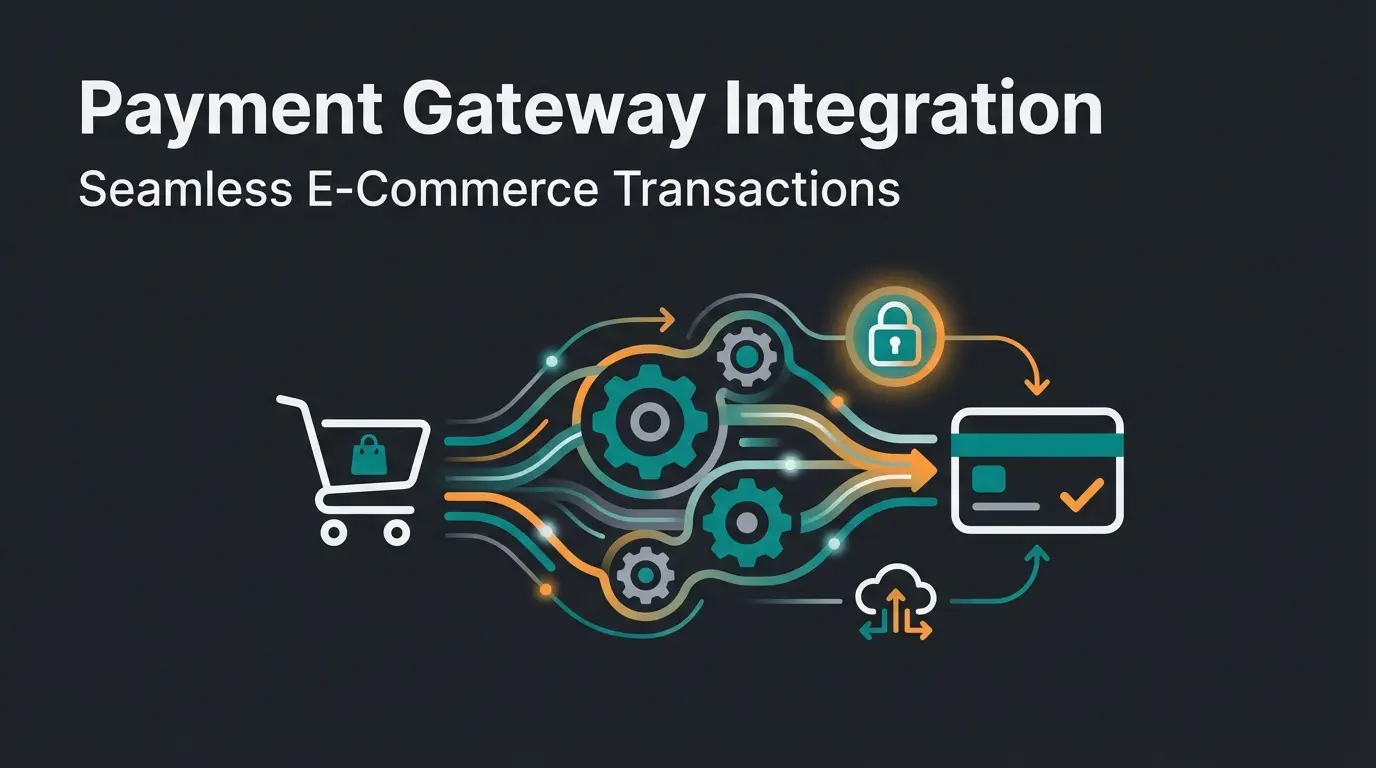
Why Your Checkout Decides Success or Failure
Choosing the right Shopware payment plugins is no longer just an administrative task for online retailers in 2026 – it's a strategic decision that determines revenue growth or stagnation.
Picture this scenario: A customer has spent 20 minutes in your shop, compared products, and added items to their cart. They click 'Proceed to Checkout.' But then it happens: Their preferred payment method is missing, the PayPal redirect takes too long, or they're surprised by hidden fees. The result? Cart abandonment.
According to current studies from uptain.de and omr.com, the average cart abandonment rate in e-commerce is nearly 70%. This means you're burning most of your marketing budget right before the money lands in your account.
In this comprehensive guide, we'll analyze not only the most popular payment providers for Shopware 6 but also uncover the hidden costs that agency comparisons often miss. We'll show you how to use the Shopware 6 Flow Builder for automated payment flows and – as a decisive competitive advantage – how to prevent cart abandonment before the customer even reaches checkout. Understanding how to optimize your Shopware checkout is essential for maximizing these payment plugin investments.
Total Cost of Ownership: The Real Comparison
Most comparisons only list whether a plugin can be downloaded 'for free' from the Shopware Store. This is misleading. The plugin itself is often free, but transaction fees eat into your margins.
Here's a transparent comparison of the Top 5 providers for the German market (as of 2026), based on a typical cart value of €50.00 and €100.00. Understanding Shopware plugin costs requires looking beyond the initial price tag.
Comparison Table: Fees & Features (DACH Region)
| Provider | Setup Fee | Monthly Fixed Costs | Transaction Fee (Standard)* | Cost per €100 Revenue | Flow Builder Support | Special Feature |
|---|---|---|---|---|---|---|
| Mollie | €0.00 | €0.00 | 1.80% + €0.25 (Credit Card) | €2.05 | Yes (Excellent) | No contract binding, ideal for SMBs |
| PayPal | €0.00 | €0.00 | 2.49% + €0.35 | €2.84 | Yes (Native) | Highest customer trust, but expensive |
| Stripe | €0.00 | €0.00 | 1.50% + €0.25 (EU Cards) | €1.75 | Yes (Via API/Plugin) | Best developer tools, strong for credit cards |
| Unzer | €149.00 | from €19.00 | from 1.50% + €0.20 | €1.70 (+ fixed costs) | Yes | Strong in omnichannel (POS + Online) |
| Adyen | €0.00 | €0.00 (Min. revenue) | Interchange++ + €0.11 | Variable (Cheap at volume) | Yes | Enterprise solution, complex billing |
Note: Fees may vary depending on volume and individual contracts. Data based on standard merchant conditions 2026, sourced from Mollie, Unzer, and Finexer.
Lowest cost for EU card transactions
No contracts, transparent pricing
Highest trust but premium pricing
Top 5 Shopware Payment Plugins in Detail
To find the best Shopware payment plugin for your business model, we need to look deeper than just the price. Here's the analysis of strengths and weaknesses for each provider.
Mollie – The Growth Driver for SMBs
Mollie has become the darling of many Shopware agencies in recent years. Why? Because it 'just works.'
- Best for: Startups, SMBs, and merchants who don't want monthly fixed costs.
- Transparency: You only pay per transaction with no hidden costs, as confirmed by Mollie's pricing page.
- Local Heroes: Supports all major European payment methods (iDEAL, Bancontact, TWINT).
- Shopware 6 Integration: The plugin is known for its stability and easy configuration in the admin area.
- Con: At very high revenues (> €50,000/month), standard fees may be higher than negotiated contracts with banks.
- German Context: Mollie offers seamless integration of Klarna (invoice payment), which is essential in Germany.
PayPal – The Trust Giant
PayPal is almost mandatory in Germany. Over 32 million active customers use it. The official 'PayPal Checkout' plugin for Shopware 6 is deeply integrated.
- Best for: Every B2C shop (as a basic payment method).
- Conversion Booster: The 'PayPal Express' button directly on the product page massively shortens the checkout.
- BNPL Included: 'Pay Later' (installment payment) is integrated for merchants at no additional cost; PayPal assumes the risk.
- Con - Cost: At 2.49% + €0.35, PayPal is among the most expensive providers according to PayPal fee calculator data.
- Con - Data Sovereignty: Customers are often redirected to the PayPal page, which interrupts brand flow (except with white-label solutions).
- Important 2026 Update: Since Giropay was discontinued on December 31, 2024, PayPal positions itself even more strongly as an alternative for direct bank payments.
Stripe – The Developer Platform
Stripe is more than just a payment provider; it's a financial infrastructure platform. When comparing platforms like Shopware vs WooCommerce, Stripe's flexibility stands out as a major advantage for either choice.
- Best for: Tech-savvy shops, SaaS models, and international expansion.
- Customization: With Stripe Elements, you can visually customize the checkout to perfectly match your shop without the customer noticing an external service provider is involved.
- Fees: Very attractive for credit card payments within the EU (1.5% + €0.25) as reported by OMR Reviews.
- Con: Setup often requires a bit more technical understanding than Mollie.
- Con: Support is primarily in English and available via chat/email.
Unzer – The German Omnichannel Specialist
Unzer (formerly Heidelpay) is deeply rooted in the DACH region and offers solutions that connect online and offline. For Shopware B2B pricing considerations, Unzer's omnichannel capabilities provide significant value.
- Best for: Merchants with a physical store (POS) and online shop who want everything from one source.
- Invoice Payment: Unzer offers a very strong secured invoice payment (white label), where Unzer assumes the default risk, but the customer feels like they're transferring 'to the shop.'
- POS Integration: Connect your cash register system directly with Shopware data according to Unzer's documentation.
- Con - Cost Structure: Setup fees (€149) and monthly base fees make it unattractive for small startups.
Adyen – The Enterprise Solution
Adyen is the partner of giants like Zalando and Spotify.
- Best for: Enterprise shops with high international volume (> €1 million revenue/year).
- Interchange++: You pay the actual bank fees (interchange) plus a small margin to Adyen. At high volume, this is unbeatable according to Finexer's analysis.
- Global: Supports hundreds of local payment methods worldwide.
- Con: Not suitable for small merchants (minimum revenue requirements or minimum fees).
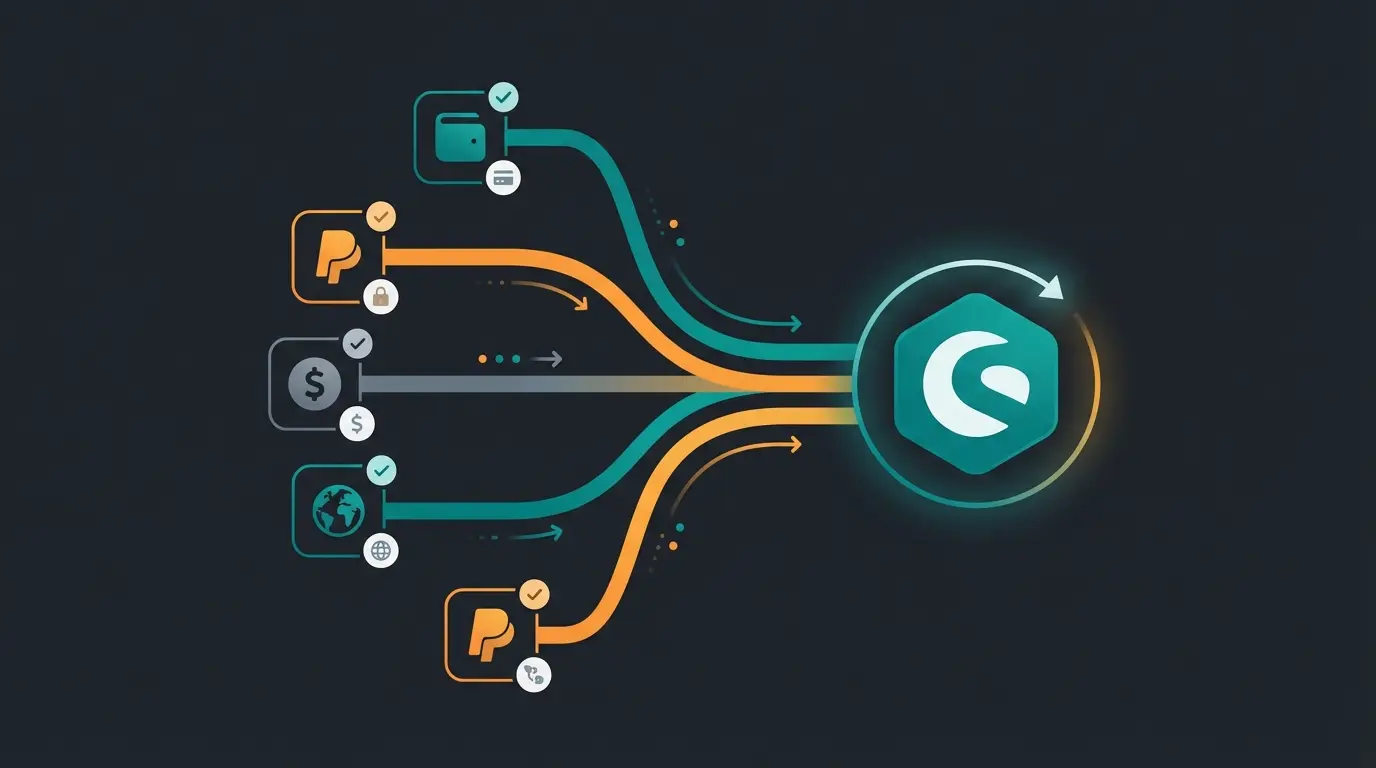
The Hidden Factor: Why Payment Plugins Are Only Half the Battle
Here lies the strategic mistake that 90% of shop operators make: They technically optimize the checkout process to perfection but ignore the psychological barrier before it.
The Problem: Last Minute Doubt
You've installed the best Shopware payment plugin (e.g., Stripe or PayPal). Everything works technically. Yet 70% of users still abandon the purchase. Why?
Not because the credit card wasn't accepted. But because the customer was unsure at the last moment:
- 'Does this spare part really fit my machine?'
- 'Is the color in real life the same as in the photo?'
- 'How does the return work if it doesn't fit?'
A payment plugin can only process transactions. It cannot bring about decisions. This is where Shopware conversion optimization becomes critical to your success.
The Solution: AI-Powered Product Consultation
To close the gap between 'cart' and 'payment,' you need an instance that gives the customer the confidence to click 'Buy.' This is where AI product consultation comes into play.
Modern AI consultation enters the picture here. Unlike traditional chatbots that only recite FAQs, specialized AI acts as a sales consultant in the browser:
- Proactive Engagement: The AI recognizes when a customer hesitates (e.g., lingering in the cart for too long) and offers help.
- Product Expert: It answers specific questions about technical details, compatibility, or application – based on your product data.
- Trust Building: By clarifying open questions, 'last minute doubt' decreases. The customer feels secure.
By placing an AI solution before the payment plugin, you increase the quality of traffic that lands in the checkout. The result: Fewer cart abandonments and a higher conversion rate for your payment providers. Learn more about how AI product consultation transforms the customer journey.
Customer has questions → AI consultation helps build confidence
Customer reviews items with clarity and certainty
Plugin processes the transaction smoothly
Customer becomes a repeat buyer
Our AI product consultation eliminates customer doubts and builds confidence before they reach the payment page. Stop losing 70% of your potential sales.
Start Free TrialTechnical Guide: Payment Integration in Shopware 6 Flow Builder
Shopware 6 offers a powerful tool with the Flow Builder to not only accept payments but also link entire business processes to them. Many merchants don't use this at all and are missing out on potential.
Here's a guide on how to automate payment flows to save time. For comprehensive support, consider leveraging AI product consultation for Shopware help.
Step 1: Plugin Installation
- Download the plugin (e.g., Mollie or PayPal) from the Shopware Store.
- Go to Extensions > My Extensions in the admin and install/activate it.
- Enter the API keys (you'll find these in the payment provider's dashboard).
Step 2: Using the Flow Builder
Instead of manually checking orders, let Shopware do the work.
Scenario: Automatic Shipping on Payment Receipt
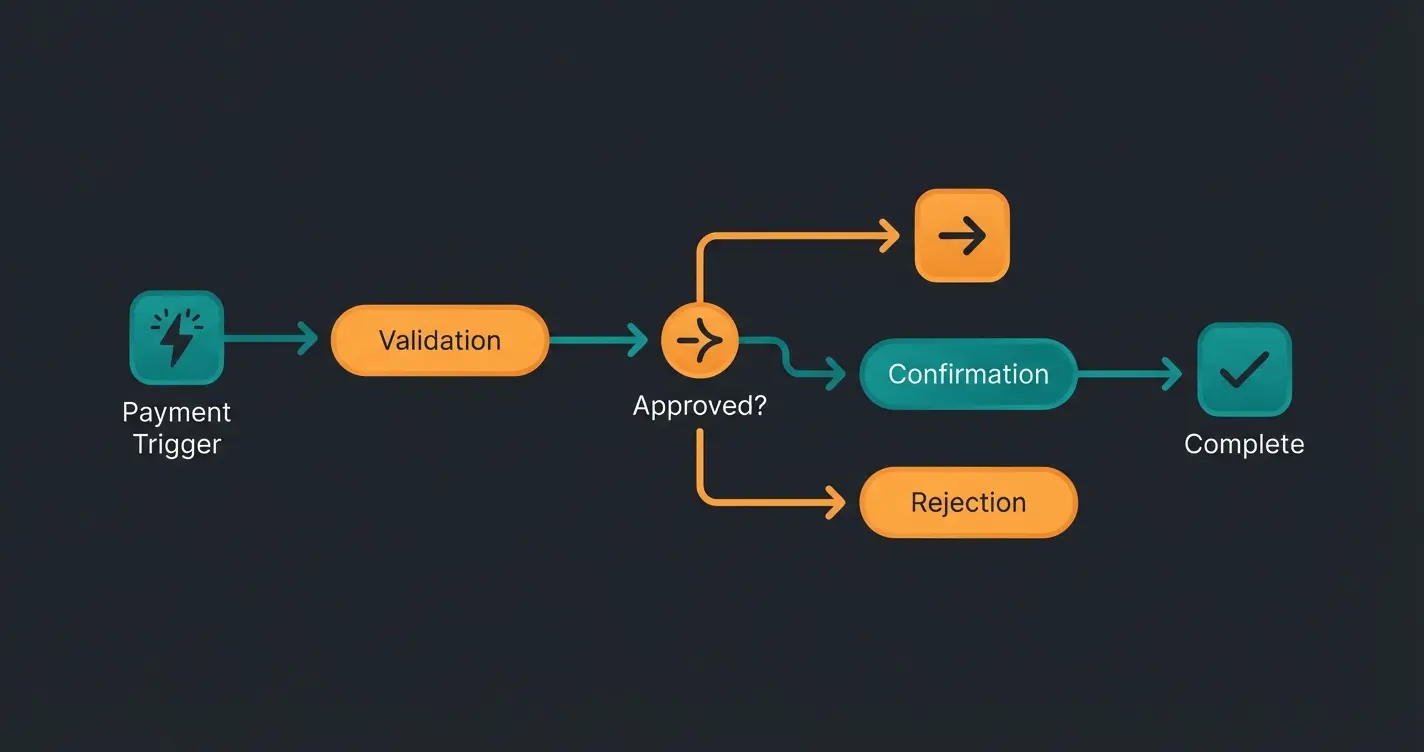
We want the 'Paid' status to automatically trigger the shipping process.
- Navigate to Settings > Flow Builder.
- Click Add Flow.
- Select Trigger: `checkout.order.placed` (Order received).
- Add Condition (Rule Builder): Create a rule: `Payment Status` IS `Paid` AND `Payment Method` IS NOT `Prepayment` (since money comes later).
- Define Action: Set status: Order status to 'In Progress'. Send email: 'Payment confirmed & order being prepared' to the customer. Generate document: Automatically create invoice.
Current Market Developments in Germany (2026 Update)
The German market is special. Anyone who wants to succeed here must pay attention to two things:
The End of Giropay & the Start of Wero
An earthquake in the German payment market: Giropay was discontinued on December 31, 2024 as confirmed by Sparkasse and PayPal. The German bank-supported procedure couldn't compete against PayPal, as reported by PC Welt.
- What You Need to Do: Remove Giropay logos and options from your Shopware checkout to avoid confusion.
- The Alternative: The European initiative Wero (EPI) is in the starting blocks but is not yet natively integrated in Shopware across the board. Currently, integration mostly runs through PSPs like Mollie or Nexi, which will add Wero as a method according to Shopware. Until then, 'Sofort' (Klarna) or PayPal are the best alternatives for direct transfers.
Invoice Payment Is King
Despite all the wallets: 'Kauf auf Rechnung' (invoice payment) remains the favorite payment method in the DACH region, especially in B2B and fashion.
Make sure your plugin offers secured invoice payment (e.g., via Klarna, Ratepay through Adyen, or Unzer). Don't offer unsecured invoice payment unless you know the customer very well. Implementing Shopware 6 chatbots can help qualify customers before offering invoice payment options.
GDPR Compliance and Data Protection
For the German market, DSGVO/GDPR compliance is not optional – it's mandatory. Every payment plugin you choose must meet strict data protection requirements:
- All customer payment data must be processed according to EU regulations
- Payment providers should offer data processing agreements (DPAs)
- Ensure transaction data storage locations are within the EU
- Regular security audits and PCI DSS compliance are essential
All five providers we reviewed (Mollie, PayPal, Stripe, Unzer, and Adyen) are fully GDPR compliant and offer the necessary documentation for your data protection records.
Shopware 5 vs. Shopware 6 Compatibility
A critical consideration when selecting payment plugins: Shopware 6 is built on completely new technology (Symfony framework). This means:
- Shopware 5 plugins are NOT compatible with Shopware 6
- You must use plugins specifically developed for Shopware 6
- Check version compatibility before downloading any payment extension
- Most major providers offer dedicated Shopware 6 plugins in the official store
If you're still on Shopware 5, plan your migration carefully and factor in payment plugin transitions as part of your upgrade strategy.
Conclusion: Making the Right Choice
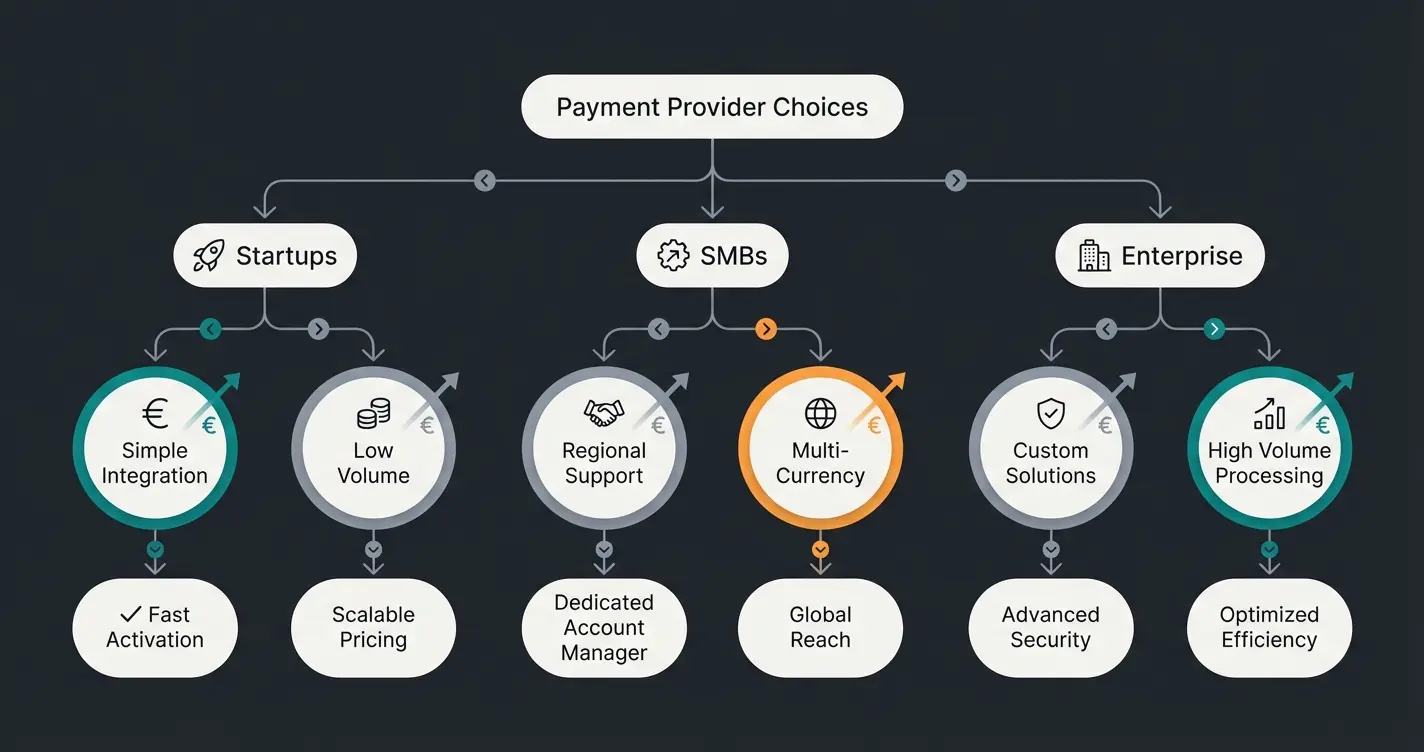
Finding the best Shopware payment plugin depends on your business phase. Use this checklist for your decision:
For Startups & Small Shops (< €10,000 revenue/month)
- Recommendation: Mollie or Stripe.
- Reason: No fixed costs, quick setup, all important payment methods.
- To-Do: Create account, install plugin, done.
For Established Merchants & B2B
- Recommendation: Unzer or PayPal Plus (in combination).
- Reason: Strong invoice payment, POS connection possible.
- To-Do: Negotiate terms! At certain volumes, providers deviate from list prices.
For Enterprise & International
- Recommendation: Adyen.
- Reason: Interchange++ saves massive fees at high volume.
- To-Do: Plan technical integration with ERP system.
Modern AI Chatbots can transform your customer service while simultaneously improving mobile conversion rates. The combination of optimized payment processing and Shopware customer service excellence creates a competitive advantage that's hard to replicate.
Frequently Asked Questions (FAQ)
For low revenues, Mollie and Stripe are often the cheapest since no base fees apply. At high revenues, Adyen is often leading due to the Interchange++ model, where you pay actual bank fees plus a small margin.
No. Shopware 6 is based on completely new technology (Symfony). You must use the new plugins from the Shopware 6 Store. There is no backward compatibility between the two versions.
After Giropay was discontinued at the end of 2024, PayPal (bank direct debit) and Klarna Sofort are the best alternatives for customers who want to pay directly from their bank account. The European Wero initiative is coming but not yet widely available in Shopware.
While payment plugins handle transactions, they can't address customer hesitation. Implement AI product consultation to answer last-minute questions about product fit, compatibility, and returns. This builds confidence and reduces the 70% average cart abandonment rate.
Invoice payment (Kauf auf Rechnung) remains Germany's favorite, especially for B2B and fashion. Additionally, offer PayPal (32+ million German users), credit cards via Stripe or Mollie, and Klarna for BNPL options. Consider SEPA direct debit for recurring payments.
Disclaimer: The fees and conditions mentioned are based on publicly available information as of early 2026 and may change. Please check the current offers from the providers.
For a complete overview of AI product consultation and how it integrates with your e-commerce strategy, explore our comprehensive resources.
Combine optimized payment processing with AI-powered product consultation. Eliminate customer doubts, reduce cart abandonment, and transform browsers into buyers.
Get Started Today
Lasse is CEO and co-founder of Qualimero. After completing his MBA at WHU and scaling a company to seven-figure revenue, he founded Qualimero to build AI-powered digital employees for e-commerce. His focus: helping businesses measurably improve customer interaction through intelligent automation.