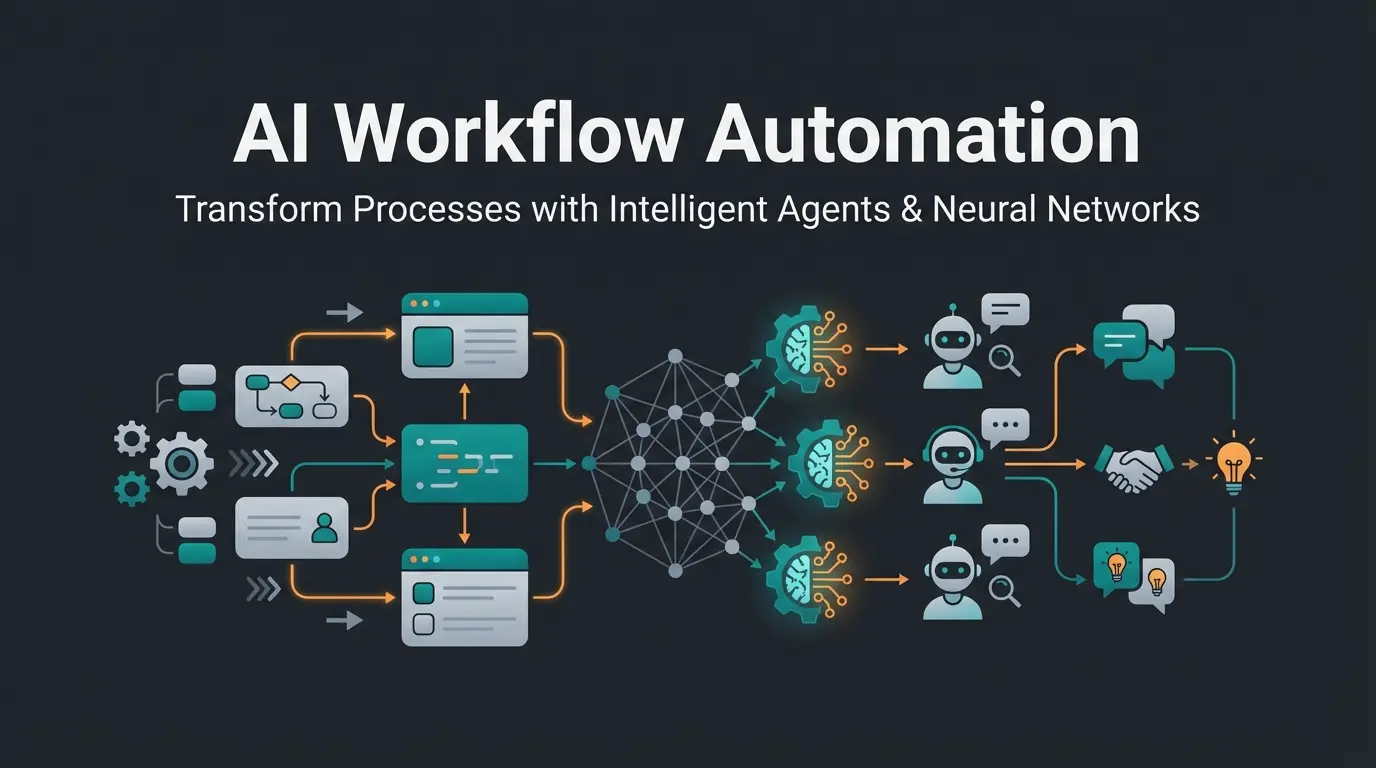
Introduction: Why Your Inbox Needs to Get Smarter
In modern B2B communication, the inbox is often where deals go to die. You know the scenario: a potential customer sends a detailed email to your contact@ address with specific questions about your product. This email lands in Gmail. Meanwhile, your support team uses Intercom for live chats. The data is siloed, context is missing, and by the time the email is manually converted into a ticket and answered, the lead has often gone cold.
The search for an Intercom Gmail integration is therefore usually the first step toward eliminating this chaos. However, most companies stop at the simplest solution: basic forwarding. This article goes deeper. We examine not only how to technically connect Gmail with Intercom (though we cover that too), but how to use this connection to shift from a reactive support model to proactive, AI-powered product consultation.
We bridge the gap between 'moving data' and 'processing data' and show you how to build a communication architecture that considers strict German data protection standards (GDPR) while not just closing tickets but winning customers. Understanding different chatbot types is essential for implementing the right solution for your business needs.
Part 1: The Basics – Connecting Gmail to Intercom
Before we dive into advanced AI workflows, we need to lay the foundation. To realize a Gmail Intercom integration, there are two established paths that represent the current industry standard. Both have their merits, but also clear limitations that every business should understand before implementation.
Option A: Native Email Forwarding
Intercom offers a built-in function to route emails directly to the team inbox. This is the most robust method for pure support use cases and requires minimal technical knowledge to set up.
How to set up native forwarding:
- Generate Intercom address: Navigate in Intercom to Settings > Channels > Email > Domains & addresses. There you'll find a generated email address (often ending in @inbound.intercom.io) as documented in the Intercom help center.
- Configure Gmail forwarding: In your Gmail settings under Forwarding & POP/IMAP, add this Intercom address as a forwarding destination.
- Verification: Google sends a confirmation code to this address. This lands in your Intercom inbox. Copy the code and confirm it in Gmail.
- DNS authentication (Critical): To reply from Intercom without landing in spam folders, you must authenticate your domain via DKIM and CNAME records. This signals to recipient servers (like Gmail or Outlook) that Intercom is authorized to send on your behalf.
Option B: Connector Tools (Zapier, Make, Albato)
For teams wanting more control over when an email gets sent to Intercom, automation tools like Zapier or Make (formerly Integromat) come into play. These tools offer conditional logic and can filter emails before they reach your support queue.
Typical workflow configuration:
- Trigger: New email in Gmail (e.g., with the label 'Support' or 'Sales')
- Action: 'Create User' or 'Create Conversation' in Intercom as outlined in Zapier's integration documentation
The limitations of connector tools: While tools like Zapier are excellently suited for synchronizing data fields (e.g., 'New lead in Gmail -> Create lead in Intercom'), they hit their limits with content-related work. Intercom has strict rate limits for API calls. With high email volume, Zaps can fail or execute with delays. A connector tool doesn't understand what the customer wants. It only moves text blocks without any intelligent processing.
Part 2: The Strategic Gap in Email Integration
The methods mentioned above solve a logistical problem: centralizing the inbox. However, they don't solve the business problem: the quality and speed of the response. Here lies the massive content gap in most guides about Intercom Gmail integration. They treat every incoming email like a 'support ticket' that needs to be closed (e.g., 'Reset password').
The Product Consultation Scenario
Imagine you're selling a complex SaaS solution or a high-ticket service. A prospect writes:
This is not a support ticket. This is purchase intent. The standard reaction involves an auto-responder ('We have received your inquiry'), followed by a 4-hour wait until an agent reads the mail, then the agent searches the knowledge base, and finally types a response. Studies from Kixie show that the probability of lead qualification drops by 21 times when response time increases from 5 minutes to 30 minutes. Even more dramatically: according to Vendasta research, a response within the first minute can increase conversion rates by 391%.
When responding within 5 minutes vs 30 minutes
When responding within the first minute
Optimal response time for lead qualification
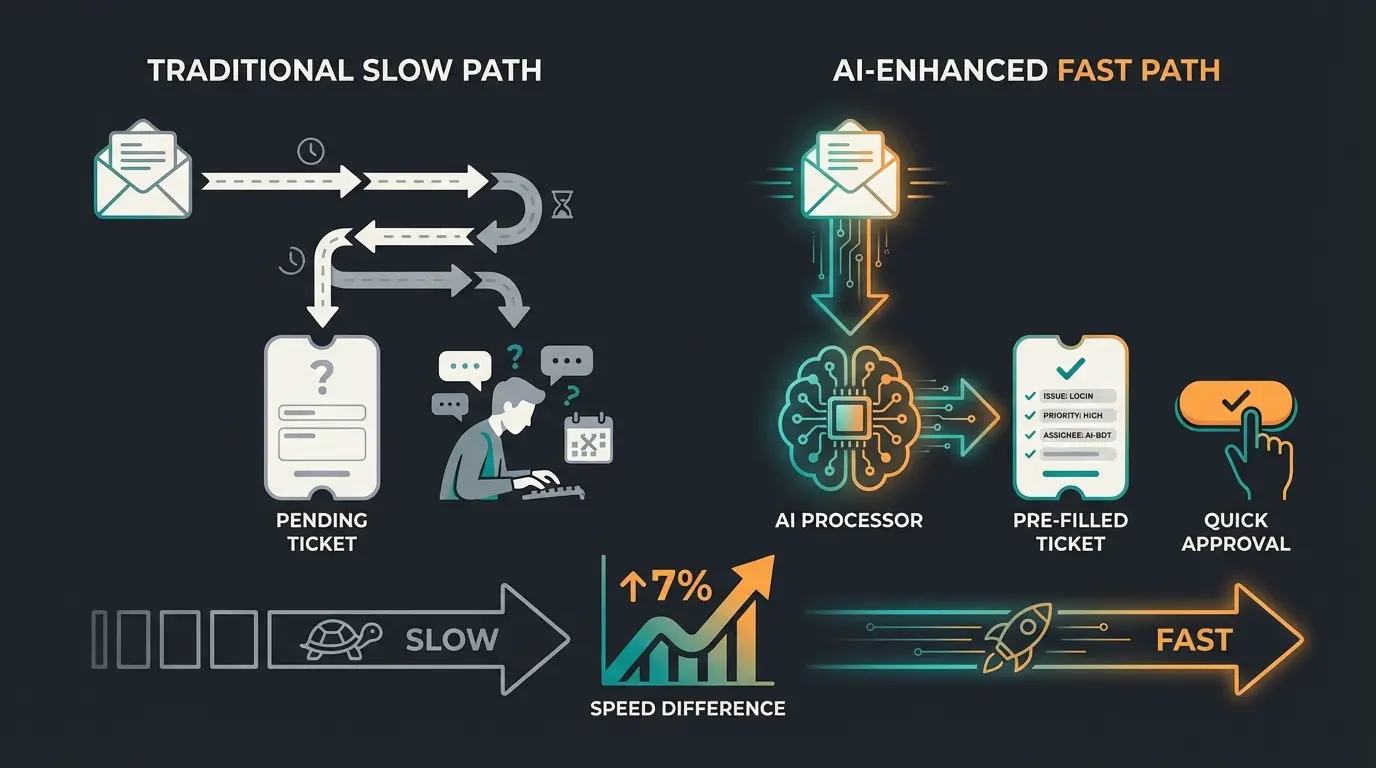
A 'dumb' integration that only forwards the email costs you valuable minutes or hours. This is where the integration must step in: it must not only transport, but prepare. Implementing AI customer service solutions can bridge this critical gap effectively.
Part 3: The Solution – AI as Intelligent Middleware
To truly add value when bridging Gmail and Intercom, we need an 'intelligent integration.' Instead of using Zapier only as a pipeline, we integrate AI logic (e.g., via OpenAI API or specialized Intercom AI add-ons like 'Fin,' though Fin is often expensive and limited to support as noted by ClearFeed).
The Concept: The AI Product Consultant
The modern integration approach follows a sophisticated workflow that transforms how businesses handle incoming customer communications:
Email arrives in Gmail and triggers the automation workflow
AI analyzes content before or during handoff to Intercom, matching against your knowledge base
AI creates a pre-filled response draft as an internal note in Intercom
Agent reviews the draft, personalizes if needed, and clicks Send
Why this hybrid approach wins: For complex product consultation, customers don't want to talk to bots. The hybrid approach maintains human authorship while using AI speed. Every employee, whether junior or senior, has access to the 'perfect knowledge' of the AI. Response time drops from hours to seconds as research work is eliminated. This approach aligns perfectly with conversational AI business transformation strategies.
Part 4: Setting Up an Intelligent AI Workflow
Here we describe how you can conceptually set up such a workflow. We use a combination of native Intercom functionality and external automation (e.g., via Make/Zapier in combination with OpenAI), since Intercom's native AI 'Fin' is primarily aimed at chat support and less at complex email sales drafts.
Step 1: The Data Switch in Gmail
Use Gmail filters to identify relevant emails. Not every email needs AI analysis, so smart filtering saves processing resources and costs.
- Create a filter in Gmail: Has words: 'prices' OR 'quote' OR 'integration'
- Assign these emails a label: Needs_Consultation
- Set up additional filters for different priority levels
Step 2: The Intelligent Connector (via Make/Zapier)
Instead of forwarding the email directly, we use a webhook or trigger to enable intelligent processing before the message reaches your support team.
- Trigger: 'New Email with Label Needs_Consultation' in Gmail
- Action (OpenAI/LLM): Send the email body to a prompt
- Prompt example: 'You are a Senior Product Consultant for [Product Name]. The customer asks: [Email Text]. Based on our documentation [Link/Context], create a friendly, sales-oriented response draft in English. Be precise with technical details.'
Step 3: Handoff to Intercom
The final step involves properly routing the AI-enhanced content to your team:
- Action (Intercom): 'Create Conversation' or 'Add Reply to Conversation'
- Important: Add the AI-generated text not as a public reply, but as an Internal Note
- Result: When your agent opens Intercom, they see the customer's email AND directly below it, highlighted in yellow, the finished response draft
This workflow structure enables your team to leverage AI-powered chatbot solutions while maintaining human oversight for quality assurance.
Stop letting leads go cold while manually drafting responses. Our AI consultation platform integrates seamlessly with your existing Gmail and Intercom setup.
Start Your Free TrialPart 5: Privacy & GDPR – Critical for German Companies
If you're searching for Intercom Gmail integration and are based in Germany, you cannot ignore the topic of GDPR. Intercom is a US company, and Gmail (Google) as well. Linking both tools requires careful consideration of data protection requirements. According to LegalWeb, proper documentation and contractual frameworks are essential.
Server Location and Data Transfer
Intercom now offers 'Regional Data Hosting' in the EU (servers in AWS Ireland/Frankfurt). According to Intercom's documentation, you should ensure your Intercom workspace is hosted on EU servers to keep data primarily in Europe. Caution: Even with EU hosting, support access from the USA can occur. Check Intercom's 'Subprocessor List' for this.
Data Processing Agreement (DPA)
You must conclude a Data Processing Agreement (DPA/AVV) with both Google (Google Workspace) and Intercom. Intercom now often integrates the DPA (including Standard Contractual Clauses/SCCs) directly into its terms, but also offers signable versions for enterprise customers. Check whether your connector tools (Zapier/Make) are also GDPR compliant. Zapier offers DPAs, for example, but transfers data to the USA. A risk assessment or the use of European alternatives (e.g., n8n on your own server) is advisable. Understanding the EU AI Act requirements is also increasingly important for AI implementations.
Part 6: The Complete Integration Comparison
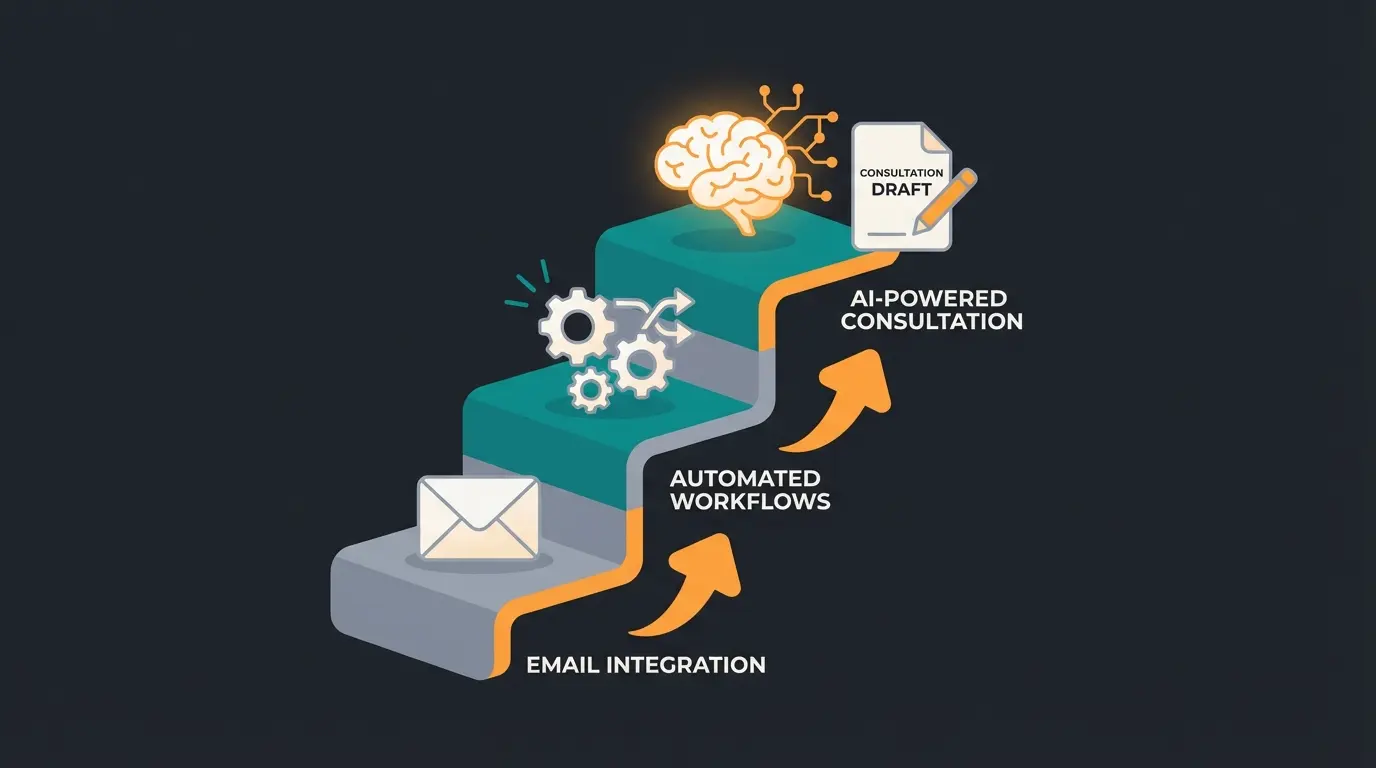
To help you make your decision, we've compared the three evolution stages of integration. Each approach has specific strengths depending on your business needs and technical resources.
| Feature | Level 1: Native Forwarding | Level 2: Zapier/Make Automation | Level 3: AI Consultant (Hybrid) |
|---|---|---|---|
| Setup Effort | Low (5 minutes) | Medium (30-60 minutes) | Medium to High (Initial prompting) |
| Cost | Free (included in Intercom) | From ~$20/month (tool costs) | Tool costs + API costs (minimal) |
| Function | Creates a ticket | Automates processes (tagging, routing) | Creates the response draft |
| Best For | Simple support, bug reports | Workflow optimization, CRM sync | Sales, product consultation, high-ticket |
| Agent Effort | High (must write reply) | High (must write reply) | Low (review & send) |
| Response Time | Slow (human latency) | Slow (human latency) | Extremely fast (instant draft) |
| Quality | Depends on employee | Depends on employee | Consistently high (knowledge-based) |
Analysis of Integration Levels
Level 1 is sufficient for startups and pure support teams where the goal is simply not to lose any inquiries. Level 2 helps with organization but doesn't solve the problem of content creation. Level 3 is the game changer for teams that sell or consult via email. The investment in setup often pays for itself through even a single additional deal won due to faster response time.
For businesses looking to maximize their customer interactions, exploring Intercom software capabilities provides a comprehensive foundation. Additionally, implementing AI-guided selling strategies can further enhance conversion rates.
Beyond Gmail: Multi-Channel Integration Strategy
While this article focuses on Gmail integration, modern businesses rarely operate on a single channel. The principles discussed here apply equally to other communication channels. Implementing AI chatbots for customer service across multiple touchpoints creates a unified experience.
Consider how your integration strategy extends to live chat, social media messaging, and even phone support. The AI middleware approach works across all these channels, ensuring consistent response quality regardless of where customers reach out. This is particularly valuable for Shopware AI automation implementations in e-commerce contexts.
Optimizing Customer Service Operations
Effective email integration is just one component of comprehensive customer service optimization. When combined with proactive strategies like AI-powered returns prevention, businesses can significantly reduce support volume while improving customer satisfaction.
The evolution from reactive support to proactive consultation mirrors the broader shift in customer expectations. Modern AI product consultation providers are leading this transformation by enabling personalized, instant responses at scale.
Understanding the Technology Behind AI Integration
Understanding AI Integration Technology
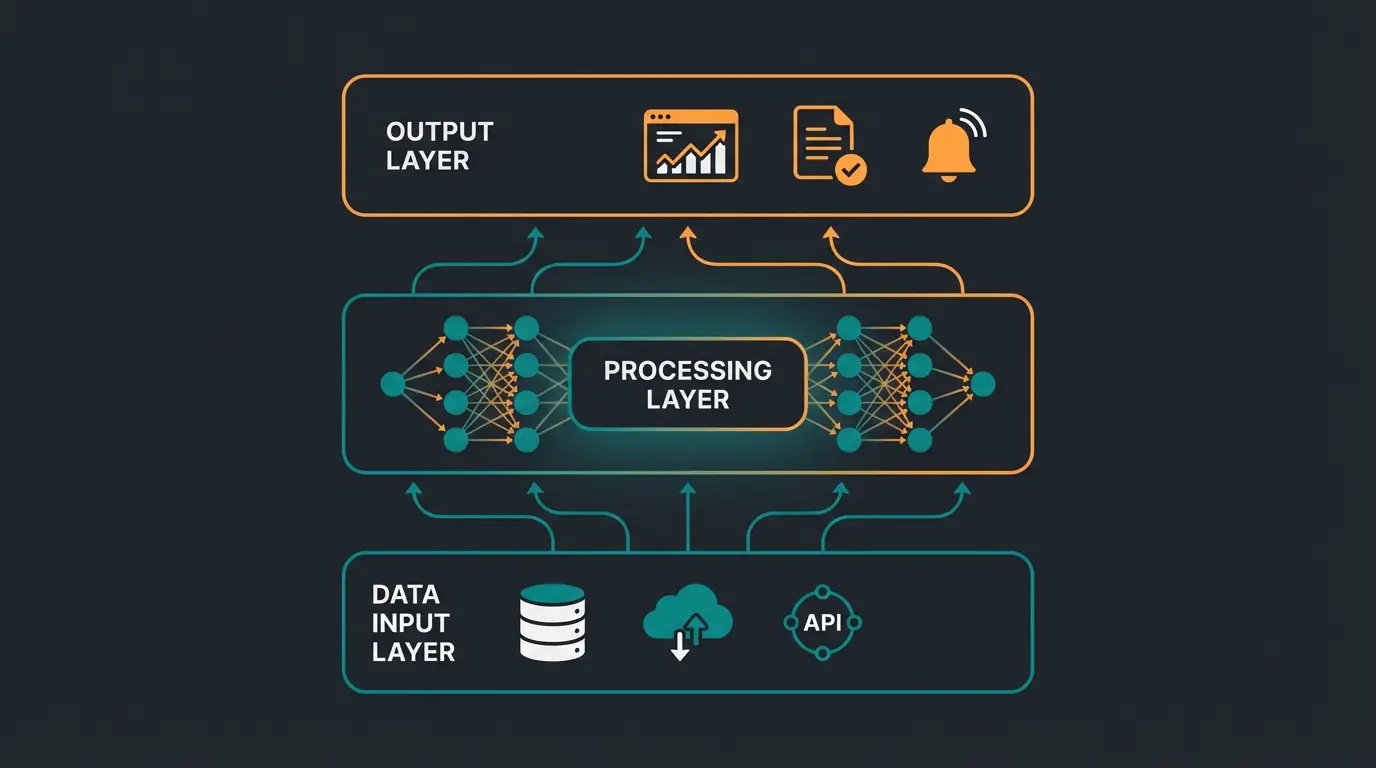
The evolution from chatbots to conversational AI represents a fundamental shift in how businesses approach customer communication. Unlike rule-based systems that follow predetermined scripts, modern AI can understand context, learn from interactions, and generate appropriate responses dynamically.
This technological advancement makes the intelligent middleware approach described in this article possible. Without natural language understanding capabilities, the AI layer would simply be another routing mechanism rather than a true consultation assistant.
FAQ: Troubleshooting Common Integration Issues
When setting up the Intercom Gmail integration, specific problems often occur. Here are the solutions for the most common stumbling blocks that users encounter during implementation.
This is almost always due to missing domain authentication. When you send emails via Intercom that look like they come from yourcompany.com but are technically sent from Intercom servers, spam filters raise alarms. Solution: Set up DKIM and CNAME records in your DNS provider (e.g., Cloudflare, GoDaddy). Intercom provides guidance under Settings > Email > Domains.
For native forwarding (Level 1): Yes, Intercom generally displays attachments and embedded images correctly. For connector tools (Level 2): This is often problematic. Many Zaps only transfer text. You need to ensure your Zapier workflow explicitly maps attachments, which is often more complex.
Intercom blocks forwarding from generic domains like @gmail.com or @outlook.com by default to prevent spam and abuse. You must use a custom company domain (e.g., @yourcompany.com) for the integration to work properly.
Native integration tries to keep CC recipients in the loop. However, if you go via API/Zapier, you must manually map CC fields, otherwise only the main sender and you receive the reply, and the customer's colleagues are excluded from the conversation.
Ensure your Intercom workspace uses EU Data Hosting, sign Data Processing Agreements with all vendors including Intercom and any automation tools, only sync necessary data fields, list Intercom in your privacy policy, and obtain consent for any tracking features you enable.
Conclusion: Integrate Intelligence, Not Just Inboxes
The search for 'Intercom Gmail integration' usually begins with the desire for order. But order alone doesn't sell products. In an era when customers expect answers in minutes, the traditional way—forward email, wait, type manually—is a competitive disadvantage.
By upgrading your integration from a pure 'data pipeline' to an 'intelligent assistant,' you achieve three things:
- Inbox Zero becomes achievable because processing time per ticket drops drastically
- Quality increases because AI drafts are based on your entire company knowledge and forget nothing
- Revenue grows because you catch leads at the moment their interest is highest—within the 'Golden 5 Minutes'
Actionable recommendation: Don't just start with forwarding today. Sit down with your tech team and examine how you can position AI as middleware between Gmail and Intercom. If you need support with GDPR-compliant implementation in Germany, bring in experts who understand both the technical API landscape and the legal requirements of data protection.
Your inbox is full. But with the right strategy, it's no longer work—it's your strongest sales weapon.
Stop starting from a blank page. Let AI draft your product consultations while you maintain full control. Join hundreds of businesses already using intelligent integration.
Get Started Free Today