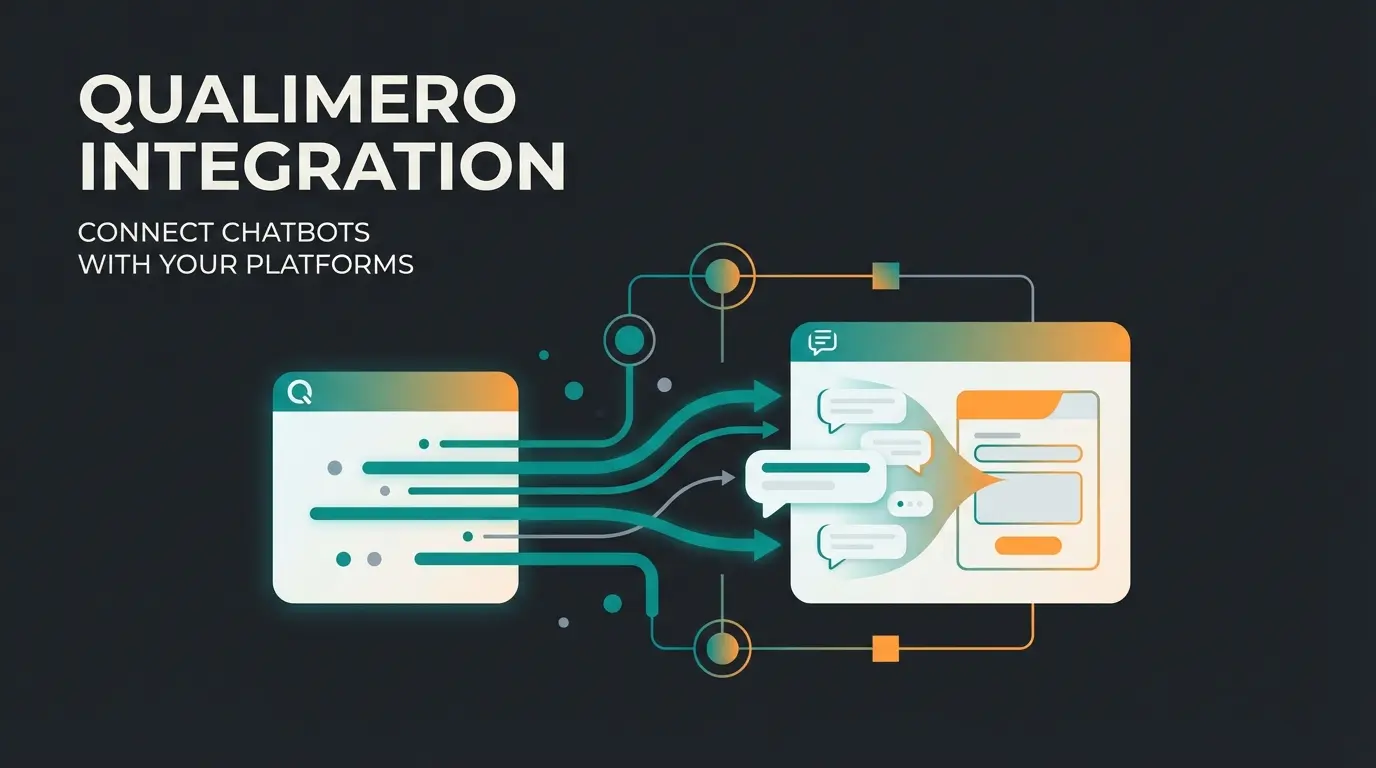
Why Standard Integration Is No Longer Enough
Connecting Intercom and Salesforce is often the first logical step for B2B companies looking to unite their marketing and sales efforts. The promise sounds enticing: A 'Single Source of Truth' where all chat data flows seamlessly into your CRM, enabling sales reps to instantly know what the customer wants.
But reality often looks quite different.
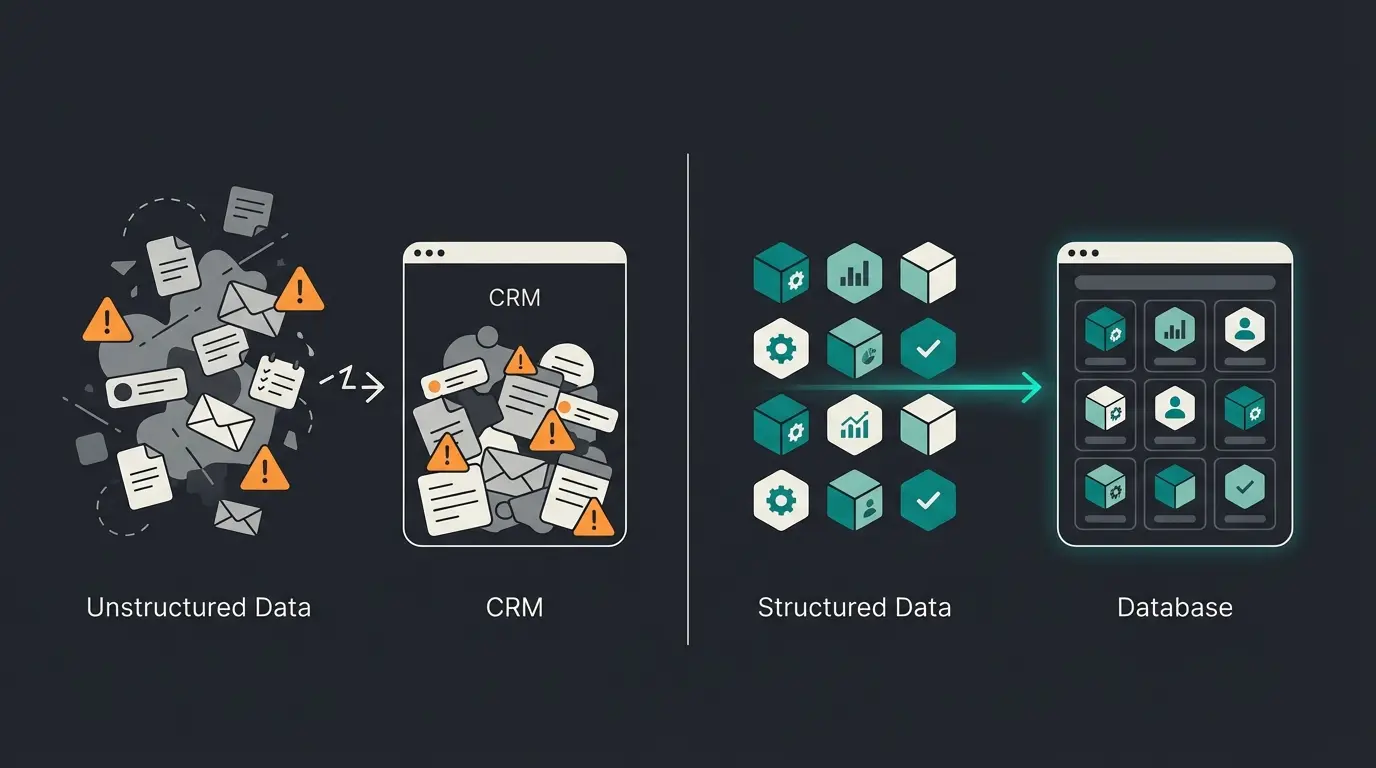
In most cases, the Intercom Salesforce integration is limited to simply 'shoveling' data from one system to another. Chat transcripts end up as unstructured text blocks in Salesforce notes that no sales rep ever reads. Leads are created, but the crucial context is missing: Why did the customer reach out? What is their budget? Which technical hurdles are they facing?
The result: Your CRM fills up with data garbage, and your sales reps still need to manually qualify every single lead. This is where modern AI customer service approaches make all the difference.
In this comprehensive guide, we'll show you how to solve this problem. We go far beyond the basic technical setup and demonstrate how to transform Intercom – especially through modern AI agents like Fin – from a pure support tool into an automated Sales Engineer. We bridge the gap between 'Lead Name: John Smith' and 'Lead Context: Looking for Enterprise solution for 50 users by Q3'.
Of chat transcripts pushed to Salesforce are never reviewed by sales reps
Average time sales reps spend manually qualifying leads from chat
Shared API calls per minute that can cause sync failures
Part 1: The Basics – Native Integration Setup
Before we dive into advanced AI strategies, the 'table stakes' must be in place. The technical foundation is crucial for data to flow at all. Here's your compact guide to setting up the official Salesforce Intercom integration app.
Prerequisites for Success
Not every Salesforce edition works with Intercom. According to official documentation from Intercom, you absolutely need API access to make this work.
- Salesforce Edition: Enterprise, Unlimited, or Developer Edition. (Professional Edition requires a paid API add-on)
- Permissions: You need admin rights in both Intercom and Salesforce
- Dedicated Integration User: Always use a dedicated service account rather than a personal employee account
Step-by-Step Installation Process
Step 1: Install from the App Store – Navigate to your Intercom Workspace's App Store, search for 'Salesforce,' and click 'Install.' This is the safest way to use the official integration.
Step 2: Authentication – You'll be prompted to log into your Salesforce instance. Important: Ideally use a dedicated 'Integration User' in Salesforce rather than an employee's account. According to Salesforce best practices, if that employee leaves the company and their account gets deactivated, your entire integration will break.
Step 3: Initial Field Mapping – In the standard setup, Intercom maps basic fields like `First Name`, `Last Name`, and `Email`. Pro tip: Decide which system 'wins' when data conflicts occur. Typically, Salesforce should maintain authority as the 'System of Record' for master data, while Intercom delivers dynamic behavioral data.
The Limits of Standard Configuration
Once this connection is established, leads will synchronize. But be careful: By default, Intercom syncs every new lead that leaves an email address. Without filtering, this can quickly flood your Salesforce database with unqualified support inquiries. This is where understanding the difference between basic AI chatbots and intelligent AI consultants becomes critical.
Part 2: Why Standard Syncs Fail in Complex B2B Sales
Many companies install the app and think: 'Done.' But after a few weeks, the sales teams start complaining. Why? Because the Salesforce Intercom integration in its standard form often fails at strategic hurdles that no amount of technical configuration can solve.
Problem 1: Unstructured Data Chaos
A chat history is difficult for an Account Executive (AE) to digest. When a customer chats for 20 minutes with a bot or support agent, a lengthy transcript is created.
Status Quo: According to Intercom's documentation, the transcript gets attached as a 'Task' or 'Note' to the Salesforce contact.
The Problem: No AE has time to read through 50 lines of chat before a call just to discover that the customer only asked for an invoice copy. The valuable context gets buried in noise.
Problem 2: API Limits and Data Congestion
An often-overlooked technical detail is the API limit. Intercom and Salesforce share a common limit of API calls (requests).
Fact: An Intercom workspace often has a shared limit of 25,000 API calls per minute for all integrations, or your Salesforce license's daily limit applies. According to technical documentation from Eesel AI and Intercom's API guidelines, this can become a serious bottleneck.
Risk: If you try to bulk-sync historical data or push every small change (e.g., 'Last Seen' timestamp), you'll hit the limit. The consequence: Synchronization stops completely, and important leads no longer reach Salesforce.
Problem 3: Missing Historical Synchronization
A critical point that many users notice too late: The integration doesn't work retroactively.
The Behavior: According to Intercom's help documentation, data only syncs when an event (trigger) occurs, such as when a lead is updated. Old leads that don't move won't automatically appear in Salesforce unless you initiate a manual 'Bulk Sync.'
Part 3: The Upgrade – Using AI as Your Sales Engineer
Here's your opportunity for differentiation. Instead of viewing Intercom merely as a 'chat window,' we'll use it as an AI-powered product consultant that feeds Salesforce with structured information. This approach aligns perfectly with modern AI-powered sales consultation strategies.
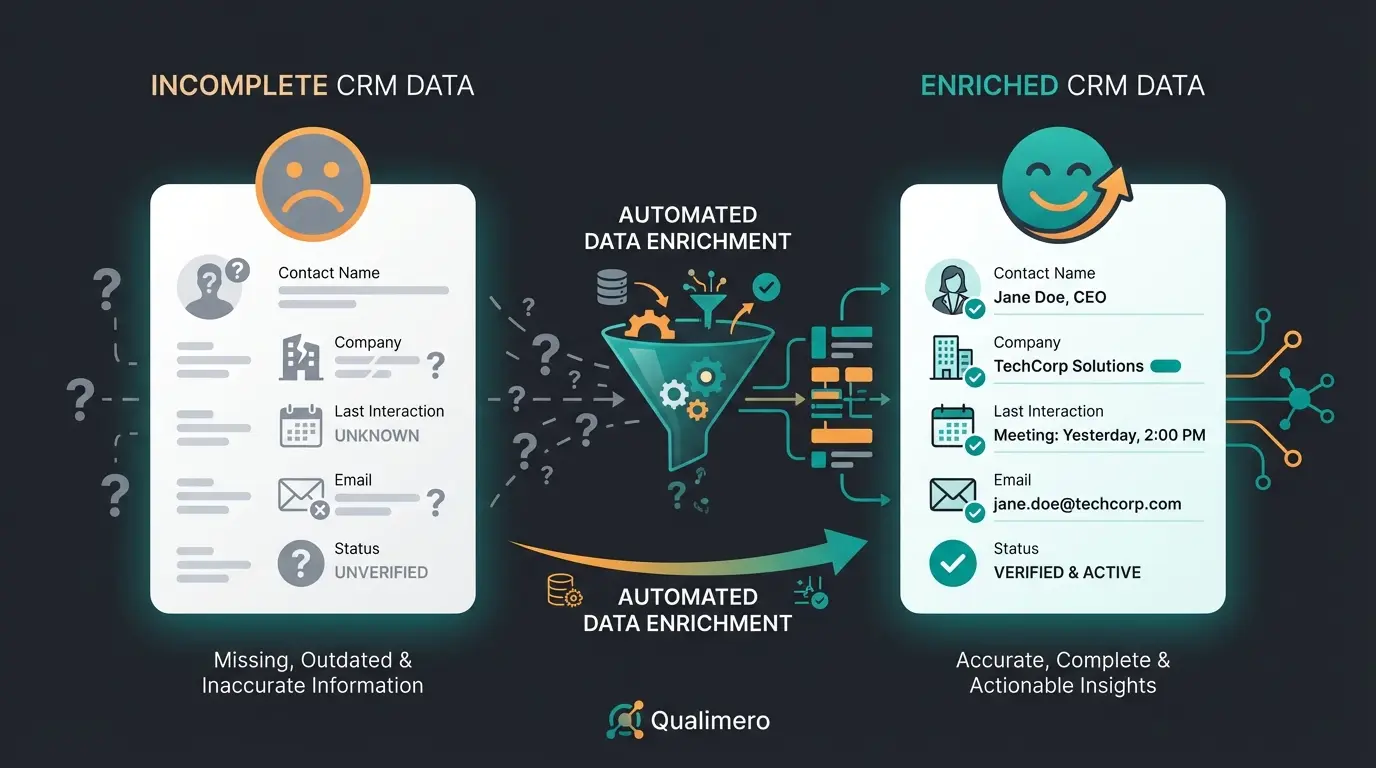
We're changing the logic: We don't send 'chats' to Salesforce – we send 'insights.'
From Chat Transcript to Structured Attributes
Modern AI Agents in Intercom (like Fin AI) can do more than just answer questions. They can extract information. This is the key to a valuable Intercom and Salesforce integration.
The Concept of Fin Attributes
According to Fin AI documentation, Intercom's Fin AI can automatically recognize and populate attributes during a conversation. This means the AI 'listens' and extracts data points without requiring the user to fill out a form.
| Data Point | Standard Integration | AI Consultant Approach |
|---|---|---|
| Customer Need | Somewhere buried in chat text | Field in Salesforce: `Product_Interest__c` = 'Enterprise Plan' |
| Urgency | Unknown | Field in Salesforce: `Buying_Timeline__c` = 'Q3 2024' |
| Sentiment | Unknown | Field in Salesforce: `Sentiment__c` = 'Positive' |
| Objections | Unknown | Field in Salesforce: `Objection_Type__c` = 'Pricing' |
| Technical Stack | Mentioned but not captured | Field in Salesforce: `Tech_Requirements__c` = 'SAP Integration' |
Technical Implementation Steps
1. Create Custom Attributes in Intercom: Create specific attributes in Intercom that correspond to your qualification criteria (e.g., `Budget_Range`, `Technical_Requirement`, `User_Count`).
2. Mapping to Salesforce: Go to Intercom Settings > Salesforce > Lead Mapping. Connect these new Intercom attributes with the corresponding fields in your Salesforce Lead or Opportunity object.
3. AI Training (Fin AI): According to Intercom's AI documentation, configure Fin to recognize these attributes. You can train Fin to recognize specific topics (e.g., 'pricing question') and set the attribute `Buying_Intent` to 'High'.
4. The Sync Trigger: As soon as Fin sets the attribute in the chat (e.g., Budget = >50k), according to Intercom's sync documentation, the Salesforce app recognizes the change to the record and immediately pushes this specific field to your CRM.
Define key qualification fields in Intercom (Budget, Timeline, Technical Requirements)
Connect Intercom attributes to Salesforce Lead/Opportunity fields
Configure Fin AI to extract and populate attributes during conversations
Define when qualified data should push to Salesforce
Use Salesforce Flows to create tasks and update opportunity stages
See how AI-powered product consultation can automatically qualify leads and enrich your Salesforce data with structured insights – not just chat transcripts.
Start Free TrialPart 4: The Perfect Workflow – From Visitor to Opportunity
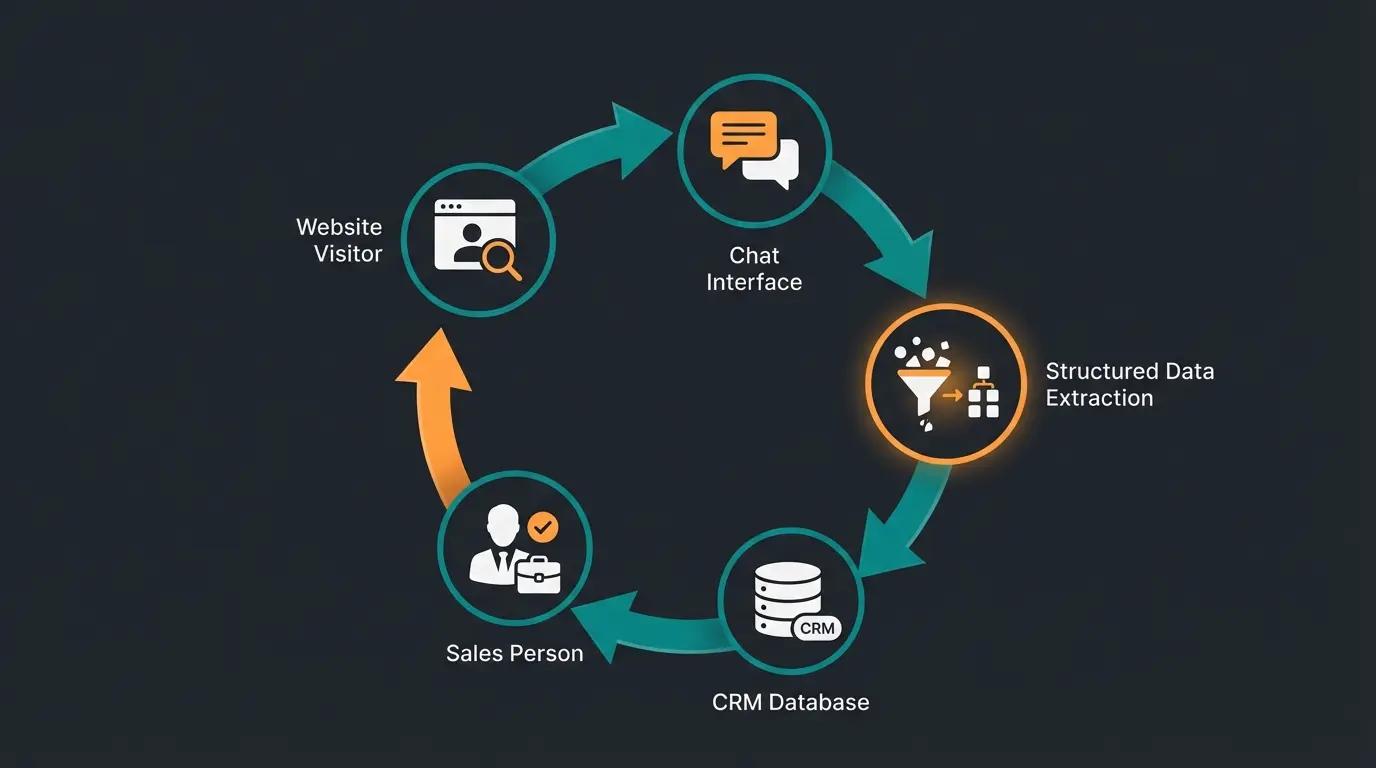
Let's build a concrete workflow that demonstrates how an Intercom AI product consultant bot works in practice. This goes far beyond what standard AI chatbots can achieve.
Step 1: The Intelligent Trigger
A visitor on your pricing page lingers for more than 30 seconds. Instead of an annoying 'Can I help you?' popup, your AI starts proactively with context: 'I see you're looking at our Enterprise options. Do you have questions about API integration?'
Step 2: AI Consultation and Qualification
The visitor responds: 'Yes, we use SAP and need an interface.'
- AI Action: The AI answers the technical question (based on your knowledge base)
- AI Extraction: Simultaneously, the AI sets the attribute `Tech_Stack` to 'SAP' in the background
Step 3: Soft Conversion and Intelligent Handoff
The AI continues: 'For how many users are you planning the system?'
Visitor: 'Around 200.'
- AI Action: Sets `User_Count` to '200'
- Logic: Since Users > 50, the AI qualifies this lead as 'Sales Ready'
Step 4: The Salesforce Sync Magic
Now the magic of the Intercom Salesforce integration happens:
- A new lead is created in Salesforce (or an existing one is updated)
- The fields `Tech_Stack` and `User_Count` are already filled in
- A task is created: 'Hot Lead: SAP Integration, 200 Users'
Step 5: Sales Takes Over with Full Context
The Sales Rep opens Salesforce. They don't need to read the chat. They see at a glance: SAP, 200 Users, API question answered. They can start the call with a tailored solution instead of 'Tell me about your company.' This is the essence of AI guided selling.
Standard Bot vs. AI Consultant: The Critical Difference
Understanding the fundamental difference between standard FAQ bots and AI consultants is crucial for maximizing your integration's value. Here's how they compare across key dimensions:
| Dimension | Standard FAQ Bot | AI Product Consultant |
|---|---|---|
| Data Sent to Salesforce | Name, Email, Raw Transcript | Needs Analysis, Budget Range, Technical Requirements, Objection History |
| User Experience | 'Click here to talk to sales' | Immediate technical solutioning and personalized recommendations |
| Sales Rep Benefit | Unqualified lead with no context | Pre-qualified opportunity with complete buying signals |
| Conversion Impact | Deflects inquiries, may frustrate visitors | Nurtures leads, builds trust through expertise |
| CRM Data Quality | Clutters database with unstructured noise | Enriches records with actionable intelligence |
This comparison illustrates why exploring Intercom alternatives that focus on sales consultation rather than just support deflection can dramatically improve your sales outcomes.
German Market Considerations: Trust and Precision
If you operate in the DACH region, there are two critical factors to consider with your Salesforce Intercom integration: Data protection (GDPR) and cultural expectations.
GDPR and Data Residency Requirements
German customers are sensitive when data flows to the USA. Here's what you need to know:
Intercom: According to Intercom's data residency documentation, Intercom now offers 'Regional Data Hosting' in Europe. Servers are located in Dublin, Ireland (AWS Region `eu-west-1`). This ensures that chat data doesn't leave the EU.
- Important: Check if your Intercom workspace is hosted on `app.eu.intercom.com`
- Verify data processing agreements are in place for both platforms
- Document your data flows for compliance audits
Salesforce: According to Salesforce negotiations experts and official Salesforce documentation, with 'Hyperforce,' Salesforce also enables data storage in Germany (Frankfurt).
The Consultative Approach vs. Aggressive Sales
German buyers often react allergically to superficial 'hype bots.' They expect competence and depth.
A standard bot that only collects emails ('Gatekeeper') often leads to high bounce rates in German markets. An AI Consultant that (as described above) delivers real technical answers before asking for contact information fits much better with German expectations for quality and expertise.
This aligns with the approach behind AI product consultation, where the focus is on delivering value first. Use the integration to document this expertise in Salesforce, giving your sales team the credibility they need for consultative selling.
Frequently Asked Questions (FAQ)
Here we answer specific questions about the Intercom and Salesforce integration that frequently arise in practice.
No, not automatically. The integration works 'event-based.' This means data only syncs when a record changes (e.g., new chat, attribute update). For historical data, you need to initiate a manual 'Bulk Sync' in the app settings. Plan this carefully as bulk operations can consume significant API quota.
Yes, but it requires workflow configuration. The standard 'Automatically create leads' setting often sends too much data. Solution: Disable automatic creation in the app settings. Instead, use an Intercom Workflow: 'IF Attribute `Qualified` = True, THEN `Create Lead in Salesforce`.' This keeps your CRM clean and focused on high-value prospects.
Intercom attempts to prevent duplicates based on email address. If a contact with the email already exists in Salesforce, that record is updated (instead of creating a new lead). Salesforce takes priority: If there's both a contact and a lead with the same email, the integration prioritizes the contact.
Directly through the standard app is difficult since it mostly focuses on Leads/Contacts. Workaround: Map a custom field in Salesforce (e.g., `Intercom_Status`). When the AI sets this field to 'Demo Booked,' you can build a Flow (automation) in Salesforce that responds and automatically advances the Opportunity stage.
Be strategic about what triggers syncs. Avoid syncing every small change like 'Last Seen' timestamps. Focus on meaningful qualification events. Consider batching updates during off-peak hours and monitor your API usage dashboard in both platforms.
Conclusion: Integration Is a Sales Strategy, Not an IT Project
The Intercom Salesforce integration is powerful, but it's often undersold. Those who only use it to sync names and emails miss the potential of modern AI.
By upgrading Intercom from a support channel to an AI-powered sales channel and passing structured data (not just text) to Salesforce, you achieve three things:
- Clean CRM Data: Only qualified leads land in the system
- Efficient Sales: Reps have context before the first 'Hello'
- Higher Conversion: Customers are consulted in real-time, not just managed
This approach represents the future of KI-Produktberatung – moving beyond simple automation to intelligent, context-aware customer engagement.
Start today by reviewing your field mappings and training your AI not just to 'answer' but to 'understand' and extract value from every customer interaction.
Your Implementation Checklist
- ☐ Verify: Is your Intercom workspace running in the EU (Dublin)?
- ☐ Set up a dedicated Salesforce API user (not a personal account)
- ☐ Define: Which 3-5 attributes are truly decisive for sales (e.g., Budget, Timeline)?
- ☐ Train Intercom Fin AI or Custom Bots to capture these attributes automatically
- ☐ Create workflow: Sync to Salesforce only upon successful qualification
- ☐ Set up Salesforce Flows to automate follow-up actions based on AI-captured data
- ☐ Document your data flows for GDPR compliance
- ☐ Monitor API usage and optimize sync triggers
Stop dumping chat transcripts into Salesforce. Start sending qualified, context-rich leads that your sales team will actually use. Our AI consultation platform integrates seamlessly with your existing stack.
Get Started Today