Introduction: Why Simply Syncing Messages Is No Longer Enough
Imagine this scenario: A key customer asks a complex question about your API rate limits in a shared Slack Connect channel. In 90% of companies, here's what happens: A support agent sees the message, manually creates a ticket, or hastily responds with a link to the documentation. Context is lost, the response is generic, and the opportunity for a genuine consulting conversation is wasted.
The Intercom Slack integration is the standard for many SaaS companies looking to close exactly this communication gap. However, most use it incorrectly—or at least far below its potential. In the current search landscape, guides dominate that focus purely on 'moving tickets around.' Tools like Thena or ClearFeed have specialized in turning Slack messages into support tickets. That's important for organization, but it ignores the biggest lever in modern B2B sales: Instant Product Consultation.
This article isn't an ordinary how-to guide. We'll show you not only how to establish the technical connection but how to transform your Slack Intercom integration from a reactive support line into a proactive, AI-powered consultation channel. We'll specifically illuminate topics critical for the German market such as GDPR compliance, data residency in the EU, and the limitations of native integration compared to specialized solutions.
The shift from reactive support to proactive AI product consultation represents a fundamental change in how businesses interact with their most valuable customers. Rather than waiting for problems to escalate, forward-thinking companies are implementing systems that anticipate needs and provide immediate, contextual guidance.
The Hard Truth About Native Intercom-Slack Integration
Before we dive into strategy, we need to understand what the native integration delivers—and where it fails. Many teams install the app from the Slack Directory expecting magic. Reality often looks quite different.
What the Native Integration Does Well
Intercom has made massive improvements in recent years. With the 2024 and 2025 updates, the integration has become deeper:
- Two-way sync: Messages written in Intercom appear in Slack and vice versa. This (mostly) prevents tab-switching according to Intercom's documentation.
- Fin AI in Slack: Recently, the Fin AI Agent can respond directly in Slack channels. This is a significant step away from pure 'ticket creation' toward immediate resolution.
- Ticket management: Status updates on tickets are mirrored to the Slack thread, so customers see when something is happening.
Where the Native Integration Falls Short (The Gaps)
Despite these advances, demanding teams quickly hit limitations:
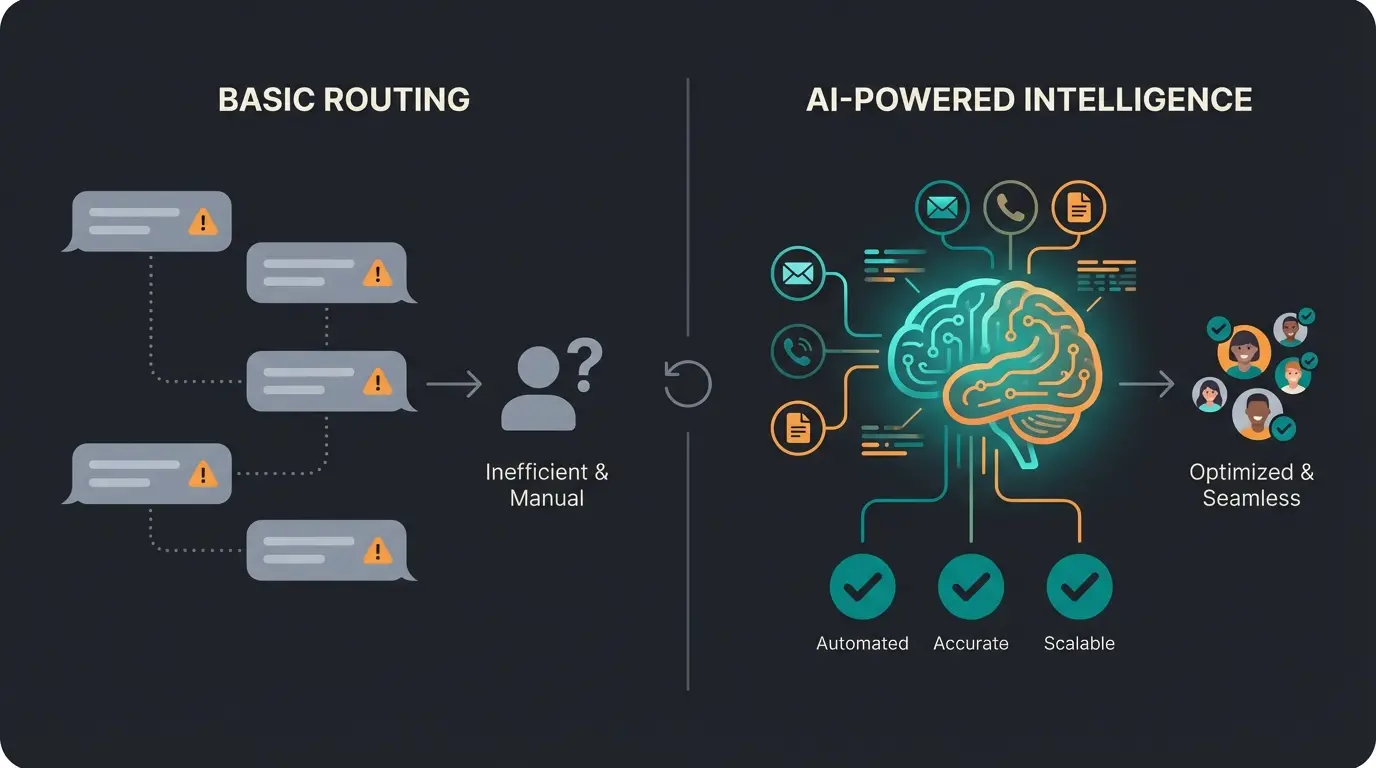
- Context blindness: The native integration often treats every message the same. It barely distinguishes between a 'bug report' (support) and a 'pricing question' (sales/consultation).
- Private channels & DMs: A massive problem for many organizations. The native app can't simply read 'everything.' It must be explicitly invited to private channels (`@Intercom`), which is often forgotten, creating blind spots.
- Enterprise Grid limitations: If your customer or your company uses Slack Enterprise Grid, the app often cannot be installed in the primary workspace but must be relegated to secondary workspaces.
- Data transparency (GDPR): For German users, it's often unclear: When I respond in Slack (servers in USA/Frankfurt) and that lands in Intercom (servers in USA/Dublin)—where does the data actually flow?
Understanding these limitations is crucial before implementing any integration strategy. Modern KI-Mitarbeiter (AI Agents) can help bridge many of these gaps by providing intelligent routing and context-aware responses that the native integration simply cannot deliver.
Step-by-Step: Setting Up the Standard Integration
To leverage the advanced strategies, the foundation must be solid. Here's the most efficient path to setup, taking into account the latest Intercom updates.
Step 1: Connect Your Workspace
Navigate to Settings > Channels > Slack in your Intercom dashboard.
- Click 'Connect'.
- Important: You need administrator rights in both workspaces (Slack and Intercom).
- Pro tip: If you manage multiple Slack workspaces (e.g., for different product lines), you can link them separately here. Intercom supports multi-workspace connections.
Step 2: Public vs. Private Channels
This is where most mistakes happen.
- Public channels: After installation, you can specify in the settings which public channels should be 'monitored.'
- Private channels: For data protection reasons, Intercom does not automatically see these. Solution: You must go to the respective private Slack channel and manually invite the bot: `/invite @Intercom` or through the channel's integration settings. Only then does the sync begin.
Step 3: Configuring Conversation Triggers
Not every Slack message should become an Intercom ticket. In the settings under 'Conversation triggers,' you can specify:
- Start on every message: Every message opens a conversation (Caution: Can flood your inbox!).
- Only on mentions: Only when `@Intercom` is mentioned (Better for internal channels).
- Bot filter: You can configure whether messages from other bots (e.g., GitHub updates in Slack) should be ignored to prevent loop effects.
Link Intercom to Slack with admin permissions in both platforms
Set up public channel monitoring and manually invite to private channels
Specify when messages should create conversations vs. be ignored
Activate Fin AI for automated responses with handover rules
Run test scenarios and refine workflows based on results
The Missing Piece: Why You Need Consultation, Not Support
Here we leave the terrain of standard documentation. Most competitors (like Thena or ClearFeed) position themselves as 'triage tools.' Their promise: 'We help you sort the chaos of support tickets in Slack.' That's reactive. It's about managing problems.
Your goal should be to solve problems and create value before a human needs to intervene. This is where proactive Guided Selling transforms the customer experience from transactional to consultative.
The Difference: Support Bot vs. AI Consultant
| Feature | Standard Support Bot (Status Quo) | Your AI Product Consultant (Strategy) |
|---|---|---|
| Trigger | Customer reports a problem ('It's not working') | Customer asks a question ('What's the best approach?') |
| Goal | Create ticket & communicate wait time | Provide immediate, context-aware consultation |
| Knowledge | Accesses static FAQs | Combines product data, best practices & customer context |
| Tone | 'A team member will get back to you shortly' | 'Based on your setup, I recommend X because...' |
| Technology | Simple rule-based bots | LLM-based agents (e.g., Fin) with custom instructions |
Scenario: The Upsell Moment
A customer asks in Slack: 'Can we invite more than 5 users to the account?'
- The Support Approach (Native/Thena): A ticket is created. 4 hours later, an agent responds: 'Yes, that costs extra. Here's the link to the pricing page.' -> Momentum lost.
- The Consultant Approach (Fin AI): The AI agent recognizes the purchase intent ('Commercial Intent'). It checks the knowledge base and responds immediately in the Slack thread: 'Yes, that's possible. Starting with the Advanced plan, unlimited seats are included. Since you currently have 4 users, the upgrade would actually be cheaper than individual licenses. Want me to summarize the details?'
That's not support. That's automated sales. This is exactly what Consultative AI enables—transforming routine interactions into revenue-generating opportunities.
Advanced Workflow: Building the Consultation Loop
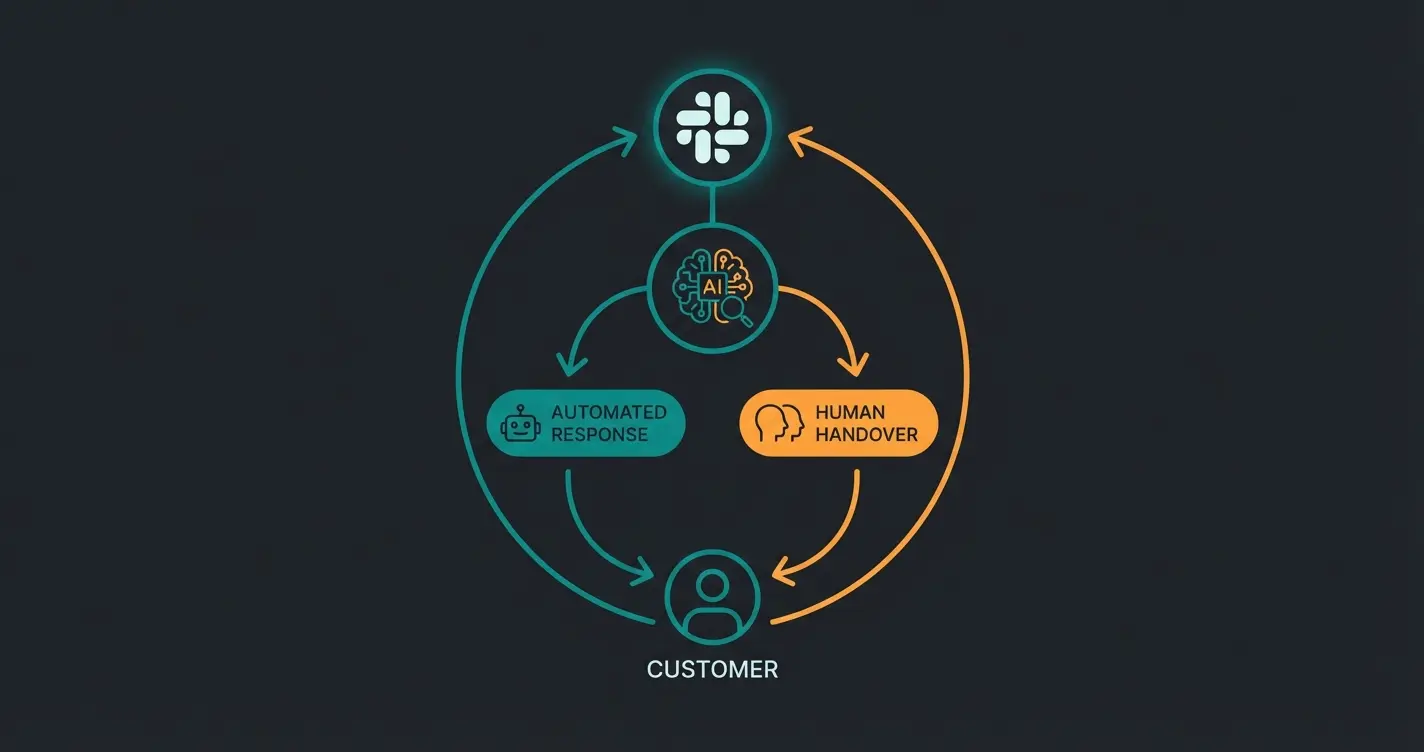
How do you implement this technically? You need to configure Intercom Fin AI so that it doesn't just 'respond' in Slack but 'consults.'
1. Leverage the Confidence Threshold
Fin AI works with a confidence threshold. For support questions ('How do I change my password?'), high automation is fine. For consultation questions ('Which strategy is better?'), you need control.
Strategy: Use the 'Handover' workflows. Configure Fin so that for complex topics (keywords like 'strategy,' 'planning,' 'enterprise'), it drafts an answer but posts it as an 'Internal Note' in Intercom before it goes to Slack. A human can then approve it with a single click. According to Intercom's workflow documentation, this gives you the perfect balance between automation and quality control.
2. Custom Answers for Slack-Specific Questions
Slack communication is often shorter and more informal than email. Train Fin with Custom Answers that are specifically formatted for Slack (short paragraphs, use of emojis, no long 'Dear Sir or Madam' formalities). Intercom allows you to define specific answers for specific channels. Use this to be 'chatty' in Slack and 'formal' in emails.
3. The Workflow Diagram (Visualization)
Visualize the data flow like this:
- Input: Customer writes in Slack Connect channel `#project-x`.
- Analysis: Intercom receives message -> Fin AI analyzes intent (Support vs. Sales).
- Action A (Support): Fin responds directly in the thread with a solution from the knowledge base ($0.99 cost applies according to Customerly's pricing analysis).
- Action B (Consultation): Fin recognizes complex need -> Tags the account manager in Intercom -> Creates an 'AI Summary' of the conversation so far -> Account manager responds via Intercom directly to the Slack thread.
This consultation loop enables 24/7 product consultation that scales with your business while maintaining the human touch where it matters most.
See how AI-powered consultation can turn your Slack channels into high-converting sales machines. Our experts will show you the exact setup.
Start Your Free TrialData Privacy & GDPR: The German Perspective
This is the section most important for your German readers and missing from most English sources. The question is: 'Are my Slack-Intercom data safe in the EU?'
The Regional Data Hosting Trap
Intercom has offered EU Data Hosting (AWS Region Dublin, `eu-west-1`) for some time. This sounds perfect for GDPR compliance.
BUT: There's a massive catch you need to know about.
- No migration: You cannot simply 'move' an existing US workspace to Europe.
- The consequence: If you're already using Intercom (standard US hosting) and want to switch to EU hosting, you must create a completely new workspace. All historical data, conversations, and settings are lost or must be manually exported/imported according to Intercom's EU hosting documentation.
- For the Slack integration, this means: You must re-authorize the Slack app in the new workspace and re-establish all channel connections.
Data Flow Analysis
Even with EU hosting, you need to understand how data flows:
- Slack: Stores data in the USA by default, but offers 'Data Residency' for Business+ and Enterprise Grid customers (e.g., Frankfurt) as noted in Slack's data residency documentation.
- Intercom: Processes the data. If you use EU hosting, Customer Data (conversation contents) stays in Dublin. Account Data (billing data, admin logins) is often still processed in the USA according to Eesel.ai's compliance analysis.
- Sub-processors: Check the list of sub-processors. Even if Intercom is in the EU, Fin AI (based on OpenAI models) uses interfaces. Intercom has special 'Zero Data Retention' agreements with OpenAI for this, which is a strong argument for using Fin over your own ChatGPT wrapper according to Intercom's AI data handling policies.
Or 4% of annual global turnover, whichever is higher
Required time to report data breaches to authorities
Of German companies prioritize GDPR compliance in tool selection
For companies implementing AI consulting in e-commerce, understanding these compliance requirements is not optional—it's a fundamental business requirement that can make or break customer trust.
Comparison: Native vs. Thena/ClearFeed vs. Your Approach
Why should you stick with the native integration, or when is a third-party tool worthwhile?
| Feature | Native Intercom Integration | Thena / ClearFeed | Your 'Consultant' Approach (Native + Fin) |
|---|---|---|---|
| Main Purpose | Synchronization & basic support | Triage & ticket management in Slack | Automated problem-solving & consultation |
| Costs | Included in plan (Fin extra) | From ~$35/user/month per Channeled pricing | Intercom plan + $0.99/resolution |
| Setup Effort | Medium (Manual channel invites) | High (Own app configuration) | High (Workflow optimization) |
| AI Capability | Fin AI (Solves problems) | Often only summary/routing | Fin AI (Solves + Consults) |
| Internal Triage | Weak (Inbox only) | Strong (Discussions in Slack about tickets) | Medium (Focus on customer response) |
| GDPR | Depends on hosting (US/EU) | Additional sub-processor (US tools) | Minimized sub-processor chain |
Conclusion on the Comparison
- Use Thena/ClearFeed if your main problem is internal chaos ('Who's handling this ticket?') and you need complex escalation levels within Slack according to Thena's feature documentation.
- Use the Native Integration + Fin if your goal is to help the customer immediately, without human intervention. This is the more scalable approach for Product-Led-Growth (PLG) companies.
The teams implementing AI sales consultants effectively are those who understand that the technology choice must align with their customer communication philosophy. Are you managing tickets or creating value?
The Consultant vs. Support Bot Paradigm Shift
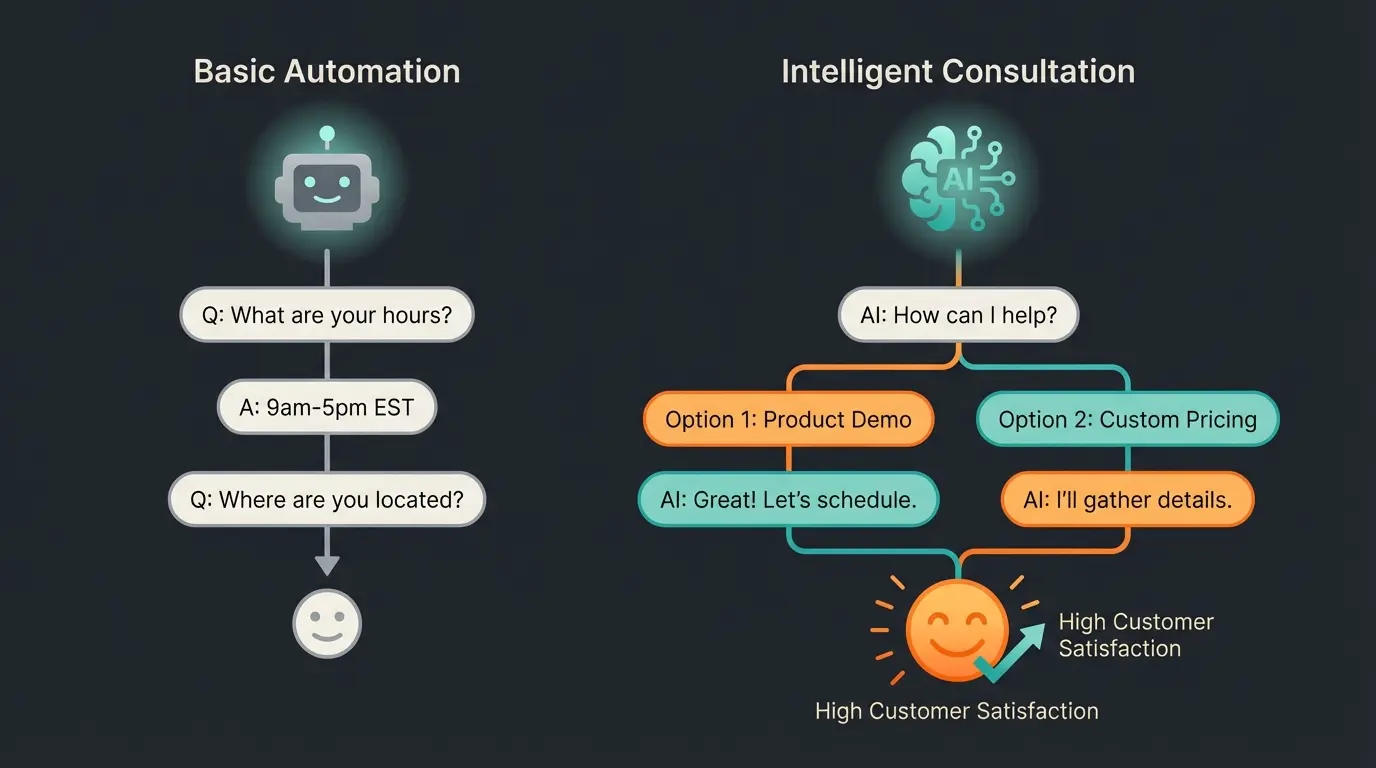
Understanding the fundamental difference between traditional support and AI consultation is crucial for maximizing your Intercom Slack integration's potential. While standard approaches focus on deflection and ticket management, a consultation-first approach transforms every interaction into an opportunity for customer success.
Modern digital product consultants don't just answer questions—they anticipate needs, provide contextual recommendations, and guide customers toward optimal outcomes. This shift requires both technological capability and organizational mindset change.
The key differentiator lies in intent recognition. Traditional bots categorize messages as problems to solve. Digital product consultants see messages as windows into customer goals and opportunities to add value. When a customer asks about feature limitations, a support bot provides documentation. A consultant AI explores the underlying need and recommends solutions that might include upgrades, workarounds, or best practices the customer hadn't considered.
Implementing Revenue-Generating Consultation
The transition from cost-center support to revenue-generating product consultants requires strategic implementation across three dimensions: technology configuration, team training, and performance measurement.
Technology Configuration for Consultation
Configure your Intercom Slack integration with consultation in mind. This means training Fin AI on not just FAQs but also on product positioning, competitive differentiation, and upsell pathways. Create custom answers that naturally guide conversations toward value expansion rather than quick deflection.
Team Training and Handover Protocols
When AI recognizes high-value consultation opportunities, seamless handover to human experts is critical. Establish clear criteria for when AI should tag account managers or sales specialists. The AI summary provided should include not just conversation context but also purchase intent signals and recommended talking points.
Measuring Consultation Success
Move beyond ticket resolution time as your primary metric. Track consultation conversion rates, customer satisfaction with automated recommendations, and revenue influenced by AI interactions. These metrics reveal whether your integration is truly driving business value or just managing inbox volume.
Organizations where AI employees revolutionize customer communication understand that the goal isn't fewer tickets—it's more value per interaction.
Platform-Specific Implementation: Shopware Example
For e-commerce businesses running on Shopware, the Intercom Slack integration takes on additional dimensions. AI-powered sales consultants in this context need to handle product-specific queries, inventory questions, and purchase guidance that requires real-time integration with your commerce platform.
The consultation approach becomes particularly powerful when AI can access customer order history, browsing behavior, and product availability to provide genuinely personalized recommendations. Rather than generic support responses, customers receive contextual guidance that increases conversion and average order value.
Conclusion: Stop Treating Slack as an Inbox
Conclusion: Stop Treating Slack as an Inbox
The integration of Slack and Intercom is more than a technical necessity. It's a strategic decision about how you communicate with your most important customers.
If you view Slack as just another inbox for tickets, you'll drown in work. The future belongs to teams that deploy AI as the first line of defense and as a consultant.
Summary of Action Recommendations
- Audit: Check where your Intercom data resides. If you're starting fresh, choose EU hosting immediately.
- Setup: Connect Slack natively, but don't forget to manually add private channels.
- Upgrade: Activate Fin AI for Slack, but set clear 'handover' rules for sensitive topics.
- Mindset: Train your team to see Slack messages not just as 'tickets' but as starting points for consultation—supported by your AI's summaries and drafts.
Transform your Slack channel from a noise source into your most efficient sales channel. The technology is there—you just need to configure it correctly.
Frequently Asked Questions
Intercom cannot automatically access private Slack channels for privacy reasons. You must manually invite the Intercom bot to each private channel by typing `/invite @Intercom` in the channel or through the channel's integration settings. Only after this explicit invitation will the sync begin. This is a common oversight that creates blind spots in customer communication.
For German companies, GDPR compliance requires careful attention. Intercom offers EU Data Hosting (AWS Dublin), but you cannot migrate existing US workspaces—you must create a new one. Combine Slack Data Residency (Frankfurt) with Intercom EU Hosting (Dublin) to maximize data flows within the EEA. Update your processing directory to document Slack as the input channel and Intercom as the processor.
The basic Intercom Slack integration is typically included in your Intercom plan. However, Fin AI costs $0.99 per successful resolution. This per-resolution pricing model is important to consider when scaling automated consultation, as high-volume support operations can see costs add up quickly. The ROI typically justifies the cost when AI handles complex consultation rather than simple FAQ deflection.
Use third-party tools like Thena or ClearFeed if your main challenge is internal chaos and you need complex escalation workflows within Slack. Use native integration with Fin AI if your goal is immediate customer resolution without human intervention. The native approach is more scalable for Product-Led-Growth companies focused on customer self-service and automated consultation.
Yes, but it requires intentional configuration. Train Fin with Custom Answers that include product positioning, competitive differentiation, and upsell pathways. Use handover workflows where Fin drafts consultative responses for complex topics that humans approve before sending. Configure confidence thresholds appropriately—high automation for simple support, controlled review for consultation.
Stop treating Slack as just another inbox. Discover how AI-powered consultation can turn every customer interaction into a revenue opportunity while maintaining GDPR compliance.
Get Started Today