Introduction: Why Beautiful Pictures Are No Longer Enough
Instagram has long evolved beyond being a digital gallery. With over 31 million users in Germany alone according to OMR, the platform has become one of the most powerful sales channels for e-commerce brands. However, for Shopify merchants in the German-speaking region, getting started often feels like running a gauntlet.
On one side, the enormous revenue potential of Shopify Instagram Shopping beckons. On the other side lurk specific German hurdles: the fear of cease-and-desist letters due to missing legal notices, opaque GDPR rules regarding the Facebook Pixel, and the strict Price Indication Regulation (PAngV).
And even when the technology is set up and the shop is legally compliant, an often-ignored problem remains: The break in the customer journey. A user sees an inspiring reel, clicks on the product—and lands on a static, text-heavy Shopify product page that answers no questions. The result? High bounce rates and lost sales opportunities.
In this guide, you'll learn not only how to connect Shopify with Instagram, but also how to master the legal pitfalls in Germany and transform your shop into an interactive sales consultant using AI (Artificial Intelligence). If you're exploring different platform options, our guide on Shopify alternatives Germany provides valuable insights into the German e-commerce landscape.
Active monthly users making it a crucial sales channel
Of users discover new products through Instagram
Typical approval timeframe for Instagram Shopping
Part 1: Technical Foundation – Connecting Shopify & Instagram
The connection between Shopify and Instagram (via Meta) has stabilized in recent years but has become more complex regarding verification. Here's the current process to activate Instagram Shopping with Shopify for the 2026 update.
Prerequisites Before You Start
Before you begin, ensure these points are fulfilled. According to Spurnow, these requirements are mandatory for successful integration:
- Shopify Plan: You have an active Shopify plan (not in "Pause" mode).
- Instagram Business Account: Your profile is a Business or Creator account (not a private profile).
- Facebook Page: Your Instagram account is linked to a Facebook Business Page for which you have admin rights.
- Physical Products: You sell physical goods (services are often excluded from Instagram Shopping).
Step-by-Step Setup Guide
Step 1: Install the Sales Channel in Shopify
- Log into your Shopify admin area.
- Click on "Sales Channels" > "Facebook & Instagram".
- Install the official Meta app.
- Click "Connect Account" and log in with your private Facebook profile that has admin rights for the business page.
Step 2: Assign Business Assets
Shopify will now ask for the assets to be linked. Choose carefully:
- Business Manager: Select the correct Meta Business Manager.
- Domain Verification: This is the most important step for 2026. Meta requires proof that you own the domain.
- Facebook Page & Instagram Profile: Select the corresponding accounts.
For domain verification, as shown in tutorials on YouTube and One9Seven6, copy the Meta tag from Business Manager. Go to `Online Store` > `Themes` > `Edit Code` > `theme.liquid` in Shopify. Paste the code in the `<head>` section.
Step 3: Data Sharing and Pixel Configuration
For tracking in Germany, the data sharing setting is critical (see the "Legal Compliance" section below).
- Select "Maximum" for the best data quality (server-side tracking via Conversions API), but ensure your privacy policy covers this.
- This setting enables proper attribution for your Instagram shopping campaigns.
Step 4: Product Sync and Review
After setup, Shopify automatically syncs your products with Meta Commerce Manager.
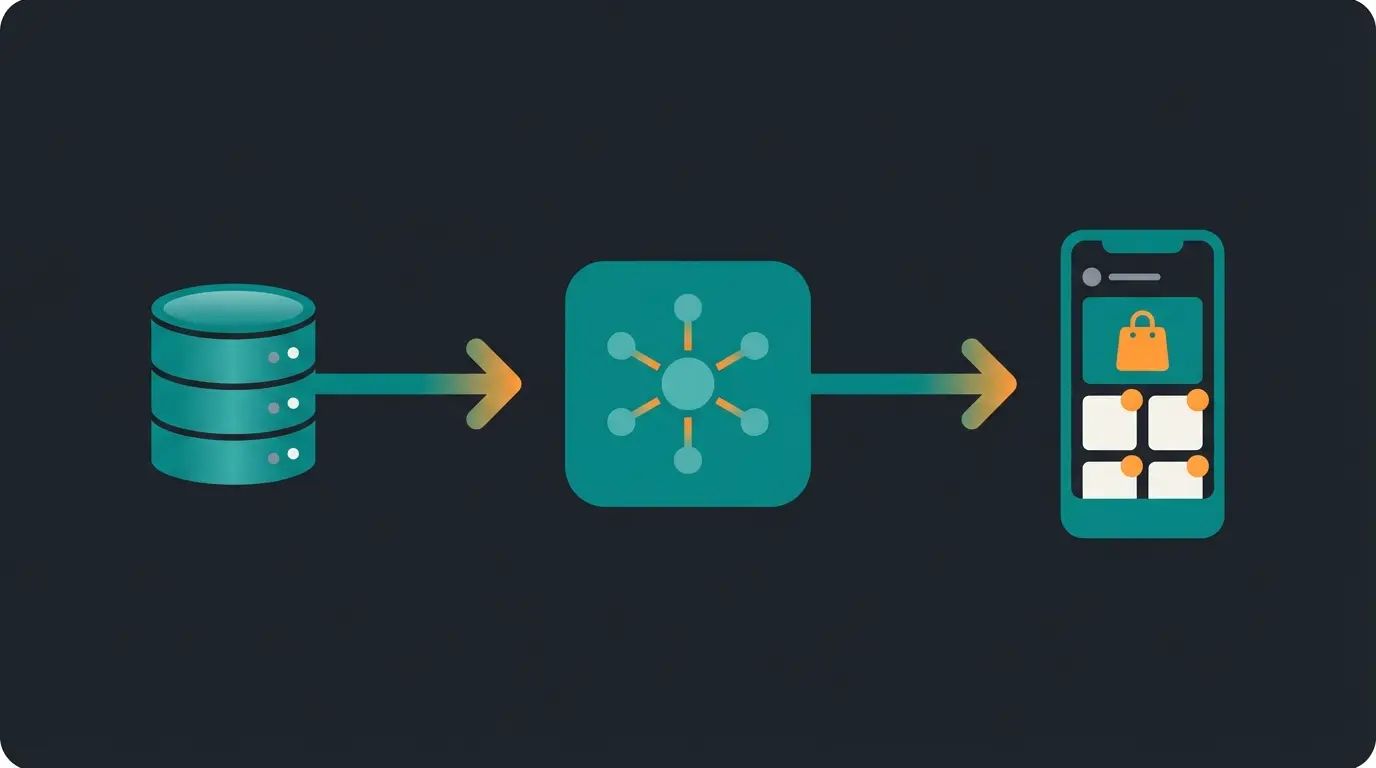
Product data is managed and updated in your Shopify store (Source of Truth)
Catalog syncs automatically, products are reviewed for compliance
Approved products appear with shopping tags in posts and stories
Part 2: German Compliance – Selling Legally in DACH
Most English-language tutorials completely ignore this part. But in Germany, legal compliance for Instagram shops is the most common reason for cease-and-desist letters. Here's what you need to pay attention to when operating your Shopify Instagram shop. For merchants comparing platforms, understanding these requirements is essential whether you're evaluating Shopware vs Shopify options.
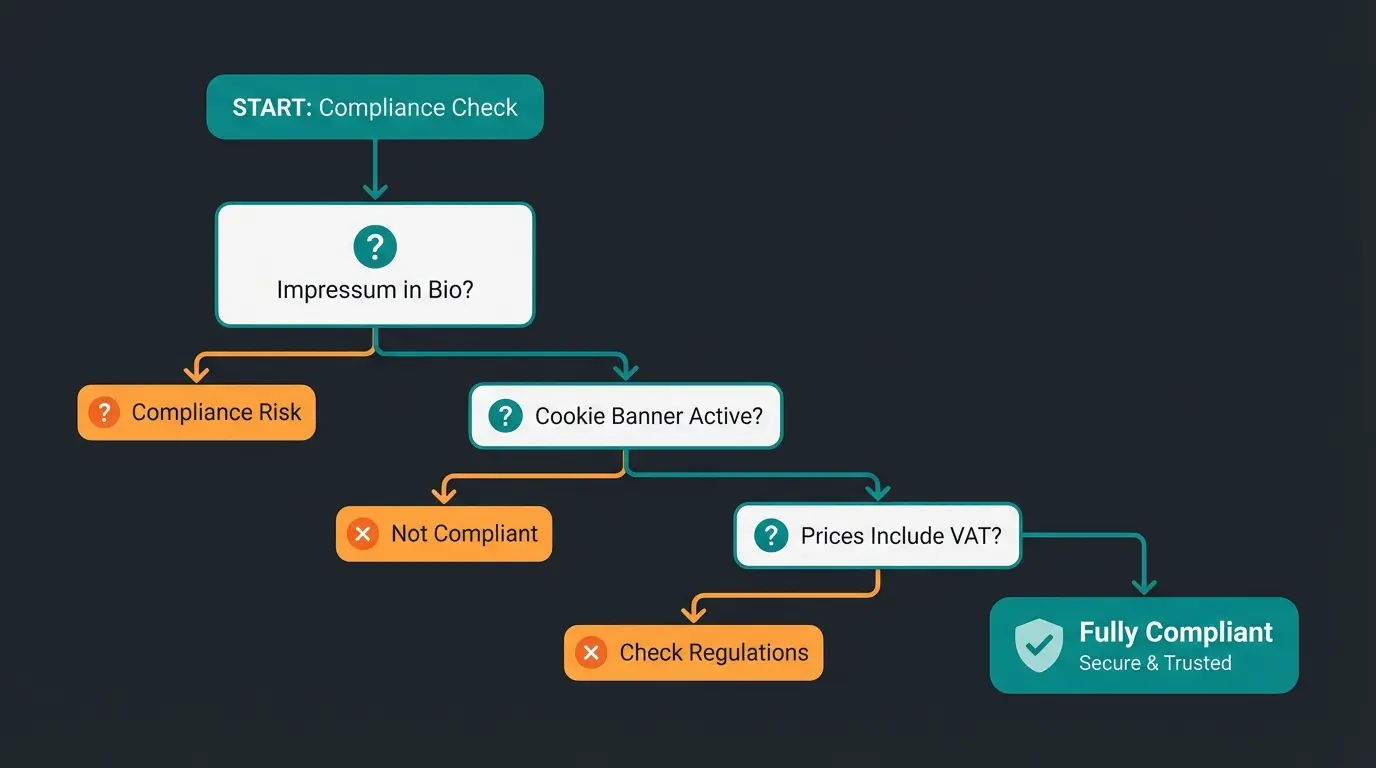
1. The Legal Notice Problem (The 2-Click Rule)
In Germany, the legal notice requirement (Impressumspflicht) also applies to social media profiles. According to Jimdo and the Deutsche Handwerks Zeitung, the law requires that the legal notice must be "easily recognizable, directly accessible, and permanently available."
- The Problem: Instagram only offers one link in the bio.
- The Danger: Many use link services like Linktree (US provider). These are often problematic under privacy law (servers in the US, cookies without consent) as noted by footec.at and diepinatas.de. Additionally, the link to the legal notice must be descriptive (e.g., "Impressum" and not just "Click here").
- The Solution: Create your own landing page in your Shopify store (e.g., `yourshop.de/links`). Link prominently to "Legal Notice" and "Privacy Policy" there. Put this link in your Instagram bio. Write explicitly in the bio: "Impressum: [Link]".
2. Price Indication Regulation (PAngV) in Instagram Shop
When you tag products on Instagram with price tags, this counts as advertising with price indication. According to Händlerbund and e-Recht24, the following information must be visibly displayed under German PAngV:
- The final price.
- The notice "incl. VAT" (inkl. MwSt.).
- The notice about shipping costs (e.g., "plus shipping").
The Technical Dilemma: The native Instagram app often doesn't display these notices correctly directly on the image.
The Strategy: Use Instagram in Germany primarily as a "storefront." The actual purchase completion (checkout) should definitely take place in your Shopify store. Ensure that all price information is immediately visible on the Shopify product page where the user lands.
3. GDPR and the Meta Pixel
The connection of Shopify and Instagram uses tracking technologies (Meta Pixel, Conversions API). Understanding these regulations is also crucial in the context of the EU AI Act which introduces additional compliance requirements for AI-powered systems.
- Requirement: You need a cookie banner in your Shopify store that explicitly obtains consent for "Marketing Cookies" (Meta Pixel) before the pixel fires.
- Consent Mode V2: Since 2024, Google/Meta Consent Mode V2 is mandatory to process data from EU users. Use Shopify apps like "Cookiebot" or "Pandectes" that support Consent Mode V2 and work seamlessly with the Facebook integration.
Part 3: Closing Content Gaps – Why Traffic Doesn't Equal Revenue
You've set up the shop and are legally protected. Traffic is flowing from Instagram to Shopify. But here's where the mistake often happens: The traffic doesn't convert. This is where understanding Shopify conversion optimization becomes essential for success.
The Problem: The Break in Expectations
Instagram users are in "discovery mode." They see a visually appealing reel, are emotionally triggered, and click. Then they land on a sober Shopify product page with technical data.
- Instagram: Emotion, video, speed.
- Standard Shopify Page: Walls of text, static images, no consultation.
Especially with products that require explanation (e.g., skincare, supplements, technology, furniture), the buying journey breaks off here. The customer has a question ("Does this suit my skin?", "Is this compatible with X?"), doesn't find the answer immediately, and leaves.
The Solution: Conversational Commerce & AI
This is where your competitive advantage comes into play. Instead of leaving the user alone, you welcome them with an AI sales consultant. Learn more about implementing AI product consultation to transform your customer experience.
| Scenario | Standard Shopify Store | Store with AI Consultant |
|---|---|---|
| User Action | Clicks on Instagram tag for "Anti-Aging Cream". | Clicks on Instagram tag for "Anti-Aging Cream". |
| First Impression | Read long product description. | AI chatbot greets proactively: "Hi! Looking for care for sensitive or normal skin?" |
| User Question | "Is this compatible with Vitamin C?" (Must search/google themselves). | Asks question in chat. AI answers immediately: "Yes, but best used separately morning and evening." |
| Result | User is unsure, bounces (Bounce). | User feels advised, purchases (Conversion). |
Why This Works in 2026: According to Prefixbox and Accio, trends show that "Conversational Commerce" (selling through dialogue) is growing massively. Customers expect answers in real-time. An AI agent trained on your product data functions as a 24/7 salesperson who catches traffic from Instagram and "softly" guides it to purchase completion.
See how companies are successfully implementing this approach in our AI chat success story showcasing real-world results with conversational commerce.
Stop losing potential buyers to bounce rates. Our AI consultation technology greets visitors from Instagram and guides them to purchase – 24/7, in their language.
Start Your Free TrialPart 4: Strategy – High-Converting Formats for German Market
To successfully fill the Shopify Instagram Shop, you need traffic. But not all content sells equally well. Understanding AI chatbots marketing strategies can help you create content that converts.
1. Reels vs. Carousels: The End Justifies the Means
- Reels (Reach): Use Reels for top-of-funnel content. Show the problem and the solution (your product) in under 15 seconds. Use trending audio. Goal: Bring new users into the shop.
- Carousels (Education): German buyers are detail-oriented. Use Carousels to explain product benefits, ingredients, or instructions. Goal: Build trust and form retargeting audiences.
2. Using User Generated Content (UGC) Legally
Nothing sells better than real customer voices. But caution: You may not simply repost your customers' images or use them for ads just because you were tagged (copyright!).
- Best Practice: Always ask for permission via DM ("May we repost this in our feed?").
- Strategy: Use UGC in your Instagram Stories and save them in a highlight called "Customer Love". Link the products directly there.
For B2B merchants, integrating Instagram shopping with your wholesale operations requires additional considerations. Our Shopify B2B guide covers the essential strategies for complex sales environments.
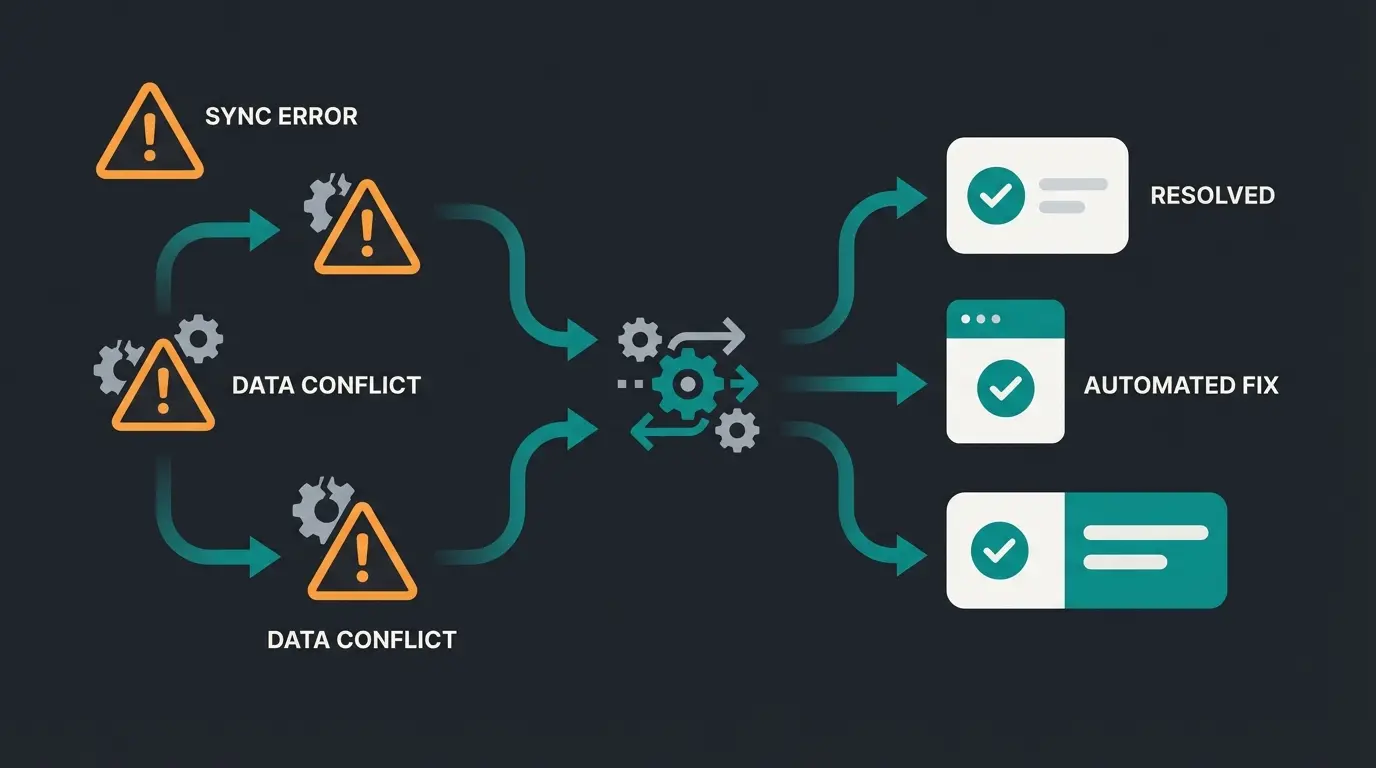
Part 5: Troubleshooting – Fixing the Most Common Errors
Even with perfect setup, errors occur. Here are the solutions for the most common problems with Shopify Instagram connection. As reported on Reddit and the official Shopify Community, these issues affect many merchants.
Error 1: "Instagram Shop Not Available in Your Region"
- Cause: Often an error in location settings or VPN usage.
- Solution: Check in Shopify under `Settings` > `Locations` if your German address is correct. Disable VPNs on the smartphone you use for Instagram.
Error 2: Product Catalog Not Syncing (Variants Missing)
- Cause: A common problem with Shopify. The API chokes on too many variants or missing images for variants.
- Solution: Force a re-sync by changing a detail in the product title in Shopify and saving. Check Meta Commerce Manager under "Data Sources" for error logs (e.g., images too small). If necessary, use a third-party app for the feed (e.g., Flexify) if the native channel permanently fails.
Error 3: Rejection Due to "Digital Products"
- Cause: Instagram primarily allows physical goods. E-books or courses are often rejected.
- Solution: If you sell bundles (Physical + Digital), ensure the physical product is in the foreground of the description.
Advanced Integration: WhatsApp and Multi-Channel Strategy
Instagram is just one piece of the puzzle. Smart merchants are combining their Instagram shopping presence with Shopify WhatsApp integration to create a seamless multi-channel experience. When a customer discovers your product on Instagram but has questions, they can continue the conversation on WhatsApp with your AI sales consultant.
This approach mirrors successful implementations like the AI Employee case study, where automated consultation handles customer inquiries across multiple channels while maintaining a consistent brand experience.
Optimizing Your Shopify Store for Instagram Traffic
Beyond the Instagram integration itself, your Shopify store needs to be optimized for the traffic it receives. Our comprehensive Shopify SEO guide covers how to ensure your product pages rank well and convert visitors who arrive from social channels.
For merchants looking to implement sophisticated marketing automation, our WhatsApp marketing strategy guide provides actionable frameworks that complement your Instagram shopping strategy.
FAQ: Common Questions About Shopify & Instagram
Yes. To use Instagram Shopping, you must be verified as a business. In Germany, this requires commercial activity (Gewerbetätigkeit). Additionally, you need a legal notice (Impressum), which also indicates commercial activity. The German trade office (Gewerbeamt) must have your business registered before you can legally operate an Instagram Shop.
Installing the sales channel is free. However, the usual Shopify fees and transaction fees apply when sales are made. Meta itself charges no fees for the organic shop (only for advertisements). Your costs depend on your Shopify plan level and payment processing fees.
Theoretically yes, but to use the official shopping tags, you need a verified domain where the sale takes place. A Shopify store is the simplest solution for this ("Source of Truth" for your data). Instagram requires this domain verification to approve your shop for product tagging.
This is often a permissions issue. Ensure your catalog is active in Commerce Manager and that you have selected the correct catalog in your Instagram profile under "Settings" > "Business" > "Shopping". Also verify that your account review is complete and approved.
First, check that your Shopify store location is set correctly to Germany. Disable any VPN services on your mobile device. Ensure your Facebook Business Page country settings match your Shopify store location. If the issue persists, contact Meta Business Support with your Business Manager ID.
Conclusion: Automation Is the Key to Success
Connecting Shopify and Instagram in 2026 is no longer a "nice-to-have" but a requirement for e-commerce brands. The technical setup is manageable thanks to improved interfaces, as long as you pay attention to domain verification and German legal requirements (legal notice, PAngV).
But the real lever isn't in the technology—it's in conversion. Those who manage to capture the visual traffic from Instagram through intelligent, automated consultation (AI) in the shop will leave the competition behind.
Are you ready to transform your Instagram traffic into revenue? Start today by reviewing your legal texts and consider how you can close the gap between "inspiration on Instagram" and "purchase in the shop."
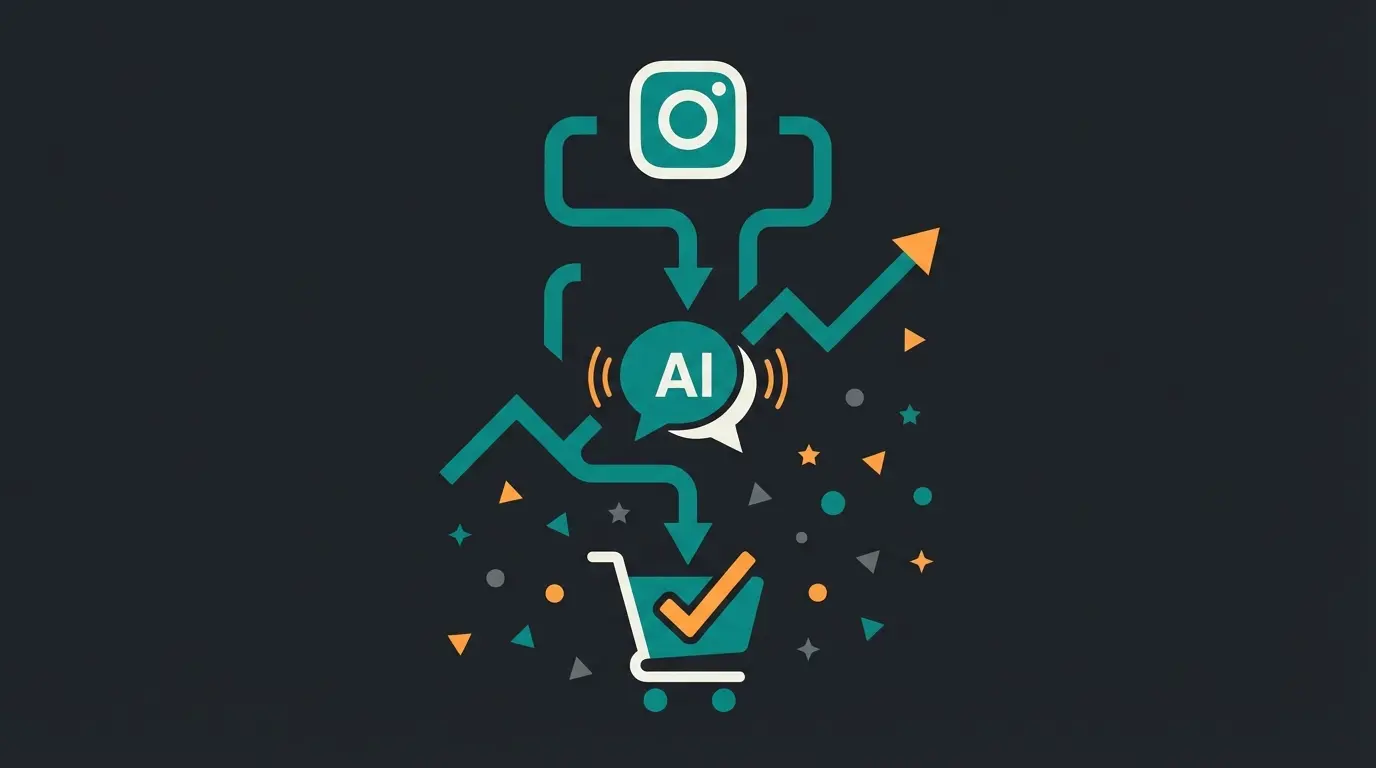
Stop losing potential sales to static product pages. Let our AI consultation technology guide your Instagram visitors from discovery to purchase – automatically, 24/7.
Get Started Free Today
Lasse is CEO and co-founder of Qualimero. After completing his MBA at WHU and scaling a company to seven-figure revenue, he founded Qualimero to build AI-powered digital employees for e-commerce. His focus: helping businesses measurably improve customer interaction through intelligent automation.