Why Standard SEO No Longer Works in 2025
If you're running a Shopify store in 2025, you've probably noticed that the rules of the game have changed dramatically. Simply sprinkling a few keywords into your product descriptions and hoping for the best is no longer a viable strategy. For more details, see our Shopify SEO Agency. For more details, see our Shopify Marketing Strategies. Organic search remains the most important traffic channel—studies from DesignRush show that 53.3% of all website traffic comes from organic search. However, the way Google evaluates online stores has fundamentally transformed.
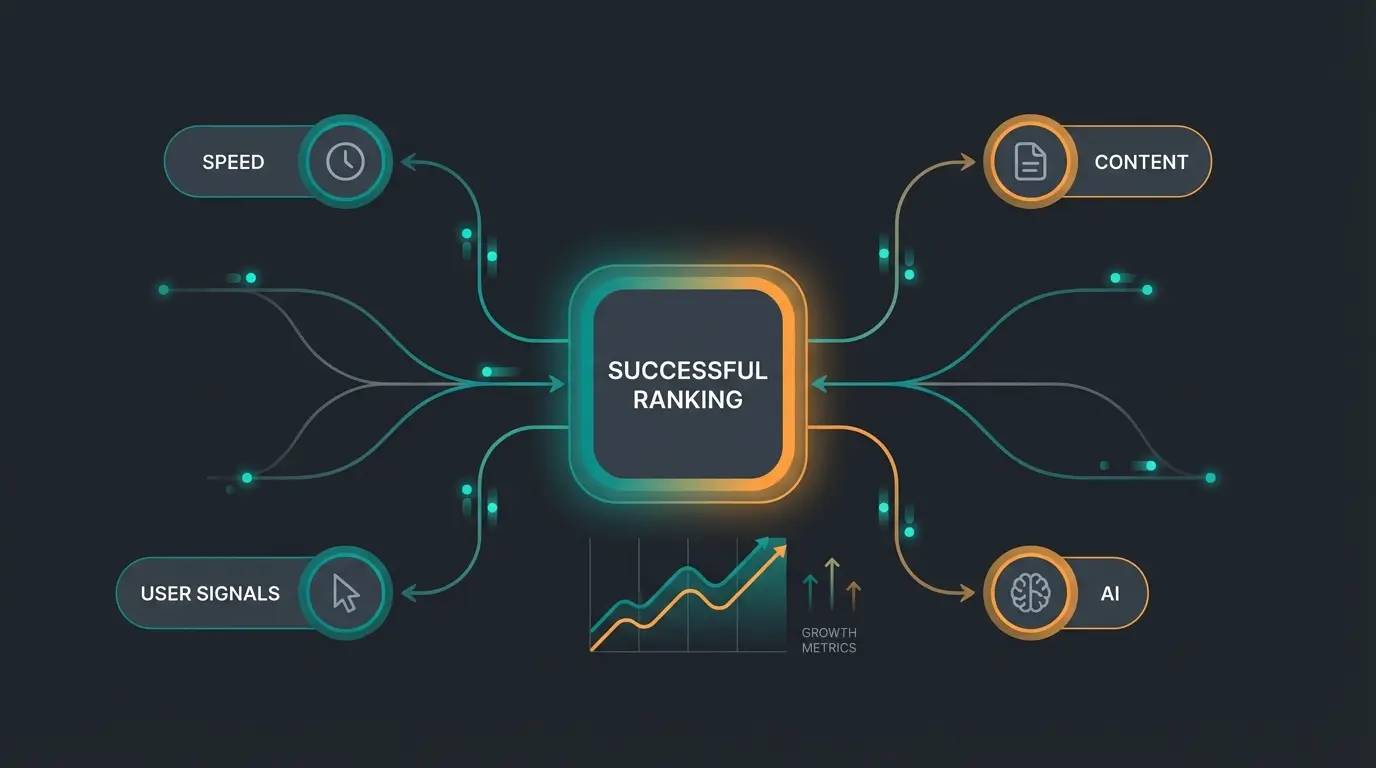
In the past, Shopify SEO was primarily about technical hygiene: Are the meta tags set correctly? Does the page load quickly? These factors are now the absolute minimum—the "ticket to play." But if you want to rank number one in 2025, you need to understand a new currency: User Signals.
Google now measures more precisely than ever how users interact with your store. Do they click on your result and return to the search after three seconds ("Pogo-Sticking")? Or do they spend minutes on your page, scrolling, clicking, and interacting? This behavioral data has become the decisive ranking factor that separates top performers from the rest.
In this comprehensive guide, we'll cover not only the technical fundamentals of Shopify SEO optimization that you absolutely must master. We'll also bridge the gap that most agency guides ignore: How you can massively increase dwell time through interactive elements and AI-powered consultation, signaling to Google that your store is the best answer to the search query. If you're comparing platforms, our detailed Shopware vs Shopify analysis provides additional insights into which system best suits your needs.
Technical SEO: The Foundation You Cannot Skip
Before we dive into advanced strategies, your technical foundation must be solid. Shopify is inherently a very SEO-friendly system, but it has certain peculiarities you need to understand to avoid leaving Shopify Google ranking potential on the table. Think of technical SEO as the foundation of a house—no matter how beautiful the interior design, a cracked foundation will eventually cause everything to collapse.
Page Speed and Core Web Vitals (Mobile First)
In 2025, "Mobile First" is no longer a buzzword—it's reality. Google primarily indexes the mobile version of your store. If that version is slow, you've lost before you even started. The Core Web Vitals are the benchmark that determines whether your site passes Google's performance test.
- LCP (Largest Contentful Paint): How long does it take for the largest element (usually the product image) to load? Target: Under 2.5 seconds according to ClickForest.
- CLS (Cumulative Layout Shift): Does the layout jump around during loading? This frustrates users and leads to ranking penalties. Target: Under 0.1.
- FID (First Input Delay) / INP (Interaction to Next Paint): How quickly does the page respond to a click? Users expect immediate feedback.
Customizing the Robots.txt File
For a long time, the `robots.txt` file in Shopify was untouchable. That has changed. You can now control which areas crawlers should ignore through the `robots.txt.liquid` file, as documented on Shopify.dev and Shopify.com.
Why is this important? You don't want Google to waste its "Crawl Budget" (the time the bot spends on your site) on unimportant pages like internal search, the shopping cart, or filter results. Every minute Google spends crawling irrelevant pages is a minute not spent indexing your valuable product pages.
How to Edit robots.txt in Shopify
- Go to Online Store > Themes in your admin panel.
- Click on Actions > Edit Code.
- Under "Templates," create a new file and select `robots`.
- Add rules to exclude certain filter URLs (`/collections/+`) from crawling if they create duplicate content.
Sitemap.xml Configuration
Shopify automatically generates your sitemap at `yourstore.com/sitemap.xml`. You don't need to create anything manually here, but you must submit this URL to the Google Search Console. This is the fastest way to inform Google about new products and ensure they get indexed quickly. Without this step, you're essentially leaving money on the table.
The Duplicate Content Problem in Shopify
This is the most important technical section of this article. If you're working on SEO for Shopify, you must understand and fix the duplicate URL problem. It's the most common cause of poor rankings for Shopify stores, and surprisingly, many store owners don't even know it exists.
The Problem: One Product, Multiple URLs
By default, Shopify creates multiple URLs for one and the same product, depending on how the user navigates to it. This creates a confusing situation for search engines:
- The canonical URL (The "real" URL): `yourstore.com/products/blue-t-shirt`
- The collection URL (The problem): `yourstore.com/collections/summer-fashion/products/blue-t-shirt`
- Additional variants: `yourstore.com/collections/mens/products/blue-t-shirt`
For Google, these URLs look like three different pages with identical content (Duplicate Content). Shopify attempts to solve this through so-called "Canonical Tags" that tell Google: "Ignore URLs 2 and 3, URL 1 is the original," as explained by DharmaSoftware.
Why Canonical Tags Alone Are Not Enough
Even when the canonical tag is set correctly, your theme often internally links to the collection URLs (Variant 2). This means you're constantly sending Google to the "wrong" URLs, splitting your "Link Power" (Link Juice) across multiple URLs instead of bundling everything on the main URL, and wasting crawl budget on redundant pages.
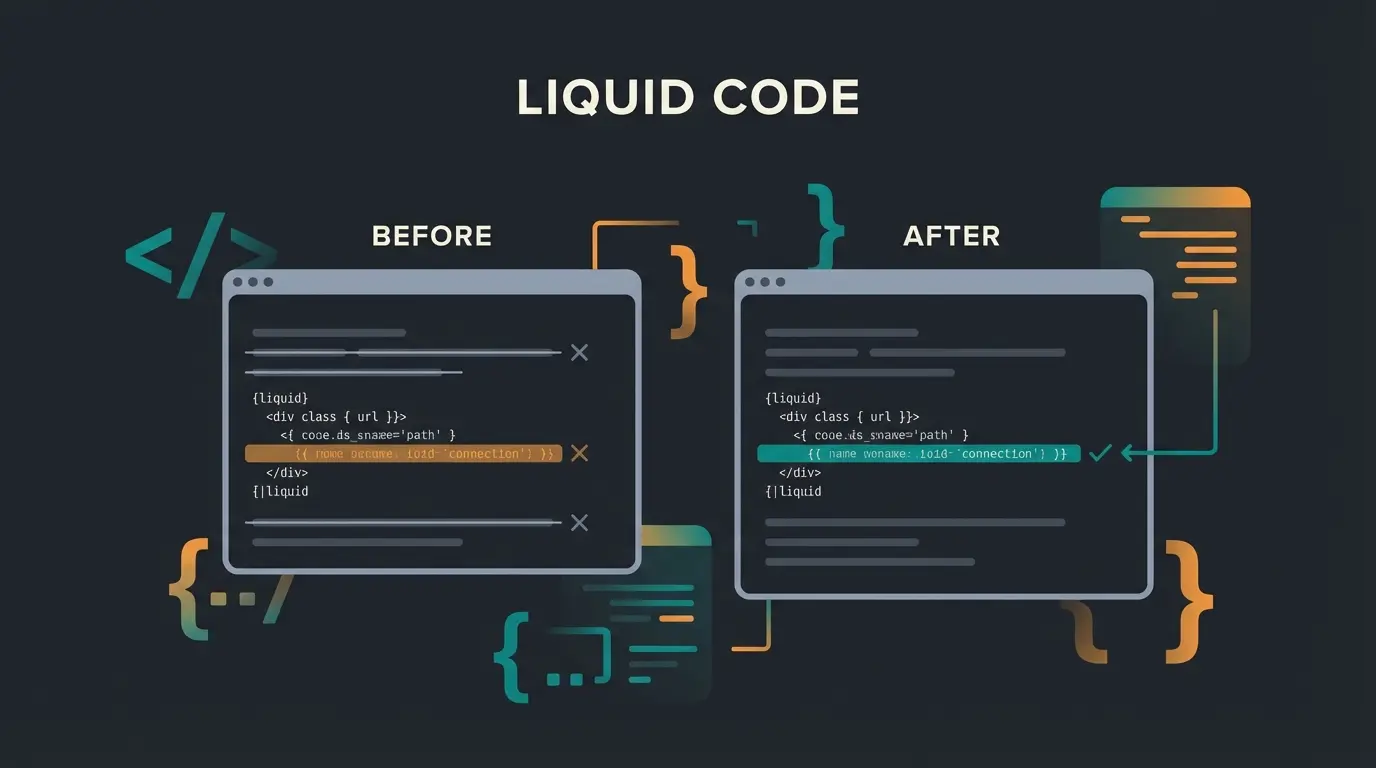
The Solution: The Liquid Code Fix
You need to adjust your theme so that it internally always links to the short, canonical URL. This fix is one of the most effective levers for Shopify SEO optimization according to InfinityNation. Similar principles apply to other platforms—check out our Shopware URL structure guide for comparison.
Step-by-Step Implementation Guide
- Go to Online Store > Themes > Edit Code.
- Look for the file in the "Snippets" folder that generates your product tiles. It's often called `product-grid-item.liquid`, `product-card.liquid`, or similar, as noted by Digitaloft.
- Search for this code snippet: `{{ product.url | within: collection }}`
- Change this code to: `{{ product.url }}`
On-Page Optimization: Content Google Loves
With the technical foundation in place, let's turn to content. This is where many stores fail because they copy product texts from the manufacturer or use generic AI-generated texts without added value. The key to success lies in understanding what makes content truly valuable to both users and search engines.
Keyword Research and Search Intent
Forget pure keyword density. Google wants to know: What does the user want to achieve? Understanding search intent is the foundation of modern SEO optimization that drives real results.
- Transactional Keywords: "Buy running shoes," "iPhone 15 price." Here, the user wants to get to the product quickly and make a purchase.
- Informational Keywords: "Which running shoes for beginners?," "Difference iPhone 14 and 15." Here, the user is looking for advice and comparison information.
A common mistake many stores make: They try to rank for informational search queries with product pages. This rarely works because the intent doesn't match. Use your blog for informational keywords (see Section 6) and your product and category pages for transactional keywords. This alignment is crucial for success.
Product Descriptions vs. Collection Pages
Collection pages are often the strongest SEO pages in a store because they cover broad search terms like "sustainable sneakers" or "organic skincare products." Optimizing these pages can deliver enormous returns on investment.
Internal linking is crucial: Link from the text to bestseller products or related collections. This distributes link equity and helps users discover more relevant products, leading to higher conversions.
Why Static Product Descriptions Are Dead
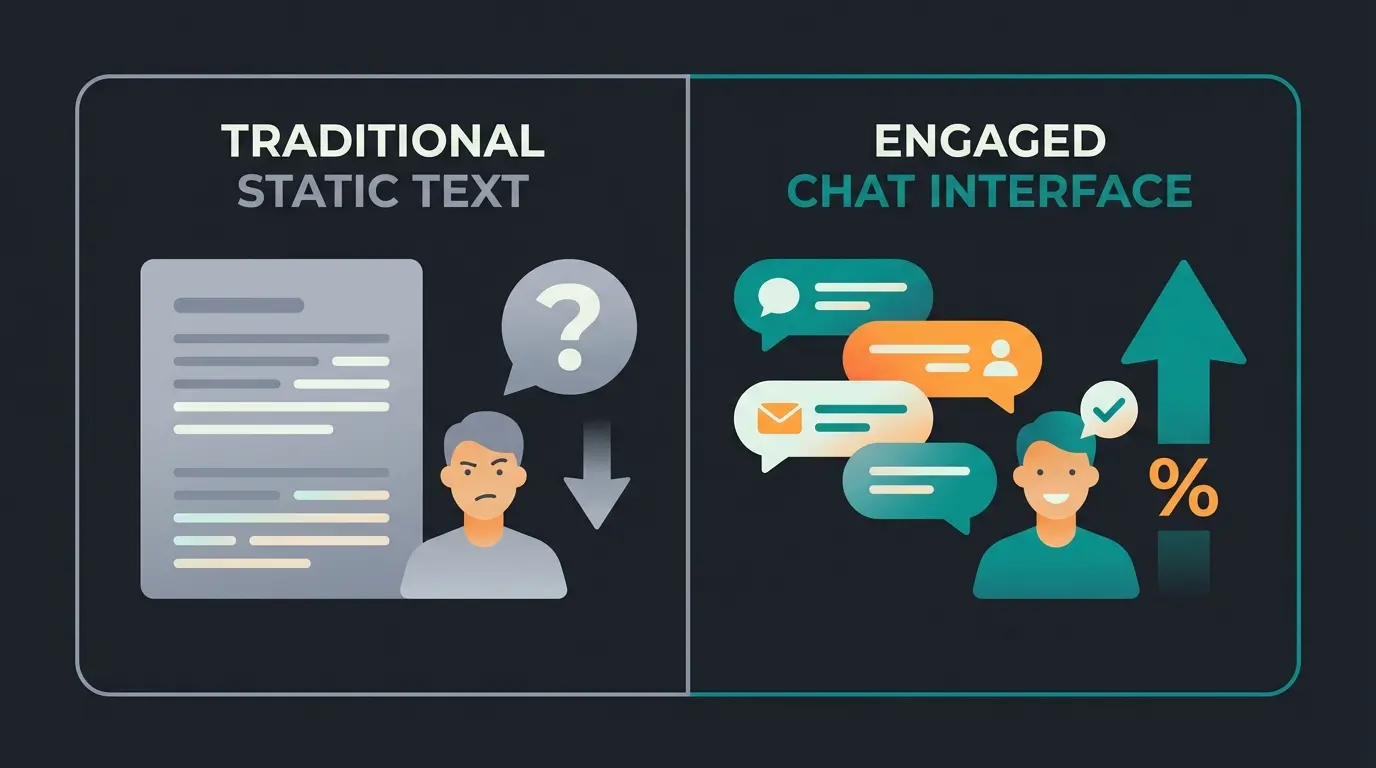
Most product pages consist of: price, image, "Add to Cart," and a block of text. The problem: Nobody reads walls of text. Users scan quickly. If they can't immediately find the answer to their specific question ("Does this also fit wide feet?"), they click back to Google. This behavior (high bounce rate, short dwell time) is poison for your ranking and directly undermines all your other SEO efforts.
This is where our differentiation strategy comes into play. The shift from static to dynamic content isn't just about user experience—it's about sending the right signals to Google that your page deserves to rank.
The New SEO Lever: User Signals and Dwell Time
This is the section that will help you overtake your competition. While others are still polishing meta tags, you're optimizing for User Experience (UX) and Engagement—the factors that actually move the needle in 2025.
Why Dwell Time Determines Rankings
Studies from 2024 and 2025 demonstrate a strong correlation: pages with a dwell time of over 3-4 minutes have a significantly higher chance of ranking in the top 10 than pages with under one minute, according to research from AdsSpiders. Google interprets a long dwell time as a signal for relevance and quality. If a user stays long, they found what they were looking for—and Google rewards that behavior with better rankings.
Percentage of all website traffic coming from organic search
Pages with this dwell time rank significantly higher
AI chats can multiply conversion rates according to HelloRep.ai
Maximum load time for largest content element
How to Increase Dwell Time: Static to Interactive
A static text doesn't invite users to linger. You need to transform your product pages from a "digital catalog" into a "digital salesroom." This transformation is at the heart of modern e-commerce success and represents a fundamental shift in how we think about online retail.
Video Content Integration
Videos keep users on the page dramatically longer than text alone. A short product video or a 360-degree view can drastically increase dwell time. Consider product demonstrations, unboxing videos, or usage tutorials—each format serves a different purpose in the customer journey.
Interactive Elements and AI Consultation
Here lies your biggest opportunity. Imagine instead of a long FAQ list ("Does size M fit at 6 feet?"), there's an interactive advisor that engages users in conversation. This approach is transforming how customers shop online, as detailed in our guide to Conversational Commerce.
The "Consultation Gap": Standard SEO advice suggests writing long texts. But users don't want to read texts—they want answers. An AI-powered chatbot or interactive product finder on the product page can deliver exactly that, creating what we call AI product consultation.
The Consultation Gap in E-Commerce
Consider this real-world example: A user searches for "surfboard for beginners."
Scenario A (Your Competition): They land on a category page with 50 boards and a long text block. They're overwhelmed by choices and have no guidance. Result: They go back to Google to find better help, and your competitors get the sale.
Scenario B (Your Store with AI): They see a "Surfboard Finder." An AI assistant asks: "How tall are you? Where do you want to surf? What's your experience level?" The user interacts for 2 minutes with the tool (high dwell time!) and then gets the perfect product suggested with confidence. This is the power of AI-powered sales consultants.
Static Content vs. Interactive AI Comparison
| Feature | Static SEO Text | Interactive AI Consultation |
|---|---|---|
| User Action | Passive reading (or scanning) | Active interaction (clicking, typing) |
| Dwell Time | Low (often < 1 min) | High (often > 3 min) |
| Search Intent | "I hope the info is somewhere here" | "I get my specific answer instantly" |
| SEO Signal | Neutral to Weak | Strong positive user signal |
| Conversion | Average | High (personalized recommendation) |
| User Satisfaction | Depends on content quality | Consistently high due to personalization |
Strategic Implementation: Integrate interactive elements on your most important landing pages. This could be a quiz ("What skin type am I?") or an AI agent that answers questions about the product in real-time. Google will reward the increased interaction with better rankings. To understand more about how AI Chatbots work, explore our comprehensive guide.
Stop losing customers to pogo-sticking. Our AI consultation tool keeps users engaged, increases dwell time, and drives conversions while sending powerful SEO signals to Google.
Start Your Free TrialStructured Data and Rich Snippets
For Google to understand your content not just as text but as structured information, you need to use Schema Markup (JSON-LD). This enables Rich Snippets in search results (star ratings, price, availability) that massively increase your click-through rate (CTR) and make your listings stand out from competitors.
Must-Have Schemas for Shopify Stores
- Product Schema: Contains price, currency, availability (In Stock), and reviews. Most modern Shopify themes (like Dawn) have this integrated, but often details like the GTIN or detailed review data are missing. For a detailed guide on structured data implementation, see our Shopware structured data article.
- BreadcrumbList: Shows the path to the page in search results (Home > Men > Shoes). This helps users understand where they are in your site hierarchy.
- FAQPage Schema: A secret weapon! If you have FAQs on your product page, mark them up as schema. Google often shows these questions and answers directly in search results, dramatically increasing your visibility.
The AI Hack for FAQ Schema
Use the data from your AI interactions (see above). Which questions do users ask your bot most frequently? Take these real questions, formulate answers, and add them as static FAQ with schema markup on the page. This way you're optimizing your content dynamically based on real user data—a strategy that most competitors completely overlook.
Blogging and Content Marketing Strategy
Many Shopify stores don't use their blog at all or only for company news ("We've renovated!"). This is wasted potential that your competitors are likely ignoring as well. The blog is your secret weapon for capturing users before they're ready to buy.
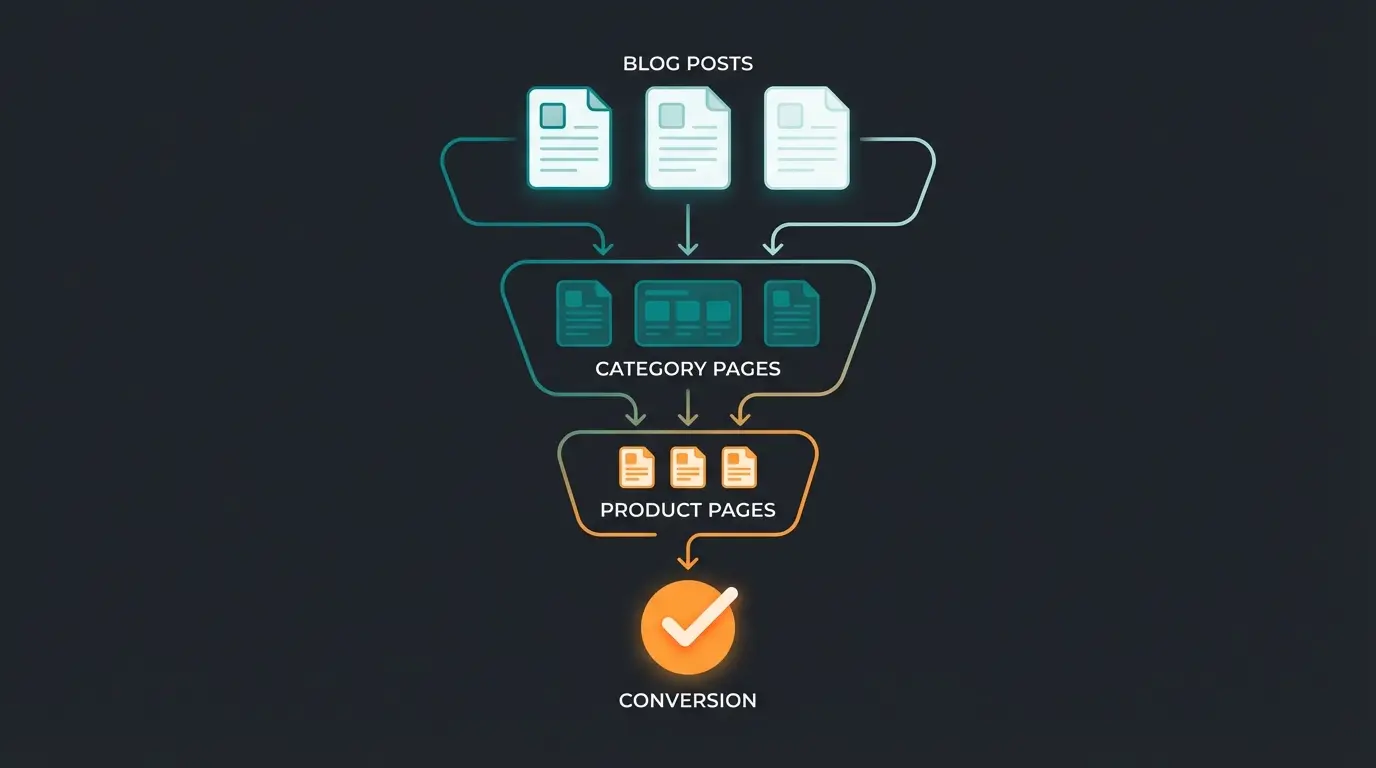
The Strategy: Use the blog to capture users before the purchase decision (Top of Funnel). This builds trust, establishes authority, and creates multiple entry points to your store.
- Keyword: "Best running shoes for flat feet" (Informational)
- Content: A comprehensive guide article with expert advice
- Connection: Link from the article to the relevant products naturally
Building Topical Authority: A blog article is also the perfect place to build your Topical Authority. If you have 50 high-quality articles on the topic of "coffee preparation," Google will also be more likely to trust you to sell "coffee machines." This concept extends to KI E-Commerce strategies that leverage content for AI-powered recommendations.
Shopify SEO Hierarchy: The Complete Framework
Understanding how all SEO elements work together is crucial for developing an effective strategy. Think of Shopify SEO as a pyramid where each level supports the ones above it.
Site speed, Core Web Vitals, robots.txt, sitemap, mobile optimization—the essential base
Fix duplicate content, implement canonical tags, clean URL architecture
Keyword research, product descriptions, collection page optimization, meta tags
Product schema, FAQ schema, breadcrumbs for rich snippets in search results
Dwell time optimization, interactive elements, AI consultation—the ranking booster
This hierarchy demonstrates why focusing only on keywords and technical setup (what most guides cover) leaves significant ranking potential untapped. The top of the pyramid—user interaction signals—is where the real competitive advantage lies in 2025.
Complete Shopify SEO Checklist
Use this checklist to assess your current status and systematically work through optimizations. Print it out, check off each item, and track your progress over time.
Technical Foundation Checklist
- ☐ Google Search Console & Analytics 4 set up and linked?
- ☐ Sitemap.xml submitted in Search Console?
- ☐ Page speed tested? (PageSpeed Insights: Target Mobile > 50, Desktop > 90)
- ☐ Images optimized? (WebP format, compressed, alt tags set)
- ☐ Robots.txt checked? Are important pages being blocked?
- ☐ Core Web Vitals passing? Check in Search Console
Structure and URL Checklist
- ☐ Canonical fix implemented? (Code adjustment in `product-grid-item.liquid` to remove `| within: collection`)
- ☐ URL structure clean? Speaking URLs (e.g., `/products/brown-leather-shoe` instead of `/products/p-123`)
- ☐ Navigation logical? (Maximum 3 clicks to product from any page)
- ☐ Internal linking strategy in place for category and product pages?
On-Page Content Checklist
- ☐ Keyword research completed? (Distinction between transactional vs. informational)
- ☐ Meta title & description unique and click-worthy for all pages?
- ☐ H-structure correct? Only one H1 per page, logical H2/H3 sequence
- ☐ Duplicate content avoided? (No copying manufacturer texts!)
- ☐ Collection pages optimized with intro text and internal links?
User Signals and Interaction Checklist
- ☐ Interactive elements integrated? (Quiz, calculator, AI advisor)
- ☐ Videos embedded? (Increases dwell time significantly)
- ☐ FAQ sections on product pages based on real customer questions?
- ☐ AI consultation tool implemented for complex products?
- ☐ Exit intent strategies to capture leaving visitors?
Structured Data Checklist
- ☐ JSON-LD schema implemented for products, breadcrumbs, and FAQs?
- ☐ Rich Results Test from Google used to find errors?
- ☐ Review schema properly configured with aggregate ratings?
- ☐ Local business schema added if applicable?
For those looking for broader e-commerce SEO knowledge, our Shopware SEO Guide provides complementary strategies that can be adapted across platforms.
Frequently Asked Questions About Shopify SEO
SEO is a long-term investment. Technical fixes like the canonical URL adjustment can show improvements within 2-4 weeks after Google recrawls your pages. Content optimization typically takes 3-6 months to significantly impact rankings. User signal improvements (from interactive elements) can accelerate results as Google detects better engagement metrics.
Shopify is inherently SEO-friendly with automatic sitemaps, SSL certificates, and mobile-responsive themes. However, it has specific challenges like the duplicate content issue from collection URLs that require manual fixes. With proper optimization, Shopify can rank just as well as any other platform. The key is understanding and addressing its unique technical quirks.
You can accomplish most SEO tasks manually through Shopify's built-in features and theme code editing. However, apps like Smart SEO or Schema Plus can save significant time for schema implementation and image optimization. Focus on apps that solve specific problems rather than all-in-one solutions that may bloat your site and slow page speed.
AI consultation tools improve SEO indirectly by dramatically increasing user engagement signals. When users interact with an AI advisor, they stay on your page longer (higher dwell time), are less likely to return to Google (lower bounce rate), and often convert at higher rates. Google interprets these behavioral signals as indicators of content quality and relevance.
The canonical URL fix (removing `| within: collection` from your theme's product links) should be your first priority. This single change consolidates your link equity, eliminates duplicate content issues, and improves crawl efficiency. It's the foundation upon which all other optimizations build.
Conclusion: SEO in 2025 Is an Ecosystem
Shopify SEO in 2025 is far more than checking off a technical list. The technical elements (page speed, canonical tags, schema) are the foundation—without them, you won't be noticed at all. But to truly reach the top and stay there, you must focus on the user. This mindset shift is what separates successful stores from those stuck on page two.
Google's algorithm is increasingly evolving into an AI that imitates and evaluates human behavior. Search engine optimization for Shopify therefore means today: Optimization for humans, not algorithms. When you create experiences that genuinely help users, the rankings follow naturally.
Shift your focus from "How do I get Google to rank me?" to "How do I get the user to stay on my page and interact?" The answer lies in moving away from static content toward dynamic, helpful experiences—whether through video, interactive tools, or AI-powered consultation. Implementing AI Chatbots for customer service is just one example of how this transformation can work in practice.
Those who understand this shift and complete their technical homework (especially the canonical fix) will not only win rankings in 2025 but also revenue. The stores that embrace interactivity and AI consultation aren't just optimizing for search engines—they're building better shopping experiences that turn browsers into buyers.
Stop competing on outdated SEO tactics. Our AI consultation platform helps you increase dwell time, reduce bounce rates, and convert more visitors—all while sending powerful ranking signals to Google.
Get Started Free Today
Lasse is CEO and co-founder of Qualimero. After completing his MBA at WHU and scaling a company to seven-figure revenue, he founded Qualimero to build AI-powered digital employees for e-commerce. His focus: helping businesses measurably improve customer interaction through intelligent automation.