Why Speed in 2025 Determines Your Business Survival
A slow shop loses customers before they even see your products. This is an old e-commerce wisdom, but in 2025, it has reached a new, ruthless dimension. We're living in an era where user expectations are shaped by instant apps and AI interactions. If your Shopware shop "only" loads quickly but takes a moment of silence when clicking "Add to Cart," you've already lost the customer.
Shopware performance optimization is no longer just a technical ticket you delegate to the IT department. It's the foundation for modern features like AI-powered product consultation and personalized shopping experiences. Those who cut corners here are building their business on sand. For a comprehensive understanding of technical foundations, check out our Shopware SEO guide which covers the intersection of performance and search visibility.
In this comprehensive guide, based on the latest technical requirements for Shopware 6.6 and the upcoming Shopware 6.7, we'll show you not just how to make your shop faster. We'll show you how to build an infrastructure ready for the future of e-commerce—without compromising on speed.
Why Performance in 2025 Means More Than Load Time
For a long time, shop owners and SEOs stared hypnotically at the LCP (Largest Contentful Paint)—how quickly the largest image loaded. But Google has changed the rules of the game.
The New Final Boss: Interaction to Next Paint (INP)
Since March 2024, Google has replaced FID (First Input Delay) with INP (Interaction to Next Paint) as a Core Web Vital. According to Google, this metric fundamentally changes how we measure user experience.
- What is INP? While LCP measures how quickly something becomes visible, INP measures how quickly the page responds. If a user clicks on a filter or opens a menu and the browser "freezes" for 300ms because it's processing JavaScript in the background, you have a poor INP score.
- Why is this critical for Shopware? Shopware shops are often complex. Many scripts (tracking, chatbots, filter logic) run on the browser's "main thread." When this is blocked, the shop feels sluggish, even if it's visually already loaded.
- The AI connection: If you're planning to use AI tools or chatbots, INP is your most important metric. An AI tool that blocks the page during loading destroys your SEO rankings.
As Glowmetrics explains, understanding the shift from FID to INP is essential for modern web performance strategies.
Mobile-First Is No Longer Just a Buzzword
Over 70% of traffic in many B2C shops comes from mobile devices. The processors in smartphones are weaker than desktop CPUs. A JavaScript load that barely registers on a MacBook Pro can cripple a mid-range Android smartphone for seconds. Shopware performance optimization today primarily means: optimizing the computational load on the customer's device. Our guide on Shopware mobile optimization dives deeper into mobile-specific strategies.
Most B2C shop visits come from mobile devices
Maximum acceptable delay for user interactions
When mobile page load exceeds 3 seconds
Shopware Performance Optimization: Hosting Foundation
No plugin in the world can save a shop running on weak hardware. For Shopware 6, clear minimum requirements apply in 2025 that you must not fall below if you take performance seriously. Understanding your Shopware hosting costs is essential when planning your infrastructure investment.
PHP 8.2+ and the JIT Compiler
With Shopware 6.6, PHP 8.2 became the minimum requirement as documented by Shopware. This is a good thing!
- Why? PHP 8.2 and newer versions bring massive performance improvements. The JIT (Just-In-Time) compiler can translate code parts directly into machine language, which accelerates computationally intensive tasks.
- Recommendation: Use PHP 8.3 if possible, provided your plugins are compatible. According to Pagespeedy, it offers further efficiency improvements over 8.2.
Database: MySQL 8.0 vs. MariaDB 10.11
The database is often the bottleneck, especially with many variants and properties.
- Standard: MySQL 8.0 is the solid standard.
- Performance tip: MariaDB 10.11 (LTS) shows better performance in many Shopware benchmarks with complex queries and is officially supported, as confirmed by GitHub and APMAC.
- Configuration: Make sure the `innodb_buffer_pool_size` is large enough to hold your entire database (or at least the indexes) in RAM.
Caching: The Holy Trinity
A high-performance Shopware shop requires three specialized caching layers. File system caching is obsolete in 2025. For a deeper dive into hosting configurations, see our Shopware cloud hosting guide.
A. Varnish (HTTP Cache / Reverse Proxy)
Varnish stores the fully rendered HTML page. When a user calls up the homepage, Varnish delivers it in milliseconds without PHP or the database even needing to be "woken up." According to Shopware documentation, proper HTTP cache configuration is essential for high-traffic shops.
B. Redis (App Cache & Sessions)
This is often where the greatest potential lies. By default, Shopware stores sessions and the shopping cart in the database or file system. This is slow. As iCreative Technologies explains, Redis is essential for modern e-commerce performance.
- Shopping cart performance: Every click in the shopping cart requires read and write access. Redis (in-memory) is factors faster than any SSD. Webiprog provides detailed benchmarks on Redis performance gains.
- Configuration: Use Redis for: 1. Framework Cache / Object Cache, 2. Sessions (prevents "logging out" during load peaks), 3. Shopping Cart
C. Elasticsearch / OpenSearch
From a certain product count (approx. 10,000+) or with complex filters, MySQL search is overwhelmed. Elasticsearch or OpenSearch are mandatory here to deliver search results and category pages in under 100ms. Understanding your Shopware server requirements helps you plan the right infrastructure.
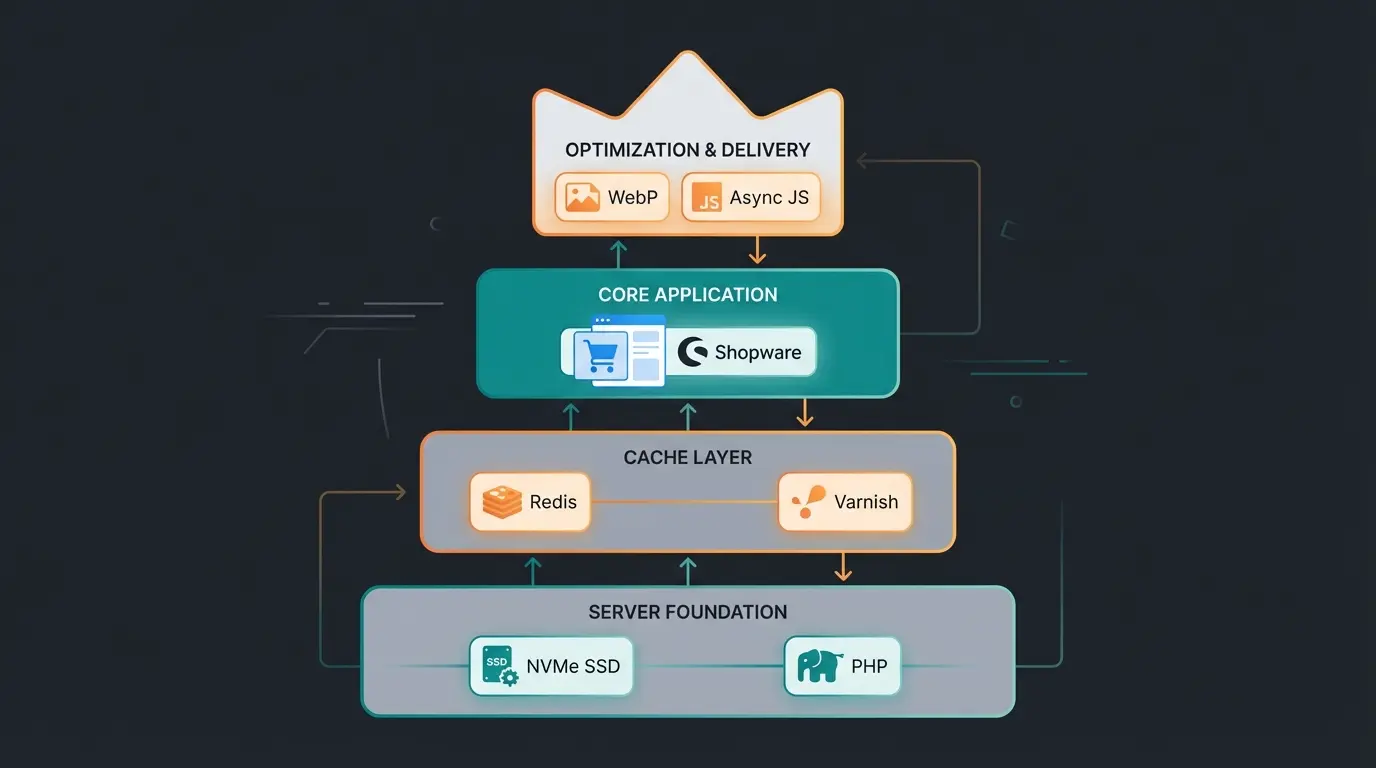
NVMe SSD, PHP 8.3, MySQL 8.0 or MariaDB 10.11
Redis for sessions and cart, Varnish for HTTP cache
Admin Worker disabled, optimized YAML configuration
WebP images, async JavaScript, Vite build system
Shopware 6 Configuration: Quick Performance Wins
Before you pay for expensive developer hours, check these settings. They are the most common sources of error in slow shops. For ongoing maintenance insights, our Shopware 6 support guide covers best practices.
Disable Admin Worker: The #1 Performance Killer
In the standard installation, Shopware executes background tasks (sending emails, indexing, generating thumbnails) while an administrator is logged into the backend. This is called "Admin Worker."
- The problem: When you work in the backend, the browser and server consume resources for these tasks. When no one is logged in, these tasks don't happen. This leads to backlogs (message queue congestion) and massive performance drops when you then log in. According to Firebear Studio, this is the most common performance issue in Shopware installations.
- The solution: Disable the Admin Worker and move tasks to the server (CLI/cronjobs). Mageplaza provides detailed instructions for this configuration.
HTTP Cache & Environment Settings
Make sure your shop runs in production mode.
- In the `.env` file, it must say: `APP_ENV=prod`.
- In `dev` mode, no caches are used and debugging tools run along, which extremely slows down the shop.
- Use `bin/console system:setup --dump-env` to compile the `.env` file into an optimized PHP file.
Keeping your shop updated is crucial for performance improvements. Follow our Shopware update guide to stay current with the latest optimizations.
Media Optimization Strategies
Images are often responsible for 50% of the data volume. For comprehensive speed optimization, see our Shopware page speed guide.
- WebP / AVIF: Shopware supports modern image formats. Enable these to reduce image size by 30-50% with the same quality.
- Thumbnail generation: Configure only the thumbnail sizes that your theme really needs. Unnecessary sizes bloat storage and slow down the upload process.
Our AI-powered tools integrate seamlessly without impacting your shop's speed. Get the intelligence you need without sacrificing milliseconds.
Start Your Free TrialFrontend & Third-Party Scripts: The Differentiator
This is where the wheat is separated from the chaff. Many shops have a fast backend but a slow frontend because they're overloaded with marketing tools. Understanding the Shopware B2B vs B2C differences helps you optimize for your specific use case.
The Problem: Main Thread Blocking
Every chat widget, every tracking pixel, and every review badge is JavaScript code that the customer's browser must execute. If you load 5 MB of JavaScript, the browser is busy and doesn't respond to clicks (poor INP value). This is a critical consideration when implementing AI product consultation features.
The Solution: Async Loading & Shopware 6.7 (Vite)
Shopware is making great progress here. As Qualimero reports, the latest Shopware versions bring significant frontend improvements.
- Shopware 6.6: Has already introduced asynchronous JavaScript loading, which reduces the initial load.
- Shopware 6.7 (Vite): The upcoming update (planned for May 2025) replaces the old Webpack with Vite. According to iCreative Technologies, Vite is a modern build tool that enables extremely fast load times and more efficient code splitting. This means: only the code that's actually needed on the current page is loaded.
ThemeWare provides additional insights on preparing your themes for the Vite migration.
Strategy for External Scripts: AI & Chatbots
If you want to use a modern AI consultant or chatbot, it must not slow down the shop. Implementing AI guided selling features requires careful attention to performance.
- Defer / Async: Never load scripts synchronously in the `<head>`. Use `defer` or load them only when the user scrolls (lazy loading for scripts).
- Facade pattern: First show only a static image (fake chat button). Only when the user clicks on it (interaction) is the heavy chat code loaded afterwards. This keeps the initial INP value perfect.
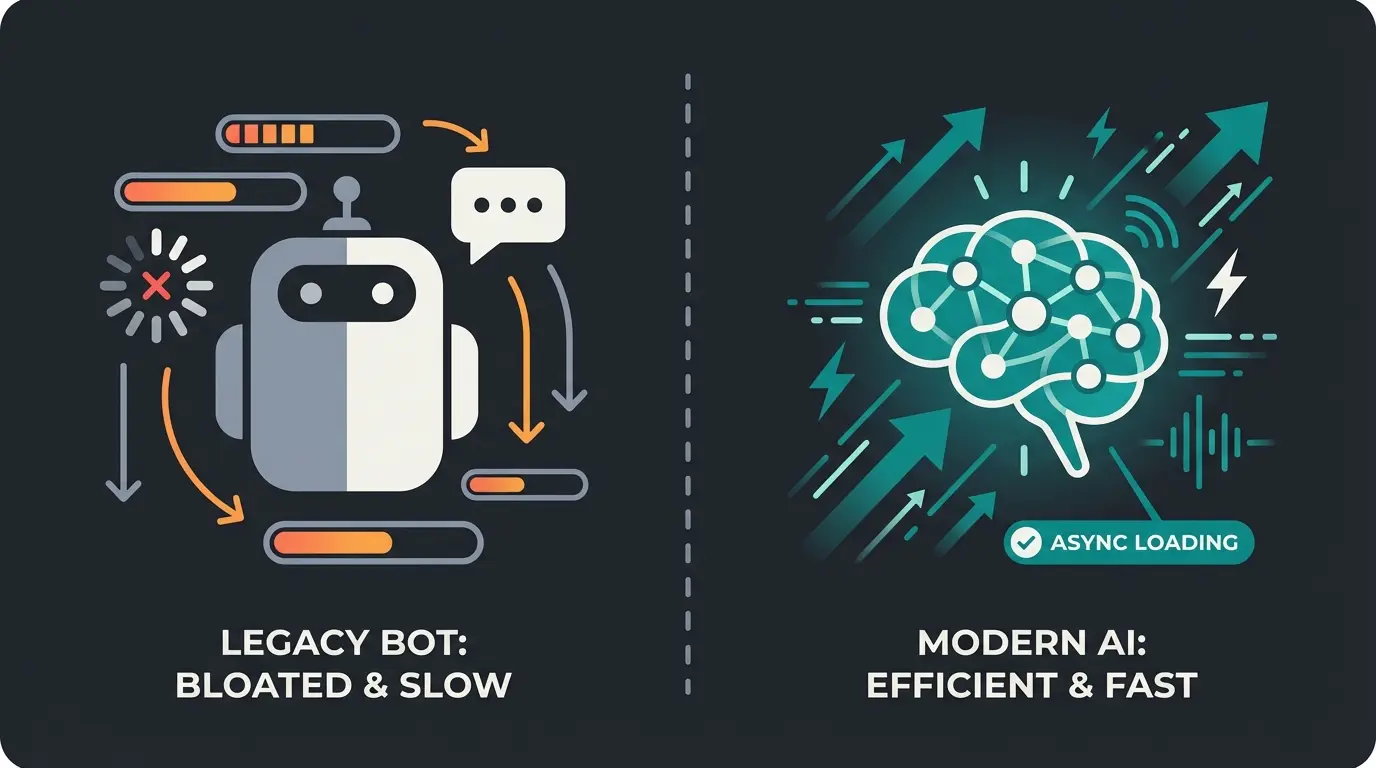
| Feature | Standard Chatbot (Iframe/JS) | Performance-Optimized AI |
|---|---|---|
| Load Timing | Immediately on page load | Only on interaction (click) |
| Impact on LCP | High (blocks rendering) | None (loaded later) |
| Impact on INP | High (main thread blocked) | Low (runs asynchronously) |
| Data Volume | Often 1-2 MB JS libraries | ~5 KB initial script |
| User Experience | Sluggish, delayed response | Instant, native feel |
For excellent customer interactions without performance trade-offs, explore Shopware customer service best practices.
Advanced Performance Tweaks for Developers
For those who want to squeeze out every last millisecond. When exploring Shopware alternatives, performance capabilities should be a key consideration.
CSS/JS Compilation Best Practices
Use the build process (`bin/build-storefront`) to minify CSS and JS. In Shopware 6.7, you'll need to switch your build pipelines from Webpack to Vite. Check your custom plugins for compatibility now, as this is a "breaking change." According to Shopware, the migration path is well-documented.
Database Index Optimization
Analyze slow queries with a profiler. Custom fields or plugins often lack database indexes. A missing index on a table with 500,000 entries can slow a query from 10ms to 2 seconds.
YAML Configuration for Cache Control
You can precisely control in the `shopware.yaml` how long certain content is cached:
Tools for Performance Analysis
Don't rely on gut feeling. Measure everything.
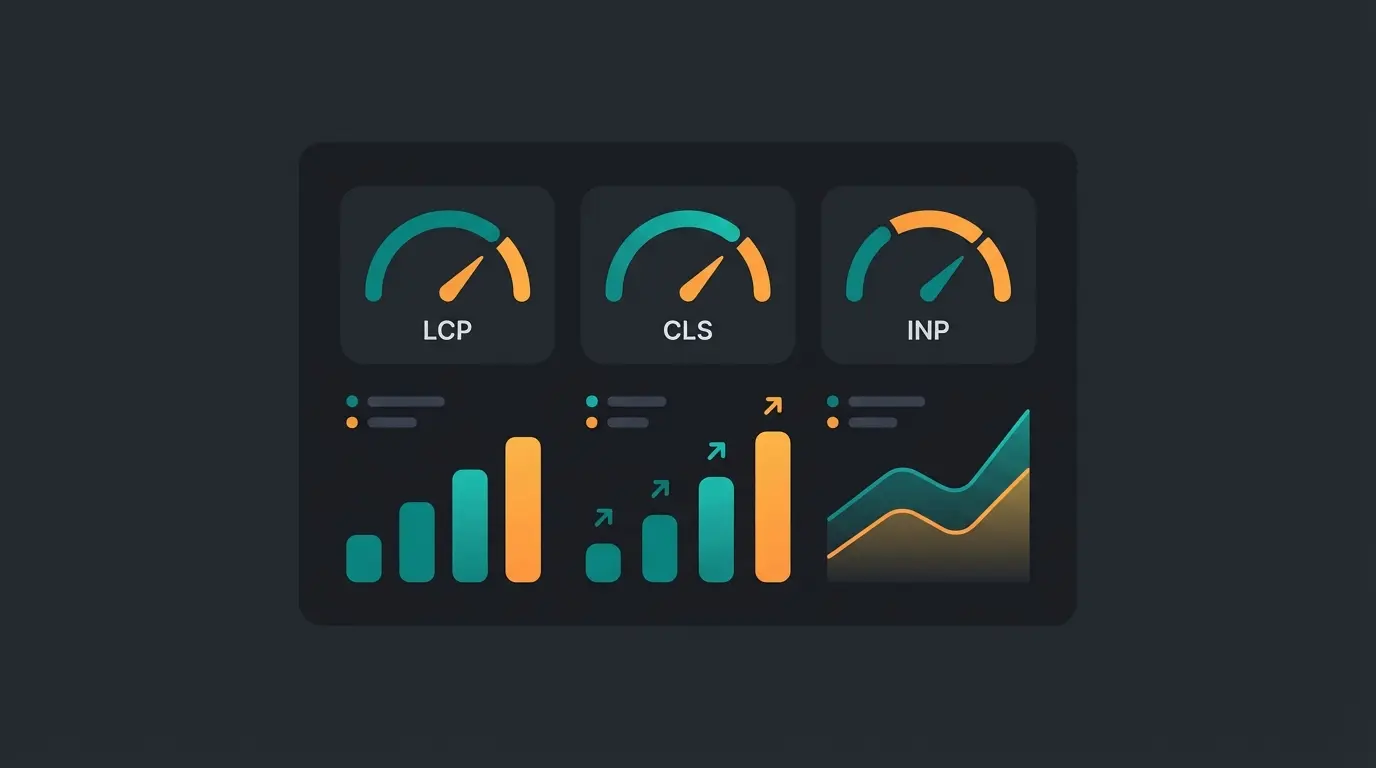
- Google PageSpeed Insights: The standard for Core Web Vitals (LCP, CLS, INP). Important: Look at the "field data" (real user data), not just the lab data.
- Shopware Profiler (Symfony Profiler): Indispensable in dev mode to see how many database queries a page generates.
- Tideways / Blackfire: Professional tools for server monitoring. According to Milled and Solution25, these tools show exactly which PHP function consumes how much time—ideal for identifying "guilty" plugins.
- Real User Monitoring (RUM): Tools that measure how fast the shop is for real customers on their devices.
Speed + Intelligence = Revenue: The Conclusion
Shopware performance optimization in 2025 is a balancing act. It's no longer about turning off all features to have a bare, fast HTML page. It's about providing a high-performance infrastructure (PHP 8.2+, Redis, Varnish) that's intelligent enough to carry modern features like AI consulting without collapsing.
Your Optimization Roadmap
- Check server: Is PHP 8.2+ and Redis running?
- Clean up config: Is the Admin Worker disabled?
- Plan update: Prepare for Shopware 6.7 and Vite (May 2025).
- Clean up frontend: Throw out old scripts and load new ones (like AI tools) intelligently.
Speed is the currency of the internet. But intelligence is what sells. Make sure your shop has both.
Would you like to know how fast your shop really is and whether it's ready for AI integrations? Use our checklist or contact us for a non-binding performance audit.
INP (Interaction to Next Paint) has become the most critical metric since March 2024. While LCP measures visual loading, INP measures how quickly your shop responds to user interactions like clicks and taps. A shop that looks loaded but freezes when clicking 'Add to Cart' will hurt both SEO rankings and conversions.
Edit or create the file `config/packages/shopware.yaml` and set `shopware: admin_worker: enable_admin_worker: false`. Then set up server-side message queue processing via Systemd or Cron with `bin/console messenger:consume default --time-limit=60`. This prevents performance bottlenecks when administrators log in.
Yes, by using proper loading strategies. Implement the facade pattern: show a static placeholder first, then load the AI code only when users interact. Use defer or async attributes for scripts, and choose AI solutions that use efficient APIs rather than heavy client-side JavaScript libraries.
Immediately. Redis dramatically improves shopping cart performance because every cart interaction requires database read/write operations. Redis (in-memory) handles these operations factors faster than any SSD-based storage. This is especially critical for shops with high traffic or complex product configurations.
Shopware 6.7 (planned for May 2025) replaces Webpack with Vite, a modern build tool that enables much faster load times and efficient code splitting. This means only the JavaScript actually needed on the current page gets loaded. Check your custom plugins for Vite compatibility now to prepare for this breaking change.
Get AI-powered customer consultation that's engineered for performance. Zero impact on your Core Web Vitals, maximum impact on your conversions.
Get Started Today