Why most Shopware SEO guides miss the bigger picture
Standard Shopware SEO advice focuses on technical configuration, meta tags, URL structure, sitemaps, but ignores the behavioral signals that Google increasingly weights in 2026. The stores ranking highest combine solid technical foundations with user engagement layers that keep visitors on-site longer and convert them at higher rates.
I tested this across multiple Shopware 6 deployments. Stores with identical technical Shopware SEO setups showed dramatically different ranking trajectories based on one variable: how effectively they engaged visitors after the click. Laut DemandSage verarbeitet Google 8.5 billion searches daily (Stand Q2 2026), and 58-60% end in zero clicks. The stores that capture traffic in this environment are the ones providing immediate, interactive value.
Competition in the DACH market makes the configuration work non-optional. Shopware has been Germany's leading e-commerce platform for four consecutive years, powering 11.5% of the 1,000 highest-revenue B2C online shops according to the EHI study published in October 2025. That is 115 of the strongest German shops running the same system as you, with the same built-in SEO features. The platform is not the differentiator. The configuration is.
Most guides stop at the admin panel. They walk you through SEO URL templates and meta descriptions, then call it done. But organic search drives 43% of all e-commerce traffic with a 317% ROI, making it too valuable to optimize halfway. This Shopware SEO guide covers the full stack: every Shopware 6 setting, plus the engagement layer that turns rankings into revenue.
As part of our comprehensive Shopware guide, this Shopware SEO pillar covers eight core topics in depth. Each section is designed as a standalone reference you can implement immediately.
The approach is modular. If you are setting up a new Shopware 6 store, work through the sections in order. If your store is already live and you want to fix specific issues, jump directly to the relevant section. Each H2 stands on its own as a reference.
Shopware 6 SEO settings: complete walkthrough
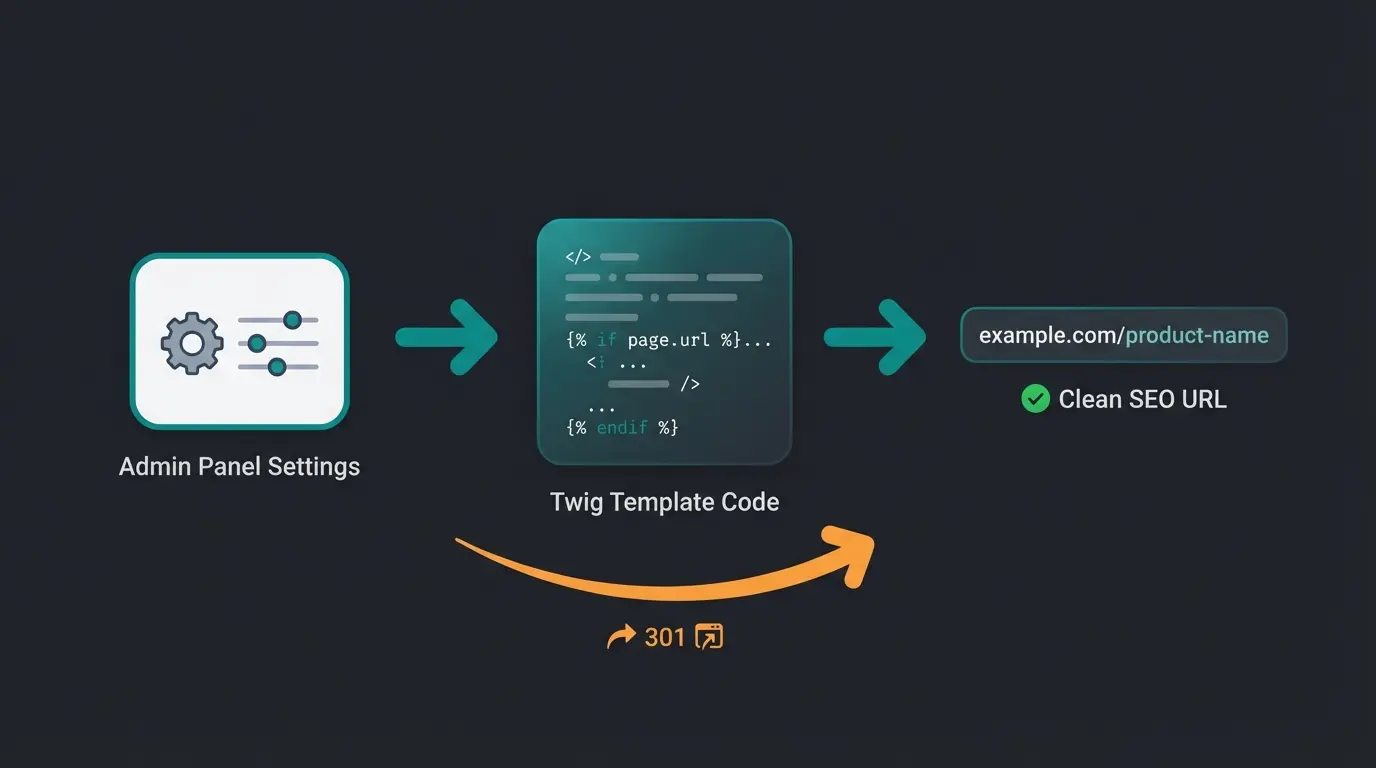
Shopware 6 SEO settings are found under Settings > Shop > SEO in the admin panel. The three critical Shopware SEO configurations to set immediately are SEO URL templates for products and categories, the redirect forwarding behavior for URL changes, and the sitemap generation strategy. For a step-by-step walkthrough of every toggle and template field, see the dedicated Shopware 6 SEO settings guide.
One detail trips up almost every new store: Shopware SEO settings apply per sales channel, not globally. The sales channel selector sits at the top of the SEO settings page. If you operate a B2B storefront alongside a B2C storefront, or one channel per language, each needs its own URL templates, its own forwarding rule, and its own sitemap schedule. Global defaults act as a fallback only.
The SEO URL template system uses Twig syntax. Each entity type (products, categories, landing pages) has its own template field. The default product template `{{ product.translated.name }}` works for small catalogs, but creates conflicts when multiple products share similar names. Shopware appends a hash to resolve duplicates, which hurts readability.
| Entity | Default template | Recommended template | Why it matters |
|---|---|---|---|
| Products | `{{ product.translated.name }}` | `{{ product.translated.name }}/{{ product.productNumber }}` | Prevents duplicate slugs when two products share a name |
| Categories | `{% for part in category.seoBreadcrumb %}{{ part }}/{% endfor %}` | `{{ category.translated.name }}` | Shorter URLs, avoids deeply nested paths on four-level catalogs |
| Landing pages | `{{ landingPage.translated.url }}` | `{{ landingPage.translated.name }}` | Readable and keyword-relevant instead of an internal identifier |
Twig filters give you the rest of the control. Append `|lower` to force lowercase URLs and eliminate case-sensitivity duplicates. For product names beyond 50 characters, truncate with `|slice(0, 50)` so the slug stays readable in a SERP snippet. And if you want the main category as a prefix without the full breadcrumb chain, slice the breadcrumb array rather than looping over all of it.
{# Product: lowercase, product number guarantees uniqueness #}
{{ product.translated.name|lower }}/{{ product.productNumber }}

{# Category: flat structure, no breadcrumb nesting #}
{{ category.translated.name|lower }}

{# Product with main category prefix, root category skipped #}
{% for part in product.categories.sortByPosition().first.breadcrumb|slice(1) %}{{ part|lower }}/{% endfor %}{{ product.translated.name|lower }}
The forwarding behavior setting determines what happens when a URL changes. Set this to "Forward to new URL (301)" to preserve link equity when you rename products or restructure categories. Without this, every URL change creates a dead link and wastes the authority that page accumulated. The official Shopware 6 SEO documentation details the available Twig variables and template syntax.
Sitemap configuration offers two strategies: live generation or scheduled. Choose scheduled for stores with more than 500 products. Live generation recalculates the sitemap on every request, which adds unnecessary server load. Scheduled sitemaps regenerate at defined intervals (configurable via admin) and serve the cached version to crawlers. Our dedicated Shopware Sitemap guide covers advanced configuration, multi-domain setups, and common indexing pitfalls.
Hreflang for multi-language stores is configured through Shopware's domain settings. Assign each sales channel to a language and domain, and Shopware generates hreflang tags automatically in the HTML head. For example, `your-shop.de` with German and `your-shop.com/en` with English. Verify hreflang implementation by checking the page source for `<link rel="alternate" hreflang="de">` and `<link rel="alternate" hreflang="en">` tags on each page. Incorrect hreflang causes Google to show the wrong language version to international visitors, directly hurting CTR.
Hreflang is also where multi-language Shopware stores break most often. Ahrefs analysed 374,756 domains and reported: "When we ran a study on hreflang across 374,756 domains, we found that 67% of the hreflang implementations had issues." The Shopware-specific version of that failure is assigning two languages to a single sales channel instead of creating one sales channel per language-region pair with its own linked domain.
- Create one sales channel per language-region combination (de-DE, en-GB, en-US)
- Assign the correct language and domain to each channel under Settings > Sales channels
- Verify the rendered output by searching the page source for `hreflang`
- Confirm the return tags are reciprocal, then check the International Targeting report in Google Search Console
Rebuilding the SEO index is necessary after bulk changes to URL templates or category structure. Run `bin/console dal:refresh:index` via CLI, or trigger it through the admin panel under Settings > System > Caches & Indexes. On larger stores with 10,000+ products, schedule this during off-peak hours as it temporarily increases server load.
Robots.txt management changed significantly in Shopware 6.7.1.0. You can now edit robots.txt directly in the admin under Settings > General Settings, eliminating the need for server-level file edits or plugins. Block `/checkout/`, `/account/`, and `/widgets/` to focus crawl budget on product and category pages.
User-agent: *
Disallow: /checkout/
Disallow: /account/
Disallow: /widgets/
Disallow: /wishlist/
Disallow: /*?properties=
Disallow: /*?manufacturer=
Disallow: /*?order=
Disallow: /*?p=

Sitemap: https://your-shop.com/sitemap.xml
Meta tags optimization in Shopware
Meta titles in Shopware should be 50-60 characters with the primary keyword placed early. Meta descriptions should be 120-155 characters with a clear value proposition. Both are essential Shopware SEO elements that can be set per product, category, and CMS page in the SEO tab of each entity, or automated via templates for bulk coverage.
The SEO tab appears on every product, category, and CMS page editor in Shopware 6. For products, navigate to the product detail page and scroll to the SEO section. You will find fields for meta title, meta description, and SEO keywords (note: SEO keywords are ignored by Google but used internally by Shopware's search). According to a Backlinko study, emotional meta descriptions increase CTR by 13.9%.
| Page Type | Meta Title Template | Meta Description Approach | Common Mistake |
|---|---|---|---|
| Product pages | {Product Name} - {Key Feature} | {Brand} | Highlight unique value: price, rating, availability | Using manufacturer's generic title |
| Category pages | {Category} kaufen - {Benefit} | {Store} | Include product count and top brands | Leaving blank (Shopware auto-generates) |
| CMS/Blog pages | {Topic}: {Hook} | {Store} | Summarize the key takeaway with a data point | Duplicating the H1 verbatim |
| Homepage | {Store Name}: {Primary Value Prop} | Mention product range, USP, and social proof | Keyword stuffing the store name |
For stores with hundreds of products, manual meta tag writing is not practical. Use Shopware's template variables to generate baseline meta titles: `{{ product.translated.name }} - {{ product.manufacturer.translated.name }}`. Then manually optimize the top 20% of product pages by traffic. A Quattr analysis found that optimized meta descriptions increase CTR by 5.8% over auto-generated ones.
Shopware 6 allows template-based meta tag generation using the same Twig variables available for URL templates. For meta titles, a common pattern is `{{ product.translated.name }} - {{ product.manufacturer.translated.name }} | {{ config.shopName }}`. For meta descriptions, you can pull from the product's short description field. The limitation: Twig templates do not support character truncation natively, so test that generated titles stay within the 60-character limit.
Category page meta tags are frequently neglected. Many Shopware stores leave category meta descriptions empty, which causes Google to auto-generate snippets from the page content, usually resulting in a jumbled mix of product names and prices. Write category-specific meta descriptions that include the product type, number of products available, and key brands. Example: "Shop 250+ organic lawn care products from brands like Neudorff and Compo. Free shipping over EUR 50."
URL structure and SEO URLs in Shopware
Shopware 6 generates SEO-friendly URLs automatically using configurable Twig templates. The default product URL template is `{{ product.translated.name }}` and the category template is `{{ category.translated.name }}`. URL structure is a foundational Shopware SEO factor: enable automatic 301 redirects when URLs change and set canonical URLs to prevent duplicate content from filter parameters.
URL structure directly affects click-through rates. According to Analytify, keyword-rich URLs have 45% higher CTR than URLs without keywords. In Shopware, this means configuring templates that include meaningful product and category names rather than relying on IDs or hashes.
Canonical URLs are critical for Shopware stores using faceted navigation. When a customer filters products by color, size, or price, Shopware generates new URLs with query parameters. Without canonical tags pointing back to the base category URL, Google indexes hundreds of near-duplicate filter pages. Shopware 6 handles this automatically for standard filters, but custom filter implementations may need manual canonical configuration.
The scale of the problem is documented. Reboot Online found that roughly 38% of the e-commerce sites in its study suffered from duplicate content issues, with filter parameters as the primary cause. Run the arithmetic on your own catalog. Twenty filters across 500 products generates thousands of near-identical URLs, all competing against each other inside the same index.
Google is explicit about why canonicalization matters. Google Search Central states that it "helps search engines to be able to consolidate the signals they have for the individual URLs (such as links to them) into a single, preferred URL." Skip it and your ranking signals scatter across variants instead of stacking on one page.
Special character handling uses the Slugify framework. German umlauts (ae, oe, ue) and other special characters are converted automatically. Verify this conversion in the SEO preview within the admin panel, especially for international stores where product names include accented characters.
Trailing slash consistency matters for crawl efficiency. Shopware 6 defaults to URLs without trailing slashes. If your theme or reverse proxy adds trailing slashes, ensure only one version is canonical. Mixed trailing slash behavior causes Google to index both `/category-name` and `/category-name/` as separate pages, splitting ranking signals between them.
Handling pagination URLs for large category pages requires attention. When a category has more products than your per-page limit (default: 24), Shopware generates paginated URLs like `/category?p=2`. These should carry a canonical tag pointing to the base category URL. Shopware 6 handles this by default, but verify after theme customizations. Google discontinued rel=next/prev support in 2019, so canonical tags are now the primary mechanism to consolidate paginated content.
Shopware page speed and Core Web Vitals
Shopware 6.6 introduced significant performance improvements including asynchronous JavaScript loading, which prevents the old monolithic `all.js` from blocking page rendering. Page speed is now a core Shopware SEO ranking factor: target LCP under 2.5 seconds, INP under 200ms, and CLS under 0.1 to meet Google Core Web Vitals thresholds that directly affect rankings since 2021.
The performance impact is measurable. Vodafone Italy improved LCP by 31% and saw an 8% increase in sales, 15% more leads, and 11% cart-to-visit improvement. For Shopware stores in 2026, the three highest-impact optimizations are: async JS loading (Shopware 6.6+), delayed cache invalidation (Shopware 6.7+), and image optimization with WebP format and lazy loading.
Time until the largest visible element loads. Optimize hero images and above-fold content.
Replaced FID in March 2024. Measures responsiveness to all user interactions.
Visual stability. Set explicit width/height on images and avoid dynamically injected content.
Shopware 6.7 default. Prevents cache stampedes during bulk product updates.
Delayed cache invalidation is Shopware 6.7's most significant SEO-relevant feature. Instead of clearing the HTTP cache immediately on every product edit, invalidations are batched and processed at 5-minute intervals. During a bulk import of 500 product price changes, the storefront stays fast for both customers and Googlebot. Without this, each edit triggers a cache miss that forces the server to regenerate pages on demand, spiking TTFB from under 100ms to over 2 seconds.
Image optimization checklist: Convert all product images to WebP (Shopware 6 supports this natively via media thumbnails). Enable lazy loading for below-fold images. Set explicit `width` and `height` attributes on all `<img>` tags to prevent CLS. Use a CDN for static assets. Test with Lighthouse in Chrome DevTools and monitor real-user data via Google Search Console's Core Web Vitals report.
Varnish and Redis caching provide additional performance layers for high-traffic Shopware stores. Varnish sits in front of the web server and serves cached pages without hitting PHP at all, reducing TTFB to under 50ms. Redis handles session storage and application caching, reducing database queries. Both are configured in the `.env` file: `SHOPWARE_HTTP_CACHE_ENABLED=1` for the built-in HTTP cache, or point to a Varnish instance for enterprise setups.
CDN configuration is critical for stores serving international customers. Shopware's media system stores all product images, thumbnails, and downloadable files. Point these to a CDN like Cloudflare, Bunny.net, or AWS CloudFront by configuring the `SHOPWARE_CDN_STRATEGY_DEFAULT` variable. The performance gain is substantial: CDN-served images load from edge servers geographically close to the visitor, cutting image load times by 50-70% for international traffic.
Page speed optimization is not a one-time task. Every plugin installation, theme update, and product import can regress Core Web Vitals. According to Google's 2023 Core Web Vitals report, sites meeting all three CWV thresholds see 24% fewer page abandonments. Set up automated Lighthouse CI checks in your deployment pipeline to catch regressions before they reach production. Monthly monitoring is non-negotiable for any serious Shopware SEO strategy.
Structured data and schema markup for Shopware
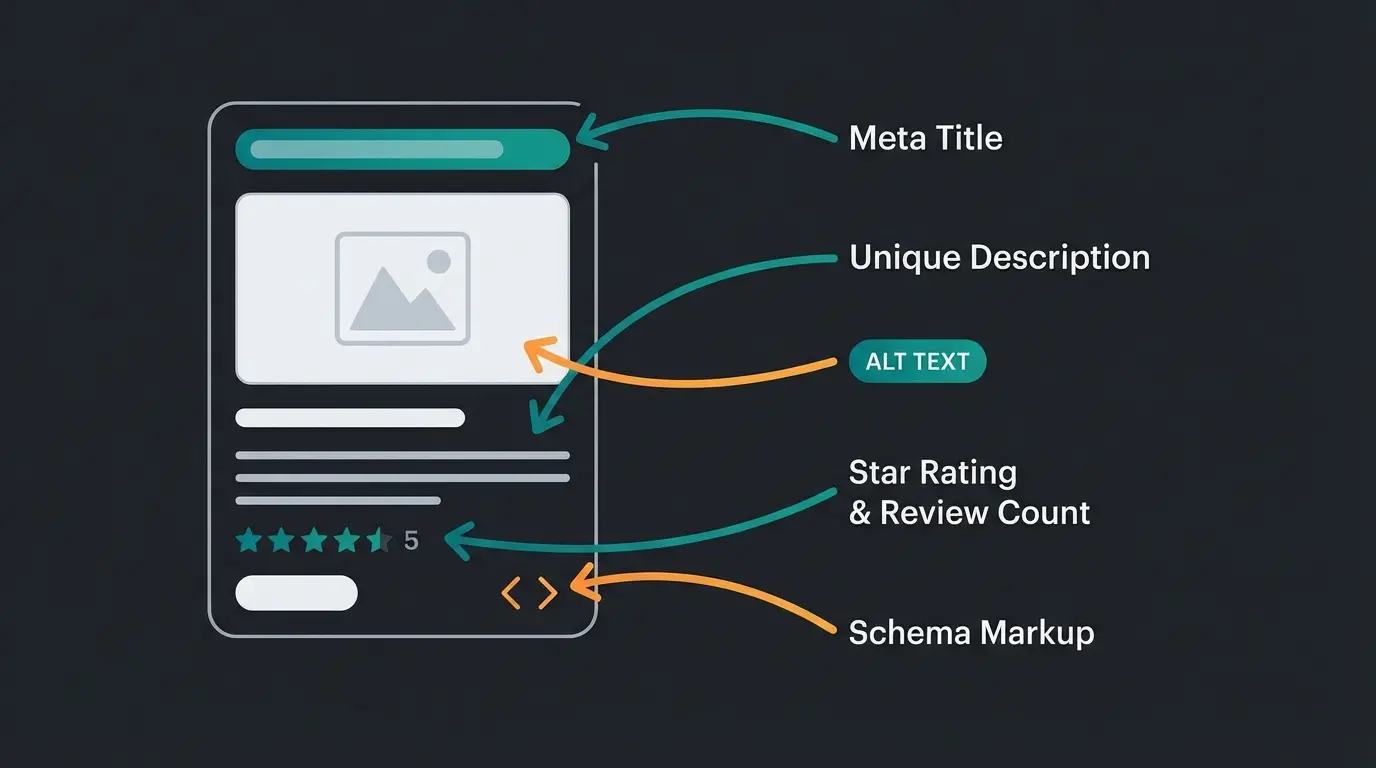
Shopware supports JSON-LD structured data for products, breadcrumbs, and organization schema out of the box. Schema markup is one of the most overlooked Shopware SEO opportunities: adding Product schema with price, availability, and aggregate ratings enables rich snippets in Google search results, which increase click-through rates by 20-35% compared to plain listings.
Google Search Central states the payoff plainly: "When you add structured data to your product pages, your product information can appear in richer ways in Google Search results (including Google Images and Google Lens)." Shopware's default output covers the basics. The fields that actually win rich results, aggregate rating, shipping details, and return policy, are the ones it leaves out.
The Schema.org Product specification defines required and recommended properties. For Shopware, the highest-impact properties are `name`, `image`, `description`, `sku`, `offers` (with `price`, `priceCurrency`, `availability`), and `aggregateRating`. Shopware 6 generates basic Product schema automatically, but you need to extend it for reviews and advanced properties.
{
  "@context": "https://schema.org",
  "@type": "Product",
  "name": "Premium Garden Hose 30m",
  "image": "https://shop.example/media/garden-hose.webp",
  "description": "Professional-grade garden hose with brass fittings",
  "sku": "GH-30M-PRO",
  "brand": { "@type": "Brand", "name": "GardenPro" },
  "offers": {
    "@type": "Offer",
    "price": "49.99",
    "priceCurrency": "EUR",
    "availability": "https://schema.org/InStock"
  },
  "aggregateRating": {
    "@type": "AggregateRating",
    "ratingValue": "4.7",
    "reviewCount": "142"
  }
}
BreadcrumbList schema helps Google understand your category hierarchy and display breadcrumb trails in search results. Shopware generates this automatically from category assignments. FAQPage schema is valuable for product pages with Q&A sections. AllAboutAI reports that rich snippets generate 58 clicks per 100 queries on average, compared to significantly fewer for standard results.
Test your structured data with Google's Rich Results Test before going live. Common errors: missing `availability` property, incorrect `priceCurrency` format, and `aggregateRating` without actual reviews (Google penalizes fabricated ratings).
FAQPage schema deserves special attention for Shopware product pages with Q&A sections. When customers ask and answer product questions (a built-in Shopware 6 feature), wrapping these in FAQPage schema makes them eligible for FAQ rich results in Google. This doubles the visual space your listing occupies in search results, pushing competitors further down the page.
To implement custom schema in Shopware 6, extend the `Resources/views/storefront/page/product-detail/meta.html.twig` template in your theme. Add a `<script type="application/ld+json">` block with your JSON-LD. For stores without developer resources, Shopware Community Store offers structured data plugins that add Product, FAQ, and Organization schema through the admin UI. As a benchmark, 58% of e-commerce searches now display rich results, so stores without schema markup are increasingly invisible.
Category page SEO for Shopware stores
Shopware category pages need three elements to rank: a unique H1 heading matching the target keyword, 200-400 words of descriptive introductory text above the product grid, and proper handling of filter-generated URLs via canonical tags or noindex directives. Category page optimization is one of the highest-impact Shopware SEO activities because these pages target commercial keywords with direct purchase intent.
A Digitaloft study analyzing 300 top-ranking category pages found that the average word count was just 310 words, with two-thirds under 400 words. The takeaway: you do not need 2,000-word essays on category pages. Write 200-400 words of genuinely useful introductory text that includes the target keyword, mentions key product attributes, and gives shoppers context for the product grid below.
Faceted navigation is the biggest category page SEO risk. Every filter combination (color, size, price range, brand) creates a new URL. A category with 5 filter types and 10 options each theoretically generates thousands of near-duplicate pages. Shopware 6 handles this with canonical tags on filtered pages pointing to the base category URL. Verify this behavior in your theme, especially if you use a custom storefront.
Shopware 6's Shopping Experiences (Erlebniswelten) provide a layout editor for category pages. Use it to add SEO-relevant content blocks above the product grid: a keyword-rich introduction, a featured product callout, or a seasonal promotion banner. This content appears in the HTML source that Google indexes, unlike JavaScript-rendered widgets that may not get indexed reliably.
Internal linking from category pages amplifies the SEO value of your category hierarchy. Every category page should link to its subcategories and to 2-3 related category pages. For example, a "Lawn Care" category should link to "Lawn Fertilizer", "Lawn Seeds", and the related "Garden Tools" category. Shopware's navigation system handles parent-child links automatically, but cross-category links need manual implementation through Shopping Experiences content blocks.
Handling out-of-stock category pages is a common oversight. When all products in a category are out of stock, the category page becomes thin content. Rather than deindexing it (which loses accumulated authority), add a notice about restocking timelines and keep the descriptive content. If the category is permanently discontinued, 301-redirect it to the most relevant active category.
Product page SEO optimization in Shopware
Shopware product pages should have unique descriptions of at least 300 words, optimized image alt text for every product photo, and structured data with price, availability, and review ratings. Product page Shopware SEO starts with one non-negotiable: stop using manufacturer descriptions. Google treats these as duplicate content across every store selling the same product.
Unique product descriptions are non-negotiable. If 50 stores all sell the same running shoe with the manufacturer's identical 100-word description, Google has no reason to rank yours. Write descriptions that address the buyer's actual questions: fit, real-world performance, compatibility, care instructions. Focus writing effort on your top 20% of products by revenue, then work down the catalog.
Image alt text matters more than most Shopware store owners realize. Every product image needs descriptive alt text that includes the product name and a key attribute. "Blue running shoe Nike Air Zoom Pegasus 41 side view" outperforms "product-image-001". Shopware's media manager allows bulk alt text editing, but there is no template-based auto-generation, so this requires manual work for existing catalogs.
Product reviews are a conversion and SEO multiplier. According to PowerReviews, products with just 1-10 reviews make shoppers 52.2% more likely to convert, and visitors who interact with reviews are 105% more likely to purchase. The Spiegel Research Center at Northwestern University found that higher-priced products with reviews see conversion increases of up to 380%. Enable Shopware's built-in review system and actively solicit reviews via post-purchase emails.
Product variant handling requires canonical URL configuration. If you sell a t-shirt in 5 colors, each variant may generate its own URL. Set the canonical tag to point to the parent product to consolidate ranking signals. In Shopware 6, this is managed through the variant configuration in the product editor.
Cross-sell and related product links serve a dual purpose: they increase average order value and distribute internal link equity across your product catalog. Shopware 6's cross-selling feature (Product > Cross-selling tab) creates these connections. From an SEO perspective, a product page with 4-6 related product links passes authority to those products while also increasing pages-per-session, which is a positive engagement signal. Configure "Similar products" and "Frequently bought together" sections for every active product.
Out-of-stock products should not be deleted or set to 404. If a product has backlinks or ranking authority, preserve the URL and display a "Currently unavailable" notice with alternatives. Shopware 6 supports this through the product visibility settings. Set the product to inactive for the storefront while keeping the detail page accessible. This preserves the URL's accumulated authority and prevents broken backlinks, both of which Google penalizes.
Content marketing strategy for Shopware
Content marketing for Shopware stores works best through a topic cluster model: create a pillar page for your main product category, then build supporting articles targeting long-tail keywords that link back to the pillar. Content is the compound interest of Shopware SEO: Shopware 6 Shopping Experiences provide the CMS flexibility to publish blog content directly within the store.
The data supports this approach. According to Ringly.io, 61% of US online consumers make purchases based on blog recommendations, and organic search converts at an average of 2.8% for e-commerce. A Shopware store selling garden equipment, for example, can target informational keywords like "when to fertilize lawn" or "best grass seed for shade" to attract visitors who later convert on product pages.
Shopware 6 does not have a dedicated blog module. Instead, use Shopping Experiences to create CMS pages that function as blog posts. Assign these pages to a "Blog" category in your navigation. The key technical requirement: ensure each blog page has a unique meta title, meta description, and SEO URL configured in the CMS page editor.
Distribute content via Shopware newsletter integration to re-engage visitors who discovered your store through search. Combine this with a broader Email Marketing for Shopware strategy to nurture leads beyond the initial visit. Newsletter subscribers who return to your site generate repeat visit signals that reinforce your domain's authority in Google's systems.
Content calendar for e-commerce should align with your product cycle. Publish "how to choose" guides 4-6 weeks before seasonal peaks (garden products in February, heating in August). Create comparison content when launching new product lines. Update existing content quarterly with fresh data and current pricing. This publishing rhythm builds topical authority gradually rather than in one burst.
Target informational keywords that your potential customers search before they are ready to buy. A store selling professional cleaning equipment might create guides on "industrial floor cleaning methods" or "hospital-grade disinfection protocols". These attract decision-makers early in the research phase. When they are ready to purchase, your store has already established expertise and trust. According to Ringly.io, 61% of US online consumers make purchases based on blog recommendations, making content marketing one of the highest-ROI SEO investments.
If managing Shopware SEO in-house stretches your team too thin, the honest answer is to narrow the scope rather than outsource everything at once. Pick the two areas with the widest gap between current state and target state, usually URL templates and category page content, and close those first. Everything beyond that is a capacity decision: build the skills internally or buy them.
When to hire a Shopware SEO agency
Shopware SEO agencies charge EUR 1,000 to 5,000 per month for ongoing retainers, with one-time audits running EUR 500 to 2,500. Hiring makes sense for stores with 2,000 or more SKUs, multilingual setups, or complex category structures. For smaller catalogs, a specialized freelancer usually delivers better value.
Platform expertise matters more than the price tag. A generalist agency audits site speed and keyword rankings and calls it done. A Shopware specialist catches the filter page indexation leak that quietly generates thousands of thin URLs, or the canonical setting left on default. "Ecommerce SEO delivers a 317% ROI with a nine-month break-even window," concludes First Page Sage's 2026 E-Commerce SEO ROI Report across 80 clients, but that return assumes the technical work gets done right.
| Dimension | Agency | Freelancer |
|---|---|---|
| Monthly cost | EUR 2,000-5,000 | EUR 500-1,500 |
| Expertise | Full team: technical, content, strategy | Usually strong in 1-2 areas |
| Scalability | Scope grows without switching provider | Limited by individual capacity |
| Best for | 2,000+ SKUs, multilingual stores, complex category trees | Under 500 products, budgets below EUR 1,500 per month |
BrightLocal's research on SEO industry pricing shows clients pay roughly 30% more for agencies than for freelancers, a premium that buys team redundancy and defined SLAs. Certification is the baseline check. The Shopware Partner Directory lists over 1,200 certified agencies across Platinum, Gold, and Silver tiers as of 2026. Certification alone does not guarantee SEO competence, but it confirms the provider understands the platform architecture.
- Verified Shopware 6 certification (Silver, Gold, or Platinum)
- At least two Shopware SEO case studies with named clients and measurable results
- Technical audit included in onboarding, not just keyword research
- Clear explanation of how they handle canonicals, filter pages, and pagination
- Monthly reporting tied to organic traffic, rankings, and revenue from organic
- Transparent pricing with defined deliverables and no guaranteed rankings
Whoever does the work, the deliverables stay the same: the URL templates, canonical rules, structured data, and page speed targets covered in this guide. Use these configurations as your acceptance criteria. An agency report that does not map to them is reporting activity, not progress.
SEO plugins and tools for Shopware
Shopware 6 handles URL templates, canonicals, sitemaps, and basic Product schema without a single plugin. The plugin ecosystem earns its price in four specific cases: bulk meta tag generation across large catalogs, extended schema coverage, regex-based redirect management, and scheduled audits. Below roughly 200 products, the built-in Shopware SEO features are usually enough.
| Capability | Built-in (free) | Plugin or external tool (paid) |
|---|---|---|
| SEO URL templates | Twig templates per entity type | Conditional rules per category or manufacturer |
| Meta tags | Manual per page plus basic templates | Bulk generation across the catalog, A/B testing |
| XML sitemap | Auto-generated, basic configuration | Priority rules, image and video sitemaps |
| Structured data | Product and BreadcrumbList schema | FAQ, Review, Shipping, and Return schema |
| Redirects | Automatic 301 on URL change | Bulk import, regex patterns, monitoring |
| SEO audits | None | Scheduled audits with prioritised fix lists |
Which one to buy depends on catalog size and where your current setup leaks. We compared pricing and real output for the main options in our guide to the best Shopware SEO plugins. One caveat worth stating plainly: no plugin fixes a store whose category pages have no content. Tooling amplifies a working setup. It does not create one.
How AI product consultation revolutionizes SEO
AI product consultation directly improves three Google ranking factors that complement your Shopware SEO foundations: it increases average session duration by 3-5 minutes (behavioral signal), generates dynamic content covering long-tail semantic queries, and reduces bounce rates by engaging visitors with relevant product guidance immediately. This is not theoretical, it is measurable.
According to HelloRep.ai, 64% of shoppers now use AI tools to find or research products, and the global conversational commerce market is projected to grow from $7.6 billion in 2024 to $34.4 billion by 2034. Shopware stores that integrate AI consultation today position themselves ahead of this curve.
The SEO mechanism is straightforward. When a visitor asks an AI product advisor "Which lawn fertilizer works for clay soil in partial shade?", two things happen. First, the visitor stays on-site interacting for 3-5 minutes instead of bouncing after 15 seconds to search elsewhere. Second, the conversation generates semantic content around long-tail queries that your static product pages never covered. Google observes both the engagement signal and the content relevance.
How Rasendoktor boosted conversions with AI consultation illustrates this. With Qualimero's AI employee Hektor handling 100% of webchat inquiries with 24/7 availability, Rasendoktor achieved a 16x ROI and 40% support cost savings. The SEO side effect: visitors who engaged with Hektor spent significantly longer on-site and visited more product pages, both signals that correlated with ranking improvements for competitive lawn care keywords.
Shopware SEO optimization and an AI engagement layer solve different halves of the same problem. The technical settings in this guide get the page crawled, indexed, and clicked. The consultation layer decides whether that click becomes a session Google reads as satisfying. Stores that plateau at position 5 to 10 usually have the first half right and the second half missing entirely.
The data backs this up at scale. According to Envive.ai, personalized AI recommendations can increase conversion rates by up to 150%. And the engagement effects compound: customers who interact with AI consultation complete purchases 47% faster, reducing the window where they might leave to compare prices or read reviews elsewhere.
Measuring SEO success with AI integration
Track three metric categories to measure Shopware SEO with AI integration: traditional SEO metrics (organic traffic, keyword rankings, indexed pages), behavioral metrics (session duration, bounce rate, pages per session), and conversion metrics (consultation-to-purchase rate, average order value lift). The intersection of these three categories reveals the true ROI.
Google Search Console is your primary SEO measurement tool. Monitor impressions, clicks, CTR, and average position for your target keywords. After implementing AI consultation, watch for behavioral changes in GA4: compare session duration and bounce rate for pages with AI engagement versus pages without. Segment by landing page to isolate the SEO effect.
Realistic benchmarks from Qualimero deployments (Stand Q2 2026): AI-assisted sessions convert at rates 3-4x higher than unassisted sessions. Average order value increases by 35% when customers receive AI product recommendations. The Signed e-commerce AI success story documents an 18x ROI with 70% automation of customer inquiries on Instagram and TikTok, directly reducing support costs while increasing sales.
Attribution modeling is where most Shopware stores fall short. The standard last-click model in GA4 undervalues organic search by crediting the final touchpoint (often a direct visit or branded search). Switch to a data-driven attribution model in GA4 to see the full impact of your informational content on downstream conversions. A blog post that attracted a visitor 3 weeks before their purchase should get partial credit for that sale.
AI interaction events require custom GA4 tracking. Set up events for: `ai_consultation_started`, `ai_product_recommended`, `ai_recommendation_clicked`, and `ai_consultation_to_cart`. This gives you a clear funnel from AI engagement to revenue. Most Qualimero implementations see a 12-15% consultation-to-purchase rate, meaning roughly 1 in 7 visitors who engage with the AI advisor end up buying.
Build the monitoring cadence before you need it. Google's December 2025 core update triggered organic visibility drops of 30 to 50% for some retailers, and the stores that recovered fastest were the ones already tracking a baseline. If you do not know what normal looks like for your store, you cannot tell a core update apart from a broken canonical tag.
| Category | Metric | Tool | Target |
|---|---|---|---|
| SEO | Organic traffic growth | Google Search Console | +20% within 6 months |
| SEO | Keyword rankings (top 10) | GSC / Ahrefs | Primary keyword in top 5 |
| SEO | Indexed pages | GSC Coverage Report | 95%+ valid pages |
| Behavioral | Session duration | GA4 | 3+ minutes (AI-assisted) |
| Behavioral | Bounce rate | GA4 | <40% on product pages |
| Behavioral | Pages per session | GA4 | 4+ pages |
| Conversion | Consultation-to-purchase rate | GA4 Events | 12-15% |
| Conversion | Average order value lift | GA4 E-Commerce | +30-35% |
Common Shopware SEO mistakes to avoid
The most common Shopware SEO mistake is leaving the default URL templates unchanged, which produces generic slugs and duplicate URLs across product variants. Close behind: filter pages left indexable, canonicals missing on variants, an untouched robots.txt, and a staging noindex that survived the go-live. All six are configuration errors, not content problems.
- Default URL templates left as shipped. The factory product template `{{ product.translated.name }}` produces identical slugs whenever two products share a name. Adding `{{ product.productNumber }}` guarantees uniqueness and costs one field edit.
- Changing templates without rebuilding the index. Existing products keep their old URLs while new products get the new pattern. Run `bin/console dal:refresh:index` after every template change, or you end up maintaining two URL schemes at once.
- Filter URLs left indexable. Every property and manufacturer filter generates a crawlable URL. Without robots.txt rules or canonicals, Google indexes hundreds of near-identical category variants and splits the ranking signal between them.
- No canonical on product variants. Five colours of the same shirt should not compete as five pages. Set `canonicalProductId` to the parent unless each variant has its own measurable search demand.
- The default robots.txt untouched. It permits crawling of checkout, account, and widget routes that will never rank. On stores with deep filter navigation, blocking those paths reclaims a substantial share of the crawl budget.
- A staging noindex carried into production. It happens more often than anyone admits, and it stays invisible until the traffic never arrives. Check the meta robots tag on the live domain the day you launch, not the week after.
Shopware SEO checklist: quick reference
This Shopware SEO checklist covers the essential Shopware 6 configurations in order of impact. Complete the critical items first, then work through important and advanced optimizations. Each item links to the relevant section above for implementation details.
- Set SEO URL templates for products, categories, and landing pages (Settings > Shop > SEO)
- Enable 301 redirect forwarding for URL changes
- Configure meta titles and descriptions for top 20 pages by traffic
- Set canonical URLs for filtered category pages
- Enable XML sitemap generation (scheduled, not live)
- Configure robots.txt to block /checkout/, /account/, /widgets/ (Shopware 6.7+)
- Add Product schema markup with price, availability, and ratings
- Write unique product descriptions for top 50 products
- Add descriptive alt text to all product images
- Optimize page speed: enable async JS (Shopware 6.6+), WebP images, lazy loading
- Add 200-400 word introductions to top category pages
- Set up Google Search Console and submit sitemap
- Implement AI product consultation for behavioral signal improvement
- Create topic cluster content around core product categories
- Enable product reviews and solicit via post-purchase emails
- Add FAQ schema to high-traffic product and category pages
- Monitor Core Web Vitals monthly and address regressions
- Set up hreflang tags for multi-language stores
Frequently asked questions about Shopware SEO
Shopware 6 provides strong Shopware SEO foundations out of the box: configurable SEO URL templates with Twig syntax, automatic canonical URLs, XML sitemap generation, and JSON-LD structured data. Since version 6.7, robots.txt is editable directly in the admin panel. Compared to WooCommerce, Shopware requires fewer plugins for basic SEO, while Shopify offers less URL template flexibility.
Navigate to Settings > Shop > SEO in the admin panel. Each entity type (products, categories, landing pages) has a Twig template field. For products, use `{{ product.translated.name }}/{{ product.productNumber }}` to ensure unique, readable URLs. Enable "Forward to new URL" to create automatic 301 redirects when URLs change.
All core Shopware 6 SEO settings sit under Settings > Shop > SEO, and they apply per sales channel rather than globally. The sales channel selector at the top of the page controls which storefront you are editing. If you run separate B2B and B2C channels or one channel per language, configure URL templates, forwarding, and sitemap generation for each one individually.
Shopware 6 generates JSON-LD Product schema (name, price, availability), BreadcrumbList for navigation trails, and Organization schema automatically. To add aggregate ratings, FAQPage schema, or custom properties, extend the theme templates or use a structured data plugin. Test implementation with Google's Rich Results Test.
Create one sales channel per language-region combination, assign the correct language and domain to each, then verify that the rendered hreflang tags are reciprocal in the page source. Ahrefs found that 67% of hreflang implementations across 374,756 domains contain errors, and the most common Shopware version is assigning two languages to a single sales channel.
Leaving the default URL templates unchanged. The factory product template produces duplicate slugs whenever two products share a name, and it creates competing URLs across variants. Adding `{{ product.productNumber }}` fixes it in one field, but you also have to run `bin/console dal:refresh:index` afterwards or existing products keep their old URLs.
AI consultation improves three ranking signals: session duration increases by 3-5 minutes as visitors interact with the advisor, bounce rates drop by 40-60% because visitors receive immediate answers, and pages-per-session increases as the AI recommends products across the catalog. Qualimero clients see up to 4x higher conversion rates for AI-assisted sessions.
The most impactful Shopware SEO plugins are: a structured data extension for Product and FAQ schema, an image optimization plugin for automatic WebP conversion and lazy loading, and an advanced redirect manager for bulk 301 redirects. For a detailed comparison, see our guide to the best Shopware SEO plugins.
Three highest-impact optimizations: upgrade to Shopware 6.6+ for asynchronous JavaScript loading (replaces the monolithic all.js), enable delayed cache invalidation in Shopware 6.7+ to prevent cache stampedes, and convert all images to WebP with lazy loading. Target LCP under 2.5 seconds and INP under 200ms. Use Lighthouse for testing.
Review Shopware SEO URL templates and meta tag strategy quarterly. Check Core Web Vitals monthly via Google Search Console. Update robots.txt whenever you add new page types or filter categories. Rewrite product descriptions annually for your top 50 pages by traffic. Stand Q3 2026, the most critical update path is ensuring Shopware 6.7+ features (delayed cache invalidation, admin robots.txt) are enabled.
Monthly retainers range from EUR 1,000 to EUR 5,000 depending on catalog size and competition level, with one-time audits at EUR 500 to 2,500. First Page Sage data from 80 ecommerce clients shows break-even at roughly 9 months and a 2.6x return after 12 months.
Shopware SEO brings visitors to your store. A KI-Mitarbeiter turns them into buyers. Qualimero clients see up to 4x higher conversion rates and +35% cart value with AI product consultation. See how it works for your Shopware store.
Book a free demo
Kevin is CTO and co-founder of Qualimero. As an AI architect with over 15 years of experience as CTO and CPO in the tech industry, he designs the AI systems that automate tens of thousands of customer interactions daily for Qualimero's clients — reliably, securely, and at scale.