WooCommerce Reviews 2025: The Ultimate Test for Online Stores
WooCommerce reviews 2025: Is it really free & legally compliant? Our comprehensive test covers true costs, GDPR compliance, and AI tools to boost sales.

Introduction: What Is WooCommerce Exactly?
If you're considering launching an online store in 2025, there's one name you cannot ignore: WooCommerce. With a market share exceeding 20% of all e-commerce websites worldwide and approximately 87% dominance within the WordPress ecosystem, it stands as the undisputed market leader according to websitebuilder-test.com and data from mobiloud.com.
But what is WooCommerce exactly? At its core, it's a free plugin that transforms the content management system (CMS) WordPress into a fully functional online store. It promises the freedom of open-source software: no monthly rental fees to a platform, complete control over your data, and infinite customizability. This makes it a compelling choice for entrepreneurs who value independence and long-term cost efficiency.
However, particularly for markets with strict consumer protection laws and GDPR regulations, critical questions arise: Is it truly "free" when you want to operate it professionally? How do you protect yourself from legal issues? Can it compete with modern SaaS solutions like Shopify? In this comprehensive article, we share real-world WooCommerce experiences from practical implementation—from installation through compliance requirements to modern AI sales strategies that will set your store apart from the competition.
The Compliance Challenge: Legal Requirements for E-Commerce
Anyone operating WooCommerce in its raw form (directly after downloading from WordPress.org) in markets with strict consumer protection laws is walking into a legal minefield. The standard plugin is designed for the US market and ignores many nuances of European law, such as the exact display of base prices, the "button solution" requirements, or specific tax notices during checkout.
GDPR and Consumer Protection Requirements
In Europe and many other jurisdictions, the purchase button must be clearly labeled (e.g., "Order with obligation to pay"), and checkboxes for terms and conditions or privacy policies must not be pre-checked. Standard WooCommerce often does not meet these requirements "out of the box." Understanding these legal frameworks is essential before launching any store, and platforms like Shopware vs WooCommerce comparisons often highlight compliance differences.
The Solution: Germanized vs. German Market Plugins
To make WooCommerce legally compliant, you absolutely need an additional plugin. Two providers dominate the market for European compliance. Our WooCommerce review of both tools reveals clear strengths, as detailed by marketpress.com:
| Feature | Germanized for WooCommerce (Vendidero) | German Market (MarketPress) |
|---|---|---|
| Focus | Deep WooCommerce integration, feels native | Very robust, separate menu area, strong for B2B |
| Costs (Pro) | Approx. $75/year | Approx. $80-95/year |
| Legal Texts | Offers generators & interfaces (e.g., Trusted Shops) | Includes sample texts & interfaces |
| Invoices | PDF invoices & delivery notes integrated (Pro) | PDF invoices & return slips integrated |
| Special Feature | Excellent Trusted Shops integration | Add-ons for Amazon Pay & food labeling (LMIV) |
Our recommendation: For beginners, Germanized is often more intuitive because it integrates seamlessly into existing WooCommerce settings. German Market is an excellent choice if you have special requirements like B2B validation or food sales, according to analysis by aweos.de.
The Underestimated Factor: Legal Texts
A plugin alone doesn't write your terms and conditions. You need legally reviewed texts. Here, connecting to services like IT-Recht Kanzlei or similar legal service providers has become established, as documented by it-recht-kanzlei.de.
- Cost: Approximately $10-15 per month for terms and conditions, imprint, cancellation policy, and privacy policy
- Advantage: Through interfaces, these texts are automatically updated in your WooCommerce store when laws change—an invaluable "sleep well" factor
- Integration: Most legal text services offer direct WooCommerce plugins for seamless updates
Choose a host that offers 1-click installation for both
Install Germanized or German Market BEFORE adding products
Sign up with a legal text service provider for ongoing compliance
Connect legal text service via API for automatic updates
Install GDPR-compliant cookie tool (Real Cookie Banner, Borlabs)
Complete a full test order to verify emails, invoices, and legal text display
The True Costs: WooCommerce Cost Check 2025
A common misconception in many WooCommerce tests is the assumption that the system is free. This only applies to the software license. For a professional, legally compliant store, the reality looks quite different. Understanding what WooCommerce really costs is essential for proper budgeting.
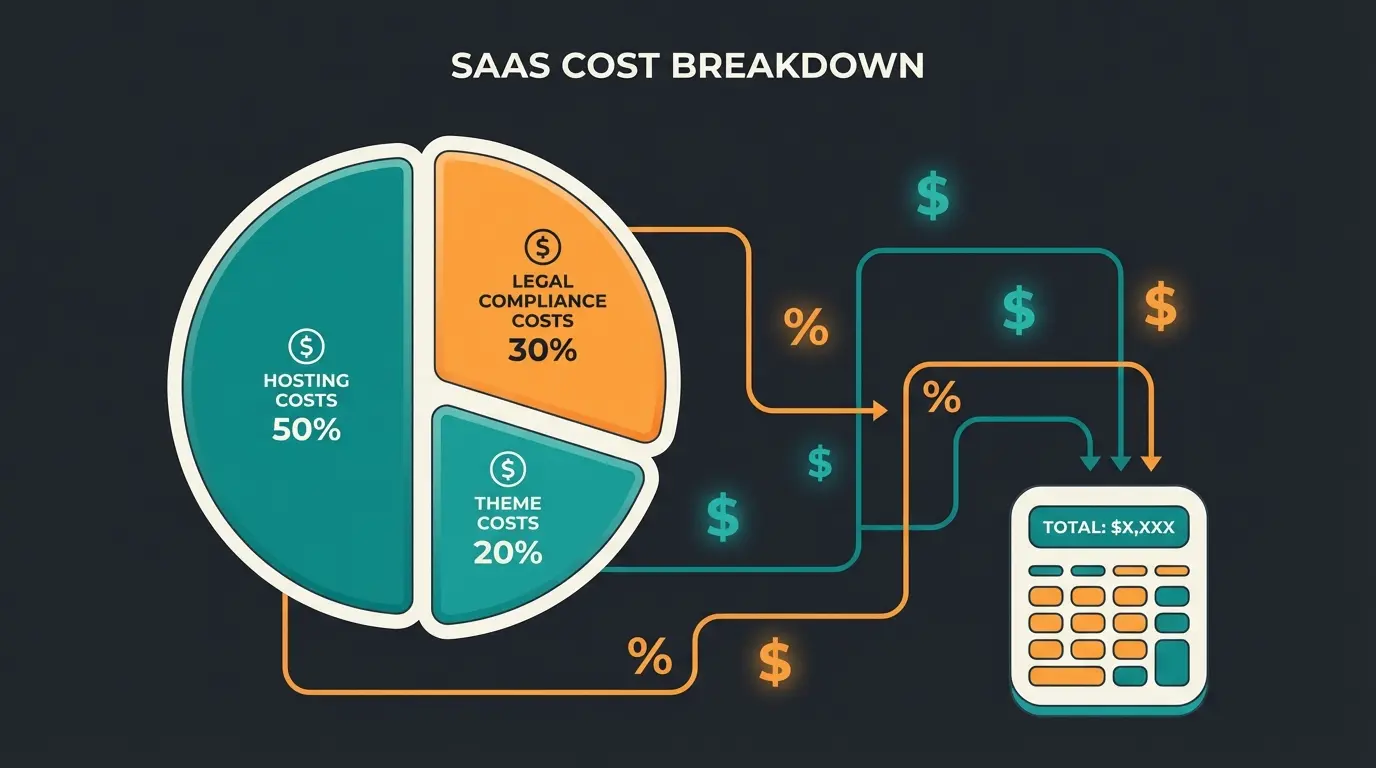
Here's a realistic Total Cost of Ownership (TCO) calculation for the first year, which provides an honest view that most competitor articles fail to deliver:
Scenario: Professional Brand Store
| Cost Item | Product/Service | Cost (Approx.) | Notes |
|---|---|---|---|
| Hosting | Managed WooCommerce Hosting | $180-420/year | Managed WordPress hosting is essential for speed & security |
| Legal Compliance | Germanized Pro / German Market | ~$75/year | Indispensable for invoicing & compliance |
| Legal Texts | Legal Text Service Subscription | ~$130/year | Protection against legal issues (ToS service) |
| Theme | Premium Theme (e.g., Astra Pro, Divi) | ~$55-90/year | For professional design and fast loading times |
| Payment Fees | PayPal / Stripe | Variable (approx. 1.5%-3%) | Transaction fees always apply |
| Maintenance | Backups / Updates | $0 (with managed hosting) | Time cost or agency fees if not using managed hosting |
| TOTAL (Fixed Costs) | $440-715/year | Approximately $37-60 per month |
WooCommerce core plugin is truly free
Annual cost for compliant store operation
Unlike SaaS platforms, WooCommerce charges no cut
User Experience: Backend vs. Frontend Analysis
In our comprehensive WooCommerce test, we analyzed both the merchant perspective (backend) and the customer perspective (frontend) to provide a complete picture of the platform's strengths and weaknesses.
Backend: The Command Center
Anyone familiar with WordPress feels immediately at home in WooCommerce. Products are created similarly to blog posts, making the learning curve remarkably flat. However, the standard interface is functional but not "sexy." For detailed analytics, you often need additional plugins like Metorik or Google Analytics 4 integrations.
For merchants, integration with inventory management systems is essential. Tools like Billbee or Lexware Office integrate seamlessly to automatically create invoices and shipping labels, according to omr.com and lexware.de. Billbee, for example, costs from $10 base fee plus revenue costs but saves hours of manual work, as reported by billbee.io. Effective backend management also connects well with WooCommerce email marketing strategies.
Frontend: What the Customer Sees
Here lies both the greatest strength and weakness simultaneously. With page builders like Elementor or Bricks, you can customize every pixel to match your brand vision perfectly. However, many standard themes look generic and undistinguished.
The critical weakness is that WooCommerce's default search function is notoriously weak—it often fails to find products with typos or synonyms, leading to frustrated customers and lost sales. This is where advanced solutions using AI product consultation become essential differentiators in the modern e-commerce landscape.
Boosting Sales: Beyond Standard Plugins
Most WooCommerce experiences shared online end at technical setup. But the success of a store is decided in sales execution. Here, a gap often emerges: the store is live, but customers aren't buying. This is the critical "post-setup reality" that separates hobby stores from profitable businesses.
The Problem: Passive Search Experience
In a physical store, a salesperson approaches you: "Can I help you? Are you looking for something specific?" In a standard WooCommerce store, there's silence. The customer must know exactly what they're looking for. If they don't find it immediately, they're gone—resulting in a high bounce rate and abandoned potential sales.
The Solution: Active Product Consultation with AI
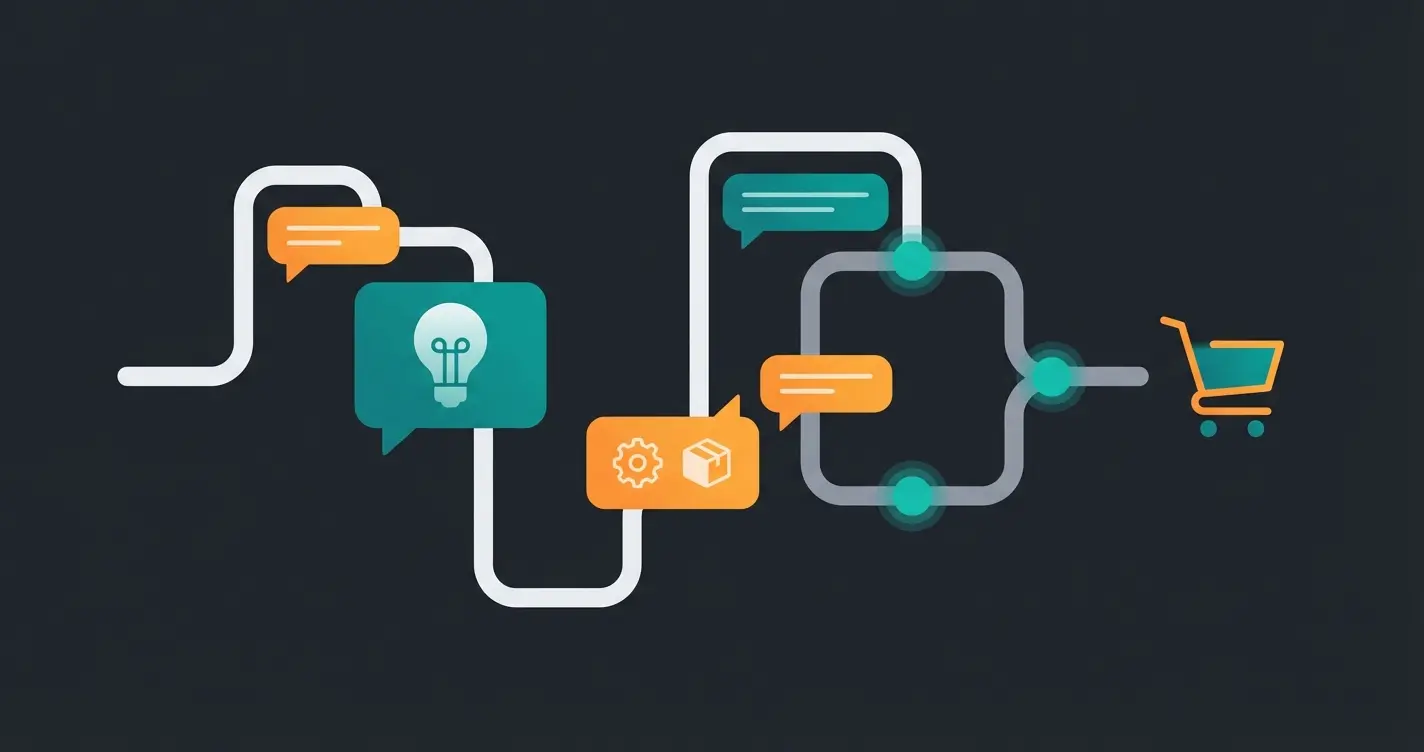
Here lies your "Blue Ocean"—the opportunity to differentiate yourself from 90% of the competition. Instead of just listing products and hoping customers find what they need, you use Guided Selling and AI consultants to actively guide customers to the right products.
Guided Selling Plugins: The Static Advisor
Plugins like WP Guidant or Product Recommendation Quiz for WooCommerce allow you to create interactive quizzes that guide customers to the perfect product, according to wordpress.org and revenuehunt.com.
Example: A running shoe shop asks: "Where do you run? (Trail/Road)", "How often?", "Do you have foot problems?". The result: The customer gets shown exactly the shoe that fits. This massively increases conversion rates because the "Paradox of Choice" is eliminated, as demonstrated in research shared by youtube.com.
AI Chatbots & Shopping Assistants: Dynamic Advisors
The next level are AI tools that go beyond simple "if-then" rules. Solutions like Tidio or AgentiveAIQ integrate with WooCommerce and use AI to answer customer questions in real-time, according to agentiveaiq.com and proprofschat.com. These bots handle questions like "Do you have this shoe in red?" or "Which oil fits my car?"
The advantages are significant: These bots are available 24/7, know your inventory, and can actively post products in the chat ("Here's the model you're looking for"). Modern plugins like WoowBot offer native WooCommerce integrations, so the bot can directly access your product database, as detailed by woowbot.pro. For advanced implementations, explore how AI chatbots for e-commerce are revolutionizing customer interactions.
| Feature | Standard WooCommerce Search | With AI Consultation Solution |
|---|---|---|
| Customer Interaction | Customer types keyword | Understands customer intent |
| Error Handling | 0 results if typo | Interprets and corrects searches |
| Guidance | No advice given | Asks clarifying questions |
| Recommendations | Shows all matching products | Recommends best fit based on needs |
| Result | High bounce rate | Higher conversion rate |
Stop losing customers to passive search. Implement intelligent product consultation that guides shoppers to perfect purchases and dramatically increases conversions.
Start Your AI Sales RevolutionTechnical Performance & Scalability
A slow store kills every sale. Search engines penalize slow pages (Core Web Vitals), and customers won't wait more than 3 seconds for a page to load. Performance optimization is non-negotiable for e-commerce success.
Hosting Is the Foundation
Never skimp on hosting. Shared hosting for $3/month is the death sentence for WooCommerce. The recommendation is to use specialized Managed WooCommerce Hosting like Raidboxes (server location in your region) or Kinsta, according to raidboxes.io.
Why does this matter? These hosts offer server-side caching (Nginx/Varnish) specifically tuned for WooCommerce. This means the shopping cart and checkout remain excluded from caching (so customers don't see other people's products in their cart) while the rest of the site loads lightning-fast, as explained by raidboxes.io and wordpresshostingvergleich.org.
Scalability Considerations
Can WooCommerce grow with your business? Yes, absolutely. There are stores with thousands of products running successfully on the platform. But here's the catch: the more plugins you install, the slower the system becomes ("plugin bloat").
The best practice is to use as few plugins as possible. An AI tool that bundles search, chat, and recommendations is better than three separate plugins that interfere with each other and slow down your store. For stores looking to maximize both performance and sales capabilities, learning how to build WooCommerce as an AI sales machine provides the ideal framework.
Ultimate Comparison: WooCommerce vs. Shopify
The question of all questions: Should you choose WooCommerce or Shopify? This comparison is essential for any serious e-commerce decision, and understanding the nuances can save you thousands in the long run. For a deeper dive, check out our comprehensive WooCommerce vs Shopify analysis and the reverse perspective in our Shopify vs WooCommerce guide.
| Criterion | WooCommerce | Shopify |
|---|---|---|
| Entry Barrier | Medium (installation, hosting, setup needed) | Low (sign up and go) |
| Ongoing Costs | Lower at high revenue (hosting + plugins) | Higher (monthly fee + transaction fees) |
| Transaction Fees | 0% (only payment provider fees) | Up to 2% additional if not using Shopify Payments |
| Data Privacy (GDPR) | Excellent control (server location choice) | Servers often in USA/Canada |
| Customizability | Unlimited (Open Source) | Limited to theme/apps (Closed Source) |
| Maintenance | You're responsible (updates, backups) | Shopify handles the technology |
According to apoio-digital.com and official shopify.com documentation, transaction fee differences alone can significantly impact profitability for high-volume stores.
Decision Guide
- Choose Shopify if you want to start immediately, hate technology, and are willing to pay higher fees for convenience. Explore Shopify AI capabilities for 2025 to maximize the platform.
- Choose WooCommerce if you want complete control over your data, want to save costs long-term, and need specific customizations for your market requirements.
For merchants considering alternatives beyond these two giants, our Shopware SEO guide provides insights into another powerful option for European markets.
Essential WooCommerce Plugins for Success
Selecting the right plugins can make or break your WooCommerce store. The key is choosing powerful tools that don't create bloat. Our guide to the best WooCommerce plugins covers the essential additions for AI-powered consultation and sales optimization.
Must-Have Plugin Categories
- Legal Compliance: Germanized Pro or German Market (non-negotiable for European markets)
- Performance: Caching plugins, image optimization, database cleanup tools
- Analytics: Google Analytics 4 integration, conversion tracking, heatmap tools
- Sales Enhancement: AI product consultation, guided selling quizzes, smart recommendations
- Email Marketing: Integration with platforms for abandoned cart recovery and customer retention
The modern e-commerce landscape increasingly relies on AI in e-commerce for competitive advantage. Implementing these tools strategically positions your store for success without the performance penalties of plugin overload.
Conclusion: Is WooCommerce Worth It in 2025?
Our comprehensive WooCommerce experiences reveal a clear verdict: Yes, it remains the most powerful platform for online merchants who value independence and long-term cost efficiency. But the myth of the "free store" must die. Plan a budget for hosting, legal compliance, and premium tools from the start.
The success secret for 2025 lies not just in the technology (which is solvable thanks to plugins like Germanized), but in the user experience. Those who upgrade their WooCommerce store with AI-powered product consultation and guided selling transform the static catalog into an interactive sales room that actively converts visitors into customers.
Summary of Key Findings
- Legal Compliance: With Germanized or German Market, no longer a problem for European markets
- Costs: Plan for approximately $50 fixed per month for a professional setup
- Competitive Advantage: Use AI tools to actively advise customers instead of just letting them search
- Scalability: WooCommerce grows with your business when properly optimized
- Control: Complete ownership of data and unlimited customization possibilities
Don't start your project as a "hobby tinkerer," but as an entrepreneur with the right tools. Then WooCommerce becomes the best foundation for your e-commerce business. The combination of cost efficiency, flexibility, and modern AI sales tools creates an unbeatable platform for sustainable growth.
Frequently Asked Questions About WooCommerce
The WooCommerce plugin itself is free (open source), but a professional store requires paid additions: quality hosting ($15-35/month), legal compliance plugins (~$75/year), legal text subscriptions (~$10/month), and a premium theme ($50-80/year). Expect total costs of $40-60/month minimum for a compliant, professional setup.
WooCommerce excels in three areas: (1) Zero platform transaction fees—you only pay payment provider fees, saving up to 2% compared to Shopify; (2) Complete data ownership and control, with the ability to host servers in your preferred location for GDPR compliance; (3) Unlimited customization as open-source software, allowing any design or functionality changes without platform restrictions.
Install a compliance plugin like Germanized Pro or German Market immediately after setting up WooCommerce—before adding any products. Then connect to a legal text service for automatically updated terms and conditions, privacy policy, and cancellation rights. Finally, add a GDPR-compliant cookie consent banner. This combination protects against legal issues while keeping documentation current.
Yes, WooCommerce can scale to thousands of products and significant traffic volumes. The keys are: (1) Using managed WooCommerce hosting with proper caching; (2) Minimizing plugin bloat by choosing multi-function tools over many single-purpose plugins; (3) Optimizing images and database regularly. Major brands run successful high-volume stores on WooCommerce.
AI transforms passive product listings into active sales experiences. Instead of customers struggling with basic search, AI-powered product consultation asks qualifying questions ('What's your budget? What features matter most?') and recommends perfect matches. This guided selling approach eliminates the 'paradox of choice,' reduces bounce rates, and significantly increases conversion rates by replicating the in-store assistant experience online.
Implement AI-powered product consultation that guides customers to perfect purchases. Reduce bounce rates, increase conversions, and create the interactive shopping experience your customers deserve.
Get Started with AI Consultation
Lasse is CEO and co-founder of Qualimero. After completing his MBA at WHU and scaling a company to seven-figure revenue, he founded Qualimero to build AI-powered digital employees for e-commerce. His focus: helping businesses measurably improve customer interaction through intelligent automation.