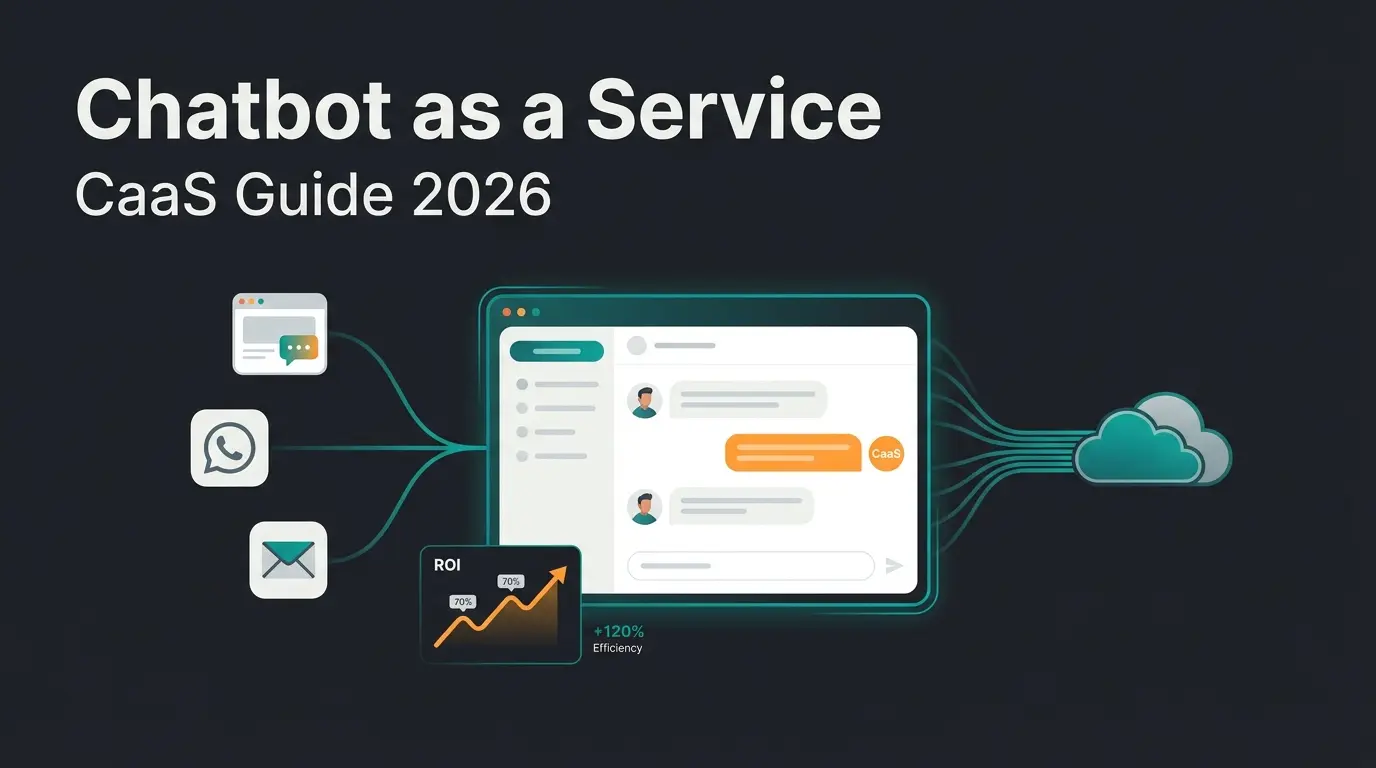
Why chatbot training determines revenue, not just response quality
Chatbot training directly impacts revenue because a well-trained AI does not just answer questions. It guides customers to the right product, increases basket value by up to 35%, and automates up to 97% of consultations. Without proper training, even the most advanced AI model delivers generic responses that fail to convert. This is the single biggest variable in the complete chatbot building guide: the training, not the technology.
Most guides on chatbot training focus on response accuracy. That is only half the picture. For e-commerce, the real question is: does the trained model close sales? According to Gartner, 85% of customer service leaders will explore or pilot conversational GenAI in 2025. The ones who win are those whose training data teaches the AI to sell, not just respond.
We see this in our own implementations. Rasendoktor, an online specialist for lawn care with over 500 products, trained their AI employee Hektor on the full product catalog, including application scenarios, soil types, and seasonal recommendations. The result: 16x ROI and 100% automation rate. A generic FAQ training would have produced a fraction of that.
The cost difference between a well-trained and a poorly trained model is staggering. The average chatbot interaction costs $0.50 compared to $6.00 for a human agent, according to Juniper Research. But that $0.50 interaction only delivers value if the training behind it is solid. A chatbot that answers incorrectly costs more than no chatbot at all, because it actively drives customers away.
The 5 types of chatbot training data (and which you actually need)
The five core types of chatbot training data are product catalogs, customer conversation logs, FAQ documents, domain-specific knowledge bases, and behavioral intent data. For e-commerce, product catalog data and real conversation logs matter most. They teach the AI to recommend products, not just recite facts.
Not all data types contribute equally. I have tested dozens of training configurations across different product verticals, and the pattern is consistent: structured product data combined with real conversation logs produces the highest accuracy and the best conversion rates. FAQs alone get you to about 60% resolution. Adding product catalog data with attributes and decision criteria pushes that to 85-95%.
| Data Type | What It Teaches | Impact on Revenue | Priority |
|---|---|---|---|
| Product catalogs (attributes, categories, prices) | Product matching, cross-selling, recommendation logic | High: directly drives purchase decisions | 1 (essential) |
| Customer conversation logs | Real language patterns, buying signals, objection handling | High: teaches the model how real customers ask | 2 (essential) |
| FAQ documents | Standard answers to common questions | Medium: resolves support queries but does not sell | 3 (useful) |
| Domain knowledge bases (guides, manuals, specs) | Technical depth for complex products | Medium: builds credibility in consultation | 4 (useful) |
| Behavioral intent data (click paths, search queries) | Purchase intent signals, timing, urgency | High: enables proactive selling | 2 (if available) |
RAG-powered AI systems achieve 94-98% accuracy on domain-specific questions when backed by well-structured knowledge bases, according to Hyperleap AI research. The keyword is well-structured. Raw data dumps produce noise. Structured product data with clear attributes, categories, and decision criteria produces precision.
One detail that most guides miss: behavioral intent data. If your shop tracks which products visitors compare, which filters they use, and where they drop off, that data teaches the AI to recognize buying signals in real time. The AI chatbot integration determines which data sources you can connect.
Step-by-step: how to train a chatbot for product consultation
Training a chatbot for product consultation follows five steps: define your product knowledge structure, import product data and FAQs, configure intent recognition for buying signals, set up guided conversation flows, and test with real customer scenarios. The process typically takes 2-4 weeks with a no-code platform, compared to 8-12 weeks for custom development.
Map categories, attributes, decision criteria, and cross-sell relationships. Define which product properties matter for each buying scenario.
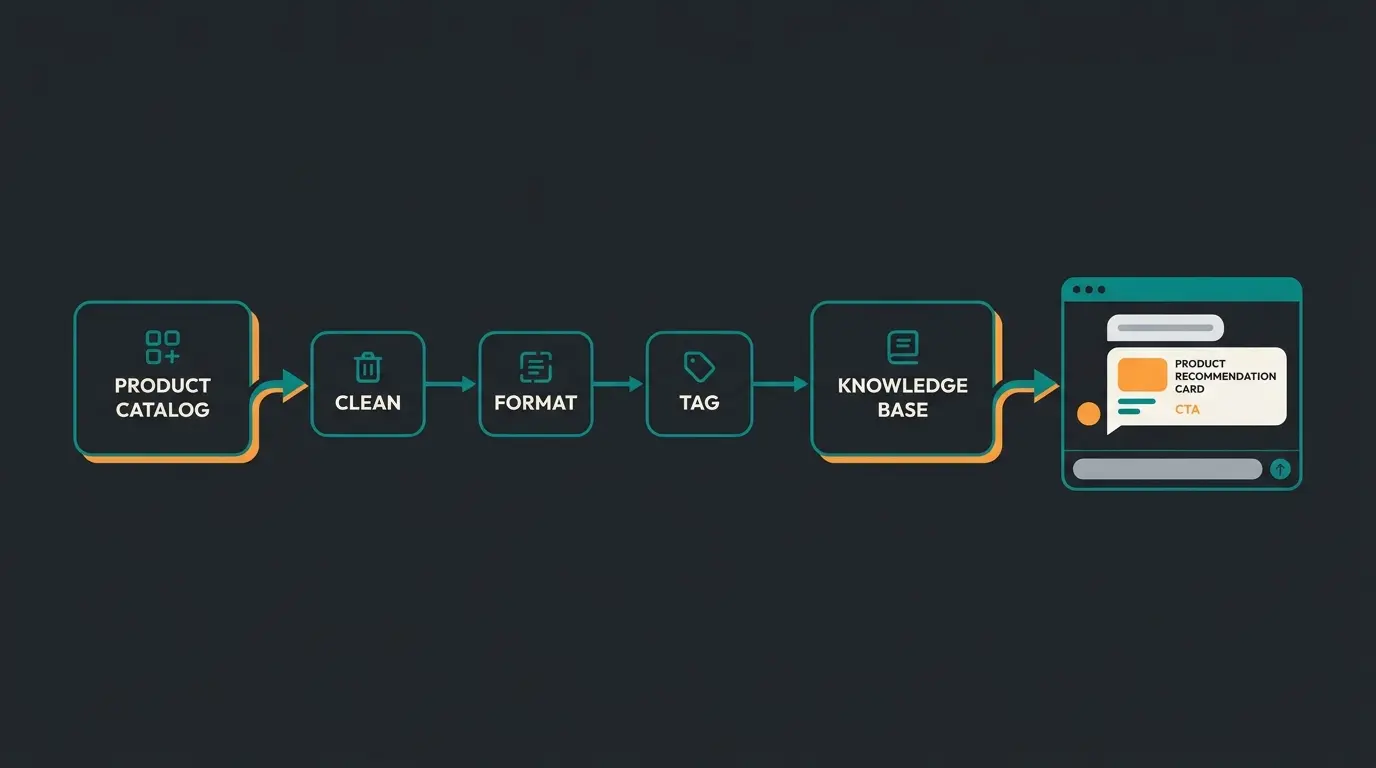
Upload product catalogs, FAQ documents, and conversation logs. Clean formatting: one product per entry, attributes in consistent key-value pairs.
Define buying intents (price comparison, feature lookup, recommendation request) and map them to consultation paths.
Create decision trees that narrow down from category to specific product. Include cross-sell triggers and objection handling.
Run 50-100 test conversations covering edge cases, typos, and unexpected questions. Measure accuracy, then refine.
Step 1: Structure your product knowledge
Before uploading anything, map your product catalog into a structure the AI can reason about. This means: categories with subcategories, product attributes (material, size, use case, price range), decision criteria (what makes product A better than product B for a specific need), and cross-sell relationships.
A concrete example from our implementation with Rasendoktor: every lawn care product was tagged with soil type compatibility, application season, lawn problem it solves, and experience level required. When a customer asks "my lawn has yellow spots after winter," the AI does not just search for "yellow spots" in product names. It matches the symptom to a lawn problem, filters by season (spring), and recommends the right fertilizer with application instructions.
Step 2: Import and format data sources
Format matters more than volume. One clean CSV with structured attributes trains better than a 500-page PDF dumped into the system. For product data, use one entry per product with consistent field names. For conversation logs, tag each exchange with the intent (question, complaint, purchase inquiry, comparison) and the outcome (resolved, escalated, purchased).
Step 3: Configure intent recognition
Intent recognition is where most training fails or succeeds. The AI needs to distinguish between someone browsing ("what lawn fertilizers do you have?"), someone comparing ("what is the difference between product A and B?"), and someone ready to buy ("which one works for sandy soil in spring?"). Each intent triggers a different conversation path.
Properly trained chatbots achieve 85-95% intent recognition accuracy. The gap between 85% and 95% comes down to training data quality: more labeled conversation examples with clear intent tags, more accuracy.
Steps 4-5: Build flows, test, iterate
Guided conversation flows are the backbone of product consultation. The AI asks clarifying questions (budget, use case, experience level), narrows down options, and presents 2-3 recommendations with reasons. This is fundamentally different from a search bar that returns 47 results.
Testing should cover at least 50 real scenarios including edge cases. Type in misspellings, use slang, ask questions about products that do not exist. Every failure is a training opportunity. After the first round, check your accuracy metrics and retrain on the gaps. The chatbot implementation guide covers the full deployment workflow once training is complete.
Training for product consultation vs generic customer service
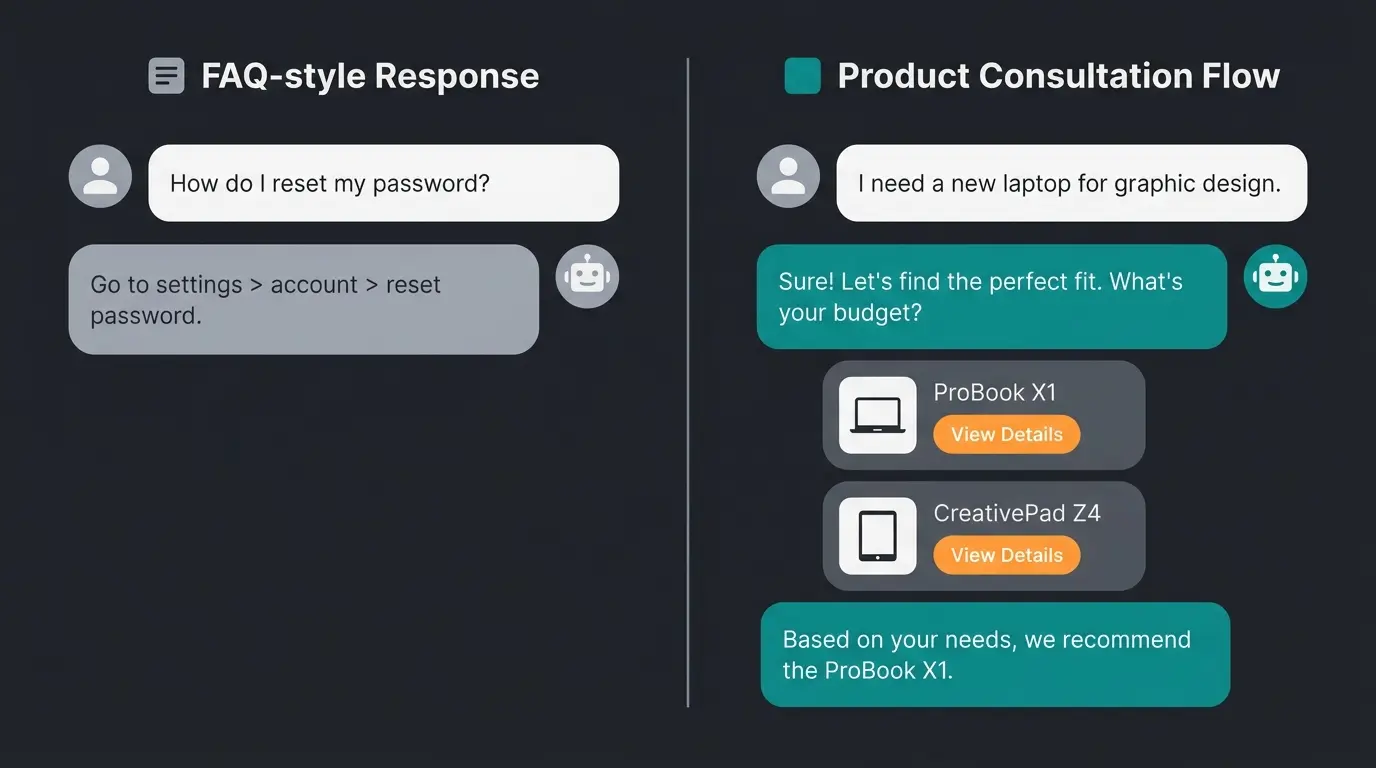
Product consultation AI requires fundamentally different training than customer service AI. Customer service learns to resolve issues: find orders, process returns, answer shipping questions. Product consultation learns to sell: understand product attributes, match customer needs, and guide the buyer to the right product.
| Dimension | Customer Service Training | Product Consultation Training |
|---|---|---|
| Primary goal | Resolve tickets, reduce wait times | Increase basket value, drive purchases |
| Core training data | Support tickets, return policies, FAQs | Product catalogs, buying guides, conversation logs |
| Success metric | Resolution rate, CSAT, response time | Conversion rate, basket value, recommendation CTR |
| Conversation style | Reactive: answer the question asked | Proactive: ask clarifying questions, recommend |
| AI complexity | Pattern matching on known issues | Multi-step reasoning across product attributes |
| Typical ROI | Cost reduction (fewer support agents) | Revenue increase (higher conversion, larger baskets) |
Rasendoktor's AI employee Hektor handles over 2,000 consultation-intensive inquiries seasonally across 500+ lawn care products. Because the training focused on product attributes and buying scenarios rather than generic support, the Rasendoktor case study shows a 16x return on investment. Generic customer service training on the same product range would have produced cost savings but not revenue growth.
Website chatbots built for product consultation follow a different architecture altogether. Where service AI needs ticket system integration, consultation AI needs deep product data access with real-time inventory and pricing. The training data reflects this: product consultation requires 3-5x more structured product data than a standard support setup.
Qualimero's AI product consultation platform is built specifically for this use case. The training pipeline ingests product catalogs, maps attributes to buying scenarios, and generates consultation flows automatically. No manual flow building required.
No-code vs custom training: which approach fits your business
No-code training platforms let you upload documents and product data to have a working AI in days, while custom development with frameworks like LangChain offers unlimited flexibility but requires engineering resources. For SMEs with fewer than 50 employees, no-code platforms deliver 90% of the value at 10% of the cost.
| Factor | No-Code Platform | Custom Development |
|---|---|---|
| Setup time | 1-4 weeks | 8-12 weeks minimum |
| Engineering required | None (business team can manage) | Backend + NLP + frontend developers |
| Cost range (year 1) | EUR 200-2,000/month | EUR 30,000-100,000+ development |
| Training data flexibility | Upload documents, CSVs, URLs | Full control over data pipeline, RAG architecture |
| Maintenance | Platform handles model updates | Your team maintains infrastructure + model |
| Best for | SMEs with <50 employees, <5,000 products | Enterprises with custom requirements, >50,000 SKUs |
I have tested both approaches across multiple verticals. The honest assessment: no-code platforms in Q2 2026 are good enough for 80% of e-commerce use cases. The remaining 20%, typically enterprises with complex product hierarchies, custom ERP integrations, or multi-language catalogs exceeding 50,000 SKUs, still benefit from custom builds.
The real differentiator is not code vs no-code. It is the training data quality. A no-code platform with well-structured product data outperforms a custom LangChain build trained on unstructured PDFs. Every time. The chatbot app comparison covers how different deployment models affect the customer experience.
7 common chatbot training mistakes that kill conversion rates
The most damaging chatbot training mistake is treating training as a one-time setup rather than an ongoing process. Other conversion-killing errors include training on outdated product data, ignoring conversation logs, and failing to train for buying intent signals.
- One-and-done training. Products change, prices update, seasons shift. A model trained in January with spring products will fail in July. Schedule monthly training refreshes at minimum.
- Outdated product data. If your catalog updates weekly but your AI retrains quarterly, every recommendation between refreshes is potentially wrong. Sync training data to your product feed.
- Ignoring conversation logs. Real customer conversations reveal how people actually ask questions, which products get compared, and where the AI fails. Not reviewing logs is like ignoring customer feedback.
- FAQ-only training. FAQs answer the questions you think customers ask. Conversation logs show what they actually ask. The overlap is typically 40-60%.
- No buying intent recognition. If your AI treats "what is the cheapest option?" and "which one lasts longest?" the same way, it misses the buying signal. Different intents need different flows.
- No human fallback. Even the best-trained AI hits edge cases. Without a smooth handoff to a human agent, the customer hits a wall. Set up escalation triggers for low-confidence responses.
- No testing with real customers. Internal testing catches obvious errors. Real customers find the unexpected ones. Run a soft launch with 10% of traffic before going full deployment.
Mistake number four is the one I see most often. A business uploads 50 FAQ pairs, declares the AI "trained," and wonders why conversion rates stay flat. FAQs cover maybe half the questions real customers ask. The other half comes from conversation logs, product comparisons, and edge cases that no FAQ writer anticipated.
Measuring chatbot training success: KPIs that actually matter
The three KPIs that matter most for chatbot training success are automation rate (percentage of conversations handled without human intervention), conversion rate (percentage of conversations that lead to a purchase), and recommendation click-through rate. Vanity metrics like total conversations or average response speed tell you nothing about training quality.
| KPI | What It Measures | Good Benchmark | How to Improve |
|---|---|---|---|
| Automation rate | Conversations resolved without human escalation | 85-97% (Qualimero client average: 97%) | Expand training data for low-confidence topics |
| Conversion rate | Chat conversations leading to a purchase | 5-15% (vs 2-3% site average) | Train on buying signals and cross-sell triggers |
| Recommendation CTR | Clicks on AI-suggested products | 30-45% (Gartenfreunde: 45%) | Improve product attribute matching |
| CSAT (post-chat) | Customer satisfaction after AI interaction | 4.0-4.5/5.0 | Review negative feedback, retrain on failure patterns |
| Basket value lift | Average order value increase from AI consultation | +20-35% (Qualimero client data) | Train cross-sell and upsell recommendation logic |
Gartenfreunde, an online retailer for garden and wellness products, tracks all five KPIs. Their AI employee Kira drives a 7x higher conversion rate compared to unassisted browsing and a 45% click-through rate on product recommendations. Those numbers did not come from a one-time training. The team reviews conversation logs weekly and retrains monthly.
McKinsey's research on AI in customer service confirms the broader pattern: companies using AI in customer support reduce average cost per interaction by 68%, from $4.60 to $1.45. But cost reduction is the floor, not the ceiling. The real value for e-commerce sits in revenue uplift through better product consultation.
Gartner projects that conversational AI will reduce contact center labor costs by $80 billion globally in 2026. That number only materializes for companies whose training keeps pace with their product catalog. A chatbot trained on last quarter's data is recommending products that may be out of stock, discontinued, or repriced. Fresh training data is not optional.
One thing I find genuinely underrated: recommendation click-through rate. It tells you whether the AI actually understands what the customer wants. A high automation rate with a low recommendation CTR means the AI is answering questions but not guiding purchases. That is customer service, not product consultation.
Training is one piece of the puzzle. Data quality determines accuracy. Intent configuration determines whether the AI sells or just answers. And continuous iteration determines whether performance compounds or decays. The companies that treat chatbot training as an ongoing discipline, not a launch checkbox, are the ones hitting double-digit ROI.
FAQ
Start by structuring your product data with clear attributes (category, price, use case), then upload it alongside FAQ documents and conversation logs to your training platform. Configure intent recognition for different buyer stages, build guided consultation flows, and test with at least 50 real scenarios. No-code platforms like Qualimero handle this in 2-4 weeks, while custom builds take 8-12 weeks.
Modern AI chatbots are trained through a combination of pre-trained language models (like GPT-4 or Claude) and domain-specific data. You feed the system your product catalogs, FAQs, and conversation logs. The AI uses retrieval-augmented generation (RAG) to ground its responses in your actual data rather than general knowledge. According to Hyperleap AI, RAG-powered chatbots achieve 94-98% accuracy on domain-specific questions.
With a no-code platform: 2-4 weeks from data preparation to production. Custom development with frameworks like LangChain: 8-12 weeks minimum. The actual training (model ingestion) takes hours, but data preparation, intent configuration, and testing consume the majority of the timeline. Plan for 60% of your time in data preparation.
At minimum: your product catalog with attributes and a set of FAQ documents. For product consultation AI: add customer conversation logs, buying guides, and behavioral data (search queries, filter usage). Rasendoktor trained their AI on 500+ products with soil type compatibility, seasonal data, and application instructions, achieving 16x ROI.
Yes. As of Q2 2026, no-code platforms handle the full training pipeline: upload your product data, configure intents through a visual interface, and deploy without writing a single line of code. Qualimero's platform ingests product catalogs and generates consultation flows automatically. Custom coding is only necessary for enterprises with highly specific integration requirements or catalogs exceeding 50,000 SKUs.
More traffic means nothing without conversion. Qualimero's AI employees turn visitors into buyers, with clients reporting up to 16x ROI and 7x higher conversion rates. See how it works for your product range.
Book a free demo
Kevin is CTO and co-founder of Qualimero. As an AI architect with over 15 years of experience as CTO and CPO in the tech industry, he designs the AI systems that automate tens of thousands of customer interactions daily for Qualimero's clients — reliably, securely, and at scale.