The Magento API: Your Bridge to Intelligent E-Commerce
E-commerce stands at a pivotal turning point. For years, the Magento API (Application Programming Interface) served primarily as a workhorse in the background—responsible for quietly shoveling data between the shop, inventory management systems (ERP), and CRMs. But requirements have dramatically changed. Today's customers no longer expect static catalogs—they demand interactive consultation experiences.
While most guides on the Magento 2 API still explain how to output a "Hello World" or synchronize simple inventory levels, there's a significant gap in strategic utilization: How do we use the API to feed an AI that actually sells? Standard chatbots that merely answer "Where is my order?" are no longer sufficient. The future belongs to Consultative AI—intelligent agents that understand whether a ski boot fits the binding and can add it directly to the shopping cart.
This article is your blueprint to bridge exactly this gap. We'll cover not only the technical connection via Magento REST API and GraphQL but focus specifically on the architecture of bi-directional communication between your Magento store and modern LLMs (Large Language Models). As AI chatbots transform customer service into sales consultations, the Magento API becomes your most valuable asset for enabling these intelligent interactions.
Current Magento API guides discussing consultative AI integration
Existing content covers only basic data synchronization
Speed improvement using Bulk API vs. synchronous calls
Magento API Fundamentals: Essential Tools for AI Developers
Before diving into complex AI logic, we must understand the foundation. Magento offers various interface standards. Choosing the right standard determines your AI bot's latency—and thereby the user experience (UX). According to MGT-Commerce, understanding these fundamentals is critical for any successful integration.
REST vs. GraphQL vs. SOAP: What Modern AI Requires
For integrating AI services (like OpenAI, Anthropic, or Custom Agents), the protocol choice is decisive. Each protocol serves different purposes, and selecting the wrong one can significantly impact your AI's response times and overall effectiveness.
| Protocol | AI Suitability | Reasoning |
|---|---|---|
| GraphQL | ⭐⭐⭐⭐⭐ (Excellent) | Performance & Precision: GraphQL allows the client (the AI) to define exactly which data is needed. This prevents over-fetching (loading too much data). For frontend interactions and headless architectures, this is the gold standard since requests can be bundled and caching in Magento 2.4.7 has been massively improved. |
| REST | ⭐⭐⭐ (Good) | Backend Sync: The industry standard for server-to-server communication. Ideal for initial AI training (ingestion) or administrative tasks. It's robust but often verbose (delivers more data than necessary) and often requires multiple calls for complex relationships. |
| SOAP | ⭐ (Outdated) | Legacy Enterprise: SOAP is extremely strict and XML-based. For modern, agile AI integrations, it's usually too cumbersome and complex to handle. |
When building Conversational AI solutions, the protocol choice directly impacts how naturally your AI can respond. GraphQL's ability to fetch precisely what's needed means faster responses and better customer experiences. As noted by Magetop, the flexibility of GraphQL makes it particularly suited for modern frontend frameworks and AI integrations.
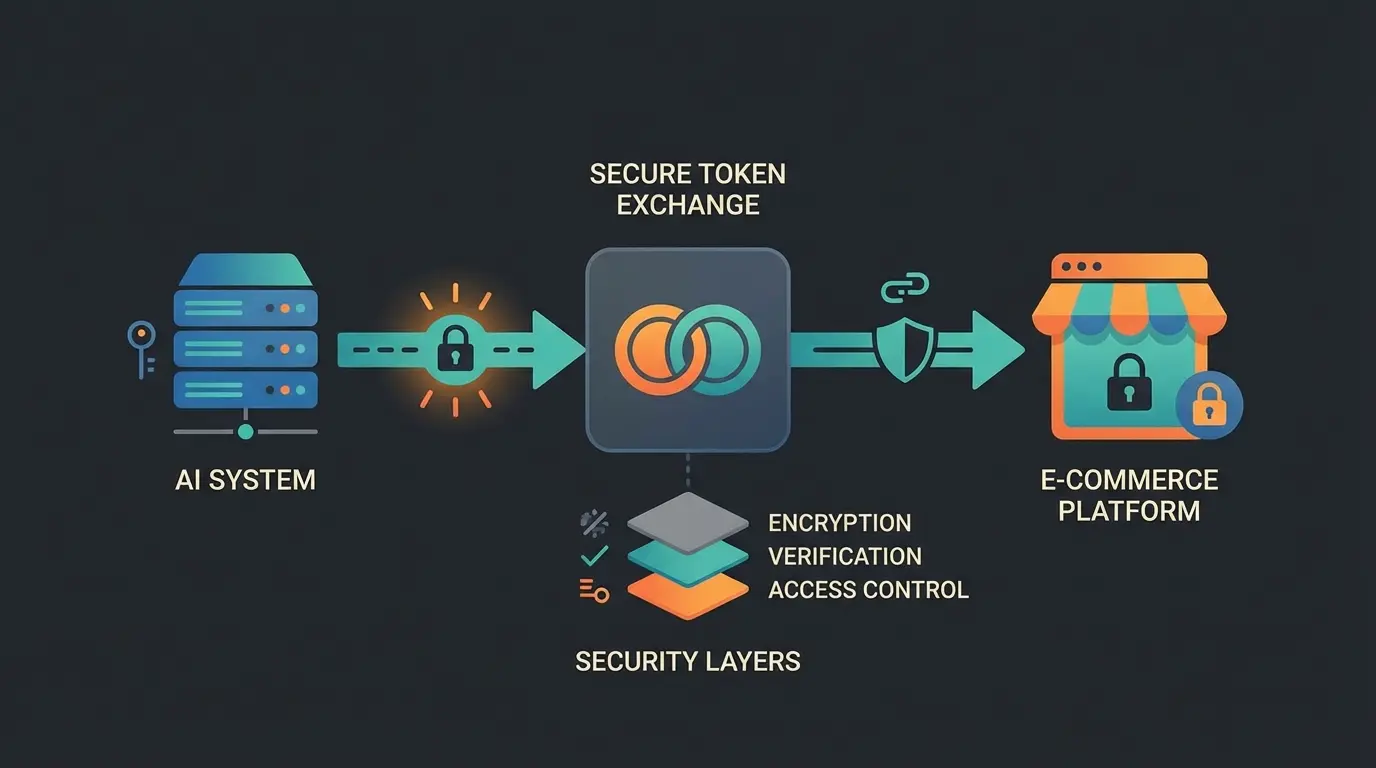
Authentication: The Secure Handshake
For your AI to access Magento, it must authenticate. There's often confusion between Admin Tokens and Integration Tokens. Understanding the difference is crucial for building secure, reliable connections.
Integration Tokens (Best Practice for Server-to-Server): This is the cleanest method for a permanent connection to an AI backend. You create an "Integration" in the Magento Admin area. Magento then generates a Consumer Key, Consumer Secret, Access Token, and Access Token Secret. As documented by Mageplaza, these tokens don't expire (unlike Admin tokens, which are often only valid for 4 hours) and can be assigned to specific resources (ACLs).
Admin Token (Via REST): You can also generate a token via API by sending username and password to the endpoint `POST /V1/integration/admin/token`. However, according to MGT-Commerce, the token is short-lived and requires a re-login script. For highly available AI services, this represents an unnecessary risk.
The Consultation Data Layer: Data for Real Advisory
Most API tutorials end at retrieving product name and price. An AI that should provide advice ("Is this drill suitable for reinforced concrete?") requires access to attributes and technical specifications. This is where an intelligent Magento API integration differentiates itself from simple data synchronization.
This is precisely where AI product consultation becomes transformative. Instead of customers browsing through endless filter options, they can simply ask questions and receive intelligent, personalized recommendations based on deep product attribute analysis.
Retrieving Complex Attributes with SearchCriteria
Magento 2 uses a powerful system called `searchCriteria` to filter data. For an AI that needs to find specific products (e.g., "Show me all red t-shirts under $50"), understanding `filter_groups` is essential. According to MGT-Commerce, mastering this concept is fundamental for building intelligent product searches.
The Logic: Filters within a `filter_group` are connected with OR. Different `filter_groups` are connected with AND. This allows for complex, nuanced queries that enable true consultative capabilities.
Scenario: The AI searches for products that are (Red OR Blue) AND (have Size M).
REST API Call Structure:
`GET /rest/V1/products?searchCriteria[filter_groups][0][filters][0][field]=color&searchCriteria[filter_groups][0][filters][0][value]=red&searchCriteria[filter_groups][0][filters][0][condition_type]=eq&searchCriteria[filter_groups][0][filters][1][field]=color&searchCriteria[filter_groups][0][filters][1][value]=blue&searchCriteria[filter_groups][0][filters][1][condition_type]=eq&searchCriteria[filter_groups][1][filters][0][field]=size&searchCriteria[filter_groups][1][filters][0][value]=M&searchCriteria[filter_groups][1][filters][0][condition_type]=eq`
This granularity is decisive. If you only give the AI flat product data, it will hallucinate or respond vaguely. Use the API to explicitly query attributes like `material`, `manufacturer`, or custom attributes like `compatibility_year`. As explained by Mageplaza, leveraging these detailed attributes is what separates basic integrations from truly intelligent systems.
Real-Time Inventory: The Trust Question
Nothing frustrates users more than when the AI recommends a product that's sold out. Static product feeds (updated once daily, for example) aren't sufficient here. This is where real-time inventory checks become critical for maintaining customer trust.
Use the endpoint `GET /V1/stockItems/{productSku}` to check live inventory before the AI makes a recommendation. In modern headless setups via GraphQL, you can include the `only_x_left_in_stock` or `stock_status` field directly in the product query to save latency. This approach, as documented by Mageplaza, ensures your AI never recommends unavailable products.
Accesses FAQ pages only. Uses no product APIs. Goal: Reduce support tickets. Cannot access inventory or cart.
Fetches product names and prices. Single endpoint access. Goal: Display information. Limited consultation capability.
Accesses live inventory, product attributes, customer cart, and category data. Goal: Drive sales conversion through intelligent recommendations.
Step-by-Step: Connecting an AI Agent (Actionable AI)
Here we leave theory behind and build the workflow for an "Actionable AI Agent." The goal: The customer chats with the AI, and the AI can directly manipulate the customer's shopping cart. This transforms your AI chatbots from simple responders into active sales participants.
Step 1: Create Integration in Magento Admin
- Navigate to System > Extensions > Integrations
- Click on Add New Integration
- Enter a name (e.g., "AI_Consultant")
- Under API, select the resources. Important for GDPR/Security: Only give the AI access to `Catalog`, `Sales`, and `Carts`. Avoid access to `Customer` (address data) unless absolutely necessary. According to OnTap Group, limiting scope is essential for compliance.
- Activate the integration and copy the Access Token
Step 2: The Context Call (Reading)
When a user asks: "Does this fit with my cart?", the AI needs to know what's in the cart. This context is essential for providing relevant, personalized recommendations.
- For logged-in users: `GET /V1/carts/mine`
- For guests (Guest Carts): Here it gets tricky. The AI must know the user's `masked_id` (Cart ID). Creating a Guest Cart: `POST /V1/guest-carts` returns a string (e.g., `fQtl1bxLdxud1fFEP68znOAPnAFFpjVh`). As documented by Emmo, this masked ID is essential for all subsequent guest cart operations.
Step 3: The Action Call (Writing) – The Magic Moment
This is the point where a chatbot becomes a salesperson. The AI recommends a product and asks: "Should I add this to your cart for you?". On "Yes", the AI executes this call:
Endpoint: `POST /V1/guest-carts/{cartId}/items`
Payload:
`{"cartItem": {"quote_id": "fQtl1bxLdxud1fFEP68znOAPnAFFpjVh", "sku": "24-MB01", "qty": 1}}`
This capability is what enables AI virtual sales experiences. When your AI can both understand customer needs AND take action on their behalf, you've created a truly intelligent shopping assistant.
See how intelligent API integration can turn your product catalog into an interactive shopping experience that converts browsers into buyers.
Start Your Free TrialPerformance & Security: Critical Factors
Latency and data privacy (GDPR) are non-negotiable. A slow AI doesn't convert, and an insecure AI risks legal consequences. These considerations are especially important when implementing AI E-Commerce solutions.
Rate Limiting (New in Magento 2.4.7)
Since Magento 2.4.7 (released April 2024), there are native functions for Rate Limiting on REST and GraphQL APIs. This is essential for protecting your AI integration from abuse (e.g., carding attacks or DoS from faulty AI loops). As detailed in the Adobe documentation, these features provide enterprise-grade security.
- You can set limits per IP (Guest) or per User
- Configuration via CLI: `bin/magento config:set sales/backpressure/guest_limit 50`
- This prevents an AI agent from accidentally crashing your shop if it gets into an endless loop
- According to BlueStingray, implementing rate limiting is now considered a security best practice for all Magento installations
Caching Strategies for GraphQL
AI responses must be fast. Magento 2.4.7 has massively improved caching for GraphQL, especially for resolvers and complex attributes. According to Magefan, proper caching configuration can dramatically improve response times.
- Use GET requests for GraphQL queries so Varnish can cache them. POST requests are not cached by default!
- This is crucial when the AI frequently asks the same questions (e.g., "What colors are available for product X?")
- Configure cache TTL appropriately for your product update frequency
Bulk API for AI Training (Data Ingestion)
If you want to fine-tune your own LLM with your product data, you need to export thousands of products. Never use the standard REST API (synchronous) for this, as it's too slow and causes timeouts.
Use the Asynchronous Bulk API (`POST /async/V1/products`). According to Firebear Studio, this approach pushes requests into a RabbitMQ queue, delivering performance gains of 30-80% faster for large data volumes compared to the synchronous API. This enables you to feed the AI fresh data daily without affecting shop performance. The Magento DevBlog provides detailed documentation on implementing bulk operations effectively.
This same approach applies when building Shopware API automation solutions—the principles of asynchronous processing and intelligent caching translate across platforms.
Case Study: Hans Buys a Drill
To illustrate the difference, let's compare the classic approach with the API-powered AI approach. This scenario demonstrates how AI in sales transforms the customer journey from frustration to satisfaction.
Scenario
Hans is looking for a drill for a concrete wall in his old apartment building.
The Old Way (Standard Magento Search)
- Hans types "drill" in the search
- He receives 50 results (wood drills, metal drills, hammer drills)
- He must manually set filters (if he knows which ones to use)
- He clicks on 3 products, reads descriptions, remains uncertain
- Result: Abandonment or purchase of the wrong product
The New Way (Magento API + Consultative AI)
- Hans asks the chatbot: "I need a drill for hard concrete walls."
- AI Analysis: Extracts intent "drilling" + material "concrete"
- API Call (SearchCriteria): Filters by category "Drills", filters attribute `suitable_for_material` LIKE `%concrete%`, checks `stock_status` = 1
- AI Response: "For concrete, I recommend a hammer drill with SDS-Plus chuck. I have the 'PowerDrill 3000' in stock. Should I add it to your cart?"
- Hans: "Yes, please."
- API Call (Action): `POST /guest-carts/{id}/items` with SKU of PowerDrill 3000
- Result: Immediate conversion, higher customer satisfaction
This is the power of combining AI Product Consultation with the Magento API. The AI doesn't just answer questions—it actively guides customers to the right products and facilitates the purchase.
The Context Payload: What Data Your AI Needs
For your AI to provide meaningful advice, it needs context about the customer's current situation. Here's an example of the JSON payload that should be sent to an AI for optimal consultation capabilities:
`{"current_product_id": "12345", "user_question": "Is this compatible with my 2020 model?", "available_attributes": ["compatibility_year", "material_type"], "cart_items": ["SKU-001", "SKU-002"], "category_context": "power-tools"}`
This structured context enables AI product finder capabilities that go far beyond simple search. The AI can cross-reference the customer's question with available product attributes, check compatibility, and even suggest complementary products already in the cart.
GDPR Compliance: Security for German Markets
When implementing AI integrations, particularly for German and European markets, GDPR compliance is paramount. The Magento API's permission system allows you to precisely control what data the AI can access.
By architecting your Shopware 6 chatbots or Magento AI with these principles, you create compliant solutions that build customer trust. The API token system explicitly allows you to limit scope—for example, giving the AI access to Products but not Customer Addresses.

Advanced Integration Patterns
Beyond basic consultation, the Magento API enables sophisticated integration patterns that can transform your entire customer experience. These patterns align with how AI chatbots transform from support tools to sales consultants.
Bi-Directional Data Flow
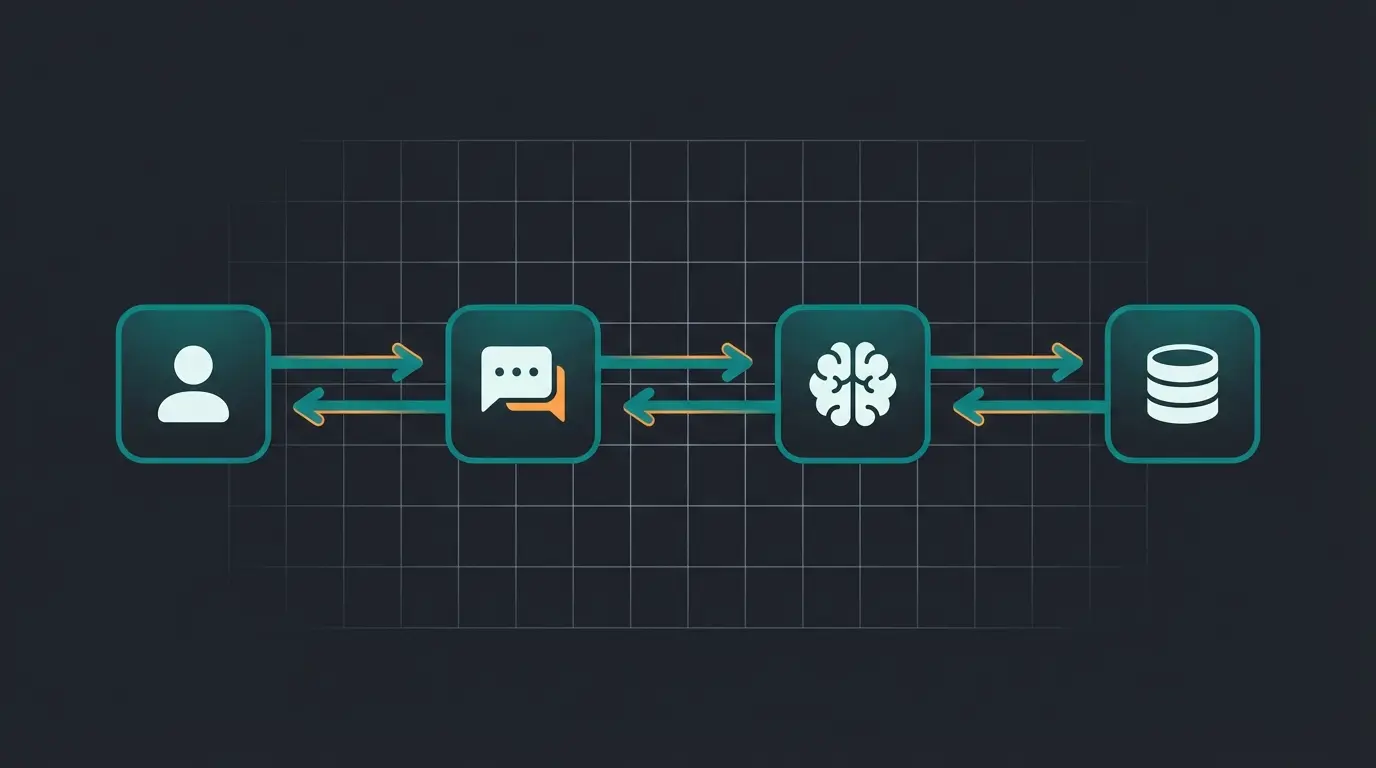
Unlike traditional integrations that simply push data OUT (Product Data → External System), consultative AI requires bi-directional flow. The AI retrieves live stock to answer user questions AND updates the cart based on AI advice. This creates a closed loop that enables true conversational commerce.
Custom Attribute Access
Most generic tutorials cover only "Product Name/Price" access. For real consultation, you need access to custom attributes: material composition, fit specifications, compatibility information, usage instructions. These rich attributes are what enable an AI to answer questions like "Will this fit my 2020 model?" or "Is this material suitable for outdoor use?"
Building these capabilities is what separates basic AI Chatbots from true consultative AI. When your AI can access and reason about deep product attributes, it becomes a genuine shopping assistant rather than a glorified search bar.
Conclusion: The API is Your Most Important Employee
The Magento 2 API is far more than a technical tool. It's the interface that transforms your static product catalog into a dynamic, consultation-intensive experience. By using GraphQL for speed, Integration Tokens for security, and the Bulk API for data management, you create the foundation for next-generation e-commerce experiences.
As AI chatbots continue to evolve from simple FAQ responders to sophisticated sales consultants, your API infrastructure becomes the critical enabler of these capabilities. The technology is ready. It's up to you to use it.
Your Next Steps
- Check your Magento version (upgrade to 2.4.7 recommended for rate limiting & caching improvements)
- Create an Integration in the Admin Panel and test access to Custom Attributes via Postman
- Experiment with the Guest Cart API to build initial "actionable" scenarios
- Consider how your product attributes can enable deeper consultation capabilities
REST is the traditional standard ideal for backend synchronization and administrative tasks, delivering complete data objects per endpoint. GraphQL allows clients to request exactly the data they need, preventing over-fetching and enabling bundled requests. For real-time AI interactions, GraphQL is superior due to lower latency, while REST remains preferred for bulk data operations and server-to-server communication.
The recommended method is using Integration Tokens. In Magento Admin, navigate to System > Extensions > Integrations, create a new integration, and assign specific API resources. This generates permanent tokens (Consumer Key, Consumer Secret, Access Token, Access Token Secret) that don't expire, unlike Admin tokens which are typically valid for only 4 hours.
Yes, this is the 'magic moment' of consultative AI. For logged-in users, use POST /V1/carts/mine/items. For guest users, first create a cart with POST /V1/guest-carts to get a masked_id, then add items with POST /V1/guest-carts/{cartId}/items including the SKU and quantity in the payload.
Magento 2.4.7 introduces native rate limiting for both REST and GraphQL APIs. You can configure limits per IP for guests or per user, protecting against carding attacks, DoS attempts, and runaway AI loops. Configure via CLI with commands like: bin/magento config:set sales/backpressure/guest_limit 50.
Never use the synchronous REST API for bulk exports as it causes timeouts. Instead, use the Asynchronous Bulk API (POST /async/V1/products) which pushes requests to a RabbitMQ queue. This delivers 30-80% performance improvements for large data volumes and doesn't impact shop performance during operation.
Join leading e-commerce brands using intelligent product consultation to increase conversions and customer satisfaction.
Get Started Free
Kevin is CTO and co-founder of Qualimero. As an AI architect with over 15 years of experience as CTO and CPO in the tech industry, he designs the AI systems that automate tens of thousands of customer interactions daily for Qualimero's clients — reliably, securely, and at scale.