Key Points Upfront
- No direct inbound hotline exists: Shopify does not offer a public phone number you can call directly. Phone support works exclusively through a callback service.
- Chat is the fastest way: Live chat is available 24/7 (in English) and often in German during business hours. To bypass the bot, type 'Agent' or 'Human' multiple times.
- Support vs. Sales: While you need Shopify support for technical issues, you shouldn't rely on pure 'deflection bots' for your own customers. Modern AI solutions transform support inquiries into sales conversations.
- Preparation is everything: Have screenshots, error messages, and your `.myshopify.com` URL ready to drastically reduce processing time.
The Cheat Sheet: Shopify Contact at a Glance
In a hurry? If your shop is offline or you have a critical problem, use this quick reference guide to get help immediately. According to Shopify's official help resources, these are your primary contact options.
| Channel | Availability (German) | Availability (English) | Best Use For... | Link / Action |
|---|---|---|---|---|
| Live Chat | Mon-Fri (Business Hours)* | 24/7 (Recommended) | Critical errors, login issues, quick questions | To Help Center (Login required) |
| Callback (Phone) | Varies significantly | Varies | Complex billing questions, escalations | Request via Help Center |
| Email / Ticket | 24-48 hour response | 24 hour response | Non-urgent technical questions, bug reports | Via Help Center form |
| Community | 24/7 (User-based) | 24/7 (Very active) | Code customizations, theme questions, strategy | Shopify Community |
| Twitter / X | Low | Mon-Fri (9-17 EST) | Public complaints, status updates | @ShopifySupport |
Why Is Shopify Support So Hard to Find?
It's one of the most frustrating experiences for online merchants: Your checkout isn't working, an app is acting up, or you can't log in. You search for a phone number – and find nothing. Instead, you land in an endless loop of help articles and a chatbot that doesn't understand your question.
You're not alone.
Shopify serves millions of merchants worldwide. To handle this volume, the company relies on a ticket deflection strategy. The goal is to resolve as many inquiries as possible through automated articles and bots before an expensive human employee gets involved. For Shopify, this makes economic sense. For you as a merchant losing revenue, it's a nightmare.
In this article, we'll show you not only how to 'trick' this system and get real Shopify help immediately, but we'll also analyze what you can learn from this for your own shop. Because your customers hate dumb bots just as much as you do. If you want to understand how proper Shopify customer service should work, keep reading.
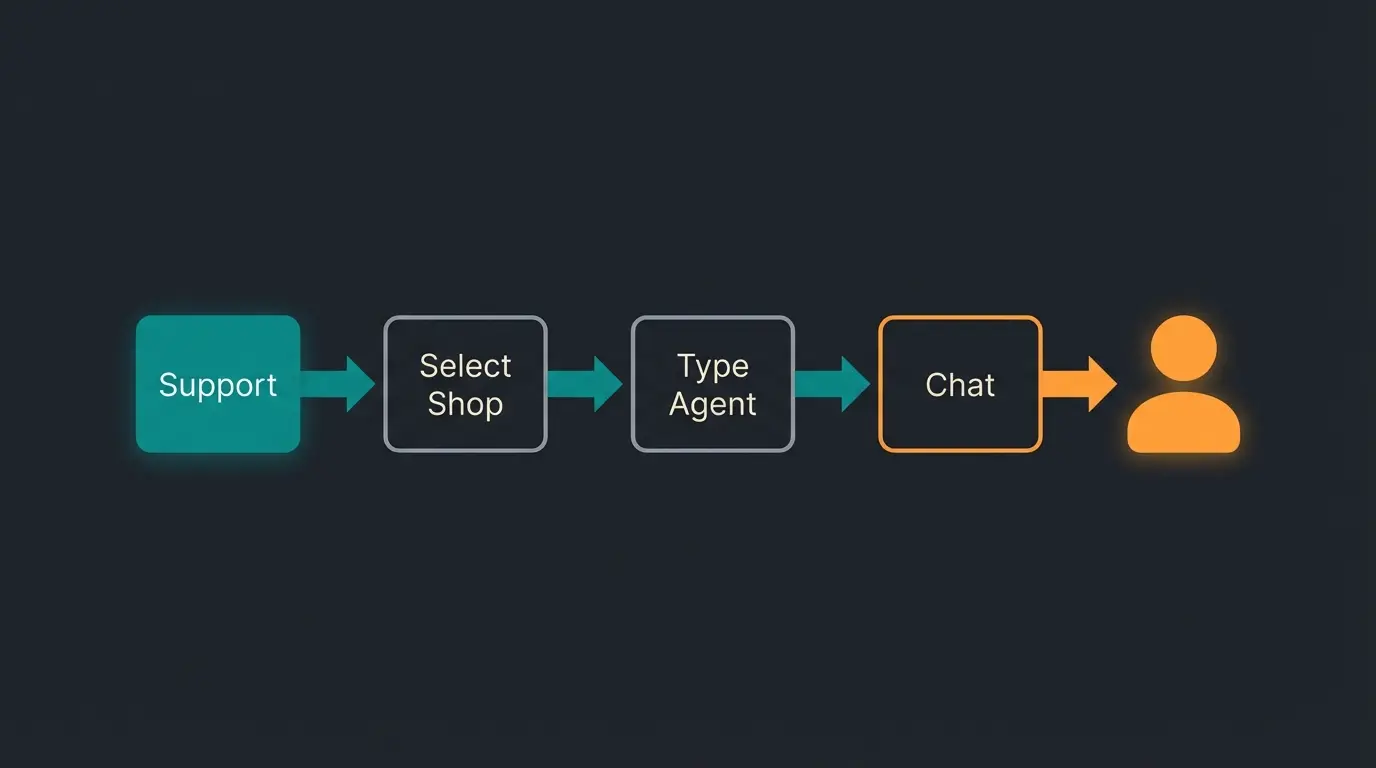
Step-by-Step: How to Reach a Real Human
To contact Shopify support, you need to know how to navigate through the Help Center. Follow this guide to avoid frustration. As noted by HulkApps, many merchants struggle with the same navigation challenges.
Method A: Live Chat (The Fastest Way)
Chat is the most effective method for Shopify support. But first, you need to get past the AI assistant.
- Login: Go to help.shopify.com and log into your shop. This is essential since support otherwise has no access to your data.
- Choose a topic: Select a broad topic (e.g., 'Managing orders').
- Ignore the bot: You'll now be shown help articles. Scroll all the way down.
- The 'Magic Button': Look for the button 'Contact Support' or 'Chat with us'.
- Bypass the bot (Pro Tip): When the chat window opens, the virtual assistant will greet you. Don't write out your entire problem. Instead, type keywords like 'Speak to agent', 'Agent', or 'Human'. Repeat this 2-3 times if the bot tries to offer you articles. The bot will eventually give up and place you in the queue for a real human.
Method B: The Callback Service (Instead of Hotline)
Many search for 'Shopify support phone number.' Save yourself the search – there is no public number. If you find a number on the internet, it's usually outdated or leads to a recording that directs you to the Help Center.
Instead, Shopify uses a callback system:
- Follow the same steps as for chat (see above).
- When you're on the page with contact options, check if 'Request a callback' is available.
- Caution: This option is often hidden when call volume is too high or no German-speaking agents are available.
- If available: Enter your number. An agent will typically call you back within 15-30 minutes.
Method C: Email Support
The direct email address `support@shopify.com` is increasingly being disabled and often only sends an auto-reply pointing to the Help Center. According to ReConvert, the ticket system is now the primary method for email-based support.
To write an email, you must use the contact form in the Help Center. This is ideal for complex problems that aren't time-critical and where you need to send attachments (screenshots, CSV files).
Access help.shopify.com and authenticate with your store credentials
Choose any relevant category like 'Managing Orders' or 'Payments'
Ignore suggested help articles and scroll to the bottom of the page
Find and click the 'Contact Support' or 'Chat with us' button
Enter 'Agent', 'Human', or 'Speak to representative' 2-3 times to bypass the bot
Support Hierarchy: Which Channel for Which Problem?
Not every problem requires a call. To save time, use this matrix. Understanding optimal customer service times helps you plan when to reach out.
| Problem Type | Recommended Channel | Expected Resolution |
|---|---|---|
| Shop is offline / Checkout broken | English Live Chat | Immediate (Priority) |
| Shopify billing questions | Callback / Email | 1-2 Days (Often requires specialist department) |
| Theme customizations (Code) | Shopify Community | 24-48 Hours (By other users/partners) |
| Third-party app problems | App developer directly | Varies (Contact usually in the app) |
| General 'How do I...?' questions | Help articles / YouTube | Immediate (Self-service) |
A Note About Shopify Plus
If you're a Shopify Plus customer, forget the process described above. You have access to the Merchant Success Program and often a dedicated priority support number or email. Use these direct channels that you're paying for.
The Strategic Shift: From Seeking Support to Providing Service
We've now thoroughly discussed how to get technical Shopify support. But let's pause for a moment.
Did you notice how frustrated you were when trying to bypass the Shopify bot? How annoyed you were when you only received standard responses ('Have you cleared your cache?')?
Your customers feel exactly the same way.
When visitors come to your online store, they have questions:
- 'Does this replacement part fit my model?'
- 'Is this cream suitable for sensitive skin?'
- 'Can I receive the dress by Friday?'
Most Shopify merchants make exactly the same mistake they hate about Shopify itself: They hide. They install cheap chatbots that only spit out FAQ articles ('Here are our shipping terms'), or they offer no contact option at all. This fundamentally undermines good e-commerce customer service.
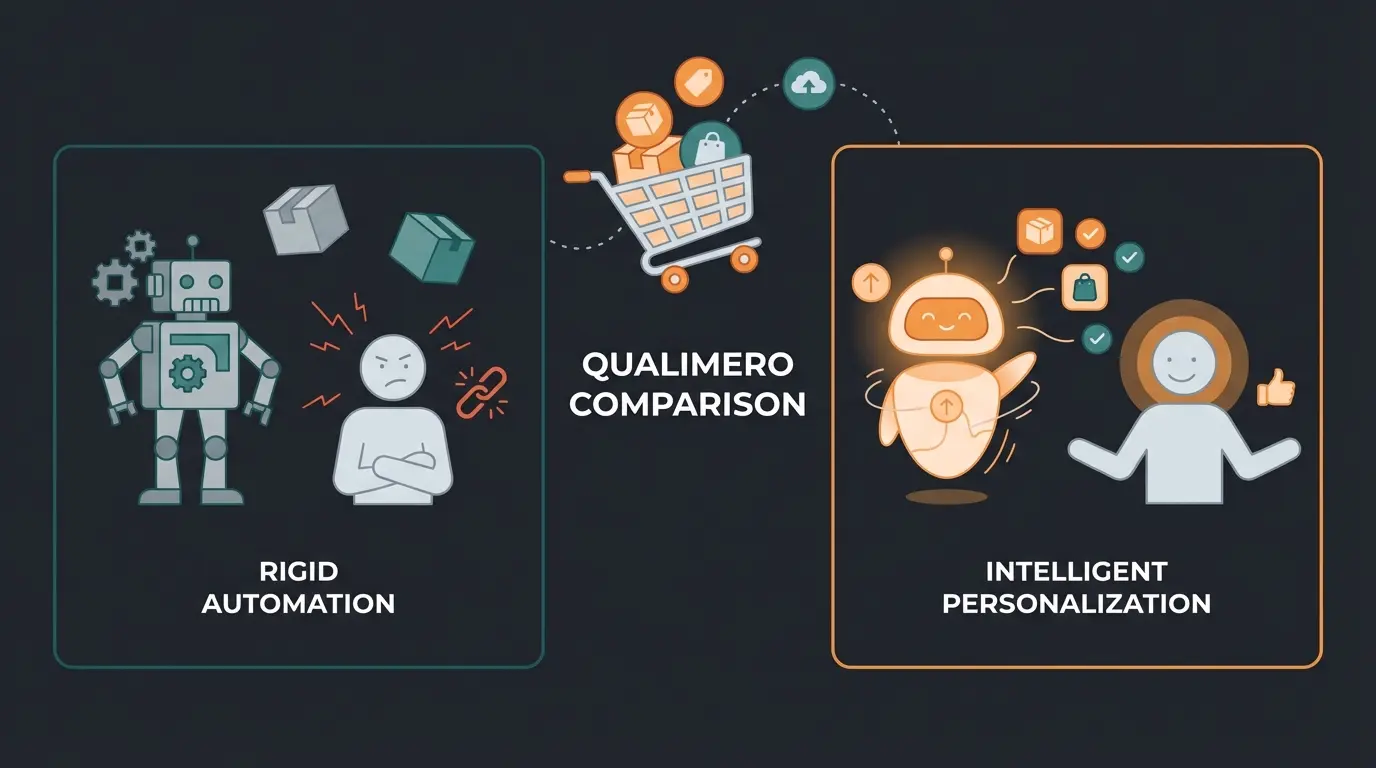
The Distinction: Technical Support vs. Sales Consultation
Here lies your massive opportunity – a 'Blue Ocean' strategy. We need to distinguish between two types of 'support':
1. Technical Support (Reactive):
- Goal: Fix problems (Where is my package? Damaged goods).
- Mindset: Cost center. Deflect as quickly as possible.
- Tools: Standard bots, FAQs, ticket systems.
- This is what Shopify does with you.
2. Sales Consultation (Proactive):
- Goal: Remove uncertainty, build trust, sell.
- Mindset: Revenue driver. Guide the customer by hand.
- Tools: Intelligent AI, real consultation.
- This is what you should do with your customers.
Understanding AI in customer service can help you make this critical distinction and implement it effectively in your store.
Why 'Dumb Bots' Kill Your Revenue
When a customer has purchase intent but one last question remains open, that's a critical moment.
Scenario A (The Standard Bot):
- Customer: 'What size do I need at 5'11" and 175 lbs?'
- Bot: 'Here is a link to our return policy.'
- Result: Customer is frustrated, leaves the shop, buys from Amazon.
Scenario B (The Human Experience):
- Customer: 'What size do I need at 5'11" and 175 lbs?'
- Sales associate: 'For this cut, I recommend size L for a relaxed fit. Do you prefer it more fitted?'
- Result: Customer feels advised, buys, and returns.
The problem is: You can't personally sit in the chat 24/7. And conventional chatbots are too 'dumb' for Scenario B. They're programmed to prevent tickets, not to promote sales. This is exactly where modern AI Chatbots make all the difference.
Percentage of shoppers who abandon carts when questions go unanswered
Increase in conversion rates when customers receive personalized consultation
Modern consumers expect round-the-clock support availability
Leveraging the Anti-Bot Sentiment
The Google search results for 'Shopify support' show one thing very clearly: People hate being blocked by machines. If you offer a chat in your store that feels like a wall, you're massively damaging your brand.
But what if your 'bot' didn't behave like a support agent closing tickets, but like a top salesperson explaining products? That's exactly what AI Customer Service solutions are designed to achieve.
Stop deflecting customers and start converting them. See how AI consultation transforms frustrated visitors into loyal buyers.
Get Started FreeThe Solution: AI as Sales Consultant Instead of Ticket Blocker
This is where the new generation of AI solutions comes into play. Unlike the rigid 'if-then' bots you know from the Shopify Help Center, modern solutions use Large Language Models (LLMs) to conduct real conversations.
Just as you can automate Shopware support, the same principles apply to Shopify stores – but with a focus on selling rather than deflecting.
Comparison: Standard FAQ Bot vs. Sales AI
| Feature | Standard FAQ Bot (Shopify/Others) | Sales & Consultation AI |
|---|---|---|
| Primary Goal | Reduce support tickets (Deflection) | Increase conversion rate (Sales) |
| Knowledge | Static text blocks & links | Deep product knowledge & context |
| Response Quality | 'Please check the FAQ.' | 'For dry skin, I recommend Product X because it contains hyaluronic acid.' |
| Customer Feeling | Blocked, frustrated, 'take a number' | Advised, understood, valued |
| Language | Robotic, rigid | Natural, empathetic, brand-consistent |
What This Looks Like in Practice
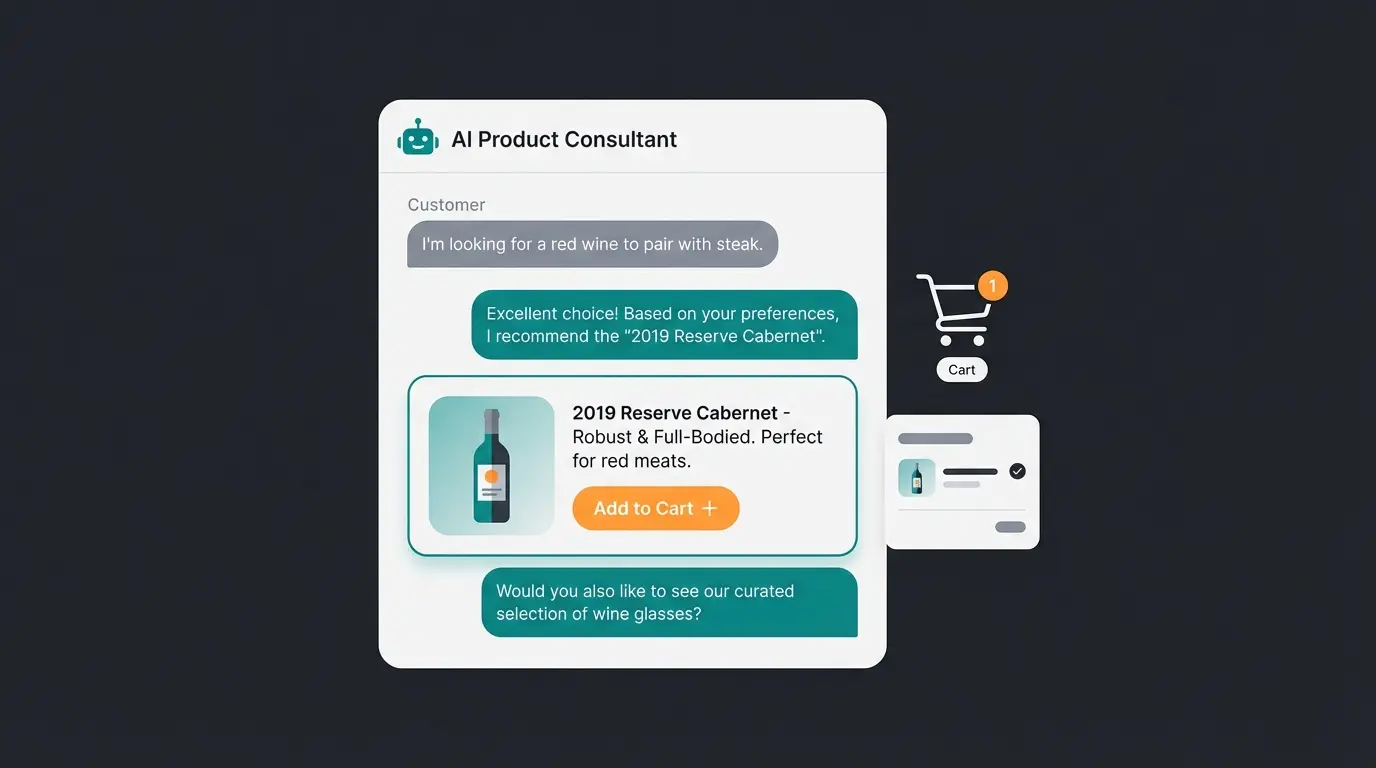
Imagine you sell wine. A customer asks in the chat: 'I'm looking for something for a dinner with fish, but not too acidic.'
The old way: The bot searches for keywords 'fish' or 'acidic' and finds nothing or delivers irrelevant results.
The new way (Consultation AI): The AI understands the context. It scans your inventory and responds: 'For that, I recommend our Pinot Grigio from the Pfalz region. It pairs excellently with fish dishes but is significantly milder in acidity than a Riesling. Shall I add it to your cart?'
That's not support. That's selling. This is the power of AI product consultation – transforming every interaction into a revenue opportunity.
How AI Consultation Drives Customer Service Revenue
The distinction between deflection and consultation isn't just philosophical – it has direct financial implications. When you deploy AI agents that understand your products deeply, every support interaction becomes a potential sale.
Consider the math: If your current support bot deflects 80% of inquiries with generic FAQ links, how many of those were customers ready to buy who just needed one question answered? Even converting 10% of those deflected inquiries into purchases can dramatically impact your customer service revenue.
Modern AI customer service solutions understand this fundamental shift. They're not designed to minimize tickets – they're designed to maximize value from every customer interaction. This approach to AI Customer Service represents the future of e-commerce support.
Conclusion: Solve Your Problems Without Creating New Ones
In summary:
For your technical problems: Use Shopify Live Chat in English or request a callback by persistently clicking through the Help Center and bypassing the bot with keywords like 'Agent.' Save the links from our cheat sheet above.
For your own shop: Learn from your frustration with Shopify support. Don't offer your customers the same poor experience.
E-commerce is changing. Customers today no longer expect mere 'help' when something is broken – they expect consultation before they buy.
Don't use technology to hide from your customers (as many large corporations do). Use technology to combine scalability with humanity.
Frequently Asked Questions (FAQ)
Officially, there is no longer a direct email address (like support@shopify.com) that works for new inquiries. According to Shopify's support documentation, you must use the contact form in the Help Center to create a ticket.
Typically Monday through Friday during regular business hours (approximately 9:00 AM – 5:00 PM CET). Outside these hours and on weekends, English support is available to you 24/7.
No, there is no inbound number. You must request a callback through the Help Center.
In the Help Center, there's an option 'I can't log into my account.' Select this to gain access to chat even without logging in.
Shopify support helps you (the merchant) with technical problems. Customer consultation is what you provide to your shoppers – helping them choose products and make purchase decisions. The first is reactive problem-solving; the second is proactive sales assistance.
Your customers deserve better than the same frustrating bot experience you just navigated. Turn every support inquiry into a sales opportunity with AI-powered consultation.
Start Your Free Trial
Lasse is CEO and co-founder of Qualimero. After completing his MBA at WHU and scaling a company to seven-figure revenue, he founded Qualimero to build AI-powered digital employees for e-commerce. His focus: helping businesses measurably improve customer interaction through intelligent automation.