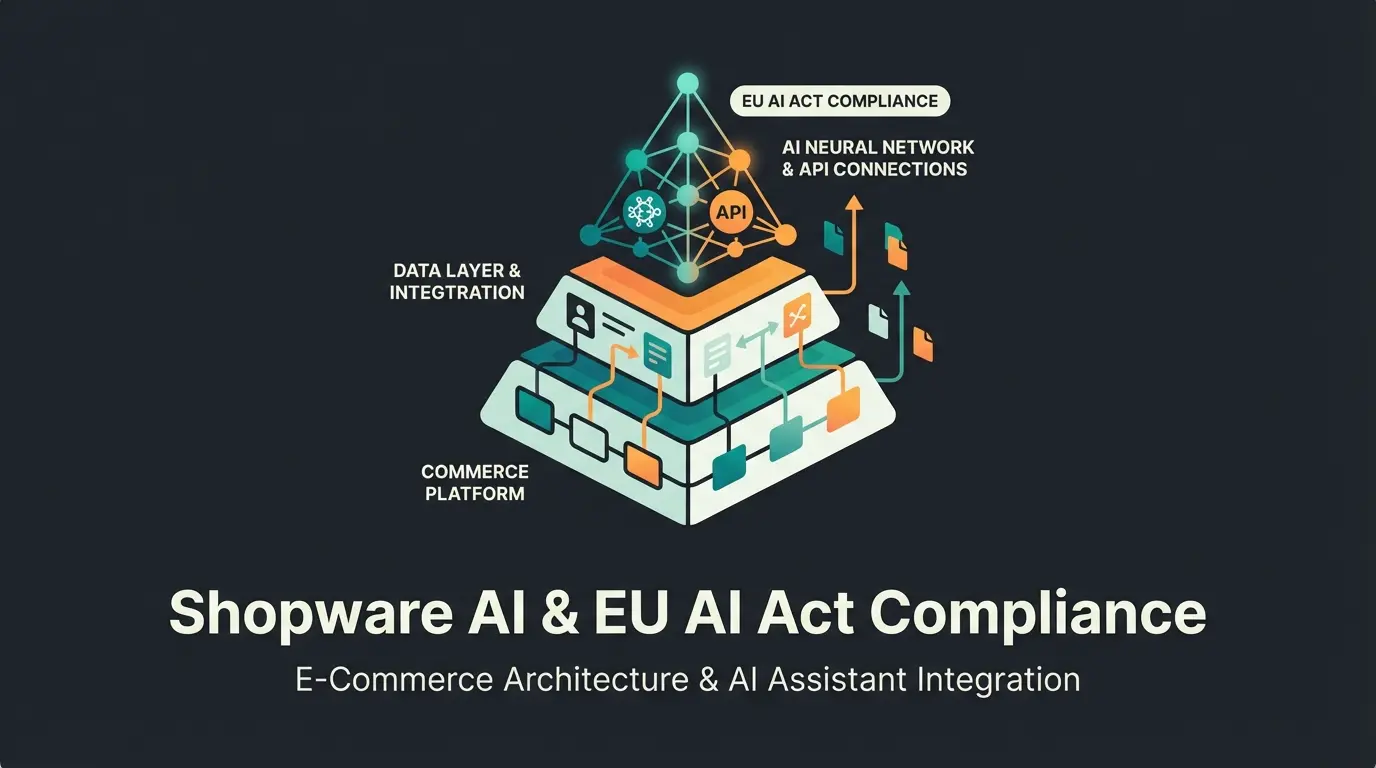
Why Standard Demos No Longer Cut It in 2025
Searching for a "Shopware 6 demo" often leads to frustrating results: either you land on generic agency landing pages demanding immediate contact details, or you gain access to an "empty shell" – a store without life, without complex data, and most importantly, without the technologies that define e-commerce in 2025.
Shopware has evolved massively with versions 6.6 and the upcoming 6.7. It's no longer just a shop system but a platform for "Spatial Commerce" and "Agentic Commerce." According to Shopware, these innovations represent the future of digital retail. A demo that only shows you how to create a product ignores 50% of the software's potential.
This article is different. We not only provide you with login credentials (see below) but guide you through a modern testing environment. We show you how to test not just the administration but also AI-powered product consultation and the new Spatial Commerce features (3D & AR). If you're interested in the broader landscape of artificial intelligence in online retail, check out our comprehensive AI E-Commerce guide.
The Magic Box: Your Instant Access
Start immediately. No email address required. Use these credentials for the public community demo.
| Access Type | Link | Username | Password |
|---|---|---|---|
| Storefront (Customer) | Open Demo Storefront | register yourself | any password |
| Administration (Backend) | Open Demo Admin | admin | shopware |
| AI Consultant Mode | Open AI Preview | Beta Access | see below |
What You Should Test in This Demo: The Guided Tour
Most users log in, randomly click on "Products," maybe change a price, and log out again. That's like sitting in a Ferrari just to adjust the radio. To truly understand the power of Shopware 6, you need to dig deeper. Follow this 5-step testing protocol.
Test backend performance and AI content generation features
Build campaign pages with drag-and-drop commerce
Create complex business logic without coding
Evaluate AR product visualization on mobile
Compare standard search vs. intent-based recommendations
Step 1: The Administration & AI Copilot (Backend)
Shopware 6.6 and 6.7 have massively accelerated the administration through Vue.js 3 and asynchronous JavaScript loading. According to Shopware's official documentation, these updates represent significant performance improvements over previous versions.
What to test:
- Performance: Navigate through the menus. Feel the response time? The backend is a Single-Page Application (SPA) that feels like a native app.
- The AI Copilot: Search for the "star" icon (AI Copilot) in the backend. Test the following features available with commercial plans (Rise/Evolve): Content Generation, Review Summary, and Image Keyword Assistant.
- Content Generation: Have the Copilot write a product description for a "red running shoe."
- Review Summary: Find a product with many reviews and generate a summary.
- Image Keyword Assistant: Upload an image and observe how the AI automatically assigns SEO-relevant tags.
For a deeper dive into AI automation capabilities within Shopware, explore our Shopware AI guide which covers implementation strategies and best practices.
Step 2: Experience Worlds (CMS) – Drag & Drop Commerce
Shopware doesn't separate content and commerce. The "Experience Worlds" (Shopping Experiences) are the heart of the frontend.
The Scenario: Try building a landing page for a "Summer Campaign."
- Use the Scene Editor (Spatial Commerce) to place a 3D model of a product.
- Check how easily products can be integrated into editorial text via drag & drop.
- New in 2025: Pay attention to the ability to define measurement units per sales channel (e.g., Imperial for US customers, Metric for DE customers) – a feature from Shopware 6.7.1.
Step 3: The Rule Builder – The Logic Engine
This is the most powerful tool in Shopware 6, often overlooked in most demos. The Rule Builder allows you to create business logic without code.
Test Task: Create a rule: "Customers from Switzerland who shop on weekends with cart value > €100."
- Link this rule to a shipping discount.
- Connect the same rule to a dynamic banner display in Experience Worlds.
- Why this matters: It demonstrates the "API-First" and decoupled approach. One rule applies globally to pricing, content, and shipping.
Step 4: Spatial Commerce & 3D (Frontend)
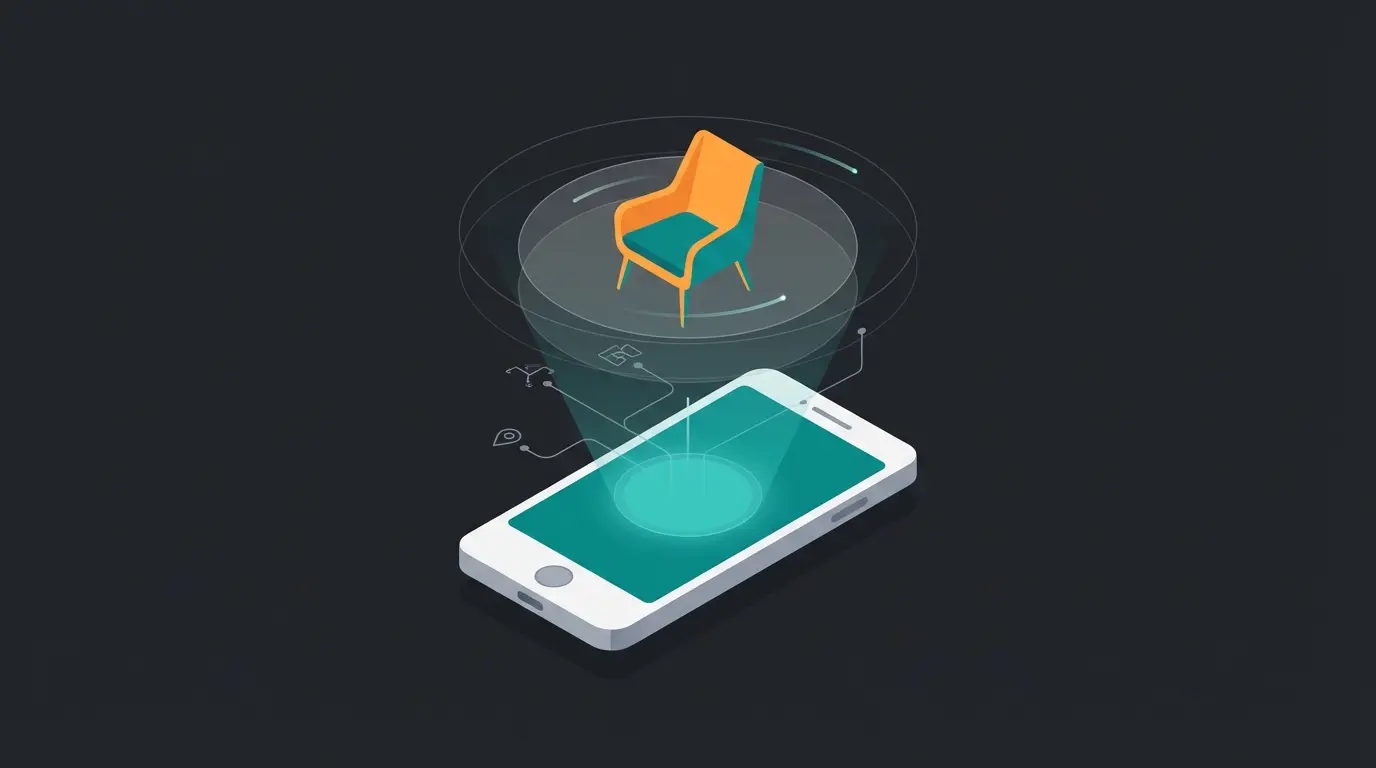
Shopware is betting heavily on "Spatial Commerce." In the demo, you should check whether 3D models (glTF/GLB formats) are supported.
The Test:
- Open the demo on your smartphone.
- Search for a product with an AR option.
- Use the QR code or AR button to virtually place the product in your room. This is natively integrated into Shopware 6 and no longer requires an external app.
Step 5: AI Consultation – Your Competitive Advantage
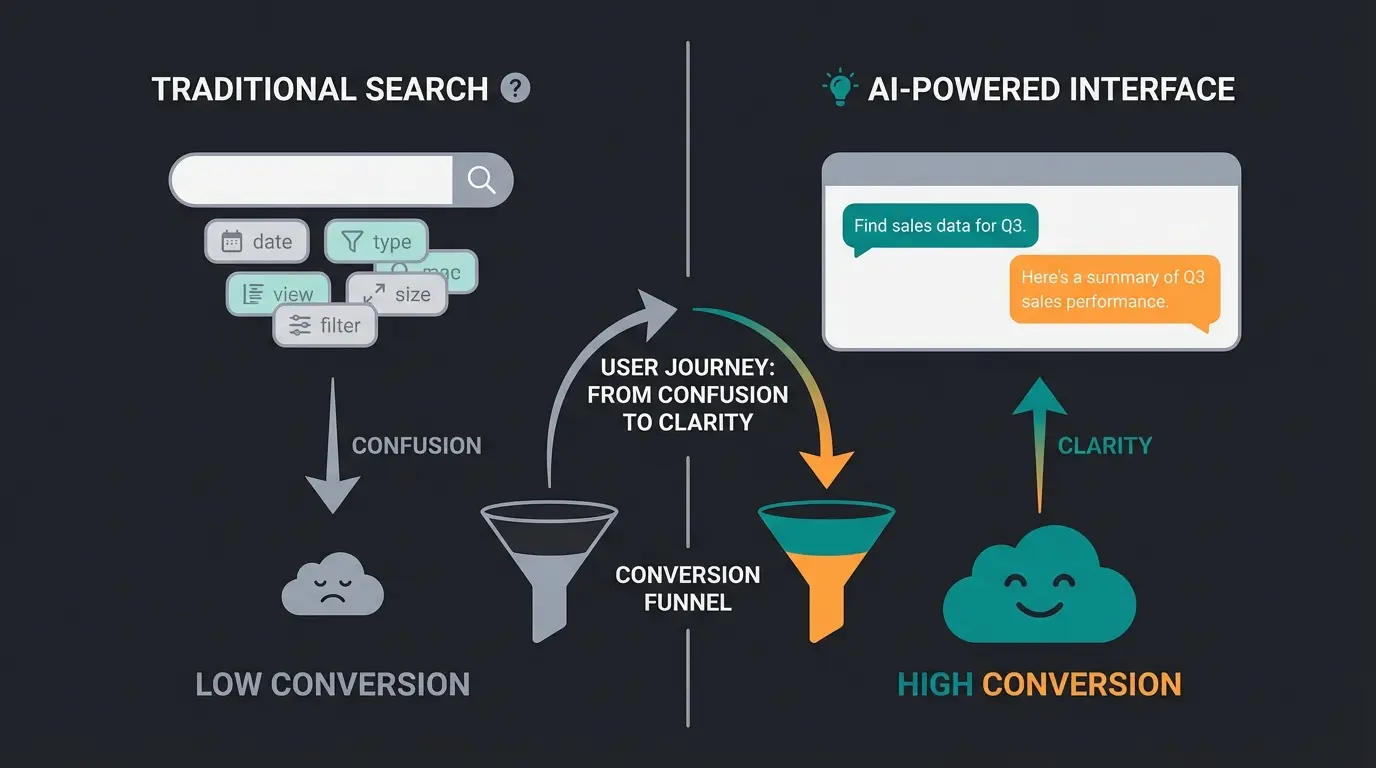
This is where a standard demo differs from a future-proof solution. Standard demos offer a search bar. But customers often don't search for products – they search for solutions.
The Scenario: Instead of entering "hiking boot size 42" in the search, simulate the following input in our extended demo environment (see "AI Consultant Mode" link above):
Observe:
- Does the system understand the context (Alps, October = Cold/Wet)?
- Does it suggest a combination of products (shoes + thermal socks)?
- This is the difference between Search (keyword matching) and Consultation (intent matching).
For businesses looking to implement similar AI product consultation solutions, understanding this distinction is crucial for improving conversion rates and customer satisfaction.
Why Standard Demos Fail: The AI Angle
When evaluating a Shopware 6 demo today, you can't just look at today's features. You must assess whether the platform is ready for the "Agentic Commerce" era.
The Problem of the "Empty Shell"
Most agency demos are static. They contain "Lorem Ipsum" products. The problem is that modern e-commerce features only come alive with data.
- Personalization: Doesn't work without history.
- AI Recommendations: Need training data.
- Performance: A store with 10 items is always fast. The question is: How does it behave with 100,000 variants?
From Search to Consultation
Analysis of top search results for "Shopware 6 Demo" reveals a glaring gap: Nobody talks about dynamic consultation. Traditional shop systems are passive catalogs. The customer must know what they want. Shopware 6.7 with AI Copilot and integrations for external LLMs (Large Language Models) transforms the shop into an active seller.
of e-commerce companies integrate AI or plan to do so
potential uplift from personalized recommendations
higher conversion with AI guided selling vs. standard search
conversion benchmark for AI consultation vs. 2-3% market average
According to BusinessDasher, these statistics represent the transformative impact AI is having on e-commerce conversion rates. In our demo, we therefore focus on how Shopware 6 serves as a headless platform and foundation for such AI agents. Learn more about implementing AI-powered consultation in your Shopware store.
See how AI-powered product consultation can increase your conversion rates by 4x. Get a personalized demo of intelligent shopping experiences.
Request AI DemoShopware 6 Features Overview: What Makes 6.6 & 6.7 Special
To properly contextualize the demo, you need to know what's happening "under the hood." Shopware has made massive technical leaps in 2024 and 2025. Understanding these changes is essential when comparing Shopware vs Shopify for your business needs.
1. Performance & Technology (Shopware 6.6)
With the release of Shopware 6.6, the technical foundation was radically modernized.
- Async JavaScript: Previously, a huge `all.js` was often loaded. Now Shopware loads JavaScript asynchronously and only where needed. This reduces storefront load time by up to 20%.
- Vue 3 & Webpack 5: The administration is significantly more responsive and future-proof.
- PHP 8.2+ Support: Mandatory for security and performance.
2. The AI Copilot (Shopware 6.7 Features)
The Copilot is not a gimmick but deeply integrated. In the demo, watch for these 12 core features outlined by Atwix and Shopware's documentation:
- Text-to-Image: Generate product images or backgrounds directly in the admin.
- Export Assistant: Instead of complex SQL queries, you can tell the Copilot: "Export all orders from yesterday as CSV."
- Checkout Message: Personalized messages after purchase ("Thanks Michael, enjoy your new running shoes!")
For stores already using Shopware 6 chatbots, the AI Copilot provides seamless integration with existing customer service workflows.
3. B2B Components & Digital Sales Rooms
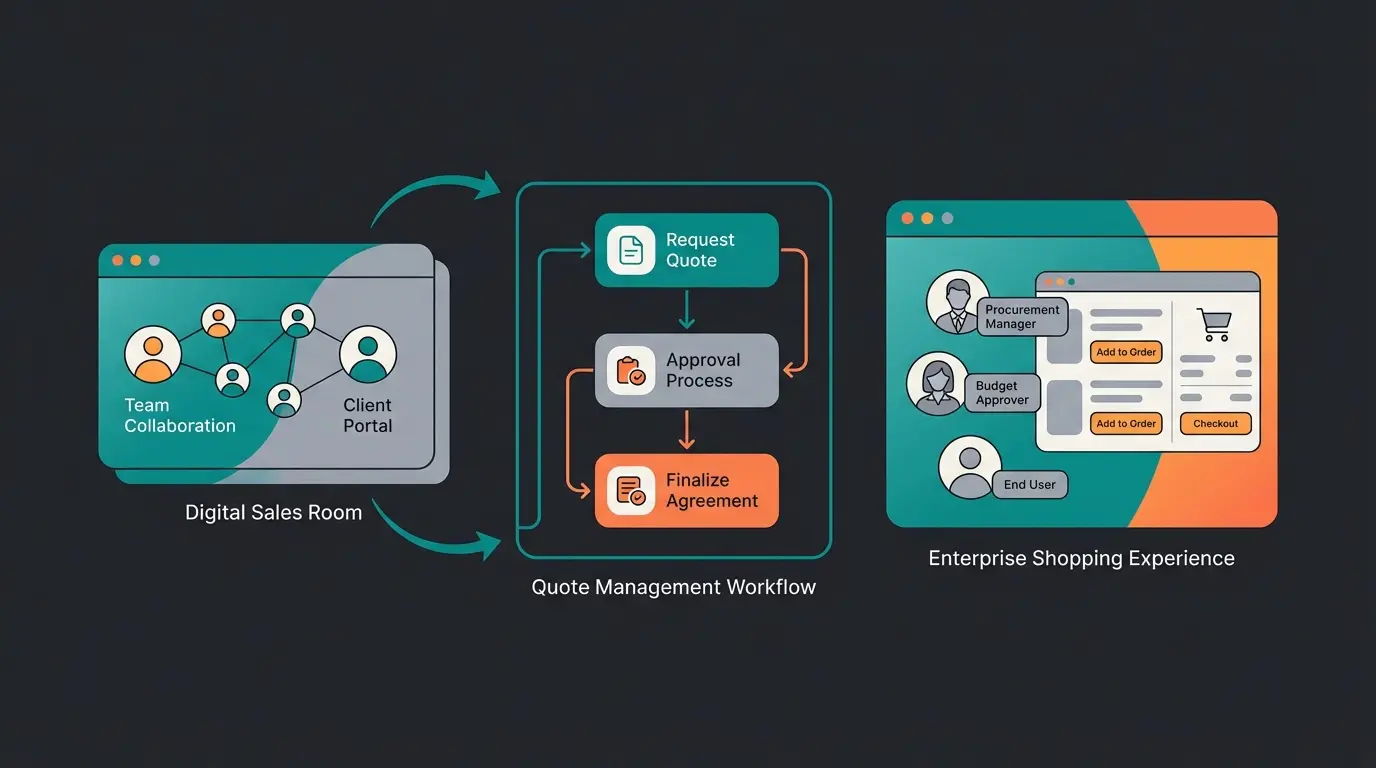
For B2B merchants, the demo is particularly interesting. Shopware has replaced the "B2B Suite" with modular "B2B Components."
- Employee Management: Test permission assignment for employees of business customers.
- Quote Management: Request a quote in the frontend and respond to it in the backend.
- Digital Sales Rooms: Create a curated shopping session where a sales rep guides the customer live through the store (co-browsing).
4. Spatial Commerce
Shopware positions itself as a pioneer in 3D commerce.
- 3D Viewer: Native support for glTF models.
- Scene Editor: Place products in virtual rooms to simulate light and shadow.
Step-by-Step: Setting Up Your Own Test Environment
The public demo is good for a first impression, but it resets daily. If you want to seriously evaluate (e.g., test plugins, customize themes), you need a private instance. For comprehensive hosting solutions, review our guide on Shopware cloud hosting options available in Germany.
Option A: Cloud Demo (Easiest Method)
Shopware offers a hosted cloud test environment through their official website.
- Advantage: No technical knowledge needed, immediately available.
- Disadvantage: Limited server/code access, custom plugin installation often restricted.
Option B: Dockware (For Developers & Tech-Savvy)
The gold standard for Shopware demos is Dockware. It's a Docker image that contains Shopware 6 ready to go.
Instructions:
- Install Docker Desktop.
- Run the following command in Terminal: `docker run --rm -p 80:80 dockware/play:latest`
- Open `localhost` in your browser.
- Done. You have a full Shopware 6 instance on your machine.
Option C: Hosting Provider Installation (1-Click)
Many German hosting providers (Hetzner, Profihost, Timme Hosting) offer "1-click installations" for Shopware 6. This is ideal for testing performance under real conditions.
For ongoing maintenance and assistance, our Shopware 6 support guide covers technical requirements and best practices.
Comparison: Standard Search vs. AI Consultation
To illustrate the added value of our "Smart Store" demo, here's a direct comparison of the features you'll be testing. This comparison is essential for understanding the AI-powered product consultation landscape in modern e-commerce.
| Feature | Standard Shopware 6 Demo | AI Enhanced Demo (Smart Store) |
|---|---|---|
| Product Search | Keyword-based (e.g., "blue pants") | Intent-based (e.g., "outfit for wedding guest") |
| Filtering | Static facets (size, color, price) | Dynamic refinement through dialogue |
| Availability | Passive (waits for input) | Proactive (offers help during inactivity) |
| Upselling | Static rules ("Customers also bought") | Contextual ("This belt goes perfectly with that") |
| Data Foundation | Product data only | Product data + world knowledge (LLM) |
| Conversion Rate | ~2-3% (market average) | ~12% (Guided Selling benchmark) |
The difference becomes even more pronounced when implementing proper AI product consultation strategies that leverage SEO and customer intent data together.
Demo Testing Checklist: 10 Things to Evaluate
To maximize your time in the demo environment, use this comprehensive checklist. This structured approach ensures you evaluate all critical features rather than clicking randomly.
- Create a discount code and apply it to a test order
- Change a storefront banner using Experience Worlds
- Build a business rule for customer segment pricing
- Test the AI Copilot's product description generator
- Upload a 3D model and view it in AR mode
- Create a B2B quote request workflow
- Export order data using natural language commands
- Configure multi-currency and measurement units
- Test the API documentation at `/store-api/_info/swagger.html`
- Ask the AI consultant for a complex product recommendation
For businesses configuring their AI-powered consultation hub, this checklist provides the foundation for evaluating implementation readiness.
FAQ: Shopware 6 Demo Questions Answered
Yes, the public demo and Community Edition (self-hosted) are completely free. Costs only arise when you book hosting or upgrade to commercial plans (Rise, Evolve, Beyond), which contain extended features like B2B support or the full AI Copilot. According to Shopware's pricing documentation, the Community Edition provides full e-commerce functionality without licensing fees.
Public demos (as linked above) are typically reset daily or hourly. Never enter real personal data (GDPR compliance!) or actual credit card information. Use test data (e.g., "John Doe"). This reset policy ensures a fresh testing environment but means you cannot save your work permanently.
Partially. Many native AI Copilot features are tied to commercial plans (Rise/Evolve). However, there are plugins in the Community Store that retrofit similar functions (e.g., ChatGPT integration for product texts) for the free version. Our "Smart Store" demo shows the full potential of the commercial version.
The difference is fundamental. Shopware 5 was based on outdated technology (Enlight/Zend). Shopware 6 is "API-First" (Symfony/Vue.js). In the demo, you'll notice there's no longer a separation between "desktop" and "mobile" – everything is responsive. Additionally, the separation of content (Experience Worlds) and product is much more fluid.
Every Shopware 6 instance delivers its own API documentation. Navigate to `/store-api/_info/swagger.html` (for frontend API) or `/api/_info/swagger.html` (for backend API) in your demo instance. This is perfect for live testing headless capabilities, as noted by WBFK's technical documentation.
Conclusion: Test More Than Software – Test Your Future
A Shopware 6 demo in 2025 is more than a feature check. It's proof of how adaptable your business can be in the future.
While standard functions (create product, sell, ship) work well in almost any shop system, competition is decided in the areas of AI automation, B2B complexity, and Spatial Commerce.
Use the provided credentials, but don't stay on the surface. Challenge the system. Build complex rules in the Rule Builder, let the AI write texts, and test the API. Only then will you find out if Shopware 6 is the right operating system for your e-commerce growth.
For businesses exploring AI product consultation implementation, the demo environment provides the perfect testing ground for evaluating integration possibilities and user experience improvements.

If the public demo isn't enough and you'd like a guided presentation of AI features tailored to your industry, contact us for a Private Deep-Dive Session.
Request Private AI Demo
Lasse is CEO and co-founder of Qualimero. After completing his MBA at WHU and scaling a company to seven-figure revenue, he founded Qualimero to build AI-powered digital employees for e-commerce. His focus: helping businesses measurably improve customer interaction through intelligent automation.