Shopware B2B Suite: Features, Pricing, Alternatives & Migration Guide 2026
Complete guide to the Shopware B2B Suite: all features, pricing by edition, B2Bsellers vs B2B Components comparison, and what the 6.8 deprecation means for you.

What is the Shopware B2B Suite?
Open any standard Shopware 6 shop and try to place a B2B order. Create a company account with five buyers, each with different spending limits and approval chains. You will realize very quickly: Shopware out of the box is a B2C platform. The B2B Suite is what changes that.
The Shopware B2B Suite is an official extension developed by Shopware that adds enterprise B2B commerce capabilities to Shopware 6. It layers company account structures, role-based access control, budget management, order lists, quote workflows, and sales representative tools on top of the standard storefront. For a broader overview of the entire B2B ecosystem in Shopware, see our Shopware B2B Guide.
Here is the important distinction: the B2B Suite is not the same as Shopware B2B Components. B2B Components are Shopware's newer, modular approach built directly into the Shopware 6 core. The B2B Suite is the legacy extension, a single comprehensive package. Both solve the same fundamental problem, but their architecture, feature completeness, and future roadmap differ significantly.
As of early 2026, Shopware has confirmed that the B2B Suite will no longer be supported starting with Shopware 6.8. Since May 2025, only B2B Components are available on the Evolve plan for new installations. If you are evaluating B2B options today, this timeline shapes every decision you make.
6.5% of global market, strong growth in the DACH region
Expected by 2026 in leading markets (Source: Digital Commerce 360)
Core features of the B2B Suite
The B2B Suite is not a single feature. It is a bundle of interconnected modules, each targeting a specific pain point in B2B procurement. I have seen businesses activate all of them on day one and others start with just role management and add budget controls six months later. Both approaches work, depending on your order complexity and internal readiness.
Role and permission management
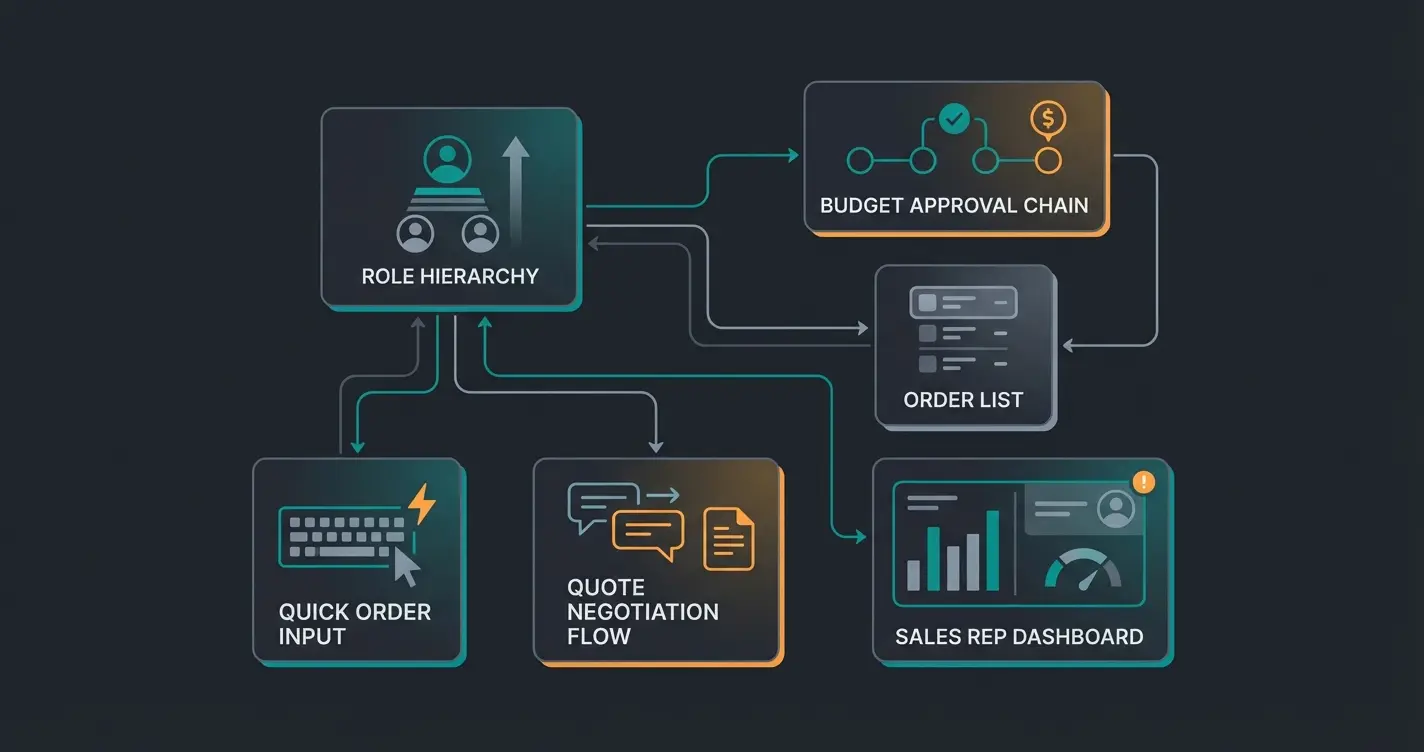
This is the backbone of the entire Suite. You can create company accounts with multiple contacts (employees), assign them to roles, and control exactly what each role can do: place orders, view invoices, manage addresses, access specific product catalogs, or approve purchases. Roles simplify configuration significantly when a company has dozens of buyers under one account.
A practical example: a construction supplies distributor has one procurement manager who can approve orders above €5,000, three site managers who can order up to €2,000 without approval, and ten field workers who can only add items to wishlists. The role system handles all of this without a single line of custom code. When a new employee joins, you assign them to a role and they inherit every permission instantly.
Budget management
Budgets define spending limits per organizational unit or role within a given time period: monthly, quarterly, or annually. When a buyer exceeds their budget, the order is blocked or routed to an approval workflow automatically. This maps directly to how corporate procurement works in practice. Departments have budgets, individuals have limits, and someone senior signs off on exceptions.
The approval workflow is the part most merchants underestimate. Without it, you either trust every buyer completely (risky) or process every order manually (expensive). Budget management with built-in approvals eliminates both problems.
Order lists and quick order
B2B buyers reorder the same products repeatedly. Order lists let them save frequently purchased items and reorder entire lists with one click. The quick order function allows buyers to enter SKUs or article numbers directly, bypassing the storefront navigation entirely. For businesses processing 50+ repeat orders per week, this feature alone justifies the investment. See our deep-dive on the B2B ordering process for implementation details and optimization strategies.
Quote management
Quote management allows buyers to request custom pricing and sales representatives to respond with tailored offers directly within the shop. The entire negotiation happens in the platform: request, counter-offer, acceptance, and conversion to order. No more email chains with PDF price lists that get lost in inboxes. For businesses with negotiated pricing, this replaces an entire manual process with a tracked, auditable workflow, and our walkthrough on creating quotes in Shopware covers the setup step by step.
Sales representative module
Sales reps can log in on behalf of their assigned customers, place orders for them, manage their accounts, and see their complete order history. This bridges the gap between traditional field sales and digital commerce. Your sales team does not lose control when customers start ordering online. They gain a better tool. For the full customer-facing experience, explore the B2B customer portal capabilities.
| Module | What It Does | Best For |
|---|---|---|
| Role Management | Company accounts with hierarchical permissions and access control | Multi-buyer organizations with 5+ employees ordering |
| Budget Control | Spending limits with automatic approval workflows | Corporate procurement compliance and cost control |
| Order Lists | Saved product lists for one-click repeat ordering | High-frequency reordering (weekly/monthly cycles) |
| Quick Order | Direct SKU or article number entry, bypassing storefront | Experienced buyers working with large catalogs |
| Quote Management | In-platform price negotiation between buyer and sales rep | Custom pricing, contract customers, volume discounts |
| Sales Rep Module | Order-on-behalf, customer account management, history access | Field sales teams transitioning to digital commerce |
Who should use the B2B Suite?
Not every B2B merchant needs the full Suite. If you sell to other businesses but your orders look like B2C transactions, with single buyers, standard pricing, and no approval chains, the standard Shopware features plus customer groups may be perfectly sufficient.
The B2B Suite becomes essential when building a B2B online store that involves multi-user company accounts, approval hierarchies, negotiated pricing, or repeat ordering at scale. The more complex your buyer journey, the more value the Suite delivers. Industries like industrial supplies, construction materials, medical equipment, and wholesale distribution benefit most. If you are building a B2B online store from scratch, understanding these requirements early saves you from costly mid-project architecture changes.
I spoke with a Shopware merchant last month who tried to build B2B features using customer groups and custom fields for eight months before switching to the Suite. The migration took three weeks. He could have saved seven months by evaluating the requirements honestly from the start.
- Your customers have multiple buyers per account (3+ employees ordering)
- You need approval workflows for orders above certain thresholds
- Different buyers require different permissions (view only, order, approve)
- Your customers regularly reorder the same product combinations
- You offer negotiated or contract-based pricing per customer
- Your sales team needs to place orders on behalf of customers
- You are on Shopware Evolve or Beyond (B2B Suite requires these editions)
Four or more checked items point toward the B2B Suite (or its successor, B2B Components). Fewer than three? Standard Shopware with customer group pricing and a solid product advisor may be the better, more cost-effective starting point. Do not over-engineer the first version.
Installation and setup
Setting up the B2B Suite is not a one-click installation. It requires planning, the right Shopware edition, and a clear understanding of your company structures before you touch the admin panel. I have seen implementations fail not because of technical complexity, but because the merchant skipped the organizational mapping step and started configuring blindly.
Prerequisites
- Shopware 6.5 or higher (6.6 or 6.7 recommended for best compatibility and performance)
- Evolve or Beyond license - the B2B Suite is not available on Rise or Community Edition
- PHP 8.2+ with a properly configured hosting environment (dedicated server or managed hosting recommended for B2B workloads)
- Clean product data: Ensure your catalog has consistent SKUs, categories, and attributes before enabling B2B features. Garbage in, garbage out applies doubly to B2B.
Step-by-step setup
- Activate the extension: In your Shopware admin, navigate to Extensions > My Extensions. The B2B Suite appears as part of your Evolve or Beyond subscription. Activate it and clear the cache.
- Configure company structures: Under Customers > Companies, create your first company account. Define the organizational hierarchy: departments, cost centers, buyer groups. Start with your largest customer as the template.
- Set up roles: Create roles that mirror your customers' internal structures. Assign permissions for ordering, approvals, budget management, address management, and catalog access to each role. Test each role by logging in as a contact assigned to it.
- Define budgets: For each role or organizational unit, set spending limits and approval thresholds. Configure the time period (monthly, quarterly, annual). Set up notification emails for budget warnings at 80% and 100%.
- Enable order lists and quick order: Activate these features in the storefront configuration. Create a sample order list and test the quick order function with real SKUs from your catalog.
- Configure quote management: If you offer negotiated pricing, enable the quote request workflow. Assign sales representatives to customer accounts. Test the full cycle: request, counter-offer, acceptance, order conversion.
For the complete technical reference, including API endpoints, advanced role configuration, and troubleshooting, consult the official Shopware B2B Suite documentation. The Shopware docs cover edge cases and custom extensions that go beyond this guide's scope.
Costs and licensing
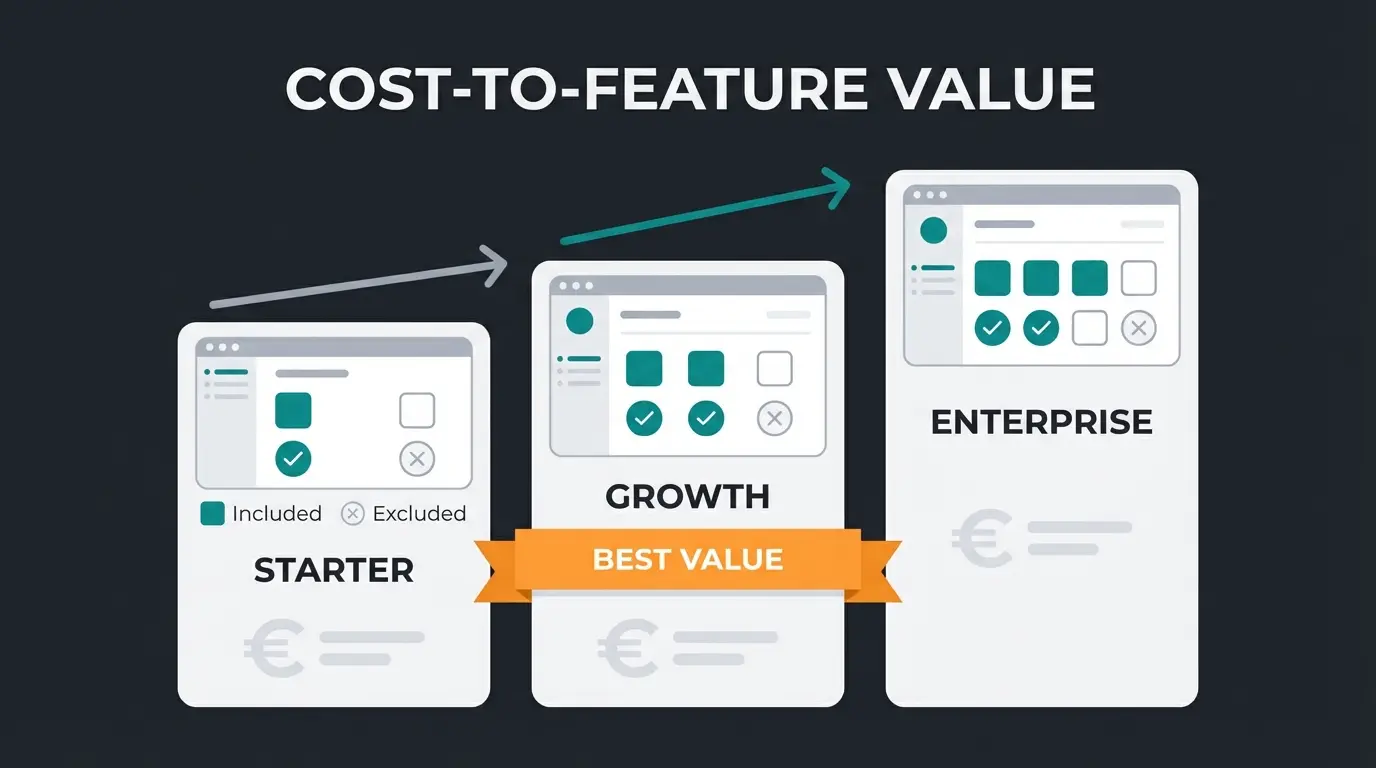
The B2B Suite is not sold separately. It is bundled into Shopware's commercial plans, which means your Shopware edition determines whether you have access. For a complete cost analysis across all editions and B2B features, see our Shopware B2B pricing breakdown.
| Edition | Monthly Cost | B2B Suite | B2B Components |
|---|---|---|---|
| Community | Free | Not included | Not included |
| Rise | From ~€600/mo | Not included | Not included |
| Evolve | From ~€2,400/mo | Included (legacy, until 6.8) | Included |
| Beyond | From ~€6,500/mo | Included (legacy, until 6.8) | Included |
The license fee is only the starting point. Factor in implementation costs (€5,000 to €25,000 depending on complexity and agency rates), ongoing customization, theme adjustments for B2B-specific storefront elements, and the upcoming migration cost to B2B Components when Shopware 6.8 arrives. For a typical SME with 200 B2B customers and moderate customization needs, the total first-year investment ranges from €35,000 to €55,000 including the Evolve subscription.
Hidden costs that merchants frequently overlook: training your sales team on the new tools (2 to 5 days), customer onboarding to the self-service portal (expect 3 to 6 months for full adoption), and ongoing data maintenance for roles, budgets, and product catalogs. The technology is the easy part. Change management is where the real investment happens.
B2B Suite vs alternatives
This is where the decision gets genuinely interesting. The Shopware B2B Suite is not your only option, and given its confirmed deprecation, it may not even be the best one for new implementations starting in 2026. Three alternatives deserve serious evaluation before you commit budget and development resources.
Shopware B2B Components
B2B Components are Shopware's official successor to the B2B Suite. Built directly into the Shopware 6 core, they follow a modular, API-first architecture where you activate only the modules you need: quick orders, price lists, budgets, offer management, employee accounts, or shopping cart templates. For a detailed feature-by-feature breakdown, see Shopware B2B Components.
The component approach is more flexible and future-proof, but as of early 2026, the feature set is still growing. Some capabilities available in the legacy Suite (particularly the full sales representative module) are still being developed as Components. If you need every feature today, Components may feel incomplete. If you can start lean and grow, they are the right long-term bet.
B2Bsellers Suite
The B2Bsellers Suite is the most comprehensive third-party B2B solution for Shopware 6. Developed by a dedicated team focused exclusively on B2B commerce, it works on all Shopware editions, including the free Community Edition. It covers approximately 80% of B2B requirements out of the box and offers more API endpoints and customization options than Shopware's native solutions.
The B2Bsellers Suite 4.0 (released for Shopware 6.7) added an AI assistant, significant performance improvements, and expanded its Vue.js-based portal. For merchants on the Community Edition or Rise plan who need B2B features without upgrading to Evolve, B2Bsellers is currently the only serious option.
Custom development
Building B2B features from scratch using Shopware's plugin architecture. Maximum flexibility, maximum cost, maximum maintenance burden. Custom development is only justified for highly specialized workflows that no existing solution covers: proprietary approval chains, industry-specific compliance requirements, or deep integration with legacy ERP systems that reject standard APIs.
For a broader perspective on B2B platform options beyond Shopware, including Magento, BigCommerce, and headless solutions, see our B2B ecommerce platform comparison.
| Criteria | B2B Suite (Legacy) | B2B Components | B2Bsellers Suite | Custom Dev |
|---|---|---|---|---|
| Minimum Edition | Evolve (~€2,400/mo) | Evolve (~€2,400/mo) | Community (free) | Any |
| Architecture | Monolithic extension | Modular, core-integrated | Comprehensive plugin | Custom plugins |
| Feature Coverage | Comprehensive (frozen) | Growing (actively expanding) | Very comprehensive | Unlimited (if built) |
| Role Management | Yes | Yes (Employee Management) | Yes | Must build |
| Budget Control | Yes | Yes | Yes | Must build |
| Order Lists / Quick Order | Yes | Yes | Yes | Must build |
| Quote Management | Yes | Yes (Offer Management) | Yes | Must build |
| Sales Rep Module | Yes | Planned / Partial | Yes | Must build |
| API Coverage | Limited | Good (API-first design) | Extensive | Your design |
| AI Features | None | None native | AI Assistant (4.0) | Must build |
| Future Support | Deprecated from 6.8 | Long-term Shopware roadmap | Active third-party dev | Your responsibility |
| Implementation Cost | €5K-25K | €3K-15K | €5K-20K | €15K-100K+ |
| Migration Risk | High (must migrate soon) | None (future-proof) | Low (vendor-independent) | Low (you own it) |
Enhancing the B2B Suite with AI
B2B buying is inherently more complex than B2C. Products require explanation, compatibility must be verified, and buyers often need guidance across large catalogs with thousands of SKUs. None of the B2B Suite modules solve the consultation problem, and bolting a generic chatbot as a service onto the storefront does not solve it either, because those tools have no access to your product data or pricing logic. They handle transactions, approvals, and workflows. What they miss is the advisory layer.
A Qualimero AI employee integrated into a Shopware B2B portal handles exactly this gap. Instead of scrolling through 3,000 industrial parts, a procurement manager asks: "I need a replacement seal for the Grundfos CRN 32 pump, 2019 model." The AI cross-references product data, verifies compatibility, and presents the correct part with installation notes. No phone call to your support team. No email chain that takes three days.
For B2B merchants, this translates into three measurable outcomes: fewer incorrect orders (which cost roughly 10x more to fix in B2B than in B2C), faster order processing for complex catalogs, and 24/7 availability that matches the global operating hours of international business customers. Availability also means being reachable where buyers already are, so a site manager can reorder from the warehouse floor via WhatsApp Business instead of opening a laptop. Our clients in B2B verticals see cart values increase by up to 35% when AI-guided consultation replaces passive catalog browsing.
More traffic to your B2B portal is only half the equation. A Qualimero AI employee handles complex product inquiries 24/7, verifies compatibility in real-time, and increases B2B cart values by up to 35%. Our clients see 16x ROI on average.
Book a Demo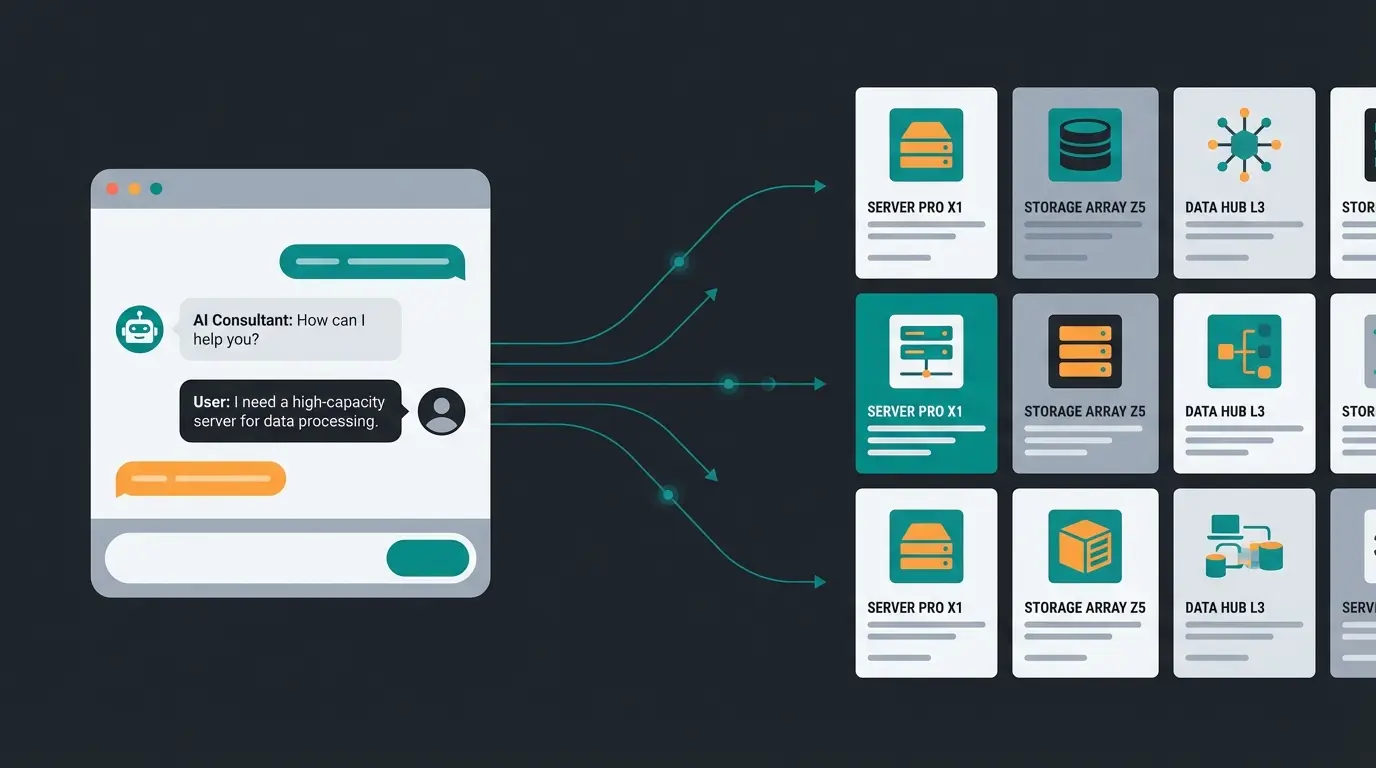
Frequently asked questions about the Shopware B2B Suite
The B2B Suite is included in Shopware's Evolve plan (from approximately €2,400/month) and Beyond plan (from approximately €6,500/month). It is not available as a standalone purchase or on the Rise or Community editions.
You need Shopware Evolve or Beyond. The Community Edition and Rise plan do not include B2B Suite access. If you need B2B features on lower-tier plans, the B2Bsellers Suite works on all editions including Community.
Yes, the B2B Suite can be activated on any existing Shopware 6 shop running version 6.5 or higher, provided you hold an Evolve or Beyond license. However, since the Suite is deprecated from Shopware 6.8, new installations should evaluate B2B Components instead.
The B2B Suite is a legacy monolithic extension that ships as a single package. B2B Components are its modular successor, built into the Shopware 6 core with an API-first architecture. Components let you activate individual modules (quick order, budgets, quotes) independently. Since May 2025, only B2B Components are available for new Evolve plan installations.
The Suite handles businesses of any size technically, but the licensing cost (Evolve plan at €2,400/month minimum) makes it impractical for very small B2B operations. For SMEs with fewer than 50 B2B customers and limited approval complexity, the B2Bsellers Suite on the Community Edition is often the more cost-effective path.
Shopware has confirmed the B2B Suite will no longer be supported starting with Shopware 6.8. Since May 2025, new installations on the Evolve plan receive B2B Components instead. Shopware is developing dedicated migration paths to ease the transition from Suite to Components.
Whether you are evaluating B2B Suite, Components, or third-party solutions, a Qualimero AI employee can enhance any Shopware B2B portal with intelligent product consultation. See how AI-guided selling increases B2B conversion rates.
Schedule a Call
Lasse is CEO and co-founder of Qualimero. After completing his MBA at WHU and scaling a company to seven-figure revenue, he founded Qualimero to build AI-powered digital employees for e-commerce. His focus: helping businesses measurably improve customer interaction through intelligent automation.