Shopify: The Complete Guide for Ecommerce Businesses
Everything you need to know about Shopify in 2026: pricing plans, setup, apps, B2B, dropshipping, inventory management, and honest pros and cons for your business.

What is Shopify?
Shopify is a cloud-based ecommerce platform that lets businesses build an online store, accept payments, manage inventory, and sell across multiple channels from a single dashboard. Founded in 2006 by Tobias Lütke, Daniel Weinand, and Scott Lake in Ottawa, Canada, the platform started as a tool the founders built for their own snowboard shop. As of 2026, Shopify powers over 5.5 million active stores worldwide and handles roughly 10% of all US ecommerce transactions (DemandSage, 2026).
The platform is a fully hosted SaaS solution. Shopify manages all server infrastructure, security patches, SSL certificates, and uptime monitoring on your behalf. You do not need to manage hosting, install software updates, or configure servers. This is the fundamental difference between Shopify and self-hosted platforms like WooCommerce or Magento, where you own the infrastructure but also carry every operational burden that comes with it.
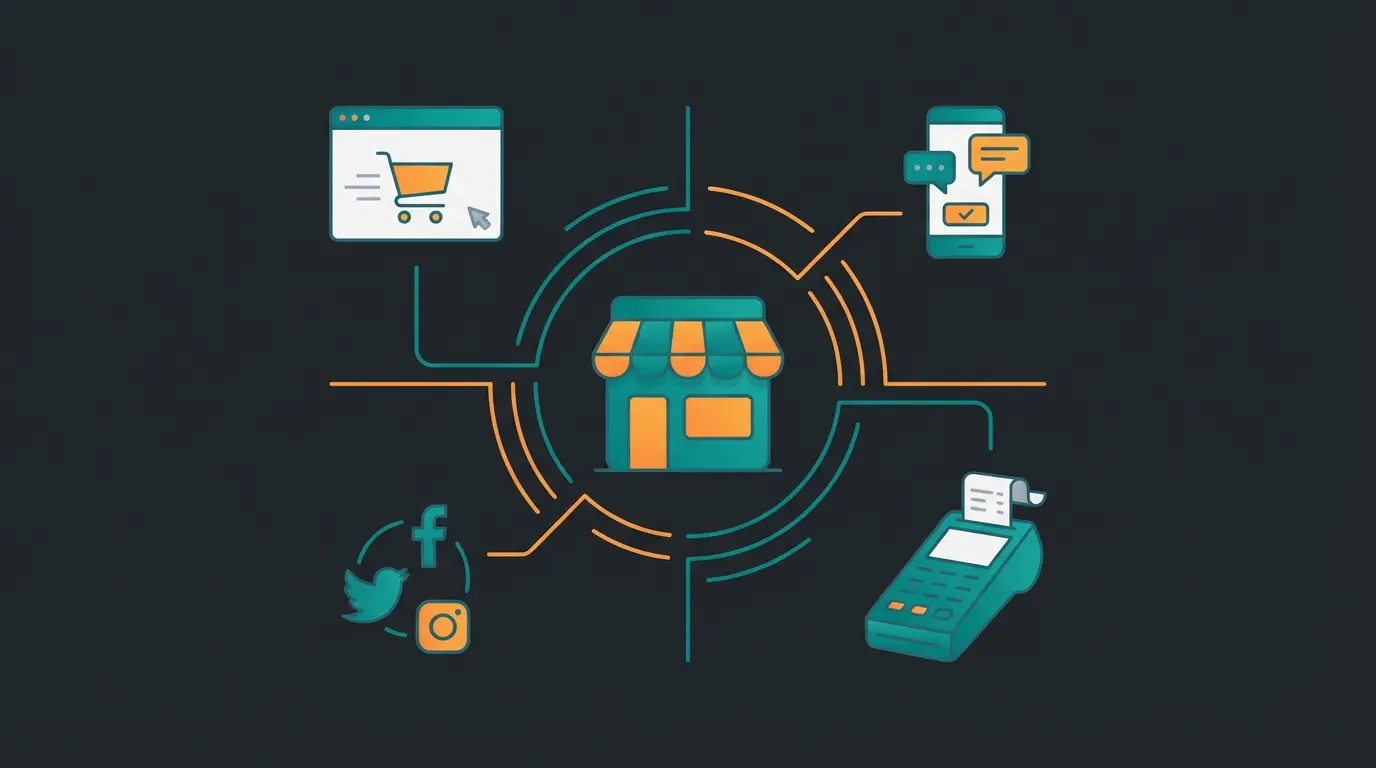
Shopify is not just a website builder. It is a complete commerce operating system. You can sell physical and digital products, offer subscriptions, run a point-of-sale system in retail locations, sell through social media channels like Instagram and TikTok, and process wholesale orders through Shopify Plus. The platform generated $292 billion in gross merchandise volume in 2024 alone, making it one of the largest commerce engines in the world (Official Shopify Website).
Gross merchandise volume processed annually
Of all United States ecommerce transactions
Global availability across regions
In the Shopify App Store, up 27% year-over-year
What separates Shopify from building a custom store is speed to market. A complete beginner can have a functioning, payment-ready storefront live within a few hours. That speed does not come at the expense of depth. Shopify scales from a single-product side project on the $5/month Starter plan all the way to enterprise operations processing millions of orders on Shopify Plus. The company went public on the NYSE in 2015 and has since grown to a market capitalization exceeding $226 billion (March 2026). For a full company history, see Shopify on Wikipedia.
The broader Shopify ecosystem extends well beyond the core platform. Shopify Capital provides funding to merchants based on their sales data. Shopify Markets simplifies international selling with multi-currency, local payment methods, and duties calculation. Shopify Fulfillment Network handles warehousing and shipping for qualifying merchants. And Shop Pay, the accelerated checkout used by over 100 million buyers, consistently outperforms standard checkout flows on conversion rate. The ecosystem is designed so that the longer you stay on Shopify, the more integrated and efficient your operations become. For a deep dive into fulfillment logistics, carrier options, and warehouse optimization, read our Shopify Fulfillment Guide.
If you are completely new to ecommerce and want a detailed walkthrough of how the platform works, our What Is Shopify? The Complete Beginners Guide covers the fundamentals. It walks through account setup, dashboard navigation, and creating your first product listing.
Shopify pricing and plans
Shopify costs between $39 and $399 per month depending on the plan you choose, with an enterprise-grade Plus tier starting at $2,300 per month. Every plan includes a free 3-day trial, and Shopify currently offers the first three months at $1/month for new merchants (as of March 2026). If you commit to annual billing, all standard plans receive a 25% discount. The real question is not which plan is cheapest, but which plan matches your current order volume and growth trajectory.
| Plan | Monthly price | Annual price (per month) | Online credit card rate | Third-party gateway fee |
|---|---|---|---|---|
| Basic | $39 | $29 | 2.9% + $0.30 | 2.0% |
| Grow | $105 | $79 | 2.7% + $0.30 | 1.0% |
| Advanced | $399 | $299 | 2.5% + $0.30 | 0.6% |
| Plus | From $2,300 | From $2,300 | Custom rates | 0.2% |
The plan you choose affects more than the monthly subscription. Credit card processing rates drop with each tier, and the third-party gateway surcharge decreases significantly. On Basic, Shopify charges 2.0% on top of your payment processor's fees if you do not use Shopify Payments. On Advanced, that drops to 0.6%. For high-volume stores processing $50,000+ per month, this difference translates into thousands of dollars in savings annually.
Hidden costs are where most Shopify budgets go wrong. Premium themes cost $180 to $500. A custom domain runs $10 to $20 per year. Shopify Email is free for the first 10,000 emails per month, then $1 per additional 1,000. And the real expense is apps: most stores rely on 5 to 15 paid apps for functionality like advanced SEO, email marketing, reviews, and loyalty programs. Monthly app costs of $100 to $500 are common for established stores. For a full breakdown of every cost involved, our Shopify Costs guide covers pricing tiers, hidden fees, and total cost of ownership.
Shopify Plus is a different product entirely. It starts at $2,300/month on a minimum one-year term and includes 200 inventory locations, unlimited staff accounts, fully customizable checkout through Checkout Extensibility, and dedicated account management. Plus is built for businesses processing high volumes or needing advanced B2B, multi-currency, or automation capabilities. For current feature breakdowns, check the Current Shopify Pricing page directly.
Getting started: how to set up a Shopify store
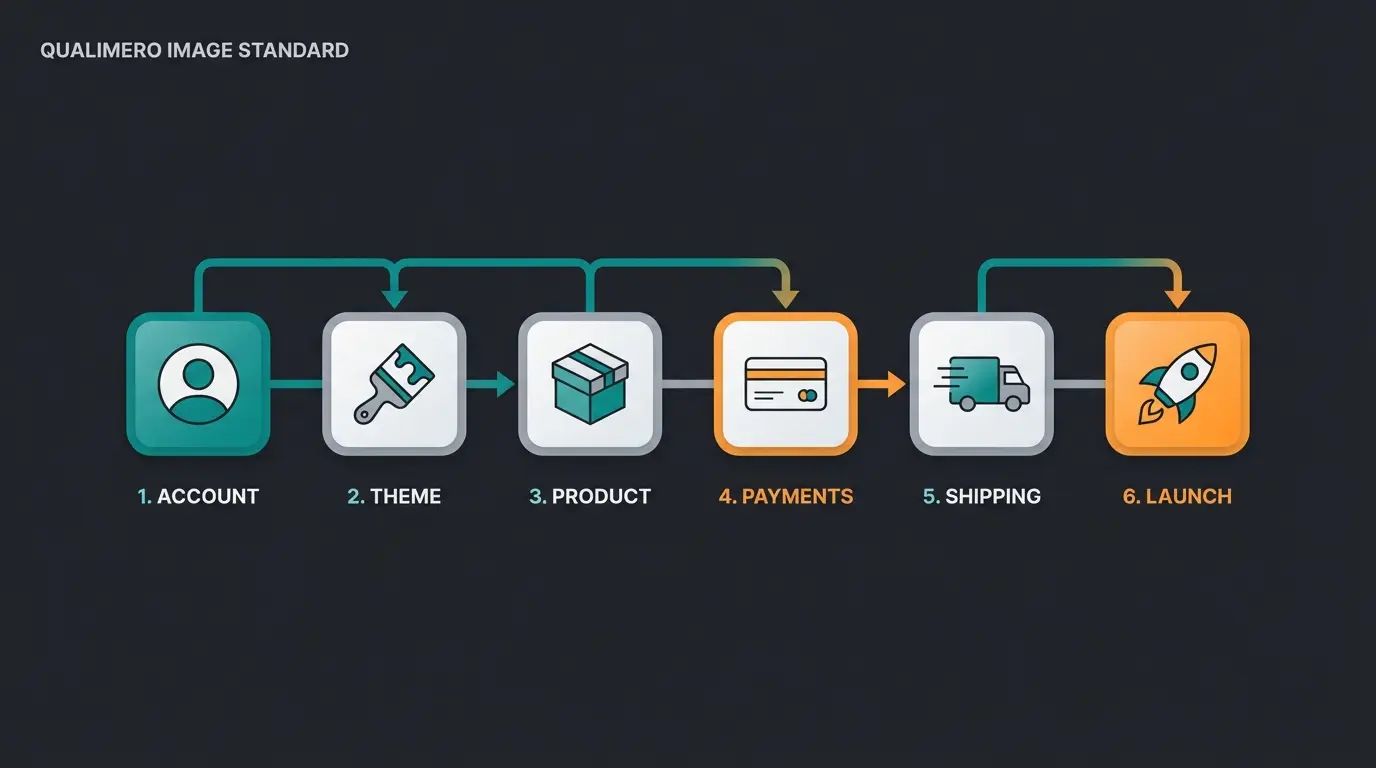
Setting up a Shopify store takes less time than most people expect. The platform guides you through each step, and the critical path from signup to a functioning store that accepts real payments is straightforward. The real decisions during setup are not technical. They are strategic: which products to list first, how to structure your catalog, and which payment provider to use.
Sign up for the free trial at shopify.com. No credit card required for the first three days.
Pick a free or premium theme from the Shopify Theme Store. Focus on mobile performance and conversion-optimized layouts.
Upload product images, write descriptions, set prices, and configure variants like size and color.
Activate Shopify Payments or connect a third-party provider. Configure tax settings for your selling regions.
Set shipping zones, rates, and carrier integrations. Shopify offers negotiated rates with major carriers like UPS and USPS.
Buy a domain through Shopify or connect an existing one. Review your store settings and go live.
Three decisions matter most during setup. First, your theme. Shopify offers about a dozen free themes that work well for most stores, but premium themes (starting around $180) provide more customization options and conversion-focused features. Our Shopify Themes guide compares the top options by speed, design flexibility, and price. Second, your payment setup. Using Shopify Payments eliminates the third-party gateway surcharge entirely, so unless you have a specific reason to use another processor, start there.
Third, your product data. Invest time in high-quality product images and detailed descriptions from day one. Stores with strong product content convert at significantly higher rates. Shopify supports up to 250 images per product, includes a built-in image editor, and offers 3D product model support. If your catalog has hundreds of products, use the CSV import tool to upload everything in bulk.
Two common setup mistakes worth avoiding: choosing a theme based on aesthetics alone while ignoring mobile performance, and overloading your store with apps from day one. Over 70% of Shopify orders come from mobile devices (Shopify, 2025). Test every theme on a phone before committing. Start lean with apps, add tools only when you hit a specific limitation that Shopify's built-in features cannot solve, and do not neglect Shopify SEO from the start.
Once the store is live, the work shifts from setup to optimization. Our guide to Shopify conversion rate optimization walks through the checkout, product page, and mobile fixes that lift revenue without buying more traffic.
Shopify apps and extensions
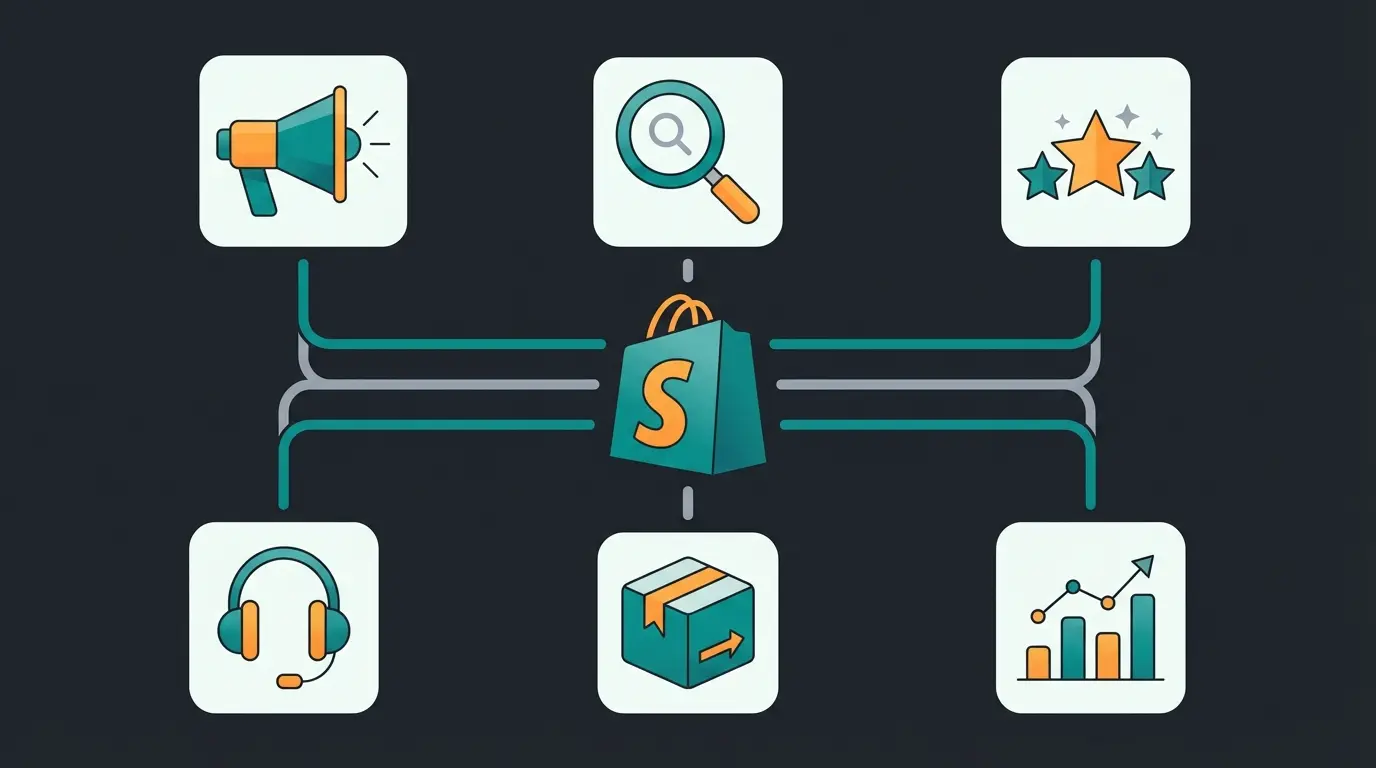
Shopify's App Store is the largest ecommerce app marketplace in the world. As of early 2026, it hosts over 12,300 apps across categories like marketing, SEO, customer service, inventory management, shipping, and analytics (DemandSage, 2026). That number grew 27% in a single year. The app ecosystem is one of Shopify's strongest competitive advantages, but it is also where costs compound if you are not deliberate about what you install.
- Marketing and email: Klaviyo, Omnisend, Shopify Email. Automated flows, SMS campaigns, and customer segmentation.
- SEO and content: SEO Manager, Smart SEO, JSON-LD for SEO. Technical SEO automation and schema markup generation.
- Reviews and social proof: Judge.me, Loox, Stamped. Product reviews, photo reviews, and trust badges.
- Customer service: Gorgias, Tidio, Re:amaze. Helpdesk ticketing, live chat, and AI-powered support.
- Inventory and fulfillment: Stocky, ShipStation, Shippo. Demand forecasting, multi-warehouse sync, and carrier rate comparison.
- Analytics and reporting: Triple Whale, Lifetimely, Google Analytics 4. Attribution modeling, lifetime value analysis, and conversion tracking.
Before reaching for apps, review what Shopify already provides natively. The platform now includes email marketing (Shopify Email, free for the first 10,000 emails per month), basic analytics and reporting, abandoned cart recovery, discount code management, and a built-in image editor. Many merchants install apps for functionality that Shopify has added to its core product. Check the built-in feature list for your plan tier before adding monthly app costs.
The practical reality is that most stores still need 5 to 15 apps to operate at full capacity. Free apps exist for every category, but the best tools typically cost $20 to $200 per month each. Budget accordingly. For a curated breakdown of must-have apps by use case and budget, read our Best Shopify Apps and Plugins guide.
Shopify for B2B and wholesale
Shopify's B2B capabilities have matured significantly since the platform introduced dedicated wholesale features on Shopify Plus. B2B ecommerce continues to grow at roughly 17% annually, and Shopify is positioning itself as a serious contender in this space. The platform now supports company accounts, customer-specific pricing, net payment terms, quantity rules, draft orders, and dedicated wholesale storefronts, all managed from the same backend as your direct-to-consumer store.
The key advantage is consolidation. Instead of running separate systems for retail and wholesale, Shopify Plus lets you manage both from a single dashboard. A retail customer sees standard pricing and a consumer checkout flow. A wholesale buyer, once their company account is approved, sees negotiated prices, minimum order quantities, and payment terms tailored to their agreement. This eliminates the data sync headaches and operational overhead of maintaining two separate platforms.
If your business sells to other businesses, whether exclusively or alongside a DTC channel, the investment in Plus can pay for itself through operational efficiency alone. Managing wholesale orders through a single system instead of juggling spreadsheets and email chains saves hours per week. For a detailed breakdown of Shopify's B2B features, pricing tiers, and implementation steps, read our Shopify B2B and Wholesale Guide.
Shopify brings the traffic. An AI employee converts it. Qualimero's AI product advisors have helped ecommerce stores achieve up to 7x higher conversion rates by guiding customers to the right product in real time.
Book a free demoDropshipping with Shopify
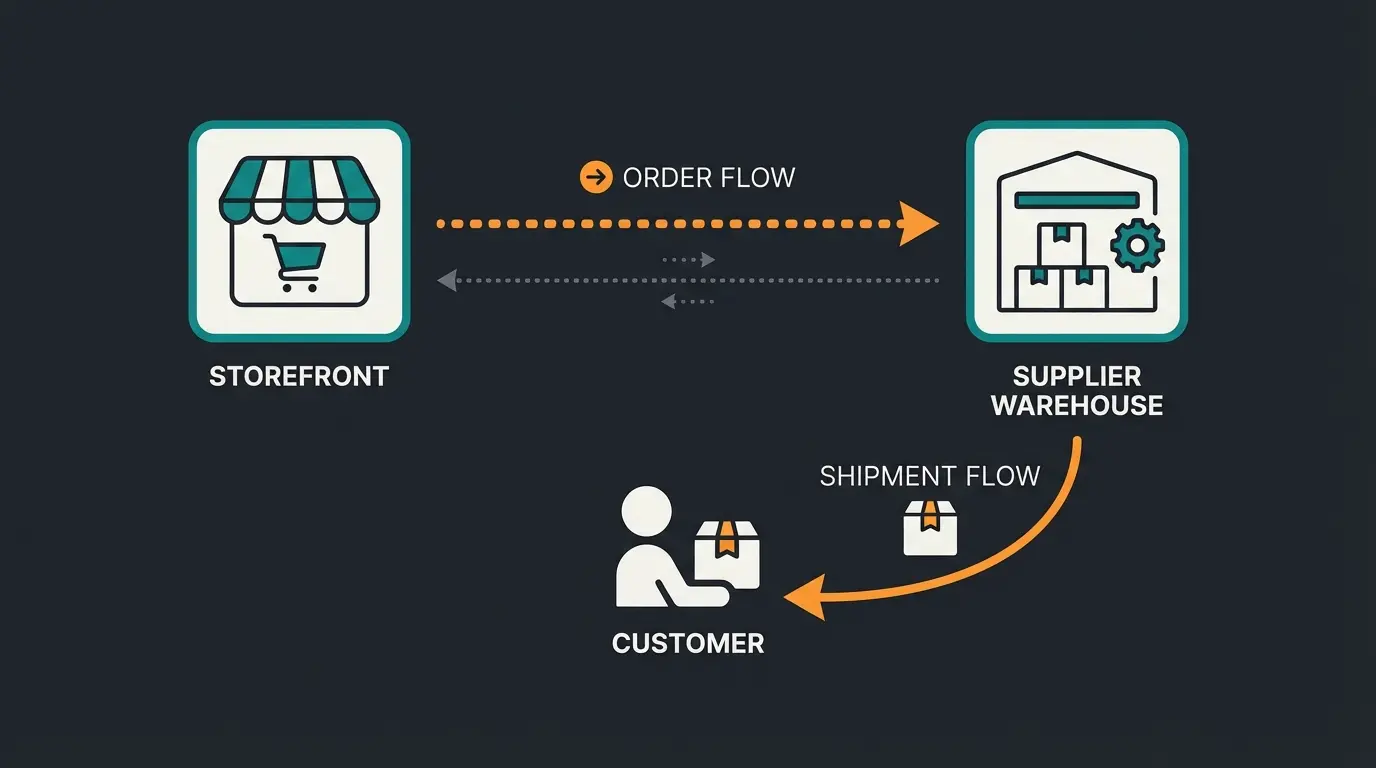
Shopify is the most popular platform for dropshipping businesses, and for good reason. The model, selling products without holding inventory, fits naturally with Shopify's app-driven architecture. You connect a supplier through a dropshipping app, list their products in your store, and when a customer places an order, the supplier ships directly to the buyer. Your margin is the difference between the retail and wholesale price.
The dropshipping workflow on Shopify depends heavily on your app choice. Each integration connects to different supplier networks, product categories, and shipping speeds. Here are the most widely used options:
- DSers: The largest AliExpress dropshipping integration. Best for general consumer products with high variety and low prices.
- Spocket: Focused on US and EU-based suppliers for faster shipping times. Higher product quality, better margins, and branded invoicing.
- Printful: Print-on-demand for custom apparel, accessories, and home goods. No inventory, no upfront cost, and fully integrated with Shopify.
- Zendrop: Automated fulfillment with branded packaging options and US-based warehouses for faster domestic shipping.
- CJ Dropshipping: Wide product range with warehouses in the US, EU, and China. Competitive pricing and custom sourcing options.
A realistic assessment: dropshipping margins are thin, typically 15% to 30%. The barrier to entry is low, which means competition is fierce in most product categories. Success depends on finding underserved niches, building a recognizable brand, and investing seriously in marketing and customer experience. Shopify makes the logistics and store management easy. The hard part is everything else.
For a detailed guide on building a high-conversion dropshipping store, including supplier vetting criteria, niche selection frameworks, and marketing strategies that actually work, read our Shopify Dropshipping Guide.
Inventory management and ERP integration
As a Shopify store grows beyond a few hundred orders per month, inventory management becomes the operational bottleneck most merchants underestimate. Shopify's built-in inventory tracking handles basic stock levels, low-stock alerts, and multi-location support for up to 10 locations (200 on Plus). But for businesses with complex supply chains, multiple warehouses, or high SKU counts, native tools reach their limits quickly.
This is where ERP integration becomes critical. Connecting Shopify to systems like NetSuite, SAP Business One, Microsoft Dynamics, or Xero syncs inventory, orders, accounting, and customer data across your entire operation. The goal is a single source of truth: one inventory count, one order pipeline, one set of financials. Without this, you end up with manual reconciliation, overselling, and fulfillment delays that erode customer trust. Most integrations rely on the Shopify API, which supports REST and GraphQL endpoints for full storefront and admin access.
| Capability | Shopify built-in | With ERP integration |
|---|---|---|
| Multi-location inventory | Up to 10 locations (200 on Plus) | Unlimited warehouses and suppliers |
| Demand forecasting | Basic low-stock alerts only | AI-powered demand planning and reorder points |
| Order routing | Manual assignment or basic rules | Automated fulfillment logic by location and cost |
| Accounting sync | Not included natively | Real-time sync with Xero, QuickBooks, or SAP |
| SKU management | Up to 100 variants per product | Unlimited variants and custom attribute fields |
The question of when to invest in ERP integration comes down to order volume and operational complexity. Under 200 orders per month with a single warehouse, Shopify's built-in tools are sufficient. Between 200 and 1,000 orders with multiple locations, a dedicated inventory app like Stocky (available on Shopify and Advanced plans) or Katana fills the gap. Above 1,000 orders or with a multi-channel supply chain, direct ERP integration becomes a necessity.
One pattern I see repeatedly with growing Shopify stores: they delay ERP integration until they are already drowning in manual processes. By the time a merchant reaches 500 orders per month across two or three channels, the cost of errors, overselling, and slow fulfillment already exceeds the cost of a proper integration. If you are growing and can see the trajectory, start evaluating ERP options before you hit the pain threshold.

Our Shopify Inventory Management and ERP guide compares the top solutions by price, features, and store size. It covers everything from Shopify's native tools to full enterprise ERP connectors and middleware platforms like Celigo.
Customer service on Shopify
Customer service is where most Shopify stores leave money on the table. The platform includes Shopify Inbox for live chat, automated order status updates, and basic response templates. For stores handling fewer than 50 inquiries per day, these tools cover the basics. Beyond that threshold, third-party helpdesk integrations like Gorgias, Zendesk, or Re:amaze become necessary to manage volume without burning out your team.
The more interesting shift happening in ecommerce right now is AI-powered customer service. Not the rule-based FAQ widgets that answer three questions and then route everything to a human. AI employees that understand your full product catalog, remember returning customers, and guide visitors through purchase decisions in natural conversation. The difference in outcomes is measurable. Our clients running AI-powered product consultation on Shopify stores have seen dramatic results. Gartenfreunde, a garden products retailer handling up to 50 consultation-intensive inquiries per day with a single employee, saw a 7x higher conversion rate after deploying AI employee Kira. Rasendoktor, a lawn care specialist drowning in 2,000 to 3,000 seasonal inquiries, automated 100% of webchat consultations and achieved a 16x ROI with AI employee Hektor (Gartenfreunde case study, Rasendoktor case study).
What makes AI customer service fundamentally different from traditional live chat is scale without quality loss. A human support agent handles one conversation at a time and needs breaks, training, and supervision. An AI employee handles hundreds of simultaneous conversations at consistent quality, around the clock, in multiple languages. For Shopify stores with international customers across time zones, this is not a luxury. It is the only way to provide real-time product consultation at scale. For a broader look at how artificial intelligence enhances Shopify operations beyond customer service, read our guide to AI tools for Shopify.
The cost of not investing in customer service is invisible but real. Every unanswered pre-sale question is a lost conversion. Every slow response during peak hours pushes a buyer toward a competitor. And every post-sale issue handled poorly erodes lifetime value. For a complete breakdown of Shopify customer service options, from built-in features to AI-powered solutions, read our Shopify Customer Service Guide.
Qualimero's AI employees provide real-time product consultation to every visitor, around the clock. No scripts, no rigid flows, no waiting in queues. Rasendoktor achieved a 16x ROI. Gartenfreunde saw 7x higher conversion rates.
See how it worksShopify agencies and expert help
There comes a point where doing everything yourself costs more than hiring someone who has done it a dozen times before. Shopify's Partner ecosystem includes thousands of certified agencies and freelancers specializing in design, development, migration, and marketing. The question is not whether agencies exist. The question is when you actually need one and how to avoid overpaying for work you could handle in-house.
- Store migration: Moving from WooCommerce, Magento, or another platform involves data migration, URL redirects, SEO preservation, and design adaptation. An experienced agency reduces downtime and data loss risk significantly.
- Custom theme development: When off-the-shelf themes cannot match your brand requirements or conversion goals, custom builds are the path forward. Budget $10,000 to $50,000+ depending on complexity.
- Shopify Plus implementation: Plus stores with B2B functionality, multi-currency setups, and custom checkout requirements typically need agency support for initial architecture and integration.
- Ongoing optimization: Conversion rate optimization, technical SEO, and marketing management for stores generating $1M+ in annual revenue. The ROI on expert optimization scales with your revenue.
Agency pricing varies enormously. A basic Shopify setup from a freelancer might cost $2,000 to $5,000. A full custom Shopify Plus build from a top-tier agency runs $50,000 to $200,000 or more. The Shopify Partner Directory is the starting point for finding certified professionals, but referrals and documented case studies from stores in your industry matter more than platform certifications or badge counts.
One thing I always tell store owners looking for agencies: ask for three references from stores similar to yours in size and complexity. A portfolio full of beautiful designs tells you about their aesthetic skills. References tell you about their communication, their ability to hit deadlines, and how they handle problems when things inevitably go sideways during a migration or launch. That is the information that actually protects your investment.
For guidance on evaluating agencies, reading proposals critically, understanding what realistic timelines look like, and avoiding the most common pitfalls, read our How to Find the Right Shopify Agency.
Shopify pros and cons
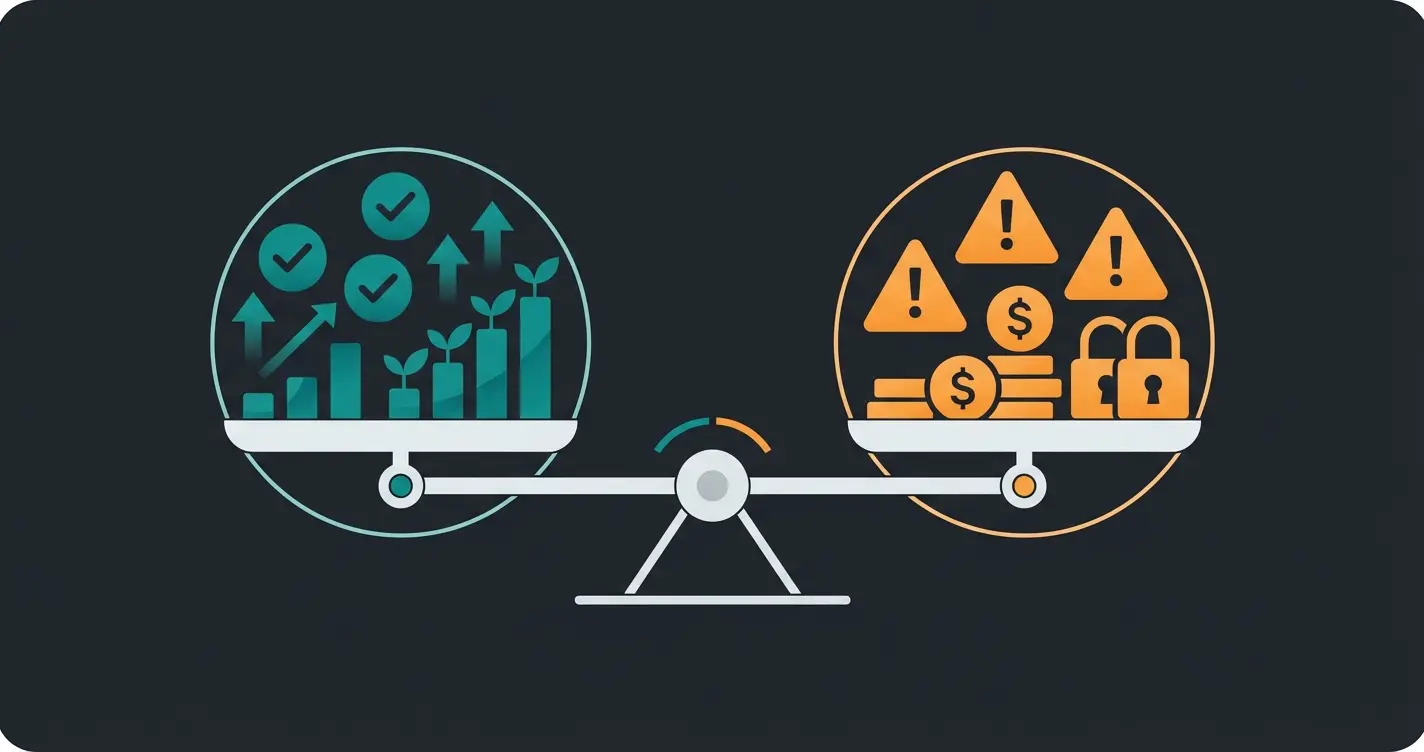
The biggest disadvantage of Shopify is the total cost of ownership once you factor in apps, transaction fees, and premium themes. While the base subscription starts at $39/month, a fully functional store with essential apps, a custom theme, and third-party payment processing can easily cost $200 to $500 per month. Shopify also charges additional transaction fees of 0.5% to 2.0% when merchants do not use Shopify Payments, a cost that most competitors, including WooCommerce and BigCommerce, do not impose.
| Pros | Cons |
|---|---|
| Easiest setup of any major ecommerce platform: store live in hours | Transaction fees on third-party payment gateways (up to 2.0%) |
| 12,300+ apps for every ecommerce need imaginable | App dependency: most stores need 5-15 paid apps, costing $100-$500/month |
| Built-in hosting, security, SSL, and automatic updates included | Limited customization compared to open-source platforms like WooCommerce |
| Multi-channel selling: web, mobile, POS, social media, marketplaces | Three product options limit requires workarounds for complex product catalogs |
| Scales from $5/month Starter to enterprise Shopify Plus | Vendor lock-in: migrating data and design away from Shopify is difficult |
| Shopify Payments eliminates all third-party transaction fees | Shopify Payments is not available in every country |
| 70% of orders from mobile with checkout optimized for conversion | Theme switching can break content and require partial store rebuilds |
Shopify processes payments natively through Shopify Payments, which is powered by Stripe. This eliminates the third-party gateway surcharge and gives you the lowest processing rates on each plan. WooCommerce requires you to set up your own payment processor through plugins, offering more choice but more complexity. BigCommerce also charges zero platform transaction fees regardless of gateway. The practical differentiator: Shopify's checkout consistently converts at higher rates than most competitors, which the company attributes partly to Shop Pay, its accelerated checkout used by over 100 million buyers globally.
Is Shopify safe to buy from? Yes. Shopify is PCI DSS Level 1 compliant, the highest level of payment security certification in the industry. Every store receives a free SSL certificate, and Shopify's infrastructure handles DDoS protection and fraud analysis natively. The platform itself is secure. For merchants selling in Germany or the EU, setting up a compliant Shopify Impressum is a legal requirement worth handling early.
Is Shopify worth it? For businesses that value speed to market, operational simplicity, and a proven high-converting checkout experience, yes. For businesses that need deep customization, full source code ownership, or want to avoid any form of vendor lock-in, WooCommerce, Medusa, or a headless commerce setup may be a better fit. There is no universally correct answer. There is only the right answer for your specific business at its current stage.
One comparison worth noting: Shopify charges transaction fees on third-party gateways while BigCommerce charges zero platform transaction fees regardless of which payment processor you use. WooCommerce also charges zero platform fees since you own the software. However, Shopify's native Shopify Payments (powered by Stripe) eliminates this surcharge entirely, and its credit card rates are competitive with standalone Stripe pricing. The total payment cost depends on your gateway choice, plan tier, and monthly volume.
For context on market positioning: Shopify holds a 30% share of the US ecommerce platform market and 10.56% globally (DemandSage, 2026). WooCommerce leads in total installations but trails Shopify in GMV processed. BigCommerce holds a smaller market share but targets mid-market and enterprise B2B merchants with stronger native features. Wix and Squarespace compete at the lower end with simpler tools and lower price points, but lack the depth for serious ecommerce operations. Our Shopify Alternatives guide compares the top competitors in detail.
For enterprise merchants evaluating Shopify Plus against legacy platforms like Adobe Commerce, the decision comes down to pricing, extensibility, hosting models, and total cost of ownership.
Conclusion: who should use Shopify?
Shopify is the right platform for businesses that want to sell online without building and managing their own infrastructure. That includes first-time store owners launching a side project, growing direct-to-consumer brands scaling from $10K to $10M in annual revenue, dropshippers who need to test products fast, and B2B wholesalers consolidating retail and wholesale operations into a single system. The platform handles the technical complexity so you can focus on products, marketing, and customer relationships.
Shopify is not the right choice if you need full source code access, want to eliminate all vendor dependency, or have a development team that prefers working with open-source solutions. In those cases, WooCommerce on managed WordPress hosting or a headless setup with Medusa or Saleor gives you more control at the cost of more operational responsibility.
I have seen enough ecommerce operations to know that platform choice matters less than most people think. What matters more is execution: your product quality, your customer experience, your marketing, and how fast you respond when something breaks. Shopify removes the technical friction so you can focus on those things. That is its real value proposition.
For the majority of ecommerce businesses, Shopify delivers the best balance of simplicity, scalability, and ecosystem support available today. That is the standard. But more traffic to your Shopify store is only half the equation. Converting visitors into buyers is where most stores hit a ceiling. An AI employee from Qualimero advises every visitor individually, answers product questions in real time, and has helped ecommerce stores increase conversion rates by up to 7x and achieve 16x return on investment.
See how an AI employee works inside your Shopify store. Rasendoktor achieved a 16x ROI and 100% webchat automation. Gartenfreunde saw a 7x higher conversion rate and 45% click-through on product recommendations. No scripts, no flows, just intelligent product consultation.
Book a free demoFrequently asked questions about Shopify
Shopify is used to create and run an online store that can sell physical and digital products, manage inventory, process payments, and sell across multiple channels including web, mobile, social media, and in-person retail. It is a fully hosted platform, meaning Shopify handles all technical infrastructure. Over 5.5 million businesses worldwide use Shopify as of 2026.
Shopify plans start at $39/month for Basic, $105/month for Grow, and $399/month for Advanced. Shopify Plus starts at $2,300/month for enterprise needs. All standard plans offer a 25% discount with annual billing. Factor in additional costs for apps ($100-$500/month for most stores), premium themes ($180-$500), and transaction fees if you do not use Shopify Payments.
The main disadvantages are transaction fees on third-party payment gateways (0.5% to 2.0% on top of processing fees), app dependency that increases monthly costs, limited customization compared to open-source alternatives, and vendor lock-in that makes migration difficult. For high-volume stores, these additional costs can be significant.
No. Shopify is an independent, publicly traded company (NYSE: SHOP) headquartered in Ottawa, Canada. It was founded by Tobias Lütke, Daniel Weinand, and Scott Lake in 2006. Shopify and Amazon are competitors in the ecommerce space, though Shopify does offer an Amazon sales channel integration for merchants who want to sell on both platforms.
Yes, but success depends on your product, marketing, and execution rather than the platform itself. Shopify merchants generated $292 billion in gross merchandise volume in 2024. However, the estimated average store success rate is 5% to 10%. Profitable stores typically combine a strong niche, effective paid and organic marketing, and solid unit economics.
It depends on your priorities. Shopify is easier to use, faster to set up, and requires zero technical server maintenance. WooCommerce offers deeper customization, full code ownership, zero platform transaction fees, and lower base costs if you already run WordPress hosting. Shopify is the better choice for most non-technical merchants. WooCommerce is better for developers and content-driven ecommerce sites.
No. Shopify is designed for non-technical users and provides a visual drag-and-drop editor for store customization. You can launch and operate a fully functional store without writing a single line of code. For advanced customization, Shopify uses Liquid as its templating language, but that level of modification is optional and typically handled by developers or agencies.
Shopify is widely considered the most beginner-friendly ecommerce platform available. It offers a guided setup process, 24/7 customer support, extensive documentation, and a large active community. Most beginners can have a functioning store live within a few hours. The platform scales with your needs, so you start simple and add complexity as your business grows.
Shopify stores meet the highest level of payment security standards (PCI DSS Level 1 compliance). Every store includes a free SSL certificate, and Shopify provides built-in fraud analysis tools. The platform infrastructure is secure. However, as with any online marketplace, individual store trustworthiness varies, so check reviews and return policies before purchasing.

Lasse is CEO and co-founder of Qualimero. After completing his MBA at WHU and scaling a company to seven-figure revenue, he founded Qualimero to build AI-powered digital employees for e-commerce. His focus: helping businesses measurably improve customer interaction through intelligent automation.