Why You're Losing Up to 40% of Revenue Without Klarna
Imagine a customer standing in your physical store. They're holding your premium product – let's say a high-end e-bike or an exclusive furniture piece priced at €1,500. They want it. Their eyes are shining. But then their gaze wanders to the price tag. The excitement fades, they put the product back and mutter: "Maybe next month."
In e-commerce, this happens thousands of times every day. Cart abandonment is the silent killer of your revenue.
In Germany, the situation is even more specific: We're a nation of "invoice buyers." While PayPal is the most popular payment method, invoice payment holds a stable second place with a market share of approximately 26.7% according to EHI Retail Institute. Even more interesting is the trend in installment payments (BNPL - Buy Now, Pay Later): This share has nearly doubled in recent years as reported by Retail News Germany.
If you don't offer Klarna (or a comparable solution) in your WooCommerce store, you're effectively ignoring the payment preferences of a quarter of your potential customers. For a deeper comparison of platform capabilities, check out our Shopware vs WooCommerce analysis.
But this article isn't a dry installation guide.
We're going a step further. Most guides show you how to install the plugin. We show you how to sell with it. We reveal a strategy we call the "Conversion Duo": The combination of AI-powered purchase consultation (to eliminate product doubts) and Klarna installment payments (to eliminate price pain).
Read on to discover how to not just technically integrate WooCommerce Klarna but strategically leverage it to massively increase your Average Order Value (AOV).
Part 1: Why Klarna? The Psychology Behind Invoice Payments
Before we dive into the technical depths of WooCommerce Klarna plugin installation, we need to understand the "why." Technology without strategy is useless.
The "Pain of Paying" Effect
Behavioral economics studies show that spending money activates similar brain regions as physical pain. For high amounts (high-ticket items), this pain is so significant that it overshadows the joy of purchase.
Klarna acts as a painkiller here:
- Invoice Payment: Separates consumption from payment. The customer receives the goods before the money leaves their account. This creates trust – currency number one in German e-commerce.
- Installment Payment (Slice It): Breaks down a "painful" amount of €1,000 into digestible chunks of €45 per month. Suddenly, the expensive product seems affordable.
Data from the German Market (2024/2025)
Current studies from EHI Retail Institute and Stores Shops confirm the dominance of flexible payments:
Most popular payment method (slightly declining)
Second place, steadily growing
Strong growth in high-ticket segment
Conclusion: Anyone who ignores WooCommerce installment payments actively excludes customers who are willing to buy but either aren't currently liquid or simply prefer the security of invoice payment. Understanding these dynamics is crucial, similar to how AI chatbots are transforming e-commerce by addressing customer needs proactively.
Part 2: Integration Strategy - Direct Plugin vs. Mollie
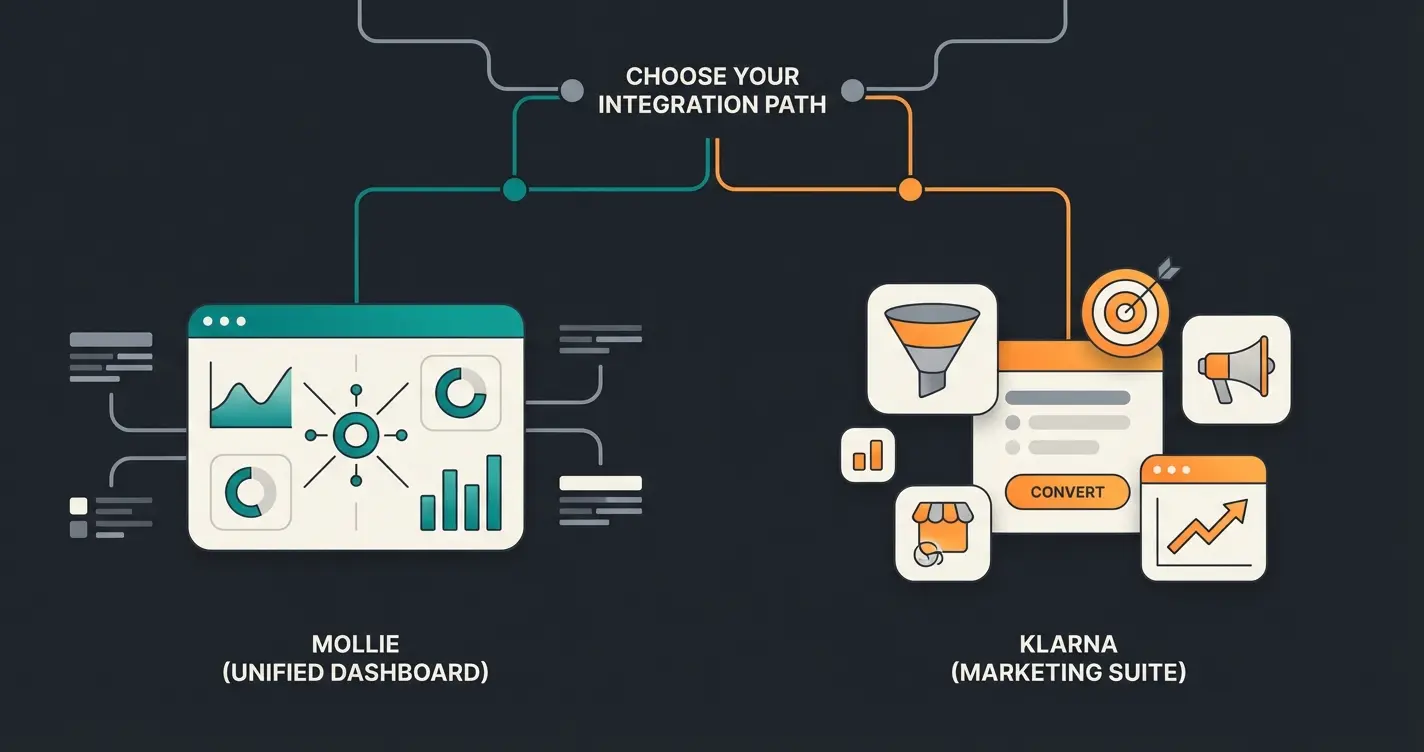
When you search for "WooCommerce Klarna," you quickly encounter a fundamental question: Should I use the official plugin or go through a Payment Service Provider (PSP) like Mollie?
Here's the decision guide for the German market:
Option A: The "All-Rounder" – Mollie
Mollie is an extremely popular PSP in Europe.
- Advantages: One single plugin for everything (PayPal, credit card, Klarna, Apple Pay). One central dashboard for refunds and accounting. Very stable.
- Disadvantages: Sometimes lacks the very latest marketing features from Klarna (like the newest On-Site Messaging widgets), as Mollie must implement these first according to Mollie documentation.
- Recommendation: For shops with many small transactions that want a "worry-free package."
Option B: The "Power Tool" – Official Klarna Payments Plugin
Developed by Krokedil in collaboration with Klarna.
- Advantages: Offers the deepest integration. Supports features like On-Site Messaging (crucial for our strategy!), Express Checkout, and "Sign in with Klarna" immediately as documented by Krokedil.
- Disadvantages: You need separate plugins for other payment methods (e.g., Stripe or PayPal), which slightly increases maintenance overhead.
- Recommendation: For high-ticket shops and growth brands. We base this guide on this option because we need the marketing features for revenue growth.
| Feature | Mollie | Official Klarna Plugin |
|---|---|---|
| Setup | Very easy (1 account) | Medium (Klarna Merchant Account required) |
| Stability | Very high | High (regular updates) |
| On-Site Messaging | Basic support | Full support & customization |
| Costs | Transaction fee | Transaction fee (direct to Klarna) |
| Target Audience | Generalists | Marketing-focused shops |
Part 3: Step-by-Step Installation Guide
We focus here on the official plugin ("Klarna Payments for WooCommerce") as documented on WordPress.org, since it brings the necessary marketing tools.
Prerequisites
- SSL Certificate: Mandatory requirement.
- PHP Version: Minimum 7.4 (preferably 8.0+).
- Klarna Merchant Account: You must register with Klarna as a merchant and get approved.
- WooCommerce Settings: Ensure your currency is set to Euro (EUR) and decimal places are correctly configured (2 places) as specified in the WooCommerce documentation.
Step 1: Plugin Installation
- Go to your WordPress dashboard.
- Navigate to Plugins > Add New.
- Search for "Klarna Payments for WooCommerce" (Author: Klarna / Krokedil).
- Click Install and then Activate.
Step 2: Establish API Connection
This is the step where most people fail. Klarna distinguishes between "Playground" (test mode) and "Production" (live).
- Log into the Klarna Merchant Portal.
- Go to Settings > API Credentials.
- Click "Create New API Credentials".
- Download the file containing `Username` (UID) and `Password`. Important: Store these securely – the password is only displayed once!
- Switch back to WordPress: WooCommerce > Settings > Payments > Klarna Payments.
- Select your location (e.g., "Europe" or "Germany").
- Enter the API data in the corresponding fields.
- Enable "Test Mode" if you want to test first (you'll need separate Playground credentials for this!).
Step 3: Configure Payment Methods
In the plugin, you can control which options appear at checkout:
- Pay Now: Direct debit, instant transfer, card.
- Pay Later: The classic invoice payment (30 days). Must-have for Germany!
- Slice It (Installment Payment): Financing over 6, 12, 24 months.
Part 4: The Secret Weapon - Klarna On-Site Messaging
This is where the wheat separates from the chaff. Most shops hide installment payment information in the checkout. That's too late! The customer has already seen the €1,500 price tag and may have mentally checked out.
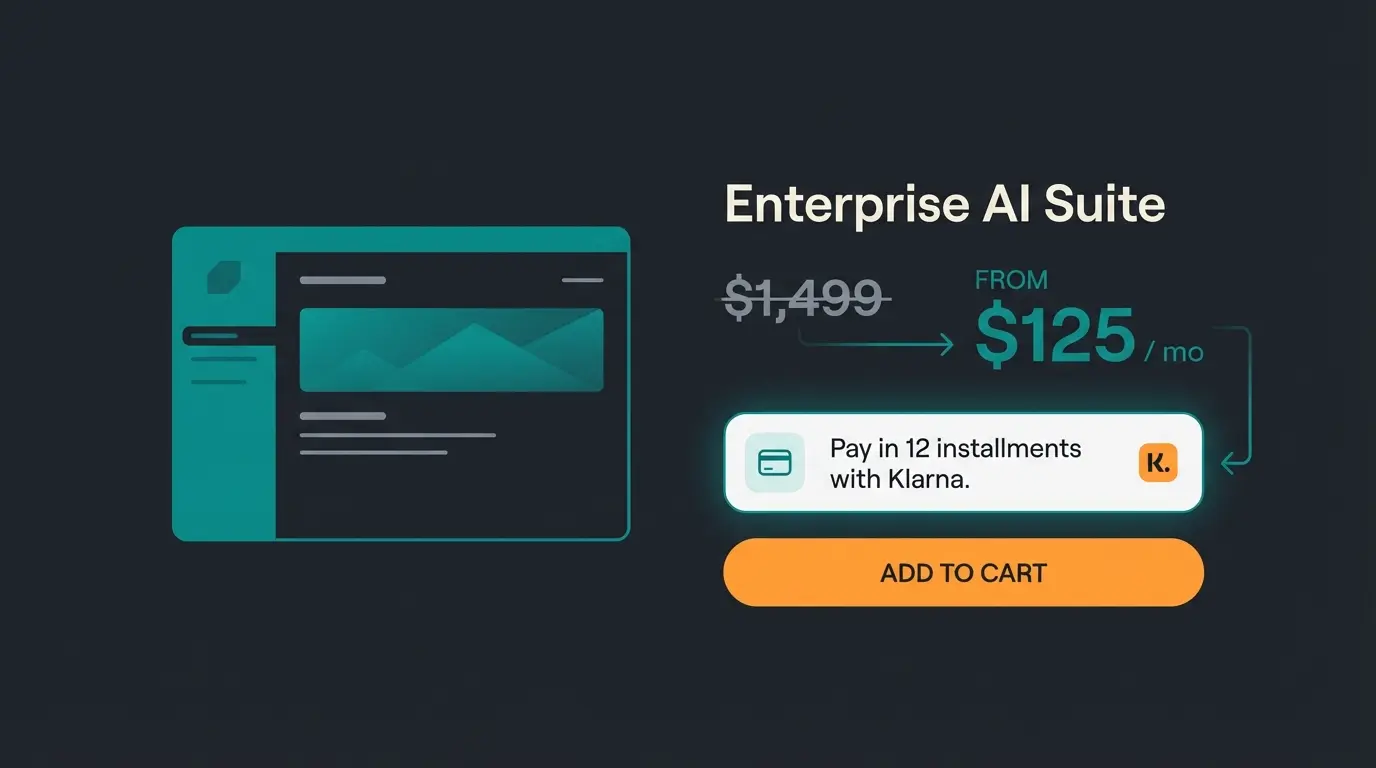
On-Site Messaging brings financing information directly to the product page. Instead of "€1,500," the customer sees: "Or €45.00/month with Klarna."
Why On-Site Messaging Works
It leverages the Anchoring Effect. The customer anchors on the low monthly amount as the reference price, not the high total price. This drastically reduces purchase hesitation. For similar conversion optimization strategies, explore how AI consultation boosts customer engagement.
Setting Up On-Site Messaging in WooCommerce
Since version 3.5.0, OSM is directly integrated into the main plugin as confirmed by Klarna documentation, which simplifies things considerably.
- Find Your Client ID: In the Klarna Merchant Portal under Conversion Boosters > On-site messaging > Integration. Copy the `Client ID`.
- Insert in WooCommerce: Go to WooCommerce > Settings > Payments > Klarna Payments. Scroll to the "On-Site Messaging" section. Paste the Client ID.
- Choose Placement (The Critical Part): The plugin offers standard placements (e.g., `woocommerce_single_product_summary`). Recommendation: Place the widget directly below the price and above the "Add to Cart" button. Select the "Light" or "Dark" theme in the dropdown to match your shop design.
Custom Placement for Advanced Users
If your theme (e.g., Divi, Elementor, Avada) doesn't use the standard hooks, you can use shortcodes or customize placement via action hooks as documented on GitHub and Krokedil support.
Shortcode Example: `[onsite_messaging data-key="credit-promotion-small" data-purchase-amount=""]`
Note: Leave `data-purchase-amount` empty so the plugin dynamically pulls the product price.
Combine AI-powered product consultation with smart payment options. Our platform helps customers find the right product AND shows them affordable monthly payments.
Start Your Free TrialPart 5: The "Conversion Duo" Strategy
Now we bridge the gap that's missing from search results. We've lowered the financial hurdle with Klarna. But what about product uncertainty?
For high-ticket products (e.g., technical devices, luxury goods), "affordable" isn't enough. The customer must be certain it's the right product. This is where AI-driven consultation becomes essential.
The Scenario
A customer is interested in an espresso machine for €900.
Visitor lands on product page, sees €900 price tag, feels uncertain about features and fit
Intelligent chatbot proactively offers help: "Unsure which machine is right for you? I can help."
Customer asks: "Is it hard to clean?" AI provides detailed, honest answers based on product data
AI concludes: "By the way, with Klarna this costs only about €30/month – less than a daily espresso at the café."
Trust built + budget verified = purchase completed with Klarna installment payment
Old World vs. Conversion Duo World
Old World: The customer reads the specs. They see €900. They're unsure if the machine is suitable for beginners. They go to Google/YouTube. They never return.
The "Conversion Duo" World:
- Step 1 (AI Consultant): A chatbot (trained on your product data) pops up: "Unsure which machine fits? I'll help you."
- Step 2 (Consultation): The customer asks: "Is it hard to clean?" The AI answers honestly and in detail.
- Step 3 (The Close): The AI doesn't end the consultation with "Buy here" but with: "By the way, this model costs you only about €30 per month with Klarna. That's less than one espresso per day at the café."
You combine rational certainty (AI consultation) with financial feasibility (Klarna). You take away every reason for the customer to say "no." This approach mirrors strategies used in AI Product Consultation implementations across industries.
For those exploring different platforms, our WooCommerce vs Shopify comparison provides insights on payment integration capabilities across systems.
Part 6: German Market Specifics and Troubleshooting
The German market is strictly regulated and technically specific. Here are the most common stumbling blocks when integrating Klarna WooCommerce in Germany.
6.1 Germanized and German Market Plugin Compatibility
Almost every German shop uses "Germanized for WooCommerce" or "German Market" to ensure legal compliance. There are known conflicts, particularly with the "Buy" button solution as documented in Krokedil's support documentation.
- The Problem: Customer clicks "Buy," gets redirected to Klarna, comes back, and lands in an endless loop or doesn't see the "Confirm Order" page.
- The Cause: German plugins often force an intermediate page ("Order Overview") that interrupts Klarna's checkout flow (especially with Klarna Checkout, less so with Klarna Payments).
- The Solution: In Germanized: Deactivate features that manipulate the checkout flow, or use the "Force Klarna Compatibility" setting (if available). In German Market: Check settings under "Checkout Template." Often, forcing the German Market template must be disabled for the Klarna widget to load correctly.
For more insights on platform-specific integrations, see our Klarna integration guide for Shopware implementations.
6.2 Currency Issues
Klarna is extremely particular about currencies.
- Error: Klarna payment methods don't appear at checkout.
- Check: Is the shop currency EUR? Does the customer's country match the currency? A customer from Switzerland (CHF) often can't be served with a EUR account from Klarna unless you've correctly configured Multi-Currency (e.g., with Aelia Currency Switcher, which is compatible) according to WooCommerce currency documentation and Krokedil multi-currency support.
6.3 Rounding Differences (Tax Rounding)
WooCommerce and Klarna sometimes calculate taxes differently (per line vs. per total).
- Solution: Go to WooCommerce Settings > Tax. Set "Rounding" to "Round tax at subtotal level" (disable line-by-line rounding) to avoid discrepancies.
6.4 Refunds
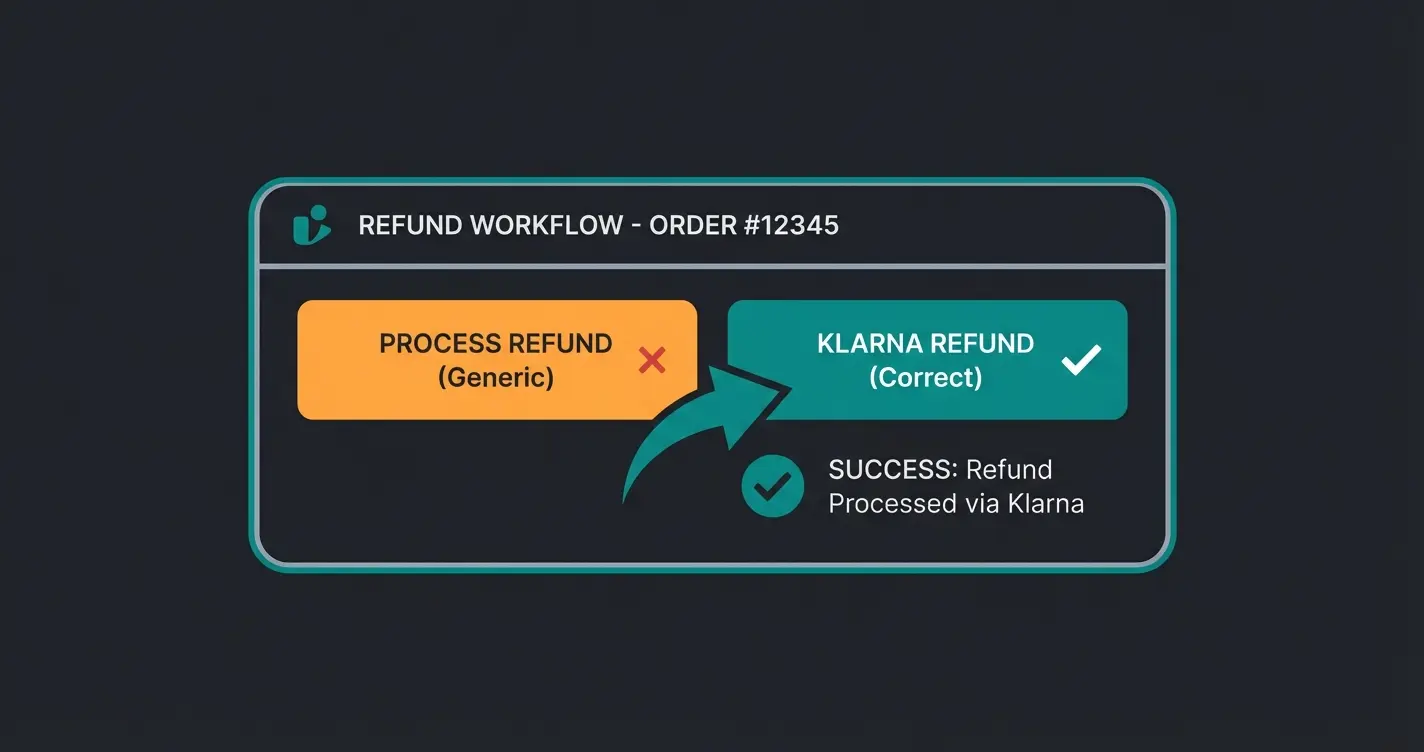
A major advantage of the integration: You don't need to log into Klarna to issue refunds.
- Go to WooCommerce > Orders.
- Select the order.
- Click "Refund".
- Enter quantity/amount.
- IMPORTANT: Click the "Refund via Klarna Payments" button (not the manual refund button!). The plugin sends the command directly to the Klarna API as explained in WooCommerce refund documentation and Klarna merchant support.
Part 7: Payment Provider Comparison Table
To solidify your decision, here's a direct comparison of the major players for the German market.
| Feature | Klarna (via Plugin) | PayPal Installments | Stripe (Klarna Integration) |
|---|---|---|---|
| Market Share DE | High (Invoice #2) | Very High (Wallet #1) | Medium (Backend Tech) |
| On-Site Messaging | Excellent (Dynamic) | Available (Banner) | Basic |
| Payout | Per contract (often weekly) | Immediate (to PayPal account) | Rolling (e.g., 3-7 days) |
| Fees | Variable + fixed fee (often higher) | Part of PayPal fees | Stripe fee + Klarna surcharge |
| B2B Support | Limited | Limited | Possible |
| Conversion Impact | Very high for high-ticket | High (Trust) | Medium (Invisible) |
Analysis: PayPal is indispensable for the mass market. But for targeted high-ticket strategies, Klarna offers better leverage for AOV through aggressive On-Site Messaging and flexible installment control ("Slice It").
For businesses requiring deeper backend integration, our WooCommerce ERP guide covers how payment data flows into enterprise systems.
AI Compliance Considerations for E-Commerce
When implementing AI-powered consultation alongside payment solutions, it's important to consider regulatory frameworks. The EU AI Act 2024 introduces requirements that may affect how AI chatbots interact with customers during the purchase journey. Ensure your AI consultation tools are transparent about their nature and provide accurate product information.
For platform-specific AI implementations, explore our guides on Shopware 6 chatbots and Shopify chatbot apps to understand best practices across different e-commerce systems.
Conclusion: Installation Isn't Enough – Integrate for Success
Integrating WooCommerce Klarna in 2025 is no longer an option but a necessity for every serious online shop in the DACH region. Germans' love for invoice payments and the growing acceptance of installment payments are trends you shouldn't fight against.
Summary of Action Steps
- Choose Your Path: Use the official plugin for maximum marketing power.
- Activate On-Site Messaging: Place installment information directly on the product. Make the total price less relevant.
- Think Strategically: Connect the payment method with proactive consultation (AI or FAQ) to deploy the "Conversion Duo" strategy.
- Check the Technology: Test extensively with "Germanized" or "German Market" to avoid checkout loops.
The technical effort takes perhaps 30 to 60 minutes. The strategic gain – customers who finally dare to click the "Buy" button on your premium product – is priceless.
Start today. Download the plugin, get your API keys, and transform "Too expensive" into "Purchased."
Frequently Asked Questions
Yes, you need a separate merchant agreement with Klarna. The terms depend on your sales volume and industry. The application process typically takes 1-2 weeks, and Klarna will assess your business model and product categories before approval.
Yes, but with restrictions. Invoice payment (Pay Later) is often reserved for physical goods since shipping proof is needed for risk protection. Instant transfer usually works without issues for digital products.
This is the beauty for you as a merchant: Klarna assumes the default risk (with appropriate contract terms). You receive your money immediately (minus fees), and Klarna handles collection from the customer.
The official plugin is performant since it loads much data asynchronously. However, be careful not to run multiple Klarna integrations simultaneously (e.g., Mollie AND the official plugin), as this leads to conflicts.
Klarna's B2B support is limited. While some business purchases are possible, the platform is primarily designed for B2C transactions. For B2B-focused stores, consider alternative payment solutions or contact Klarna directly about enterprise options.
Combine the power of AI product consultation with smart payment integration. Help customers find the perfect product and make it affordable with flexible payment options.
Get Started Free
Lasse is CEO and co-founder of Qualimero. After completing his MBA at WHU and scaling a company to seven-figure revenue, he founded Qualimero to build AI-powered digital employees for e-commerce. His focus: helping businesses measurably improve customer interaction through intelligent automation.