Why Shopware Themes Need to Be Consultation-Ready in 2025
A beautiful shop doesn't automatically sell. In an e-commerce world increasingly shaped by complex products and product ranges that require explanation, a Shopware theme in 2025 must deliver more than just good looks. It must be consultation-ready.
When you search for "Shopware themes," you'll mostly find lists that evaluate design and loading times. That's important, but it's missing the crucial component for the future of e-commerce: The ability to provide consultation.
With the upcoming release of Shopware 6.7 in May 2025 and the end of classic premium themes (like Shape or Cinema), the market is facing a major shift. According to sw-simplyworks.de, these legacy themes will no longer be supported. At the same time, AI-powered consultation tools like chatbots and digital buying advisors are massively changing frontend requirements, making AI product consultation more important than ever.
In this comprehensive guide, we analyze the top themes not only for page speed and aesthetics but also thoroughly examine their AI-readiness and suitability for consultation-intensive products.
Evaluation Criteria 2025: What AI-Readiness Actually Means
Before we dive into the individual themes, we need to define what a theme must deliver in 2025. The classic metrics (LCP, CLS, FID) remain essential for Google. According to erwinhofman.com, Core Web Vitals remain a crucial ranking factor. But for shops that sell complex products (e.g., technical components, medical devices, high-end bicycles), new factors come into play.
We evaluate themes according to the following four pillars:
1. Design & UX (Mobile First)
Does the theme work seamlessly on smartphones? Is the navigation ("Off-Canvas Menu") intuitive? Are the call-to-action buttons (CTA) located in the "thumb zone" (the area the thumb can easily reach)? These factors directly impact how effectively AI-powered guided selling can be implemented.
2. Performance (Core Web Vitals)
How clean is the code? Does the theme load unnecessary scripts? Shopware 6 is already performant, but themes can destroy this through overloaded features. Fast loading times are essential for both user experience and SEO rankings.
3. Consultation-Readiness & AI Integration (New)
This is our unique selling point in this comparison. A theme is "AI-Ready" when it meets specific technical requirements that enable seamless integration of modern consultation tools:
- Semantic HTML usage: AI crawlers and bots must be able to clearly identify product descriptions, attributes, and prices in the DOM (Document Object Model) to provide correct answers. This is crucial for consultative schemas to function properly.
- Screen real estate availability: Is there space for "floating widgets" (e.g., an AI advisor button) without covering the "Add to Cart" button or legal notices (cookie banners)?
- Information architecture: Does the theme support accordions for long FAQs or technical data sheets without making the page infinitely long?
4. German Legal Compliance (Legal Compliance)
How does the theme handle German-specific requirements? Does the Trusted Shops Badge overlap important elements on mobile? Are the base price specifications correctly placed? These considerations are especially important for shops operating under German e-commerce regulations.
Design, Performance, AI-Readiness, Legal Compliance
Available in top themes like ThemeWare
Average share requiring mobile-first design
European Accessibility Act compliance required
Market Overview: The End of Shopware Premium Themes
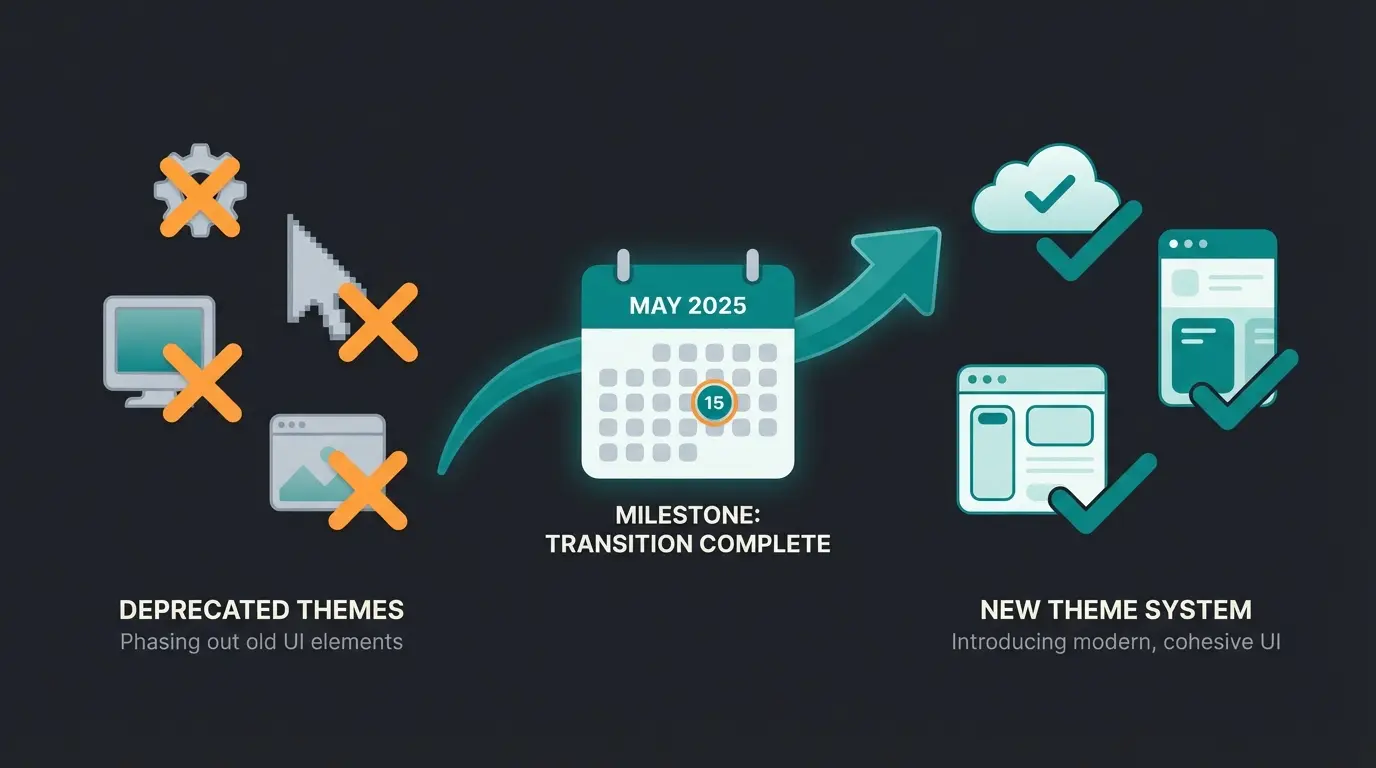
According to Shopware, the following themes should be avoided:
- Shape
- Cinema
- Emporium
- Elle
- Showroom
These themes do not meet the new requirements of the European Accessibility Act (EAA), which becomes mandatory in June 2025. Shopware will not technically migrate these themes to the new storefront architecture of 6.7. As noted by ThemeWare, merchants should invest their budget in future-proof third-party themes like ThemeWare or Stratus instead.
Top Shopware 6 Themes: Detailed Comparison & Review
Based on our analysis of the top search results and technical documentation, we've examined the most relevant themes. Each theme is evaluated not just on traditional metrics but specifically on how well it supports AI-powered consultation and complex product sales.
1. ThemeWare®: The Configuration Giant
ThemeWare from TC-Innovations is the undisputed market leader in the Shopware Store. With over 25,000 installations and an extremely active community, it sets the standard. According to itdelight.io, it's consistently rated as one of the best choices for serious merchants.
Best For: Merchants who want maximum control without programming and carry consultation-intensive product ranges.
Price: Approximately €397 (purchase version) or rental option available according to emizentech.com.
Pros:
- Enormous configurability: Over 1200 settings. You can customize almost every element without writing a single line of code. As confirmed by Shopware's store listing, this makes it accessible even for non-developers.
- Floating widget integration: ThemeWare has a native "Floating Widget" feature as documented at themeware.design. This is a massive advantage for integrating AI consultation tools. You can define where widgets float, minimizing conflicts with other elements.
- SEO & Performance: Integrated features like "Lazy Loading" and optimized video embedding are standard.
Cons:
- Complexity: The sheer number of options can overwhelm beginners ("Analysis Paralysis").
- Update frequency: Due to the many features, you sometimes have to wait briefly for ThemeWare to catch up with Shopware updates (like 6.7), although support is considered excellent according to themeware.design.
AI & Consultation Score: ⭐⭐⭐⭐⭐ (Very High)
Through integrated widget management and clean structuring of product tabs (technical data vs. description), ThemeWare is ideally suited for deploying AI-powered sales consultants. The theme's architecture allows AI tools to access product information seamlessly.
2. Stratus (Zenit Design): The B2B Specialist
Stratus is known for its clean lines and is often used in B2B environments. It forgoes branding in the frontend and offers a very clean code base. According to Shopware's marketplace, it's specifically designed for professional commerce.
Best For: B2B shops, technical wholesalers, and brands that need a "no-nonsense" design.
Price: Approximately €349-399.
Pros:
- Sidebar configuration: Stratus offers excellent options for sidebar navigation and filters as noted by Shopware. For complex products that need to be filtered by many attributes, this is essential.
- Child-theme ready: It's explicitly designed to serve as a base for custom modifications, which agencies appreciate.
- Header variations: Offers multi-line headers, which is great for prominently placing service hotlines or "Request Consultation" links.
Cons:
- Fewer "bells and whistles": It has fewer integrated marketing features (like countdowns) than ThemeWare, but for serious B2B shops, this is more of an advantage.
AI & Consultation Score: ⭐⭐⭐⭐ (High)
The strong sidebar structure helps AI bots understand the category structure. The clean headers provide space for call-to-actions for digital consultation, making it excellent for implementing AI-driven consultation strategies.
3. Horizon (Zenit Design): The Visual Minimalist
Also from Zenit Design but with a different focus: Horizon emphasizes large images and minimalism. It's the "gallery" theme among the top players. According to 2hatslogic.com, it excels at showcasing visual products.
Best For: Fashion, lifestyle, furniture – everything that sells visually.
Price: Approximately €349-399.
Pros:
- Visual focus: Perfect for high-res product photography.
- Sticky elements: The "Sticky Header" and "Sticky Buy Box" ensure the purchase button is always visible, as highlighted in Shopware's theme documentation.
Cons:
- Limited space for text: Due to the focus on images, it can be difficult to accommodate extensive technical explanations without breaking the design.
- Widget conflicts: With full-screen layouts, floating widgets (chatbots) can quickly feel intrusive if not carefully placed.
AI & Consultation Score: ⭐⭐⭐ (Medium)
Good for visual inspiration, but for text-heavy technical consultation, you'll need to work on the layout to give the AI enough "fuel" (text data) in the visible area.
4. Caprice: The Mobile UX Champion
Caprice is often praised for its strong off-canvas menus and mobile optimization. According to doofinder.com, mobile optimization is critical for modern e-commerce success.
Best For: Shops with a very high mobile traffic share.
Pros:
- Off-Canvas navigation: The menu on desktop can behave like an app. This saves space and is very modern, as demonstrated in YouTube tutorials.
- Mobile first: Elements are extremely well-optimized for touch operation.
Cons:
- Z-Index problems: Since off-canvas elements slide over the content, this is where conflicts with chat widgets or the Trusted Shops Badge occur most frequently.
AI & Consultation Score: ⭐⭐⭐ (Medium)
Mobile optimization is excellent, but integrating another "layer" (AI chat) requires technical fine-tuning of the z-index.
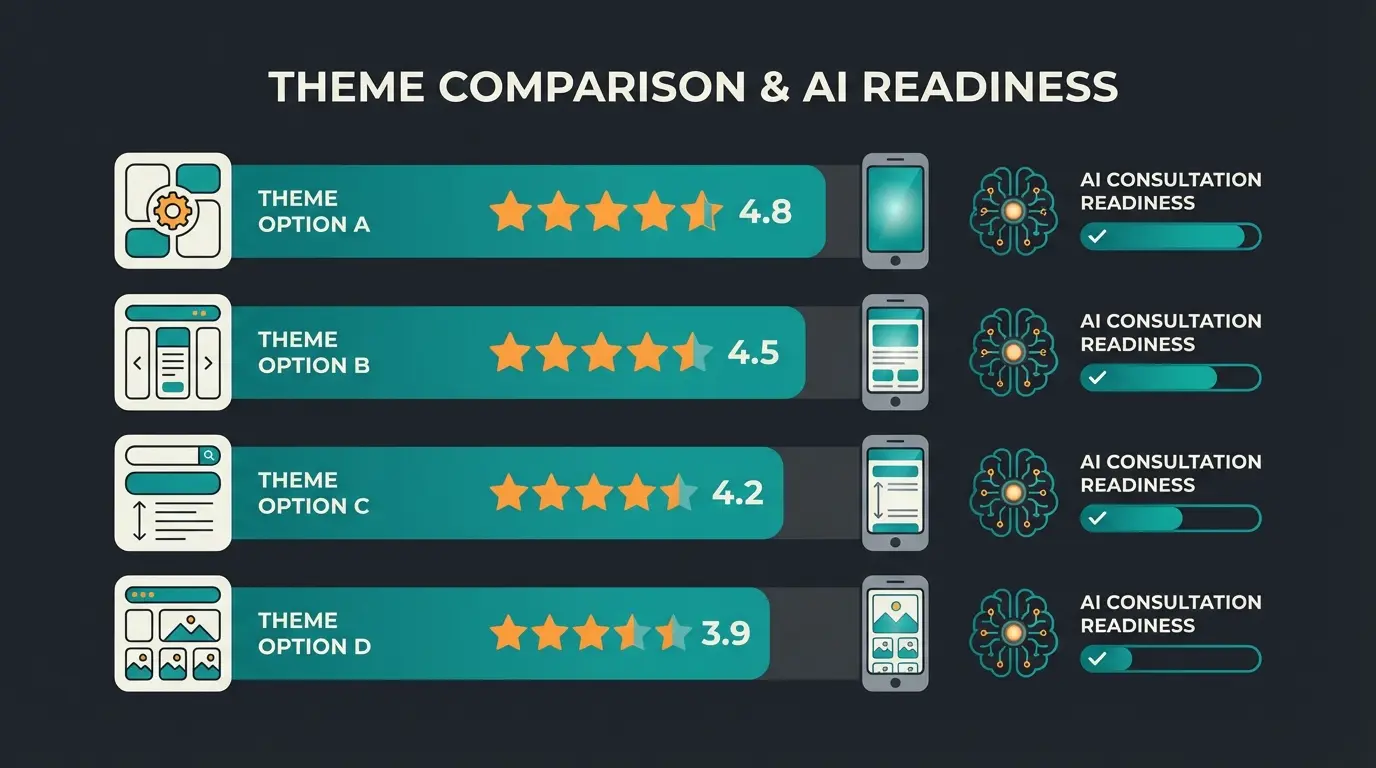
| Theme | Price | Best For | AI Consultation Score | Floating Widget Support |
|---|---|---|---|---|
| ThemeWare® | ~€397 | Maximum flexibility, AI integration | ⭐⭐⭐⭐⭐ | Native support |
| Stratus | ~€349-399 | B2B, technical products | ⭐⭐⭐⭐ | Via sidebar |
| Horizon | ~€349-399 | Fashion, lifestyle, visual products | ⭐⭐⭐ | Requires customization |
| Caprice | ~€299-349 | High mobile traffic shops | ⭐⭐⭐ | Z-index adjustments needed |
| Free themes | €0 | Basic shops, testing | ⭐⭐ | Must be programmed |
You've chosen a consultation-ready theme. Now power it with AI that converts visitors into customers through personalized product advice.
Try AI Product Consultation FreeWhy Consultation Is the New Conversion Standard
Why do we place so much emphasis on "Consultation Readiness"? E-commerce has transformed fundamentally. In the past, it was enough to simply have products available. Today, you compete with Amazon on logistics and with Temu on price. Your niche is expertise.
When you sell complex products (e.g., "Which ski boot fits my riding style?" or "Which spare part fits my 2015 heating system?"), standard filters often fail. This is where AI Product Consultation becomes essential for conversion.
The Problem with Standard Themes
Most themes treat products as static objects: image, price, buy button. But a consultation-optimized theme must provide space for dialogue:
- Classic approach: Long FAQ lists at the bottom of the page (nobody reads them).
- Consultation approach: An AI widget that helps contextually.
A theme like ThemeWare or Stratus offers the ability through "Custom Fields" and flexible CMS blocks to store structured data (e.g., PDF data sheets, compatibility lists) in the code so that an AI can read and present this to the customer in a chat. This capability is crucial for leveraging Shopware AI features effectively.
Products displayed as static objects with image, price, and buy button
Long question lists at page bottom that visitors rarely read
Human support via live chat during business hours only
Contextual, 24/7 AI advice integrated directly into the shopping experience
The Anatomy of a High-Conversion Product Page
Understanding where consultation happens on a product page is crucial. The most effective layouts include clear zones for product information, visual content, and—critically—a designated consultation area where AI assistants can engage visitors without disrupting the purchase flow.
Key elements of a consultation-optimized product page include:
- Primary visual zone: High-quality product images with zoom capability
- Information architecture zone: Structured tabs for descriptions, specifications, and FAQs
- Trust elements: Reviews, badges, and social proof positioned near the buy button
- Consultation zone: Prominent but non-intrusive placement for AI chat widget in the thumb-accessible area on mobile
Mobile Thumb Zone Optimization
When implementing AI-powered product advice, understanding mobile UX is critical. The "thumb zone" refers to the area of a smartphone screen that's easily reachable with one-handed operation. Good themes place the "Chat/Consult" button in this zone, whereas poorly designed themes hide consultation triggers in hard-to-reach corners.
Research shows that the bottom third of mobile screens receives the most thumb interaction. This is precisely where your AI consultation widget should appear—visible but not blocking essential elements like the "Add to Cart" button.
Technical Integration: Making Your Theme AI-Ready
You've decided on a theme? Here are three technical steps to make it "AI-Ready" and avoid common mistakes. Proper integration ensures your AI-powered customer service functions flawlessly.
1. The Battle for Z-Index (Layering)
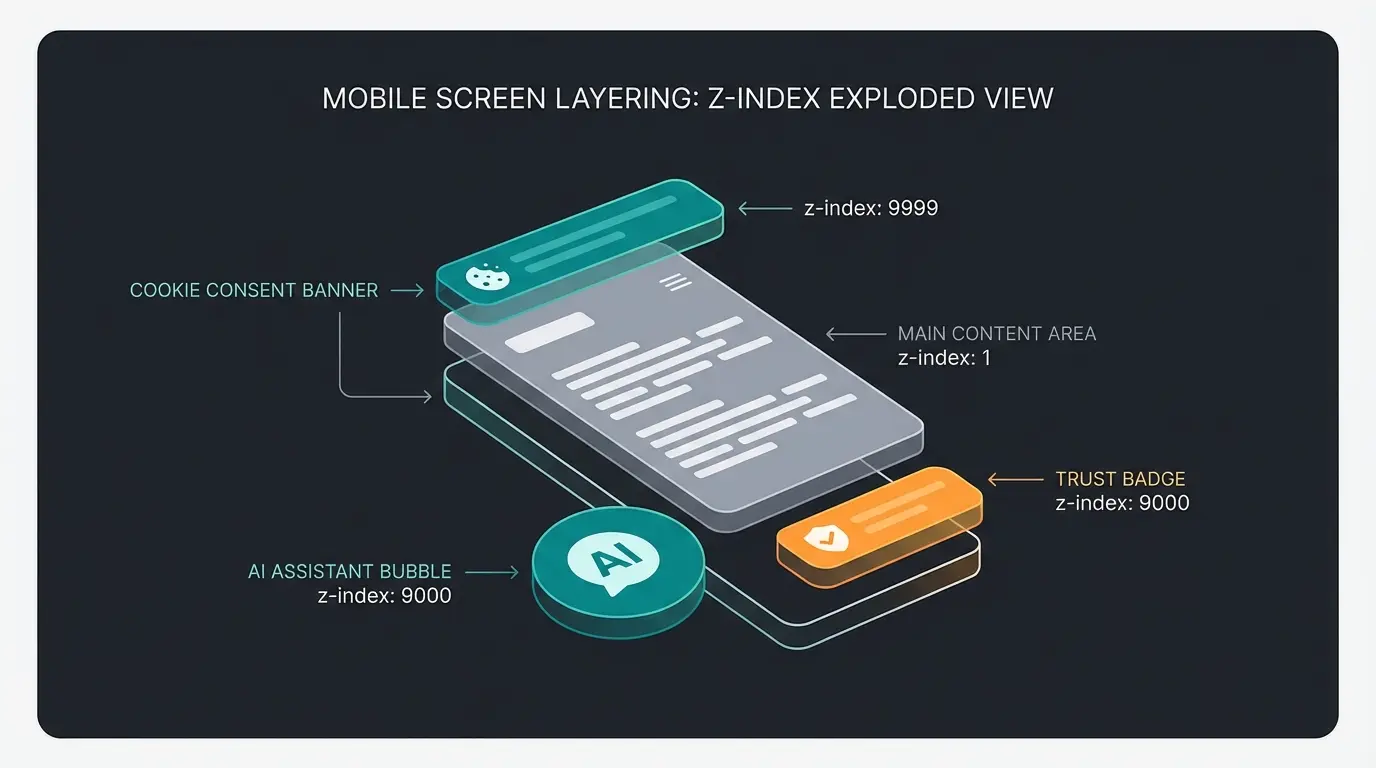
A common problem: The AI chatbot, the cookie banner, and the Trusted Shops Badge all compete for the same space at the bottom right on smartphones.
- Solution: Use themes that natively support "Floating Widgets" (like ThemeWare). There you can often define margins for mobile devices separately.
- Hack: Move the Trusted Shops Badge to the left on smartphones or disable the "floating" variant in favor of a static integration in the footer. According to Shopware's documentation, this is a supported configuration.
2. DOM Structure for AI Crawlers
For your AI advisor to know what's on the page, the HTML code must be clean:
- Good: `<div class="product-description">...</div>`
- Bad: Text without semantic markup.
- Tip: Use Shopware's "Shopping Experiences" (Einkaufswelten) to logically separate text blocks. Themes like Stratus offer optimized grid layouts for this, as documented by Shopware.
3. Performance Despite Scripts
An AI tool is usually external JavaScript. Proper integration is crucial:
- Integration: Don't blindly embed the script in the `<head>`. Use the Shopware standard for JavaScript plugins or inject it before the closing `</body>` tag to avoid blocking the "First Contentful Paint" (FCP).
- Async loading: Modern AI consultation widgets should load asynchronously to prevent any impact on initial page render.
- Lazy initialization: The widget should only fully initialize when the user shows intent to interact.
Free vs. Premium: Is the Standard Theme Enough?
We're often asked: "Isn't the free Shopware Standard theme or the 'Manu' theme enough?"
The answer: For starting, yes. For scaling, no.
| Feature | Free Theme (e.g., Manu) | Premium Theme (e.g., ThemeWare/Stratus) |
|---|---|---|
| Cost | €0 | ~€399 (one-time) |
| Support | Community (slow) | Manufacturer (fast, often German-speaking) |
| Updates | Irregular | Guaranteed (important for Shopware 6.7) |
| AI Placeholders | Must be programmed | Often configurable (widgets) |
| Conversion Elements | Basic | USPs, countdowns, trust badges included |
Bottom line: A premium theme often pays for itself through just 1-2 hours of saved developer time. If you want to integrate an AI solution for AI Product Consultation, premium themes offer the necessary "hooks" and configurations out-of-the-box.
Hidden Costs of Free Themes
While the upfront cost of free themes is appealing, consider these hidden expenses:
- Custom development: Adding consultation widget support often requires 10-20 hours of developer work
- Accessibility compliance: Meeting EAA requirements without built-in support means extensive manual modifications
- Update delays: Community-maintained themes may lag behind Shopware core updates by weeks or months
- Limited documentation: Troubleshooting issues takes longer without professional support channels
Frequently Asked Questions About Shopware Themes
ThemeWare® Pro scores highest for AI consultation integration due to its native floating widget support and over 1200 configuration options. The theme allows you to define exactly where widgets float, minimizing conflicts with other elements like the 'Add to Cart' button or legal notices. Stratus is the second-best choice, especially for B2B shops with complex product catalogs.
It depends on your theme. Shopware's own premium themes (Shape, Cinema, Emporium, Elle, Showroom) will NOT be supported in version 6.7, planned for May 2025. Third-party themes like ThemeWare and Stratus from Zenit Design have confirmed 6.7 compatibility. Always check the theme manufacturer's roadmap before purchasing or upgrading.
Quality Shopware 6 themes range from €299-€399 as a one-time purchase. This investment typically pays for itself through 1-2 hours of saved developer time. Consider that free themes often require custom development (€80-150/hour) to add features like floating widget support, proper accessibility compliance, and AI integration hooks that premium themes include out-of-the-box.
The European Accessibility Act (EAA) becomes mandatory in June 2025 and requires e-commerce websites to meet specific accessibility standards. Themes that don't comply could expose shop owners to legal liability. Modern themes like ThemeWare and Stratus are being updated to meet EAA requirements, while legacy Shopware premium themes (Shape, Cinema) will not be updated.
Technically yes, but with varying difficulty. Premium themes like ThemeWare offer native widget management, making integration straightforward. Free or basic themes require custom z-index adjustments, JavaScript injection points, and CSS modifications. For the best AI consultation experience, choose themes with clean semantic HTML, designated widget areas, and strong mobile optimization with proper thumb-zone placement.
Conclusion: Your Theme Selection Checklist
The year 2025 marks a turning point in the theme market through Shopware 6.7 and the European Accessibility Act. Old favorites are disappearing, and requirements for accessibility and consultation capabilities are rising.
Our Recommendations
- For maximum flexibility & AI integration: Choose ThemeWare® Pro. Native support for floating widgets and enormous customizability make it the best foundation for shops wanting to use consultation tools and implement AI-powered consultation.
- For B2B & clear structures: Choose Stratus. Clean architecture and sidebar logic are ideal for technical product ranges.
- Avoid: All old Shopware Premium themes (Shape, Cinema, etc.) as these are "End of Life."
Pre-Purchase Checklist
- Is the theme compatible with Shopware 6.6 and ready for 6.7?
- Does it support the European Accessibility Act (accessibility)?
- Are there dedicated areas (widgets/sidebars) for consultation tools?
- Can the Trusted Shops Badge be moved on mobile to make room for the chat button?
- Does the manufacturer offer fast support (check the reviews in the store)?
Is your shop ready for the next level? A theme is only the shell. Fill it with intelligence. Once you've chosen a theme that's "Consultation-Ready," the next logical step is integrating an AI solution that transforms your visitors into customers.
Note: Prices and availability are based on early 2025 and may change. Always check compatibility in the Shopware Store before purchasing.
You've selected a consultation-ready theme. Now add the intelligence layer that guides visitors through complex purchase decisions with AI-powered product advice.
Start Your Free AI Consultation Trial
Lasse is CEO and co-founder of Qualimero. After completing his MBA at WHU and scaling a company to seven-figure revenue, he founded Qualimero to build AI-powered digital employees for e-commerce. His focus: helping businesses measurably improve customer interaction through intelligent automation.