Why Proper Preparation Matters Before Cancellation
The decision to close an online store is rarely simple. Perhaps the monthly costs are too high, revenue is falling short of expectations, or you're planning a migration to another system like WooCommerce or Shopware. Whatever your reasons: if you want to cancel your Shopify subscription, a simple click on "delete account" often isn't enough – at least not if you want to avoid expensive additional charges and legal problems.
In this comprehensive guide, you'll learn not only how to technically end your Shopify subscription, but also how to secure your data in compliance with tax regulations, what happens to your domain, and whether cancellation is really the best solution for your revenue problem. We approach this process as a "Smart Merchant's Exit Strategy" – so you can close cleanly or strategically restart. If you're considering alternatives, check out our detailed Shopify Alternatives 2025 comparison guide.
Download all orders, products, customer data, and invoices as CSV/PDF
Terminate all third-party app subscriptions individually before uninstalling
Generate AuthCode and initiate domain transfer to new host
Follow the step-by-step process to officially close your store
Check bank statements for any unexpected charges from apps
Essential Preparation Steps (Don't Skip These!)
Before you press the red button in your settings, you need to clean up your digital house. Many merchants fall into cost traps here or unknowingly violate data retention requirements.
1. Disarming the App Subscription Trap
This is the most common mistake that costs merchants money even after cancellation. The Problem: When you deactivate your Shopify store, subscriptions for third-party apps (e.g., PageFly, Klaviyo, various upsell apps) are not automatically cancelled if they run through external billing systems or have specific contract terms, as noted by HulkApps and Spocket.
The Solution: Navigate to Settings > Apps and Sales Channels in your admin area. Review each installed app carefully. Important: Uninstalling is often not enough! Open each app and look for "Downgrade to Free Plan" or "Cancel Subscription." Only after the subscription is ended should you uninstall the app, according to guidance from Praella.
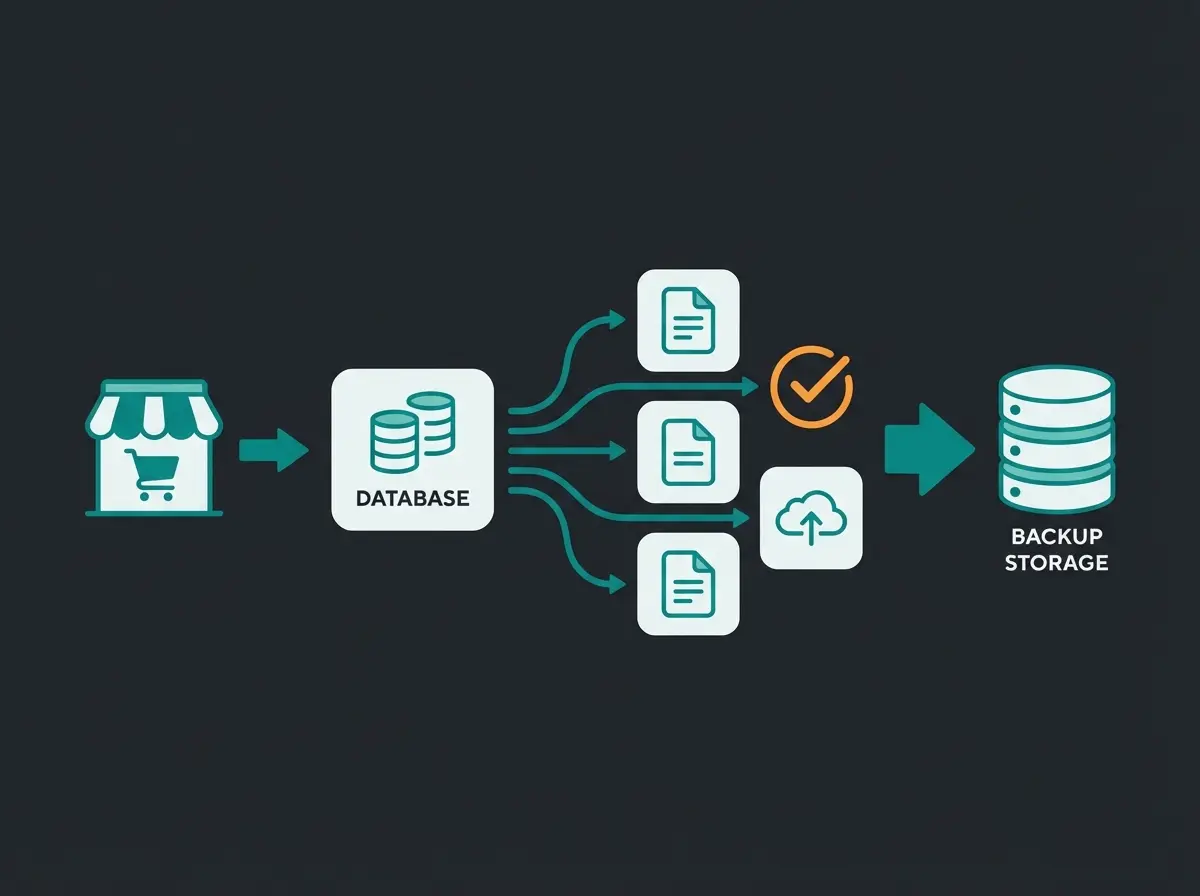
2. Data Backup for Tax Compliance
In many countries, there's a legal requirement to retain invoices and accounting-relevant documents for extended periods (often 6-10 years). Once you deactivate Shopify, you lose access to your admin panel and thus to your invoices, as explained by Praella. Understanding the full Shopify Costs structure is essential before making your final decision.
- Shopify Invoices: Download all monthly invoices from Shopify itself (Settings > Billing)
- Order Data: Export all orders as CSV (Orders > Export > "All Orders")
- Product Data: Export your product list as CSV if you want to migrate to another system
- Invoice Apps: Using apps like Order Printer or Billbee? Download all customer invoices as PDFs – a CSV export often isn't sufficient for tax authorities
3. Domain Transfer (Special Considerations)
If you purchased your domain through Shopify, it belongs to you, but it's technically hosted by Shopify (or their partner OpenSRS). If you simply close your store, you risk losing the domain. According to the Shopify Help Center, you'll need an AuthCode (authorization code) to transfer your domain to a new host.
Navigate to Settings > Domains. Click on your domain and look for "Transfer domain" or "Transfer to another provider." Note: For certain domain extensions, you may need to contact support to obtain the AuthCode, as the process can be stricter than for .com domains. Disable "Auto-renewal" only after the transfer has been initiated.
4. The Smart Data Export
Planning a restart? Then don't just export "dead" data like article numbers. Export your customer history – which customers bought what (important for email marketing in your new system). Also consider chat logs and support requests – if you want to use AI tools, this data is gold for training an AI on your most common customer questions. Modern AI customer service solutions can leverage this historical data effectively.
Option 1: Pause Your Shopify Store (Pause and Build)
Do you want to cancel Shopify because you currently don't have time or because revenue fluctuates seasonally? Then cancellation might be too radical. Shopify offers the "Pause and Build" plan as an alternative.
What is Pause and Build?
This plan costs $9 USD (approximately €9) per month according to Abilita. Advantage: Your store remains online, customers can view products, but cannot buy (checkout is disabled). You retain access to the admin panel. Disadvantage: No revenue through the store.
| Feature | Pause and Build | Full Cancellation | Complete Deletion |
|---|---|---|---|
| Monthly Cost | $9 USD | $0 | $0 |
| Admin Access | Yes | No | No |
| Customer Access | View Only | None | None |
| Data Retention | Full Access | 2 Years by Shopify | Upon GDPR Request: Deleted |
| Reactivation | Instant | Within 2 Years | Not Possible |
When Does Pausing Make Sense? (The Strategic Angle)
Many merchants cancel out of frustration due to poor conversion rates. Strategy: Use the pause function to revamp your store without paying the full price. During this time, you can integrate advanced tools. If your problem was that customers look but don't buy, there's often a lack of consultation.
This is where modern AI product consultation comes in. Instead of deleting your store, use the pause to train an AI that advises your visitors in chat like a salesperson in a physical store. When you reopen, you'll start with a higher conversion rate. The AI Selling revolution is transforming how online stores engage with customers.
How to Activate the Pause: Go to Settings > Plan. Click on "Deactivate store" (yes, the path goes through this button). Then select the "Pause and Build" option, as described in the Shopify Manual and various YouTube tutorials.
Option 2: Cancel Shopify Subscription (Step-by-Step)
You've decided: The store needs to go. Here's the exact process (as of 2025).
Step-by-Step Instructions
- Login: Log in as the store owner (employee accounts often don't have permission)
- Navigation: Go to Settings in the bottom left (Settings icon)
- Plan Management: Click on Plan in the menu
- Start Deactivation: Scroll down. You'll find the button Deactivate Store or Cancel Subscription
- Give Reason: Shopify asks you for the reason. Choose an option (e.g., "Business closure" or "Switching to another platform"). This is for statistics and has no legal implications
- Confirm Warning: A pop-up appears reminding you of outstanding invoices
- Final Click: Click Continue and re-enter your password for security
- Confirmation: You should receive an email confirming the cancellation. Keep this safe!
What Happens Immediately After Clicking?
Access to the admin panel is blocked immediately. Your store goes offline (visitors see a "Store not available" message). No further Shopify fees will be charged (except for already incurred transaction fees or app fees that were still outstanding). This information is confirmed across multiple sources including YouTube tutorials and Praella.
Many merchants cancel Shopify due to poor sales – but switching platforms won't fix a lack of customer consultation. Discover how AI-powered product advisors can transform your conversion rates.
Explore AI SolutionsOption 3: Permanently Delete Your Shopify Account
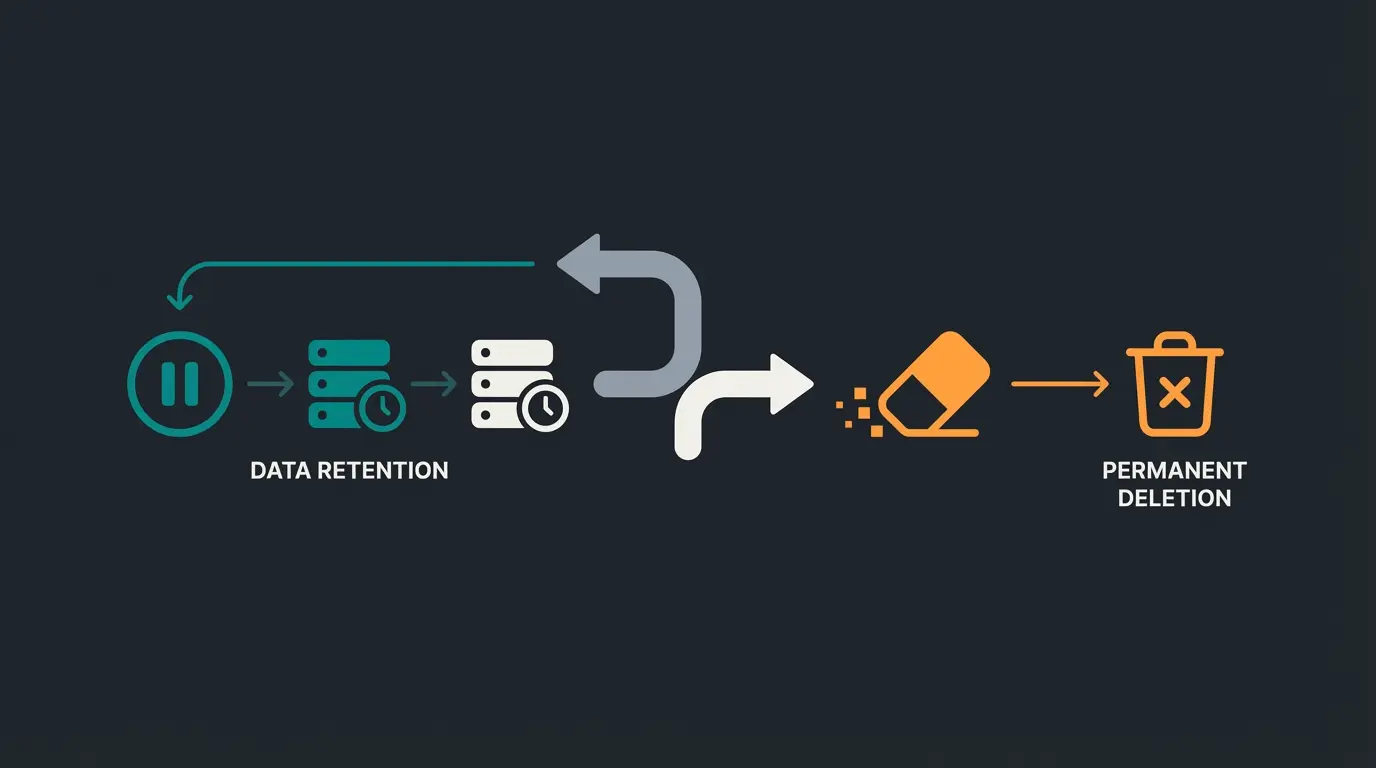
Many users confuse "Deactivating" with "Deleting." Deactivating: Shopify stores your store data for a guaranteed 2 years. This is practical if you change your mind (reactivation is easily possible by logging in and choosing a plan), as noted by YouTube tutorials and Magespark. Deleting (Right to be forgotten): If you want your data to be truly gone (e.g., for data protection reasons), cancellation alone isn't enough.
How to Request Complete Deletion
Since Shopify acts as a data processor, you need to take active steps to delete personal data. Contact Support: You must write to Shopify Support and request deletion under GDPR. Merchant Data vs. Customer Data: Distinguish between your data (as a merchant) and your customers' data.
Before You Go: Why Are You Leaving Shopify?
Before you pull the plug, an honest analysis is worthwhile. Usually, there are two reasons for cancellation: Platform Frustration or Revenue Frustration. If you're weighing your options, our WooCommerce vs Shopify comparison provides detailed insights.
Platform Problem vs. Conversion Problem
| Symptom | Diagnosis | Solution |
|---|---|---|
| "Shopify is too expensive (monthly fee)." | Cost Problem | Switch to WooCommerce (no subscription fee, but hosting/maintenance also costs) |
| "I can't configure feature X properly." | Platform Problem | Switch to Shopware or similar regional solutions |
| "I have visitors but hardly any purchases." | Conversion Problem | No platform switch needed! The problem lies in consultation/UX |
| "Customers abandon purchases because they're unsure." | Consultation Problem | Integration of AI consulting tools |
The Migration Trap
Many merchants believe switching to WooCommerce or Shopware will solve their revenue problems. This is a fallacy. A new store without traffic and without good sales psychology sells just as little as the old one.
The Smart Exit Approach: If you're canceling Shopify because sales are lacking, consider: Does your store perhaps simply lack a salesperson? In brick-and-mortar retail, salespeople approach customers. In e-commerce, customers are left alone with filters. Explore how KI E-Commerce is changing this landscape.
The Alternative to Cancellation: Instead of spending thousands on a migration, successful "Smart Merchants" invest in AI-powered product consultation. AI product consultants analyze your catalog and conduct real consultation conversations in chat. They ask customers about their needs ("Are you looking for a cream for dry or oily skin?") and recommend the appropriate product.
The Result: Conversion rates often increase significantly, making Shopify fees suddenly worthwhile again. Check out how Shopify automation 2025 is transforming store performance.
If you're still switching to WooCommerce: Take this strategy with you. A "dumb" store is no longer sufficient in 2025. Plan an intelligent consultation solution for your new store from the start. Learn more about AI Chatbots and their impact on modern e-commerce.
Monthly fees and transaction costs cited as primary reason
Poor sales despite traffic – often a consultation problem, not platform
Missing features or regional compliance issues
Actual business shutdown or strategic pivot
Post-Cancellation Checklist
You've pressed the button. Are you done? Not quite yet.
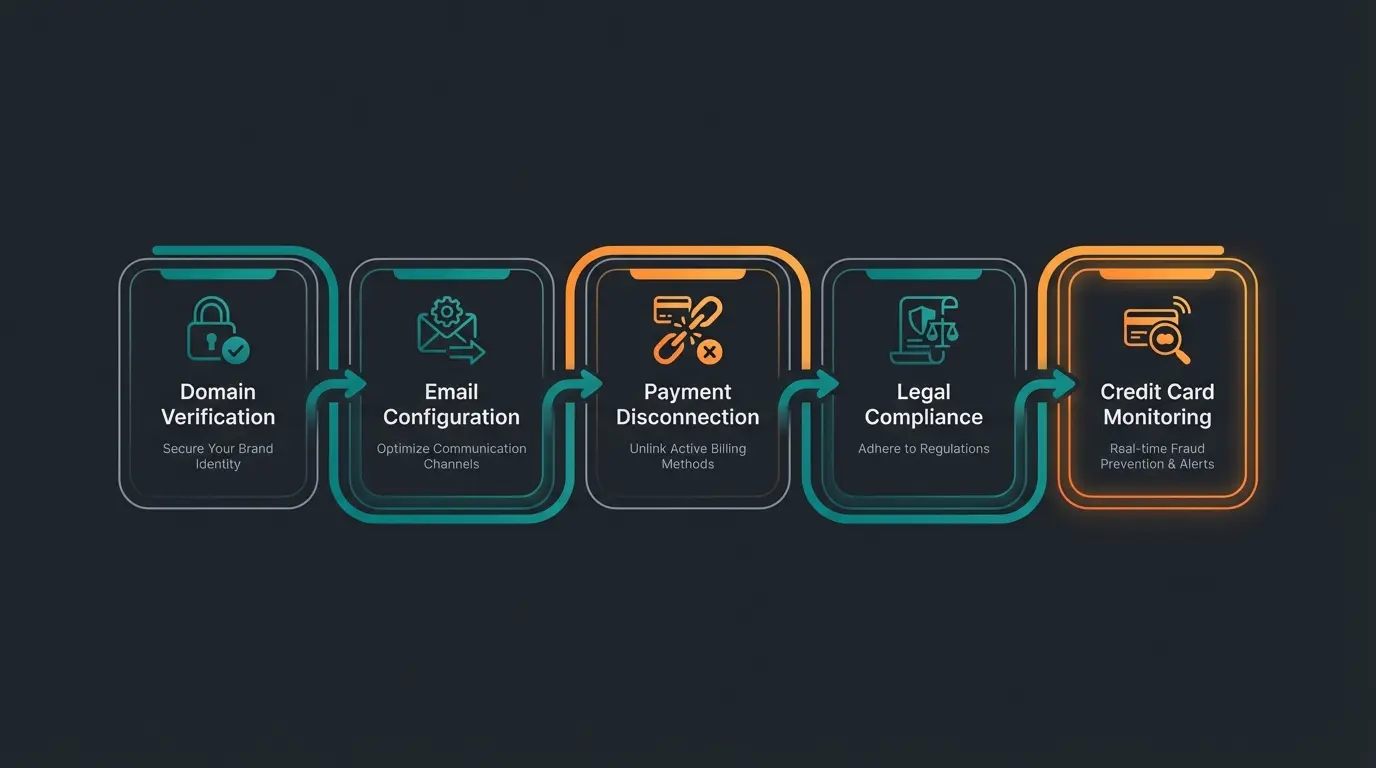
- Check Domain Redirect: If you've transferred your domain, make sure it doesn't lead to nowhere (404 errors are poison for SEO if you want to keep the domain)
- Email Addresses: Did your emails (info@myshop.com) run through Shopify or Google Workspace via Shopify? Check that the MX record is correctly stored with your new host, otherwise you won't receive emails anymore
- Payment Providers: Did you separately link PayPal, Klarna, or Stripe? Log in there and remove the API connection to Shopify to avoid security gaps
- Legal Pages: If the store is offline, you theoretically don't need to maintain legal pages. But: If you're still selling remaining stock via eBay or Amazon, your legal texts there must be adjusted
- Credit Card: Check your credit card statement next month. If Shopify or an app still charges, you can retrospectively dispute the charge (chargeback) since you have the cancellation confirmation
Frequently Asked Questions About Shopify Cancellation
Yes. Shopify stores your data by default for two years after deactivation. If you log in with your old credentials within this period, you can choose a new plan and continue where you left off. This is confirmed by multiple sources including YouTube tutorials and the Shopify Help Center.
If you purchased the domain through Shopify and don't disable automatic renewal, Shopify will try to continue charging the domain fee (approximately $14-20/year) from your stored credit card, even if the store is closed. If payment fails, the domain will be deleted after a "Grace Period" and becomes available for third parties to register, according to Magespark.
No. Shopify does not refund fees for partial months. If you pay on the 1st of the month and cancel on the 5th, the store remains theoretically paid until the end of the cycle but is usually deactivated immediately. It's therefore worthwhile to cancel shortly before the end of the billing period.
This is the classic problem. Contact the app's support immediately (not Shopify Support, but the app developer). Send proof that the store was deleted. Many developers are accommodating, but legally you should have canceled the subscription within the app.
As long as the account is active, a payment method must always be stored. You can only remove the card or stop the authorization by deactivating the store. Manual deletion of card data before cancellation is often not possible in the admin area without adding a new card.
Final Thoughts: Making the Smart Decision
Deleting your Shopify account is technically a matter of minutes, but commercially a decision with far-reaching consequences. Pay meticulous attention to compliant data backup and the cancellation of external app subscriptions. Understanding E-Commerce Kundenservice best practices can help you make informed decisions about your store's future.
And before you throw in the towel: Analyze whether your store is really at the end, or whether it just lacked the right sales intelligence. Sometimes a pause and a technological upgrade (keyword: AI consulting) is the better path than a complete exit. Consider how AI Sales Performance tools could transform your results.
Good luck with your next step – whether with a new system or a new strategy!
Before you make the final decision to cancel, discover how AI-powered product consultation can dramatically improve your conversion rates. Many struggling stores just need the right sales intelligence.
Start Free Trial