What is a Shopify custom domain?
Open any Shopify store that still runs on the default yourstore.myshopify.com subdomain and notice what customers see first: the URL. Before they read a single product description or check a price, the address bar tells them whether this is a real business or a side project.
A Shopify custom domain replaces that default subdomain with your own branded URL, like yourstore.com. It is the most visible trust signal your store has. Customers, search engines, and social media platforms all treat a custom domain as a baseline indicator of legitimacy.
You have three paths to get there. Buy a domain directly through Shopify, connect a domain you already own from a third-party registrar, or transfer an existing domain into Shopify's management system. Each approach has different trade-offs in cost, control, and convenience.
Source: Stanford Web Credibility Research
1,000 on Shopify Plus plans
Most changes take effect within 4-6 hours
Depending on registrar choice
Buying a domain - through Shopify or third-party?
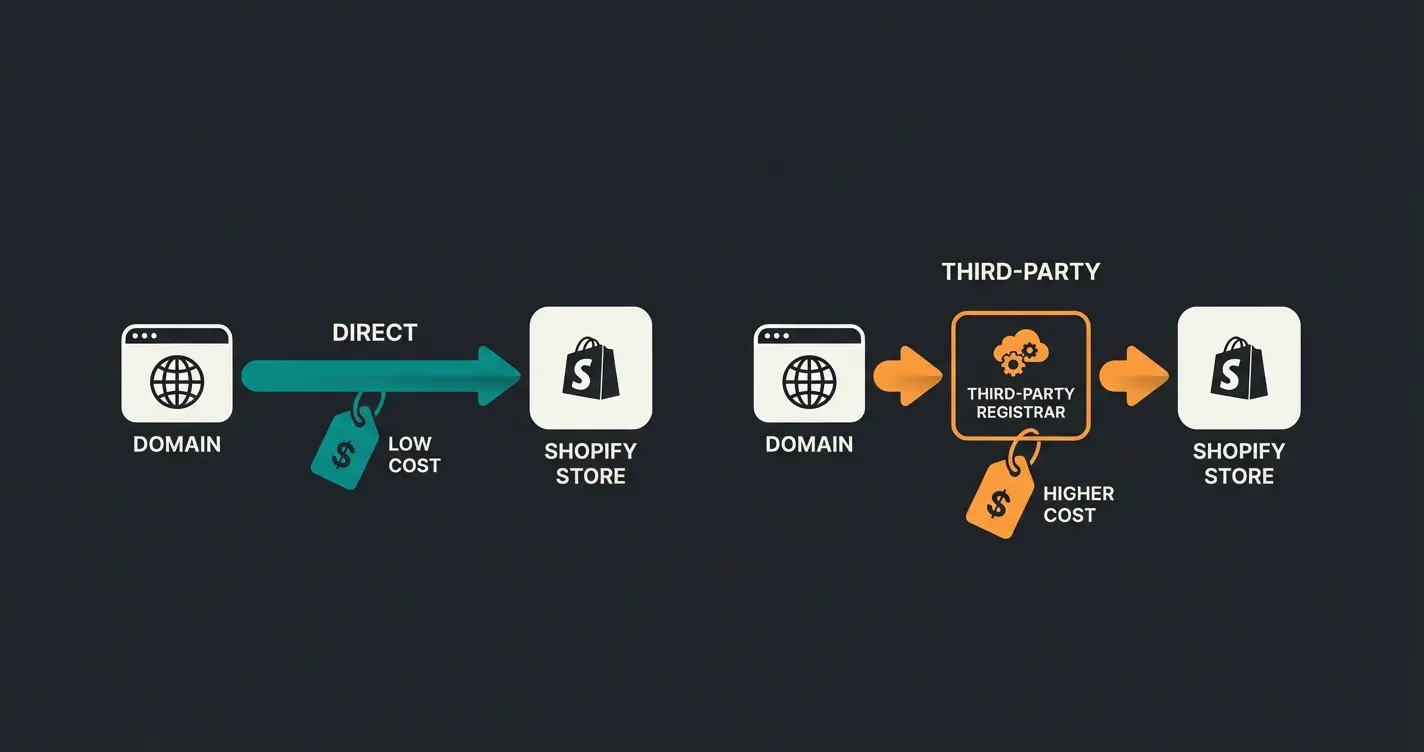
I talked to a Shopify merchant last month who had been paying $22 per year at GoDaddy for a .com domain that Cloudflare would have sold him for $10.46. That is $11.54 wasted every year, and he had been doing it for four years. The registrar you choose matters more than most merchants realize.
Shopify sells domains starting at $9 per year for extensions like .store, with .com domains typically running around $15 per year (as of early 2026). That price includes WHOIS privacy protection, automatic SSL, and DNS management inside your Shopify admin. Simple, clean, everything in one place.
Third-party registrars offer a different equation. Cloudflare Registrar charges at-cost pricing with zero markup, putting .com domains at roughly $10.46 per year, with no renewal price increase. Namecheap and Porkbun compete in a similar range for the first year, though renewal prices at most registrars climb after the initial promotional period.
The honest take: buying through Shopify is easier. Everything lives in one dashboard, SSL works automatically, and you never touch a DNS record. But you pay a premium for that convenience, and you lose the flexibility of managing your domain independently. If you ever leave Shopify, extracting your domain adds friction.
| Registrar | First-year price | Renewal price | WHOIS privacy | Notes |
|---|---|---|---|---|
| Cloudflare | $10.46/year | $10.46/year | Free | At-cost pricing, zero markup, no renewal increase |
| Porkbun | ~$11/year | $11.08/year | Free | Consistent pricing, good support |
| Namecheap | ~$9-10/year | $15-17/year | Free (first year) | Significant renewal increase after promo period |
| Shopify | ~$15/year | $20+/year | Free | Integrated with Shopify admin, no DNS management needed |
| GoDaddy | $12-23/year | $22+/year | $10-15/year extra | Most expensive option, aggressive upselling |
My recommendation for most Shopify merchants: buy from Cloudflare Registrar if you are comfortable with basic DNS management. The at-cost pricing saves you money every single year, and ICANN regulations protect your domain ownership rights regardless of where you register. If you want zero friction, buying through Shopify is a perfectly fine choice for a few dollars more.
Connecting your own domain to Shopify (step-by-step)
If you already own a domain or bought one from a third-party registrar, connecting it to Shopify takes about ten minutes of active work, followed by 24 to 48 hours of DNS propagation. The official Shopify Help: Adding a Domain documentation covers the basics, but here is the complete process with the details that actually matter.
Before you start, have your registrar login credentials ready and make sure you have access to the DNS management panel. If you are using a registrar like Cloudflare, GoDaddy, or IONOS, Shopify supports automatic one-click connection, which handles DNS records for you. For all other registrars, you will configure the records manually.
- Log into your Shopify admin and navigate to Settings > Domains
- Click Connect existing domain and enter your domain name (e.g., yourstore.com)
- If your registrar supports automatic connection (Cloudflare, GoDaddy, or IONOS), follow the one-click prompts and skip to step 6
- For manual connection, log into your domain registrar's DNS management panel
- Update your DNS records: set the A record for @ to 23.227.38.65 and the CNAME record for www to shops.myshopify.com
- Return to Shopify and click Verify connection. If DNS has not propagated yet, Shopify will show a pending status
- Set your custom domain as the primary domain under Settings > Domains
# Required DNS records for Shopify custom domain
# Update these in your registrar's DNS management panel

Type    Host    Value                    TTL
A       @       23.227.38.65             3600
CNAME   www     shops.myshopify.com      3600
Shopify automatically provisions a free SSL certificate once your domain is connected and DNS has propagated. No extra configuration, no certificate purchase, no renewal management. It just works.
Shopify domain costs overview
Domain costs look simple on the surface, but the details trip up more store owners than you would expect. First-year promotional pricing at most registrars creates an illusion of cheap domains that quietly disappears at renewal.
| Extension | Shopify | Cloudflare | Namecheap | GoDaddy |
|---|---|---|---|---|
| .com | $15/year | $10.46/year | $9-10 first year, $15+ renewal | $12-23/year |
| .net | ~$18/year | ~$12/year | ~$12/year | ~$15-20/year |
| .org | ~$17/year | ~$12/year | ~$13/year | ~$12-18/year |
| .store | $9/year | Varies | ~$5-8 first year | ~$5-35/year |
| .co | Varies | ~$12/year | ~$10/year | ~$12-30/year |
| Country codes (.de, .co.uk) | Varies | Varies by TLD | Varies by TLD | Varies by TLD |
Beyond registration fees, watch for hidden costs. Professional email through Google Workspace or Microsoft 365 runs $6 to $12 per user per month. Premium domains (short, generic, or high-demand names) carry one-time premiums that can reach hundreds or thousands of dollars. Country-code TLDs (.de, .co.uk, .fr) often cost more than generic extensions.
For the full picture of what running a Shopify store actually costs, including transaction fees, payment processing, and app expenses, check our Shopify Fees breakdown. Our Shopify Plans comparison also covers how different plan tiers affect your total cost of ownership, including domain-related features.
Setting up your custom domain - DNS configuration
DNS configuration is where most domain setup guides lose their readers. The acronyms pile up, the explanations get circular, and merchants end up copying values without understanding what they do. Here is the version that actually makes sense.
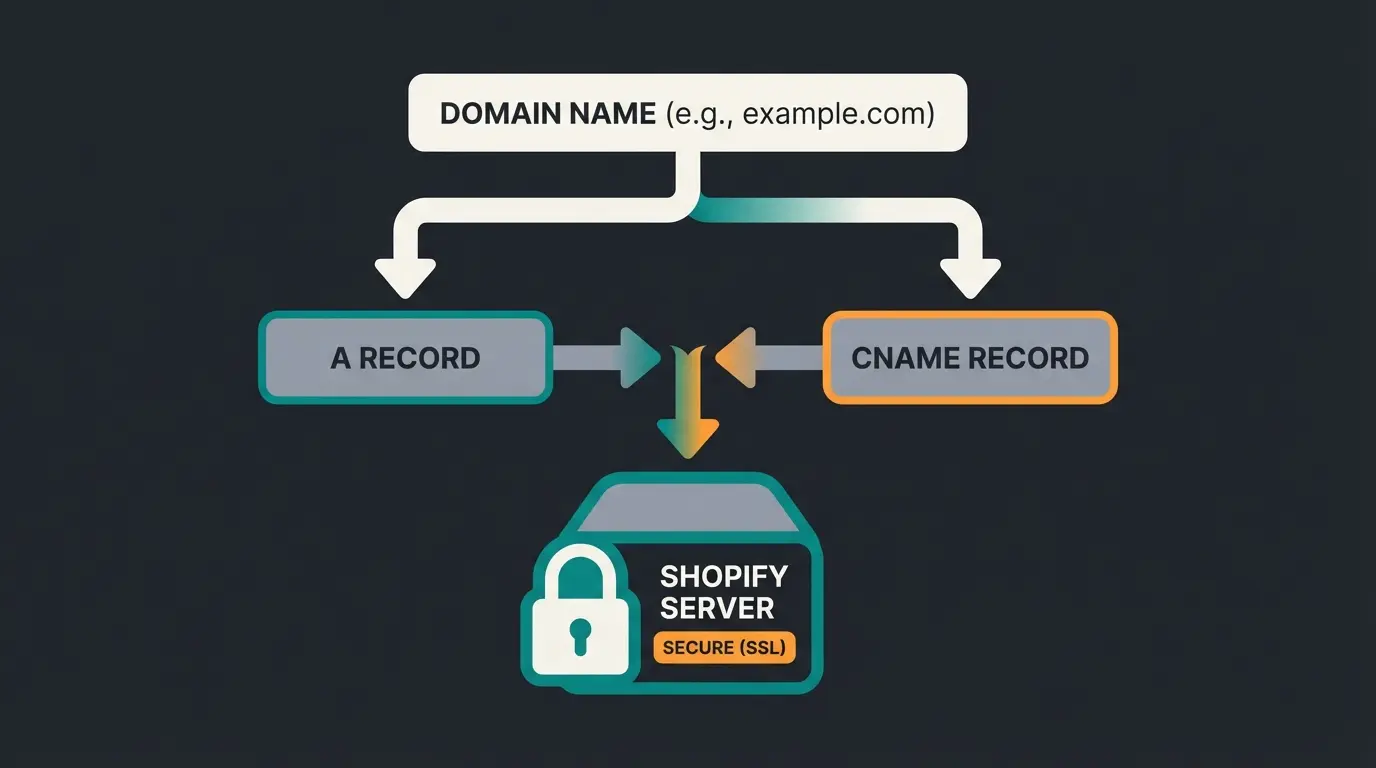
Three record types matter for Shopify. Everything else is optional or handled automatically. Think of DNS records as a forwarding address: they tell the internet where to send visitors who type your domain into a browser, and where to route emails sent to your domain.
| Record type | Host/Name | Value | Purpose |
|---|---|---|---|
| A | @ (root) | 23.227.38.65 | Points your root domain (yourstore.com) to Shopify's servers |
| CNAME | www | shops.myshopify.com | Points the www subdomain to Shopify |
| MX | @ (root) | Your email provider's MX values | Routes email. Only needed if you use custom email (e.g., Google Workspace) |
| TXT | @ (root) | Varies | Used for domain verification (Google Search Console, email authentication) |
After updating your DNS records, propagation takes anywhere from a few hours to 48 hours globally. This depends on your registrar's TTL (Time to Live) settings, your ISP's caching behavior, and how quickly the TLD registry updates. Most changes propagate within 4 to 6 hours in practice, but some ISPs ignore TTL values and only refresh every 24 to 48 hours.
# Verify your DNS records have propagated
# Run these commands from your terminal

# Check A record
dig +short yourstore.com A
# Expected: 23.227.38.65

# Check CNAME record
dig +short www.yourstore.com CNAME
# Expected: shops.myshopify.com.

# Or use an online tool: whatsmydns.net
For stores with complex integrations or automated deployment workflows, the Shopify API provides endpoints for programmatic domain management through the Admin API. This is especially useful when managing multiple storefronts or automating store provisioning.
Point @ to 23.227.38.65 in your registrar's DNS panel
Point www to shops.myshopify.com
DNS changes take 4-48 hours to propagate globally
Go to Settings > Domains and click Verify connection
Shopify automatically issues a free SSL certificate once DNS is verified
Make the custom domain your store's primary domain
A professional domain builds trust, but trust alone does not close sales. A Qualimero AI employee advises your customers in real time, answers product questions, and guides them to checkout. Our clients see cart values increase by up to 35% and checkout rates improve by 60%.
See it in actionUsing multiple domains with Shopify
Shopify supports up to 20 domains per store, or 1,000 on Shopify Plus. For stores selling internationally, this is not just a nice feature. It is the foundation of a proper multi-market strategy.
I worked with a home and garden e-commerce client who expanded from Germany to the UK and France. They initially used subdomains (de.store.com, uk.store.com) and spent six months building domain authority from scratch for each. When they switched to subfolders with Shopify Markets, their international pages started ranking within weeks because they inherited the main domain's authority.
The question every international merchant faces: should you use subdomains (de.yourstore.com), subfolders (yourstore.com/de/), or country-specific domains (yourstore.de)? Each approach has real implications for SEO, customer trust, and operational complexity.
| Strategy | Example | SEO impact | Customer trust | Complexity |
|---|---|---|---|---|
| Country domains | yourstore.de, yourstore.co.uk | Strong local signals, separate domain authority | Highest: local TLD feels native | High: manage multiple domains and DNS |
| Subfolders | yourstore.com/de/, yourstore.com/en/ | Consolidates domain authority, hreflang required | Medium: recognizable main domain | Low: single domain, easy management |
| Subdomains | de.yourstore.com, en.yourstore.com | Separate authority per subdomain, slower to build | Medium: still under main brand | Medium: separate DNS per subdomain |
Shopify Markets handles multi-currency, multi-language, and geo-routing within a single store. For most merchants, subfolders with Shopify Markets is the right call. You keep all domain authority consolidated, management stays simple, and Shopify handles the hreflang tags automatically.
For stores where each market needs its own product catalog, fully custom storefronts, or independent checkout experiences, Shopify Hydrogen takes this further. Headless architecture gives you complete control over routing, domain structure, and content delivery, at the cost of significantly more development effort.
Transferring or changing your Shopify domain
Domain transfers and domain changes are two different operations that merchants often confuse. A transfer moves your domain's registration from one registrar to another (e.g., from GoDaddy to Shopify). A domain change means switching your store's primary domain from one URL to another. Both are common, and both have consequences if done incorrectly.
- Unlock your domain at your current registrar and request an authorization (EPP) code
- Initiate the transfer in Shopify: Settings > Domains > Transfer domain, then enter the EPP code
- Confirm the transfer via email. ICANN requires email confirmation from the domain owner
- Wait 5-7 days for the transfer to complete. During this time, your domain remains accessible
- Verify DNS settings after the transfer completes. Shopify should configure these automatically for transferred domains
If you are changing your store's primary domain (not transferring registrars), the critical step is setting up 301 redirects from every URL on the old domain to its equivalent on the new domain. Without this, you lose all accumulated SEO authority. Google processes 301 redirects over days or weeks, not instantly.
After the switch, update your sitemap in Google Search Console, add and verify the new domain property, and resubmit for indexing. Monitor your rankings for 4 to 6 weeks. A temporary dip in organic traffic is normal during a domain change, but if 301 redirects are configured correctly, rankings should recover within one to two months.
Common issues and troubleshooting
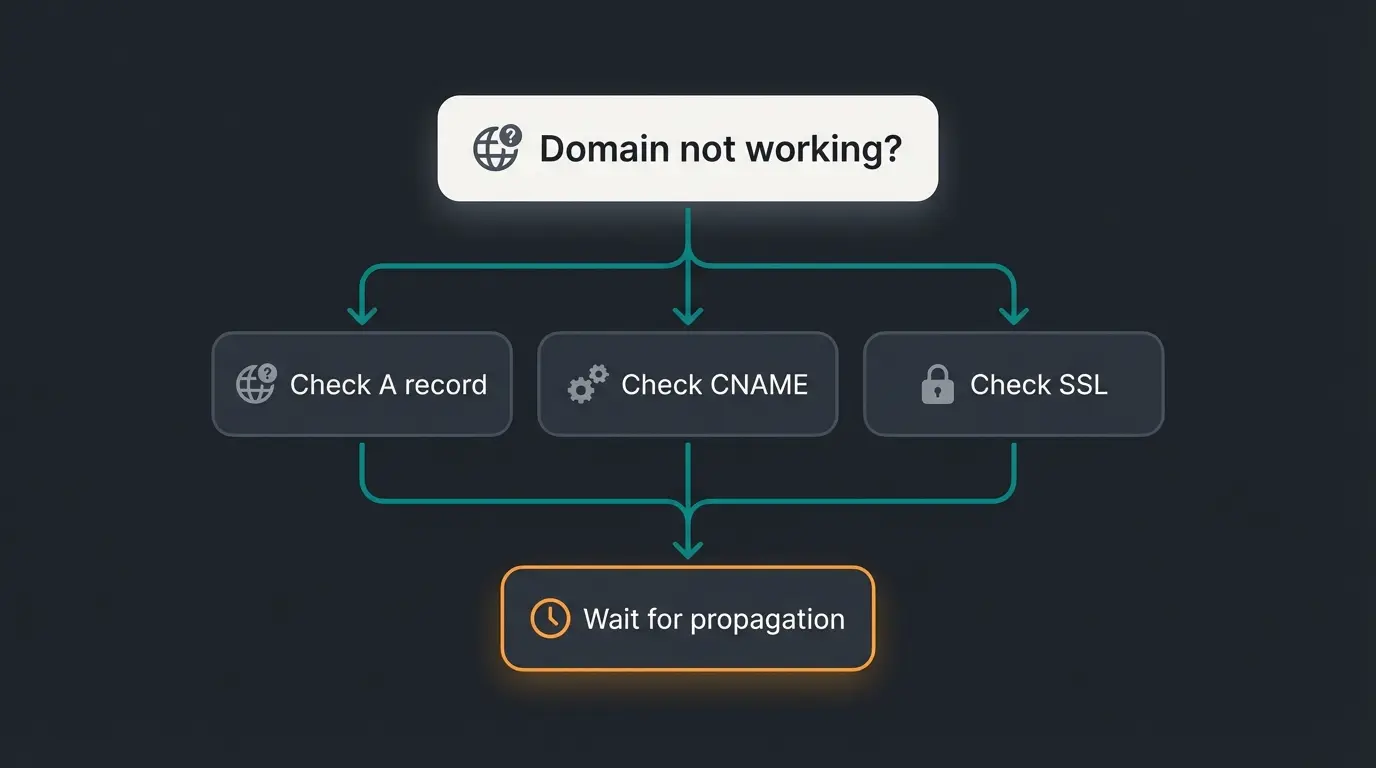
Most domain connection issues fall into a small set of predictable problems. I have seen every one of these across client implementations, and they all have clear fixes.
- Domain not connecting: Check that your A record points to 23.227.38.65 and CNAME points to shops.myshopify.com. Remove any conflicting records. Wait 24-48 hours for propagation.
- SSL certificate error: Ensure Cloudflare proxy is disabled (grey cloud) if applicable. Verify DNS records are correct. Shopify needs direct access to provision SSL.
- Email stopped working after domain change: Domain connection does not affect MX records if you configured them correctly. Verify your MX records are still present and pointing to your email provider.
- Shopify showing 404 on custom domain: Your domain is connected but not set as the primary domain. Go to Settings > Domains and set it as primary.
- 'Domain is already connected' error: The domain is linked to another Shopify store. Remove it from the other store first, or contact Shopify support if you do not have access.
- Slow propagation (over 48 hours): Lower your TTL to 300 seconds before making DNS changes. Some ISPs cache aggressively. Try flushing your local DNS cache or testing from a different network.
FAQ
Shopify domains start at $9 per year for extensions like .store, with .com domains running approximately $15 per year as of 2026. This includes WHOIS privacy protection and automatic SSL. Renewal prices may increase, so check the current rate in your Shopify admin before purchasing.
Yes. You can connect any domain from any registrar to Shopify by updating your DNS records. Set your A record to 23.227.38.65 and your CNAME for www to shops.myshopify.com. Some registrars like GoDaddy, Cloudflare, and IONOS support automatic one-click connection.
The active setup takes about 10 minutes. DNS propagation, the time it takes for the changes to spread across the internet, typically takes 4 to 6 hours but can take up to 48 hours in some cases. During propagation, your store may be intermittently accessible on the new domain.
No. Shopify automatically provisions a free SSL certificate for every connected domain. The certificate is issued once DNS propagation completes and is renewed automatically. You do not need to purchase, install, or manage SSL separately.
Yes. Shopify supports up to 20 domains and subdomains per store on standard plans, and up to 1,000 on Shopify Plus. Additional domains automatically redirect to your primary domain. For international multi-market setups, Shopify Markets handles geo-routing and language targeting.
Yes. You can transfer your domain from Shopify to any other registrar at any time, provided the 60-day ICANN lock period after initial registration or a previous transfer has passed. Shopify does not lock you in. Request an authorization code from your Shopify admin and initiate the transfer at your new registrar.
A custom domain brings visitors. A Qualimero AI employee converts them. Real-time product advice, personalized recommendations, and guided selling across every channel. Our e-commerce clients see a 7x increase in conversion rates.
Book a free demo
Lasse is CEO and co-founder of Qualimero. After completing his MBA at WHU and scaling a company to seven-figure revenue, he founded Qualimero to build AI-powered digital employees for e-commerce. His focus: helping businesses measurably improve customer interaction through intelligent automation.