Introduction: Beyond the Digital Fax Machine
B2B e-commerce is undergoing a fundamental transformation. For a long time, the Shopware dealer portal was primarily seen as the digital equivalent of a fax machine: a place where existing customers enter their article numbers, check availability, and place orders. Efficiency was the priority; the shopping experience was secondary.
But your business customers' expectations have changed dramatically. Driven by B2C experiences and demographic shifts in procurement, B2B buyers today demand more than a bare input form. They expect consultation, personalization, and autonomy. If your dealer portal merely functions as an "admin tool," you're leaving massive revenue potential on the table.
This article is your comprehensive guide. We'll examine not only the technical foundation (B2B Suite vs. Components) and essential core features but also close the gap that most guides miss: how to transform your dealer portal from a cost center into a digital top seller—powered by Artificial Intelligence. Learn how Shopware AI features can revolutionize your B2B operations.
What Makes a Modern Shopware Dealer Portal?
Before we dive into revenue-boosting strategies, we need to clarify the technical foundation. Anyone setting up a dealer portal in Shopware 6 today faces a directional decision that often causes confusion: B2B Suite or B2B Components?
The Elephant in the Room: B2B Suite vs. Components
The distinction is critical for your platform's future-proofing. Understanding this choice will determine your flexibility for years to come.
The Classic B2B Suite: This was long the standard—a comprehensive "all-in-one" extension that added B2B functionality to Shopware. It's built monolithically. This means you install one large package and get all features whether you need them or not. For many existing shops, this is still reality. However, according to into-commerce.de, the Suite will no longer be the focus of future development.
The Modern B2B Components (The Future): With the Shopware Evolve and Shopware Beyond plans, Shopware is betting on B2B Components. The approach here is "API-first" and modular. The functions are deeply integrated into the Shopware Core rather than being a bolted-on plugin. As scope01.com explains, you can activate individual components (e.g., only quick ordering) without overloading the system. Since they're based on headless architecture, they integrate more easily with third-party systems (ERP, PIM) and perform better.
Essential Must-Have Features
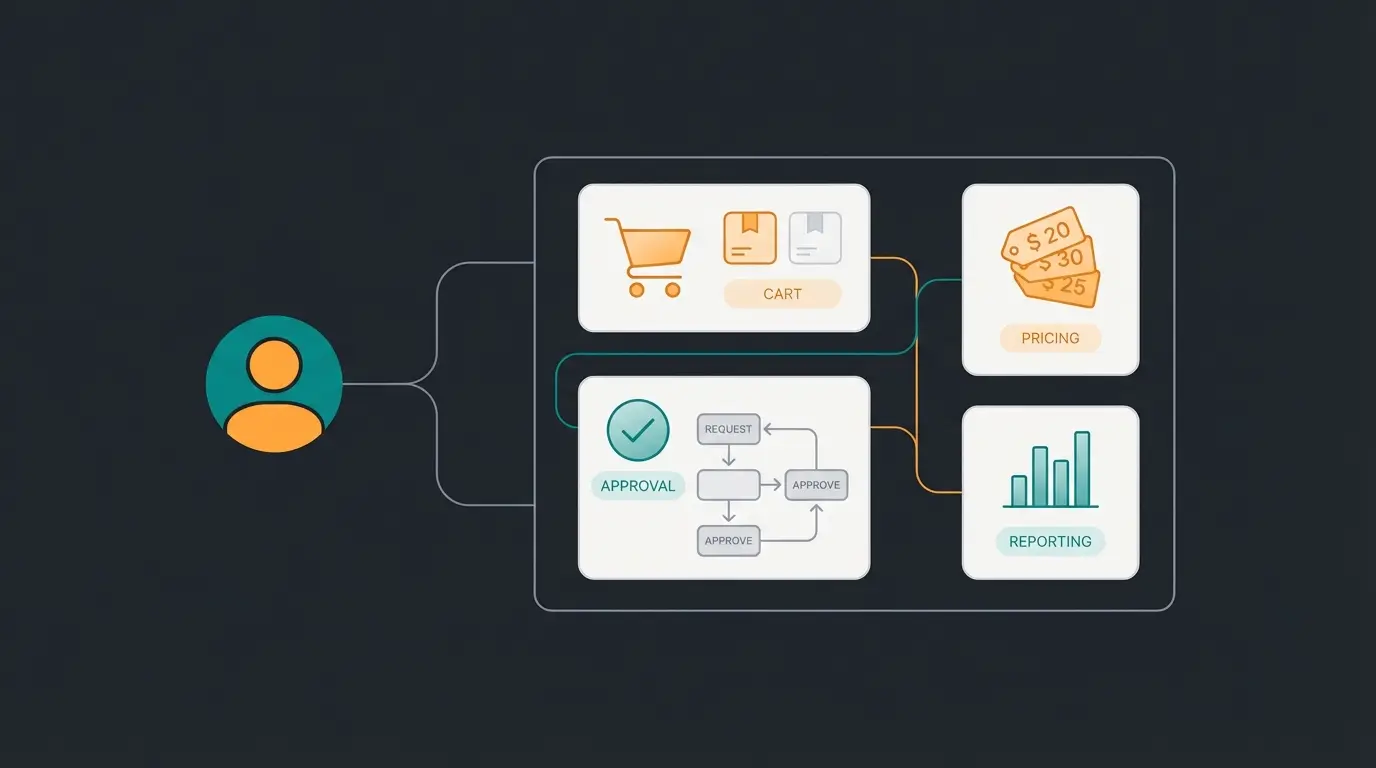
A Shopware dealer portal must meet certain hygiene factors to be accepted by buyers. These functions are standard in the B2B Components:
1. Roles and Permissions Management (Employee Management)
In B2B, a single person rarely makes purchases. There are usually buyers, approvers, and administrators. Your customer can independently create sub-accounts for their employees. In practice, the customer defines that "Employee A" can only order up to €500, while "Department Head B" has an unlimited budget. This massively relieves your customer service since you no longer need to reset passwords for every customer employee. The Shopware customer account configuration plays a crucial role here.
2. Quick Orders
Professionals know their article numbers (SKUs) by heart. A simple grid form or CSV upload field where article numbers and quantities are entered is essential. A tradesperson uploads a CSV file from their planning software and fills the cart with 50 items in seconds. According to Shopware documentation, this feature dramatically reduces order processing time.
3. Budget Approvals (Approval Processes)
This is the most important compliance factor for larger customers. When a cart value exceeds a defined limit, the order isn't placed but sent to a "queue" for approval by a supervisor. Thanks to the Shopware Flow Builder, automatic emails or notifications can be triggered for this process.
4. Custom Pricing
No B2B portal without customer-specific prices. As soon as the dealer logs in, they see their negotiated prices, not the MSRP. This is usually solved via Rule Builder logic or direct ERP live queries. Brainstreamtechnolabs.com provides additional insights on implementing dynamic pricing strategies.
The Problem with Classic Dealer Portals
If you've implemented the above features, you have a solid, functioning dealer portal. You've optimized administrative efficiency. But: you haven't done anything for sales effectiveness yet.
The Sales Gap Analysis
Most agency guides and documentation end at setting up order approvals. That's a mistake. Because the reality of B2B purchasing often looks like this:
- The Scenario: A dealer is looking for a spare part for an industrial machine or a specific configuration for a construction project.
- The Problem: The catalog contains 50,000 items. The search function returns 200 results for "gasket 50mm."
- The Consequence: The buyer is uncertain. Does variant A or B fit?
At this point, the buyer faces three options: They call your sales team (expensive, waiting queue), they order both variants and return one (high return costs), or they abandon and buy where they feel confident. This is where classic "self-service" portals fail. They assume the customer knows exactly what they need.
According to Gartner, B2B buyers prefer self-service when digital tools are capable
Competitors focus on administrative efficiency, only 10% on sales effectiveness
Average B2B catalogs with thousands of variants create decision paralysis
According to Gartner, 75% of B2B buyers prefer a rep-free experience, but only if they can achieve their goal digitally. Complexity without consultation leads to frustration. This insight is also supported by research from webpronews.com on modern B2B buying behavior.
Why Self-Service Without Consultation Fails
A pure transaction portal degrades your products to interchangeable commodities. If the only difference between you and the competition is price, you lose margin. However, if you integrate knowledge and consultation into the portal, you create added value that binds customers. This is where AI product consultation becomes essential.
The Solution: From Admin Tool to Digital Consultant
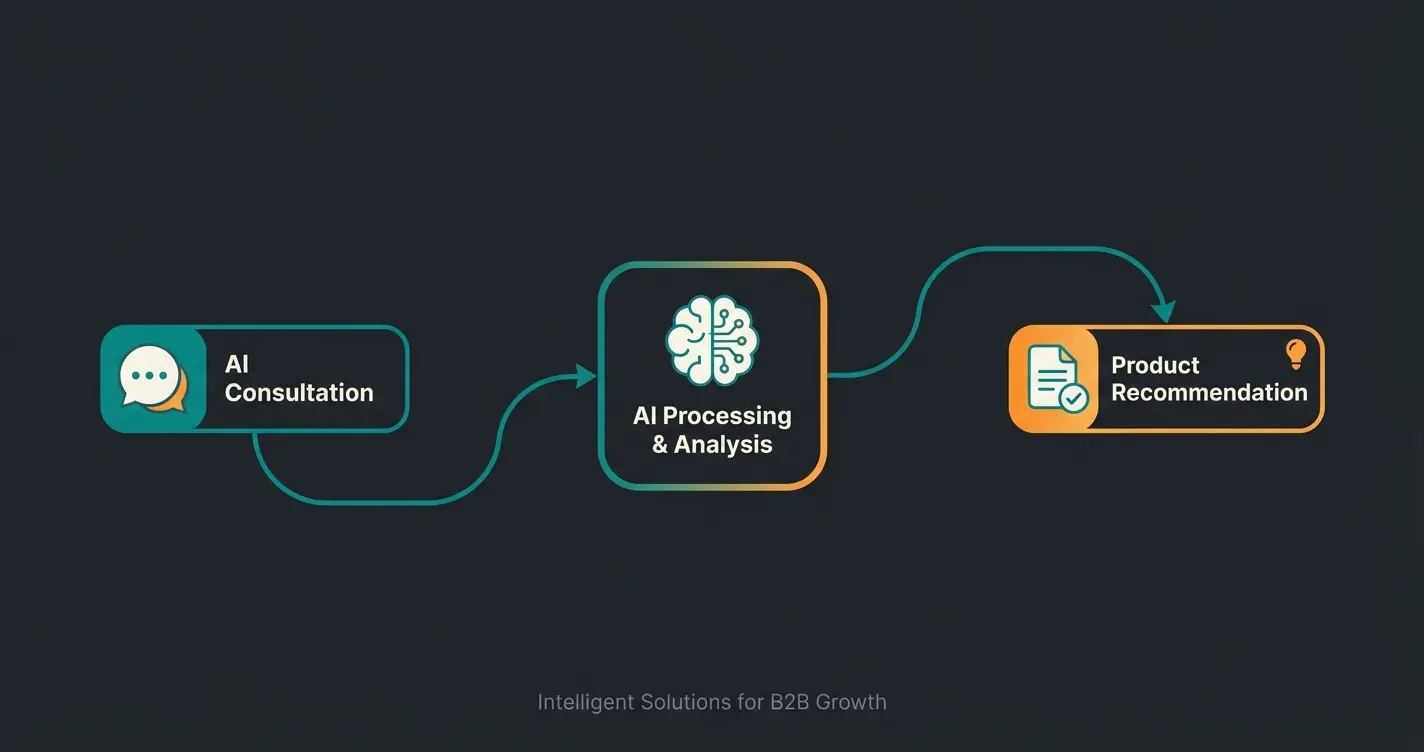
The next evolutionary stage of the Shopware dealer portal integrates AI Product Consultation. We're not talking about a simple chatbot that recites business hours, but AI-powered product consultation deeply integrated into your Shopware catalog.
How AI Consultation Transforms the Portal
Imagine your best sales representative being online 24/7 and able to serve 500 customers simultaneously. That's exactly the goal of an AI-enhanced dealer portal. Discover how AI Product Consultation providers are revolutionizing B2B sales.
1. Guided Selling Instead of Facet Filters
Instead of leaving the customer alone with 50 filters (length, width, material, DIN standard), an AI assistant guides them through the process. For example: "I need a pump for a corrosive liquid at 80 degrees heat." The AI understands the context ("corrosive" = requires special sealing material, "80 degrees" = temperature resistance) and not only suggests products but explains why they fit. This active product consultation approach dramatically improves conversion rates.
2. Return Prevention Through Technical Validation
In the Shopware dealer portal, AI can check whether the components in the cart are compatible. The customer adds a housing and a power supply to the cart. The AI recognizes from the technical attributes (maintained in Shopware) that the voltage doesn't match and warns the customer before purchase. This AI-powered product consultation significantly reduces return rates.
3. Upselling Through Solution Thinking
Classic "accessory" sliders are often ignored. An AI can argue contextually: "Since you're ordering Model X for outdoor use, 80% of our professional customers recommend the matching maintenance kit to double the lifespan." AI-powered sales consultants excel at this consultative approach.
| Feature | Standard Dealer Portal | AI-Enhanced Portal (Next Gen) |
|---|---|---|
| Primary Focus | Administrative efficiency (save time) | Sales effectiveness (increase revenue) |
| Search Behavior | Keyword-based (customer must know SKU) | Solution-oriented (customer describes problem) |
| User Experience | Static, form-heavy | Interactive, consultative |
| Support Effort | High for complex questions | Reduced (AI handles standard tech questions) |
| Return Rate | Medium to High (wrong orders) | Low (validation before purchase) |
| Technology | B2B Components (Standard) | B2B Components + AI Copilot / Integration |
Discover how AI-powered consultation can turn your Shopware dealer portal into a 24/7 sales machine that reduces support costs and increases conversions.
Start Your Free TrialB2B Dealer Journey: The Complete Process
Understanding the complete customer journey in an AI-enhanced dealer portal is crucial for implementation success. Here's how AI product consultation transforms the traditional B2B buying process:
Secure authentication with role-based access and personalized pricing
Intelligent product guidance based on requirements and use case
AI validates technical fit and recommends compatible products
Automated budget checks and manager approvals via Flow Builder
Streamlined checkout with pre-validated configurations
Step-by-Step: Setting Up a Dealer Portal in Shopware 6
To make this vision a reality, you first need to create the foundation in Shopware 6. Here's the roadmap for setting up the B2B Components.
Step 1: Check Licensing Requirements
The B2B Components are not included in the Community Edition or the "Rise" plan. You need at least the Shopware Evolve or Shopware Beyond plan. According to bitbag.io, check if you need the Beyond plan for certain AI features (like the AI Copilot for content or checkout messages).
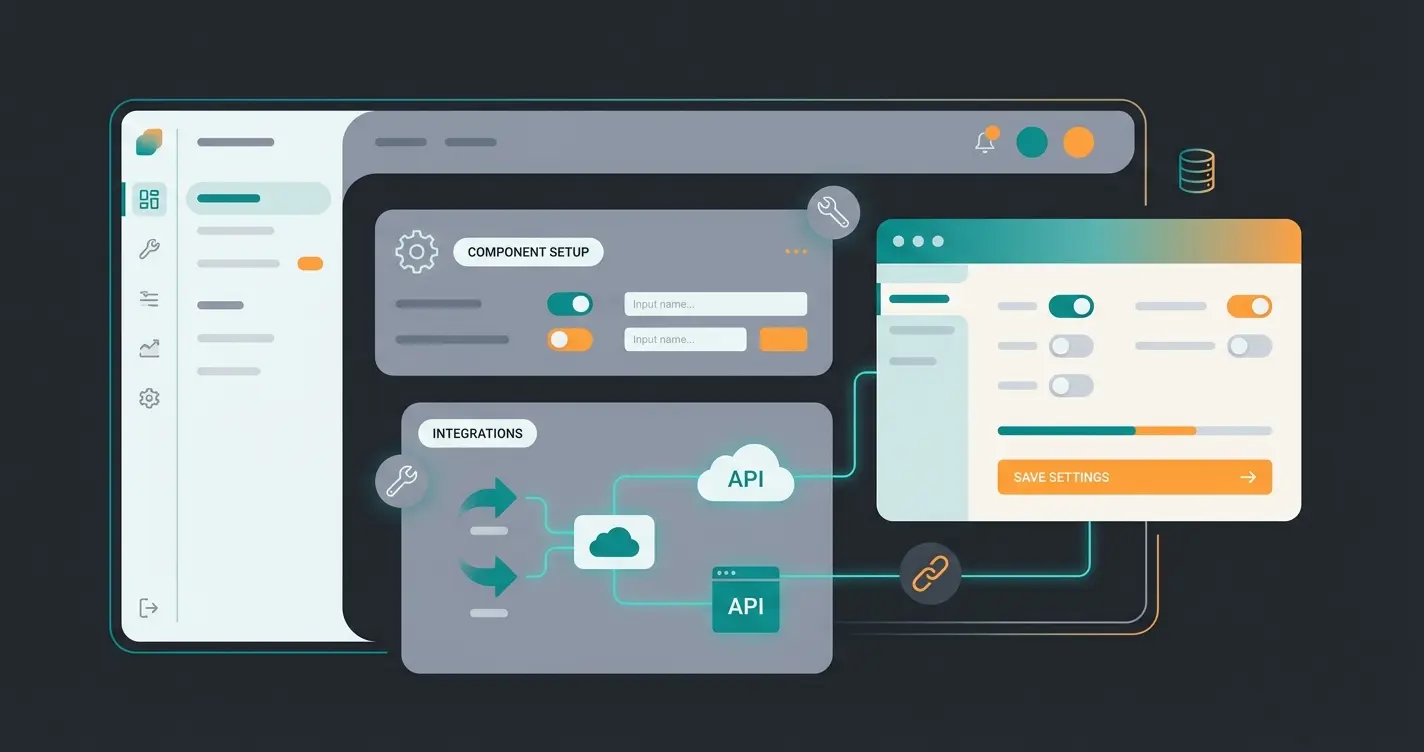
Step 2: Activate B2B Components
After licensing, the components often need to be activated via extension management ("Shopware Commercial"). Navigate to Settings > System > Plugins in the admin area and ensure the B2B extensions are active. AI sales agents can be integrated at this stage.
Step 3: Configure Customer Groups and Registration
The heart of the system is assigning functions. You don't want to unlock everything for every customer. Navigate to Settings > Shop > Customer Groups. Here you can define which B2B features (e.g., quick ordering, employee management) are active by default for this group. Important: Enable the "Custom Registration Form" for dealers to directly request VAT ID and company name. As Shopware documentation explains, proper customer group configuration is essential.
Step 4: Set Up the Debitor (Central Account)
In B2B Components logic, the first account of a company is the administrator (often called "Debitor"). Go to Customers > Overview. In the "B2B" or "Company" tab, you can enable B2B functions for the customer. From this moment, this customer can independently create roles and budgets for their employees.
Step 5: Integrate the AI Layer (Your USP)
Here we leave the standard. To integrate consultation services, you have two paths:
- Shopware AI Copilot: Use Shopware's native AI features (e.g., for customer classification or personalized checkout messages). Codixio.com offers additional insights on implementation.
- Third-Party Integrations: For deep technical product consultation (Guided Selling), connect specialized AI tools via API that access your PIM data and function as a chat interface in the frontend.
Our AI Employee 'Kira' demonstrates how such implementations drive real results. See also how AI Product Consultation transformed sales for similar B2B businesses.
Checklist: Is Your Dealer Portal Ready for 2025?
The market won't wait. Use this checklist to evaluate the maturity level of your current or planned portal:
- Basic Hygiene: Can customers manage their own employees and budgets without calling you?
- ERP Real-Time: Are prices and inventory levels synchronized live from ERP (SAP, Microsoft, etc.) or are you working with outdated CSV data?
- Mobile Optimization: Does quick ordering work on a technician's tablet at the construction site? (Often neglected!)
- Self-Service Quotes: Can customers request quotes and negotiate digitally (Quote Management) instead of sending PDFs back and forth via email?
- AI-Readiness: Is your product data clean enough for AI to interpret? (Data quality is the fuel for AI.)
- Content Strategy: Do you offer instructions, CAD data, and whitepapers in the portal, or just prices?
This is where AI selling in B2B makes the critical difference between market leaders and followers.
Conclusion: The Future of B2B Commerce Is Consultative
The Shopware dealer portal of the future is no longer a passive transaction tool. It's an integrated platform that eliminates administrative hurdles through features like Quick Orders and Budget Approvals while simultaneously unlocking new revenue potential through AI-powered consultation.
The technology is ready with Shopware 6 and B2B Components. The API-first architecture allows you to start small and modularly expand the system into a true "Digital Sales Assistant." According to communicode.com, the integration possibilities are vast.
The core message for your strategy: Don't invest only in features that save costs (administration), but especially in features that make money (consultation & user experience). Those who help their B2B customers find the right product faster and more securely will win the competition for the digital shopping cart.
Frequently Asked Questions
The B2B Suite is a monolithic all-in-one extension that adds B2B functionality as a single package. B2B Components are the modern API-first, modular approach deeply integrated into Shopware Core. Components offer better performance, flexibility, and are the focus of future Shopware development. New implementations should prioritize B2B Components.
AI consultation guides buyers through complex product selection by understanding context and requirements rather than relying on keyword searches. It validates technical compatibility before purchase, preventing wrong orders and returns. Studies show this approach can reduce support calls by up to 40% while increasing order accuracy and customer satisfaction.
B2B Components require at least Shopware Evolve or Shopware Beyond plans. The Community Edition and Rise plan don't include these features. For advanced AI features like AI Copilot for content and checkout messages, you may need the Beyond plan specifically.
Implement AI-powered technical validation that checks component compatibility before purchase. When customers add items to cart, the AI verifies attributes like dimensions, voltage, material compatibility, and configuration requirements, warning about mismatches before checkout completes.
Yes, for long-term viability. While the Suite still works for existing shops, Shopware is focusing development on Components. The API-first architecture offers better ERP/PIM integration, improved performance, and compatibility with modern features like Flow Builder automation and AI integrations.
Join forward-thinking B2B businesses using AI-powered consultation to turn their Shopware dealer portal into a revenue-generating sales machine. Start your journey today.
Get Started Now