Why Most "First Steps" Guides Fall Short
Congratulations on choosing Shopware 6. You've selected one of the most powerful e-commerce systems on the market. But when you search for "Shopware first steps," you typically find dry technical documentation: How do I create a database? Which port needs to be opened?
That's important, but it's only the foundation. An installed house isn't a cozy home yet—and an installed shop doesn't sell a single product. According to industry research from Qualimero, the gap between technical setup and actual sales generation is where most new store owners struggle.
In this comprehensive 2025 guide, we're changing the perspective. We're switching from Administrator Mode to Merchant Mode. We'll walk you through the technical necessities, but our main focus is on how you can:
- Set up your shop legally compliant and high-performing
- Structure products so customers find and love them
- Revolutionize the shopping experience through artificial intelligence (your competitive advantage)
- Automate processes so you have time for marketing
Let's walk the path from empty server to your first "Cha-ching!" together. If you're still deciding between platforms, our Shopware vs Shopify comparison can help you understand why Shopware might be the right choice for complex products.
Phase 1: The Technical Foundation (Quick & Painless)
Before we can sell, the technology must be in place. In 2025, the requirements for Shopware 6 (especially from version 6.6 and the upcoming 6.7) have become stricter to ensure performance and security. For a complete walkthrough, check out our detailed Shopware installation guide.
1.1 Hosting & System Requirements 2025
Don't skimp on hosting. A slow shop kills every conversion rate before the customer even sees the first product. Shopware 6 is based on modern technologies like Symfony and Vue.js—that requires power. Understanding your Shopware hosting costs upfront helps you budget appropriately.
| Component | Minimum Requirement | Performance Recommendation |
|---|---|---|
| PHP Version | 8.2 or higher | 8.3 (for Shopware 6.6+) |
| Database | MySQL 8.0+ / MariaDB 10.11+ | MariaDB 10.11+ (often more performant) |
| Web Server | Apache or Nginx | Nginx (better caching behavior) |
| Node.js | Version 20.x | Version 20.x (for Storefront builds) |
| RAM | 4 GB | 8 GB+ (especially when using Elasticsearch) |
| Caching | Standard | Redis & Varnish (mandatory for professional shops) |
1.2 The Initial Setup Assistant
After installation, the assistant greets you. There's little you can do wrong here, but pay attention to these points:
- Language & Currency: Set your default currency here (usually Euro for German markets). Changing this later is complex.
- Demo Data: Only install this if you want to test Shopware first. For the live shop, you should start with a clean database to avoid "dead weight" in the system.
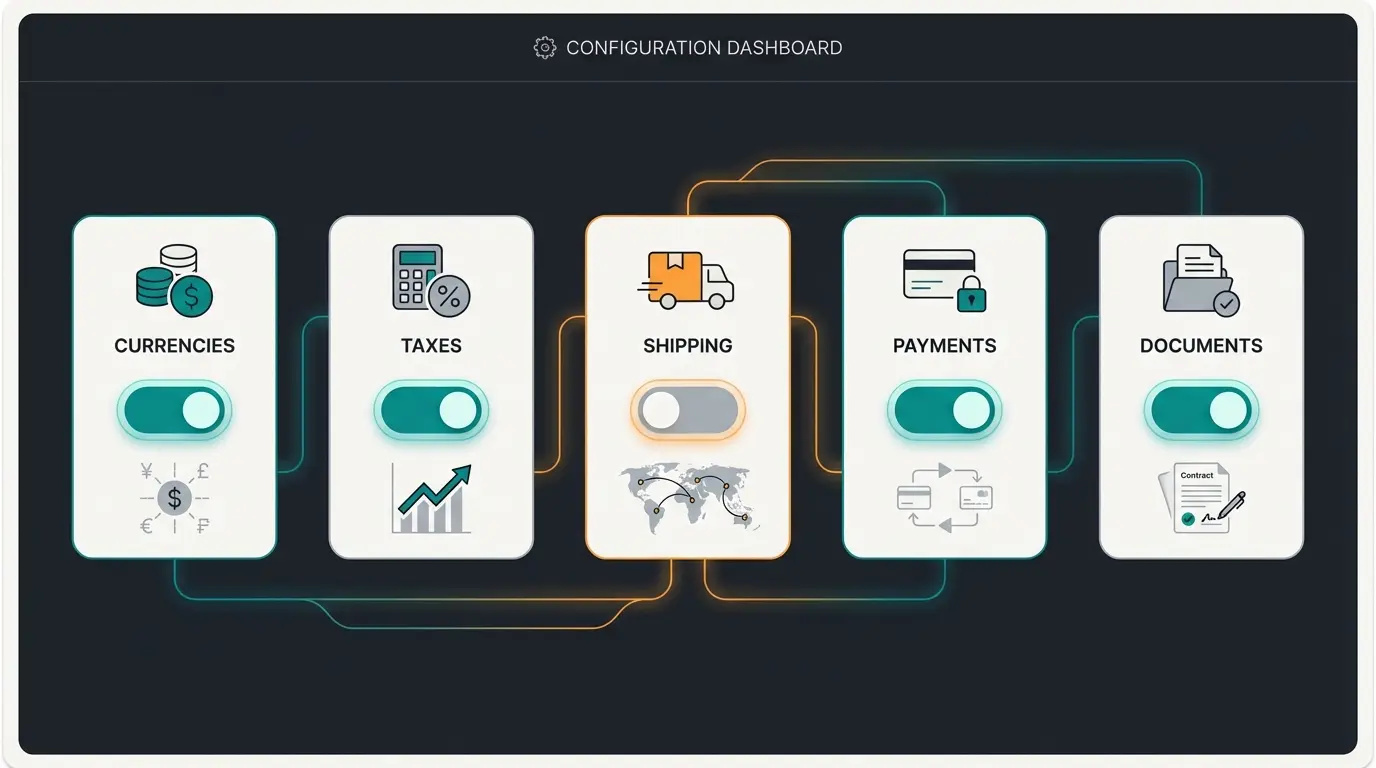
1.3 The "Big 5" of Basic Settings
Before you create products, these five areas must be configured (found under Settings):
- Currencies: Check the conversion factors if you sell internationally.
- Taxes: Essential for Germany: 19% and 7%. Pay attention to correct tax class assignment to countries (consider EU-OSS procedure!).
- Shipping Methods: Create at least one standard shipping method (e.g., DHL). Use the Rule Builder (more on that later) to define free shipping thresholds.
- Payment Methods: Integrate PayPal or Mollie/Stripe early. Customers abandon carts when their preferred payment method is missing.
- Documents: Configure your invoice and delivery note templates. Upload your logo—it looks professional.
Phase 2: The Product Catalog (Structured for Sales)
Many merchants make the mistake of transferring their warehouse structure 1:1 to the online shop. But customers don't search for warehouse locations—they search for solutions.
2.1 Category Trees: UX Over Logic
In Shopware 6, categories are extremely powerful. They serve not only as menu structure but also as landing pages. To optimize Shopware product pages, understanding category hierarchy is essential.
- The "Service" Tree: Create a second tree alongside the main category tree (Navigation) for footer links (Imprint, Terms & Conditions, Contact). This keeps the main navigation clean.
- Nesting Depth: Don't go deeper than 3 levels (e.g., Clothing -> Men -> Pants). Anything deeper should be solved through filters (properties), not categories.
2.2 Product Properties vs. Variants
A common misunderstanding when taking Shopware first steps: When do I use what?
- Properties: Use these for filterable attributes like "Color," "Size," "Material." These are crucial for faceted search in categories.
- Custom Fields: Use these for internal information or special frontend displays (e.g., "Care Instructions," "Model Size").
2.3 Dynamic Product Groups (The "Secret Tip")
Instead of manually moving products into categories like "Sale" or "New Arrivals," use Dynamic Product Groups. As explained by Shopware, you define rules (e.g., "Price < €50" AND "Publication date < 30 days") and Shopware fills the category automatically. This saves you hours of work during ongoing operations.
Set up server with PHP 8.2+, MariaDB 10.11+, and proper caching
Configure currencies, taxes, shipping, payments, and documents
Integrate guided selling and AI product consultation early
Structure categories for UX and import product data strategically
Apply theme, configure Experience Worlds, add legal texts
Test thoroughly, go live, and continuously improve conversions
Phase 3: Modernizing the Shopping Experience (Your USP)
This is where the wheat separates from the chaff. Most shops stick with standard search and standard filters. In 2025, however, customers expect hyper-personalization. Research from Sellbery and Kyanon Digital confirms that personalization is no longer optional—it's expected.
3.1 The Problem with Standard Filters
Imagine you sell running shoes. A customer comes to your shop.
- Standard Shopware: The customer sees filters like "Cushioning: Medium," "Drop: 8mm," "Membrane: Gore-Tex."
- The Problem: The customer often doesn't know what they need technically. They only know: "I run in the forest and have knee pain."
This disconnect between technical filters and customer needs is precisely why AI product consultation has become so valuable in modern e-commerce.
3.2 The Solution: Guided Selling & AI
Integrate digital consultation from day 1. Shopware offers strong backend tools with the AI Copilot (from version 6.7), as detailed by Atwix, but for the customer front, you should think further. Understanding how AI Chatbots evolving can inform your strategy here.
Strategy: From Catalog to Consultant
Instead of leaving customers alone with filters, use a "Guided Selling" approach. Implementing Shopware 6 chatbots can transform your static catalog into an interactive sales assistant.
| Feature | Standard Shopware Setup | AI-Optimized Setup (2025) |
|---|---|---|
| Product Search | Keyword-based ("red running shoe") | Context-based ("shoe for rainy forest runs") |
| Navigation | Static categories | Dynamic sorting based on click behavior |
| Consultation | Technical filters (size, color) | Interactive questionnaire / Chatbot ("Where do you run?") |
| Conversion Rate | ~1.5 - 2.5% (Average) | Up to 12.3% through Guided Selling |
Research from Pixyle.ai and Popupsmart confirms these conversion benchmarks, with guided selling consistently outperforming traditional filtering approaches.
Up to 5x higher than standard filter navigation
2025 projection for e-commerce mobile sessions
Competitor guides focus on installation, not selling
Practical Implementation of AI Strategy
Here's how to put this into practice when taking your Shopware first steps:
- Use Shopware AI Copilot: Activate features for AI-generated product descriptions and properties. This fills your shop quickly with relevant content.
- Image Search & Keywords: Use the "Image Keyword Assistant" to automatically tag images. This massively improves internal search.
- Digital Sales Assistant: Plan the integration of a tool (or use Shopware Digital Sales Rooms in higher plans) that asks customers what they want instead of making them search.
The key insight here is about AI consulting e-commerce—positioning your shop not as a "warehouse with shopping cart" but as a "digital expert consultant." This is your chance to compete against Amazon.
Stop losing customers to confusion. Implement intelligent product guidance that converts browsers into buyers from day one.
Start Your AI JourneyPhase 4: Design & Experience Worlds
Shopware 6 strictly separates data (products) from presentation (Experience Worlds). This is confusing at first but brilliant for design flexibility.
4.1 Theme Selection: Standard vs. Premium
The standard Shopware theme is solid but often too basic for competitive markets.
2025 Recommendation: Invest in a premium theme like ThemeWare. According to ThemeWare, it offers hundreds of configuration options (colors, header layouts, conversion elements) without programming. It's optimized for SEO and PageSpeed, saving you months of development time. The Atmos theme, as noted by Doofinder, is also strong for visually-driven shops.
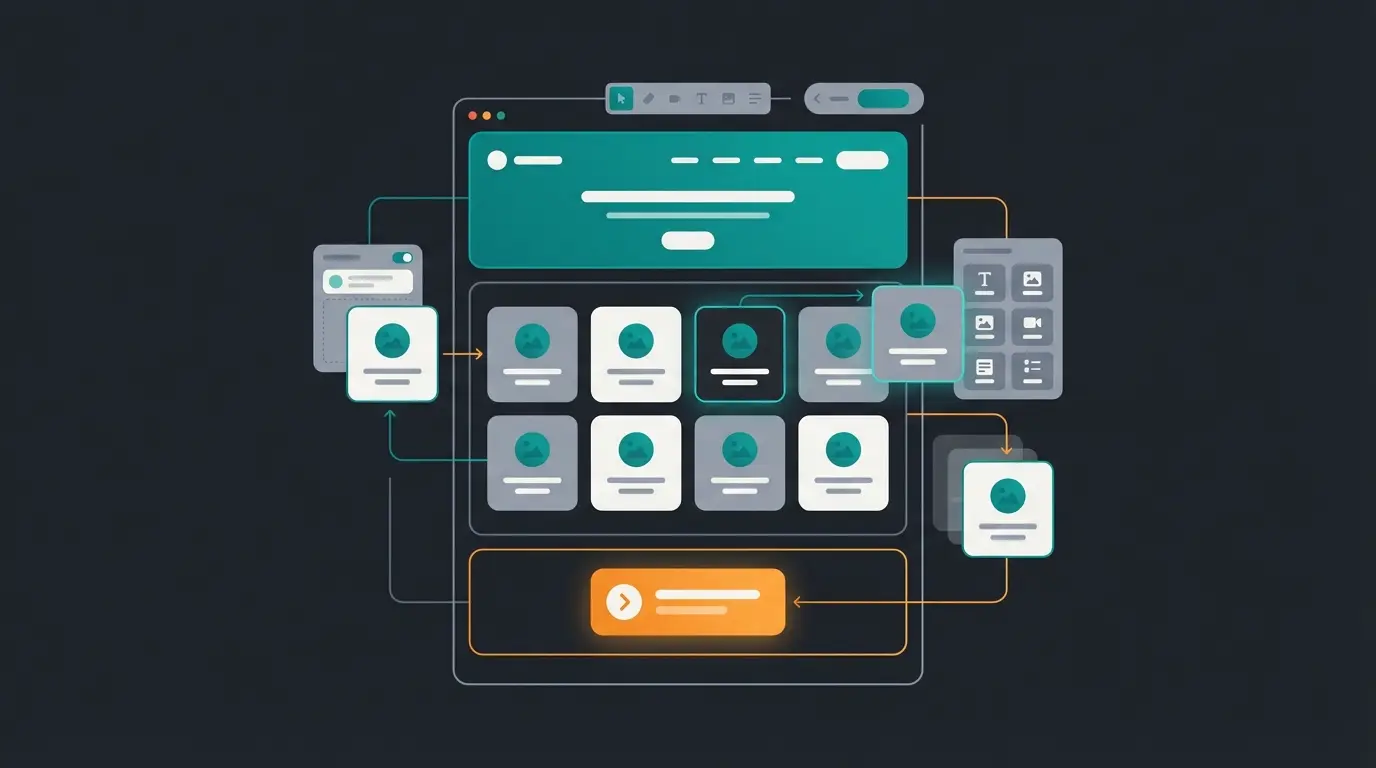
4.2 Mastering Experience Worlds (CMS)
"Experience Worlds" are Shopware's page builder. Here's how to master them:
- Landing Pages: Build a homepage that evokes emotions. Use the "Commerce" block to embed product sliders directly.
- Category Layouts: Create one master layout for categories and assign it to all categories. Only customize the layout individually for top categories.
- Mobile First: Check every layout immediately in mobile view (switchable in the editor). According to Envive.ai, 70-75% of traffic comes via mobile in 2025.
For comprehensive visibility optimization, don't forget to consult our Shopware SEO guide which covers technical SEO fundamentals specific to the platform.
Phase 5: Automation with Rule & Flow Builder
This is where Shopware 6 shows its true strength. You can map complex business logic without a single line of code ("No-Code"). For advanced automation scenarios, explore our complete guide to Shopware Flow Builder.
5.1 The Rule Builder (The Brain)
Here you define the "IF" conditions. According to Rhiem Intermedia and Kennersoft, the Rule Builder is one of Shopware's most powerful features.
- Example: Customer is from Germany AND cart > €100 AND customer belongs to group "VIP"
- Application: You then use these rules for shipping costs, prices, or discounts
5.2 The Flow Builder (The Muscle)
Here you define what happens "THEN". As detailed by SW-Backend and EXWE, the Flow Builder enables sophisticated automation scenarios.
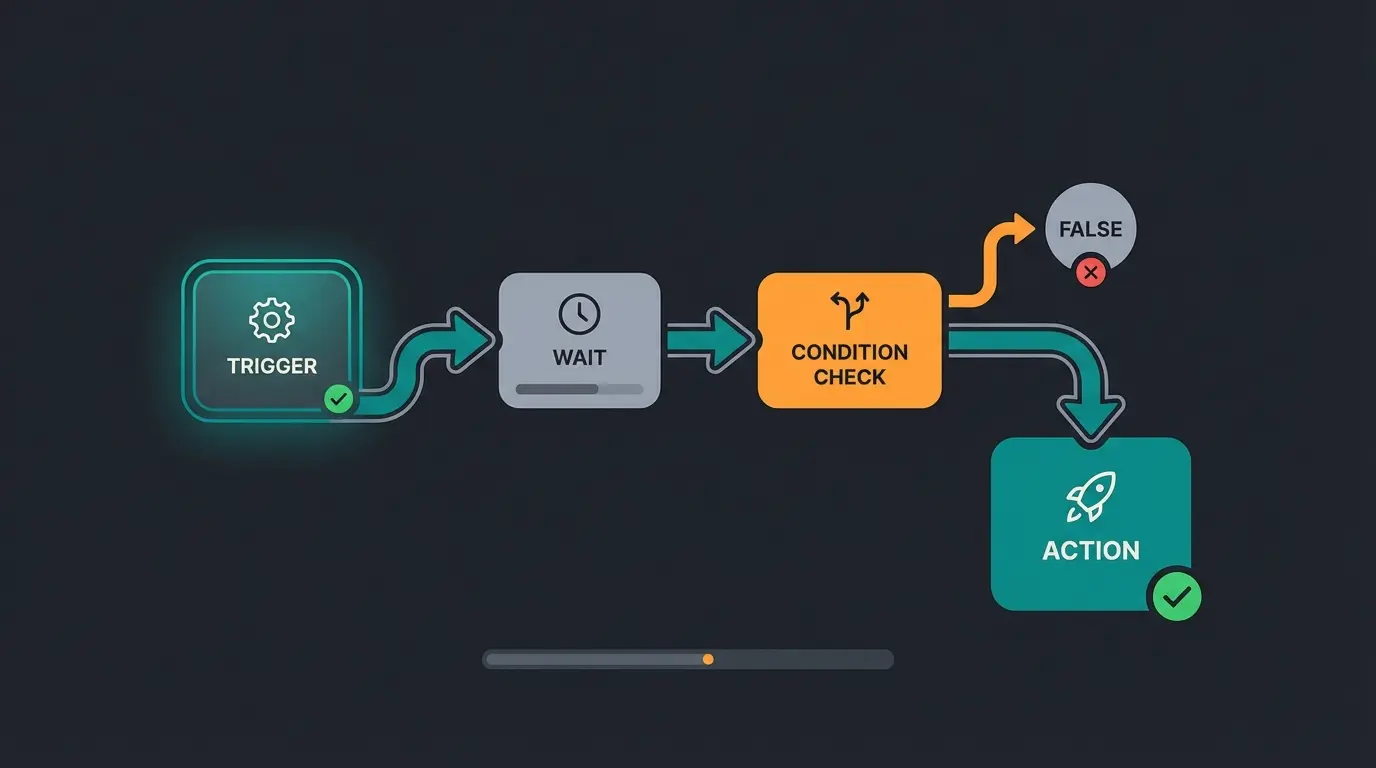
Scenario: A customer places an order but doesn't pay immediately (checkout abandonment).
Automation Workflow:
- Trigger: Order placed / Status "open"
- Wait: Wait 2 hours
- Check: Is status still "open"?
- Action: Send email "Did you forget something?" with link to cart
Result: You rescue revenue fully automatically while you sleep. For even more sophisticated integrations, Shopware API automation opens up possibilities for connecting external services and AI tools.
Phase 6: Legal Compliance & The Go-Live Roadmap
Germany is the land of legal warnings (Abmahnungen). A Shopware shop must be "watertight." Proper Shopware customer support processes also play into legal compliance, especially regarding customer communication and data handling.
6.1 Establishing Legal Security
Don't rely on manual copy-paste of legal texts.
- Use Plugins: Install plugins from providers like IT-Recht Kanzlei or Händlerbund. These synchronize Terms & Conditions, Imprint, and Return Policy automatically via interface.
- Cookie Consent: Shopware includes a Cookie Manager. Configure it strictly so that tracking pixels only fire after consent.
6.2 The Go-Live Checklist
Before you flip the switch (route domain to live server):
- Email Test: Place an order yourself. Do order confirmation, invoice, and registration emails arrive? Do they look good?
- Payment Test: Conduct real transactions with all payment methods (and cancel them afterward).
- SEO Check: Do all categories have meta titles and descriptions? Is the sitemap generated?
- Performance: Activate "Production Mode" in Shopware (disables debugging, activates caching). Recompile the theme.
- Legal: Are Imprint and Terms & Conditions accessible from every page (including checkout)?
Conclusion: Your E-Commerce Business Launching Point
The "First Steps" in Shopware 6 are more than just installation and configuration. It's about building a sales machine. By:
- Setting up the technical foundation solidly (Hosting & Updates)
- Using the Rule and Flow Builder for automation
- And most importantly, implementing AI-powered consultation (Guided Selling)
...you'll stand out from 90% of standard shops. Your shop is then not just a digital catalog, but an interactive salesperson working for you 24/7.
Next Step: Start the installation, but keep this guide handy when it comes to configuration. Good luck with your first sale!
FAQ: Common Questions About Shopware First Steps
No, not for setup and operation. Thanks to Experience Worlds (Drag & Drop Editor) and the Rule Builder, you can customize design and logic without code. However, for deep individual customizations, HTML/CSS/Twig knowledge or an agency is advisable.
For most founders, the Shopware Rise Edition (or Community Edition for tech-savvy users) is sufficient. However, note that many AI features (Copilot) are only fully integrated in commercial plans (Rise, Evolve). According to Qualimero, understanding the edition differences is crucial for long-term planning.
Technically, the shop is installed in a few hours. A realistic "Time-to-Market" including design, product import, legal texts, and testing phases is usually between 4 and 12 weeks for professional shops.
Often it's due to missing caching or weak hosting. Make sure the shop runs in "Production Mode" and use technologies like Varnish and Redis, as recommended in the 2025 system requirements.
Standard filters require customers to know technical specifications. AI consultation asks about use cases, preferences, and needs in natural language, then recommends products accordingly. This approach can increase conversion rates from 1.5-2.5% to over 12%, as customers feel guided rather than lost in a catalog.
Take your Shopware first steps with intelligent consultation that converts visitors into customers. Join merchants who've transformed their shops from static catalogs into dynamic sales consultants.
Get Started Today
Lasse is CEO and co-founder of Qualimero. After completing his MBA at WHU and scaling a company to seven-figure revenue, he founded Qualimero to build AI-powered digital employees for e-commerce. His focus: helping businesses measurably improve customer interaction through intelligent automation.