
What exactly is Shopware Free?
Shopware Free means the Shopware 6 Community Edition, an open-source commerce platform released under the MIT License with no license fee. You download it, host it yourself, and change the code however you like. Free here means zero license cost, not zero total cost, and that distinction shapes every decision below.
The Community Edition is Shopware's core, built on Symfony and Vue.js. You pay no monthly rent to shopware AG. The source is public, so you can install it on your own server and adapt it to your business. For the wider picture, see what is Shopware and our full Shopware explained guide.
This is a different deal from SaaS platforms like Shopify, where you pay from day one and the code stays a black box. Shopware Community gives you the code and the control. It also gives you the responsibility, which is the part the marketing pages skip.
Many first-time users assume the free version is a stripped-down demo. It is not. The Community Edition ships the full commerce core: unlimited products, Shopware Categories for structuring your catalog, complex pricing rules, and support for Shopware Variants. What you do not get is service, and understanding Shopware license costs is where that line gets drawn.
Is Shopware really free? The real costs
No, not in the way most people hope. The Community Edition carries no license fee, but running it realistically costs 50 to 150+ Euro per month for hosting, plus one-time setup and ongoing maintenance. Free covers the software. It does not cover the server, the security patches, or your time.
There is an old line in ecommerce: free software is free like a free puppy. The acquisition costs nothing. The upkeep is the whole story. If you plan a Shopware shop without these three cost blocks, the business case will not survive contact with reality. For alternatives at different price points, our ecommerce platform comparison breaks down the trade-offs.
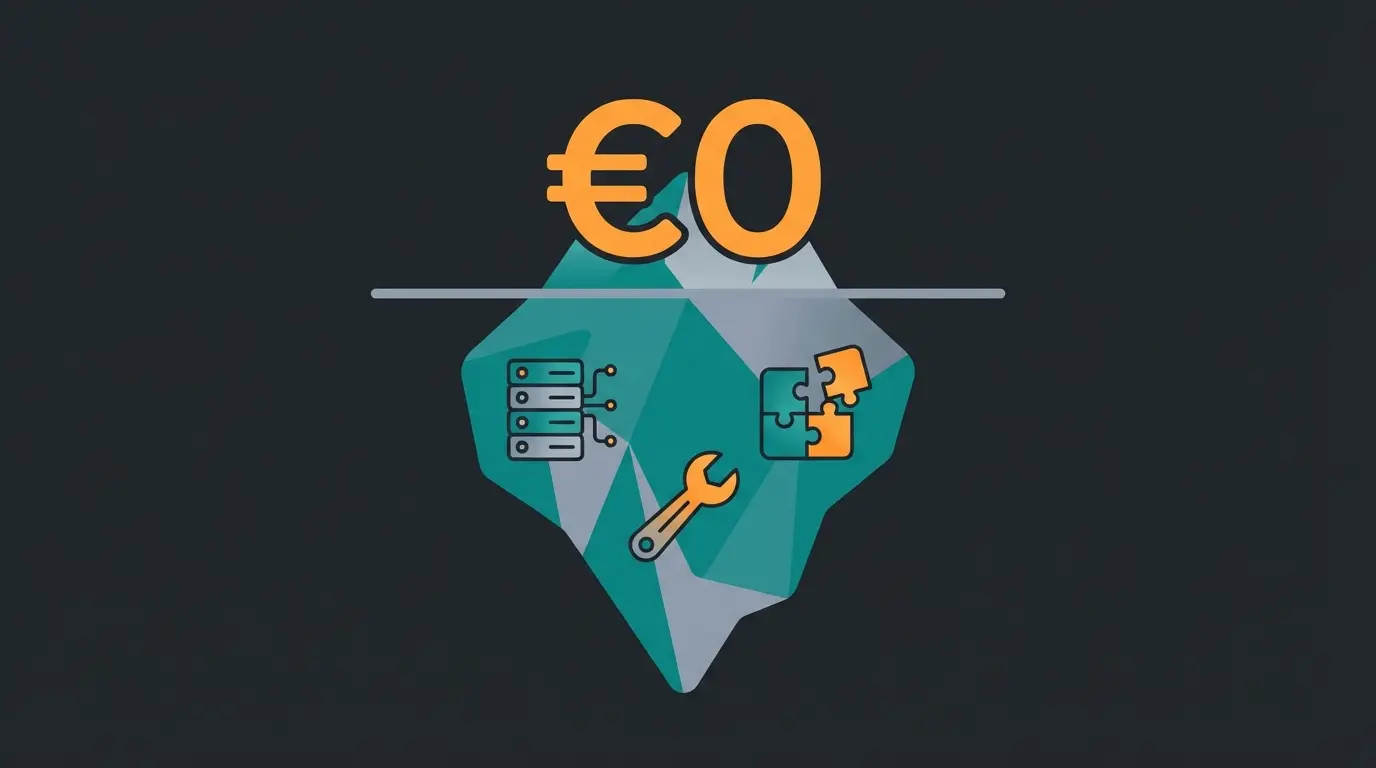
Hosting comes first. You cannot run Shopware 6 on 5 Euro shared hosting. It needs SSDs, real RAM (8 GB and up for smooth operation), and SSH access. For a fast shop, budget around 50 Euro per month at the low end. Cut corners here and loading times climb, which kills conversion faster than any missing feature.
Setup is the second block. Shopware installs cleanly, but configuring it for the market, legal pages, GDPR, and design, takes time or money. Do it yourself and you are looking at 40 to 80 hours of work. Hand it to an agency and a "free" shop often costs 5,000 to 15,000 Euro to launch.
Maintenance is the block people forget. Shopware itself is free, but the Store is full of paid plugins: an ERP connector here, a premium theme there, a legal-text interface for a few Euro a month. On top of that, you apply the security patches yourself. If you cannot, an agency maintenance contract usually starts near 150 Euro per month.
| Cost block | Community Edition | What it actually costs |
|---|---|---|
| License fee | 0 Euro | Genuinely free under the MIT License |
| Hosting | Required | 50 to 150+ Euro / month for acceptable speed |
| SSL, backups, monitoring | Required | Often bundled in managed hosting, 5 to 20 Euro / month |
| Updates & security patches | Your responsibility | 0 Euro DIY, or from 150 Euro / month on contract |
| Initial setup (legal, design) | Your responsibility | 40 to 80 hours DIY, or 5,000 to 15,000 Euro via agency |
| Essential plugins | Optional | 0 to 50 Euro / month depending on needs |
Community Edition, MIT License
Minimum for acceptable speed
Optional agency launch
Updates and security on contract
The 2026 Fair Usage Policy and the 1 million Euro cap
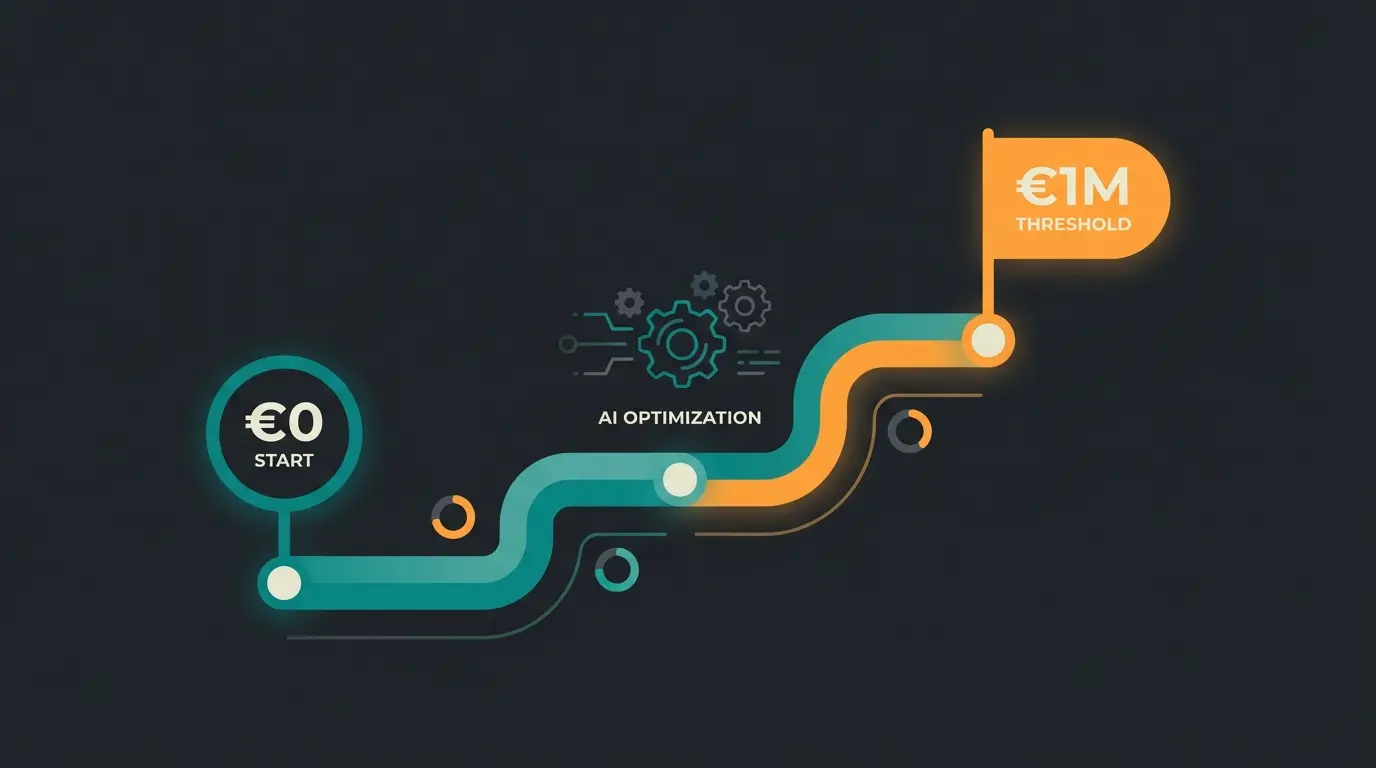
Since 24 March 2025, Shopware's Fair Usage Policy caps free Community Edition use at 1 million Euro gross merchandise value per year. Below that line you pay nothing. Above it, you must move to a paid edition to keep your Shopware Account and Store access. Since 14 April 2026, that number is reported automatically.
This is the change that catches merchants off guard, so read it twice. For years you could turn over 50 million Euro on the Community Edition and Shopware would not see a cent. That era is over. The rule now is simple, and Shopware states it directly.
So what happens if you cross a million and refuse to upgrade? Shopware does not switch off your shop, since it is open source and running on your server. But you lose access to your Shopware Account. You can no longer buy or update Store plugins, and you stop receiving plugin security updates. In practice the shop freezes and slowly turns into a security risk.
Here is where I break with the usual hand-wringing. I think the 1 million Euro cap is the best thing Shopware has done for small merchants in years. For a startup, it is not a tax. It is a roadmap. Stay free while you build to a million, put every saved license Euro into marketing and conversion, and the 600 Euro per month for Rise will not sting once you are there.
Stay on Community. Put every saved license Euro into marketing and AI-driven conversion.
Prepare the switch. Evaluate Rise while you keep maximizing the free core.
Mandatory upgrade to a paid edition. The business now covers the license easily.
Consider Evolve for native B2B and advanced workflows as complexity grows.
Community Edition vs paid editions
The free Community Edition gives you the full open-source commerce core: unlimited products, the Rule Builder, and Experience Worlds. Paid editions (Rise, Evolve, Beyond) add manufacturer support, the native B2B Suite, advanced search, and higher GMV allowances. The gap is service and convenience, not a crippled core product.
Put the free and paid tiers side by side and the difference is clear. The Community Edition uses standard MySQL search, while paid tiers ship OpenSearch. B2B budgets and roles are native above Community, and plugins-only below it. Manufacturer support jumps from a community forum to ticketed, then to a one-hour response SLA on Beyond. None of that changes what the core can sell.
| Community | Rise | Evolve | Beyond | |
|---|---|---|---|---|
| Monthly price | 0 Euro | from ~600 Euro | from ~2,400 Euro | from ~6,500 Euro |
| GMV allowance | 1M Euro / year | contractual | contractual | unlimited |
| Manufacturer support | Community forum | Ticket support | Priority support | 24/7 (1h response) |
| B2B Suite | Plugins only | Limited | Native | Native |
| Advanced search (OpenSearch) | Manual setup | Included | Included | Included |
| Best for | Startups, SMEs | Growing B2C | B2B, mid-market | Market leaders |
One nuance worth stating: the GMV limits on Rise and Evolve are contractual and can vary, while the 1 million Euro Community cap is fixed in the terms. If you sell internationally, note that Shopware Multilingual storefronts are available on the free edition too. The paid tiers do not gatekeep languages, they gatekeep support and enterprise workflows.
How AI tools replace expensive enterprise features
Most of what merchants pay enterprise editions for, guided selling, round-the-clock consultation, and lead capture, can run on top of the free Community Edition through an AI employee. Instead of 2,400 Euro a month for Evolve features you barely touch, you layer intelligent product advice onto the free core and keep your margin.
The free Shopware version is an excellent catalog. It shows products, prices, and images beautifully. What it does not do is sell. A customer arrives looking for "something for a shady lawn," the standard search returns 50 products, and the customer leaves overwhelmed. That gap is exactly what an AI product consultation tool fills.
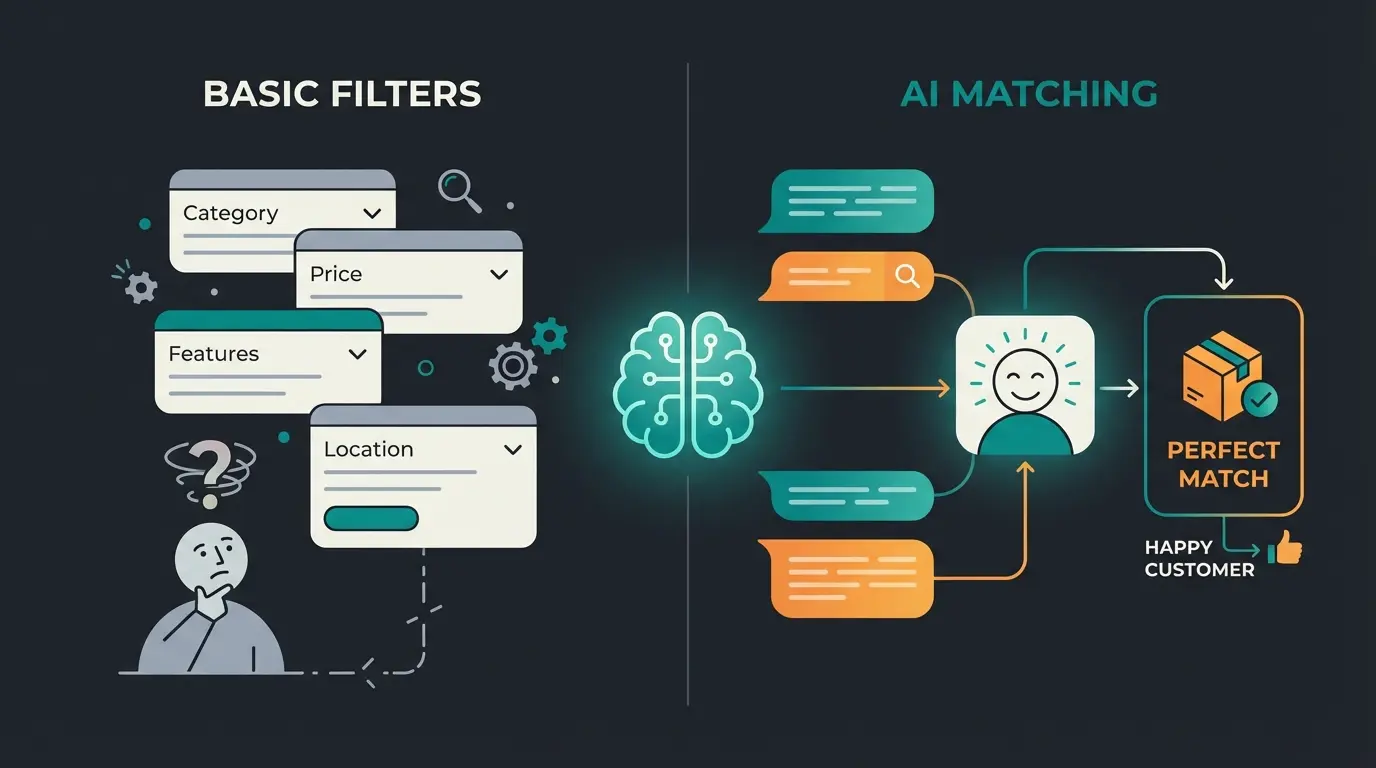
The expensive Evolve plan tries to close this with Guided Shopping and Digital Sales Rooms, where real staff join by video. That is effective and personnel-heavy. An AI employee does the same job differently: it understands the problem, not just the filter, it works at 11 PM on a Sunday when purchase decisions actually happen, and an AI customer service layer answers the repetitive questions your forum-only support cannot.
This is not theory. Garten-Freunde.de handled up to 50 consultation-heavy inquiries a day with a single salesperson before adding an AI employee to its shop. The result was a 7x higher conversion rate, a 6x return on investment, and a 45% click-through rate on the AI's recommendations, the way Gartenfreunde turned its lean setup into a sales engine. Neudorff hit 97% accuracy in product recommendations and cut per-chat cost by 99%. Those numbers genuinely surprised me the first time I saw them.
| Feature | Community (free) | Evolve (~2,400 Euro/mo) | Community + AI |
|---|---|---|---|
| Product consultation | Standard filters | Guided Shopping (staffed) | AI-driven conversation, 24/7 |
| Customer support | Forum only | Ticket support | Instant AI assistant |
| Product recommendations | Basic "similar items" | Rule-based suggestions | Contextual, intent-aware matching |
| B2B consultation | Manual | Sales Room integration | Automated expert guidance |
| Fixed monthly cost | 0 Euro | ~2,400 Euro | 0 Euro + AI tool cost |
The math is the point. On the Community edition plus an AI employee, you stay highly profitable under the 1 million Euro threshold while offering an enterprise-grade buying experience. You are selling like an Evolve shop on a Community budget. That is the honest arbitrage the official pages will never write about.
How to get started with Shopware Free
To start with Shopware Free, download the Community Edition from the official site or GitHub, install it on hosting that meets the technical spec, and configure your store and legal pages. Budget for hosting and basic maintenance from day one, and try the demo first if you want to see the backend before committing.
- Try a Shopware 6 demo to see the admin and storefront before you install anything
- Download the Community Edition from Shopware or clone it from GitHub
- Provision hosting that meets the spec below, not a cheap shared plan
- Install, then get comfortable in the Shopware Admin panel, your daily command center
- Set up legal essentials early, starting with your Shopware Legal Notice and GDPR pages
If you would rather not touch a server, a Shopware partner agency can launch the shop for you. Just remember that this is the 5,000 to 15,000 Euro setup block from earlier, not a hidden part of the free license.
Technical requirements and the best free starter plugins
Shopware 6.7 needs a real server: PHP 8.2 or higher, MySQL 8 or MariaDB 10.11, and Redis for caching. On 5 Euro shared hosting it will crawl. The current line as of July 2026 is Shopware 6.7.12.1, and outdated PHP or missing caching is the single most common cause of Community Edition frustration.
The backend stack is not negotiable. PHP 8.2+ is mandatory, since 6.7 will not run on older versions. Pair it with MariaDB 10.11+ or MySQL 8.0+ and an Nginx web server for the best performance. You can check the exact current requirements against the Shopware changelog, which the team updates with every monthly release.
Then the performance layer, which too many budget hosts leave out. Redis is essential for caching sessions and carts, because without it Shopware writes everything to disk and slows to a crawl past a handful of concurrent visitors. Add an HTTP cache like Varnish in front, and from roughly 10,000 products, wire in OpenSearch so search stays fast. For theme changes you also need Node.js 20.
You do not have to buy your way out of the gaps. Several free Store plugins cover the basics: Pickware ERP gives you simple inventory in the backend, a GDPR Shopware cookie consent banner keeps you compliant, PayPal Checkout is free to install (you only pay transaction fees), and Shopware's own Security plugin closes known vulnerabilities. Start there before you spend a cent on premium extensions.
Frequently asked questions
The questions merchants actually type into Google cluster around one theme: is it truly free, and what does free cost. Short, direct answers below, mirroring the live People Also Ask box.
Yes. The Shopware 6 Community Edition is free under the MIT License, with 0 Euro in license fees. You only pay for hosting (from around 50 Euro per month) and any premium plugins you choose. Free usage is capped at 1 million Euro GMV per year.
The Community Edition costs 0 Euro per month in license fees, but realistic running costs land between 50 and 150 Euro for hosting and maintenance. Paid editions start at roughly 600 Euro per month for Rise, about 2,400 Euro for Evolve, and around 6,500 Euro for Beyond.
Shopware is an open-source ecommerce platform for building and running online stores, from single-brand B2C shops to complex B2B catalogs. Built on Symfony and Vue.js, it handles product management, checkout, Experience Worlds CMS pages, and multichannel selling. The Community Edition covers all of this for free.
The current line is Shopware 6.7, with version 6.7.12.1 released in July 2026. The 6.7 line gets monthly feature and security updates, and Community Edition shops on 6.7.8 or newer report GMV automatically. Shopware 6.8 is expected in 2027.
Yes. Shopware 6 is released under the MIT License, one of the most permissive open-source licenses, which lets you modify, distribute, and commercialize the code freely. The full source is public on GitHub. Only the paid editions add closed commercial extensions.
Yes, but with limits. The Community Edition supports net pricing and customer groups, while native B2B features like budgets, approval workflows, and role management belong to the paid editions. You can close that gap with plugins or an AI employee that guides B2B buyers to the right product.
Start free, scale on your terms
The Community Edition is still the best entry into serious ecommerce, and the 1 million Euro cap does not change that. It just gives you a finish line. Build to it on free infrastructure, spend the saved license budget on the thing that actually moves revenue, and upgrade the day the numbers make an upgrade painless.
Do not skimp on hosting, do not skip the security patches, and do not pay 2,400 Euro a month for guided selling you can add for a fraction on top of the free core. Invest in intelligence, not licenses. That is the whole strategy, and it fits on a napkin.
Your free core displays products. It does not advise buyers. A Qualimero AI employee adds real product consultation on top of Shopware Community, the way Gartenfreunde lifted its conversion rate 7x. See it on your own catalog.
Book a demo
Lasse is CEO and co-founder of Qualimero. After completing his MBA at WHU and scaling a company to seven-figure revenue, he founded Qualimero to build AI-powered digital employees for e-commerce. His focus: helping businesses measurably improve customer interaction through intelligent automation.