Why Merchants Are Switching from WooCommerce to Shopware
Is your WooCommerce store bursting at the seams? When loading times increase, plugins cause conflicts, and complex B2B requirements must be solved with makeshift solutions, many merchants hit the "growth ceiling." Switching from WooCommerce to Shopware is often the logical next step for ambitious e-commerce businesses in the DACH region and beyond.
But be careful: A migration is more than just a technical data transfer. Many merchants experience an unexpected revenue drop after going live because existing customers can't find their way around the new, more complex system. According to Shopware, understanding the platform's architecture is crucial for successful adoption.
In this comprehensive guide, you'll learn not only how to migrate technically cleanly, but also how to close the content gap that arises from the system change. We'll show you how to use modern AI solutions to transform your new Shopware store into an active sales machine from day one and drastically accelerate the ROI of your migration. For a detailed platform comparison, check out our Shopware vs WooCommerce analysis.
Reality Check: WooCommerce vs Shopware 6 in 2025
Before we talk about databases and redirects, we need to clarify the strategic question. WooCommerce is fantastic for starting out—it's flexible, affordable, and simple. But from a certain revenue volume (often from around €500,000 to €1 million GMV), the ratio of benefit to effort tips.
The Fundamental Difference: Self-Service vs Enterprise-Ready
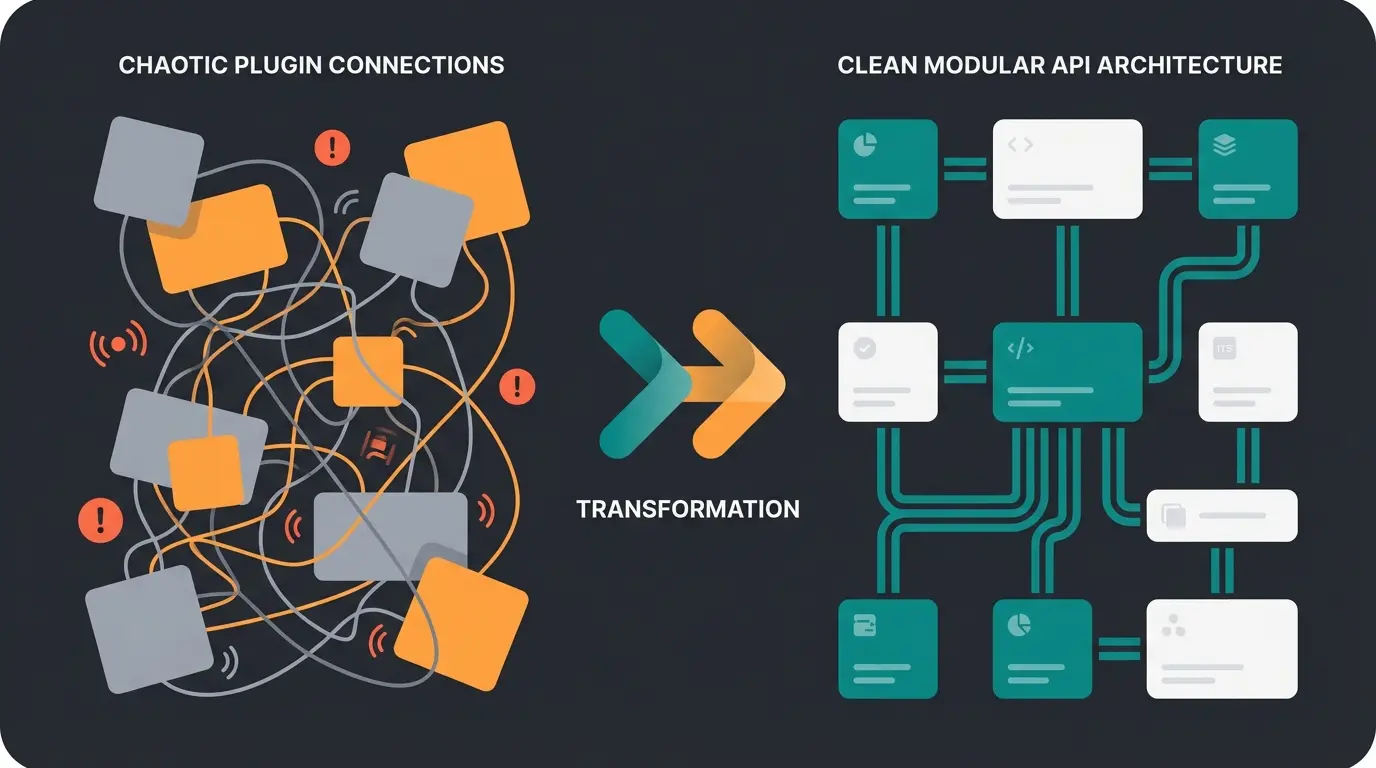
The biggest difference lies not only in the code but in the philosophy. WooCommerce is a WordPress plugin. It was originally developed for blogs that sell products. Shopware 6, on the other hand, follows an API-first approach and is a dedicated e-commerce platform built for scale.
Here's a direct comparison of the decisive factors for growing merchants. As noted by Webiprog, the architectural differences become critical at scale:
| Feature | WooCommerce (with Plugins) | Shopware 6 (Rise/Evolve) | Winner for Growth |
|---|---|---|---|
| Architecture | Monolithic (WordPress dependency) | Headless & API-First | Shopware (Future-proof) |
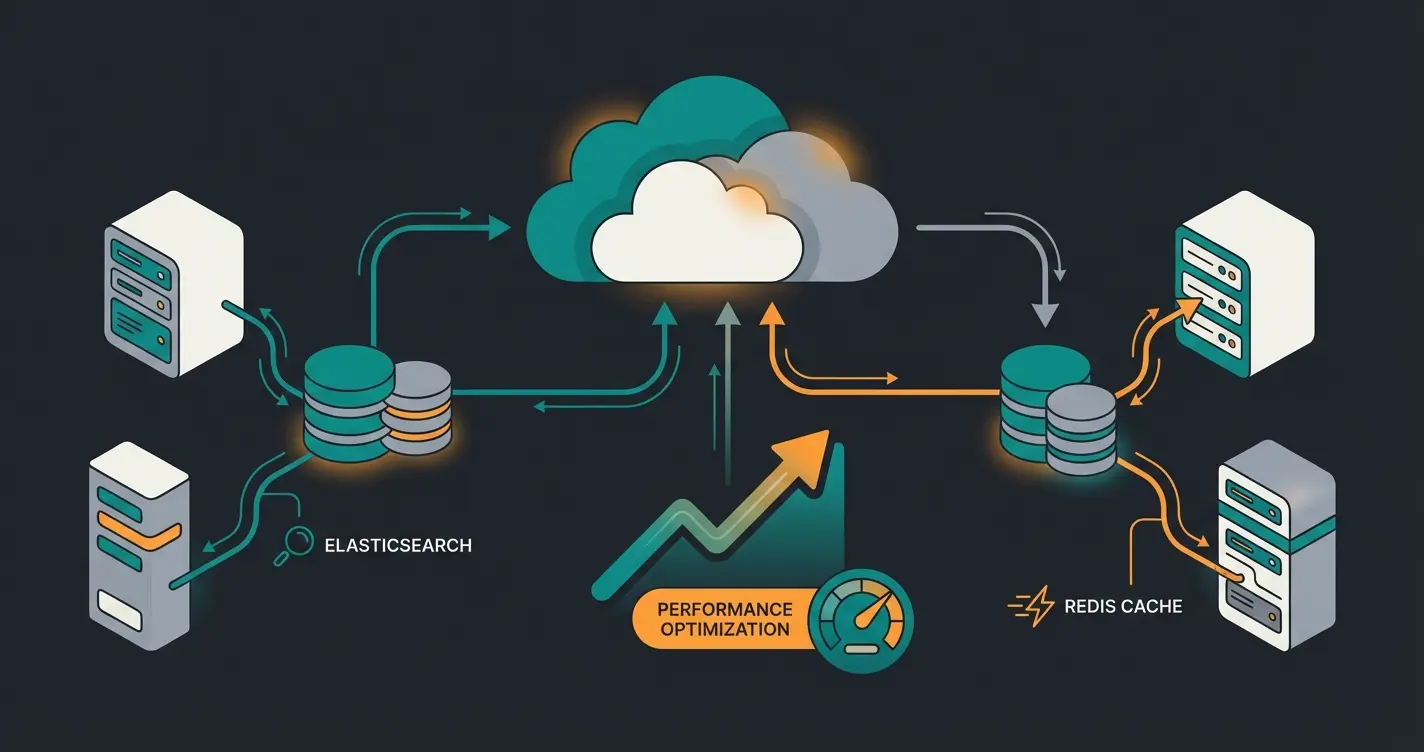
| Performance | Drops significantly with many variants/customers | Scales through Elasticsearch & Redis | Shopware |
| B2B Functions | Only via third-party plugins (often unstable) | Natively integrated (from Evolve plan) | Shopware |
| Internationalization | Tedious (WPML etc.), often performance killer | Native (currencies, taxes, languages) | Shopware |
| Product Complexity | Good for simple products | Excellent for variants & configurators | Shopware |
| Cost Structure | "Free" (but high maintenance costs) | Monthly license fee (SaaS/Self-hosted) | Depends on revenue |
Why Merchants Switch in 2025
Analysis of the current market situation shows three main drivers for migration from WooCommerce to Shopware:
- Performance Limits: From around 10,000 products or many simultaneous accesses, WooCommerce often buckles because WordPress's database structure isn't optimized for complex e-commerce queries. Webwirkung confirms this limitation is a primary migration trigger.
- Plugin Chaos ("Plugin Hell"): To map B2B functions, SEO, and marketing in Woo, merchants often use 30-50 plugins. Every update is a risk. Shopware offers many of these functions (e.g., Rule Builder, Flow Builder) in the core. According to ITDelight and Datrycs, this consolidation significantly reduces technical debt.
- Legal Compliance: Shopware is "Made in Germany" and offers GDPR compliance and legal certainty by default, which often needs to be retrofitted manually with US-based WooCommerce plugins. This is especially important for the German market, as ITDelight emphasizes.
The Cost Trap: License Models & Fair Usage Policy
A common misconception is that Shopware is "expensive" and WooCommerce is "free." In 2025, however, the pricing landscape has changed drastically, especially through Shopware's new Fair Usage Policy.
Attention: The New Fair Usage Policy (March 2025)
Shopware has changed the rules for the free Community Edition (CE). As of March 24, 2025, according to Stefan Pilz and Themeware:
- Under €1 million GMV (Gross Merchandise Volume): The Community Edition remains free to use.
- Over €1 million GMV: You must switch to a paid plan (Rise, Evolve, or Beyond) to continue having access to the Shopware Store (plugins) and updates.
This means for successful WooCommerce merchants who want to switch: You should include the license costs in your ROI calculation from the start. Shopware has made this policy change to ensure sustainable platform development.
Shopware Plans Overview
Understanding the pricing tiers is essential for budgeting your migration. Here's what you need to know, as detailed by Webwirkung and LitExtension:
- Shopware Rise (from €600/month): Ideal for B2C merchants who want to grow professionally. Includes the "AI Copilot" (backend features), Flow Builder, and Rule Builder. Limitation: No native B2B features (like rights/roles or quotes).
- Shopware Evolve (from approx. €2,400/month): The standard for B2B companies. Includes the B2B Suite (budgets, approval processes, field sales integration). Extended support and Enterprise Search.
- Shopware Beyond (from approx. €6,500/month): For corporations with multi-inventory (multiple warehouses) and 24/7 support needs.
Revenue point where WooCommerce typically hits performance limits
Number of plugins typical WooCommerce stores need for enterprise features
GMV threshold requiring paid Shopware plan from March 2025
Average order value boost with AI-guided selling implementation
The 5-Step Migration Plan: Technical Deep Dive
Switching from WooCommerce to Shopware is an operation on your business's open heart. Here's the proven roadmap to avoid data loss and SEO crashes. For automation insights after migration, explore our Shopware automation guide.
Step 1: Analysis & Data Cleanup
Use the move to cut off old baggage. Don't migrate customer zombies (e.g., last order 5 years ago) or products that have been "out of stock" for years. As Bay20 and Solution25 emphasize, data quality directly impacts migration success.
- Data Audit: Export your WooCommerce data and check the quality. Are attributes like "color" and "size" consistently maintained?
- Cleanup: Shopware 6 is stricter than WooCommerce. Inconsistent data leads to abort errors during import.
Step 2: Hosting & System Setup
Shopware 6 has significantly higher requirements for server infrastructure than WordPress. Simple shared hosting is no longer sufficient. According to APMAC, proper infrastructure is non-negotiable.
The 2025 Tech Stack:
- PHP: At least version 8.2
- Database: MySQL 8.0 or MariaDB 10.11
- Performance Boosters (Mandatory!): Plan for Elasticsearch (or OpenSearch) for search and Redis (version 7.0+) for caching and session management. Without these services, Shopware becomes sluggish with many articles.
Step 3: The Migration (Plugin vs Manual)
There are three ways to get data from A to B, as outlined by Shopware and Solution25:
- The Shopware Migration Assistant (Free): Shopware offers its own plugin ("Migration Assistant") that provides profiles for WooCommerce. Advantage: Free and covers standard data (products, customers, orders). Disadvantage: Complex data like blog posts, specific B2B prices, or subscription data are often not transferred cleanly.
- Third-Party Tools (e.g., Cart2Cart, LitExtension): Paid but often more flexible with special fields.
- Manual API Migration (Agency Solution): For enterprise projects, the safest way to transfer complex logic.
Step 4: Design & Functions (The Rebuild)
Don't try to rebuild your WooCommerce theme 1:1. Shopware uses Twig as a template engine and offers a powerful page builder with "Shopping Experiences" (Erlebniswelten).
- Use Shopware's standard components to ensure update security.
- Think in "components" instead of "pages".
- For SEO optimization of your new store, check our guide on Shopware SEO product pages.
Step 5: SEO Safety (The Life Insurance)
The most common reason for traffic loss after a relaunch is missing redirects. As Adchitects and Levy Online confirm, this step is critical for preserving organic rankings.
- 301 Redirects: WooCommerce URLs often look like this: `domain.com/product-category/product-name`. Shopware uses by default: `domain.com/product-name`.
- Create a "mapping" (Old URL -> New URL) and store these in Shopware settings or the `.htaccess`.
- Monitor 404 errors in Google Search Console after launch.
Export WooCommerce data, remove inactive customers and products, standardize attributes
Configure PHP 8.2+, MySQL/MariaDB, Elasticsearch, and Redis for optimal performance
Use Migration Assistant or third-party tools, test data integrity, handle password migration
Build with Twig templates and Shopping Experiences, focus on component-based design
Implement 301 redirects, verify in Search Console, monitor 404 errors post-launch
Deploy AI consultation tools, train on product data, configure guided selling flows
The Hidden Risk: The Post-Migration Conversion Dip
You've done everything technically correct. The store is live, the data is there, the redirects work. But suddenly something unexpected happens: The conversion rate drops.
Why does this happen?
The Complexity Paradox Explained
WooCommerce stores are often simply structured: List -> Filter -> Click -> Buy. Shopware stores, on the other hand, often appear "more powerful" and complex. They offer more filters, more options, more content.
For your regular customers who were used to the simple process, the new high-end store can be overwhelming. You have improved the technology (backend), but often neglected the guidance of the customer (frontend).
This creates a content gap:
- In WooCommerce, simple product texts were enough.
- In Shopware, where you often map more complex, explanation-requiring assortments (that's usually why you switch), this is no longer sufficient. The customer stands in front of a huge catalog and feels left alone.
This is exactly where your opportunity lies to stand out from the competition. Understanding how AI chatbots transform customer service is key to solving this challenge.
Discover how AI-powered product consultation prevents the post-migration dip and transforms your Shopware store into a 24/7 sales machine.
Start Your Free TrialFrom Catalog to Consultant: AI-Powered Shopware Stores
Most migration guides end at "Go-Live." But this is where the work really begins. To quickly recoup the investment in Shopware, you need to transform the store from a "self-service shop" into a "digital expert consultant."
The Upgrade: Transaction vs Consultation
Shopware 6 is a master of transaction (shopping cart, checkout, logistics). But who handles the consultation? This is where AI product consultation becomes essential.
Traditionally, there were two ways:
- Filters: The customer must know what they need themselves ("Length: 50mm, Material: Steel").
- Support: The customer calls or writes an email (expensive and slow).
The Solution: AI-Powered Sales Consultation
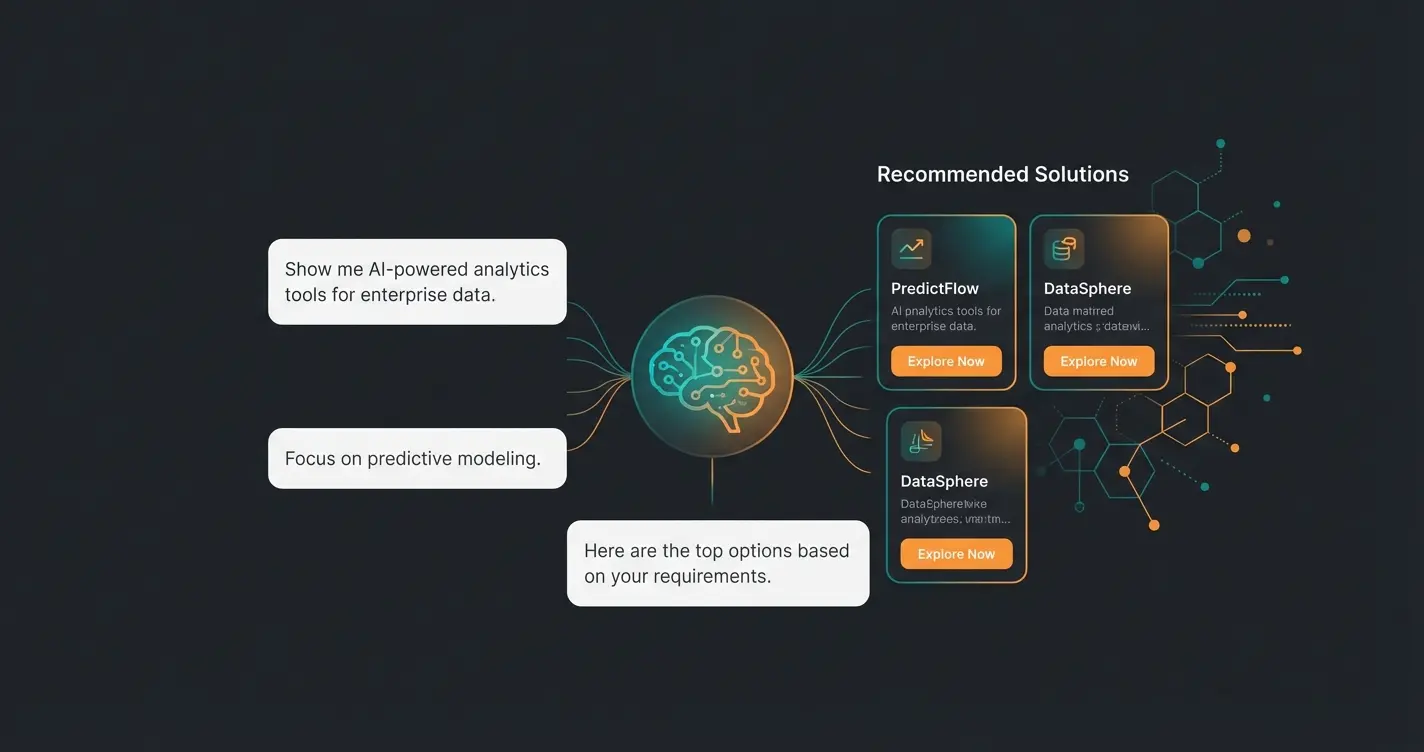
Here's where your "secret sauce" comes into play. Instead of relying only on Shopware's internal "AI Copilot" (which helps you as a merchant write texts or tag images, as noted by Shopware), you integrate a frontend AI that helps the customer. Learn more about implementing Shopware 6 chatbots for optimal results.
Imagine your new Shopware store greeting the customer not with a wall of 5,000 products, but with a question:
How This Works in Practice
The difference between traditional and AI-enhanced approaches is dramatic:
- WooCommerce (Old): Customer searches for "drill." They get 50 results. They buy the cheapest one or abandon.
- Shopware + AI (New): The AI uses the clean data you prepared during migration. A dialogue begins: "Would you like to drill into wood or concrete?" Based on the answer, the AI suggests not only the right machine (higher price) but adds the matching drill bit directly (cross-selling).
For advanced selling strategies, explore our Shopware upselling guide.
Why Shopware + AI Is the Perfect Combination
Shopware offers the perfect foundation with its API-first architecture to connect such AI tools. Understanding AI in e-commerce helps you leverage these capabilities effectively.
- Data Quality: Since Shopware data (properties, variants) is usually more structured than in Woo, the AI can give more precise recommendations.
- Digital Sales Rooms: Shopware already offers "Digital Sales Rooms" for human consultation, as highlighted by Shopware. An AI solution is the scalable preliminary stage: It qualifies the customer around the clock.
The Added Value: You position the relaunch not as "We have new software," but as "We now have a digital 24/7 expert consultant." For implementation details, see our Shopware AI product consultation guide.
| Feature | WooCommerce Standard | Shopware Standard | Shopware + AI Consultation |
|---|---|---|---|
| Product Discovery | Basic search bar | Advanced filters | Guided conversation |
| Customer Support | Email/phone only | FAQ pages | 24/7 AI assistant |
| Cross-Selling | Manual recommendations | Rule-based suggestions | Context-aware AI bundles |
| Conversion Rate | ~2% | ~2.5% | ~4-5% |
| Average Order Value | Baseline | +5-10% | +15-25% |
ROI Calculation: When Does the Switch Pay Off?
A switch to Shopware is expensive. Let's calculate conservatively with €20,000 to €50,000 for a professional agency migration (setup, design, data) plus ongoing license costs (e.g., €7,200/year for Rise).
How do you get the money back?
Scenario A: Technical Switch Only
You have a faster store, but the conversion rate stays the same or drops briefly due to the "dip."
- Amortization: Often only after 2-3 years through slow efficiency gains in the backend.
Scenario B: Switch + AI Consultation
You use the relaunch to increase the average order value (AOV) and conversion rate (CR).
- Higher Cart Value: Through intelligent AI recommendations ("You'll also need this adapter"), AOV often increases by 15-25%.
- Better Conversion: Customers who are advised buy with 4x higher probability.
- Fewer Returns: Those who buy the right product don't send it back.
When comparing platforms, also consider our analysis of Shopware vs Magento and Shopware vs Shopify to ensure you're making the right choice.
Migration Checklist: Your Action Plan
The switch from WooCommerce to Shopware is often unavoidable for growing merchants in 2025, especially given the new Fair Usage Policy and WordPress's performance limits.
But technology alone doesn't sell. The mistake most make is focusing 100% on data migration and 0% on the shopping experience in the new store.
Your Strategy for Success
- Migrate cleanly: Use Elasticsearch, Redis, and pay meticulous attention to 301 redirects.
- Choose the right plan: Check whether Shopware Rise + specialized tools is cheaper than Shopware Evolve.
- Close the consultation gap: Use the fresh start to integrate AI-powered sales consultation. This catches the complexity of the new system and offers your customers real added value.
Complete Migration Checklist
Pre-Migration:
- Conduct data audit in WooCommerce (delete inactive records)
- Check hosting environment (PHP 8.2+, Redis, Elasticsearch)
- Choose license model (check GMV for Fair Usage Policy!)
- Plan AI consultation integration from the start
Migration:
- Install & configure Shopware 6
- Configure Migration Assistant & start test run
- Define password strategy (plugin or reset email)
- Test all data mappings thoroughly
Post-Migration & Optimization:
- Set up & test 301 redirects
- Configure & train AI sales consultant
- Go-live & monitoring (404 errors, server logs)
- Monitor conversion rates and adjust AI responses
Frequently Asked Questions
A typical migration takes 4-12 weeks depending on complexity. Simple stores with under 1,000 products can be migrated in 4-6 weeks. Complex B2B stores with custom integrations, multiple languages, and extensive product catalogs may require 8-12 weeks. Factor in additional time for AI consultation setup and training.
You won't lose rankings if you properly implement 301 redirects from all old URLs to their new equivalents. Create a complete URL mapping before migration, implement redirects immediately at launch, and monitor Google Search Console for 404 errors. Most stores see rankings stabilize within 2-4 weeks post-migration.
Budget €20,000-50,000 for professional agency migration including setup, design, and data transfer. Add annual license costs: €7,200/year for Rise plan, €28,800/year for Evolve. Factor in AI consultation tools (varies by provider) for post-migration optimization. DIY migrations are possible for simple stores but carry higher risk.
Due to different encryption methods, direct password migration isn't possible. You have two options: Use a Customer Password Plugin that enables login with old hashes, or send automated password reset emails to all customers after go-live using Shopware's Flow Builder. Most merchants prefer the plugin approach to minimize customer friction.
AI consultation prevents the common post-migration conversion dip by guiding customers through your expanded product catalog. Instead of overwhelming customers with filters, AI asks questions like 'What project are you working on?' and provides personalized recommendations. This typically increases conversion rates by 50-100% and average order values by 15-25%.
Ready to Transform Your E-Commerce Business?
Are you ready for the switch? Don't view migration as a tedious obligation, but as your company's upgrade from "online seller" to "market leader with digital consulting expertise."
The combination of Shopware's powerful platform and AI-powered product consultation creates a competitive advantage that purely technical migrations cannot match. You're not just changing software—you're transforming how you sell.
Join leading e-commerce businesses using AI consultation to boost conversions by 50%+ and increase average order values by 15-25%. Start your free trial today.
Get Started Free