Why Order Management Defines Your E-Commerce Success
Do you feel like you spend more time managing orders than growing your business?
Order management is the engine room of every e-commerce business. When there's friction here, both customer satisfaction and profit margins suffer. Yet for many Shopify merchants, daily operations consist of reactive firefighting: processing cancellations, creating return labels, and desperately searching for tracking numbers.
In this comprehensive guide, we go beyond simple documentation. We'll show you not just which buttons to press (though we'll cover that too), but how to optimize your entire process. We'll illuminate specific legal requirements—like the upcoming e-invoicing mandate for 2025—and introduce a radically new approach: How AI-powered product consultation solves order problems before they even arise.
The current landscape of Shopify order content is dominated by functional documentation. Most resources tell merchants how to click buttons, but rarely explain how to optimize the process for business growth. According to Shopify's help documentation, understanding these processes is fundamental—but strategic implementation is what separates thriving stores from struggling ones.
The Fundamentals: The Shopify Order Lifecycle
Before diving into optimization, we need to understand the foundation. A Shopify order passes through various status phases that often cause confusion. A clean dashboard is the first step toward efficiency.
Decoding the Status Codes
Shopify primarily distinguishes between the order status, payment status, and fulfillment status. Understanding these distinctions is crucial for AI customer service implementations and efficient workflow management.
| Status Type | Status | Meaning for Merchants |
|---|---|---|
| Order Status | Open | The order is active and requires action (shipping, payment capture). |
| Order Status | Archived | The process is complete. Shopify often archives orders automatically to maintain overview. |
| Order Status | Canceled | The order was stopped before completion. |
| Payment Status | Authorized | Customer ordered, bank reserved funds, but you haven't captured them yet. Important for manual payment capture. |
| Payment Status | Paid | Money has arrived with you (or payment provider). Green light for shipping. |
| Payment Status | Pending | Often with prepayment or manual methods. Do not ship yet! |
| Fulfillment | Unfulfilled | Goods still in warehouse. Your work begins here. |
| Fulfillment | Fulfilled | Label printed, tracking number assigned. |
The Ideal Workflow for Small to Medium Shops
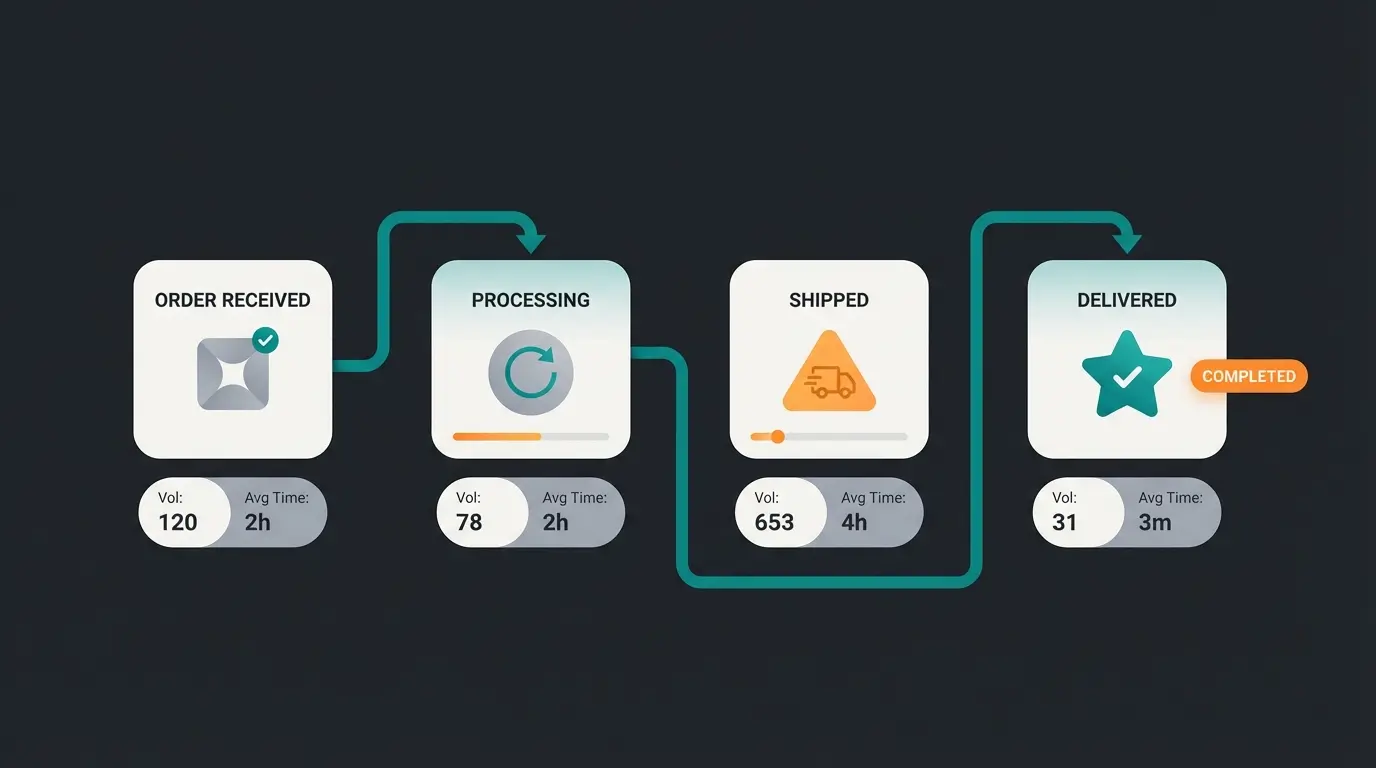
An efficient process for small to medium-sized shops follows this sequence, as outlined by commercial operations experts:
- Order Receipt: Automatic email sent to customer.
- Risk Analysis: Shopify checks for fraud (Fraud Analysis). A red exclamation mark requires manual review.
- Payment Capture: Usually automatic. If set to manual (e.g., to save transaction fees on cancellations), this must happen now.
- Fulfillment (Execute): Print delivery note and shipping label.
- Shipping: Package handover to carrier.
- Archiving: Once shipped and paid, the order gets archived.
Customer completes checkout, payment authorized or captured
Shopify analyzes order for potential fraud indicators
Funds captured from customer payment method
Items picked, packed, and shipping label generated
Package handed to carrier with tracking
Order delivered and automatically archived
How to Cancel a Shopify Order: Step-by-Step Guide
The keyword "shopify order cancel" is frequently searched by merchants because the process has pitfalls. A cancellation is necessary when a customer changes their mind shortly after purchase, an item is unavailable, or fraud is suspected.
Technical Steps for Order Cancellation
- Navigate to Orders in the Shopify admin area.
- Click on the relevant order.
- Click More Actions > Cancel Order in the top right.
- Important Pop-up Window: Review all options carefully before confirming.
According to HulkApps documentation, understanding the cancellation window is essential for proper order lifecycle management.
Critical Cancellation Options Explained
- Return Items to Inventory: Keep this checked if the goods never left your warehouse. Shopify corrects stock automatically.
- Refund Payment: Choose whether to refund the full amount or a partial amount.
- Reason: Select a reason (e.g., 'Customer canceled'). This helps with later analysis.
- Notification: Decide whether the customer receives a cancellation email (recommended).
When Cancellation Is No Longer Possible
You can technically cancel an order in Shopify almost any time as long as it's not archived. But: If the package is already with the shipping carrier, clicking 'Cancel' in the admin area won't bring the package back.
- Scenario: Label printed but package still in warehouse? -> Cancel label with carrier, then cancel order in Shopify.
- Scenario: Package already shipped? -> The returns process applies (see below), not a simple cancellation.
Legal Framework: Cancellation vs. Withdrawal Rights
Many merchants use these terms interchangeably, but legally there's a significant difference in consumer protection law. Understanding this protects against legal issues and unnecessary costs, especially when operating internationally or serving different markets.
Cancellation (Courtesy / Before Shipping)
A 'cancellation' in the traditional legal sense isn't always explicitly defined in consumer law. In e-commerce terminology, this usually means the consensual termination of the purchase contract before shipping.
- Initiative: Often comes from customer ('I misclicked') or merchant ('Item defective').
- Legal Consequence: Contract is dissolved, money returned.
- Advantage: Saves shipping costs both ways.
Withdrawal Right (Legal Right / After Receipt)
The withdrawal right is a strong consumer protection right in many jurisdictions, including the EU. According to legal experts at e-recht24:
- Period: 14 days from receipt of goods (not from order!) in the EU.
- Reason: The customer doesn't need to provide any reason.
- Obligation: You must inform customers about this right (withdrawal policy).
- Dropshipping Warning: Even with dropshipping, you as the merchant are the contract partner. The withdrawal must be directed at you, not at overseas suppliers. An incorrect return address in the policy can lead to legal issues.
As noted by legal professionals at anwalt.de, proper handling of withdrawal rights is crucial for maintaining legal compliance in e-commerce operations.
Why This Matters for Your Shopify Setup
Distinguish clearly in your communication and internal processes between these two approaches. Implementing AI prevention strategies can help reduce both cancellations and returns by addressing issues before they occur:
- Button in customer account 'Cancel Order' (possible while 'Unfulfilled') = Cancellation.
- Returns portal for received goods = Withdrawal/Return.
Shopify Order Fulfillment: Strategic Approaches
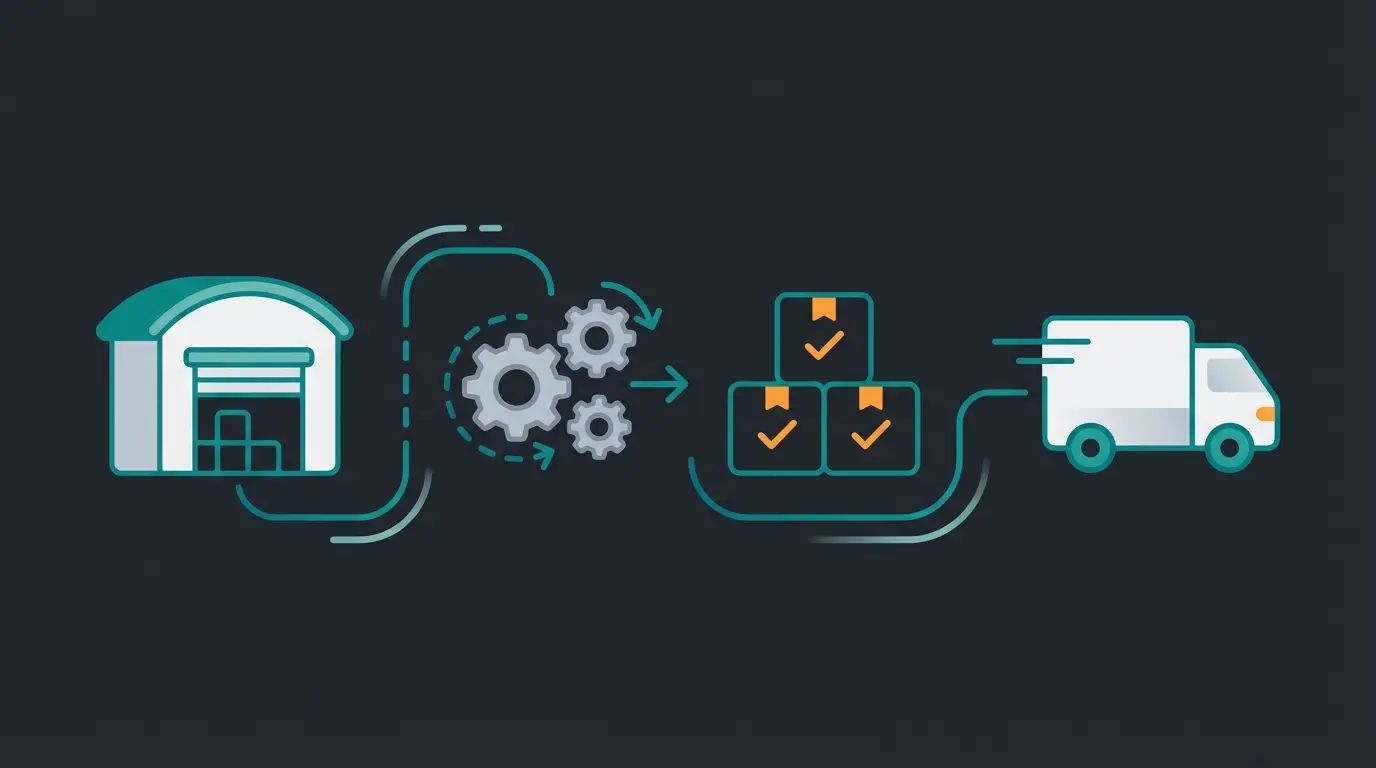
The keyword "shopify order fulfillment" refers to the process of getting goods on their way. Depending on order volume, you should employ different strategies. Your fulfillment approach directly impacts customer satisfaction and operational efficiency.
Phase 1: Manual Fulfillment (0-50 Orders/Month)
For starters, the native Shopify method is completely sufficient:
- Open order.
- Click on 'Fulfill Items'.
- Manually enter tracking number (from carrier receipt).
- Click 'Fulfill Items' sends shipping confirmation to customer.
Phase 2: Partial Automation with Apps (50-500 Orders/Month)
Manually typing addresses into carrier portals is error-prone and expensive. Use apps like Sendcloud, Shipstation, or carrier-specific Shopify apps.
- Advantage: The app pulls address data from the Shopify order.
- Advantage: Print labels with one click (bulk printing).
- Advantage: Tracking number automatically feeds back to Shopify and sets order to 'Fulfilled'.
Phase 3: ERP / 3PL (500+ Orders/Month)
At this point, you shouldn't use Shopify as your primary inventory management system anymore. An ERP (like Billbee, Xentral) or a fulfillment service provider (3PL) takes over the 'fulfillment' process. Shopify then serves only as your storefront and payment processor. This is where AI sales consultation becomes crucial for maintaining customer experience while scaling operations.
Manual fulfillment via native Shopify tools
Partial automation with shipping apps
Full ERP or 3PL integration required
Advanced Management: Manual Orders and Editing
Not every order comes through the online checkout. Sometimes a B2B customer calls, or you want to send a courtesy shipment. Understanding these advanced features is essential for comprehensive Shopify order management.
Using Draft Orders for Manual Orders
Shopify calls manual orders 'Draft Orders'. Here's how to create them:
- Go to Orders > Drafts > Create Order.
- Add products and customer.
- The Key Feature: You can apply individual discounts or set shipping costs to $0.
- Completion Options: Choose from multiple payment methods.
Completion options include:
- Credit card payment: If you receive card details over the phone (caution: observe PCI compliance!).
- Send invoice: Send the customer a checkout link via email. They pay securely through their browser.
- Mark as paid: If the customer paid via bank transfer.
Editing Existing Orders
A customer writes 5 minutes after purchase: 'I wanted size L, not M!' or 'I forgot the house number!'
Previously, you had to cancel and reorder. Today, Shopify allows editing orders, but with limitations according to Shopify's order editing documentation:
What You CAN Do
- Add items (customer must pay the difference).
- Remove items (difference gets refunded).
- Adjust item quantities.
- Change shipping address (only while not yet fulfilled!).
What You CANNOT Do Natively
- Change the price of an existing item.
- Apply discount codes retroactively.
- Edit orders that are already 'Fulfilled'.
- Edit orders made in foreign currencies (often problematic).
As confirmed by Shopify's official editing guidelines, these limitations exist for financial tracking and compliance reasons.
The Root Cause: Why Order Management Overwhelms
Let's be honest: Nobody starts an online shop to spend all day managing orders, correcting addresses, or processing returns.
Why does Shopify order management consume so much time? The answer lies in the data. According to industry research from Bitkom, return rates in online retail average 11%, with fashion often significantly higher.
The Main Reasons for Returns (and Administrative Work)
'The jeans are too small' - the leading cause of returns
'Product doesn't match image/description'
Industry standard, fashion often much higher
Most merchants try to optimize order management (faster returns processing). That's treating symptoms. True efficiency lies in preventing the wrong order in the first place. This is where AI product consultation becomes a game-changer.
The Hidden Cost of Reactive Management
Consider the full cost of a single return: restocking labor, shipping costs, customer service time, potential product damage, and lost customer lifetime value. When you multiply this across hundreds or thousands of orders, the impact becomes staggering. AI-powered product consultation addresses these issues at their source.
The Solution: Proactive AI Consultation Beats Reactive Management
Here lies your biggest opportunity for differentiation. Imagine you could halve the 67% of returns caused by wrong sizes. Your order management workload would drop massively.
The Paradigm Shift in E-Commerce
Traditional e-commerce is 'self-service.' The customer guesses what they need. AI-powered e-commerce is 'consultative.' An AI helps the customer before they click 'Buy.' This approach, which we call Consultative AI, transforms the entire customer journey.
How AI Relieves Order Management Burden
Instead of using AI (chatbot) only for support ('Where's my package?'), innovative merchants use AI as a Product Consultant through AI product consultants:
- Precise Needs Analysis: The AI asks customers about use case, preferences, or measurements.
- Matching: It recommends not just a product, but the exact variant.
- Uncertainty Reduction: Questions about material or compatibility are answered immediately.
Example: Instead of the customer ordering M and L, the AI says: 'Based on your information for brand X, L fits you perfectly.'
The Result for Your Backend Operations
- Fewer 'cancel' requests shortly after purchase ('Ordered the wrong thing').
- Fewer return labels to create.
- Fewer credit notes to process.
- Higher Average Order Value (AOV): Customers who feel confident buy more.
Implementing AI-powered product consultation transforms your business from reactive order management to proactive customer success. When AI consultation boosts customer confidence, the entire order lifecycle improves.
| Aspect | Traditional FAQ Bot | AI Product Consultant |
|---|---|---|
| Impact on Returns | Minimal - only answers post-purchase questions | Significant - prevents wrong purchases upfront |
| Depth of Advice | Surface-level, keyword-matching responses | Contextual, personalized recommendations |
| Order Accuracy | No impact on purchase decisions | Guides customers to exact right variant |
| Customer Satisfaction | Transactional support experience | Consultative shopping experience |
| Revenue Impact | Cost center only | Increases AOV while reducing returns |
Stop firefighting order issues. Our AI product consultation helps customers buy the right product the first time—reducing returns, cancellations, and support tickets while increasing average order value.
Start Free Trial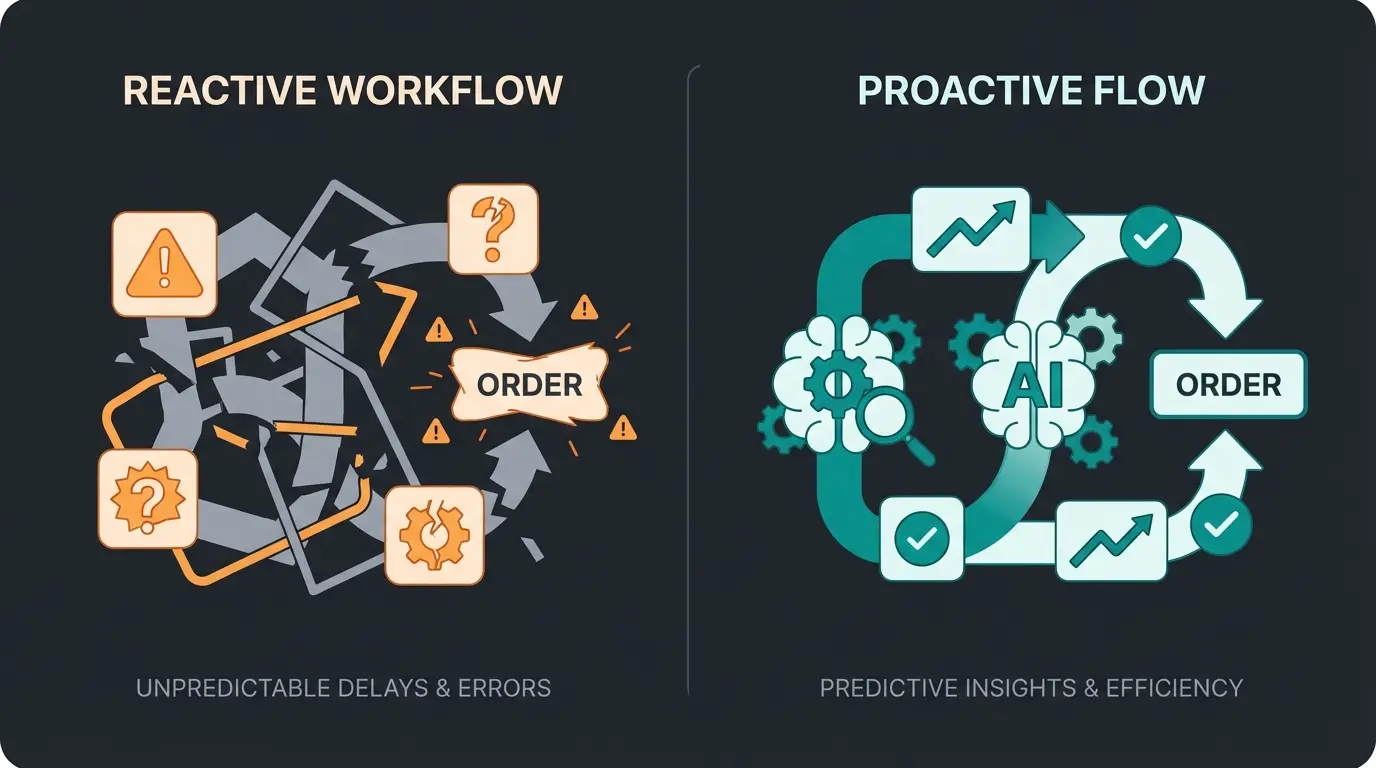
Best Practices for E-Commerce Merchants in 2025
Different markets have regulatory peculiarities that Shopify doesn't always cover perfectly 'out of the box.' Here's your checklist for 2025 compliance and optimization.
The E-Invoicing Mandate (From January 2025)
This is the most important update for B2B merchants operating in the EU. According to Latori's analysis, from January 2025, all businesses in major EU markets must be able to receive electronic invoices (e-invoices).
- What is an e-invoice? A structured data format (XML), like XRechnung or ZUGFeRD. A simple PDF will no longer suffice for B2B transactions in many jurisdictions (it only counts as an 'other invoice').
- What must you do? If you sell B2B, ensure your invoicing tool can create compliant formats.
- The Challenge: Standard Shopify invoices ('Order Printer') often can't do this natively.
- Solution: Use specialized apps like Pathway, Sufio, or Billbee that create compliant invoices and send them directly to customers.
As noted by eShop Guide and Splendid Internet, preparing for these changes now will prevent compliance issues later.
Data Protection (GDPR) and Order Data
Customer data in orders is sensitive. Understanding AI-driven product consultation requires balancing personalization with privacy.
- Retention Periods: You may not store data forever, but must retain it for tax authorities for 10 years in many jurisdictions.
- Compliance: When a customer exercises their 'right to be forgotten,' Shopify offers a function to anonymize personal data from orders ('Erase Personal Data'). Caution: Clarify with your accountant how this relates to invoice retention requirements (invoice documents usually must remain archived externally even if data is deleted in Shopify).
Invoice Generation Best Practices
Shopify doesn't create fully compliant invoices for all markets by default (often missing sequential invoice numbers, proper tax breakdowns, etc.). According to Shopify's app marketplace and invoice app reviews:
- Requirement: Use apps like Order Printer Pro (with customization), Billbee, or accounting integrations to generate correct invoices and send them automatically via email.
- Automation: Set up automatic invoice sending with order confirmation or shipping notification.
Implementing AI for Customer Experience
Beyond compliance, forward-thinking merchants are implementing AI product consultation to enhance customer experience while reducing operational burden. Combined with AI-powered selling strategies, this creates a competitive advantage that scales with your business.
Daily Order Management Checklist
To help you maintain efficient operations, here's a practical daily routine for store managers:
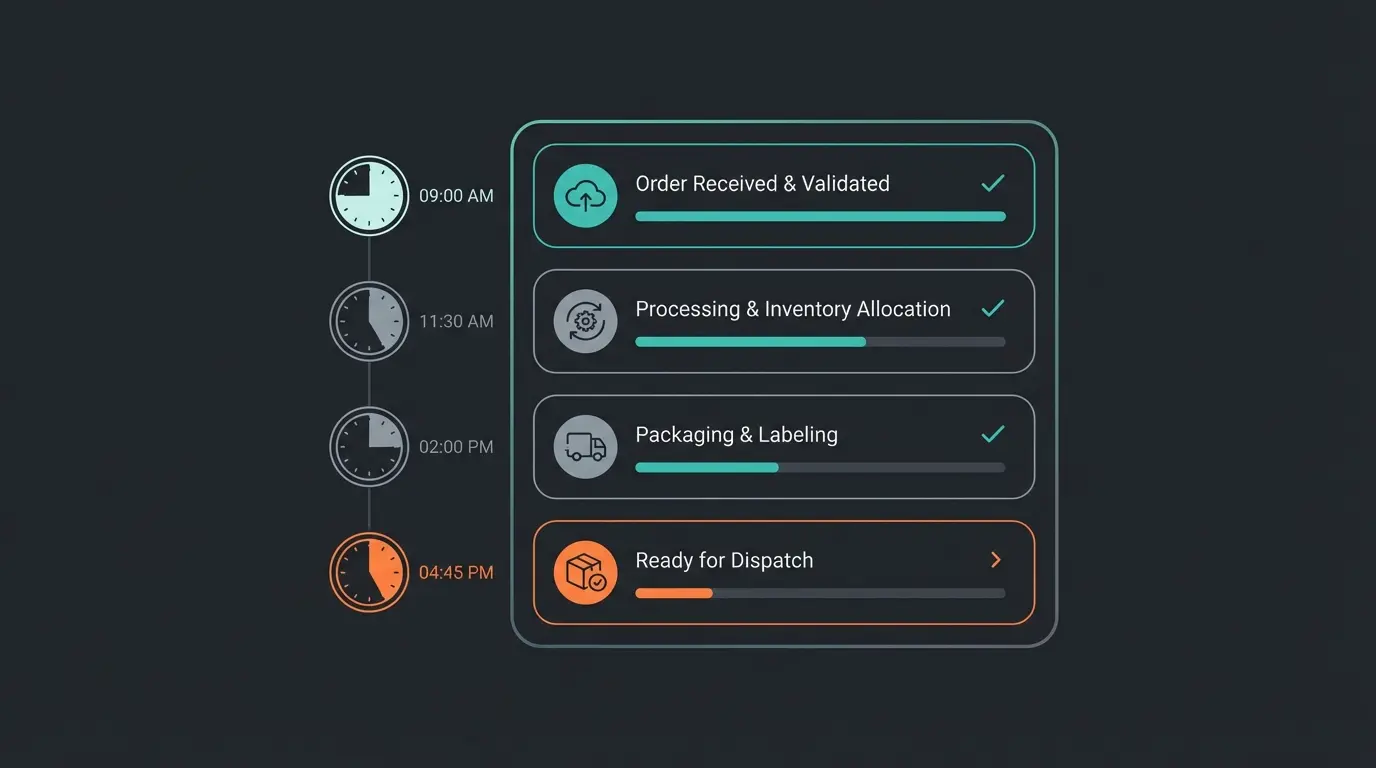
- Morning Review (9:00 AM): Check fraud analysis flags on new orders
- Payment Capture (9:30 AM): Process any authorized payments awaiting capture
- Order Preparation (10:00 AM): Print pick lists and shipping labels for fulfillable orders
- Quality Check (Before Shipping): Verify addresses and order accuracy
- Carrier Handoff (3:00 PM): Complete shipping handoff with tracking upload
- Customer Communication (4:00 PM): Send tracking information, respond to inquiries
- End of Day (5:00 PM): Archive completed orders, review pending issues for next day
FAQ: Common Questions About Shopify Order Management
Yes, but with limitations. You can add items (customer must pay the difference) or remove items (refund issued). However, you cannot change the price of an existing item or apply discount codes to already-paid items without workarounds. According to Shopify's documentation and third-party tools like Revize, apps can extend these capabilities significantly.
'Archive' removes the order from the 'Open' view but keeps it for reports and history (standard procedure). 'Delete' completely removes the order from the database. You should only delete test orders; real orders must be retained for tax and accounting purposes.
Shopify natively only sends an order confirmation, not an invoice. For automatic invoice sending, you need apps like Sufio, Pathway, or Billbee. These create the PDF and attach it to the shipping confirmation or send a separate email.
If payment has 'Pending' status, the order often cannot be canceled until payment goes through or fails. Also, if the order is already marked as 'Fulfilled,' cancellation is technically possible in the system but no longer stops the shipping process with the logistics provider.
AI-powered product consultation helps customers choose the right product before purchase, dramatically reducing returns due to wrong size, fit, or product misunderstanding. By preventing bad orders from being placed, you spend less time on cancellations, returns processing, and customer service inquiries.
Conclusion: From Administrator to Strategic Manager
Shopify order management is more than a tedious obligation. Those who automate their processes here (through apps for fulfillment and e-invoicing) and combat the causes of manual interventions (through AI consultation for return prevention) build a scalable business.
Start today by analyzing your cancellation reasons. Are they fit problems? Then your product page—and not your warehouse staff—is where you need to focus. The most efficient order management is preventing the wrong order from ever being placed.
The merchants who will thrive in 2025 and beyond are those who understand that order management isn't just about processing orders efficiently—it's about creating the conditions where orders are right the first time. By combining operational excellence with AI-powered product consultation, you transform your business from reactive order management to proactive customer success.
Join innovative merchants who've reduced returns by up to 40% with AI-powered product consultation. Stop managing order problems—prevent them before they happen.
Get Started Free