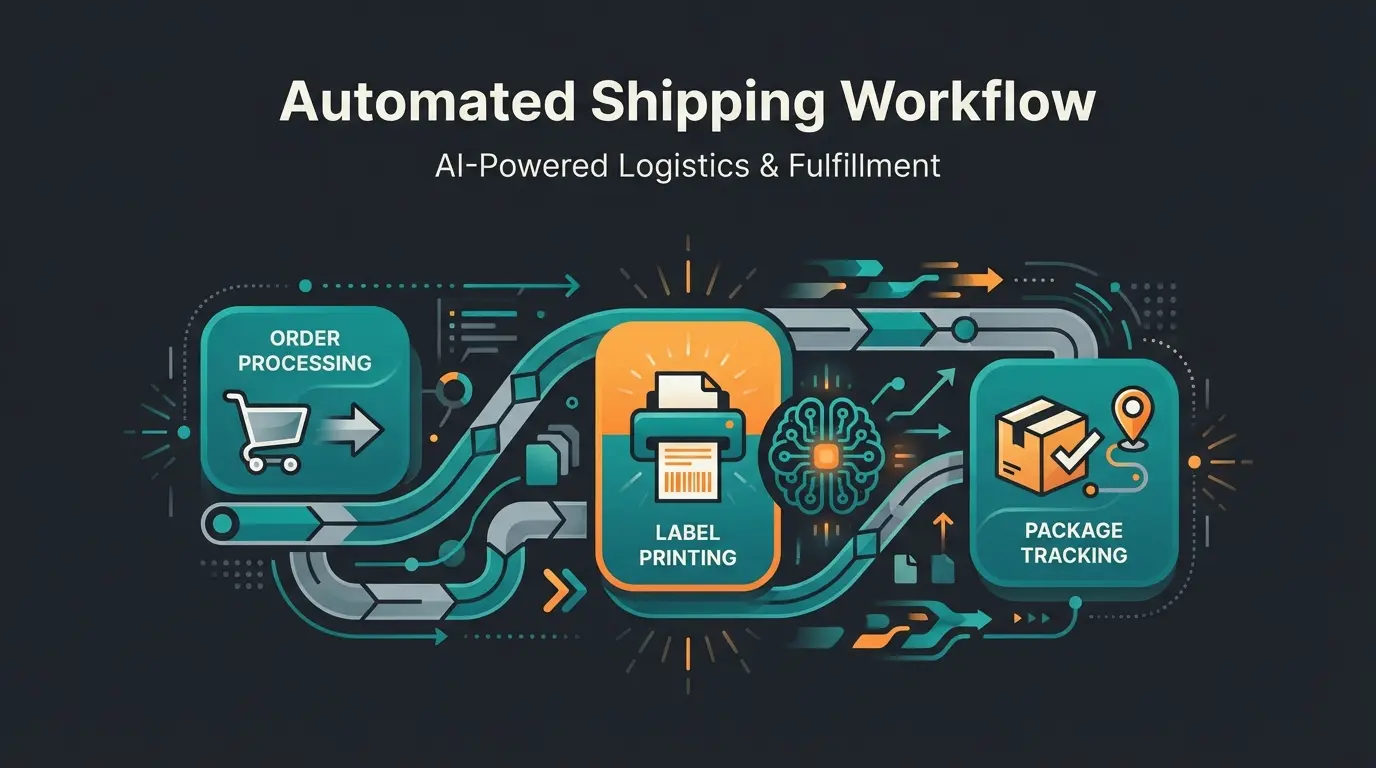
Why Shopware DPD Is More Than Just a Plugin
Logistics is the physical backbone of e-commerce. For many German online retailers, DPD is the shipping provider of choice due to attractive B2B terms and fast delivery times. However, anyone searching for Shopware DPD in 2025 often faces a forest of technical documentation, outdated forum posts, and aggressive plugin sales pages.
The problem: Most guides end as soon as the shipping label comes out of the printer. But in a market where logistics costs are rising and margins are shrinking, mere technical integration is no longer sufficient. According to Shopware, there are multiple integration options available, but understanding which one fits your business requires deeper analysis.
This guide is different. We examine not only how to technically integrate DPD into Shopware 6 (and 5), but which strategy is most cost-effective for your shipping volume. Additionally, we uncover the hidden cost traps of 2025 and show you how to solve the real logistics problem through AI Product Consultation: returns.
The 3 Paths to DPD Integration (Comparison)
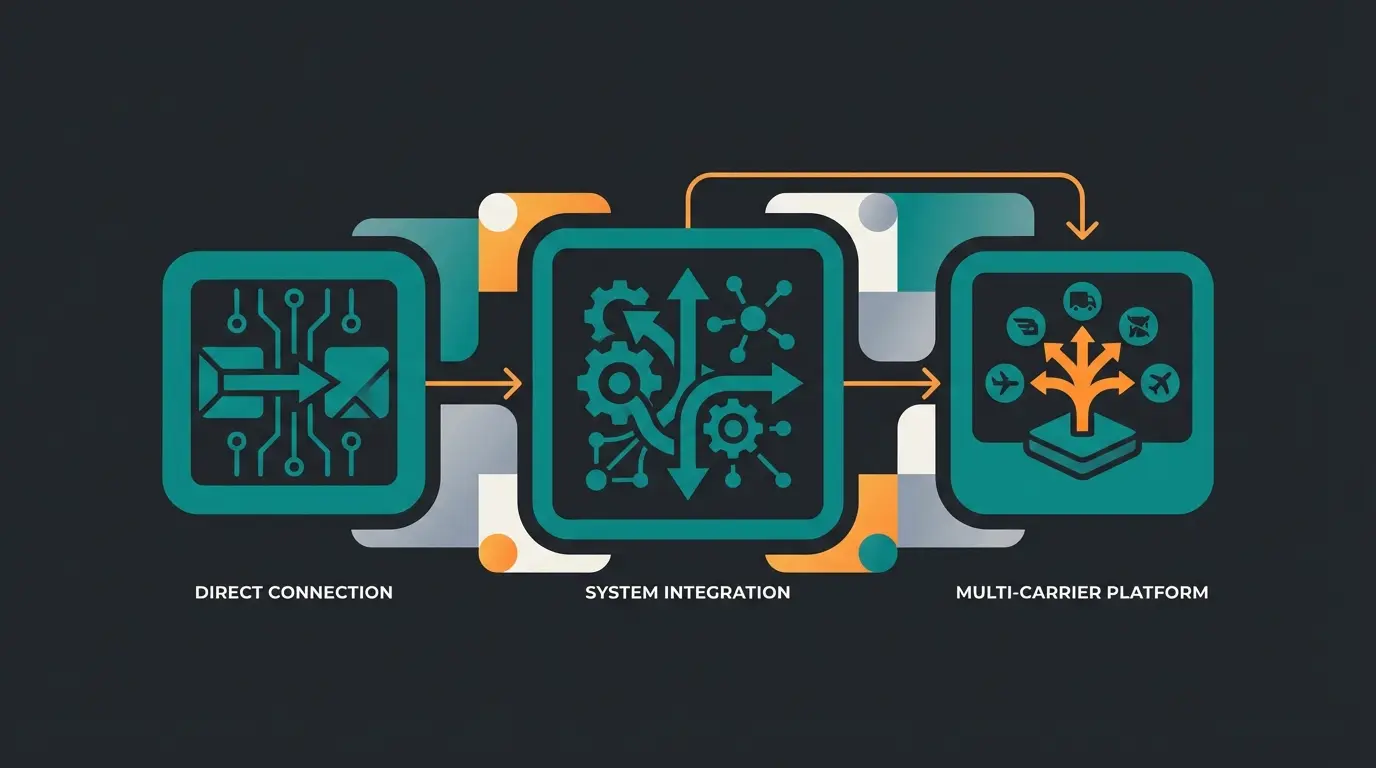
Before configuring a single line of code or purchasing a plugin, you need to decide on an architecture. Currently, three approaches dominate the market. Understanding these options is essential for making an informed decision about your Shopware shipping plugins.
Option 1: The Direct Path (Standalone Plugins)
This is the classic method: A plugin connects your shop directly to the DPD interface (DPD Cloud / MyDPD). The best solutions are typically DPD-certified plugins developed by partners like Applifaction or CrayssnLabs, as documented in the Shopware Store.
- How it works: You need your own DPD business customer contract and credentials (DelisID or Cloud User ID). The plugin generates labels directly in the Shopware backend.
- Ideal for: Merchants who ship exclusively or primarily with DPD and don't want to pay monthly fees to intermediaries like Sendcloud.
- Costs: One-time purchase prices or low monthly rental fees (approximately €20–25/month)
Option 2: System Integration (Pickware)
Pickware is deeply integrated into the Shopware ecosystem. Caution is advised here: While there was still a standalone "DPD Adapter" for Shopware 5, in Shopware 6 much runs through the fully integrated Pickware WMS / ERP solution.
- How it works: The shipping process is part of warehouse management. You scan goods during picking, and the label is generated automatically.
- Advantage: Seamless workflow without system breaks.
- Disadvantage: For Shopware 6, often only sensibly usable within larger ERP packages, which can be overkill for small shops. Standalone adapters for SW6 are often not planned or have a different focus.
- Ideal for: Professional shops with their own warehouse that already use Pickware as their inventory management system.
Option 3: Multi-Carrier Platforms (Sendcloud, Shipcloud)
These services position themselves as middleware between Shopware and parcel carriers. According to OMR Reviews, platforms like Sendcloud and Shipcloud have become increasingly popular for their flexibility.
- How it works: You install the platform's plugin. The logic (rules, label creation) happens on the provider's platform.
- Advantage: You can use DPD, DHL, and UPS in parallel. If DPD strikes or raises prices, you switch to DHL with a click. They also often offer better tracking emails.
- Disadvantage: Additional costs per label or monthly base fees. You don't have complete data ownership.
- Ideal for: Merchants with mixed shipping (e.g., DPD for domestic, UPS for express, DHL for Packstations).
Decision Guide: The Comparison
| Feature | Official DPD Plugin | Pickware WMS/ERP | Multi-Carrier (Sendcloud) |
|---|---|---|---|
| Cost Model | Low fixed costs (rental/purchase) | Part of ERP license (higher fixed costs) | Subscription + possible label fee |
| Contract | Own DPD contract required | Own DPD contract required | Own contract OR platform rates available |
| Shopware 6 Integration | Very good (Native App) | Excellent (Deep integration) | Very good (API connection) |
| Multi-Carrier | No (DPD only) | Yes (modules for DHL, GLS etc. needed) | Yes (Core competency) |
| Returns Portal | Basic function | Integrated in WMS | Very strong (Self-service portal) |
| Recommendation | Budget-conscious & DPD-only shops | Warehouse pros & Pickware users | Flexibility lovers |
Direct plugin is most cost-effective
Consider ERP integration for efficiency
Multi-carrier platforms offer best flexibility
Cost Trap DPD: What's Coming in 2025
Many merchants only calculate with the package price (e.g., €3.50). This is fatal in 2025. To operate Shopware DPD profitably, you need to understand the surcharge structure and incorporate it into your shipping cost calculation (Rule Builder). This approach aligns with best practices for Shopware automation.
1. The Peak-Season Surcharge
DPD, like other carriers, charges seasonal surcharges. For the peak season (November to December 2025), you should expect approximately €0.40 to €0.50 per package extra. According to Shipcloud, these surcharges have become standard across the industry.
2. Energy and Toll Surcharges
These are variable and often adjusted monthly. The energy surcharge is based on diesel and electricity prices. According to DPD, these costs often only appear on the monthly invoice and eat into your margin if you've calculated "too close to the edge."
3. Island and Regional Surcharges
A classic that's often forgotten. DPD charges hefty surcharges for German islands and certain regions. As noted by Lenz eBusiness, implementing proper rules for these zones is essential.
Step-by-Step: Setting Up DPD in Shopware 6
Regardless of which plugin you choose, the basic workflow in Shopware 6 remains similar. Here's the process for a direct integration (e.g., via official adapter or Pickware). This setup process mirrors what you'd find with Shopware DHL integration.
Step 1: Preparation & Data
You absolutely need your DelisID (or Cloud User ID) and password from DPD. Apply for these in good time. DPD sales often needs several days to enable the API interface for your account.
Step 2: Installation & Basic Setup
- Download the plugin from the Shopware Store and install it.
- Go to `Settings > Extensions > DPD Adapter`.
- Enter your credentials.
- Important: Configure the sender address exactly as it appears in the DPD contract to avoid pickup problems.
Step 3: Create Shipping Method
- Navigate to `Settings > Shop > Shipping`.
- Create a new shipping method, e.g., "DPD Standard".
- Link this shipping method to the DPD carrier in the "Technical Configuration" section (or similar, depending on the plugin).
- Set the prices (matrix by weight or price).
Step 4: The Rule Builder (Shopware 6's Magic)
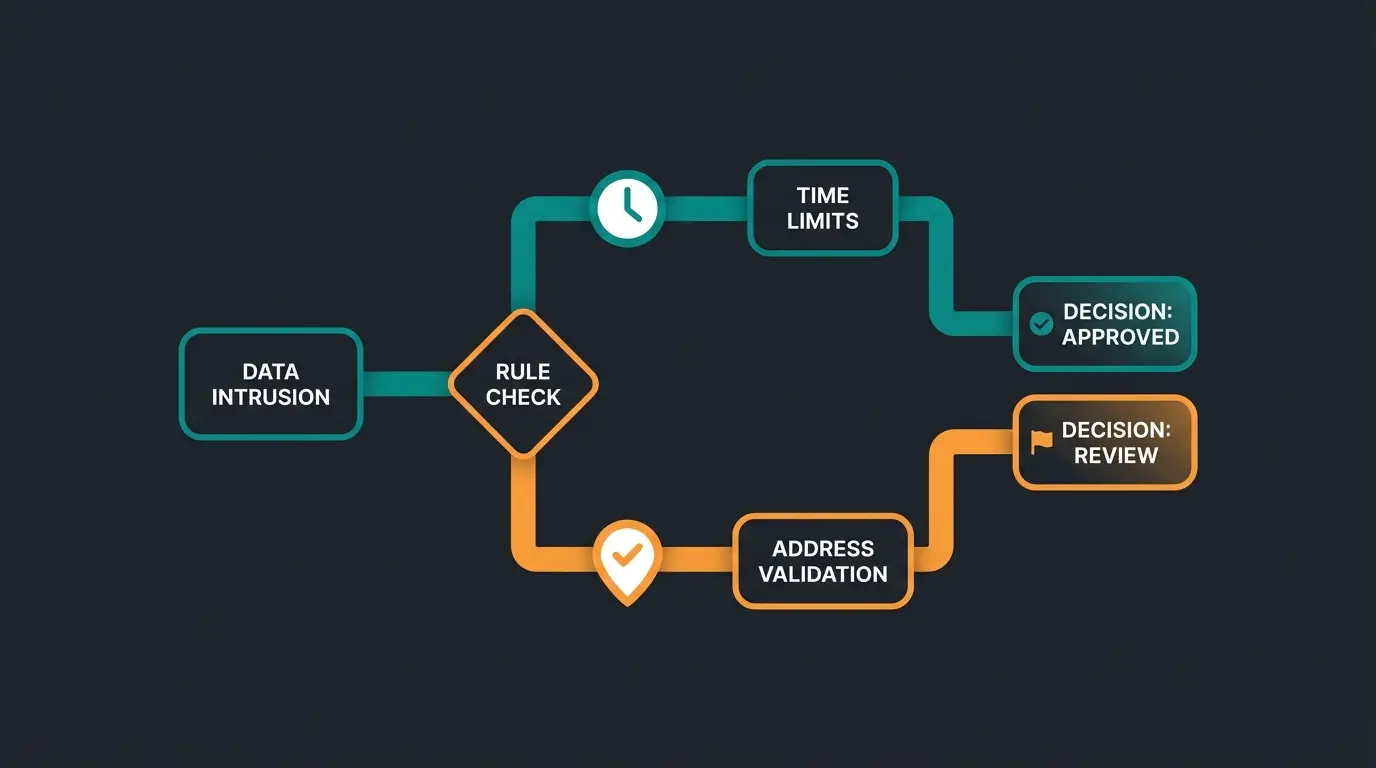
This is where the wheat separates from the chaff. Use the Rule Builder to control DPD intelligently. According to Shopware documentation and tutorials on YouTube, mastering rules is essential for professional shipping setups.
Get DelisID and password from DPD business sales
Download and configure your chosen integration method
Match address exactly to your DPD contract
Set up DPD Standard, Express, and Returns
Use Rule Builder for Packstation blocking and time limits
Generate test labels and verify all scenarios
Learn how AI-powered product consultation can reduce your shipping costs by preventing returns before they happen.
Get Started FreeThe Pivot: Why Better Shipping Isn't Enough
You've now technically integrated DPD and optimized costs. Congratulations! But you still have a problem: The returns. This is where Shopware returns management becomes critical, and where you can prevent returns through AI.
In the fashion sector, the return rate in Germany is often around 50%, according to research from EHI and BTE. This means: For every second package you ship via DPD, you pay:
- The outbound shipping (DPD).
- The return shipping (return label).
- The warehouse handling (inspection, repackaging).
No plugin in the world can reduce your DPD costs as much as avoiding the package altogether. Research from Neocom.ai confirms that proactive consultation dramatically outperforms reactive logistics optimization.
The Problem with Selection Orders
Customers order three sizes because they're unsure. This isn't a logistics problem—it's a consultation problem. The customer is virtually standing in front of the shelf and nobody's helping them.
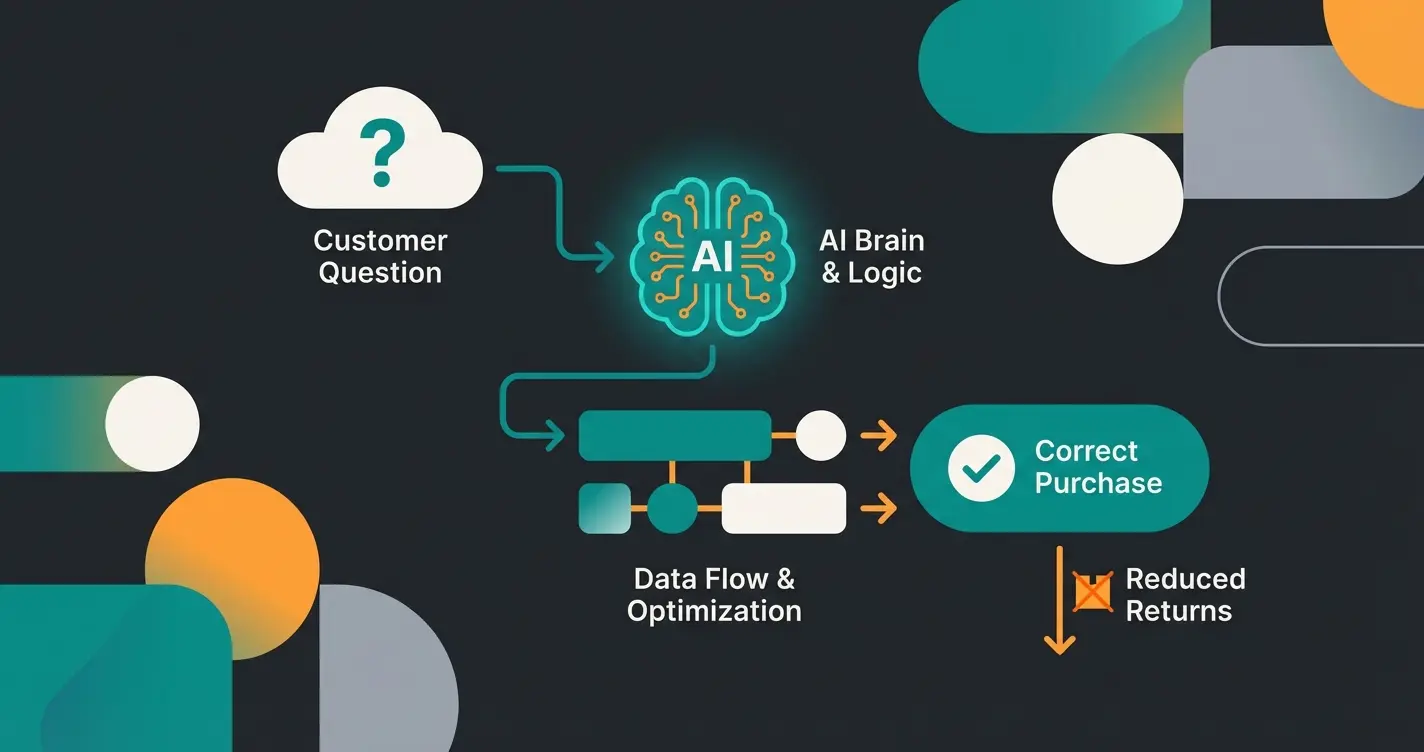
This is where the technological leap for 2025 comes in: AI-powered product consultation (Guided Selling). Unlike traditional approaches, AI Chatbots e-commerce solutions can engage customers proactively and guide them to the right purchase decision.
How AI Product Consultation Optimizes DPD Volume
Instead of focusing only on cheaper labels, you should focus on correct orders. An "AI Product Advisor" or "Guided Selling" tool acts as a digital salesperson. This approach is central to modern Shopware AI (Shopware KI) strategies.
What Is It?
It's not a dumb chatbot reading FAQs. It's an interactive advisor that (often integrated into the CMS via Shopping Experiences) asks targeted questions to find the perfect product. With AI product consultation, you can fundamentally transform how customers discover products.
The Scenario
Without AI: Customer buys bicycle spare part A and B, "to be safe". -> 2 parts shipped, 1 return. Double DPD costs.
With AI:
- Customer opens product advisor.
- Question: "What year is your bicycle?" -> Answer: "2020".
- Question: "Which gearshift?" -> Answer: "Shimano XT".
- AI logic: "Only part A fits for that."
- Result: Customer buys only part A. -> 1 part shipped, 0 returns. Minimal DPD costs.
This kind of intelligent assistance is why AI eliminates waiting times in customer service while simultaneously improving purchase accuracy.
The Benefits for Your Shopware Logistics
- Reduction of return labels: Fewer "maybe" purchases mean fewer printed DPD return labels.
- Lower peak-season surcharges: If you ship 20% fewer packages (through avoided selection orders), the €0.40 surcharges during Christmas hit you less hard.
- Better data: You learn why customers are unsure and can optimize product descriptions.
Integration in Shopware 6
Tools like the AI Product Advisor can be integrated directly into Shopware Shopping Experiences, as documented in Shopware's extension marketplace and implementation guides from Code108. They work seamlessly with the shopping cart. The customer feels advised, not "processed."
You can transform Shopware account experiences to include AI-driven recommendations and support. For B2B scenarios, combining this with optimized Shopware B2B ordering processes creates powerful efficiency gains.
Average returns in German fashion e-commerce
Outbound + return shipping + handling per return
Returns prevented through guided selling
Conclusion & Checklist for 2025
Integrating Shopware DPD in 2025 is no longer a purely technical topic. It's a balancing act between cost efficiency, technical stability, and return prevention.
Your Roadmap to Perfect Integration
- Check status quo: Do you ship >500 packages? Consider multi-carrier solutions like Sendcloud for more flexibility. Below that? Stick with the direct plugin (e.g., Applifaction).
- Update costs: Enter the 2025 surcharges (toll, energy, peak) into the Shopware Rule Builder to prevent margin loss.
- Block Packstations: Use the Rule Builder to block DPD for Packstation addresses.
- Strategy change: Stop just optimizing shipping. Start optimizing the order.
- Test AI: Implement an AI product advisor for your most return-intensive categories.
The DelisID (and password) are provided directly by your DPD sales representative after contract signing. It is not identical to the login for the "MyDPD" portal for private customers. Contact your DPD business account manager if you haven't received these credentials.
Yes, most modern adapters (Pickware, Applifaction, Sendcloud) allow canceling the label directly from the order overview. The money is generally only charged by DPD upon physical scanning at the depot, or canceled labels are credited back to your account.
Most common cause: The customer's address is invalid (e.g., house number missing) or too long for the DPD label format. Check the logs under Settings > System > Log. Another reason: The DPD server is undergoing maintenance (check API status on DPD's service page).
No. If you only want to connect DPD, Pickware WMS is too powerful and too expensive. Pickware is worthwhile if you want to digitize your entire warehouse processes (picking, inventory, stock management). For DPD-only integration, a dedicated shipping plugin is more cost-effective.
It depends on your volume. For high-volume shippers (>500 packages/month), negotiating directly with DPD typically yields better rates. For smaller merchants, platform rates through Sendcloud or Shipcloud can be more competitive and offer multi-carrier flexibility without individual carrier contracts.
Discover how AI-powered product consultation helps customers find the right product the first time—eliminating unnecessary shipments and returns.
Start Your Free Trial
Lasse is CEO and co-founder of Qualimero. After completing his MBA at WHU and scaling a company to seven-figure revenue, he founded Qualimero to build AI-powered digital employees for e-commerce. His focus: helping businesses measurably improve customer interaction through intelligent automation.