Introduction: The End of the Speed-Only Era
When you search for "Shopware hosting" today, you'll be flooded with promises: "Ultra-fast loading times," "NVMe SSDs," "99.9% uptime," and "Varnish caching." These are valid arguments, for the e-commerce landscape of 2020.
But we're now in 2026. In an era where Shopware 6 has evolved into the central platform for Agentic Commerce, pure server speed has become a commodity, an interchangeable product. According to Maxcluster, every serious hosting provider now offers fast NGINX servers and SSDs. When everyone is fast, nobody stands out for being fast anymore.
The true competitive advantage today no longer lies in how quickly your shop can deliver a static product page, but in how intelligently it can advise your customers. The market is shifting radically from transactional shops (customer searches, customer buys) to consultative platforms (customer has a problem, AI advises, customer buys). This evolution aligns perfectly with Shopware AI features that are transforming how online stores interact with customers.
This article is aimed at e-commerce managers and technical decision-makers who have recognized that their hosting partner must be more than just an infrastructure administrator. We'll show you why your Shopware hosting is the foundation for your AI strategy, from initial Shopware Installation through to AI-ready infrastructure, and why standard solutions slow down your intelligent sales assistants.
The 3 Pillars of Modern Shopware Hosting
A future-proof Shopware 6 host rests on three pillars: raw performance, security and GDPR compliance, and the compute headroom to run AI product consultation in real time. Most providers cover the first two well and stop there. That third gap is the one that quietly caps your conversion rate.
Pillar 1: Performance (The Basics)
This is the classic "bread and butter" business of hosting providers. It's about running the Shopware PHP application as quickly as possible.
- Technology: Using NGINX instead of Apache for better parallel processing, as documented in Shopware's official requirements
- Caching: Varnish for HTTP caching and Redis for sessions and model caching are standard. For deeper tuning strategies, see our Shopware Performance Optimization guide
- Hardware: NVMe storage and current CPU generations (e.g., AMD EPYC) are mandatory to handle the I/O load from database queries, according to Hetzner's infrastructure specifications
Pillar 2: Security & GDPR (The German Standard)
For the German market, this is non-negotiable. Data protection requirements are particularly strict when implementing AI Customer Service solutions that handle customer interactions.
- Location: Data centers in Germany (Frankfurt, Nuremberg) guarantee legal security
- Certification: ISO 27001 certifications for the data centers, as highlighted by Brandcrock's hosting standards
- Backups: Automated, geo-redundant backups are essential. A solid Shopware Backup strategy protects both shop data and AI training sets
SSL and security configuration
SSL configuration for Shopware goes beyond simply installing a certificate. TLS 1.3 is now the standard protocol, supported by 75.3% of top websites as of mid-2025 (SSL Labs SSL Pulse), and every production Shopware instance should enforce it. Let's Encrypt provides free, automated certificates that renew every 90 days, but paid certificates from providers like DigiCert still offer extended validation for enterprise trust signals.
For shops running AI consultation widgets, Content Security Policy (CSP) headers require special attention. Your CSP must whitelist the domains your AI service communicates with, including inference API endpoints and WebSocket connections. HSTS (HTTP Strict Transport Security) with a minimum max-age of 31536000 seconds ensures browsers never downgrade to HTTP. Starting March 2026, maximum certificate validity drops to 200 days (WWT), making automated renewal pipelines essential rather than optional.
Pillar 3: Intelligence (Your Competitive Advantage)
This is where the wheat is separated from the chaff. An "AI-Ready" hosting environment understands that a shop doesn't just deliver HTML - it processes data in real-time. This capability is essential for implementing AI product consultants that can respond instantly to customer queries.
- Vector Search: Support for vector databases (e.g., Redis Stack or Qdrant) to enable semantic product searches, as explained by Qdrant's technical documentation
- Inference Latency: Minimizing "Time to First Token" (TTFT) when communicating with AI models, a critical metric according to Weka.io's research
- Sidecar Services: The ability to run Python or Node.js services (for AI agents) performantly alongside PHP without compromising shop performance. Proper Shopware API integration is critical for these architectures, following best practices from iCore's technical guides

Why Consultation-First Commerce Needs Special Hosting
Why isn't hosting from large providers like Hetzner or Ionos often sufficient for AI-driven Shopware shops? The problem lies in the architecture of the workload.
Static Delivery vs. Dynamic Consultation
Classic Shopware hosting is optimized to cache static content. When a customer visits a category page, Varnish delivers a ready-made HTML page from memory. The server's CPU is barely utilized.
With AI-powered product consultation (e.g., via a chat agent or dynamic search function), the opposite happens. This is where solutions like AI-powered product consultation require specialized infrastructure:
- The customer asks a complex question ("Which bicycle suits me if I have back problems?")
- The system must vectorize this query (convert it into numbers)
- It must perform a vector search (Similarity Search) in the database, as described by Redis's vector search documentation
- A Large Language Model (LLM) must generate the response
This process is computationally intensive and cannot be cached like a static page. Standard hosting packages often cap CPU time per process (PHP `max_execution_time`) or memory for exactly these operations, which is why the server requirements further down matter more than a headline TTFB figure. The result of getting it wrong is simple: the AI advisor thinks for too long, and the customer has already clicked away.
Shopware caching strategies
Shopware's caching architecture operates in layers, and understanding each layer determines whether your shop loads in 200ms or 2 seconds. The HTTP cache (full-page cache) is the most impactful layer. It stores fully rendered HTML and delivers it directly from NGINX or Varnish without touching PHP at all. A properly configured Varnish layer should achieve cache hit rates above 80% for returning visitors.
Redis handles the application-level caching: sessions, the Data Abstraction Layer (DAL) cache, and the compiled service container. Shopware recommends Redis over file-based caching once your catalog exceeds 10,000 products or your traffic regularly spikes. OPcache, the PHP bytecode cache, eliminates repeated compilation of PHP files and should be enabled with a memory limit of at least 256 MB for Shopware 6 installations.
One detail most hosting packages get wrong: Shopware does not want everything on one Redis. On increment storage, the Shopware performance guide states plainly, "we recommend moving this source of server load to a separate Redis." Ask your provider whether split instances are included or billed as an extra.
Here is where caching and AI consultation collide: cached pages are useless for dynamic, personalized responses. When a customer asks your AI advisor a product question, that request bypasses every cache layer and hits your application server directly. This means your hosting must handle two fundamentally different workloads simultaneously, high-volume cached page delivery and compute-intensive AI inference. Providers that optimize only for cache hit rates leave AI consultations starved of resources during traffic peaks.
The Infrastructure's Conversion Gap
Most hosting providers sell you "fast servers" but not "better sales." If your infrastructure slows down AI requests (e.g., through slow database connections or missing vector support), your expensively developed AI tool becomes useless. The customer abandons the process because the "advisor" responds too slowly. This is why AI consultants boost conversion rates only when properly supported by the right infrastructure.
Franz at Pooldoktor, live since January 2026
Versus a control group without AI consultation
Evolution of E-Commerce Hosting: From Speed to Intelligence
To understand where we're heading, it helps to look at how hosting requirements have evolved. The e-commerce industry has gone through distinct phases, and we're now entering a new era that demands fundamentally different capabilities. Modern architectures like Shopware Headless setups are reshaping how businesses approach infrastructure for AI-powered product consultation.
Slow and cheap, hundreds of websites sharing one machine. Acceptable for a basic catalog, but performance was never predictable.
Fast and scalable with dedicated resources. Most providers still compete here: Varnish, Redis, NVMe SSDs. This is now the baseline, not the edge.
Fast plus AI capability. Vector databases, inference optimisation, sidecar services for AI agents. This is where the leaders separate themselves.
Most providers are still selling Stage 2 while the market has moved to Stage 3. When you evaluate a hosting partner, the useful question is not how fast their servers are. It is whether they understand what an AI advisor does to a server, or whether they are selling a faster version of yesterday.
Shopware server requirements: the specs your host has to meet
Shopware 6.7 requires PHP 8.2 or higher with `memory_limit` at 512 MB or more, MariaDB 10.11.6+ or MySQL 8.0.22+, Node.js 20 or newer, and Composer 2.2+. On hardware, Shopware's own documentation puts the baseline at "8 GB minimum, 16 GB recommended" RAM, a "Quad-core or higher" CPU, and roughly 10 GB of free disk.
These are the numbers the installer checks before it runs, taken from the official Shopware system requirements and hosting guide. The floor moves with every major release. Shopware 6.7 dropped older PHP builds outright, so a spec sheet from last year is already wrong, and hardware bought at the minimum ages out faster than hardware bought at the recommendation.
| Component | Minimum | Recommended |
|---|---|---|
| PHP | 8.2 | 8.4 |
| `memory_limit` | 512 MB | 1024 MB for import-heavy shops |
| Database | MariaDB 10.11.6 / MySQL 8.0.22 | MariaDB 11.4 / MySQL 8.4 |
| RAM | 8 GB | 16 GB with Redis and OpenSearch on the same box |
| CPU | 2 vCPU for dev | Quad-core or higher, strong single-thread |
| Disk | ~10 GB free | 20 GB+ NVMe SSD |
| Web server | Apache 2.4 or NGINX | Caddy, per Shopware's current recommendation |
| Node.js | 20 LTS | 24 with npm 10 |
| Cache | None | Redis 7+ or Valkey 8.0, `maxmemory-policy: volatile-lfu` |
| Search | MySQL default | OpenSearch 2.17.1 once the catalogue grows |
Read those two columns as two different shops. The minimum installs Shopware and serves a demo catalogue to one tester in milliseconds. The recommendation keeps a real store responsive once traffic, plugins, background workers, and a search cluster all compete for the same machine. That gap is where most "why is my shop suddenly slow" tickets come from.
- Required PHP extensions: `ctype`, `curl`, `dom`, `fileinfo`, `gd`, `iconv`, `intl`, `mbstring`, `openssl`, `pcre`, `pdo_mysql`, `phar`, `simplexml`, `xml`, `xmlreader`, `zip`, `zlib`. One missing extension aborts the installer rather than warning you later.
- OPcache and JIT: enable both on PHP 8.3 and up. The response-time drop under concurrent load is the cheapest performance win available.
- `max_allowed_packet`: 32 MB or higher on the database, or product imports with media will fail partway through with an unhelpful error.
- `innodb_buffer_pool_size`: size it to hold your active catalogue. A database reading from disk on every request stays slow no matter how many cores you add.
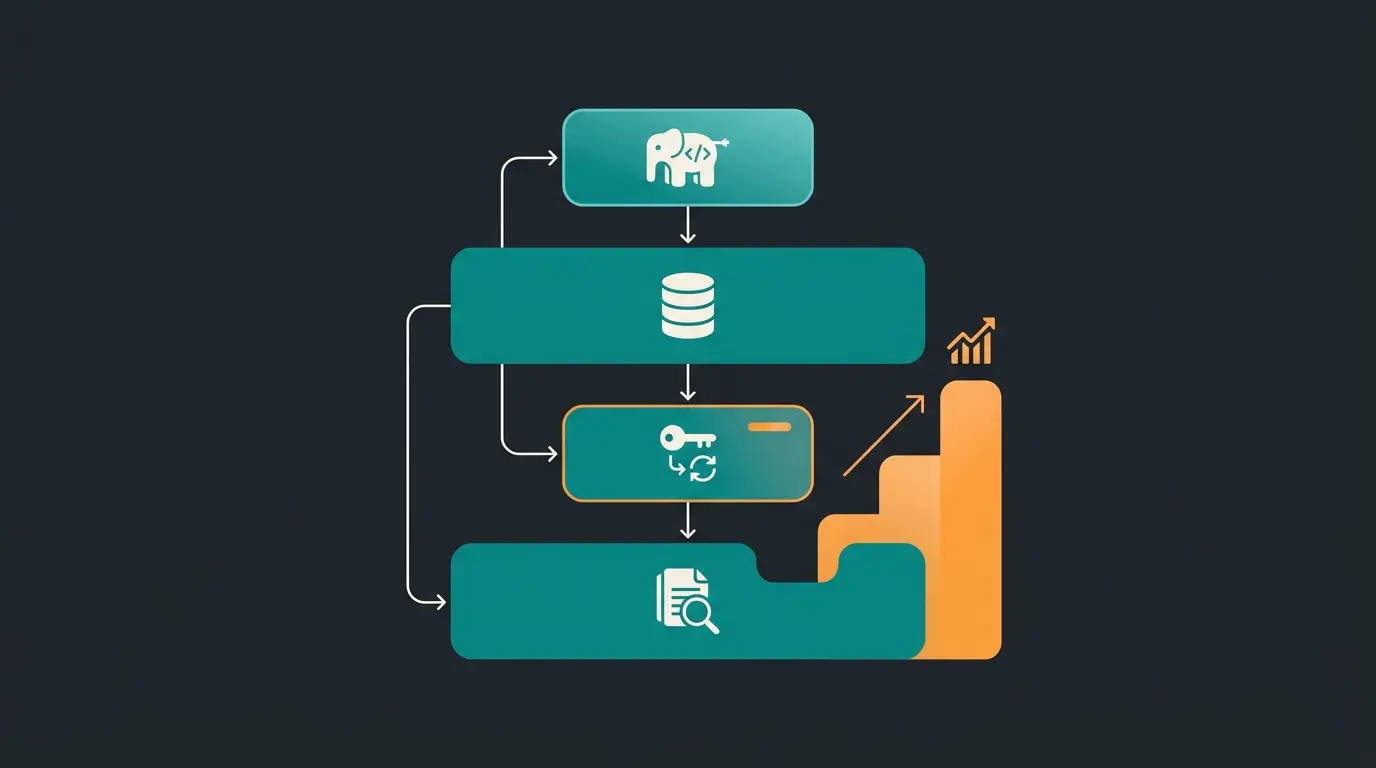
Matching hardware to traffic
"How much RAM do I need" has no single answer, because demand tracks three variables at once: catalogue size, concurrent visitors, and integration depth across ERP, PIM, search, and AI. A 500-product shop with a heavy ERP sync can outweigh a 5,000-product shop with none. The table below maps the common profiles.
| Daily visitors | Products | Live AI or personalisation | Recommended setup | Critical factor |
|---|---|---|---|---|
| Under 500 | Under 1,000 | No | VPS, 8 GB RAM, NVMe | I/O speed |
| 2,000 | 10,000 | No | Dedicated VPS, 16 GB RAM, Redis | RAM for the DB cache |
| 10,000+ | 50,000+ | Yes, external API | Dedicated server, 32 GB+ | Network latency and PHP worker count |
| 10,000+ | 50,000+ | Yes, self-hosted models | Dedicated server, 64 GB+ and GPU | CPU, RAM, and inference throughput |
The last two rows carry the real lesson. Self-hosting models and vector search forces you to scale hardware hard. An external, API-based AI service does the opposite: compute happens at the provider, so a strong web server with high PHP concurrency is enough. That one architectural choice moves you a full row up or down this table, which is why HELLA Lightstyle could put a 24/7 technical advisor in front of ECE approval questions without buying a single new server.
Top Criteria for Choosing a German Shopware Host
When you evaluate a hosting provider in 2026, work through this checklist. It goes past the standard spec sheet and tests for AI-readiness, which is what matters if you plan to run product consultation on the shop.
A. Hardware & Basic Performance
- NVMe SSDs: Ensure that the database also runs on NVMe, not just the web files
- CPU Cores: Dedicated cores are better than vCores to avoid "noisy neighbor" effects during AI load spikes
- RAM: Shopware 6 is memory-hungry. Plan for at least 8 GB RAM for smaller shops, significantly more for AI integrations, as recommended by Shopware's official documentation
B. Software Stack (Shopware 6.6+ Ready)
Shopware moves quickly and your host has to keep pace. The official Shopware hosting guide documents the supported stack, and it shifts with every major release. These are the current numbers as of Q3 2026:
- PHP: 8.2 is the documented floor for Shopware 6.7, and Shopware recommends 8.4. Set `memory_limit` to at least 512 MB and `max_execution_time` to at least 30 seconds. Keeping versions current is part of the regular Shopware Update cycle
- Database: MariaDB 10.11.6 or newer, or MySQL 8.0.22 or newer. MariaDB 11.4 and MySQL 8.4 are the recommended builds, and `max_allowed_packet` needs at least 32 MB or large imports fail
- Node.js and Composer: Node 20 LTS is the minimum for administration and storefront builds, Node 24 with npm 10 is recommended, and Composer 2.2+ handles dependencies. Plenty of shared hosts still ship Node 16
- Web server: Caddy, NGINX, or Apache all work. Shopware now recommends Caddy for production, which is worth knowing if your host insists Apache is the only supported option
C. The AI Check (The New Criteria)
These new requirements separate forward-thinking hosting from commodity infrastructure. Working with an experienced Shopware Developer can help you evaluate and implement these criteria:
- Redis Stack / Vector Support: Does the provider offer Redis modules like RediSearch or RedisJSON? Standard Redis is often insufficient for vector search, as explained by AWS's documentation on Redis capabilities
- Python/Node.js Support: Can you run your own services (e.g., a Python-based RAG service) on the server? Container solutions like Shopware Docker enable isolated runtime environments, but many managed hosting providers prohibit this
- API Rate Limits: Are there hard limits on internal API calls? AI agents often fire hundreds of requests per minute at the Shopware API
- Elasticsearch/OpenSearch: Is a dedicated cluster available? From Shopware 6.6, OpenSearch is virtually mandatory for large catalogs according to Shopware's official recommendations
D. Support Quality
- Application Knowledge: Does support understand what a "Message Queue Consumer" is, or do they only check whether the server is "on"?
- Response Time: With AI problems, every minute counts as they often directly affect the checkout process
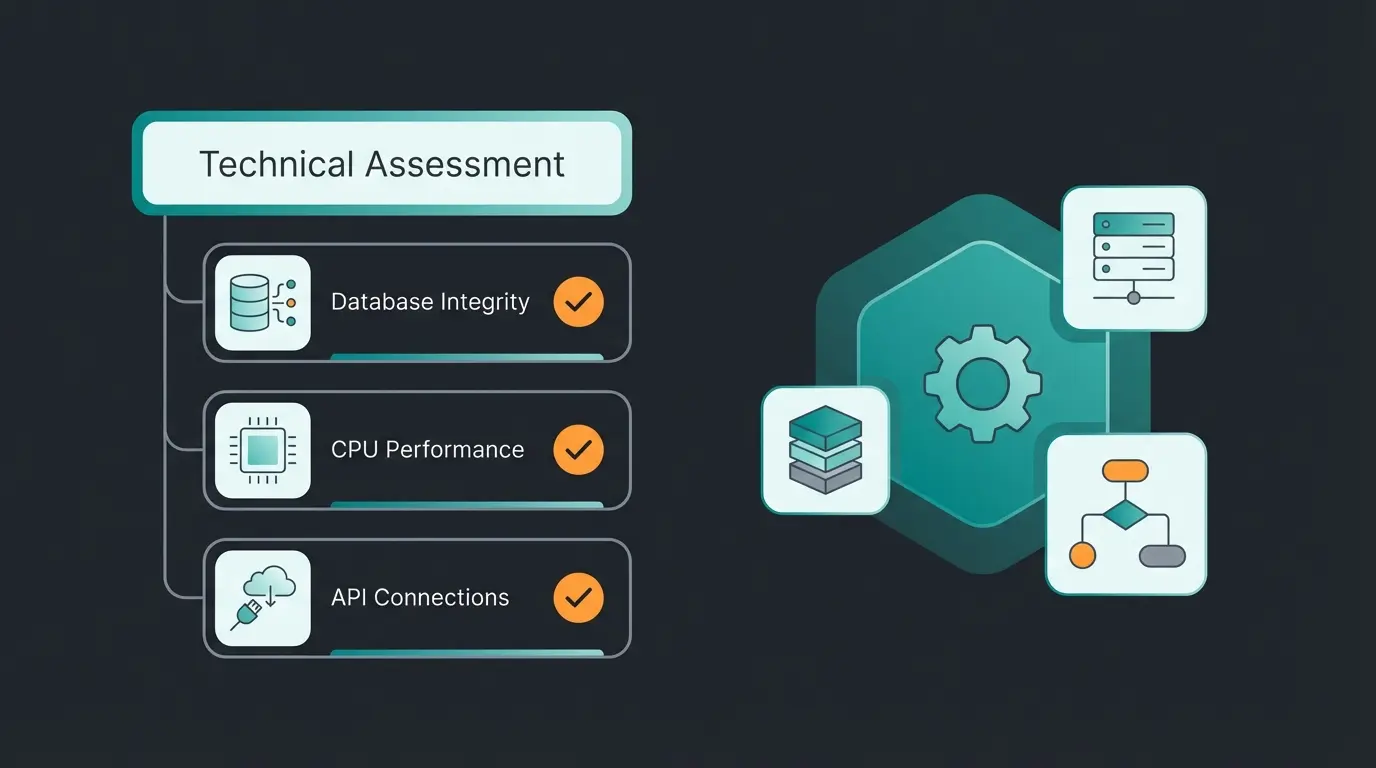
Comparison: Standard Hosting vs. AI-Ready Hosting
To clarify the difference, let's compare classic managed hosting with an approach optimized for intelligent systems. Modern Shopware Frontends architectures further amplify the gap between what standard hosting delivers and what AI-ready commerce requires.
| Feature | Traditional Managed Hosting | AI-Optimized Hosting (Consultation-First) |
|---|---|---|
| Primary Goal | Maximum uptime & caching rate | Maximum conversion & interaction speed |
| Bot Handling | Often blocks bots indiscriminately (security concern) | Intelligently distinguishes between spam bots and useful AI agents |
| Resource Focus | Optimized for static delivery (Varnish) | Optimized for dynamic compute load (Inference/Vector Search) |
| Database | Standard MySQL/MariaDB | Extended with vector databases (e.g., Redis Stack, Qdrant) |
| Customer Experience | Fast catalog browsing | Real-time product consultation without waiting |
| Scaling | Reacts slowly to load spikes (Black Friday) | Elastic scaling for AI compute load |
The Noisy Neighbor Problem
With cheap standard hosting (shared), you share resources with hundreds of other websites. When your AI advisor suddenly needs computing power for a complex customer query, those resources may be occupied by another tenant. The result: the advisor stutters mid-sentence, and the customer closes the window. AI-ready hosting therefore almost always relies on dedicated resources or isolated container technologies, as documented by Maxcluster's enterprise hosting specifications.
Shopware Cloud, PaaS, and self-hosted: the three operating models
Shopware runs in three operating models. SaaS (Shopware Cloud) rents you software plus infrastructure with zero server work. PaaS gives you the codebase and deployment pipelines on infrastructure Shopware manages. Self-hosted puts everything on servers you choose. The right pick depends on how much you need to customise and how much DevOps capacity you actually have.
Shopware Cloud (SaaS)
This is the model most people mean when they say Shopware Cloud. Updates apply automatically, scaling handles traffic spikes without a load balancer conversation, and there is no server to administer. Native features land here first, including the AI Copilot. The trade is extension depth: you work inside Shopware's app ecosystem, not on the box.
Shopware PaaS
PaaS is the middle path for teams with developers but no interest in infrastructure. You get access to the codebase and deployment pipelines while Shopware manages the runtime environment. That opens the door to custom backend logic and your own microservices sitting next to the shop, which is the single biggest practical difference from SaaS if you plan to run anything AI-shaped yourself.
Self-hosted, and the EUR 1 million line
Self-hosting is still the most flexible option and it is free to license, up to a point. Since Shopware's Fair Usage Policy took effect on 24 March 2025, the Community Edition is free only below a revenue threshold. The policy states that "Businesses using the Community Edition with an annual GMV of under €1 million, generated through their Shopware online store, will continue to have full access to the Shopware Account and Shopware Store without any changes." Cross that line and you subscribe to Rise, Evolve, or Beyond regardless of where the shop is hosted.
| Dimension | Self-hosted | Shopware Cloud (SaaS) | Shopware PaaS |
|---|---|---|---|
| Monthly cost | EUR 40-500+ infrastructure, license free under EUR 1M GMV | From EUR 600 (Rise) to EUR 6,500+ (Beyond) | Subscription plus usage, from the Evolve tier |
| Server administration | Yours, or your managed host's | None | None at the OS level, yours at the deploy level |
| Scaling | Manual or provider-managed | Automatic | Configurable within the platform |
| Customisation | Unlimited: plugins, custom code, server-level changes | Limited to the app ecosystem | Codebase access, managed runtime |
| Custom AI services | Full control: vector databases, Python sidecars, self-hosted models | External APIs only | Custom microservices alongside the shop |
| Updates | Manual, needs a test cycle | Automatic, no downtime | Pipeline-driven |
| Time to launch | Weeks | Days | Weeks |
For shops that need deep AI integration, self-hosted or PaaS remain the stronger options as of 2026. Running your own vector database, a Python retrieval service, or a self-hosted model requires server-level access that the SaaS tier does not provide. If you go that route, a capable Shopware Programmer is not optional, and neither is a plan for who maintains it in year two.
The counterargument holds up though. Self-hosting demands expertise most SME teams do not have on staff, and an unpatched server is a worse outcome than a constrained one. If your team has no DevOps capacity, a managed Shopware host like Maxcluster carries the infrastructure burden while still giving you far more control than pure SaaS. The next section breaks down exactly what that buys.
Server location, GDPR, and the DPA question
Shopware Cloud runs primarily on AWS in the Frankfurt (eu-central-1) region, in data centres certified to ISO 27001, SOC 1/2/3, and BSI C5. As a SaaS customer you sign the data processing agreement with Shopware AG, a German company, and Shopware handles the subprocessor relationship with AWS. Compared with self-operation, where you audit every service provider individually, that removes a genuine amount of compliance paperwork.
There is one objection worth taking seriously, and it is the reason some DACH merchants still refuse the cloud. The US Cloud Act theoretically allows US authorities to compel data from a US-parented provider even when the servers sit in Frankfurt. Legally it is contested and practically it is rare. But if your compliance team has written "no US hyperscalers" into policy, no amount of Frankfurt data centre certification will satisfy them, and a German-operated managed host is the only route that will. Know which camp you are in before you shortlist providers, not after.
Shopware managed hosting: what you actually get for the money
Shopware managed hosting means the provider runs and tunes the stack for you: PHP versions, Varnish, Redis, OpenSearch, backups, and security patches. You keep full control of the shop and give up control of the server. Expect EUR 50 to 200 per month at entry level and EUR 200 to 500 or more for dedicated resources.
The label is not regulated, which is where most disappointment starts. Two providers can both call themselves managed and mean completely different things. One installs Shopware and patches the OS. The other pre-configures the full performance stack and answers questions about the message queue at 2am.
A serious Shopware plan ships Varnish as an HTTP reverse proxy in front of PHP, and it uses the XKey integration rather than tag-based invalidation through LUA scripts, which Shopware deprecated with 6.6. Redis should run as two separate instances, volatile for cache and persistent for sessions, so a restart does not empty every shopping cart on the site. The Shopware hosting guide lists Redis v7+ or Valkey 8.0 with `maxmemory-policy: volatile-lfu`, plus OpenSearch 2.17.1 as the recommended search backend. If those three are billed as add-ons, you are not looking at a Shopware plan. You are looking at generic PHP hosting with a Shopware label.
Who managed hosting is for, and who it is not for
It fits shops with real revenue and no dedicated DevOps capacity. If nobody on your team wants to own kernel patches, Varnish invalidation, or a 3am OpenSearch cluster, managed hosting buys that away for less than a fraction of an engineer's salary. It also fits consultation-heavy catalogues in technical components, medical products, or B2B spare parts, where downtime costs orders rather than pageviews.
It does not fit two groups. A hobby shop with 40 products and 100 visitors a month is overpaying; shared hosting at Hetzner or a small VPS covers it. And a team that needs to run its own Python sidecars, custom vector databases, or self-hosted models will hit the walls of a managed plan fast, because the restrictions that make managed hosting stable are the same restrictions that block custom services. That team wants a root server or a Shopware Docker setup they control.
Building hosting that can carry an AI advisor
We believe the future of e-commerce lies in active consultation. Your shop shouldn't be a mute vending machine but a competent advisor. Whether you're building from scratch or planning a Shopware Relaunch, the infrastructure choices you make today determine your AI capabilities tomorrow.
What an AI-ready stack actually needs
We do not sell hosting. We build the KI-Mitarbeiter that run on top of it, which means we have watched the same integration succeed on one provider and stall on another with near-identical spec sheets. Four things separate the two, and none of them appear on a standard hosting comparison page.
- Dedicated compute, not burst credits. A consultation session that reads the live cart cannot be served from cache. If CPU is shared or throttled after a quota, response times spike exactly when several customers are asking questions at once.
- Vector search that is actually available. Plain Redis 7 is a key-value store. Semantic product matching needs RediSearch and RedisJSON, or a separate vector database. Ask which one ships, not whether Redis is included.
- Outbound API calls without whitelisting friction. An external AI service is one HTTPS call per turn. Some managed firewalls rate-limit or block outbound traffic by default, and the symptom looks like a slow advisor rather than a network policy.
- Data residency you can document. Where the shop data sits, where the AI processing happens, and who signs the data processing agreement. Three separate questions, and hosts routinely answer only the first.
What this looks like in live shops
Rasendoktor sells professional lawn care and takes 2,000 to 3,000 consultation-heavy inquiries in a season. Their AI employee Hektor now answers every webchat inquiry automatically, at a 16x return on investment and 40% lower support cost. The Rasendoktor AI product advisor case study has the full breakdown.
Neudorff had a harder constraint. Plant protection advice carries legal requirements, so a wrong recommendation is a compliance problem, not just a lost sale. Their AI employee Flora hits 97% accuracy on product recommendations with an average response under five seconds, documented in the Neudorff AI product consultation story.
HELLA Lightstyle runs the same pattern in automotive lighting, where ECE approval questions decide whether a part is even legal to fit. Ella answers those around the clock and has cut support inquiries by 60%, per the HELLA Lightstyle AI advisor case. All three run as a hosted AI product consultation service rather than something installed on the shop server, which is precisely why none of them needed a hardware upgrade to launch.

Passive vs. Active Hosting: A Strategic Comparison
Understanding the fundamental difference between passive infrastructure management and active commerce optimization is crucial for making the right hosting decision. The table below illustrates how these approaches differ in their core philosophy and outcomes:
| Dimension | Passive (Traditional) Hosting | Active (AI-Optimized) Hosting |
|---|---|---|
| Strategic Focus | Infrastructure maintenance | Commerce conversion optimization |
| Success Metric | Uptime percentage | Revenue per visitor increase |
| Bot Philosophy | Blocks all automated traffic | Distinguishes AI agents from spam |
| Resource Allocation | Static caching priority | Dynamic processing power priority |
| Customer Journey | Fast catalog browsing | Personalized guidance experience |
| Peak Handling | Pre-allocated capacity | Elastic AI compute scaling |
| Data Processing | Page delivery only | Real-time consultation engine |
The shift from passive to active hosting represents more than a technical upgrade - it's a strategic realignment of your e-commerce infrastructure toward revenue generation rather than mere availability.
Shopware hosting cost breakdown
Shopware hosting costs range from EUR 5 per month for a bare-bones VPS to over EUR 500 per month for a dedicated AI-ready server with managed support. The real cost depends on three factors: your traffic volume, your catalog size, and whether you run AI-powered features that demand dedicated compute resources. Most mid-sized shops with 1,000-10,000 daily visitors spend between EUR 100 and EUR 300 per month on hosting that actually performs.
| Tier | Monthly cost (EUR) | Best for | AI-readiness |
|---|---|---|---|
| Shared / budget VPS | 5-30 | Development, testing, very small shops | Not suitable: no dedicated CPU, no Redis, no sidecar support |
| Managed hosting | 50-200 | Growing shops with 500-5,000 daily visitors | Limited: Redis available, but restricted background processes |
| Dedicated managed | 200-500+ | High-traffic shops with AI consultation | Ready: dedicated CPU, Redis Stack, Python sidecars, vector DB support |
| Shopware Cloud (SaaS) | 600-6,500+ | Teams without DevOps capacity | Varies: automatic scaling, but limited custom AI integration |
Hidden costs catch many shop owners off guard. SSL certificates are free with Let's Encrypt, but CDN services like Cloudflare Pro add EUR 20-200/month depending on traffic. Automated backups with geo-redundancy cost EUR 10-50/month extra at most providers. The biggest hidden cost for AI-ready shops is API overhead: calling external LLM APIs for product consultation can add EUR 50-300/month depending on conversation volume, according to Shopware community benchmarks.
FAQ: Common Questions About Shopware Hosting & AI
Here we answer questions that go beyond the standard concerns and address the intersection of hosting infrastructure and AI capabilities.
Shopware 6.7 needs PHP 8.2 or higher, MariaDB 10.11.6+ or MySQL 8.0.22+, Node.js 20 or newer, and Composer 2.2+. On hardware, the official Shopware documentation states "8 GB minimum, 16 GB recommended" for RAM and a "Quad-core or higher" CPU, plus roughly 10 GB of free disk.
PHP 8.2 is the floor, 8.3 and 8.4 both work, and Shopware recommends 8.4. Set `memory_limit` to at least 512 MB and `max_execution_time` to at least 30 seconds. PHP 8.1 and everything older will block installation on the current release.
For a demo or dev store it works. For production it does not, because Shopware 6 depends on the message queue, CLI workers, and SSH access that shared plans usually restrict. A managed VPS starting around EUR 50 per month is the realistic entry point.
Both are officially supported, and the configuration matters far more than the brand. MariaDB 11.4 and MySQL 8.4 are the recommended versions as of Q3 2026. Size `innodb_buffer_pool_size` to hold your active catalog and set `max_allowed_packet` to at least 32 MB, or large imports will fail.
Entry-level managed plans for Shopware run EUR 50 to 200 per month and cover a shop with roughly 500 to 5,000 daily visitors. Dedicated managed hosting with Redis Stack, OpenSearch, and sidecar support starts around EUR 200 and climbs past EUR 500 for high-traffic catalogs.
Self-hosted is cheaper on paper. The Community Edition license is free below EUR 1 million annual GMV under Shopware's Fair Usage Policy, so you pay EUR 40 to 300 per month for infrastructure only. Shopware Cloud starts at EUR 600 per month with Rise, which buys away the ops work rather than the servers.
Yes, with one caveat worth knowing. Shopware Cloud runs on AWS in the Frankfurt (eu-central-1) region in data centres certified to ISO 27001, SOC 1/2/3, and BSI C5, and you sign the data processing agreement directly with Shopware AG as a German company. The caveat is the US Cloud Act, which some compliance teams treat as disqualifying for any US hyperscaler regardless of server location.
AI features shift the load from disk to CPU and memory. A normal visitor pulling a cached category page barely registers; one consultation session that inspects the live cart is real compute that no cache can absorb. Plan for roughly 3 to 5 times more CPU headroom during peak consultation periods than traditional catalogue traffic needs.
Only if you host the models yourself. With an external, API-based service, the inference happens at the provider and your server only needs stable outbound networking plus enough PHP concurrency to keep those calls open. That is why hardware costs stay flat when shops like Pooldoktor add AI consultation.
Standard Redis is a key-value store. Semantic product search needs vector similarity search, which requires modules like RediSearch and RedisJSON from Redis Stack, or a dedicated vector database such as Qdrant. Many managed hosts ship plain Redis 7 and no vector capability at all, so ask before you sign.
Conclusion: The Future Demands Intelligent Infrastructure
E-commerce is at a turning point. Buying hosting in 2026 on price per gigabyte alone is saving in the wrong place. What decides your market position is whether your shop can advise a customer, not how fast it hands over a static page.
The infrastructure requirements for consultation-first commerce extend far beyond what traditional hosting metrics measure. Vector databases, inference optimization, GDPR-compliant AI processing, and elastic scaling for AI workloads are no longer nice-to-haves - they're essential differentiators.
The hosting providers who understand this shift are positioning themselves as partners in your AI commerce journey, not just infrastructure vendors. For a detailed provider-by-provider analysis, see our Best Shopware Hosting Providers Compared guide. As you evaluate your options, look beyond the standard feature checklists and ask the questions that matter for intelligent commerce: Can your hosting support real-time consultation? Does it distinguish between harmful bots and helpful AI agents? Will it scale when your AI advisor becomes your best salesperson?
Check that your hosting partner is ready for that. The shops that pull ahead through 2026 and beyond are the ones that worked out early that speed without intelligence stopped being a differentiator.

Fast infrastructure is only the foundation. A KI-Mitarbeiter turns your visitors into buyers with real-time product consultation. Our clients see up to 7x higher conversion rates and +35% cart value.
Book a free demo
Kevin is CTO and co-founder of Qualimero. As an AI architect with over 15 years of experience as CTO and CPO in the tech industry, he designs the AI systems that automate tens of thousands of customer interactions daily for Qualimero's clients — reliably, securely, and at scale.