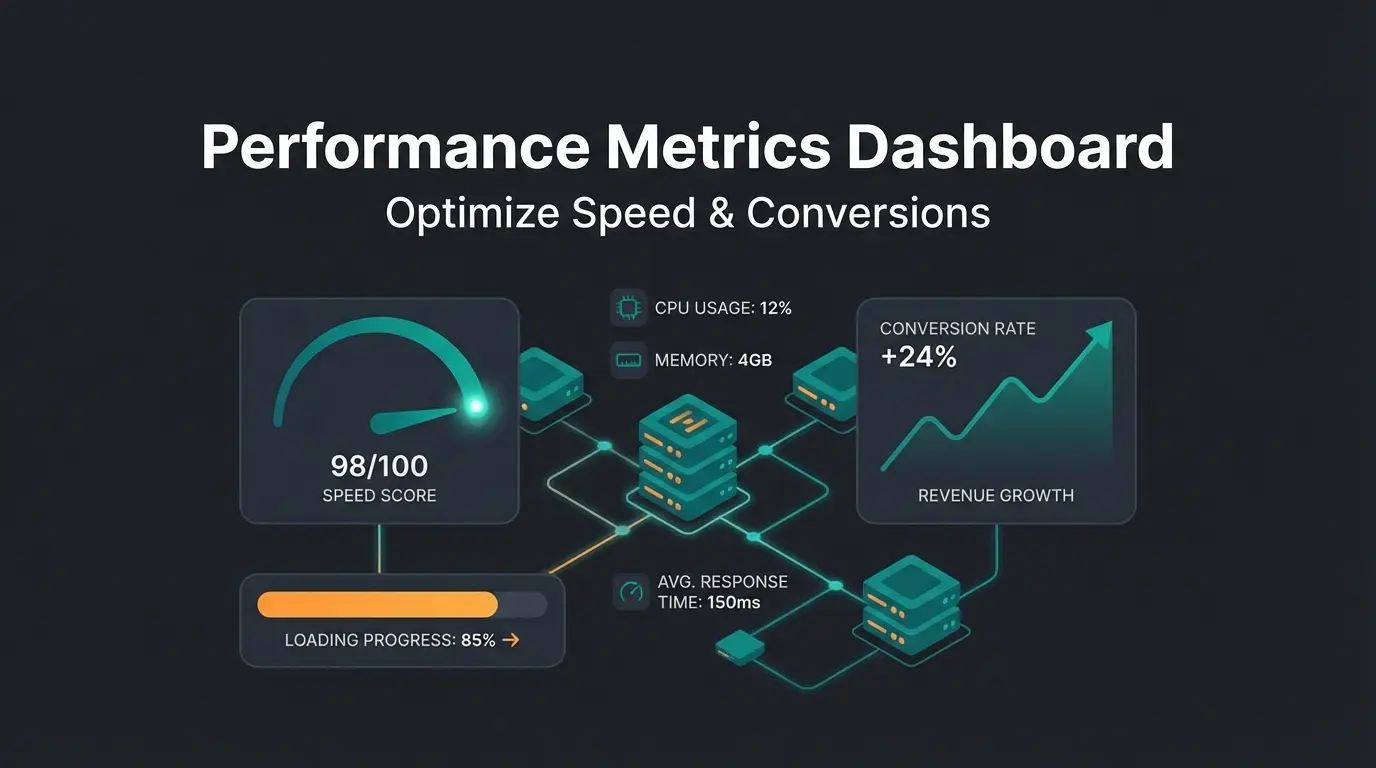
Introduction: Why Shopify Speed Decides Win or Lose
Imagine walking into a retail store in downtown Berlin. The door sticks, the lights flicker on after five seconds, and the salesperson takes forever to respond to your question. What do you do? You leave.
In e-commerce, it's exactly the same—except your customers won't wait five seconds. They often won't even wait three.
In 2025, Shopify speed is no longer a nice-to-have metric but the foundation of your online business. Google has tightened the rules with Core Web Vitals, and mobile user patience is at an all-time low. Anyone searching for Shopify load time optimization has usually already noticed that traffic alone isn't enough when bounce rates are too high.
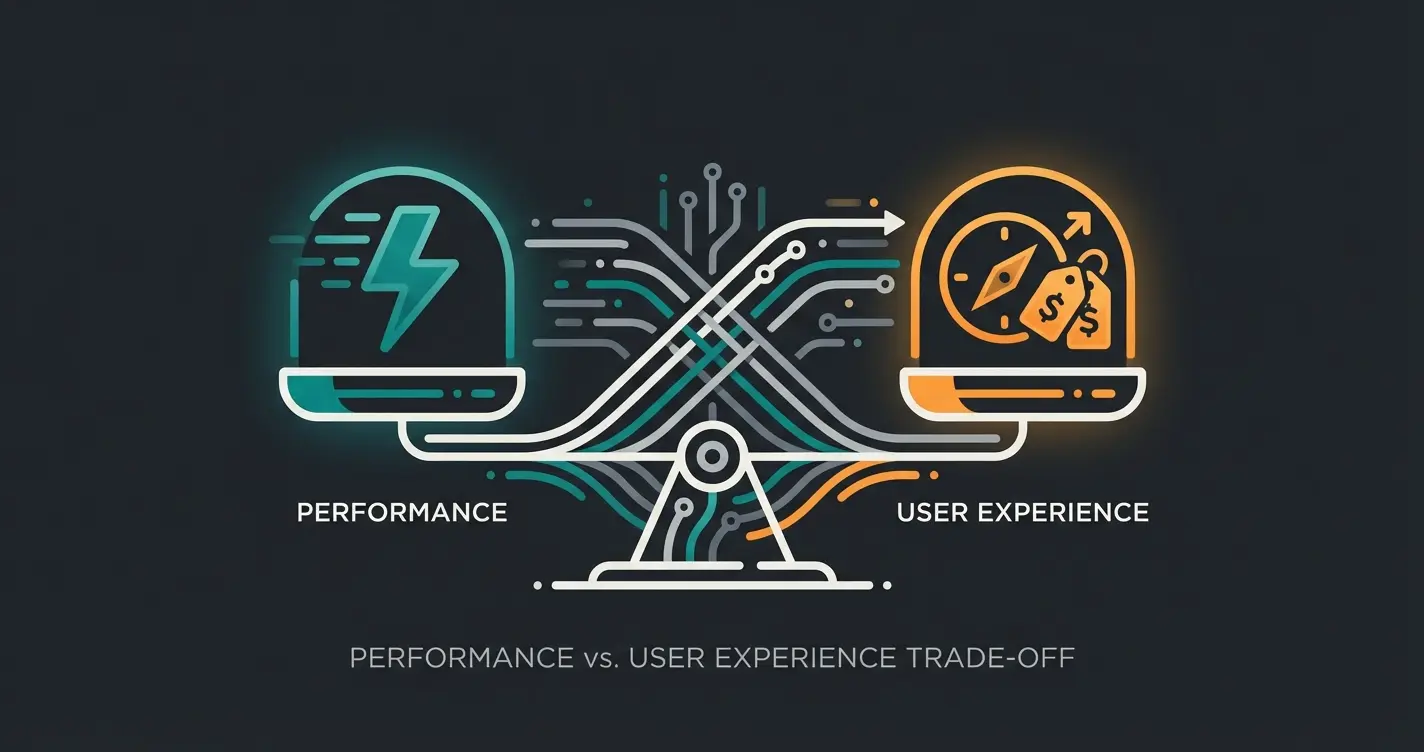
But there's a paradox that hardly anyone talks about: A bare-bones, super-fast store doesn't automatically sell better. If a user lands on your page in 0.5 seconds but then spends 10 minutes trying to find the right product, you've still lost. Similar to how Shopware page speed affects conversion rates, Shopify performance directly impacts your bottom line.
In this comprehensive guide, you'll learn not only how to make your store technically faster but how to find the balance between technical performance and excellent user experience (UX). We'll reveal why simply deleting apps isn't always the solution and how modern AI solutions bridge the gap between speed and customer guidance.
Diagnosis: How to Measure Speed Correctly (Beyond 100/100)
Before we optimize, we need to understand where we stand. Many store owners stare hypnotically at the Google PageSpeed Insights (PSI) score and panic when it doesn't show 100. But be careful: A score of 100/100 is often a vanity metric.
Lab Data vs. Field Data: What Really Counts?
According to OptiExperts, Google distinguishes between two types of data:
- Lab Data: This is what you see when you run a test on PageSpeed Insights right now. It's a simulation under controlled conditions (often with throttled network speed). It's ideal for debugging but doesn't always reflect reality.
- Field Data (CrUX): This is data Google collects from real Chrome users visiting your store. This is what matters for your SEO ranking.
Understanding Core Web Vitals in 2025
Google evaluates your Shopify performance based on three main metrics. According to research from Enfuse Solutions, Upward Engine, and NitroPack, if you understand these, you've completed 80% of the diagnosis.
1. LCP (Largest Contentful Paint) – Loading Time
- What it is: The moment when the largest visible element (usually the hero image or H1 heading) finishes loading.
- Target: Under 2.5 seconds.
- Common killers: Huge, uncompressed images, slow server response times, cookie banners (more on this later).
2. CLS (Cumulative Layout Shift) – Visual Stability
- What it is: Measures how much elements shift during loading. Does the 'Buy' button suddenly jump down because an image loaded late? That's poor CLS.
- Target: Under 0.1.
- Common killers: Images without height/width attributes, late-loading ad banners, dynamic content.
3. INP (Interaction to Next Paint) – Responsiveness
According to Google's official documentation and Search Engine Land, the update in March 2024 saw INP officially replace the old FID (First Input Delay) metric.
- What it is: INP measures not just the first click but the response time to all interactions throughout the entire visit (clicks, taps, keyboard inputs). It measures how quickly the browser provides visual feedback (e.g., opening a menu or adding to cart).
- Target: Under 200 milliseconds as confirmed by RabbitLoader.
- Why it matters: For modern stores with interactive elements (filters, AI chats, variant selectors), this is the most important metric for perceived speed.
Largest Contentful Paint must load within 2.5 seconds for good user experience
Cumulative Layout Shift should stay under 0.1 to prevent visual instability
Interaction to Next Paint must respond within 200 milliseconds
The Low Hanging Fruit: Images & Theme Selection
Before we dive deep into code, let's handle the basics. According to the HTTP Archive Web Almanac 2024, images still make up a huge portion of page weight. This is often where the greatest potential lies to make Shopify faster.
Image Optimization: The 3-Step Formula
1. The Right Format (WebP & AVIF):
Forget PNGs for photos. Use WebP. According to Digidop and BlogSEO.ai, this format is 25-35% smaller than JPEG at the same quality. Shopify now natively supports WebP and often automatically converts uploaded images, but it's worth uploading pre-optimized source files.
2. Compression:
An image straight from the camera or Unsplash is often 2-5 MB. For the web, we need around 100-200 KB according to Tiny-Img. Use tools like TinyPNG or Shopify apps like Crush.pics or Avada SEO to compress images losslessly.
3. Lazy Loading & Dimensions:
Images that aren't immediately visible (e.g., in the footer or further down the product page) should only load when the user scrolls (Lazy Loading).
Theme Performance: Why Dawn Is the Benchmark
If you're still using an old theme (pre-Online Store 2.0), you're driving with the handbrake on. Just as Shopware hosting needs the right infrastructure, your Shopify store needs a modern theme foundation.
According to Shopify's official documentation and PageFly, Shopify's standard theme Dawn is approximately 35% faster compared to old themes. Why?
- Less JavaScript: Dawn relies heavily on HTML and CSS, minimizing JS bloat.
- JSON Templates: The architecture is more modular and only loads what's needed on each specific page.
- App Blocks: Apps integrate more cleanly without leaving code remnants in `theme.liquid`.
The App Audit: Bloatware vs. Business Value
This is where most guides make a mistake. They blanketly say: 'Delete all apps.' That's unrealistic. A modern store needs apps for marketing, upselling, and logistics. The approach for the best Shopware plugins also applies to Shopify—choose wisely.
The strategy for 2025 is: Differentiation by ROI (Return on Investment).
The Concept of Value-Added Latency
Not every millisecond of delay is bad. If an app slows your load time by 50ms but increases conversion rate by 15%, that's a good trade. We call this 'Value-Added Latency.'
The problem is apps that cost load time but provide no direct value (e.g., heavy sliders, snowfall effects, unnecessary pop-ups). Understanding how AI e-commerce transforms the shopping experience helps you identify which tools actually drive value.
Comparison Table: App Weight vs. Business Value
| App Type | Speed Impact (LCP/INP) | Conversion Impact | Verdict |
|---|---|---|---|
| Full-Screen Slider | 🔴 High (LCP killer) | 🟡 Low (users often scroll past) | Remove (replace with static image) |
| AI Product Consultant | 🟢 Low (if async) | 🟢 Very High (guides users to products) | Keep & Optimize |
| Social Media Feeds | 🔴 High (many external scripts) | 🟡 Medium (social proof) | Replace (with static images/screenshots) |
| Live Chat (Legacy) | 🟠 Medium (often blocks main thread) | 🟢 High | Optimize (load on interaction) |
| Review Widgets | 🟠 Medium | 🟢 High | Keep (use lazy loading) |
The Solution: Asynchronous & Smart Loading
How can you use powerful tools (like an AI solution) without ruining your speed score? According to AppBrew and Hyperspeed, the answer lies in the loading order:
- Critical Resources (Sync): HTML, CSS, main image. This must be there immediately.
- Business Logic (Async): Analytics tools, pixels. These load in parallel but don't block page rendering.
- Interactive Tools (Defer/Interaction): Chat widgets or AI consultants.
The key insight: Modern AI solutions often load their scripts only after the LCP (main image) is complete. This means the user sees the page immediately (green score), and milliseconds later the intelligent assistant appears. For Google, the page is fast; for the user, it's helpful. This is how AI chatbots transform customer interactions without sacrificing performance.
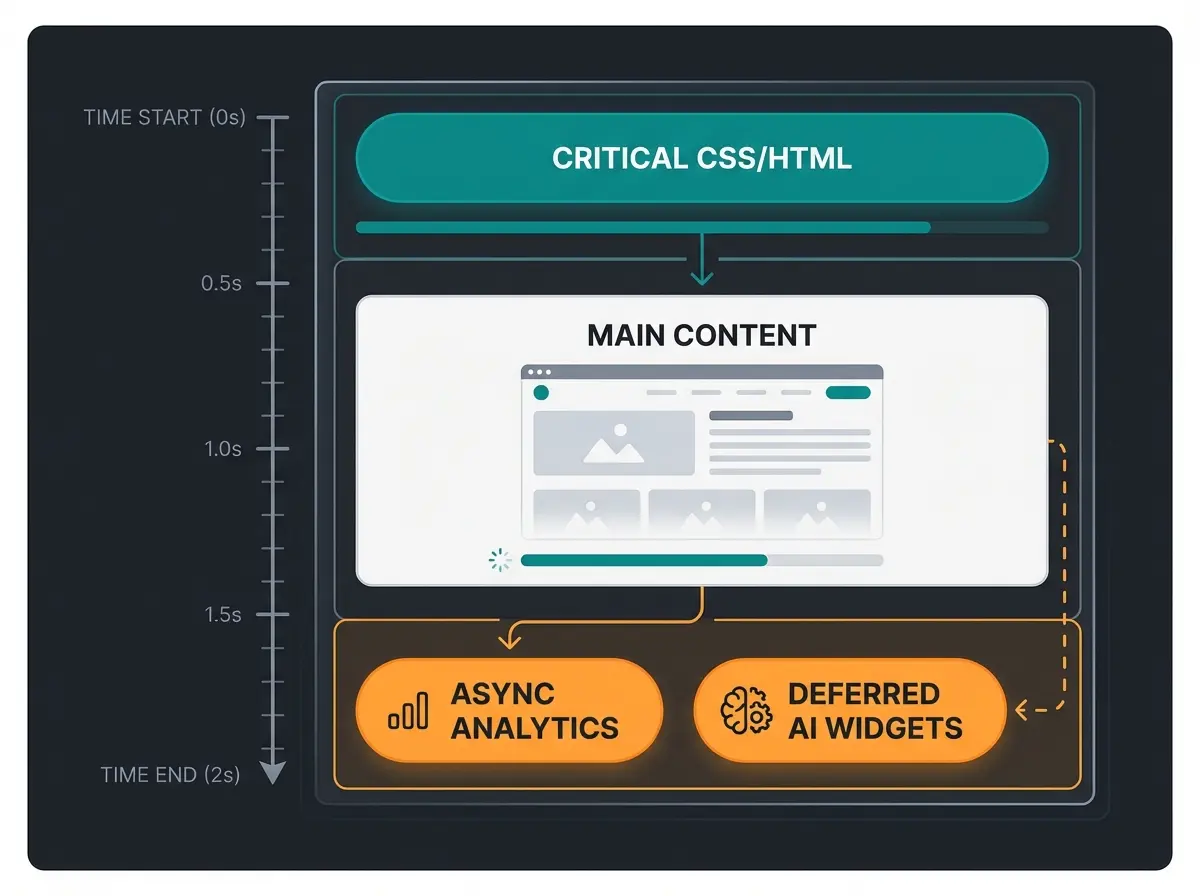
HTML, CSS, and LCP image load immediately—this is your foundation
Prices, product details, and Add to Cart button become visible
Tracking scripts load in parallel without blocking the main thread
Chat widgets and AI consultants load after initial content—smart, not slow
Discover how our asynchronously-loading AI product consultant boosts conversions by 20%+ while keeping your Core Web Vitals green.
Try It FreeGerman Specialty: The GDPR Speed Tax (Cookie Banners)
Anyone selling in Germany or the EU can't avoid cookie banners (Consent Management Platforms, CMPs). But according to Mile.tech, tools like Usercentrics or Cookiebot are often the hidden main causes of poor Core Web Vitals. This challenge is unique to European markets and directly affects AI customer service implementation as well.
The Problem
According to RUM Vision and Web.dev, three major issues arise:
- LCP Degradation: On mobile devices, the cookie banner often takes up so much space that Google mistakenly identifies it as the 'Largest Contentful Paint' element. Since the banner script often loads late, the LCP value explodes.
- CLS Problems: The banner 'pops' in and shifts content up or down.
- INP Spikes: When the user clicks 'Accept,' suddenly 20 tracking scripts fire simultaneously. This overloads the browser (main thread) and makes the page briefly freeze.
The Solution: Best Practices for GDPR Compliance
- Adjust styling: Make the text in the cookie banner smaller or split it into two paragraphs. The goal is for the text block to be smaller than your main product image, so Google recognizes the product image as LCP instead of the banner.
- Reserve placeholder space: Use CSS to reserve space for the banner at the bottom of the screen (fixed height) so content doesn't shift (prevents CLS).
- Asynchronous loading: Ensure the CMP script loads asynchronously so it doesn't block page rendering.
Advanced: Interaction & UX (Focus on INP)
This is where the wheat separates from the chaff. While most only look at load time, professionals focus on INP (Interaction to Next Paint). This metric is especially relevant when implementing tools like AI product consultation features.
Why INP Is Critical for Your Revenue
Imagine a customer clicks 'Add to Cart.' Nothing happens for half a second. They click again. Suddenly there are two items in the cart. Frustrated, they abandon. That's a poor INP value.
According to Shopify's developer documentation and OptiExperts, poor INP values often come from 'Long Tasks' in JavaScript—when the browser is so busy calculating that it can't respond to clicks.
The Speed vs. Guidance Paradox
A super-fast store is worthless if the customer is disoriented. This is why understanding how Shopware cloud is implementing AI-powered guidance offers valuable lessons for Shopify merchants too.
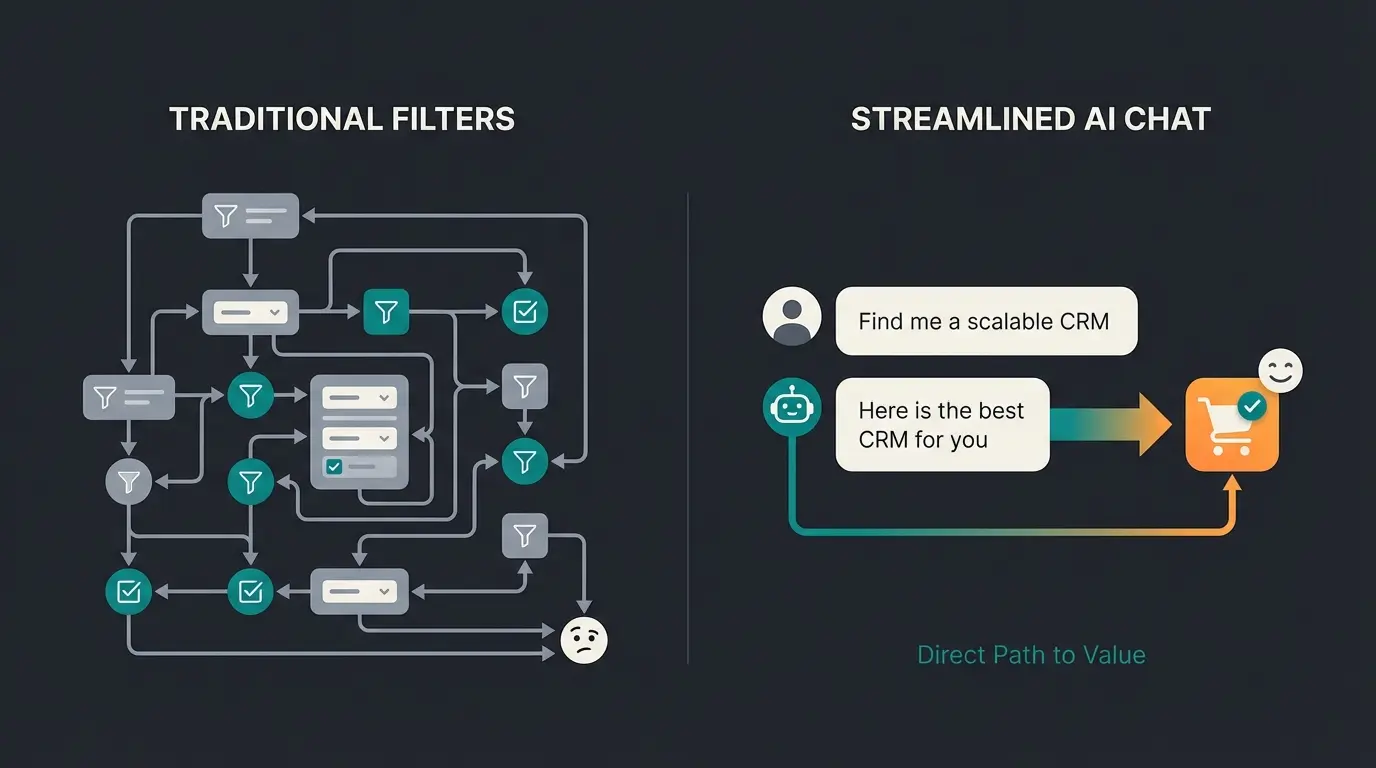
Classic e-commerce relies on filters: Category > Color > Size > Brand. This requires many clicks and load times.
The modern approach: AI-powered consultation.
Instead of making users click through 10 filter pages (which means 10x load time), you use an intelligent overlay or widget:
- The user asks a question ('I'm looking for running shoes for asphalt, under $100')
- The AI filters in the background
- The result displays immediately
The performance advantage:
Although you're loading an additional script (the AI), you drastically reduce the 'mental load time' and actual click count. As long as the AI widget is INP optimized (fast response to inputs), this is the most efficient path to conversion. When choosing your tools, ensure they don't cause 'main thread blockers.' This is how AI Selling revolutionizing the e-commerce landscape without sacrificing speed.
Technical Optimization Deep Dive
For the developers and tech-savvy merchants among you—here are the levers you need to adjust. These principles apply whether you're working on Shopify or exploring Shopware performance optimization.
1. Code Minification & Cleanup
Remove whitespace and comments from CSS and JS files. Shopify often does this automatically, but many apps inject unoptimized code.
Even more important: Remove code zombies. When you uninstall an app, code often remains in `theme.liquid`. According to Codersy and Alinga, use tools like the Shopify Theme Inspector for Chrome to find these remnants.
2. Use Google Tag Manager (GTM)
Instead of placing Facebook Pixel, TikTok Pixel, Pinterest Tag, and Google Ads Tag individually in your store code (which means 4x HTTP requests and JS parsing), put everything in GTM.
- Advantage: You only have one script in your store.
- Control: According to Brandemic, you can configure in GTM that certain tags only fire after 3 seconds or on scroll ('Tag Sequencing') to reduce initial load burden.
3. Optimize Faceted Filters
On category pages (Collection Pages) with thousands of products, filters can extremely slow down the page. Use Shopify's native 'Search & Discovery' app or server-side rendering for filters to keep DOM size small. Understanding Shopware ERP integration principles can also inform how you structure product data for optimal filter performance.
The Speed vs. Guidance Solution: Smart AI Implementation
Here's where everything comes together. The secret to winning in 2025 isn't choosing between speed and functionality—it's implementing both intelligently.
Traditional product discovery forces customers through multiple page loads: homepage → category → subcategory → filters → product page. Each step adds latency and increases abandonment risk. Exploring AI product consultation reveals how conversational interfaces eliminate these friction points.
Modern AI consultants flip this model. They load asynchronously (preserving your Core Web Vitals), then engage customers in natural conversation. The AI processes queries client-side or through optimized API calls, meaning:
- No additional page loads required
- Instant responses under 200ms (INP compliant)
- Reduced server strain compared to traditional filtering
- Higher conversion rates through personalized guidance
This approach mirrors how WhatsApp Business setup enables instant customer communication—meeting users where they are with immediate responses.
Well-optimized AI widgets add minimal latency through async loading
AI-guided product discovery significantly increases purchase rates
Conversational commerce reduces navigation steps to purchase
Conclusion & Checklist: Your 2025 Action Plan
Shopify speed isn't a one-time project but an ongoing process. The market in 2025 demands not only fast load times (LCP) but also instant responsiveness (INP) and intelligent user guidance.
Don't let fear of scripts paralyze you. A store without features is fast but sells nothing. A store with the right, optimized features wins the race.
Your Checklist for Maximum Performance
- Measurement: Check your Core Web Vitals (not just the PSI score) in Google Search Console or Shopify Admin.
- Images: Ensure all images are delivered as WebP and lazy loading is correctly implemented (except for the hero image!).
- Theme: Use an Online Store 2.0 theme (e.g., Dawn).
- App Audit: Remove apps without ROI. Replace heavy frontend apps with lightweight alternatives.
- Cookie Banner: Optimize your CMP's styling and loading to avoid LCP problems on mobile devices.
- Interactivity: Watch for INP values under 200ms. Use asynchronously loading AI tools to improve user experience without slowing initial load.
- Code Hygiene: Regularly clean your theme of remnants from old apps.
Frequently Asked Questions About Shopify Speed
Rather than chasing a perfect 100/100 on PageSpeed Insights, focus on achieving 'green' Core Web Vitals: LCP under 2.5 seconds, CLS under 0.1, and INP under 200 milliseconds. These real-user metrics matter more for SEO rankings than synthetic lab scores.
Not all apps are equal. Backend apps (inventory management, email automation) have minimal speed impact. Frontend apps (chat widgets, sliders, social feeds) can significantly affect Core Web Vitals. The key is identifying 'Value-Added Latency'—apps that may add milliseconds but substantially boost conversions are worth keeping.
Cookie consent banners (CMPs) like Usercentrics or Cookiebot are often hidden performance killers. They can become the LCP element on mobile, cause layout shifts (CLS), and trigger INP spikes when users click 'Accept.' Optimize by reducing banner text size, reserving fixed space, and loading scripts asynchronously.
FID (First Input Delay) only measured the first interaction. INP (Interaction to Next Paint), which replaced FID in March 2024, measures responsiveness throughout the entire visit—every click, tap, and keyboard input. This makes it much more representative of actual user experience.
Yes, if implemented correctly. Modern AI solutions use asynchronous loading—they wait until after your LCP element loads before initializing. This means Google sees a fast page while users get intelligent assistance. Look for AI tools specifically designed with Core Web Vitals compliance in mind.
Our AI product consultant loads asynchronously, respects your Core Web Vitals, and guides customers to purchase 3x faster than traditional navigation.
Start Free Trial