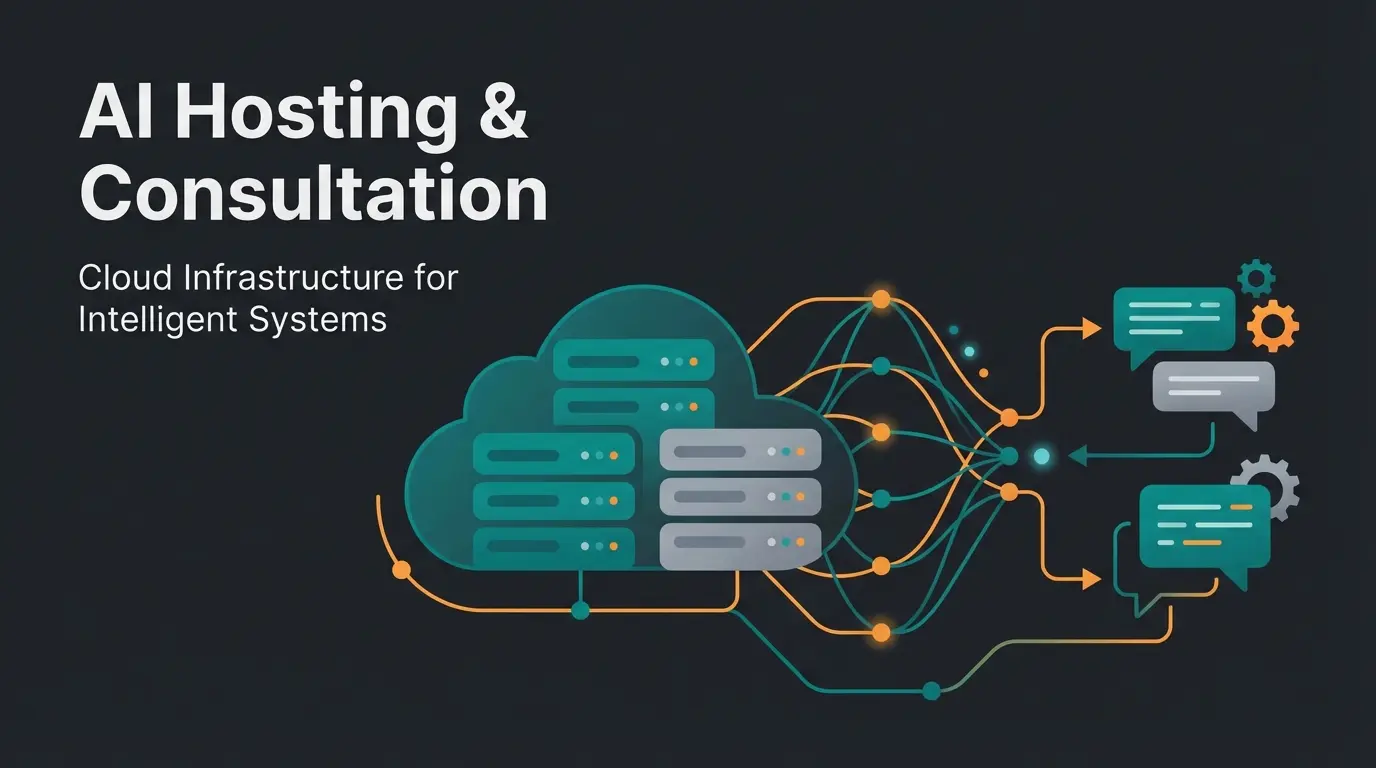
Why Standard Hosting Kills Your Conversion Rate
If you're running an online store in 2025, you're facing an entirely new challenge. It's no longer enough for your homepage to load quickly. E-commerce has fundamentally transformed: away from static product catalogs, toward the interactive consultation shop.
Perhaps you're already using AI-powered product advisors, dynamic cart discounts, or personalized real-time recommendations. These tools drive revenue, but they're also resource hogs. Standard hosting that relies solely on caching collapses under this load. According to Red Stag Fulfillment, even 100 milliseconds of delay can reduce conversion rates by 7%—with a full second of delay, you're losing real money.
In this comprehensive guide, we analyze the market for WooCommerce hosting with a focus on German providers. We're not just looking at price, but at the metrics that actually matter: Interaction Latency, PHP Workers, and GDPR compliance for AI applications. Whether you're comparing Shopware vs WooCommerce or evaluating WooCommerce vs Shopify, understanding hosting requirements is crucial for your store's success.
The Paradigm Shift: Why Caching Isn't Enough Anymore
For a long time, there was a simple rule in WordPress WooCommerce hosting: Caching is everything. When a page sits in the cache, it's delivered lightning-fast without straining the server. This works wonderfully for blogs and static company websites.
The E-Commerce Problem in 2025
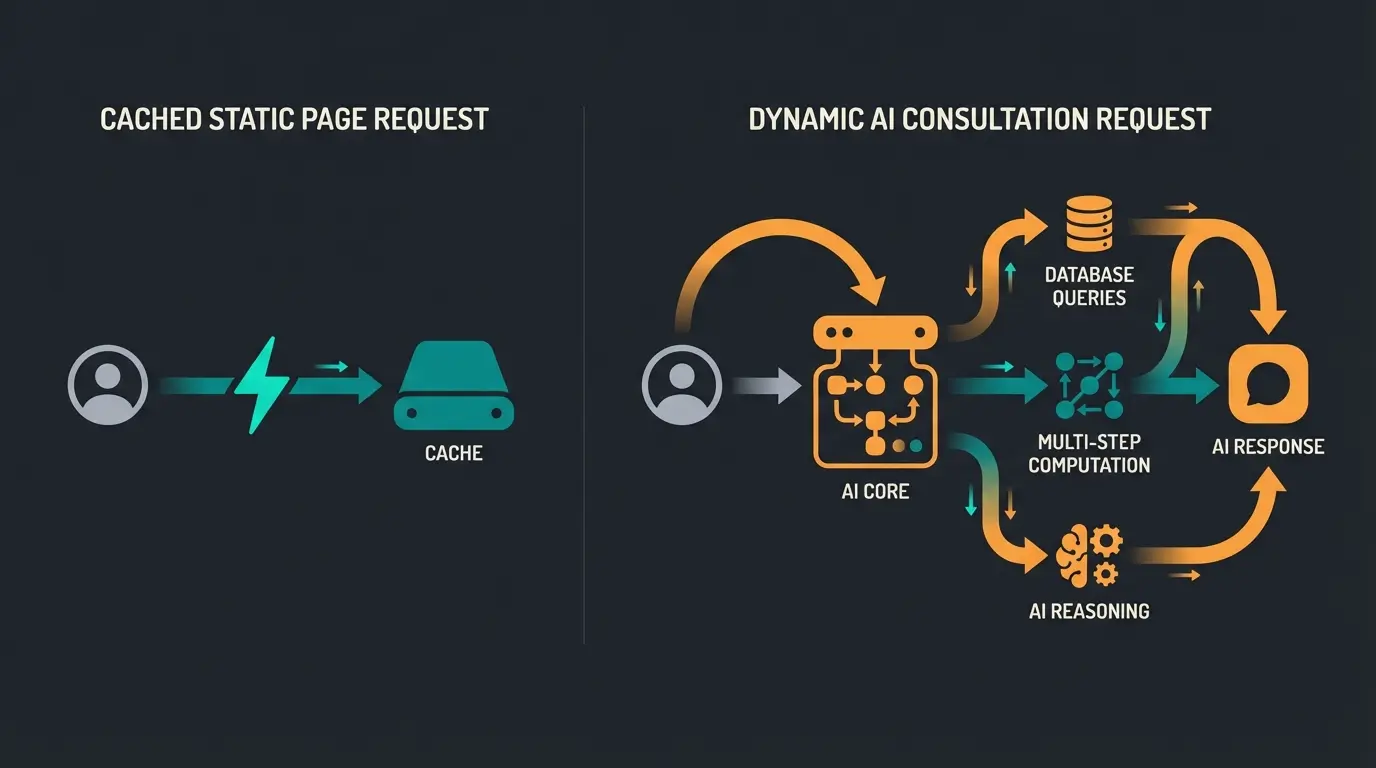
As soon as a customer adds something to their cart, logs in, or interacts with an AI chatbot, caching stops working. This content is dynamic and individual for each user.
- Scenario A (Static): Customer views a product image. → Comes from cache. Server load: Near zero.
- Scenario B (Dynamic): Customer asks an AI advisor: 'Which cable fits this monitor?' or adds the product to their cart. → Cache is bypassed. The server must 'think' (compute).
When your hosting provider cuts corners here, your customer experiences 'Interaction Latency.' The page loads, but clicking 'Add to Cart' takes 2-3 seconds. Studies show that even 100 milliseconds of delay can reduce conversion rates by 7%. With a one-second delay, you're losing cold, hard cash.
Per 100ms of interaction delay
When 'Add to Cart' response exceeds this threshold
Vultr HF vs standard servers in benchmarks
What Makes a Host 'AI & Sales Ready'?
To successfully run WooCommerce hosting that can handle AI tools and dynamic checkouts, we need to move away from pure 'load time tests' toward 'stress tests.' Here are the decisive factors we evaluate in this comparison. This is especially important if you're considering modern Shopware hosting alternatives or comparing Shopware hosting costs.
1. PHP Workers (Your Shop's 'Cashiers')
Think of PHP workers like checkout lanes in a supermarket. As InstaWP and G7Cloud explain, understanding this concept is crucial for e-commerce performance.
- Few PHP Workers: There are only two checkout lanes. When three customers want to pay simultaneously (or make dynamic requests), the third must wait until one finishes. The page doesn't load.
- Many PHP Workers: Ten checkout lanes are open. Even during a rush, everyone gets served immediately.
- For AI Shops: AI requests occupy workers longer than simple clicks. You need more or faster workers.
2. Object Caching (Redis)
While regular caching stores entire pages, Object Caching (usually via Redis) stores the results of database queries. According to Raidboxes, this is essential for maintaining performance under dynamic load.
Example: When your AI asks for the 100th time 'Is product X still in stock?', without Redis, the database must be searched. With Redis, the answer comes instantly from working memory (RAM). This is essential for High-Performance Order Storage (HPOS), as documented by WooCommerce.
3. Server Location & GDPR
For WooCommerce hosting in Germany, server location isn't just important for data protection. Physical proximity to the customer reduces latency. A server in Frankfurt responds to a customer in Munich faster than a server in the USA. As Webhosting.de and AccuWebHosting note, this geographic consideration directly impacts user experience and compliance.
Customer clicks 'Ask AI' or adds product to cart
Request cannot be served from cache—it's unique to this user
Server assigns available PHP worker to handle request
Worker queries database for product data, inventory, user preferences
AI logic processes query and generates personalized response
Result sent back—total time is your Interaction Latency
Quick Comparison: Top Providers at a Glance
Here's the summary for decision-makers. The 'Dynamic Score' evaluates how well the host handles un-cached, dynamic requests (shopping cart, AI). Note that the Dynamic Score is based on our analysis of PHP worker availability, Redis integration, NVMe storage, and CPU clock speeds—the factors that matter most for AI-powered shop performance.
| Provider | Server Location | Dynamic Score | Pricing Model | Special Feature | Ideal For |
|---|---|---|---|---|---|
| Raidboxes | 🇩🇪 Germany (Frankfurt) | ⭐⭐⭐⭐⭐ | Per Box/Month | Managed, Green Hosting, Redis integrated | German SMBs & Agencies |
| Cloudways | 🇩🇪 Germany (via Vultr) | ⭐⭐⭐⭐⭐ | Pay-as-you-go | Vultr High Frequency (NVMe) | Tech-Savvy & Performance Junkies |
| Kinsta | 🇩🇪 Germany (Frankfurt) | ⭐⭐⭐⭐ | Tiered (Expensive) | Google Cloud C2 | Scaling Enterprise Shops |
| SiteGround | 🇩🇪 Germany (Frankfurt) | ⭐⭐⭐ | Cheap Entry | GoGeek Plan | Beginners & Small Shops |
| Hostinger | 🇫🇷 France / 🇳🇱 Netherlands | ⭐⭐⭐ | Very Affordable | LiteSpeed Tech | Budget-Conscious Starters |
Detailed Analysis of the Top 5 WooCommerce Hosts
1. Raidboxes: The German Performance Specialist
Raidboxes from Münster has fully specialized in the German market. For WooCommerce operators, the offering is particularly exciting because they're not just selling hosting—they're selling 'peace of mind.'
Performance for Dynamic Content: Raidboxes offers special WooCommerce plans. The key here is the 'Dynamic+' add-on (based on Redis). While many hosts offer Redis only as an expensive extra or complicated configuration, here it's deeply integrated into the shop plans. According to Raidboxes.io, this ensures that shopping carts and checkouts run smoothly even during traffic spikes.
Infrastructure: They use vServer technology. This means you don't share resources with hundreds of other customers (like with shared hosting), but have reserved CPU cores and RAM. This is crucial for Interaction Latency.
GDPR & Support: Raidboxes is unbeatable here. Servers are located in Germany (ISO-certified), support is German-speaking and deeply knowledgeable about WordPress. Features like the 'GDPR Filter' help load external scripts in a privacy-compliant manner.
Verdict: The best choice for German shop operators who want maximum performance without having to worry about technical administration. This mirrors the approach many take with Shopware cloud hosting.
2. Cloudways (Vultr High Frequency): The Price-Performance Machine
Cloudways isn't a traditional host—it's a console that lets you manage servers at major cloud providers (DigitalOcean, Vultr, AWS, Google).
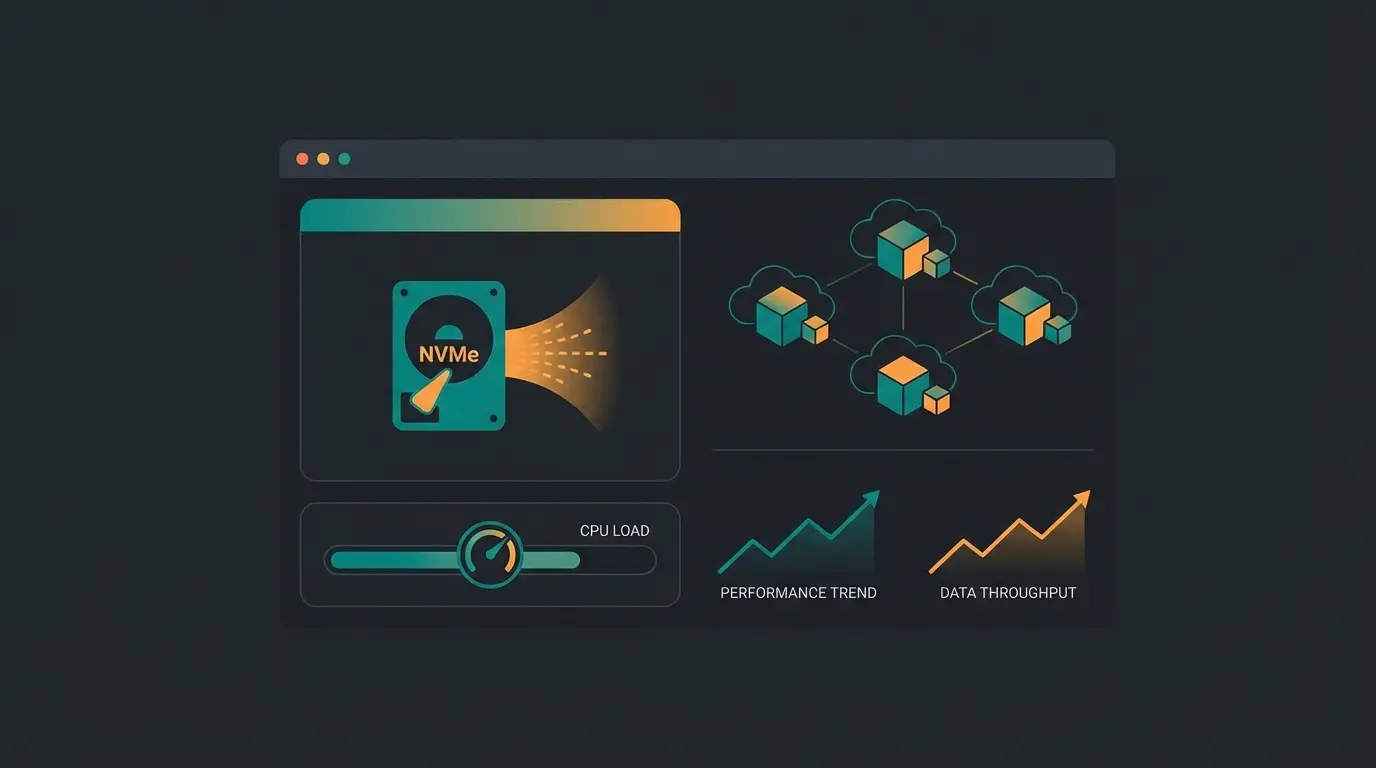
The Secret Tip: Vultr High Frequency (HF). When choosing a server on Cloudways, pick Vultr HF. These servers use NVMe storage and high-clock CPUs (3GHz+). According to benchmarks from WPGlossy and EcomBridges, Vultr HF is often 40% faster than standard servers.
Why This Matters for AI: AI processes and complex WooCommerce filters need computing power (Single-Core Performance). Vultr HF delivers exactly that.
Object Cache Pro: Cloudways offers the premium plugin Object Cache Pro for free starting with 2GB RAM plans. According to OnlineMediaMasters, this is a massive advantage for WooCommerce database performance.
- Disadvantages: Support is English-speaking only
- It's not a 'Fully Managed' service like Raidboxes—you need to understand what you're doing (despite the simple interface)
- Email hosting is not included (must be booked separately)
Pricing: Vultr HF 1GB starts around $13/month (sufficient for very small shops). Vultr HF 2GB (recommended) runs approximately $26/month. Billing is pay-as-you-go (hourly).
Verdict: Unbeatable price-performance ratio for everyone with basic technical understanding.
3. Kinsta: Premium Cloud for Scalers
Kinsta was long the leader in the premium segment. They exclusively use the Google Cloud Platform (C2 Machines), guaranteeing extremely fast load times.
Performance: The C2 machines are powerhouses. For international shops, Kinsta is top-tier since you can choose from 35+ data centers.
The PHP Worker Problem: As noted on Medium and Reddit discussions, Kinsta limits the number of PHP workers (now often called 'PHP Threads') heavily in smaller plans (e.g., only 2 workers in the Starter plan). For a dynamic AI shop, that's too few. You often need to upgrade to the 'Business 1' tier (4 workers) or higher to avoid timeouts. Update: Kinsta has relaxed limits and now offers tools to trade PHP threads for RAM, providing more flexibility.
Redis: Available as an add-on (partially paid, around $100 extra in old models). In newer plans, it's partly integrated or solvable via plugin, but watch the costs, as Kinsta and OnlineMediaMasters explain.
Pricing: Starter at $35/month (too small for serious shops). Business 1 at $115/month (recommended minimum for shops).
Verdict: Excellent technology and dashboard (MyKinsta), but expensive when you need many PHP workers.
4. SiteGround: The Solid Entry Point
SiteGround is frequently recommended and is one of the few hosts officially listed by WordPress.org.
GoGeek Plan: For WooCommerce, you absolutely must choose the GoGeek plan. It offers more server resources, priority support, and Git integration.
Technology: SiteGround uses Google Cloud and has an excellent proprietary caching solution (SuperCacher) that combines NGINX Direct Delivery and Memcached, as detailed on SiteGround.
Verdict: Good for starting out, but often more expensive long-term than you'd think. The Frankfurt server location is available.
5. Hostinger: Budget Winner with LiteSpeed
Hostinger has disrupted the market with aggressive pricing while offering surprisingly good technology.
LiteSpeed Servers: Unlike the others (mostly NGINX), Hostinger uses LiteSpeed Enterprise. For WooCommerce, this is exciting because LSCache (LiteSpeed Cache) is extremely efficient and often performs better than WP Rocket on NGINX servers, according to HostScore.
AI Features: Hostinger heavily markets AI (Website Builder), but for WooCommerce, raw performance is more relevant. The 'Cloud Startup' plans offer dedicated resources and IP addresses.
Object Cache: Hostinger enables Object Caching, which is important for performance, as Hostinger documentation confirms.
Pricing: Business Web Hosting starts around €3.99/month. Cloud Startup (recommended) starts around €9.99/month.
Verdict: If you need to watch every euro, you get the best performance for small money here.
Discover how AI-powered product consultation can boost your conversion rates by up to 30%—but only on hosting that can handle it. See how our solution works.
Start Your Free TrialDeep Dive: Hosting Requirements for AI Shops (HPOS & Redis)
If you're planning to equip your shop with AI tools (e.g., WooCommerce AI Product Recommendations or chatbots), the hosting requirements change fundamentally. Here we explain the technical background you need to know. This knowledge applies whether you're running WooCommerce or exploring Magento 2 hosting alternatives.
High-Performance Order Storage (HPOS)
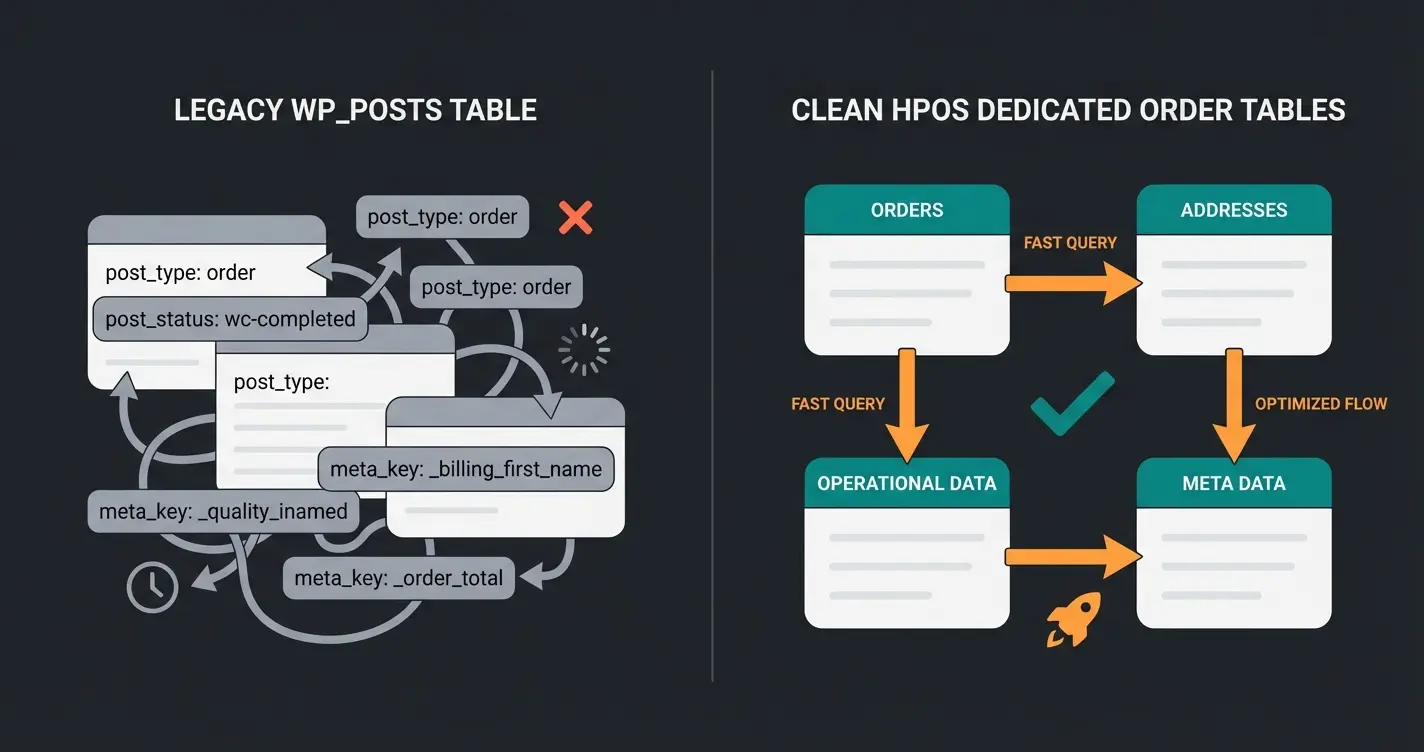
Since late 2023, HPOS (formerly 'Custom Order Tables') is standard in WooCommerce (from version 8.2 onwards), as documented by WooCommerce.
- What is it? Previously, orders were stored in the massive `wp_posts` table (along with blog posts and pages). This made queries slow. HPOS stores orders in their own optimized tables.
- Hosting Impact: HPOS massively reduces database load. A good host must support HPOS and ideally offer Redis to buffer these queries in RAM.
- Status 2025: HPOS is active by default for new shops. If you're migrating an old shop, ensure your host provides enough database resources for synchronization, as Cloudways migration guides explain.
Why 'Interaction Latency' Is the New Currency
Most speed tests measure TTFB (Time to First Byte)—when the page starts loading. For an AI shop, Interaction Latency (or INP - Interaction to Next Paint) is more important.
Scenario: A customer clicks in the AI chat on 'Show me red sneakers.'
Process: The server must process the request → Query database → Apply AI logic → Generate response.
Requirement: No page caching helps here. You need CPU power (Single Core Performance) and PHP Workers.
Recommendation: Look for hosts that use NVMe SSDs and High-Frequency CPUs (like Cloudways Vultr HF or Kinsta C2). SATA SSDs are a no-go for e-commerce in 2025.
AI-Ready Hosting Checklist: Green & Red Lights
Use this quick reference to evaluate whether your current or prospective hosting can handle AI-powered WooCommerce features. Most budget hosts fail the AI-ready criteria.
| Feature | Budget Hosts | Premium AI-Ready Hosts |
|---|---|---|
| PHP Workers | ❌ 2-4 (shared) | ✅ 8+ (dedicated) |
| Redis Object Cache | ❌ Not available | ✅ Integrated |
| NVMe Storage | ❌ SATA SSD | ✅ NVMe SSD |
| CPU Type | ❌ Standard frequency | ✅ High-frequency (3GHz+) |
| HPOS Support | ⚠️ Varies | ✅ Full support |
| GDPR Compliance | ⚠️ Basic | ✅ Full AV-Vertrag |
| Staging Environment | ⚠️ Limited | ✅ 1-click staging |
Buying Guide: What to Watch for in 2025
Before you decide, check this checklist for WooCommerce hosting. These considerations are equally important whether you're setting up a Shopify store or choosing WooCommerce.
1. Real GDPR Compliance (Data Processing Agreement)
A server in Frankfurt isn't enough. Check:
- Does the host offer a Data Processing Agreement (DPA/AV-Vertrag) digitally?
- Are backups also stored in the EU? (Often a gray area with US hosts.)
- Tip: Raidboxes and Mittwald are the safest harbors for German businesses.
2. Support Language & Availability
'24/7 Support' sounds good but is useless if you have to explain a complex database problem in English at 3 AM.
- Test support before purchasing. Write a question about 'Redis configuration.'
- Evaluate not just speed, but the technical depth of the response.
3. Scalability (Your 'Shark Tank' Insurance)
What happens when your marketing campaign goes viral?
- Auto-Scaling: Can the server quickly provide more resources (RAM/CPU)?
- Raidboxes offers temporary upgrades, for example.
- Cloudways allows vertical scaling (enlarging the server) with a few clicks, but downsizing is often more complicated (requires server cloning).
4. Backups & Staging
A staging environment (test environment) is mandatory. You should never test updates (WooCommerce, plugins, AI tools) on your live shop.
All top hosts (Raidboxes, Kinsta, SiteGround, Cloudways) offer 1-click staging. Use it! This is just as critical for WooCommerce accounting integrations and email marketing plugin updates.
Frequently Asked Questions About WooCommerce Hosting
Managed hosting (like Raidboxes or Kinsta) handles server maintenance, security updates, and optimization for you. Unmanaged hosting (like basic Cloudways) gives you more control but requires technical knowledge. For AI-powered shops, managed hosting with Redis support is typically the better choice unless you have dedicated DevOps resources.
For stores using AI product recommendations or chatbots, we recommend a minimum of 4 PHP workers, ideally 8 or more. Each AI interaction occupies a worker longer than standard page loads. Budget hosts with only 2 workers will cause timeouts during peak traffic.
Server location in the EU is required, but Germany specifically isn't mandatory. However, German servers provide the lowest latency for German customers and simplify compliance. More importantly, ensure your host offers a proper Data Processing Agreement (AV-Vertrag) and stores backups within the EU.
Yes, but migrations can be complex and risky. Starting with a slightly more robust solution (like Cloudways Vultr HF at ~$26/month) often costs less in the long run than dealing with migration headaches, downtime, and potential data issues when upgrading from budget hosting.
HPOS (High-Performance Order Storage) is WooCommerce's new system for storing orders in dedicated database tables instead of the cluttered wp_posts table. It dramatically improves query performance, especially for stores with many orders. Ensure your host supports HPOS and offers Redis object caching to maximize these benefits.
Conclusion & Final Recommendations
The market for WooCommerce hosting has split. There are the 'budget hosts' that suffice for small hobby shops, and the 'performance partners' that actively protect your revenue.
For 2025 and the focus on AI-powered, dynamic shops, here are our recommendations:
🏆 Performance Winner (Best for AI & Dynamic): Cloudways Vultr HF
If you need maximum computing power for AI tools and dynamic shopping carts, Vultr High Frequency via Cloudways is unbeatable. The combination of NVMe, fast CPUs, and Object Cache Pro delivers the best Interaction Latency.
Ideal for: Shops with technical understanding or a developer on hand.
🛡️ 'Peace of Mind' Winner (Best for Germany): Raidboxes
For German shop operators who don't want to deal with server administration and want 100% GDPR security. The Dynamic+ add-on makes Raidboxes ready for complex shops too.
Ideal for: SMBs, agencies, and everyone who values German-speaking support.
💰 Price-Performance Winner: Hostinger
When the budget is tight but you still want modern technology (LiteSpeed).
Ideal for: Startups and smaller shops just getting started.
Remember that your hosting decision impacts everything from SEO rankings to Magento SEO performance. Whether you're leveraging WordPress webhooks for integrations or comparing Shopify vs WooCommerce, the right hosting foundation makes all the difference.
Your hosting is ready for AI. Now it's time to implement the tools that actually drive conversions. See how Qualimero's AI product consultant delivers personalized shopping experiences that convert.
Get Started Free
Kevin is CTO and co-founder of Qualimero. As an AI architect with over 15 years of experience as CTO and CPO in the tech industry, he designs the AI systems that automate tens of thousands of customer interactions daily for Qualimero's clients — reliably, securely, and at scale.