
Why Plugin Installation Is Only Half the Journey
In the world of German e-commerce, there's a simple truth: trust is the currency that's spent before the first euro changes hands. With over 30 million active customers in Germany according to Haendlerbund, PayPal is no longer just an option—it's a mandatory requirement for every Shopware merchant. However, simply installing the plugin doesn't guarantee high revenue.
Many shop owners fall into a classic trap: they treat the Shopware PayPal integration as a purely technical task. Enter API keys, save, done. But this ignores the reality of buying behavior in 2025. Customers don't just abandon purchases because payment is complicated—they fail even earlier during product selection.
This guide is different. We don't just cover the technical setup of the new PayPal Checkout in Shopware 6 (although we'll do that in detail too). We'll show you how to optimize the entire sales funnel—from decision-making through AI-driven product consultation to one-click completion. We're closing the gap between "product found" and "product paid for."
Why PayPal Checkout Is Essential for Shopware 6
Before we dive into configuration, we need to understand why switching to the new PayPal Checkout (the successor to PayPal Plus) is strategically critical.
The Power of Habit: Market Data 2024/2025
According to the current EHI study "Online Payment 2025" published on retail-news.de and EHI.org, PayPal dominates the German market with a revenue share of 28.5%. Interestingly, invoice payment sits almost equal at 25.8% in second place.
For Shopware merchants, this means: Using PayPal Checkout kills two birds with one stone. You're offering the most popular wallet (PayPal) and the most popular traditional payment method (invoice payment via Ratepay) through a single integration, as detailed on Shopware.com.
Leading payment method in German e-commerce
Second most popular, now available via PayPal Checkout
German consumers with active PayPal accounts
Standard PayPal fee plus €0.35 per transaction
Pay Later as a Conversion Booster
In times of economic uncertainty, liquidity becomes more important for customers. PayPal's "Pay Later" options—installment payments and 30-day payment terms—are directly integrated into checkout. Merchants receive their money immediately, while PayPal assumes the risk according to PayPal.com. This is a massive lever for conversion rates, especially for shopping carts between €99 and €5,000 as noted by Ablefy.io.
Mobile First: Apple Pay and Google Pay
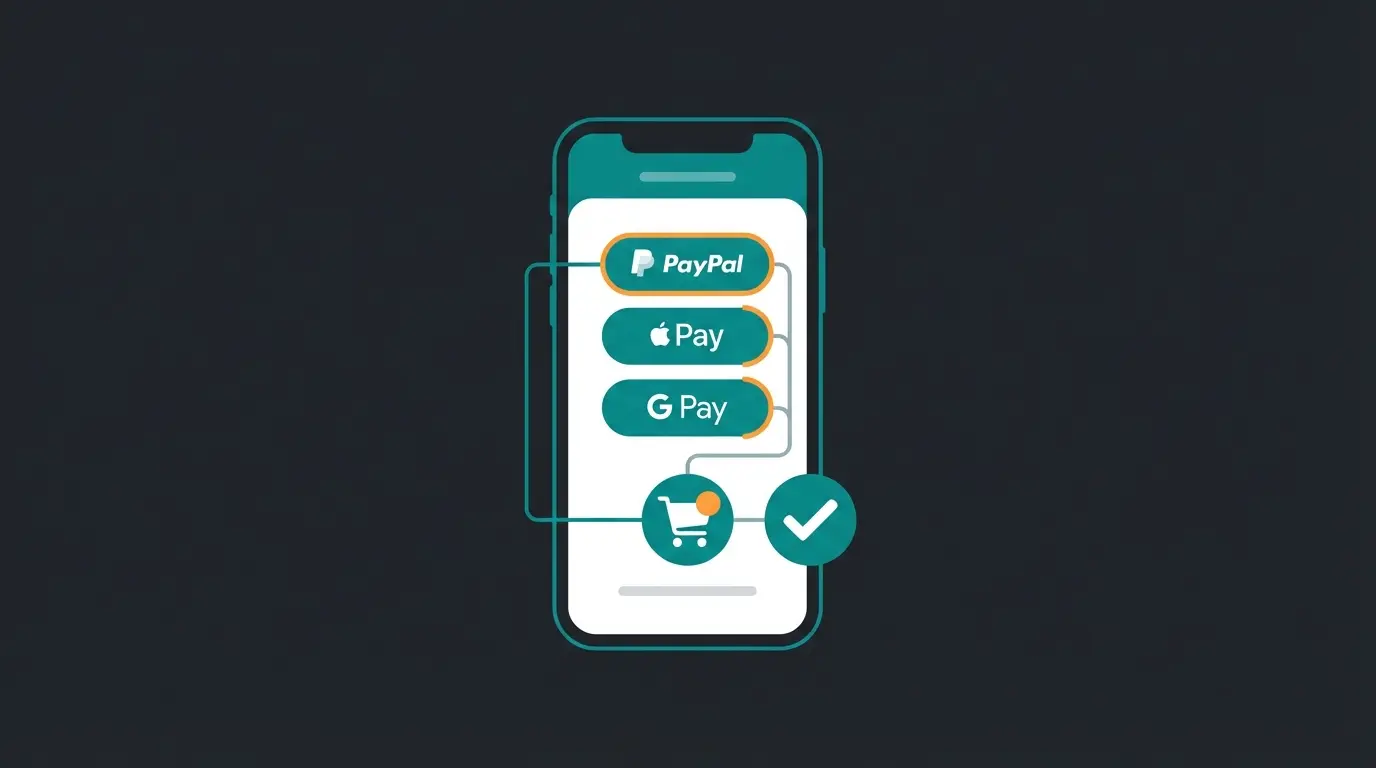
The new PayPal Checkout in Shopware 6 integrates native buttons for Apple Pay and Google Pay as documented by Integer-net.de. This reduces typing effort on mobile devices to zero. A customer who doesn't have to enter their address on their smartphone is a customer who buys. This is where Shopware AI features can further enhance the mobile shopping experience.
PayPal Plus vs. PayPal Checkout: What Has Changed
Many merchants still mourn the old "PayPal Plus." But the switch is inevitable and brings advantages. Here's the direct comparison for your migration strategy, based on information from Shopware.com:
| Feature | PayPal Plus (Legacy) | PayPal Checkout (Current) |
|---|---|---|
| Technology | Outdated iFrame technology | Native integration, modern API |
| Payment Methods | PayPal, Direct Debit, Credit Card, Invoice | All Plus methods + Apple Pay, Google Pay, Bancontact, iDEAL, EPS |
| Invoice Payment | Own solution (often problematic) | Invoice payment with Ratepay (white label, high acceptance) |
| Installment Payment | Separate consideration | Integrated as 'Pay Later' banner & option |
| Vaulting | Limited | Card Vaulting (save credit cards for repeat purchases) |
| Onboarding | Complex paperwork | Semi-automated onboarding directly in Shopware Admin |
Step-by-Step: Configure Shopware PayPal Correctly
The technical foundation must be solid. Shopware 6 makes it easy since the plugin is often pre-installed. Here's the most efficient path to a clean setup.
Step 1: Plugin Installation and Activation
Navigate in your Shopware Admin to `Extensions > My Extensions`. Search for "PayPal for Shopware 6" (Developer: Shopware). Make sure you're using the latest version (Version 9.x or higher recommended for full compatibility with Shopware 6.6) according to Shopware documentation.
Step 2: API Credentials (Live vs. Sandbox)
You need credentials to connect your shop with PayPal. Follow these steps as outlined by Solution25.com:
- Log in to the PayPal Developer Dashboard at developer.paypal.com
- Create an "App" under "My Apps & Credentials"
- Choose Live for your real shop or Sandbox for testing purposes
- Copy the Client ID and the Client Secret
Step 3: The Onboarding Process
In the plugin under `Settings > Extensions > PayPal`, you'll find the "Start Onboarding" button. This is crucial for advanced features like invoice payment (Ratepay) and credit card payments. Without this onboarding, often only standard PayPal payment is available. The AI product finder can complement this setup by guiding customers to the right products before they reach checkout.
Step 4: Shipping Method Assignment (The #1 Error)
This is where 80% of support tickets originate, as documented by eRock Marketing and discussed on GitHub:
- The Problem: The PayPal button doesn't appear or throws errors
- The Cause: In Shopware, every payment method must be assigned to a shipping method
- The Solution: Go to `Settings > Shop > Shipping`. Select your shipping methods (e.g., DHL, Standard). Make sure that PayPal and all sub-methods (Direct Debit, Credit Card, etc.) are enabled under 'Payment Methods'
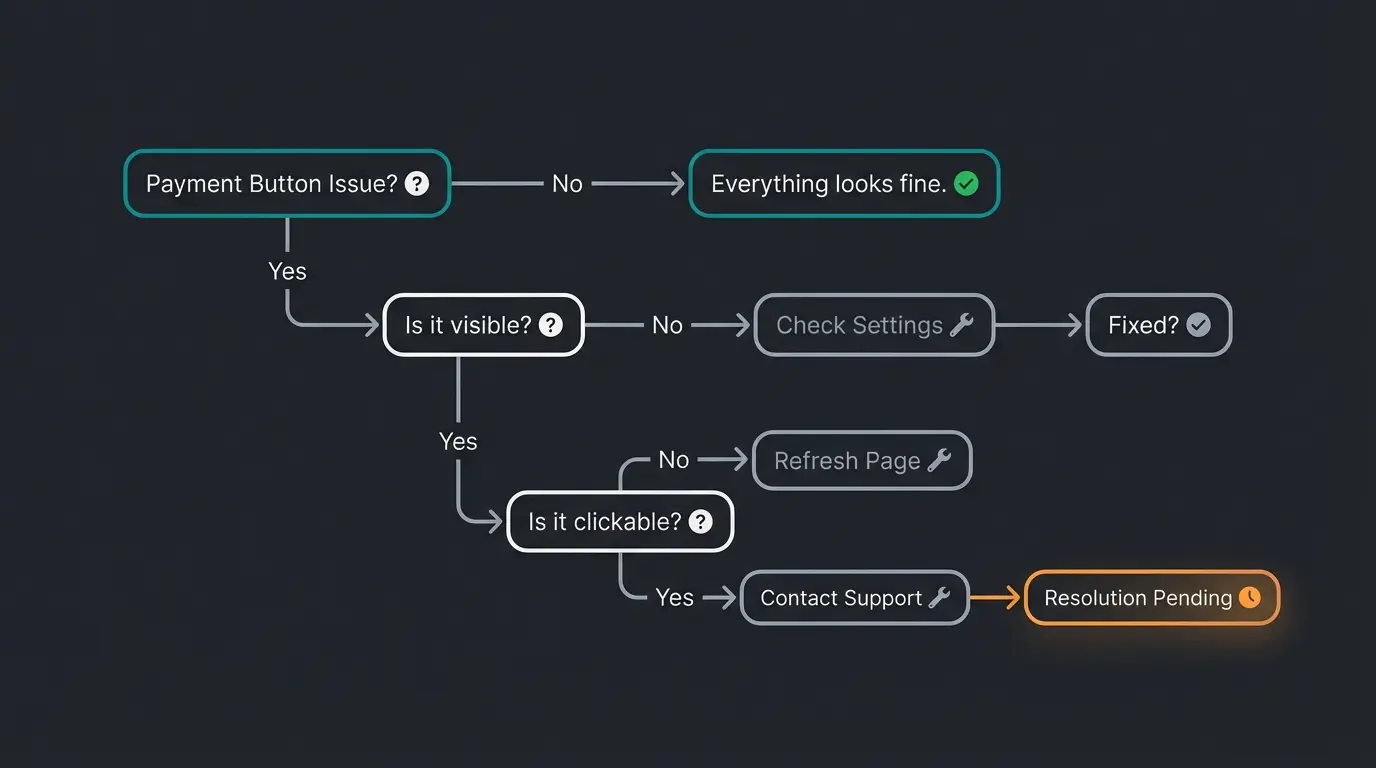
Check Extensions > My Extensions for PayPal status
Verify Client ID and Secret in PayPal settings
Go to Settings > Shop > Shipping and enable PayPal
Ensure PayPal is activated for your sales channel
Clear Shopware cache and test again
Strategic Configuration: Don't Just Turn It On
The technology is in place. Now it's about sales psychology. Where do you place which buttons? This is where understanding how AI Chatbots transform customer interactions becomes valuable.
The Express Checkout Strategy
The plugin allows you to place the "Direct to PayPal" button on the product detail page (PDP), in the off-canvas cart, and in the shopping cart.
On the Product Detail Page (PDP):
- Advantage: Maximum speed. Ideal for impulse purchases or single-product orders.
- Disadvantage: The customer skips the shopping cart. Cross-selling opportunities (accessories, 'Customers also bought') are lost.
- Recommendation: Deactivate the button on the PDP if you sell products requiring explanation or accessories. Activate it for simple consumer goods.
Pay Later Messaging Strategy
You can dynamically display banners for installment payments ("Financing from 0%"). Placement tips based on YouTube tutorials:
- Placement: Activate this for products from €100
- Configuration: In the plugin under 'Pay Later,' you can set where these banners appear (PDP, cart, footer)
- Psychology: Use this as a psychological price anchor: A €500 product immediately seems more affordable at €41/month
B2B Context: Net Prices and Restrictions
If you run a B2B shop, consider the following according to PayPal's business documentation:
- Invoice Payment: Invoice payment via Ratepay is primarily designed for B2C. Different risk assessments often apply to B2B transactions, or they may be rejected
- Pay Later: These options are often only available to private customers
- Tip: Use the Rule Builder in Shopware to hide certain PayPal payment methods for the 'B2B' customer group if rejections occur
The Missing Link: Why Fast Payment Alone Isn't Enough
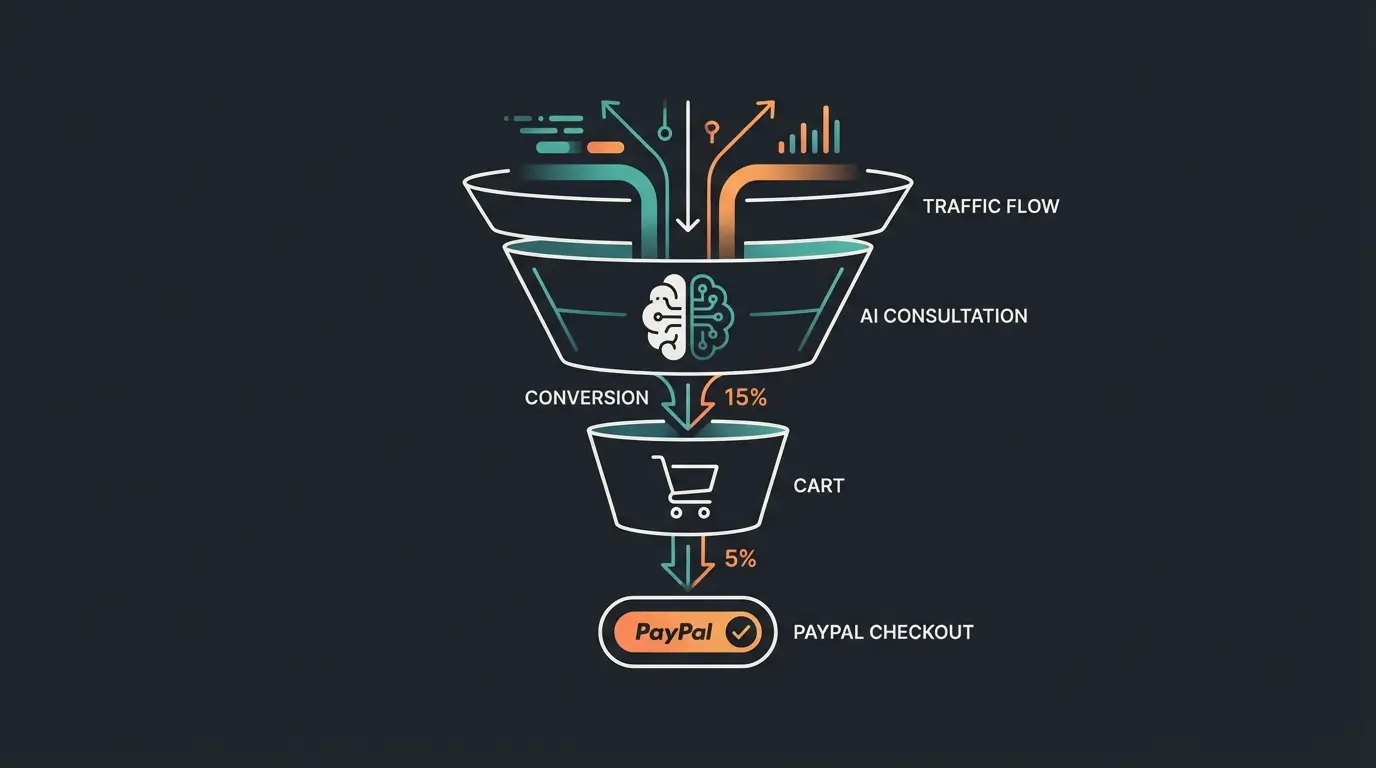
Here's where your competitive advantage comes in. Most agencies optimize checkout to milliseconds. That's good, but it doesn't solve the problem of "Decision Friction" (decision block). This is exactly where AI Product Consultation enters the picture.
Consider the following scenario:
Scenario A (Standard): A customer searches for "industrial vacuum cleaner." They land on a category page with 50 filters. They're overwhelmed. They leave the shop. The perfectly configured PayPal button is never clicked.
Scenario B (Your Approach): The customer lands on the page. An AI Consultant (chatbot or guided advisor) asks: "What do you need the vacuum for? (Construction site/Workshop/Office)". The customer clicks "Workshop." The AI suggests the one perfect model. Now the PayPal Express Button comes into play. Result: Decision in 30 seconds + Payment in 10 seconds = Sale.
The Symbiosis of AI and Payment
To score with Google and customers in 2025, you need to position your article and your shop as a "Frictionless Funnel." This approach, combining AI product consultation with streamlined payments, represents the future of e-commerce.
- Start of the Funnel: AI reduces the complexity of selection through intelligent product matching
- End of the Funnel: PayPal Checkout reduces the complexity of payment with one-click options
Integrate AI tools in your Shopware shop (such as Guided Selling plugins) that link directly to the shopping cart with pre-selected PayPal Express at the end of the consultation. This is true conversion optimization that leverages AI-powered sales consultants.
Combine the power of PayPal Express with intelligent product guidance. Our AI solution eliminates decision friction before customers ever reach checkout—increasing conversions by up to 40%.
Start Your Free TrialCosts and Fees 2025: An Honest Look
Merchants need to calculate. PayPal's fee structure is transparent, but you need to know it to protect margins. Here's the breakdown according to PayPal fee calculator and Transaktionsgebuehren.com:
Standard Conditions (Germany 2025):
- Transaction Fee: 2.49% + €0.35 per transaction
- Micropayments (under €10): Switching to the micropayment rate often makes sense here (higher % rate but lower fixed fee: approx. 4.99% + €0.09). The break-even point is usually around €10-12
- Invoice Payment: Additional fees often apply for secured invoice payment (approx. 2.99% + €0.39), as Ratepay assumes the default risk according to Shopify.com
- QR Code Payments: Cheaper at 0.90%
Common Shopware PayPal Errors and Solutions
Even with the best preparation, errors occur. Here's a checklist for the most common problems, so you don't have to spend hours searching forums. Understanding these issues is essential for AI-powered sales consultants implementation.
Error 1: PayPal Button Not Displayed
- Diagnosis: Usually the assignment in the sales channel or shipping method is missing
- Fix: Check `Sales Channels > [Your Shop] > Payment Methods`. Is PayPal activated? Then check `Settings > Shipping > [Shipping Method]`. Is PayPal allowed there?
Error 2: Data Transmission Error or Abort After Login
- Diagnosis: Often a problem with cart transmission or rounding differences
- Fix: Temporarily deactivate the option 'Submit cart to PayPal' in the plugin. If it works then, the issue is with item data (e.g., €0 items or complex tax rules) as documented in the Shopware release notes
Error 3: Webhook Failures
- Diagnosis: Order status in Shopware doesn't update (stays 'Open' even though paid)
- Fix: Check in the plugin under 'Status' whether webhooks are registered. Click 'Refresh Webhooks.' Ensure your shop is accessible via HTTPS and no firewall is blocking PayPal IPs
Error 4: Ratepay Invoice Payment Rejected
- Diagnosis: Customer selects invoice but is rejected
- Fix: This is often not a technical error but Ratepay's risk management. Ensure billing and shipping addresses are identical (often a requirement for invoice payment) as noted in PayPal's B2B documentation
Integrating AI Consultation with Express Payment
The true competitive edge in 2025 comes from understanding that payment optimization and product consultation must work together. When you implement AI product consultation alongside PayPal Express, you create a seamless customer journey.
Consider how this works in practice: Your AI consultation tool sits on the product detail page. As customers interact with it, they receive personalized recommendations based on their needs. At the moment of decision, the AI hands off directly to PayPal Express, eliminating all friction points.
This integration requires thoughtful implementation. The AI must understand when a customer is ready to buy and present the Express Checkout option at exactly the right moment. Too early, and you lose the cross-selling opportunity. Too late, and the customer may have second thoughts. Leveraging AI-driven consultation strategies ensures optimal timing.
The Two Pillars of Success: A Complete Framework
The integration of Shopware PayPal in 2025 is no longer just a technical checkbox. It's the foundation of your checkout. With the new PayPal Checkout plugin, you cover the most important payment methods (wallet, card, invoice) and leverage trust elements like buyer protection.
But to truly stand out from the masses of Shopware shops, you need to think further:
- Optimize the technology: Use Express buttons strategically and configure shipping methods cleanly
- Optimize the decision: Use AI solutions to guide the customer to the PayPal button in the first place
A customer who knows exactly what they want thanks to AI, and can pay in seconds thanks to PayPal, is every merchant's dream. Build that dream.
Frequently Asked Questions About Shopware PayPal
First, install and configure the new PayPal Checkout plugin with your API credentials. Complete the onboarding process in the Shopware Admin under Settings > Extensions > PayPal. Once PayPal Checkout is working, deactivate PayPal Plus to avoid duplicate payment options in your frontend. Test thoroughly in sandbox mode before going live.
The most common cause is missing shipping method assignments. In Shopware, every payment method must be assigned to shipping methods. Go to Settings > Shop > Shipping, select each shipping method, and ensure PayPal and all sub-methods are enabled under Payment Methods. Also verify PayPal is activated for your sales channel.
Standard transaction fees are 2.49% + €0.35 per transaction. For micropayments under €10, consider the micropayment rate (4.99% + €0.09) which can be more cost-effective. Invoice payment via Ratepay incurs approximately 2.99% + €0.39. QR code payments are cheapest at 0.90%.
It depends on your product type. Enable it for simple consumer goods and impulse purchases where speed matters. Disable it for complex products requiring explanation or when you rely on cross-selling accessories in the cart. The button skips the cart entirely, so consider your upselling strategy.
Pay Later options (installment payments and 30-day terms) significantly boost conversion rates, especially for cart values between €99 and €5,000. You receive payment immediately while PayPal assumes the risk. Configure Pay Later messaging banners to appear on product pages for items over €100 to use psychological pricing anchors effectively.
Further Resources and Next Steps
Ready to implement what you've learned? Start with the technical foundation, then layer in strategic optimizations. Remember that true conversion optimization requires addressing both ends of the funnel—from product discovery through payment completion.
For the most current documentation, visit the Official Shopware Documentation for PayPal. Consider how you might integrate AI consultation to reduce decision friction before customers even reach your optimized checkout.
See how AI-powered product consultation works seamlessly with PayPal Express to create the ultimate frictionless funnel. Demo our solution live and watch your conversion rates transform.
Book Your Free Demo