Introduction: Why Right of Withdrawal Is More Than Bureaucracy
For most online retailers, the Shopware right of withdrawal is seen as a tedious mandatory exercise. It's viewed as a legal necessity to avoid warnings—a text block buried somewhere in the footer. However, this perspective is outdated and costs you real money.
In 2025, handling returns and withdrawals is a decisive competitive factor. According to EHI Retail Institute, current data shows that a return costs an average of 5 to 10 euros, and in complex industries like furniture or fashion, even up to 20 euros. Additionally, customers often check return policies before purchasing. A transparent, customer-friendly process builds trust and increases conversion rates, as confirmed by Händlerbund research.
This guide is different from the usual tutorials. We'll show you not only how to technically integrate the legally required texts in Shopware 6 (although we'll certainly cover that). We go one step further: we'll demonstrate how you can save time through automation (Flow Builder) and use Artificial Intelligence (AI) to prevent returns before they even occur.
Per item for standard products
Furniture, fashion, and electronics
Before making a purchase decision
Through better product consultation
Part 1: The Basics – Legal Requirements for Shopware Merchants
Before we dive into the Shopware 6 backend, we need to clarify the foundation. What does the legislator currently require from you as an online merchant?
Which Documents Are Mandatory?
For a legally compliant Shopware store, you absolutely need two elements in the context of withdrawal rights:
- The Withdrawal Notice (Widerrufsbelehrung): The text that informs customers about deadlines (usually 14 days), consequences, and the withdrawal process.
- The Sample Withdrawal Form (Muster-Widerrufsformular): A legally standardized form that the customer can use (but doesn't have to) to declare their withdrawal.
These documents must be provided to consumers before they complete their purchase, and according to IT-Recht Kanzlei, they should be included both on your website and in the order confirmation email.
B2B vs. B2C in Shopware: Critical Differences
A common stumbling block is the distinction between business customers and consumers. Understanding this difference is essential for Legal compliance in your online store.
| Customer Type | Right of Withdrawal | Legal Requirement | Shopware Implementation |
|---|---|---|---|
| B2C (Business to Consumer) | Mandatory 14-day withdrawal right | Required by law | Must display withdrawal notice and form |
| B2B (Business to Business) | No legal withdrawal right | Not required | Can be hidden for business customers |
| Mixed Shops | Depends on customer classification | Context-dependent | Use Rule Builder for dynamic display |
Part 2: Step-by-Step – Integrating Right of Withdrawal
The integration in Shopware 6 no longer happens through simple text fields as in Shopware 5, but through Shopping Experiences (CMS). This offers more flexibility but confuses many beginners. Here's the exact workflow you need to follow.
Step 1: Create Layout in Shopping Experiences
The first step involves creating a dedicated page for your withdrawal information. Navigate to your admin area and follow these instructions carefully:
- Navigate in the admin area to Content > Shopping Experiences
- Click on Create new layout and select the type Shop page
- Choose a layout (usually 'Full width' for legal texts)
- Assign a name, e.g., 'Withdrawal Notice & Form'
- Add a Text block
- Copy your legally compliant texts (e.g., from IT-Recht Kanzlei or Händlerbund) into this block
Step 2: Assign the Page
So that Shopware knows this layout is the withdrawal page, you need to properly connect it to your store settings:
- Go to Settings > Shop > Basic Information
- Scroll to the Shop pages section
- Select your newly created layout for 'Withdrawal Notice'
- Save your changes
According to Shopware's official documentation, this assignment is crucial for proper legal page display.
Step 3: Visibility in Footer and Checkout
Assigning in basic information often isn't enough for navigation. The withdrawal page must be easily accessible to customers at all times:
- Go to Catalogues > Categories
- Select your navigation tree for the 'Footer' (or 'Service Menu')
- Create a new category 'Right of Withdrawal'
- Change the Category type to Page
- Assignment: Select the layout from Step 1
- Activate the category
Now the link appears in the footer. This ensures customers can find your withdrawal information from any page in your store, which is essential for GDPR compliance.

Step 4: Attaching Withdrawal Form to Order Confirmation
A critical step many merchants overlook is including the withdrawal form in the order confirmation email. This is actually a legal requirement in many jurisdictions. Here's how to set it up:
- Navigate to Settings > Email Templates
- Find the 'Order Confirmation' template
- Edit the template to include a link to your withdrawal form PDF or page
- Alternatively, use Flow Builder to automate attachment of the withdrawal form
- Test by placing a test order to verify the email contains the withdrawal information
This ensures that customers receive all necessary withdrawal information immediately upon purchase, fulfilling your legal obligation to inform them of their rights. The MerchantReturnPolicy requirements in structured data also reference this information for search engines.
Part 3: The 'Checkbox' Controversy in Checkout
Hardly any topic is discussed as hotly in Shopware forums as the checkbox in the checkout. 'Does the customer have to actively check that they have read the withdrawal notice?' This question causes confusion among many shop operators.
The Legal Situation (As of 2025)
The short answer: No, in most cases not. According to common case law (and experts like IT-Recht Kanzlei), it's sufficient if the customer is clearly and visually informed about the right of withdrawal above the 'Buy' button (e.g., 'Our Terms & Conditions and Withdrawal Notice apply'). Active confirmation (checkbox) is not necessary for pure goods shipping and can even be at risk of warning if interpreted as an inadmissible hurdle.
As Shopware community discussions and legal experts confirm, unnecessary checkboxes can actually hurt your AI-driven consultation strategies by adding friction to the checkout process.
The Exception: Digital Goods & Services
Here you need to pay attention! Do you sell e-books, software downloads, or immediate services? According to Shopify's legal guide, the rules are different for digital products:
- The customer must agree that the contract will be executed immediately and that they thereby lose their right of withdrawal
- Shopware Solution: Shopware 6 recognizes digital products (if correctly set up as such) and automatically displays the corresponding checkbox in checkout ('I agree to the execution of the contract before the expiry of the withdrawal period...')
- Make sure your product properties are correctly set to 'Digital' as confirmed by Shopware documentation
| Product Type | Checkbox Required? | Consequence if Missing | Shopware Setting |
|---|---|---|---|
| Physical Goods | No | None (information is sufficient) | Default settings |
| Digital Downloads | Yes | 12-month extended withdrawal right | Product marked as 'Digital' |
| Services (immediate) | Yes | Customer retains withdrawal right | Custom checkbox required |
| Mixed Cart | Depends | Apply strictest requirement | Automatic detection |
Part 4: The 'Withdrawal Button' – What's Coming in 2026
While you're still working with links and PDFs today, a massive change is rolling toward e-commerce. EU Directive 2023/2673 mandates that consumers must be able to withdraw from contracts as easily as they concluded them ('One-Click Withdrawal').
What You Need to Know
The upcoming regulation will fundamentally change how online stores handle withdrawal requests. According to IT-Recht Kanzlei, e-recht24, and Onwalt:
- Deadline: The requirement applies from June 19, 2026
- Requirement: A clearly visible button ('Cancel Contract') in the customer account or on the website
- Process: The click leads to a confirmation page where the withdrawal can be submitted without login (e.g., also for guest orders)
Part 5: Advanced – Automation with Flow Builder
Stop with manual emails and PDF printouts. A modern Shopware store automates the withdrawal process. This is where technology can truly transform your AI e-commerce operations.
The Problem with the PDF Form
The legal sample form is a static PDF. The customer prints it out, fills it in, scans it, and emails it to you. This is pure media discontinuity and creates work for your support team. It's an outdated approach that creates unnecessary friction and workload.
The Solution: Digital Form + Flow Builder
Modern automation can eliminate waiting times and streamline the entire withdrawal process. Here's how to implement it:
Use the Form Editor in Shopping Experiences to build a 'Returns Form' with fields for order number, item, and reason
Create a new flow with the trigger 'Contact form submitted' and filter for your specific returns form
Automatically send confirmation: 'We have received your withdrawal request'
Auto-notify fulfillment: 'Return for order XY announced'
Set automatic tag 'Return_Announced' on customer or order for tracking
Send data via webhook directly to Zendesk, Freshdesk, or your preferred support system
As documented by Shopware and implementation guides from Solution25, this drastically reduces processing time per withdrawal and ensures transparency throughout your organization.
For even more advanced automation, Shopware's webhook capabilities allow you to connect withdrawal workflows to virtually any external system.
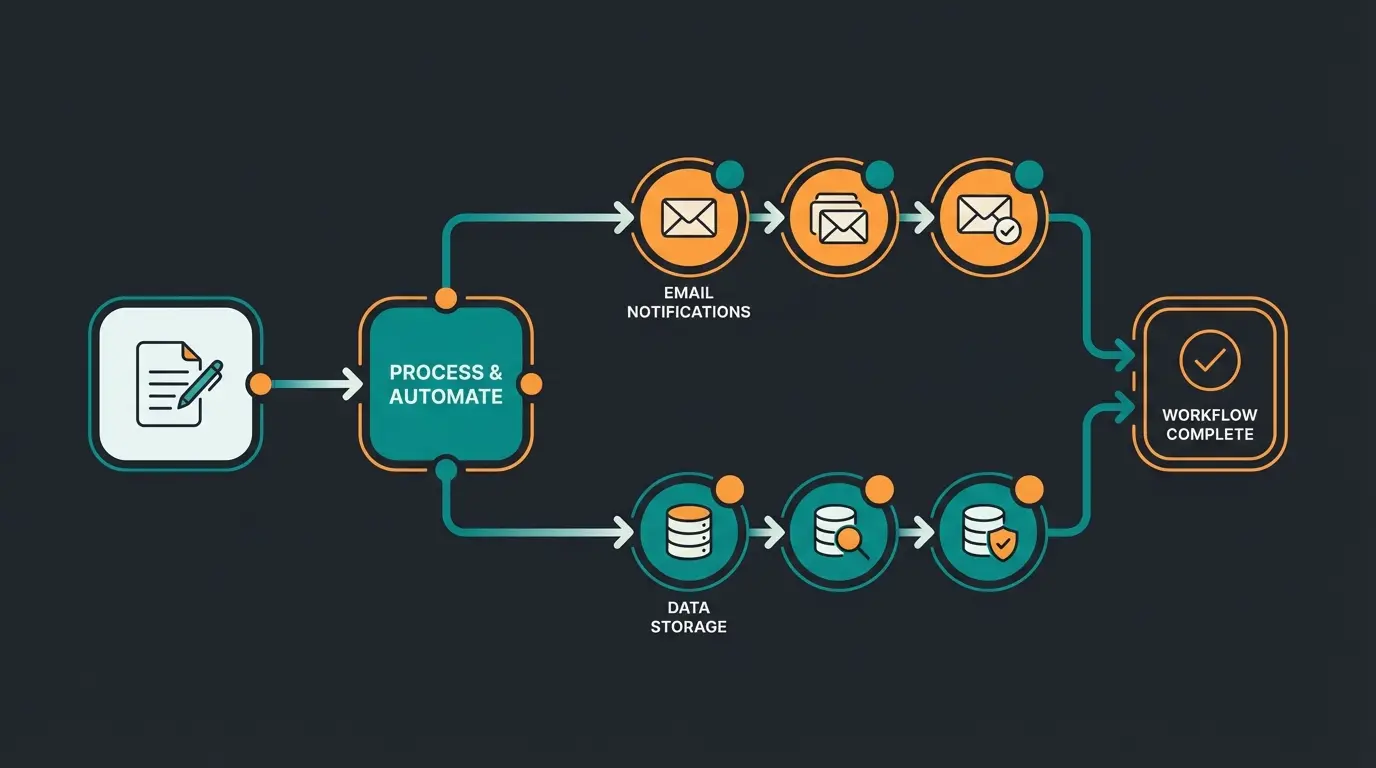
Automate repetitive tasks and let AI handle product consultations while you focus on growing your business. Our AI solution integrates seamlessly with Shopware.
Start Free TrialPart 6: The AI Advantage – Preventing Returns Instead of Managing
Here's where the wheat separates from the chaff. Most shops only optimize the handling of withdrawals. The real lever, however, lies in prevention. Why do customers withdraw? Usually because of uncertainty or wrong product selection. This is where your AI strategy comes into play, and where AI-powered product consultation becomes a game-changer.
1. Guided Selling & AI Consultation
Instead of leaving customers alone with filters, use AI-powered 'Guided Selling' tools. According to Qualimero research and Shopware marketplace offerings:
- How it works: A chatbot or interactive AI consultations ask customers about their needs ('What will you use the product for?', 'What fit do you prefer?')
- Effect: The customer buys the right product. The probability of withdrawal drops massively
- Implementation: Available through plugins like 'AI Product Advisor' or 'Guided Selling' in the Shopware Store
The key insight from Shopware's AI capabilities is that proactive consultation dramatically reduces return rates by ensuring purchase confidence. This transforms your support team from revenue-generating product consultants rather than return processors.
2. Dynamic Answers in Chat
Many withdrawals arise from misunderstandings ('Can I test the device and then return it?'). The solution is implementing AI product consultation that can answer these questions proactively:
- Integrate an AI chatbot trained with your withdrawal conditions
- It can clarify questions before purchase: 'Yes, you can unpack the device, but please don't remove the protective film, otherwise compensation for value reduction applies'
- This creates confidence and prevents 'test purchases' that are guaranteed to be returned
- Enable conversion-driving customer dialogues that address concerns before they become returns
3. AI Analysis of Return Reasons
Use Shopware AI Copilot or external tools to analyze the free-text reasons in your return forms. As 7thsense and Atwix research confirms:
- Does the AI detect that 80% of returns for 'Pants Model X' are due to 'too small'?
- Action: Automatically adjust the product description ('Runs small, please order one size larger')
- This is proactive returns management that addresses issues before they cause withdrawals
- Implement AI-powered prevention strategies based on data-driven insights
| Approach | Standard Shop | AI-Enhanced Shop |
|---|---|---|
| Customer Queries | Static FAQ pages | Real-time AI chat answering questions 24/7 |
| Return Rate | Industry average 20-30% | Reduced by up to 30% through better consultation |
| Legal Info Accessibility | Buried in footer | Proactively communicated during chat |
| Product Recommendations | Basic filters only | Personalized AI-guided selling |
| Processing Time | Manual handling, 15-30 min per case | Automated workflow, under 2 minutes |

Checklist: Is Your Withdrawal Page Conversion-Ready?
Beyond legal compliance, your withdrawal page should also support your business goals. Use this checklist to ensure your setup meets both legal and UX requirements. This approach aligns with best practices for AI product consultation:
- ☐ Legal texts current: Are imprint, T&C, and withdrawal notice in Shopping Experiences up to date?
- ☐ Assignment checked: Are the layouts in basic information and in the footer correctly linked?
- ☐ Digital products: Is the checkbox for waiving the right of withdrawal active for downloads?
- ☐ Mobile friendly: Is the withdrawal form easy to fill out on smartphones?
- ☐ Return policy explained: Is the policy explained in plain language, not just legal jargon?
- ☐ AI integration: Is an AI chatbot available to answer withdrawal questions?
- ☐ Automation active: Have you replaced the PDF form with a web form with Flow Builder connection?
- ☐ Email attachment: Is the withdrawal form included in order confirmation emails?
Summary & Action Items
The Shopware right of withdrawal in 2025 is no longer purely a legal topic—it's a UX and technology topic. Those who only insert the mandatory texts are wasting potential. Those who automate and use AI for consultation save costs and build customer loyalty.
Your To-Do List for Today:
- Check legal texts: Are imprint, T&C, and withdrawal notice in Shopping Experiences current?
- Check assignment: Are the layouts in basic information and in the footer correctly linked?
- Digital products: Is the checkbox for waiving the right of withdrawal active for downloads?
- Automation: Replace the PDF form with a web form with Flow Builder connection
- Email setup: Ensure withdrawal form is attached to order confirmation emails
- AI pilot: Test a guided selling plugin to minimize wrong purchases for complex products
- 2026 preparation: Evaluate 'Withdrawal Button' plugins for upcoming EU requirements
FAQ: Common Questions About Shopware Right of Withdrawal
Shopware 6 doesn't include a pre-made legal form. You must insert the text (which you receive from your legal service provider) yourself into a Shopping Experience (Shop page) or link it as a PDF. Legal services like IT-Recht Kanzlei or Händlerbund can provide legally compliant templates.
No, the legal requirement only takes effect from June 19, 2026. However, it's advisable to prepare technically now, as the implementation (button + confirmation page) is more complex than a simple link. Early adopters can use this as a trust-building feature.
Use the Rule Builder in Shopware. Create a rule 'Customer is a company' and apply it to the visibility of the withdrawal page in the footer or checkout. This way, only B2C customers see the notice. This is legally correct since B2B transactions don't require withdrawal rights.
For the pure withdrawal notice, this is usually unproblematic since 'acknowledgment' is sufficient. However, if the checkbox is missing for digital content (waiver declaration), customers theoretically have a 12-month right of withdrawal—even after they've downloaded the e-book. This should be urgently avoided.
Digital products require explicit customer consent to immediate delivery and waiver of withdrawal rights. In Shopware 6, mark products as 'Digital' in product settings, and the system automatically shows the required checkbox at checkout. Without this consent, customers retain withdrawal rights even after download.
Stop managing returns—start preventing them. Our AI solution helps customers find the right product the first time, dramatically reducing your withdrawal rate while boosting customer satisfaction.
Get Started Today
Lasse is CEO and co-founder of Qualimero. After completing his MBA at WHU and scaling a company to seven-figure revenue, he founded Qualimero to build AI-powered digital employees for e-commerce. His focus: helping businesses measurably improve customer interaction through intelligent automation.