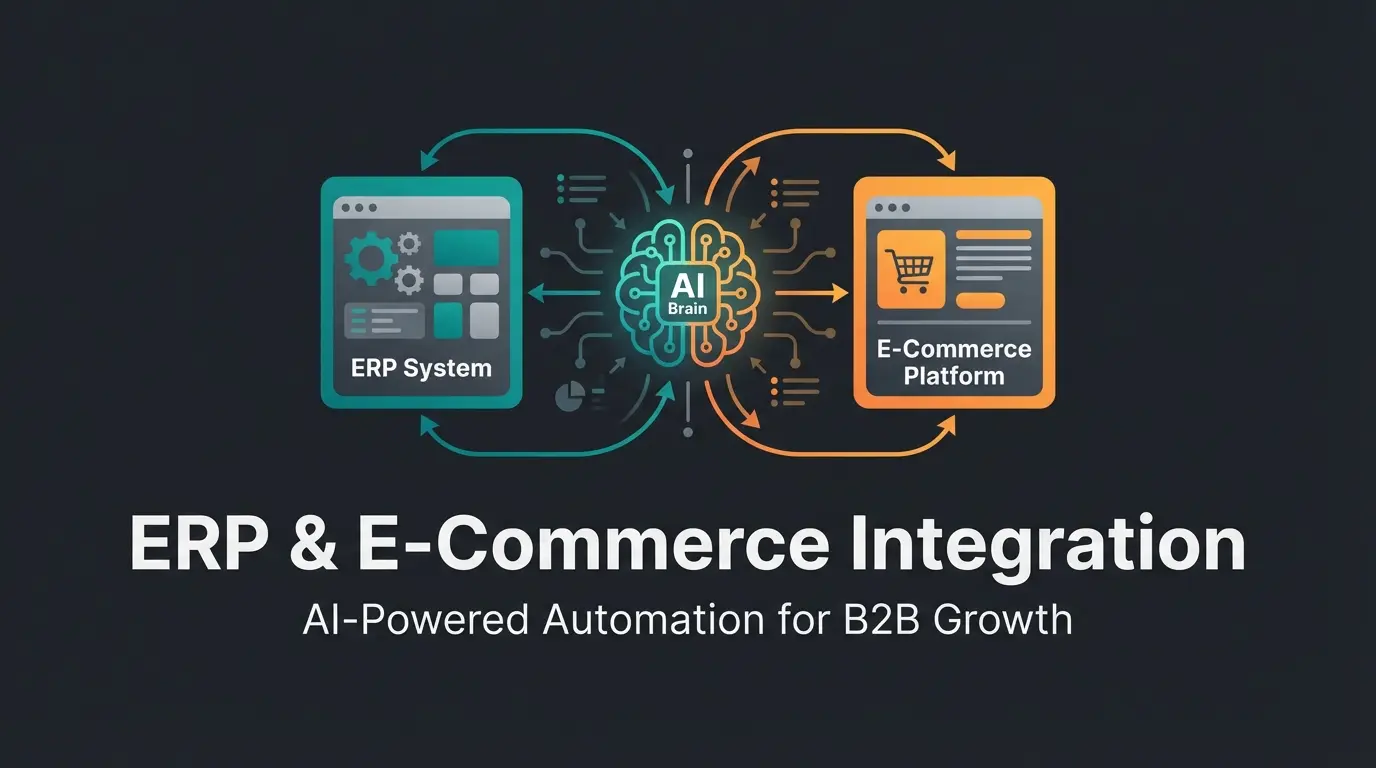
Introduction: Why 'Saving Time' Is No Longer Enough
When you search for Shopware SAP integration, you typically find articles promising to eliminate administrative headaches. The focus is on reducing manual work, avoiding typos when transferring orders, and synchronizing inventory levels. This is important—even essential. But in 2025, it's merely the baseline requirement, not the competitive advantage.
Most B2B companies in the DACH region face a problem that integration providers rarely discuss: They've invested millions in their SAP system (whether SAP Business One, S/4HANA, or ECC) and operate a state-of-the-art Shopware 6 store. Yet between these two worlds lies a significant gap. Your SAP system is packed with valuable knowledge—technical specifications, return reasons, margin data, and historical purchase patterns. However, a standard integration reduces this data to a static table in your online store.
This article introduces a new approach: Active Integration. We're moving away from pure data synchronization toward AI-powered product consultation. We'll show you how to leverage your Shopware SAP integration not just to cut costs, but to actively sell more through the use of Artificial Intelligence (AI) and Large Language Models (LLMs).
The Foundation: Standard Shopware SAP Integration
Before we discuss AI and intelligent agents, we need to establish the foundation. A solid technical connection is the prerequisite for everything that follows. Those who cut corners here build their AI strategy on sand.
Integration Methods Compared
Three main approaches have emerged for connecting Shopware with SAP. The choice depends heavily on your SAP version and internal resources.
- Middleware (iPaaS): Solutions like Alumio, Codeless Platforms, or Mulesoft act as interpreters between Shopware and SAP. Advantage: Flexible, scalable, and often equipped with pre-built connectors. Disadvantage: Additional license costs and another layer of complexity in your IT infrastructure.
- Plugin Solutions (P2P): Direct extensions installed in Shopware (e.g., from Firebear Studio or Versino). Advantage: Quick implementation, often more cost-effective. Disadvantage: Can hit performance limits with very large data volumes or complex logic.
- Custom Interfaces: A proprietary programmed connection, often based on PHP or Node.js. Advantage: 100% tailored to your processes. Disadvantage: High maintenance costs and dependency on the developing agency.
Technical Standards by SAP Version
The way data flows has changed massively in recent years. According to SAP's official documentation, outdated protocols like IDocs (Intermediate Documents) are increasingly being replaced by RESTful APIs.
- SAP S/4HANA: Here, OData (Open Data Protocol) is the gold standard. OData APIs are REST-based, standardized, and enable efficient data queries. While SOAP (Simple Object Access Protocol) is still supported for asynchronous processes, the trend for real-time integrations clearly points to OData and REST.
- SAP Business One: An important migration is happening here. Older integrations often used the DI Server (Data Interface Server). However, this is XML-based and comparatively slow. Modern integrations must use the Service Layer. The Service Layer is a REST-based API specifically developed for high performance and scalability on SAP HANA.
- SAP ECC (R/3): In older systems, RFC (Remote Function Call) or IDocs via SOAP are often still the standard. Here, middleware is often mandatory to translate the old protocols into modern REST calls for Shopware 6.
The 'Must-Haves' of Synchronization
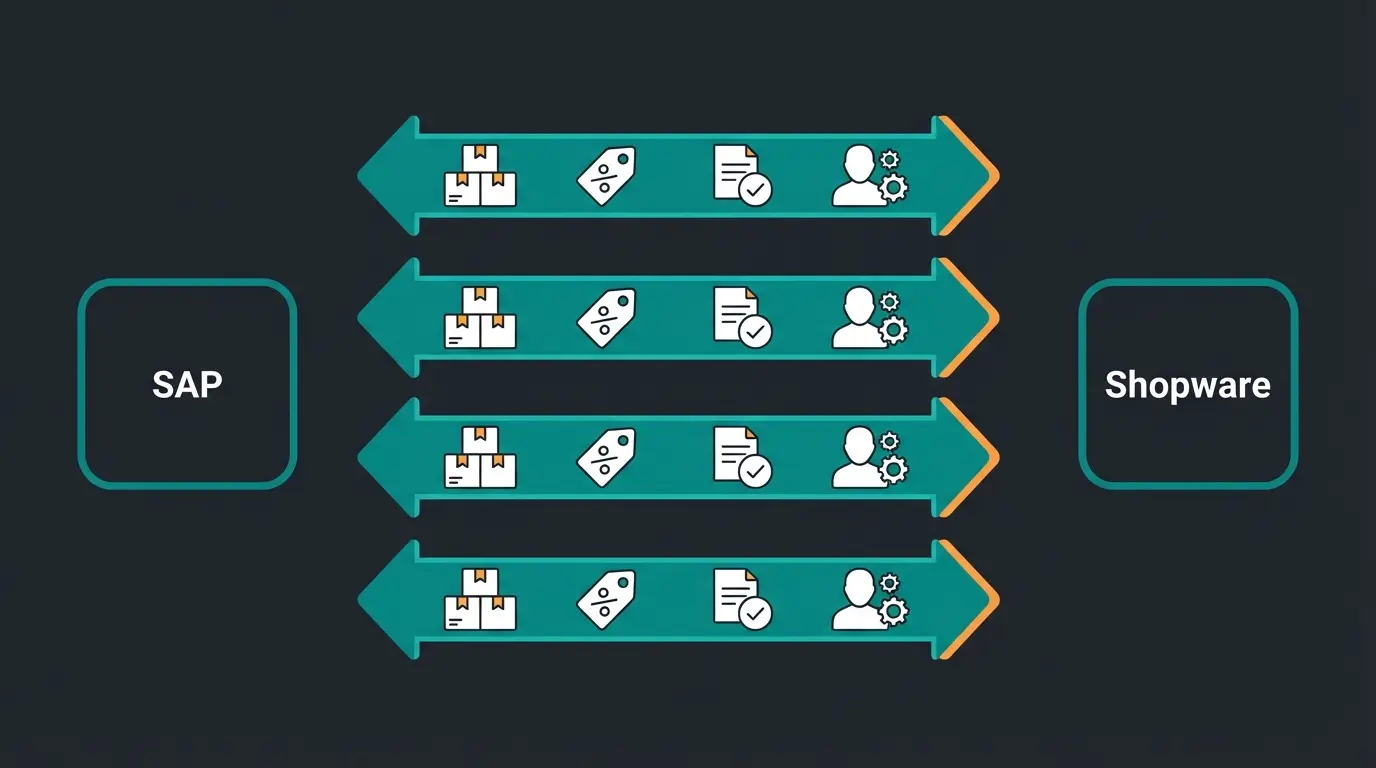
Every Shopware SAP integration must master at least these four data streams in real-time or near-real-time:
- Inventory Levels: Nothing frustrates B2B customers more than an order that gets canceled later.
- Customer-Specific Pricing: In B2B, almost every customer has individual terms. This logic resides in SAP and must be mapped 1:1 in Shopware. As SpearDevs notes, proper price synchronization is fundamental to B2B success.
- Order Status: Customers want to know: 'Is my goods already packed?' This information comes directly from SAP logistics.
- Customer Master Data: Addresses, contacts, and credit limits must be synchronized.
The Problem: The 'Consultation Gap' in Standard Integrations
If you've fulfilled the points mentioned above, you have a functioning Shopware SAP integration. But you don't yet have a competitive advantage. You've merely fulfilled basic hygiene requirements. This is where AI consulting becomes essential for differentiation.
The Data Silo Problem
Your SAP system contains data that goes far beyond price and inventory. Consider:
- Technical Attributes: Voltage, material hardness, compatibility lists.
- Return Reasons: 'Customer X often returns Product Y because they expected Z.'
- Margin Data: Which products should we actually be actively selling?
In a standard integration, this data is often ignored or passed to Shopware as a flat text field ('description'). The result is a 'Consultation Gap'—a term used by Qualimero to describe this missed opportunity. The online store functions only as a digital order form. It takes orders, but it doesn't sell.
The Static Frontend and 'Choice Paralysis'
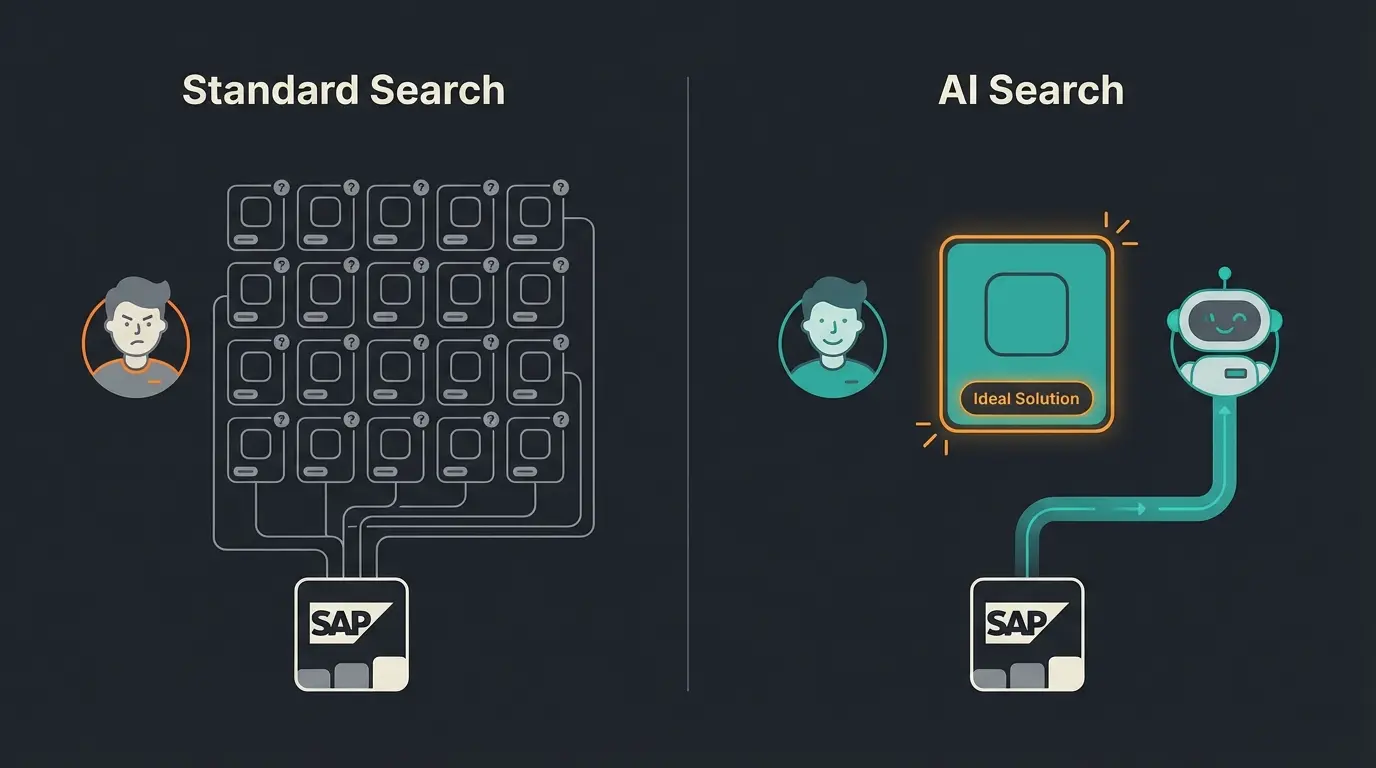
Imagine a customer searching for a 'drill.' Your SAP system delivers 50 different models to Shopware. The customer now sees a list of 50 products. They're overwhelmed—a phenomenon known as 'Choice Paralysis.'
A human sales representative would ask: 'What do you need the machine for? Concrete or wood? How often will you use it?' A standard Shopware store cannot do this. It offers filters, but not consultation. It displays data, but doesn't understand it. This is precisely where the untapped potential of your SAP data lies—and where AI-driven product consultation creates transformative value.
B2B customers abandon purchases due to product complexity and lack of guidance
Customer service inquiries related to product selection and compatibility
Potential decrease with AI-guided product recommendations
The Solution: AI-Driven Integration (Active Integration)
Here we leave the realm of traditional IT and enter the field of AI-powered product consultation. The goal is to extend the Shopware SAP integration so that SAP data serves as fuel for an Artificial Intelligence that advises customers on the frontend.
Data as Fuel for LLMs
Instead of just copying SAP data to the Shopware database (MySQL), we additionally feed it into a vector database or make it available to a Large Language Model (LLM) like GPT-4 or Claude.
The Scenario:
- Standard Shop: The user filters for 'drill 500W.' They receive 20 results and must compare technical data sheets (PDFs from SAP).
- Your AI Shop: The user asks the chatbot or search bar: 'I need a drill for reinforced concrete that doesn't overheat during continuous operation.'
What happens in the background:
- The AI analyzes the query ('reinforced concrete,' 'continuous operation').
- It accesses deep SAP data via the integration (e.g., the attribute 'application area' or 'duty cycle').
- It checks SAP inventory in real-time.
- It might even check return data: 'Model A is often returned for concrete use due to overheating.'
- Result: The AI recommends one specific product: 'For reinforced concrete, I recommend the Hilti TE-30. It has the necessary impact force and, according to our data, is more reliable in continuous operation than Model B. We also have 3 units in stock that can be delivered to you tomorrow.'
From Automation to Intelligence
Shopware AI itself is moving strongly in this direction with version 6.7 and the 'AI Copilot.' However, while Shopware's official features focus on backend efficiency (writing texts, tagging images), the real revenue lever lies in the frontend.
An intelligent Shopware SAP integration uses SAP logic (e.g., 'If Machine X is purchased, Cable Y is mandatorily required') to fully automatically unlock cross-selling potential—not through rigid rules, but through semantic understanding of products. This is where AI-powered sales consultants demonstrate their true value.
Stop letting valuable ERP data sit unused. Our AI-powered integration layer turns your SAP technical specs into revenue-generating product consultation.
Start Your AI IntegrationTechnical Implementation: How It Works
How do you build such an architecture? Simply installing a plugin isn't enough. It requires a modern API architecture with AI capabilities built into the core.
The Architecture of Intelligence
Integration no longer occurs just point-to-point (SAP <-> Shopware), but includes an AI layer.
Via SAP Service Layer (B1) or OData (S/4HANA), extract not just master data but also technical attributes and movement data
Data is 'vectorized' using Retrieval Augmented Generation and stored in a vector database, making it searchable for AI
Shopware 6 is API-first, meaning frontend applications like AI chatbots can access prices and shopping carts in real-time
An AI agent receives customer queries, searches vectorized SAP data for solutions, and uses the Shopware API to add products directly to cart
The 'Dirty Data' Problem and AI Cleaning
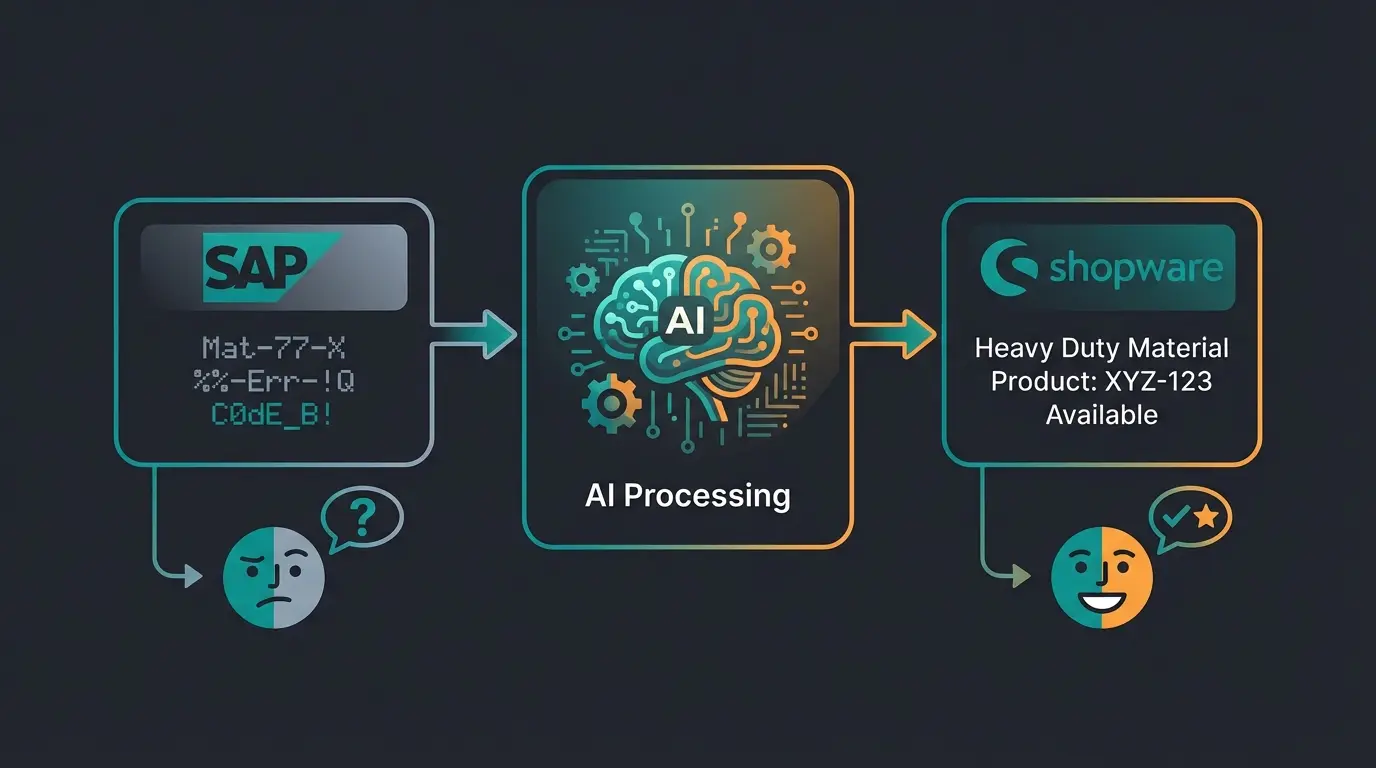
An often underestimated problem with Shopware SAP integration is data quality. SAP data is frequently 'dirty':
- Cryptic abbreviations ('Mat-77-X-Galv.') instead of readable names
- Inconsistent spellings in attributes
- Missing descriptions
This is where AI serves as a 'car wash.' Before data lands in Shopware, an AI model (e.g., integrated into SAP MDG or as an intermediate layer) can normalize the data. According to LeanITCorp, this AI-driven master data management is becoming essential for modern integrations.
- SAP Input: 'Screw V2A 50x5 CSK'
- AI Processing: Recognizes 'V2A' as stainless steel, 'CSK' as countersunk
- Shopware Output: 'Stainless Steel Countersunk Screw 50x5mm, rust-free'
This improves not only the user experience but also massively boosts the SEO rankings of your store, as Google prefers readable content.
Visualization: The Added Value Compared
To illustrate the difference between a standard integration and an AI-powered solution, let's look at the functionalities side by side.
Comparison Table: Standard vs. AI Integration
| Feature | Standard SAP Connector | AI-Enhanced Integration |
|---|---|---|
| Inventory Display | Shows 'Available' or number (e.g., '5 units') | Suggests immediately available alternatives based on technical similarity when stock is 0 |
| Technical Data | Static table in description | Used for advisory answers ('Is this compatible with X?') |
| Search Function | Keyword-based (finds only exact matches) | Semantic (understands 'I need something to repair X') |
| Customer History | List of old orders ('Reorder') | Predictive suggestions ('Based on your usage, you'll need X again soon') |
| Data Quality | Transfers errors 1:1 from SAP (Garbage In, Garbage Out) | Automatically cleans and enriches data before import |
The Data Value Pyramid
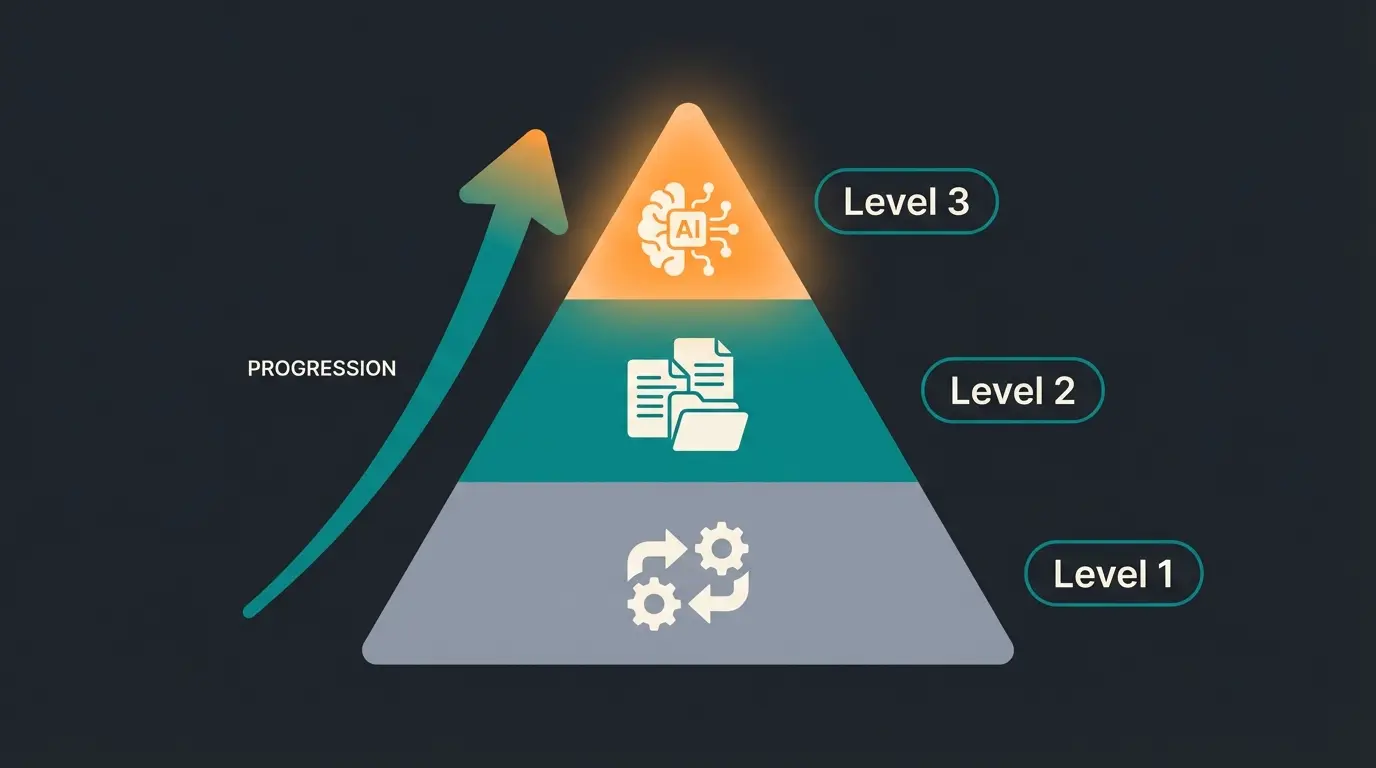
Visualize a pyramid representing the maturity level of your integration. This framework helps understand where most competitors sit versus where the real competitive advantage lies:
- Level 1 (Foundation - The 'Must Haves'): Synchronization of price and inventory. This is where 90% of all shops are. It saves time but doesn't create a new purchasing experience.
- Level 2 (Information - The 'Informers'): Synchronization of technical data sheets, PDFs, and images. The customer has all the information but must evaluate it themselves.
- Level 3 (Intelligence - The 'Consultants'): AI utilization of data. The system actively advises, solves problems, and conducts cross-selling. This is where competitive advantage emerges—through AI product consultation.
Case Study: The B2B Spare Parts Dealer
Let's consider a fictional but realistic example of a German machinery manufacturer—let's call them 'TechParts GmbH.' This illustrates how AI product consultation transforms real business outcomes.
The Starting Situation
TechParts uses SAP S/4HANA and Shopware 6. The product range includes 200,000 spare parts.
The Problem: Customers constantly call support because they don't know which spare part fits their 10-year-old machine. The search in the store often returns no results when entering the machine number because part numbers have changed over the years in SAP (supersession chains).
The Solution
TechParts implements a Shopware SAP integration with an AI layer, enabling sophisticated AI consultation conversations that understand product relationships.
- The AI learns the history of part numbers from SAP ('Part A was replaced by Part B in 2018').
- An AI chatbot in the Shopware frontend accesses this knowledge.
The Result
A customer enters: 'I need a replacement for Part A.'
The store responds: 'Part A is no longer manufactured. The official successor according to SAP is Part B. It's technically identical but more durable. Should I add it to your cart?'
Implementing Better AI Integration for B2B Success
The path to better AI integration requires careful planning and the right technical foundation. Beyond the architecture discussed, consider these implementation priorities for your Shopware SAP integration:
- Start with high-value product categories: Focus initially on products with complex attributes and high support ticket volumes
- Build your knowledge base incrementally: Let the AI learn from actual customer interactions through AI product consultation feedback loops
- Monitor and optimize: Track metrics like consultation-to-conversion rate and average order value changes
The integration landscape is evolving rapidly. According to Sana Commerce, B2B buyers now expect the same intelligent shopping experiences they encounter in B2C—and SAP data holds the key to delivering that experience.
B2B Ordering and AI Consultation Synergy
For companies with complex B2B ordering processes, the synergy between efficient AI consultation and SAP integration is particularly powerful. When your AI agent understands not just product specifications but also customer-specific pricing tiers, credit limits, and order history, it can provide truly personalized guidance that would be impossible with static integration.
Conclusion & Checklist for Your Integration
The connection between Shopware and SAP in 2025 is more than a technical necessity. It's a strategic opportunity. Those who only think about data pipelines when considering Shopware SAP integration are squandering the potential of their most expensive resource: their business data.
By taking the step from pure synchronization to AI-powered consultation, you transform your online store from a self-service warehouse into a digital top seller.
Checklist for a Future-Proof Integration
- API Check: Are you using modern protocols? (S/4HANA: OData, SAP B1: Service Layer). Outdated XML/SOAP interfaces slow down AI applications.
- Data Audit: How 'clean' is your SAP data? Plan an AI step for data cleansing.
- Attribute Mapping: Transfer not just prices but also deep technical attributes necessary for consultation.
- Frontend Strategy: Are you planning to use 'Agentic Commerce' or AI chatbots that access SAP data?
- Partner Selection: Look for an agency or middleware that doesn't just 'connect' but 'understands.' Ask about experience with vector databases and LLM integrations.
The future of B2B e-commerce belongs to those who make complexity simple for the customer. An intelligent Shopware-SAP integration is the key to achieving that.
Frequently Asked Questions
The main compatible versions are SAP S/4HANA (using OData APIs), SAP Business One (using the Service Layer), and SAP ECC/R/3 (typically requiring middleware for protocol translation). Modern integrations should prioritize REST-based APIs over legacy protocols like IDocs or SOAP for optimal performance with AI applications.
Standard connectors focus on data synchronization—moving inventory, prices, and orders between systems. AI-enhanced integration adds an intelligence layer that uses this data for active product consultation, semantic search understanding, predictive suggestions, and automated data quality improvement. The key difference is passive data display versus active sales assistance.
The Consultation Gap refers to the disconnect between rich SAP data (technical specs, return patterns, margin data) and how that data is presented to customers. Standard integrations show static tables of information, while B2B customers need guidance similar to what a human sales representative would provide. AI bridges this gap by translating complex data into actionable recommendations.
A basic integration typically takes 4-8 weeks depending on data complexity. Adding the AI layer for product consultation requires an additional 4-6 weeks for data vectorization, model training on your product catalog, and frontend implementation. The total timeline for a complete AI-enhanced integration is usually 3-4 months.
Typical results include 25-35% reduction in support tickets related to product selection, 10-20% increase in conversion rates for complex products, and 15-25% improvement in average order value through intelligent cross-selling. Most businesses see positive ROI within 6-12 months of implementation.
Join leading B2B companies transforming their Shopware stores from order-takers to intelligent sales consultants. Our AI integration platform makes your SAP data work harder for every customer interaction.
Schedule Your AI Demo